Seedance 2.0 是目前功能完整的 AI 影片生成模型之一,也提供試用入口。無論你要製作產品展示、電影感鏡頭或社群短片,本指南都會帶你從第一組提示詞走到完成影片。
什麼是 Seedance 2.0?
Seedance 2.0 是由 ByteDance 開發的 AI 影片生成模型。它可接受文字提示和參考圖片作為輸入,生成高品質、逼真的影片片段。
Seedance 2.0 的主要優勢:
- 出色的動作真實感與時間一致性
- 支援 文字轉影片 及 圖片轉影片
- 生成速度快
- 對鏡頭移動指令理解能力強
如何開始使用 Seedance 2.0(逐步指南)
第一步:打開生成器
前往 Seeddance AI 並選擇你的模式:
- 文字轉影片 — 從文字描述開始
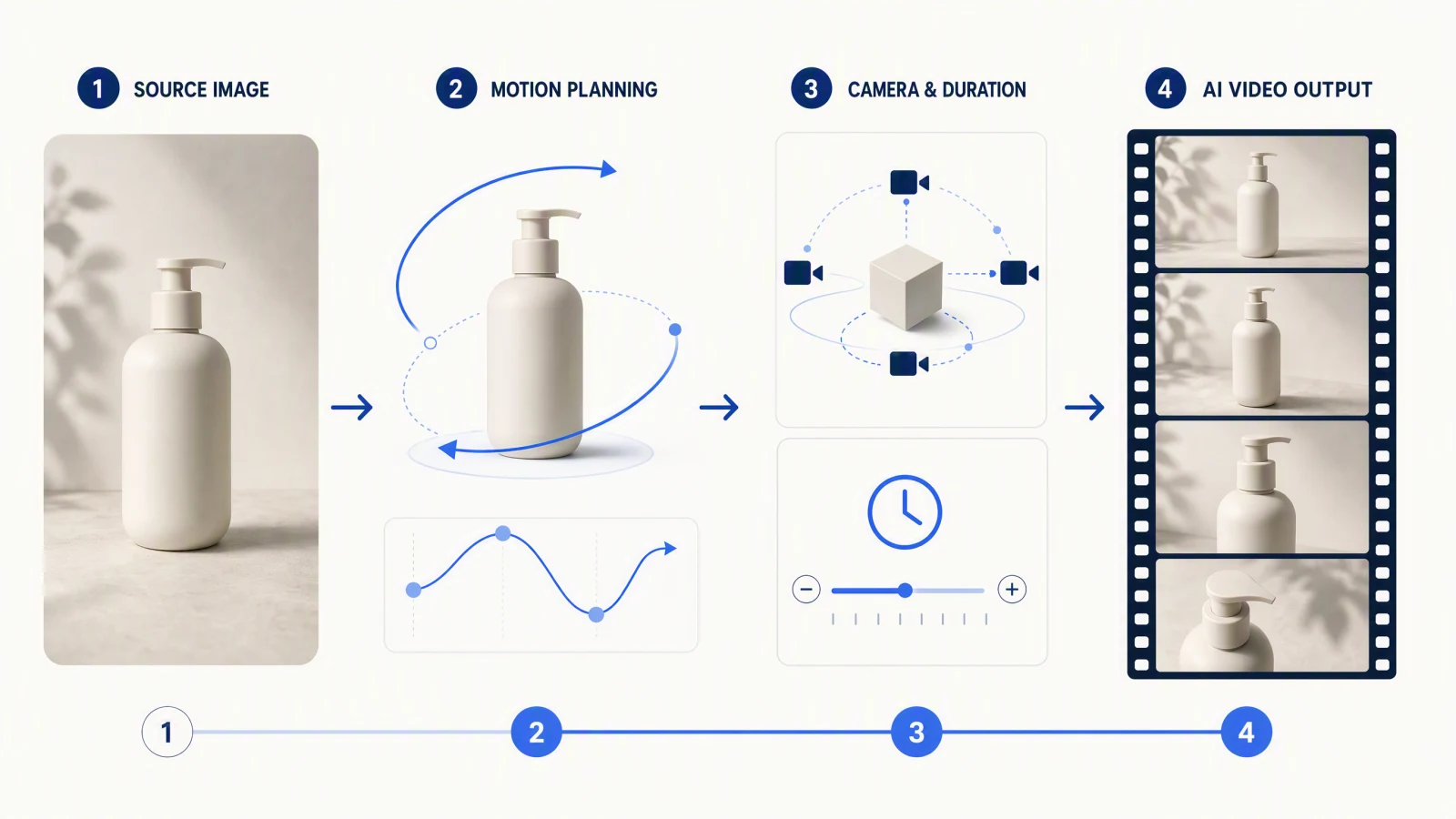
- 圖片轉影片 — 對你已有的照片或插圖進行動畫化
第二步:撰寫你的第一個提示
使用這個實用公式:
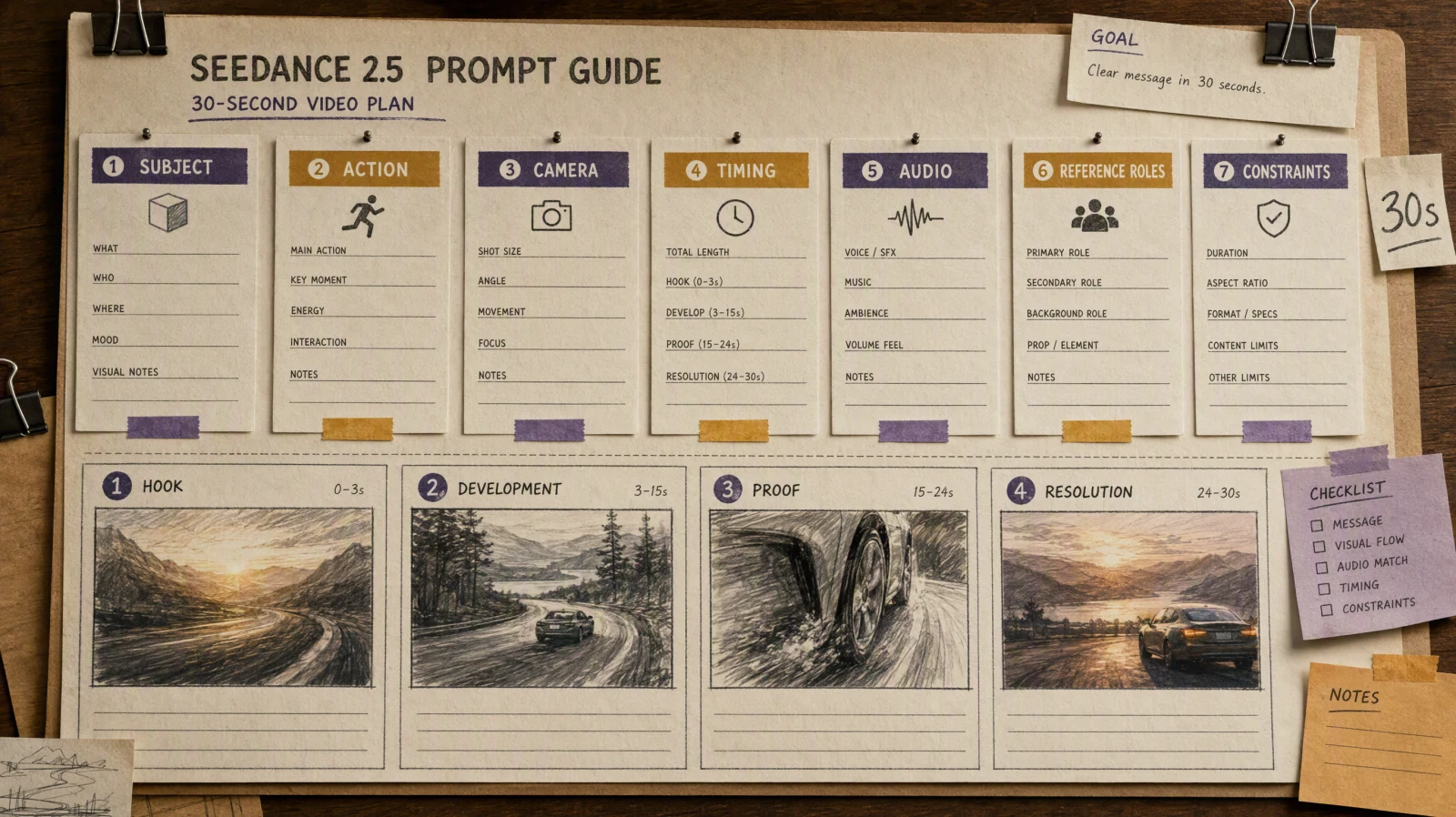
[Subject] + [Action/Motion] + [Camera] + [Style/Lighting]範例:
A woman walking through a rainy Tokyo street at night, slow tracking shot from behind, neon lights reflected on wet pavement, cinematic realism你的鏡頭與動作指令越具體,輸出結果的控制程度就越高。
第三步:生成並檢視
點擊 生成 並等待你的第一個草稿。不要追求完美——把它當作起點。
第四步:每次只調整一個變數
當你拿到草稿後:
- 保留有效的元素(主體、光線、構圖)
- 每次迭代只調整 一個元素(鏡頭角度、風格、速度)
- 重新生成並比較
這種方法通常比從零重寫能獲得更好的結果。
10 個可直接使用的 Seedance 2.0 提示
複製以下任何一個即可立即開始:
產品與商業
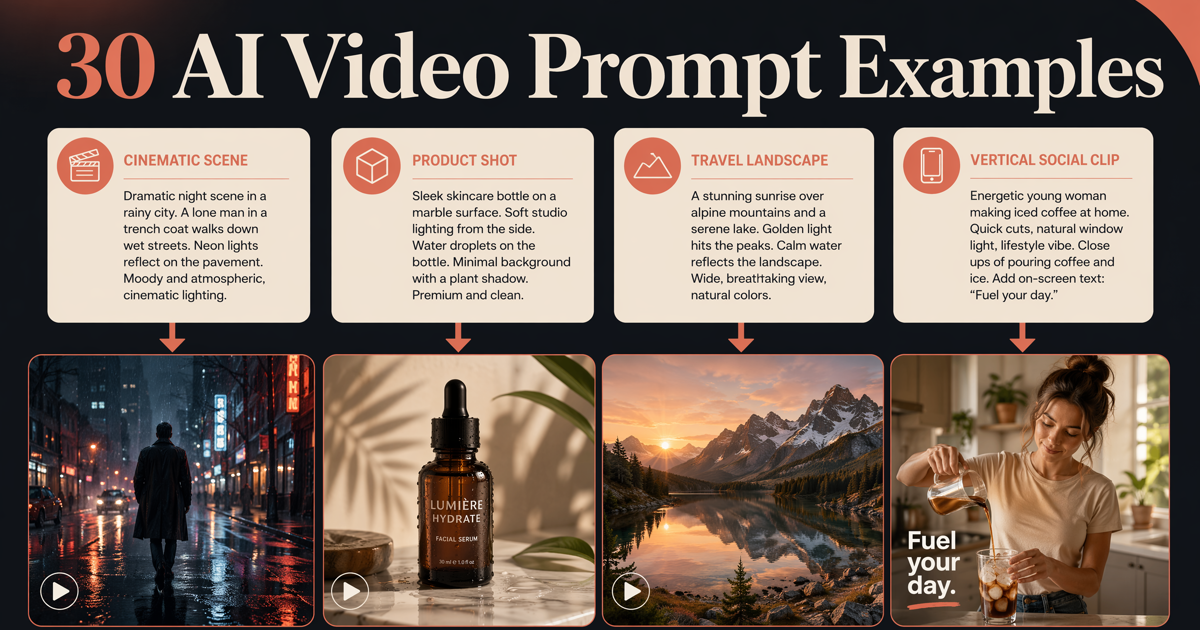
A sleek black sneaker rotating slowly on a white platform, close-up studio shot, soft key light with subtle shadow, product advertisement styleA glass perfume bottle with golden liquid, slow zoom-in, bokeh background, luxury commercial aesthetic電影與氛圍
Aerial view of a dense forest in autumn, slow drone push forward, golden hour light filtering through trees, cinematic documentary styleA lone lighthouse on rocky cliffs during a storm, wide establishing shot, dramatic waves crashing, overcast moody sky角色與肖像
A young woman in a flowing white dress standing in a sunlit wheat field, gentle breeze moving her hair, medium shot, warm golden light, soft cinematic grain城市與街頭
Busy Tokyo intersection at night, overhead view, fast motion of pedestrians and traffic, neon signs reflecting on wet ground抽象與動態
Liquid mercury droplets falling in slow motion on a dark surface, extreme close-up macro shot, studio lighting, ultra high detail社交與用戶生成內容風格
A barista pouring latte art in a cozy cafe, handheld camera, natural window light, warm tones, lifestyle vlog aesthetic自然與風景
Ocean waves crashing on black volcanic sand beach at sunrise, low angle wide shot, slow-motion spray, vivid golden and blue tones科幻與奇幻
A futuristic city skyline at dusk with flying vehicles, wide aerial shot slowly pulling back, purple and orange gradient sky, high detail常見錯誤須避免
過載的提示 — 不要試圖一次描述所有內容。選擇一個清晰的主題和動作。
矛盾的風格指令 — 避免在同一提示中混合「寫實」和「動畫」等風格。
沒有攝影指示 — 請始終指定鏡頭是靜止、平移、追蹤還是縮放。這會產生巨大的差異。
一次改變太多變數 — 你會失去對實際改善結果的掌握。
提高效果的專業技巧
使用影像到影片功能保持角色一致性。 如果需要相同的臉或物件出現在多個片段中,請先使用參考圖像。
建立個人提示庫。 按類別(產品、風景、角色)保存表現最佳的提示。重複使用已驗證的結構可節省時間。
將提示長度與複雜度匹配。 簡單鏡頭需要簡單提示。對基本動作過度描述常會讓模型混亂。
在提示中指定畫面比例意圖。 如「寬景開場鏡頭」的描述自然引導模型向風景構圖。
開始使用 Seedance 2.0 創作
你現在擁有所需的一切。選擇上述其中一個提示,貼上並點擊生成。