If you want better results from a text to video prompt, do not start with adjectives. Start with shot design. The strongest AI video prompts in 2026 describe one subject, one clear action, one camera move, one environment, one lighting direction, one visual style, and one practical duration. That structure gives the model something it can actually follow. Most weak outputs come from prompts that ask for too many ideas at once or fail to separate subject motion from camera motion. A strong AI video prompt guide is really a guide to making fewer, clearer decisions. In practice, that means writing prompts more like a short director's brief than a poetic sentence. This tutorial explains the best prompt formula, the difference between image and video prompting, how to control motion and framing, what bad prompts look like, and how to test everything inside SeedVideo AI before you scale a workflow.
TL;DR
- A strong text to video prompt usually follows this order: subject, action, camera, environment, lighting, style, duration, constraints.
- Separate subject motion from camera motion if you want more controllable outputs.
- Keep early tests short, usually 5 to 8 seconds.
- Use one prompt structure and vary one element at a time instead of rewriting everything.
- If you are still comparing tools, keep Best AI Video Generators in 2026 open while you test.
- If your workflow starts from a visual reference instead of a blank prompt, read the published Image to Video AI Guide.
- For copy-ready examples you can run in one click, browse the AI video prompt library.
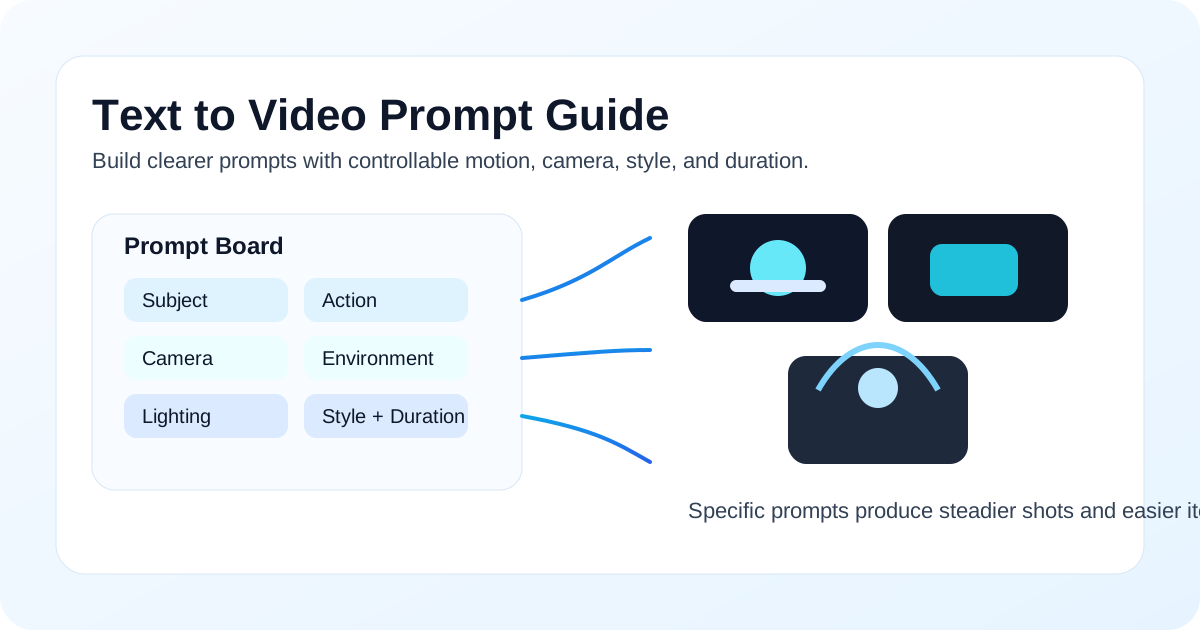
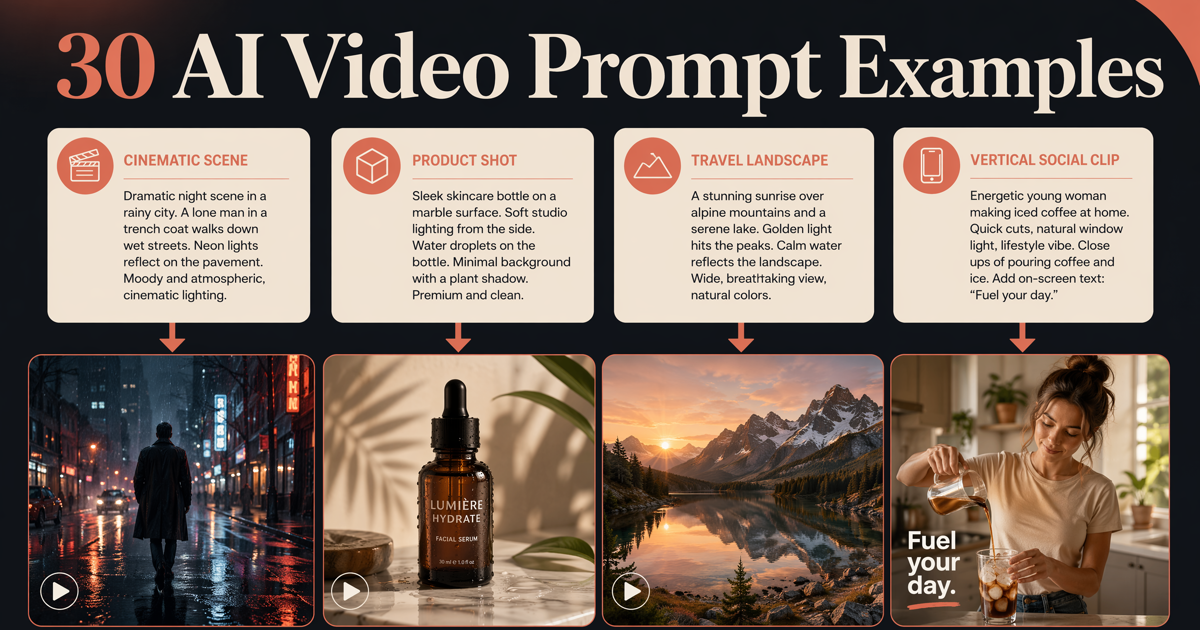
A structured prompt turns a simple idea into a more controllable AI video.
Quick Answer: The Best AI Video Prompt Formula
The best text to video prompt formula in 2026 is:
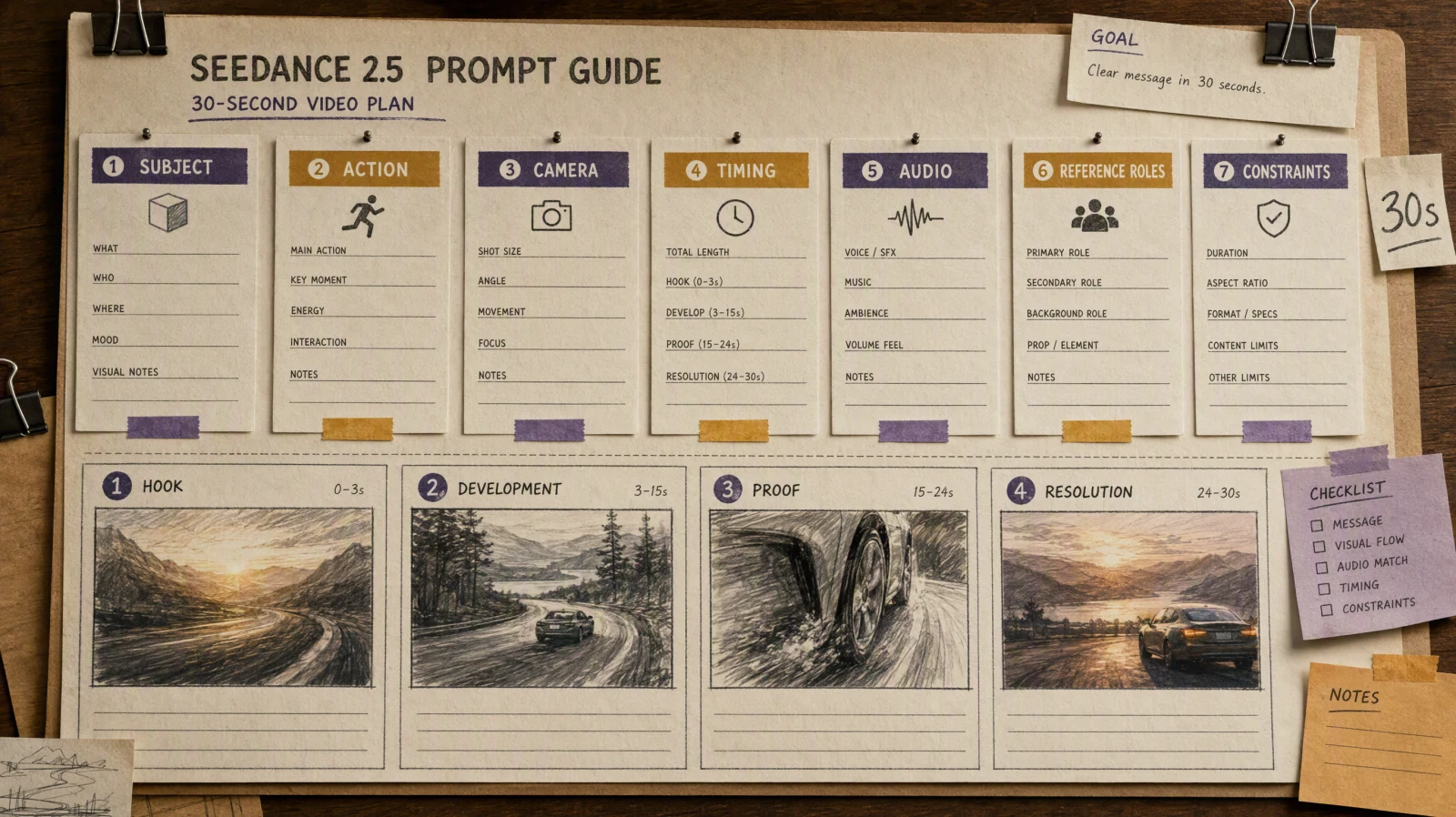
Subject + Action + Camera + Environment + Lighting + Style + Duration + Constraints
This works because it tells the model what should happen, how the shot should move, what the scene should feel like, and what should stay under control.
| Prompt part | What it answers | Example |
|---|---|---|
| Subject | Who or what is in the shot? | a ceramic coffee cup on a wooden table |
| Action | What happens physically? | steam rises while a hand reaches into frame |
| Camera | How does the shot move? | slow push-in from table height |
| Environment | What surrounds the subject? | cozy kitchen at sunrise, soft window reflections |
| Lighting | What is the light quality? | warm natural morning light |
| Style | What should it feel like? | cinematic lifestyle ad, realistic texture |
| Duration | How long is the clip? | 6 seconds |
| Constraints | What should be avoided or limited? | no extra hands, no text, no scene change |
For a broader tool-selection view, see Best AI Video Generators in 2026. If you want to test the formula directly, SeedVideo AI text-to-video is the practical next step.
What Makes a Video Prompt Different from an Image Prompt
An image prompt mostly answers one question: what should the frame look like? A video prompt has to answer a second question: what changes over time?
That difference matters because a cinematic video prompt has at least four moving parts:
- The subject can move.
- The camera can move.
- The environment can move.
- The timing can change how the motion feels.
An image prompt might say:
a woman in a red coat standing on a rainy neon street, cinematic lighting
Try this prompt in SeedVideo AI
A video prompt has to go further:
a woman in a red coat pauses under neon signs as rain falls around her, slow handheld push-in, reflections shimmer on wet pavement, blue and magenta night lighting, realistic cyberpunk film look, 6-second clip
Try this prompt in SeedVideo AI
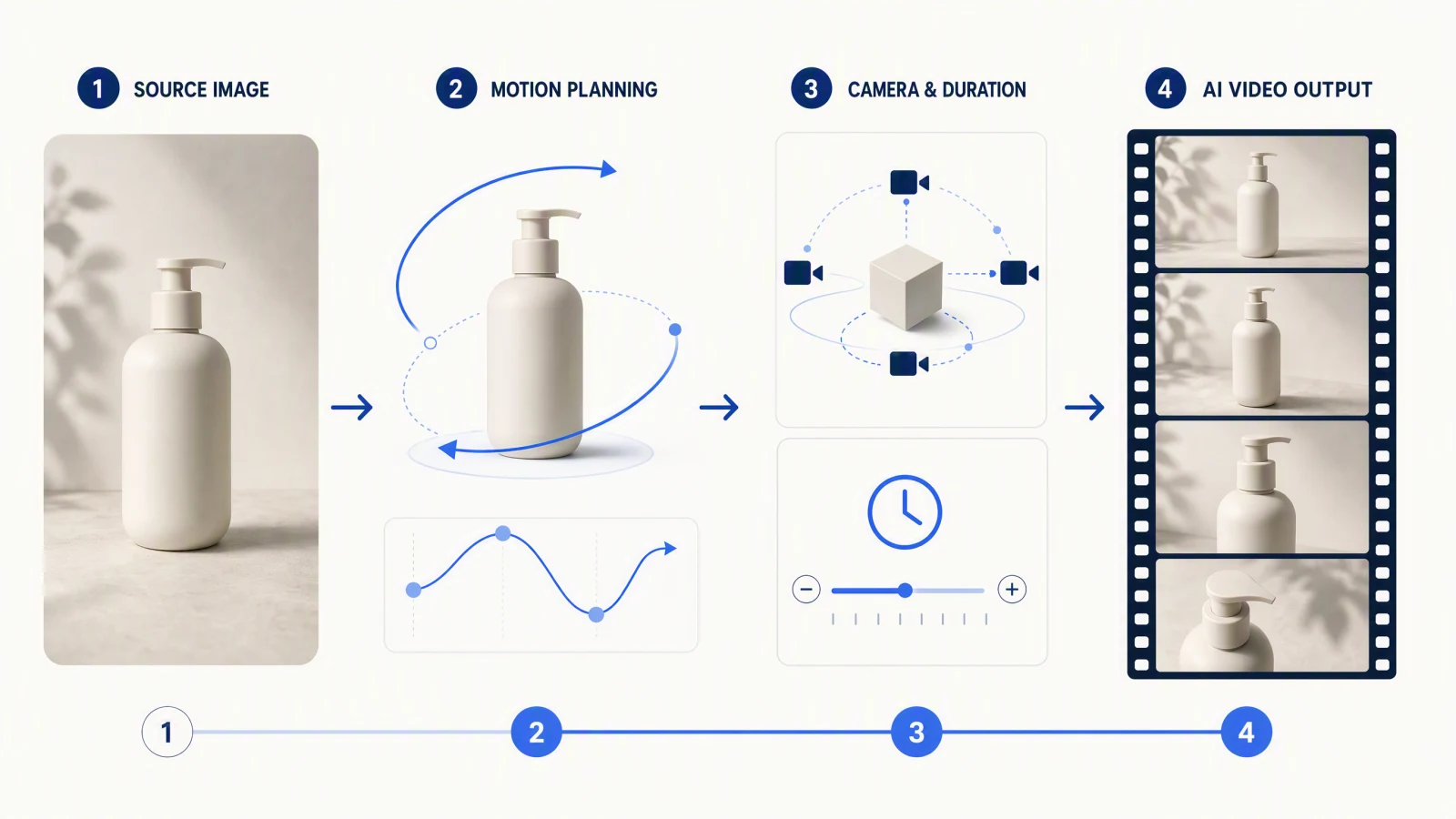
The second version is better because it describes time, motion, and camera behavior. If your workflow starts from a still image, the published Image to Video AI Guide shows how that structure changes when the frame is already fixed.
Prompt Formula
The fastest way to improve text to video AI prompts is to give each part of the sentence a job instead of stacking vague style words.
Simple formula
- Start with the main subject.
- Add one clear action.
- Add one camera instruction.
- Add the environment and lighting.
- Add the visual style.
- Set the duration.
- Add one or two constraints if consistency matters.
Reusable template
[subject] [action], [camera movement], [environment details], [lighting], [style], [duration], [constraints]
Why this formula works
- It keeps the prompt readable.
- It reduces conflict between instructions.
- It makes iteration easier because you can change one variable at a time.
- It works well across product demos, social ads, travel visuals, tutorials, and cinematic tests.
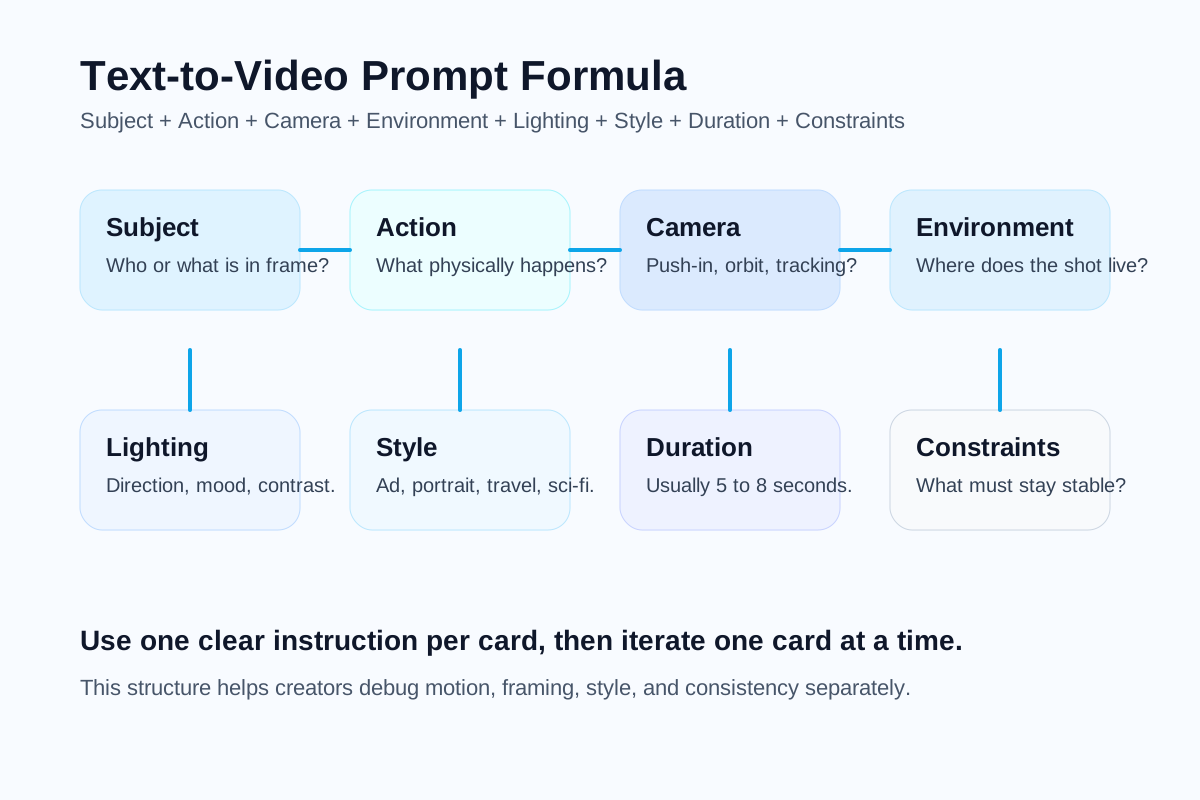
The core elements of a strong text-to-video prompt.
10 Prompt Examples by Use Case
Below are 10 copyable text to video AI prompts. Each one follows the same structure so you can swap the subject, style, or camera movement without losing control.
1. Product demo
A premium smartwatch rotates slowly on a dark reflective pedestal as subtle interface light glows across the screen, slow commercial push-in, black studio background with faint atmosphere, crisp edge lighting, luxury tech ad style, 6-second clip, no text or extra objects.
Try this prompt in SeedVideo AI
2. Travel reel
A solo traveler walks along a cliffside path overlooking the sea while wind moves the jacket and grass, smooth tracking shot from behind, golden-hour coastal landscape, warm sun with light haze, cinematic travel film style, 7-second clip, no crowd or abrupt scene change.
Try this prompt in SeedVideo AI
3. Cinematic portrait
A young violinist looks up from the instrument as loose hair moves gently in the air, slow orbit at chest height, moody rehearsal room with floating dust, soft side lighting, intimate arthouse film look, 5-second clip, preserve facial consistency.
Try this prompt in SeedVideo AI
4. Social ad
A can of sparkling water splashes onto crushed ice as droplets burst outward, fast macro push-in, bright studio tabletop scene, high-contrast commercial lighting, bold social ad style, 5-second clip, no label distortion.
Try this prompt in SeedVideo AI
5. Tutorial explainer
A laptop screen shows a creator editing a short video timeline while a hand drags clips into place, slight top-down dolly movement, clean desk workspace with notebook and coffee, neutral daylight, modern SaaS tutorial style, 6-second clip, keep interface readable and realistic.
Try this prompt in SeedVideo AI
6. Brand film opener
A minimalist electric car emerges from fog as headlights cut through the mist, slow frontal dolly-in, empty mountain road at dawn, cool cinematic backlight, premium automotive launch film style, 8-second clip, no other vehicles.
Try this prompt in SeedVideo AI
7. Fashion shot
A model turns at the edge of a rooftop as fabric trails in the wind, elegant circular orbit shot, city skyline at sunset, soft gold rim light, luxury editorial fashion film style, 6-second clip, no extra people in frame.
Try this prompt in SeedVideo AI
8. Food commercial
Fresh noodles are lifted from a steaming bowl while broth ripples and herbs fall into frame, slow close-up push-in, warm restaurant kitchen setting, rich directional light, cinematic food commercial style, 5-second clip, realistic texture only.
Try this prompt in SeedVideo AI
9. App promo
Floating interface cards animate around a smartphone as charts and notifications slide into place, smooth parallax camera drift, bright abstract product backdrop, clean studio lighting, polished startup promo style, 6-second clip, no clutter and no warped text.
Try this prompt in SeedVideo AI
10. Sci-fi scene
An astronaut steps into a glowing corridor as holographic panels pulse along the walls, slow forward tracking shot, futuristic spacecraft interior with light fog, cool blue volumetric lighting, grounded sci-fi cinema style, 7-second clip, no sudden scene transformation.
Try this prompt in SeedVideo AI
How to Control Camera, Motion, Style, and Duration
Most prompt failures happen because users ask the model for "cinematic" output without specifying what cinematic means in motion terms.
Camera movement
Use one camera move first. Adding three camera moves usually reduces control.
| Camera move | What it does | Best use |
|---|---|---|
| Push-in | Moves the viewer closer to the subject | product reveals, emotional portraits |
| Orbit | Circles around the subject | fashion, sculptures, hero objects |
| Tracking shot | Follows movement across space | travel, running, walking scenes |
| Static shot | Keeps the camera still | clean demos, interviews, symmetrical scenes |
| Dolly zoom | Changes perspective while pushing or pulling | tension, surreal emphasis |
Motion control
Split motion into categories:
- Subject motion: walking, turning, reaching, blinking, rotating.
- Environmental motion: fog drifting, leaves moving, rain falling, dust floating.
- Secondary motion: fabric movement, hair movement, reflections, steam.
Style control
Style language works best when it is visual and specific:
- Better:
realistic lifestyle ad,moody arthouse film,premium product commercial - Worse:
epic amazing beautiful stunning
Duration control
For most text to video prompt tests, 5 to 8 seconds is the safe range. Longer clips create more room for:
- identity drift
- camera instability
- object warping
- scene changes you did not request
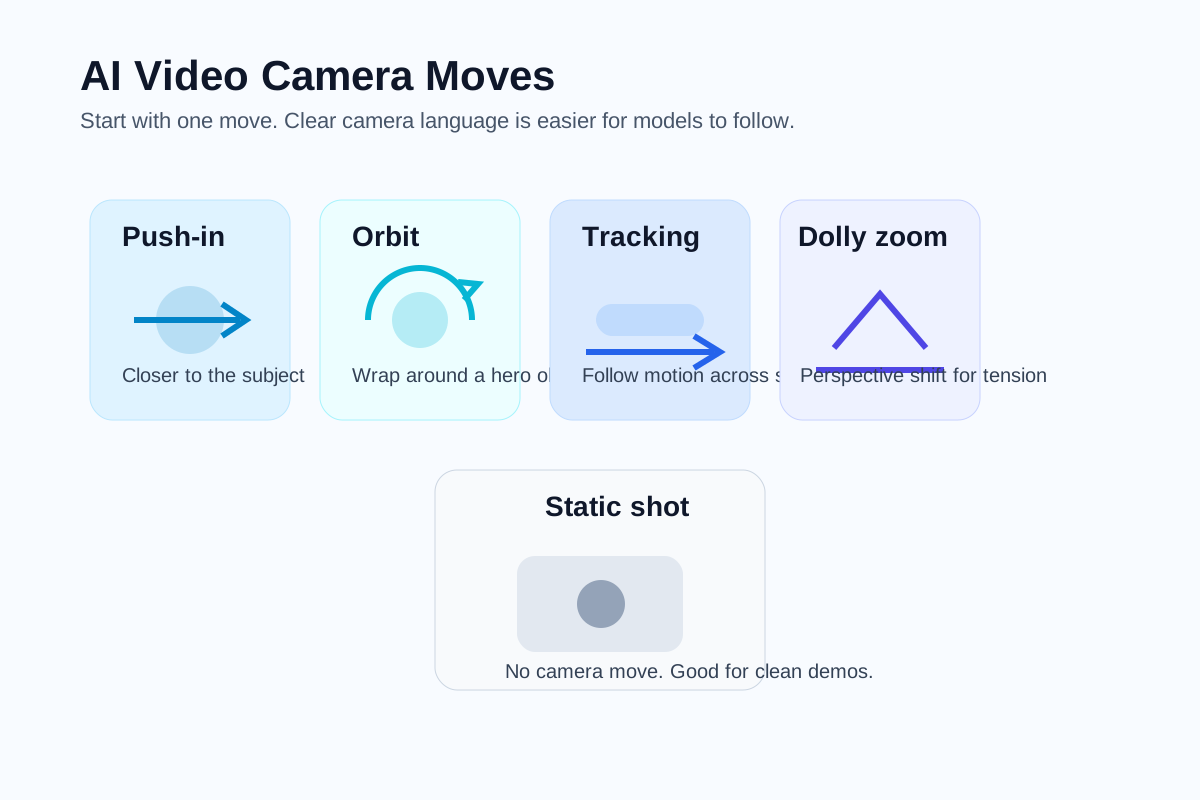
Camera direction is one of the most important parts of a video prompt.
Bad Prompt vs Good Prompt
The difference between a weak and strong prompt is usually structure, not length.
| Prompt type | Example | Why it performs that way |
|---|---|---|
| Bad prompt | make a cool cinematic video of a city with a person walking | It is vague about subject, action, camera, environment, timing, and style. |
| Good prompt | A woman in a beige trench coat walks through a rainy Tokyo alley as neon reflections shimmer on wet pavement, slow handheld push-in, dense night atmosphere, blue and amber lighting, realistic cinematic thriller style, 6-second clip, no extra characters entering frame. | It tells the model exactly what should move, how the camera behaves, and what mood to preserve. |
Another practical example:
| Weak prompt | Stronger prompt |
|---|---|
| a product video for headphones | Black over-ear headphones rotate slowly on a matte pedestal while a thin rim light reveals the contours, smooth commercial orbit shot, dark studio with floating dust, high-contrast premium lighting, cinematic product ad style, 5-second clip, no text and no extra props. |
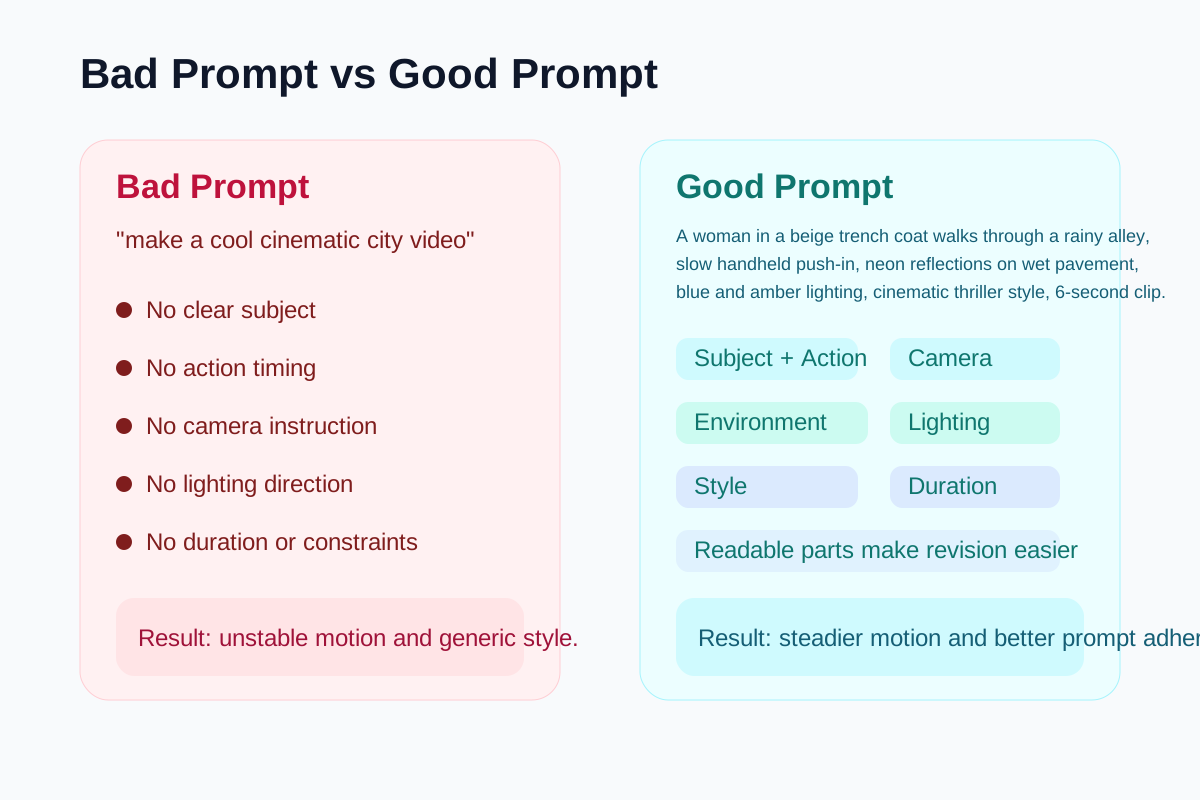
Specific video prompts produce more predictable AI video outputs.
SeedVideo AI Prompt Workflow
If you want to turn prompt writing into a repeatable creator workflow, use a simple loop inside SeedVideo AI:
- Open the text-to-video workspace.
- Write one prompt using the formula above.
- Generate a short batch instead of betting on one output.
- Compare results by motion, camera stability, and prompt adherence.
- Keep the structure stable and revise only one variable.
- If the shot needs a visual anchor, switch to the workflow in the Image to Video AI Guide.
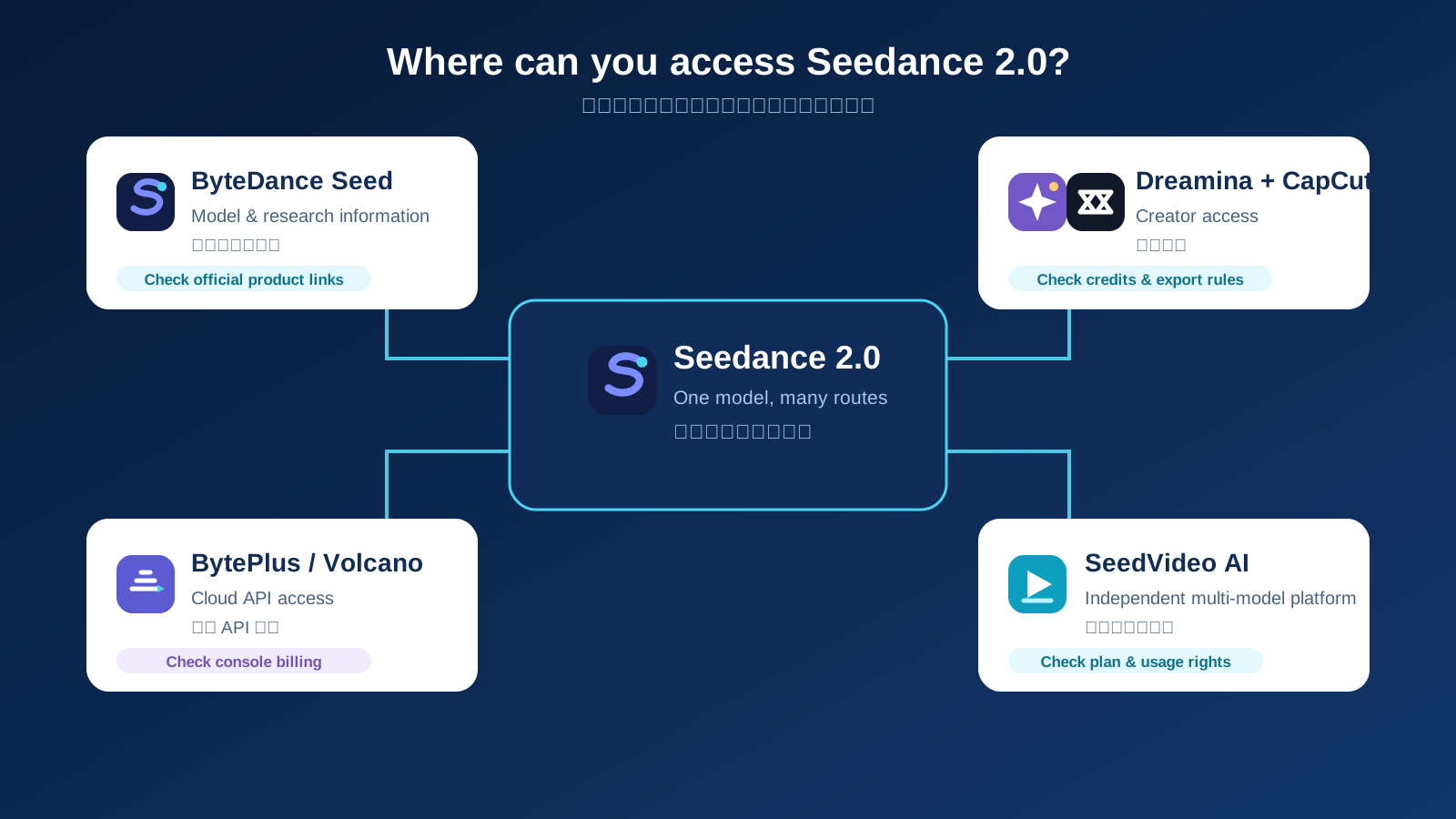
This matters because the best text to video prompt is not universal. A prompt that works for a product reveal may fail for a travel scene or cinematic portrait. SeedVideo AI is useful because it lets you test prompt-first and reference-first workflows without rebuilding everything on a new platform each time.
If you are still deciding which model family to use for each shot, the hub page Best AI Video Generators in 2026 is the right comparison layer. If you want another model-specific companion article, the published Seedance 2.0 vs Sora 2 vs Kling comparison is also relevant.
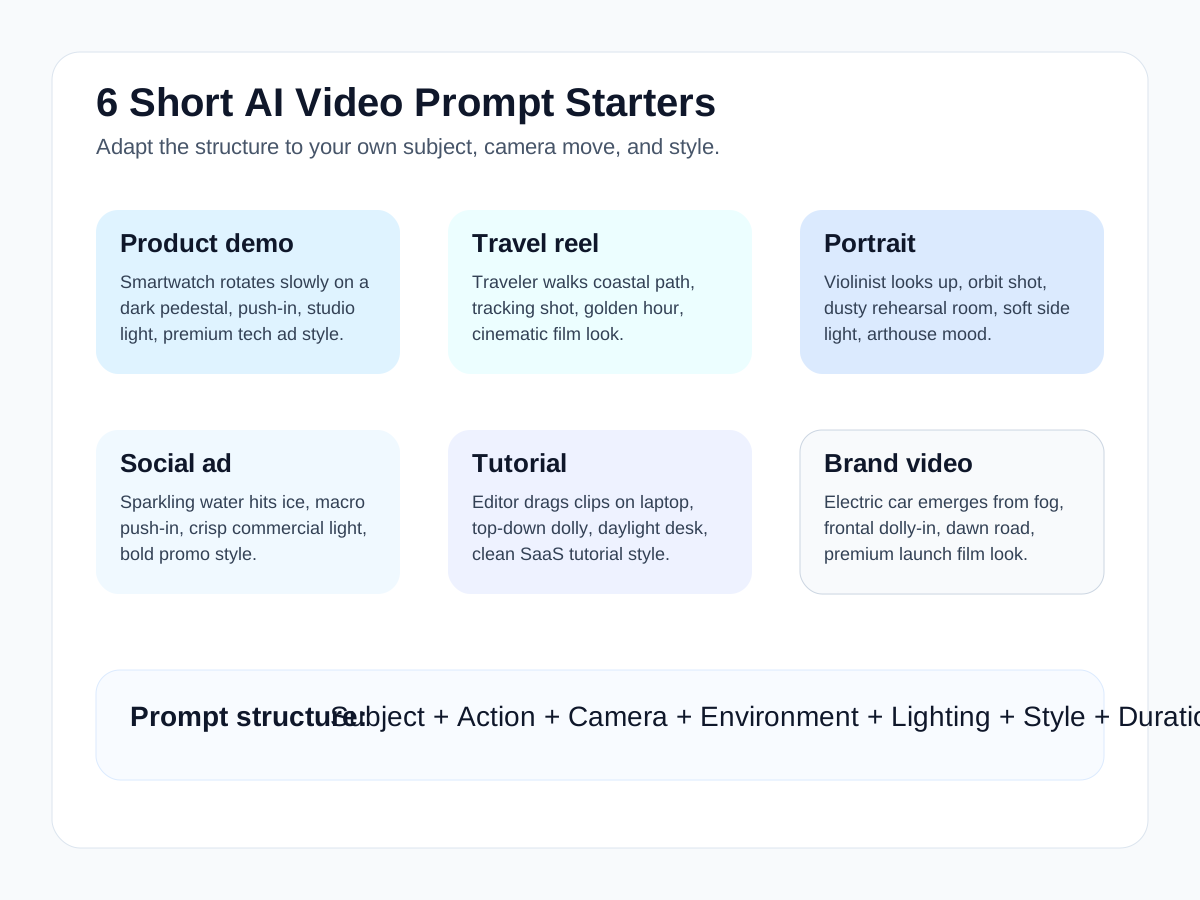
Short prompt examples that can be adapted for different video goals.
FAQ
What is a text to video prompt?
A text to video prompt is a structured written instruction that tells an AI video model what subject to generate, what action should happen, how the camera should move, what the environment looks like, and how long the shot should last.
What is the best length for a text to video prompt?
There is no perfect word count. The best prompt is only as long as it needs to be to specify subject, action, camera, environment, lighting, style, duration, and a few important constraints.
Why do AI video prompts fail?
Most fail because they are vague, overloaded, or contradictory. Prompts often break when users combine too many actions, too many camera moves, or unclear style directions in one sentence.
How do I make a cinematic video prompt?
Use cinematic language that describes actual shot choices: camera movement, lens feel, lighting direction, atmosphere, pacing, and subject behavior. Do not rely on the word cinematic alone.
What camera moves should I use in AI video prompts?
Start with simple moves such as push-in, orbit, tracking shot, or static framing. Those are easier to control than complex combinations and are enough for most creator workflows.
Should I use text-to-video or image-to-video?
Use text-to-video when you want to generate a scene from scratch. Use image-to-video when you already have a visual reference and want to preserve composition or subject identity. The Image to Video AI Guide breaks down that workflow.
Where can I test text to video AI prompts?
You can test them inside SeedVideo AI if you want a practical workflow for trying different prompt structures and model options from one place.
Conclusion
The core idea is simple: better AI video prompts come from better shot planning. When you define the subject, action, camera, environment, lighting, style, and duration separately, the model has a better chance of producing something stable and usable. That is true whether you are writing a product ad, travel reel, tutorial clip, brand opener, or cinematic test scene.
If you want to practice the formula immediately, start with SeedVideo AI or go straight to the text-to-video workspace. If you are still choosing the right tool for your workflow, read Best AI Video Generators in 2026 first, then compare the prompt-first and reference-first approaches with the Image to Video AI Guide.