- What can I send in?
- A source clip plus stills as references. Seedance 2.0, Fast and Mini take MP4 or MOV up to 50 MB and 2 to 15 seconds long, and up to three clips per generation; Seedance 2.5 accepts up to ten reference clips alongside up to 30 reference images; Kling O3 takes one clip of 3 to 10 seconds up to 200 MB. Short sources read best, because the longer the clip runs the more the model has to hold consistent. Only upload footage you have the right to use.
- Can I replace a person in my video with another character?
- Yes. Attach the clip and one still of the character who should appear instead, then write the swap as one sentence that names who goes out, who comes in from the image and that everything else stays. The movement, timing, camera and lighting are kept from the original. Free credits run this on Seedance 2.0 Mini at up to 720p; Seedance 2.5 does it as a localized edit on a paid plan or a credit pack. The Seedance models refuse some footage of real people and photorealistic faces under ByteDance’s content rules, so a stylized or clearly fictional replacement is the reliable choice, and a refused generation is not charged. The task section above has the exact prompt.
- Can I swap one object for another, such as a car or a product?
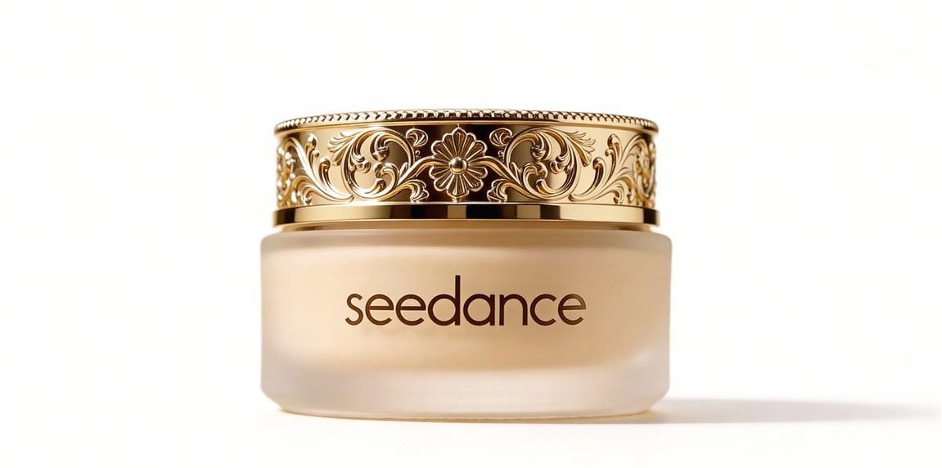
- Yes, and it is the most reliable job on this page. One still of the replacement object, one sentence naming what to remove and which image it comes from, and nothing else in the sentence: the demo pair at the top of the page replaced a perfume bottle with a face cream on Seedance 2.0 that way. The camera, set and lighting stay because you never asked them to move. Keep the source clip short and the reference still clean for the most stable result.
- Can I change the background of a video without a green screen?
- Yes. Say that the people, their movement and the camera path stay, then describe the new setting and its light. Seedance 2.5 treats this as a localized edit and keeps the subject stable while the environment is re-rendered; Seedance 2.0 and Mini re-render the whole scene from the clip, which suits a full restyle. A still of the new setting is optional and keeps a series of shots in the same place.
- Can I add people or objects to footage I already have?
- Yes. Name what appears, where it goes and what it does, add a reference still if it has to be a specific thing, and say the rest of the shot stays unchanged. One clear addition per run works far better than a crowd of small ones; stack further additions as separate runs on the result. Seedance 2.0 Mini handles this on free credits, and Seedance 2.5 gives a cleaner localized insert on a paid plan or a credit pack.
- Is it free, is there a watermark, and do I need a card?
- New accounts start with free credits and no card, sized for a first finished clip: two generation attempts and one completed video before a plan or a credit pack is needed. Nothing rendered here carries a watermark at any tier. One caveat specific to this entry: free credits cover the entry models, and of those only Seedance 2.0 Mini accepts a reference clip, so a free video-to-video test runs on Mini at up to 720p. Seedance 2.5, with its dedicated edit and extend modes, needs a paid plan or a credit pack.
- Which model handles editing and extending, and do I pick a mode?
- Seedance 2.5 is the one built for it: up to 30 seconds, up to 30 reference images and ten reference clips, and dedicated edit and extend modes that change one region or continue past the last frame instead of regenerating the whole shot. You never pick the mode; the instruction decides. Asking for a replacement runs an edit and asking for what happens next runs an extension. Seedance 2.0, Fast and Mini, Kling O3, MiniMax H3 and Wan 3.0 accept a reference clip and re-render the scene from it, which suits restyles and product swaps, and Kling 3.0 and 2.6 Motion Control are the specialists for transferring a performance from a clip onto a still.
- How long and how sharp can the result be?
- Output length follows the model, not the source. Seedance 2.5 renders 4 to 30 seconds, Seedance 2.0, Fast and Mini up to 15, Kling O3 up to 15, MiniMax H3 5 to 15, Wan 3.0 2 to 30, and Kling 3.0 and 2.6 Motion Control follow the reference clip, 3 to 30 seconds. Resolution is capped by plan first: 720p on free credits; then Seedance at 720p on Lite and 1080p on Pro and Premium, and other models at 1080p on Lite, 2K on Pro and 4K on Premium where the model allows it. A 1080p source does not raise a 720p cap.
- What does a video-to-video generation cost?
- Cost depends on the model, the output duration and resolution, and whether a reference clip is involved, so the starting-cost column is the floor: the catalogue rate for the shortest, lowest-resolution prompt-only output before plan discounts. Seedance 2.5’s edit and extend modes have their own rates, a job that includes a reference clip on the other Seedance models is priced differently from a plain prompt, Kling 3.0 and 2.6 Motion Control are priced by the length of the reference clip, and the composer shows the exact figure before you press generate. Failed generations are not charged.
- Is seeddance.io the official ByteDance site for Seedance?
- No. SeedVideo AI at seeddance.io is an independent platform, not a ByteDance property. It runs the official Seedance model API alongside Kling, Veo, Sora, MiniMax and Wan, so the Seedance output you get here is produced by the model ByteDance publishes, but the workspace, the credits and the plans are ours. Model names belong to their respective owners, and nothing on this site is endorsed by them.
- Can I use edited footage commercially?
- Commercial use is included on Pro, Premium and the annual Lite plan, and not on free credits or the monthly Lite plan. The output is the same file at every tier; the licence is what changes. With this entry the input matters as much: the source clip and the reference stills must be yours to use, because a licence for the output does not create rights in footage you did not own.
- How long does it take?
- A few minutes, towards the upper end of what a text prompt takes on the same model, because the model reads the source before it renders. The progress bar is paced off per-model estimates, roughly four minutes for Seedance 2.0 and about a minute and a half for Seedance 2.0 Fast, and it stretches for longer outputs, 1080p and busy periods. The workspace shows an “about N min left” estimate while it works, and free credits and Lite run one job at a time where Pro runs four and Premium eight.
- How do I keep the product or character consistent through the edit?
- Give the model one clean reference of the thing that must stay fixed, name it in the instruction, and change nothing else in the sentence: “replace the perfume with the cream from the image” keeps the camera, set and lighting because you never asked for them to move. Keep the source short, avoid heavy motion blur, and for a run of variants reuse the same reference still on every generation. Seedance 2.5 takes up to 30 reference images, so a whole product line can travel with the clip.
- Video to video here, or Runway Aleph or Kling, for a product swap?
- All three can restyle a clip; the difference is how the change is scoped. Seedance 2.5’s localized edit changes the region you name and leaves the rest of the frame alone, and it does so with the same references you use everywhere else on this site, up to 30 images and ten clips. Kling O3 sits in the same picker, so you can run the identical source and instruction through both and compare frame by frame without leaving the workspace. Runway Aleph is not offered here, and we publish no benchmark against it; judge it on its own output.