8 組 GPT Image 2.5 提示詞:產品圖、廣告與圖片編輯
一條好用的 GPT Image 2.5 提示詞,要說清楚圖片的用途、哪些細節很重要,以及你想改什麼。產品廣告可能需要包裝文字清晰,並為標題留出空間;編輯任務則可能只換外套,同時保留人物面部和房間原貌。
下面八個模板都是 Seeddance 原創示例,參考了 X 上討論的編輯流程和 OpenAI 的指南。每個示例都包含輸入素材、可複製的提示詞,以及需要檢查的具體項目。生成前,請把示例產品和文字替換成你自己的需求。
這些編輯方法來自哪條 X 貼文
9 月 9 日,@xiaohu 分享了 15 條 GPT Image 2.5 編輯提示詞,涉及參考圖分工、產品場景、本地化文字和其他局部編輯。我們在 9 月 9 日 15:11(中國標準時間)查看時,該帖顯示有 166 個贊、31 次轉發和 23,062 次瀏覽,完整提示詞可以閱讀。貼文同時推廣了 Higgsfield,因此本文只把它視為提示詞合集,不把它當作模型性能證據。
其中一句簡短指令很好地概括了這種方法:
“Keep product, layout and lighting exactly as is.”
這些是帶有可查互動資料的早期發布案例,並不代表 X 全平台最熱門提示詞的排名。想看互動量更高的動畫和精靈圖貼文,可閱讀我們的創意 GPT Image 2.5 提示詞指南。
OpenAI 在官方提示詞指南中也給出了類似建議:
“Separate changes from constraints.”
以下提示詞都採用了這種區分。“保持標籤清晰可讀”是一項需要檢查的要求,並不保證模型會保留每一個字母。
一份可以重復使用的簡短需求模板
Make: [the image and where it will be used]. References: [what each uploaded image supplies]. Composition: [subject placement, crop, and empty space]. Appearance: [materials, lighting, palette, and medium]. Exact text: [the words that should appear, or no text]. Keep: [details that must survive]. Change in this revision: [one specific request].
不需要的字段可以刪掉。沒有文字的照片,不必專門寫一段排版要求。把最重要的要求放在前面,方便與成圖直接對照。
1. 為標題預留空間的產品圖
上傳一張清晰的產品照片。這個示例使用陶瓷咖啡杯;如果換成瓶子或罐子,需要相應改寫材質說明。
Create a portrait product photograph for a coffee shop announcement. Use the uploaded cup as the reference for its silhouette and glaze. Place it in the lower right on a pale stone counter. Leave the upper left mostly empty for a headline added later. Use soft window light from the left and a short contact shadow. Keep the handle shape and small speckles in the glaze. Add no lettering, utensils, plants, or extra cups.
檢查背景之前,先看杯柄開口和杯口邊緣。如果這些部分變了,就回到原始參考圖,把特徵寫得更清楚。產品即使進入了漂亮場景,一旦不像你真正售賣的商品,也很難派上用場。
2. 閱讀順序清楚的海報
這條提示詞不需要參考圖。請把三行文字全部換成已確認的活動信息。
Design one portrait poster for a neighborhood ceramics workshop. Use warm white paper, black type, and one orange illustration of a bowl. At the top, place the exact headline "MAKE A BOWL". Below it, place "Saturday, 10 am" in smaller type. At the bottom, place "Clay House Studio". Make the headline the first thing a viewer reads. Keep wide margins and separate the three text blocks. Include no other words, badges, prices, or logos.
把海報縮小到手機尺寸閱讀。如果三行文字互相搶奪注意力,應調整它們的相對字號,不要再堆更多描述設計風格的形容詞。
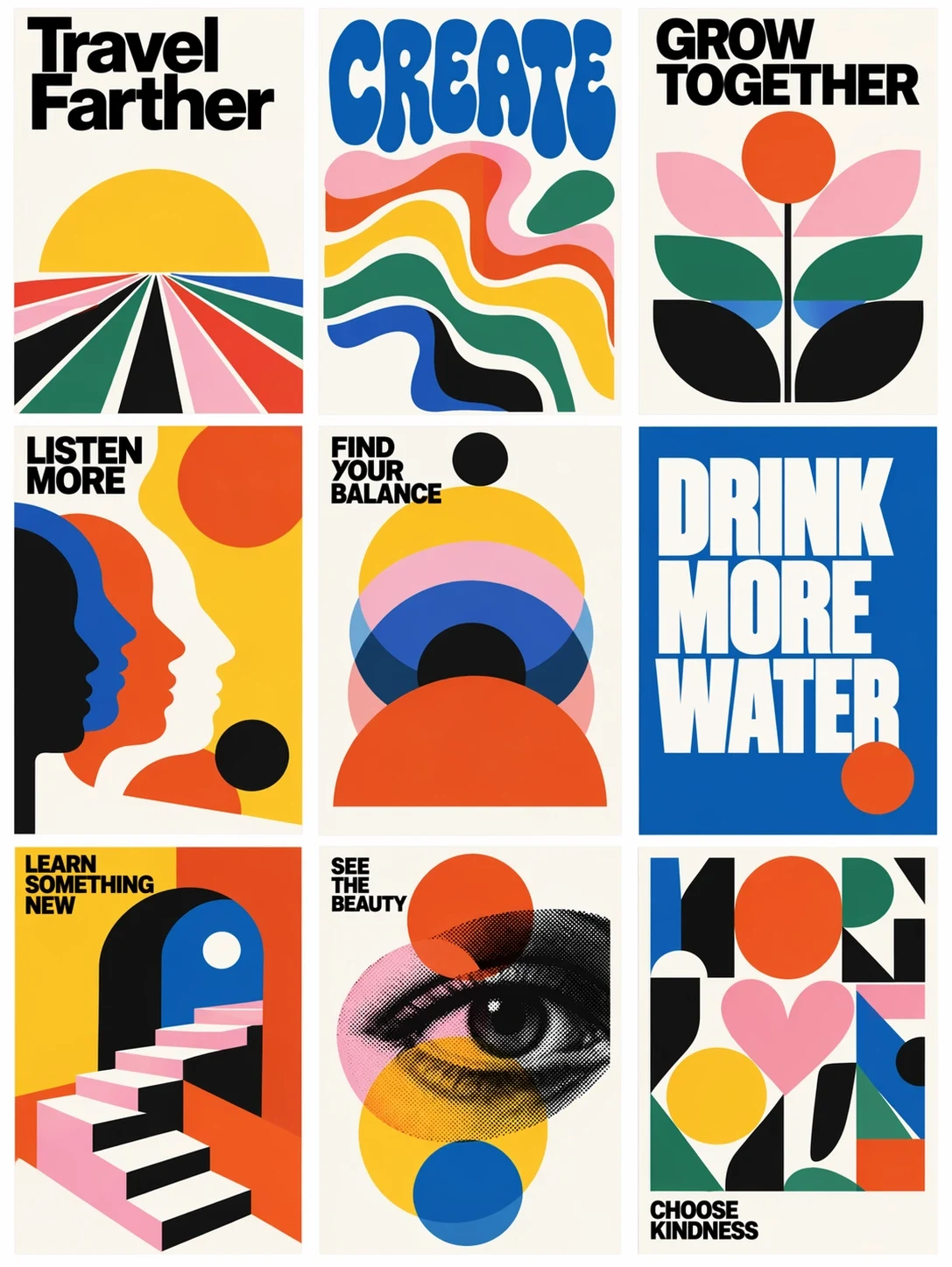
OpenAI 發布公告中的 ChatGPT Images 2.5 官方示例。大號文字和簡單圖形劃分了畫面空間,可作為版式選擇的視覺參考。
3. 可控的背景色變體
從一張已經確認的產品圖開始。每個變體都從同一張基礎圖生成,避免第二個版本繼承第一個版本里的意外改動。
Edit the attached approved product advertisement. Replace the peach background with a pale mint background. Retain the product position, crop, label, headline, and existing shadow. Keep the same amount of empty space above the product. Do not add objects or change the product color. Return one version with this background change.
並排比較標題、產品比例和陰影位置。只有這些元素足夠一致的變體,才能幫助你在後續廣告測試中單獨判斷背景色的影響。
4. 使用兩張參考圖更換一件服裝
圖片 1 提供人物,圖片 2 提供服裝。相比把多套衣服拼成一張圖,服裝正面照更容易說明。
In image 1, replace the person's coat with the short denim jacket in image 2. Use image 2 for the jacket cut, stitching, buttons, and blue fabric only. Keep the face, hair, expression, hands, trousers, and stance from image 1. Fit the jacket naturally around the existing shoulders and elbows. Match the room light and retain the original background and crop.
仔細檢查新夾克與袖口、手指和頭髮重疊的位置。如果還想換褲子,先把夾克做好,再單獨發起下一輪修改。
5. 用 UI 截圖製作宣傳場景
上傳截圖前,先移除私人賬戶信息。如果最終素材要求介面完全準確,可在合成階段把原始截圖放入已確認的設備場景中。
Create a landscape promotional photograph of a laptop on a plain desk. Use the uploaded screenshot as the screen-content reference. Keep its sidebar on the left and its main chart in the center. Angle the laptop only slightly so the screen remains easy to read. Use a white wall, soft daylight, and empty space on the right. Place no other devices, hands, or decorative text in the scene.
按原始尺寸檢查導航標籤和圖表小字。筆記本電腦照片看起來再真實,介面里仍可能出現模型編造的細節。生成場景可以用於構圖;需要精確像素時,應保留原始截圖。
6. 為不同市場替換標題
從一張已經確認的海報開始。由你自己提供譯文,讓圖片模型處理一項定義清楚的文字編輯任務。
Edit the attached workshop poster for its Spanish edition. Replace only the headline "MAKE A BOWL" with "CREA UN CUENCO". Keep the date line, studio name, bowl illustration, colors, and margins. Fit the new headline into the existing headline area. Use the same bold type treatment and keep every letter legible. Do not translate or add any other text.
逐字檢查文字和換行。較長的譯文可能擠到插畫;下一輪編輯時,可指定縮小標題,或允許使用兩行排版。這是圖片本地化,與翻譯網頁文字是兩件事。
7. 更換室內照片中一件物體的材質
使用一張房間照片,確保要修改的物體清楚可見。
In this room photograph, change the round side table from glossy white to natural oak with a matte finish and visible fine grain. Keep the table's diameter, height, leg arrangement, and position. Retain the sofa, floorboards, window, and camera perspective. Make the new wood respond to the existing window light. Leave all other furniture and materials as they are.
檢查桌腿是否仍落在地板上的相同位置。如果一次材質修改悄悄改變了物體尺寸,你得到的其實是另一套設計方案。
8. 製作乾淨的產品摳圖
上傳一張輪廓清晰可見的產品照片。
Isolate the photographed amber glass jar on a transparent background. Retain the lid ridges, label wording, jar proportions, and glass color. Remove the table and room behind it. Keep the jar centered with a small clear margin on every side. Inspect the edges around the lid and the translucent glass. Add no new shadow, floor, lettering, or decorative objects.
直接調用 API 時,請求 background="transparent",並選擇 PNG 或 WebP 輸出。檢查導出檔案的 alpha 通道;畫在圖片里的棋盤格不等於透明背景。OpenAI 在圖片提示詞指南中記錄了這些控制項。
提示詞沒有達到預期怎麼辦
直接描述看得見的問題。“罐子標籤從六個字母變成了七個”可以指導修改;“做得更專業一點”則會讓模型自行猜測你不滿意什麼。
為每張已確認的圖片保留副本。需要局部修改時,繼續使用這張圖片,並說明改動內容、位置和必須保留的細節。OpenAI 指出,編輯仍可能影響周圍細節,接受修訂前要逐一檢查。圖片編輯幫助
應該用 Flare 還是 Sunburst?
需求簡單且等待時間重要時,先用 Flare。編輯難度高、需要更高精度時,再試 Sunburst。我們的 GPT Image 2.0 與 2.5 對比整理了官方模型差異和定價背景。
這些就是 X 原帖里的提示詞嗎?
引用句來自鏈接中的 X 貼文。八個編號模板由我們原創,需求和檢查說明都不同。本文提供原帖鏈接,方便你閱讀完整合集並比較不同方法。
生成前可以在哪裡確認模型?
在你使用的服務中檢查已選擇的模型。GPT Image 2.5 概覽介紹了此次發布,並附有官方來源鏈接。產品名稱和發布頁面不能代替工作區內當前模型的實際檢查。