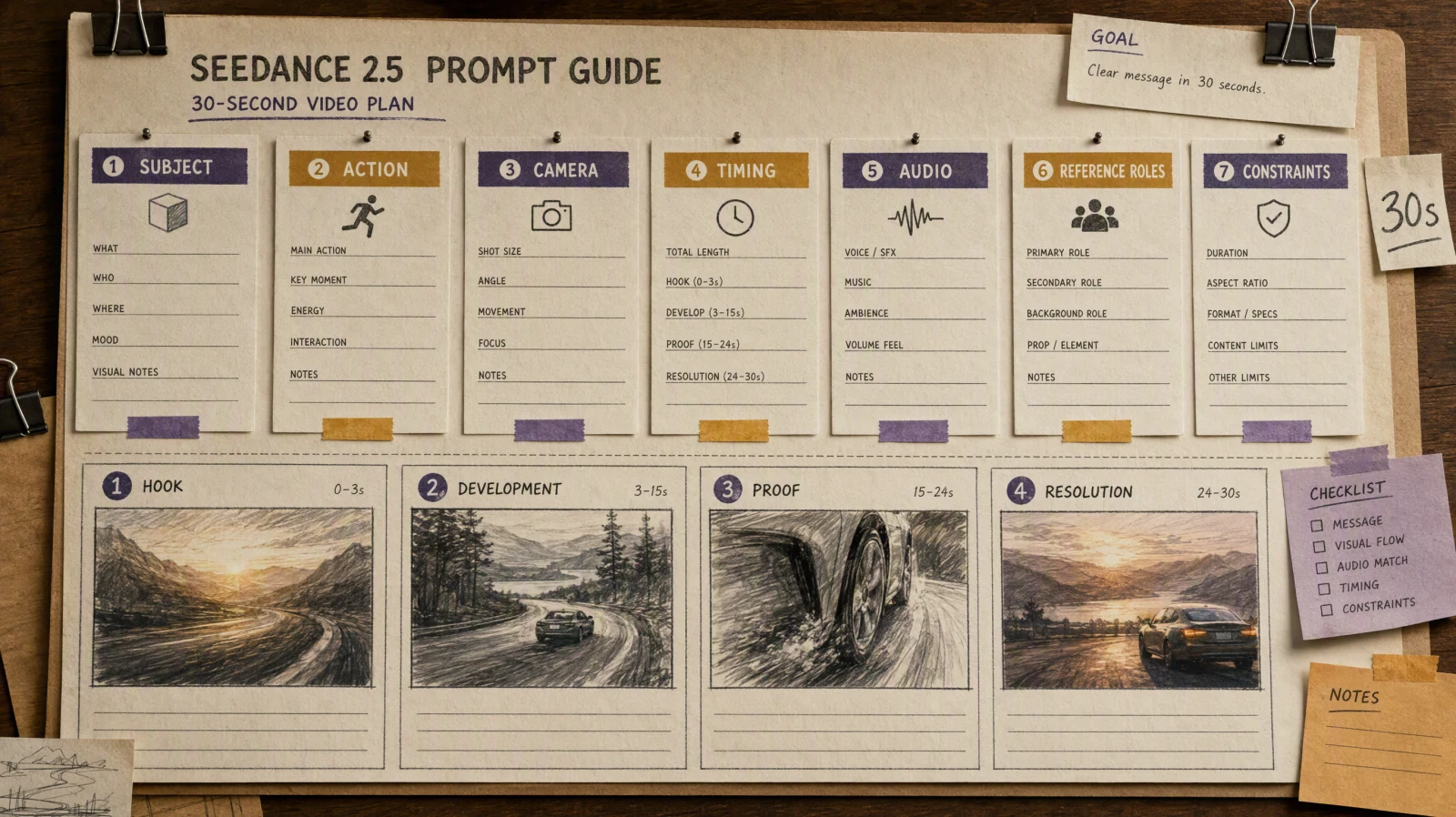
Si vous voulez de meilleurs résultats à partir d'une indication de texte vers vidéo, ne commencez pas par des adjectifs. Commencez par la conception du plan. Les indications vidéo IA les plus efficaces en 2026 décrivent un sujet, une action claire, un mouvement de caméra, un environnement, une direction de lumière, un style visuel et une durée pratique. Cette structure donne au modèle quelque chose qu’il peut réellement suivre. La plupart des résultats faibles proviennent d’indications qui demandent trop d’idées à la fois ou qui ne séparent pas le mouvement du sujet de celui de la caméra. Un guide solide pour les indications vidéo IA est en réalité un guide pour prendre moins de décisions, mais plus claires. En pratique, cela signifie écrire des indications plus comme un bref résumé de réalisateur que comme une phrase poétique. Ce tutoriel explique la meilleure formule pour les indications, la différence entre les indications pour images et pour vidéos, comment contrôler le mouvement et le cadrage, à quoi ressemblent les mauvaises indications et comment tout tester dans SeedVideo AI avant de mettre à l’échelle un flux de travail.
TL;DR
- Une indication solide de texte vers vidéo suit généralement cet ordre : sujet, action, caméra, environnement, lumière, style, durée, contraintes.
- Séparez le mouvement du sujet de celui de la caméra si vous voulez des résultats plus contrôlables.
- Gardez les premiers tests courts, généralement de 5 à 8 secondes.
- Utilisez une seule structure d’indication et variez un élément à la fois au lieu de tout réécrire.
- Si vous comparez toujours des outils, gardez Best AI Video Generators in 2026 ouvert pendant vos tests.
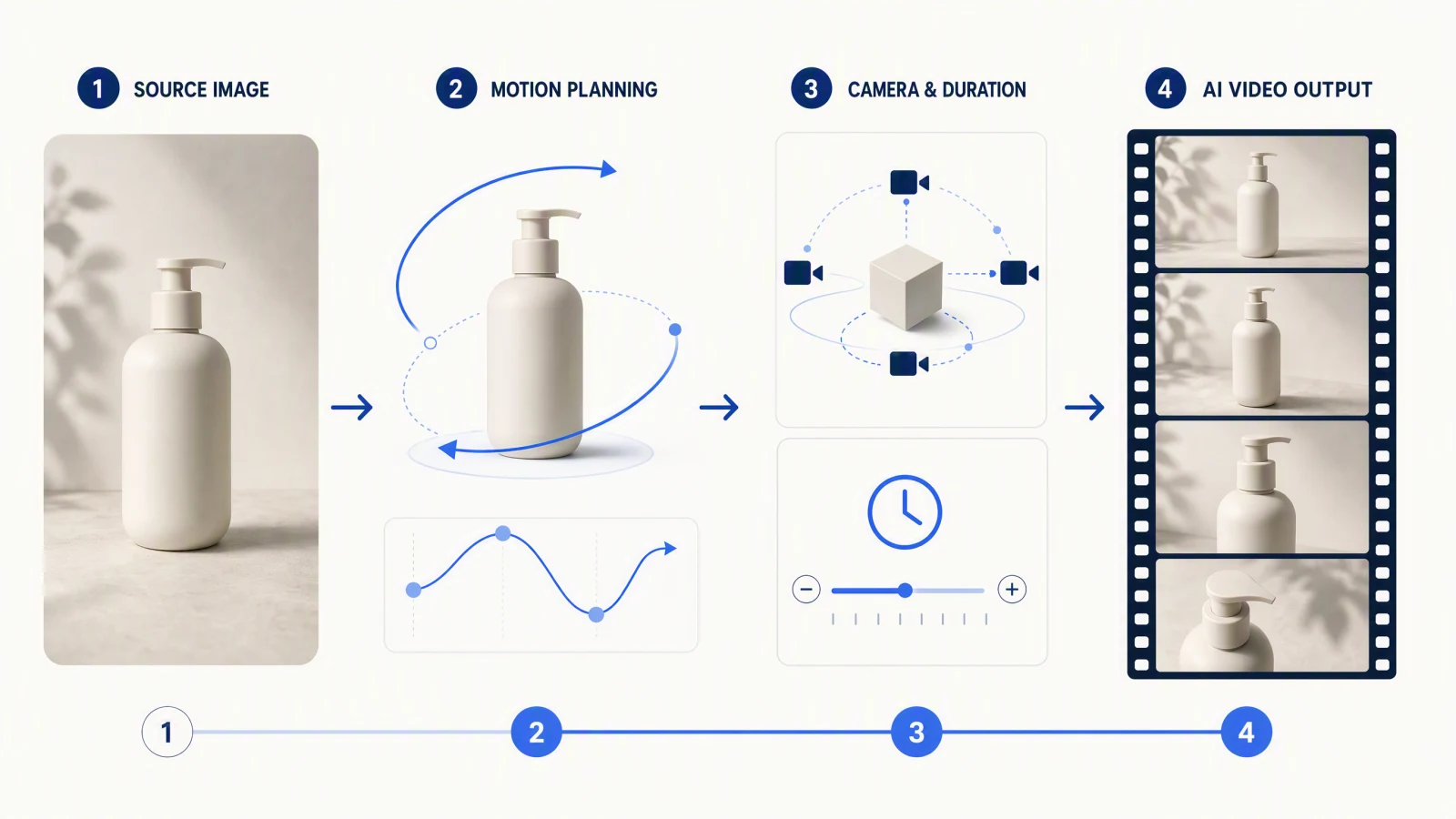
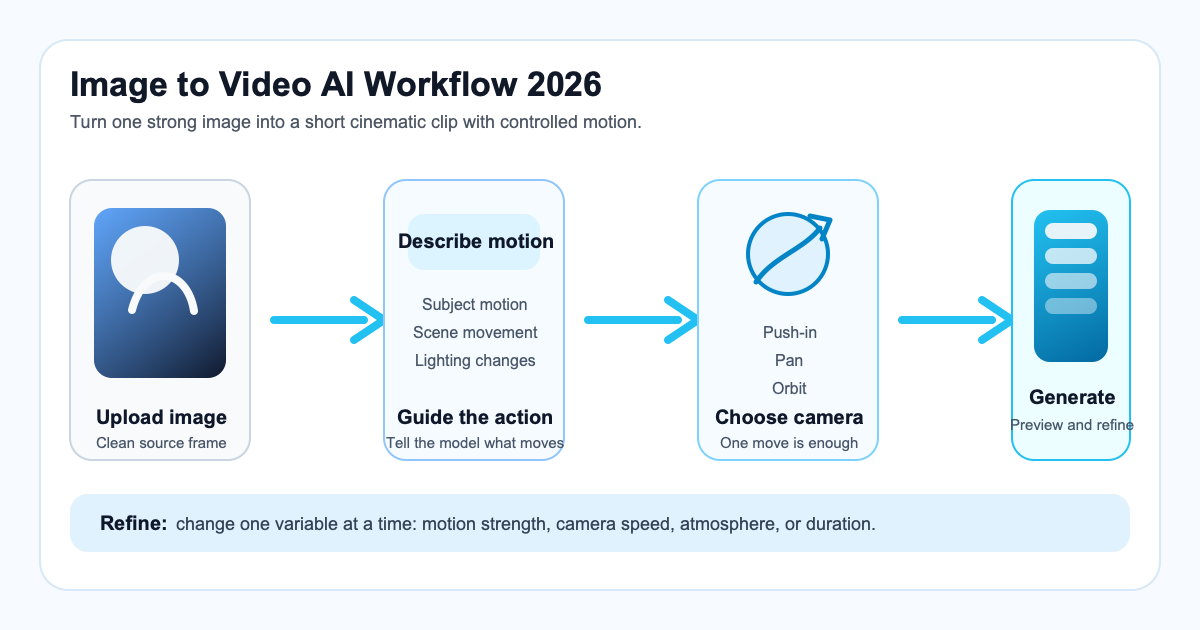
- Si votre flux de travail commence à partir d’une référence visuelle au lieu d’une indication vierge, lisez le Guide Image vers Vidéo AI.
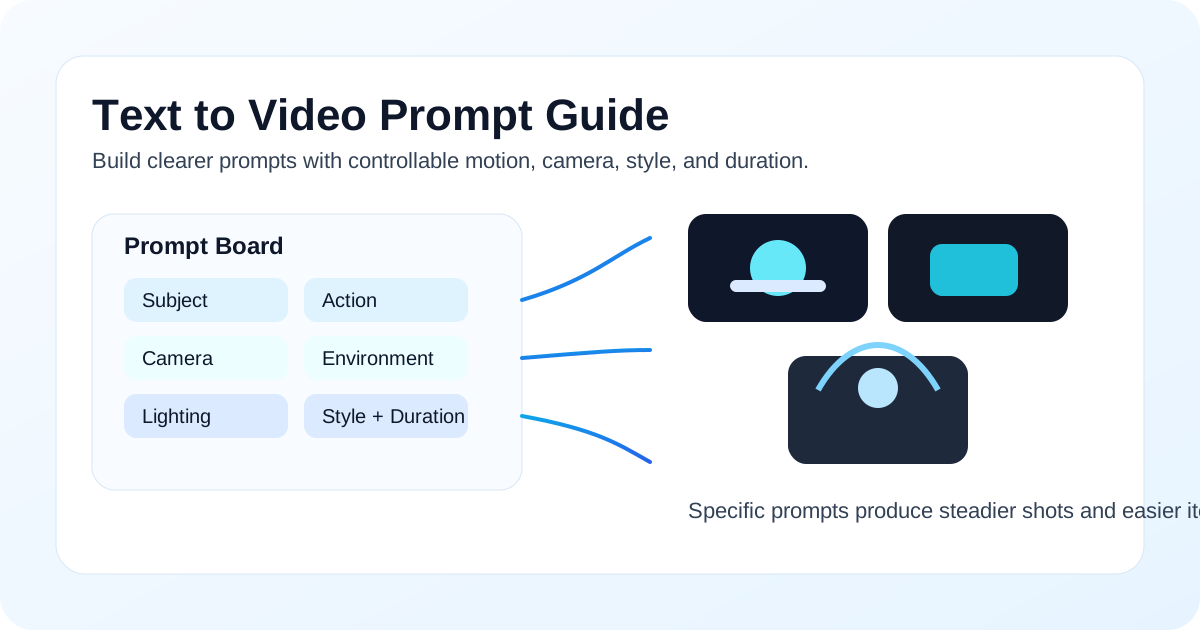
Une invite structurée transforme une idée simple en vidéo IA plus contrôlable.
Réponse rapide : La meilleure formule d'invite pour vidéo IA
La meilleure formule d'invite texte vers vidéo en 2026 est :
Sujet + Action + Caméra + Environnement + Éclairage + Style + Durée + Contraintes
Cela fonctionne parce que cela indique au modèle ce qui doit se passer, comment la prise de vue doit bouger, quelle atmosphère la scène doit avoir et ce qui doit rester sous contrôle.
| Partie de l'invite | À quoi cela répond | Exemple |
|---|---|---|
| Sujet | Qui ou quoi est dans le plan ? | une tasse à café en céramique sur une table en bois |
| Action | Que se passe-t-il physiquement ? | de la vapeur s'élève tandis qu'une main entre dans le cadre |
| Caméra | Comment le plan bouge-t-il ? | petit mouvement d'approche lent à hauteur de table |
| Environnement | Qu'est-ce qui entoure le sujet ? | cuisine confortable au lever du soleil, douces réflexions sur la fenêtre |
| Éclairage | Quelle est la qualité de la lumière ? | lumière matinale naturelle et chaude |
| Style | Que devrait-il ressentir ? | publicité de style de vie cinématographique, texture réaliste |
| Durée | Quelle est la durée du clip ? | 6 secondes |
| Contraintes | Que devrait-on éviter ou limiter ? | pas de mains supplémentaires, pas de texte, pas de changement de scène |
Pour une vue plus large de la sélection d’outils, voir Meilleurs générateurs de vidéos IA en 2026. Si vous voulez tester la formule directement, SeedVideo IA texte-à-vidéo est l’étape pratique suivante.
Qu’est-ce qui rend un prompt vidéo différent d’un prompt d’image
Un prompt d’image répond principalement à une question : à quoi devrait ressembler le cadre ? Un prompt vidéo doit répondre à une deuxième question : qu’est-ce qui change au fil du temps ?
Cette différence est importante car un prompt vidéo cinématographique comporte au moins quatre éléments en mouvement :
- Le sujet peut bouger.
- La caméra peut bouger.
- L’environnement peut bouger.
- Le rythme peut changer la sensation du mouvement.
Un prompt d’image pourrait dire :
une femme en manteau rouge se tenant dans une rue au néon sous la pluie, éclairage cinématographique
Essayer ce prompt dans SeedVideo AI
Une invite vidéo doit aller plus loin :
une femme en manteau rouge s'arrête sous des enseignes au néon alors que la pluie tombe autour d'elle, mouvement lent à main levée, reflets scintillants sur le trottoir mouillé, éclairage nocturne bleu et magenta, look réaliste de film cyberpunk, clip de 6 secondes
Essayer ce prompt dans SeedVideo AI
La deuxième version est meilleure parce qu'elle décrit le temps, le mouvement et le comportement de la caméra. Si votre flux de travail commence à partir d'une image fixe, le Guide AI Image to Video montre comment cette structure change lorsque l'image est déjà fixe.
Formule d'invite
La manière la plus rapide d'améliorer les invites d'IA de texte à vidéo est de donner à chaque partie de la phrase un rôle au lieu d'aligner des mots de style vagues.
Formule simple
- Commencez par le sujet principal.
- Ajoutez une action claire.
- Ajoutez une instruction sur la caméra.
- Ajoutez l'environnement et l'éclairage.
- Ajoutez le style visuel.
- Définissez la durée.
- Ajoutez une ou deux contraintes si la cohérence est importante.
Modèle réutilisable
[sujet] [action], [mouvement de caméra], [détails de l'environnement], [éclairage], [style], [durée], [contraintes]
Essayer ce prompt dans SeedVideo AI
Pourquoi cette formule fonctionne
- Cela garde l'invite lisible.
- Cela réduit les conflits entre les instructions.
- Cela facilite l'itération car vous pouvez changer une variable à la fois.
- Cela fonctionne bien pour les démonstrations de produits, les publicités sociales, les visuels de voyage, les tutoriels et les tests cinématographiques.
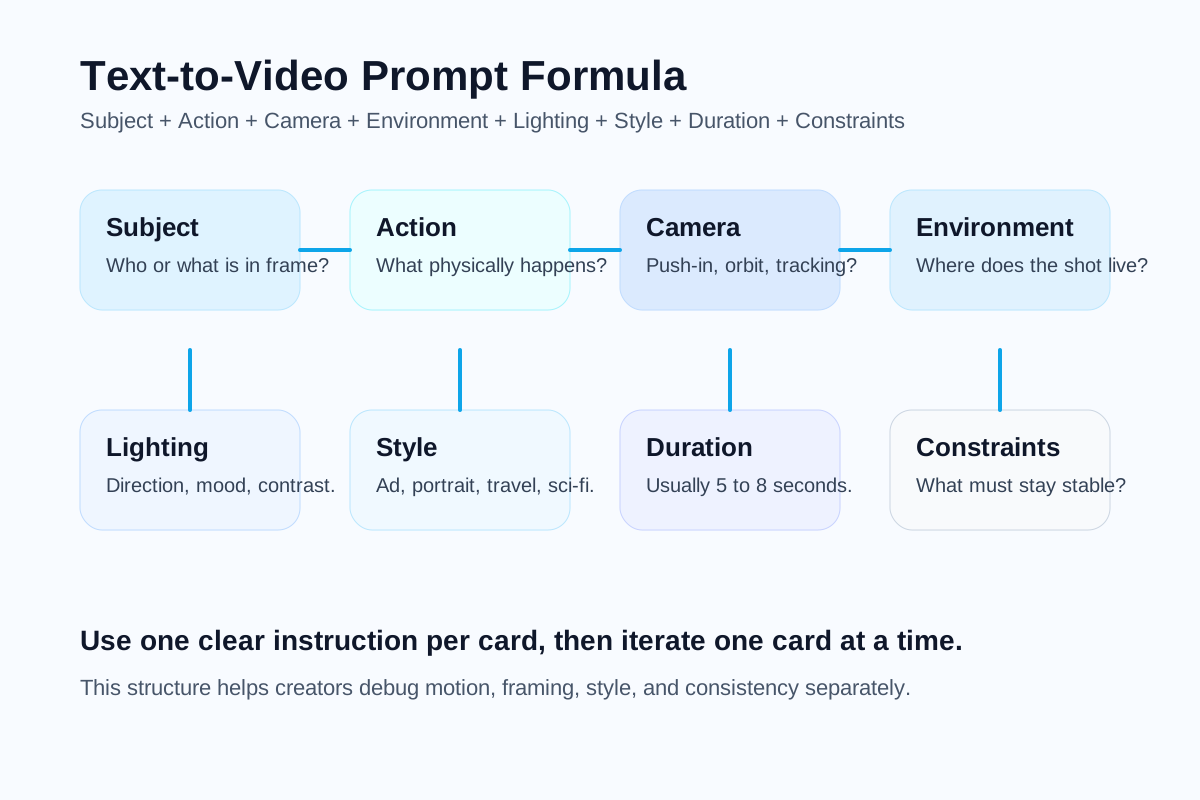
Les éléments principaux d'une invitation texte-à-vidéo solide.
10 exemples d'invites par cas d'utilisation
Voici 10 invites AI texte-à-vidéo copiables. Chacune suit la même structure afin que vous puissiez échanger le sujet, le style ou le mouvement de la caméra sans perdre le contrôle.
1. Démonstration de produit
Une montre connectée haut de gamme tourne lentement sur un socle sombre et réfléchissant tandis qu'une lumière subtile de l'interface brille sur l'écran, poussée commerciale lente, fond de studio noir avec atmosphère légère, éclairage net des contours, style publicité tech de luxe, clip de 6 secondes, pas de texte ni d'objets supplémentaires.
Essayer ce prompt dans SeedVideo AI
2. Vidéo de voyage
Un voyageur solitaire marche le long d'un chemin en bord de falaise surplombant la mer tandis que le vent bouge sa veste et l'herbe, suivi fluide par derrière, paysage côtier à l'heure dorée, soleil chaud avec légère brume, style film de voyage cinématographique, clip de 7 secondes, pas de foule ni de changement de scène abrupt.
Essayer ce prompt dans SeedVideo AI
3. Portrait cinématographique
Un jeune violoniste lève les yeux de son instrument tandis que ses cheveux lâches bougent doucement dans l'air, rotation lente à hauteur de poitrine, salle de répétition sombre avec poussière flottante, éclairage latéral doux, look film d'art intime, clip de 5 secondes, préserver la cohérence du visage.
Essayer ce prompt dans SeedVideo AI
4. Publicité sociale
Une canette d'eau pétillante éclabousse de la glace pilée tandis que des gouttes jaillissent vers l'extérieur, rapide zoom avant macro, scène lumineuse sur table de studio, éclairage commercial à contraste élevé, style audacieux de publicité sociale, clip de 5 secondes, sans distorsion de l'étiquette.
Essayer ce prompt dans SeedVideo AI
5. Tutoriel explicatif
Un écran d'ordinateur portable montre un créateur en train de monter une timeline vidéo courte tandis qu'une main fait glisser des clips en place, léger mouvement de dolly de haut en bas, bureau propre avec carnet et café, lumière naturelle neutre, style moderne de tutoriel SaaS, clip de 6 secondes, interface lisible et réaliste.
Essayer ce prompt dans SeedVideo AI
6. Ouverture de film de marque
Une voiture électrique minimaliste émerge du brouillard tandis que les phares percent la brume, lent dolly-in frontal, route de montagne vide à l'aube, contre-jour cinématographique froid, style de film de lancement automobile premium, clip de 8 secondes, sans autres véhicules.
Essayer ce prompt dans SeedVideo AI
7. Plan de mode
Un mannequin se tourne au bord d'un toit tandis que le tissu flotte dans le vent, élégant plan en orbite circulaire, skyline de la ville au coucher du soleil, lumière douce dorée sur le bord, style de film éditorial de mode de luxe, clip de 6 secondes, sans autres personnes à l'écran.
Essayer ce prompt dans SeedVideo AI
8. Publicité alimentaire
Des nouilles fraîches sont soulevées d'un bol fumant tandis que le bouillon ondule et que des herbes tombent dans le cadre, lent gros plan zoom avant, ambiance chaude de cuisine de restaurant, lumière directionnelle riche, style de publicité alimentaire cinématographique, clip de 5 secondes, texture réaliste seulement.
Essayer ce prompt dans SeedVideo AI
9. Promotion d'application
Des cartes d'interface flottantes s'animent autour d'un smartphone tandis que des graphiques et notifications se placent, mouvement de caméra parallax fluide, arrière-plan produit abstrait lumineux, éclairage studio net, style promo startup poli, clip de 6 secondes, sans encombrement et texte non déformé.
Essayer ce prompt dans SeedVideo AI
10. Scène de science-fiction
Un astronaute entre dans un couloir lumineux alors que des panneaux holographiques pulsent le long des murs, plan de suivi lent vers l'avant, intérieur de vaisseau spatial futuriste avec légère brume, éclairage volumétrique bleu froid, style cinéma de science-fiction réaliste, clip de 7 secondes, pas de transformation soudaine de la scène.
Essayer ce prompt dans SeedVideo AI
Comment contrôler la caméra, le mouvement, le style et la durée
La plupart des échecs de prompt surviennent lorsque les utilisateurs demandent au modèle un rendu "cinématographique" sans spécifier ce que "cinématographique" signifie en termes de mouvement.
Mouvement de caméra
Utilisez d'abord un seul mouvement de caméra. Ajouter trois mouvements de caméra réduit généralement le contrôle.
| Mouvement de caméra | Ce que cela fait | Meilleure utilisation |
|---|---|---|
| Zoom avant | Approche le spectateur du sujet | révélations de produit, portraits émotionnels |
| Orbit | Fait le tour du sujet | mode, sculptures, objets principaux |
| Plan de suivi | Suit le mouvement dans l'espace | voyage, scènes de course ou de marche |
| Plan fixe | Garde la caméra immobile | démonstrations claires, interviews, scènes symétriques |
| Zoom dolly | Change de perspective tout en poussant ou tirant | tension, accent surréaliste |
Contrôle du mouvement
Diviser le mouvement en catégories :
- Mouvement du sujet : marcher, tourner, atteindre, cligner, pivoter.
- Mouvement environnemental : brume dérivante, feuilles qui bougent, pluie qui tombe, poussière flottante.
- Mouvement secondaire : mouvements du tissu, mouvements des cheveux, reflets, vapeur.
Contrôle du style
Le langage de style fonctionne mieux lorsqu'il est visuel et spécifique :
- Mieux :
realistic lifestyle ad,moody arthouse film,premium product commercial - Pire :
epic amazing beautiful stunning
Contrôle de la durée
Pour la plupart des tests de texte vers vidéo, 5 à 8 secondes est la plage sécurisée. Les clips plus longs créent plus de marge pour :
- dérive d'identité
- instabilité de la caméra
- déformations d'objets
- changements de scène non demandés
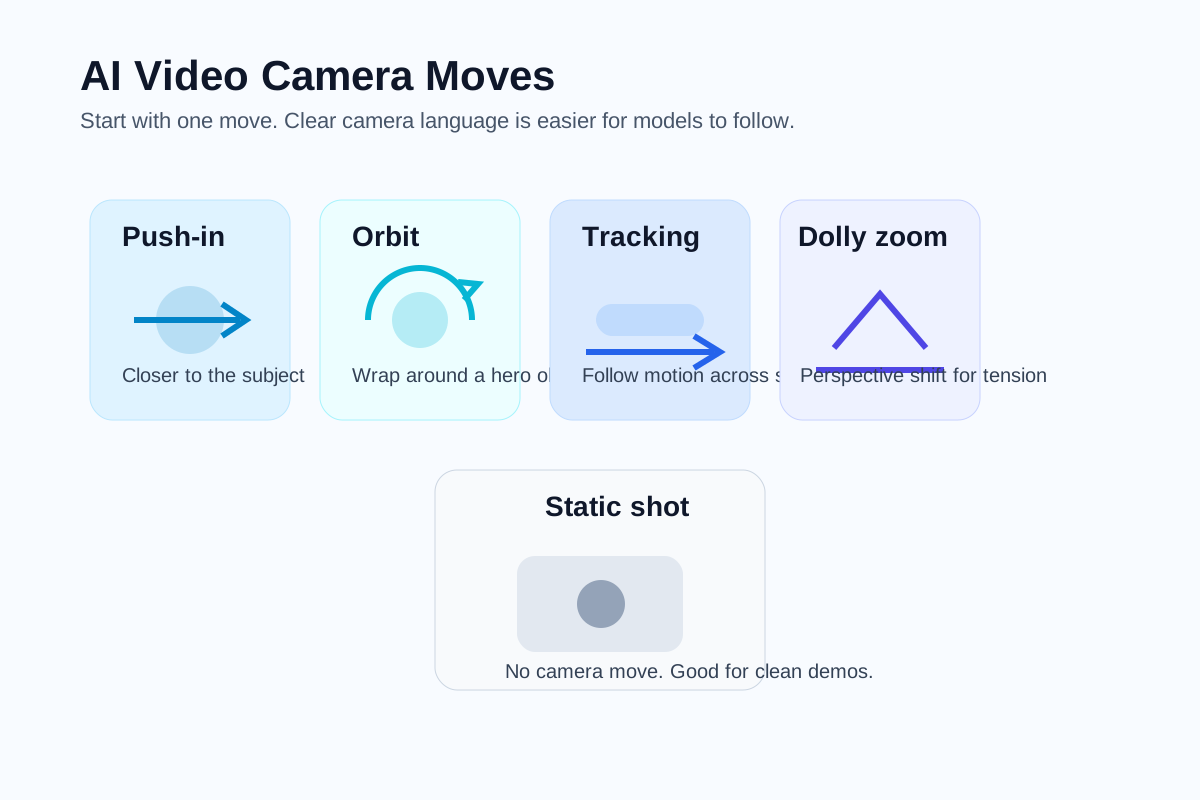
La direction de la caméra est l'un des aspects les plus importants d'un prompt vidéo.
Mauvais prompt vs Bon prompt
La différence entre une invite faible et une invite forte réside généralement dans la structure, pas dans la longueur.
| Type d'invite | Exemple | Pourquoi elle fonctionne de cette manière |
|---|---|---|
| Mauvaise invite | faire une vidéo cinématographique cool d'une ville avec une personne qui marche | Elle est vague concernant le sujet, l'action, la caméra, l'environnement, le timing et le style. |
| Bonne invite | Une femme en trench-coat beige marche dans une ruelle pluvieuse de Tokyo tandis que les reflets néon scintillent sur le trottoir humide, zoom avant lent à main levée, atmosphère nocturne dense, éclairage bleu et ambre, style thriller cinématographique réaliste, clip de 6 secondes, sans autres personnages entrant dans le cadre. | Elle indique au modèle exactement ce qui doit bouger, comment la caméra se comporte et l'ambiance à préserver. |
Un autre exemple pratique :
| Invite faible | Invite plus forte |
|---|---|
| une vidéo produit pour des écouteurs | Casque noir circum-aural tournant lentement sur un piédestal mat tandis qu'une fine lumière de contour révèle les contours, plan orbitale commercial fluide, studio sombre avec poussière flottante, éclairage premium à fort contraste, style publicité produit cinématographique, clip de 5 secondes, sans texte et sans accessoires supplémentaires. |
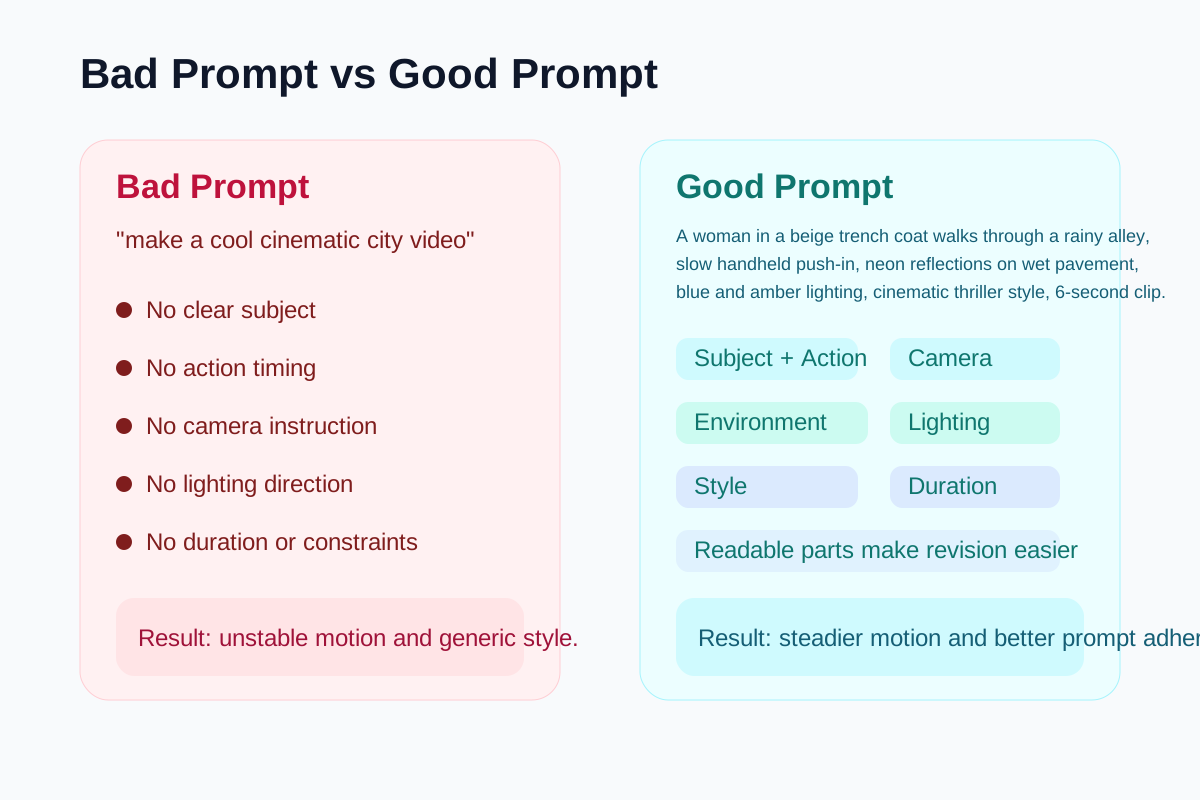
Des invites vidéo spécifiques produisent des résultats vidéo IA plus prévisibles.
Flux de travail des invites SeedVideo AI
Si vous voulez transformer la rédaction de prompts en un flux de création répétable, utilisez une boucle simple à l'intérieur de SeedVideo AI:
- Ouvrez le espace de travail texte-à-vidéo.
- Écrivez un prompt en utilisant la formule ci-dessus.
- Générez un petit lot au lieu de miser sur une seule sortie.
- Comparez les résultats en fonction du mouvement, de la stabilité de la caméra et de l'adhérence au prompt.
- Maintenez la structure stable et révisez une seule variable.
- Si la prise de vue nécessite une ancre visuelle, passez au flux de travail dans le Guide Image vers Vidéo AI.
Ceci est important car le meilleur prompt texte-à-vidéo n'est pas universel. Un prompt qui fonctionne pour une présentation de produit peut échouer pour une scène de voyage ou un portrait cinématographique. SeedVideo AI est utile car il vous permet de tester les flux de travail basés sur le prompt et sur la référence sans reconstruire tout sur une nouvelle plateforme à chaque fois.
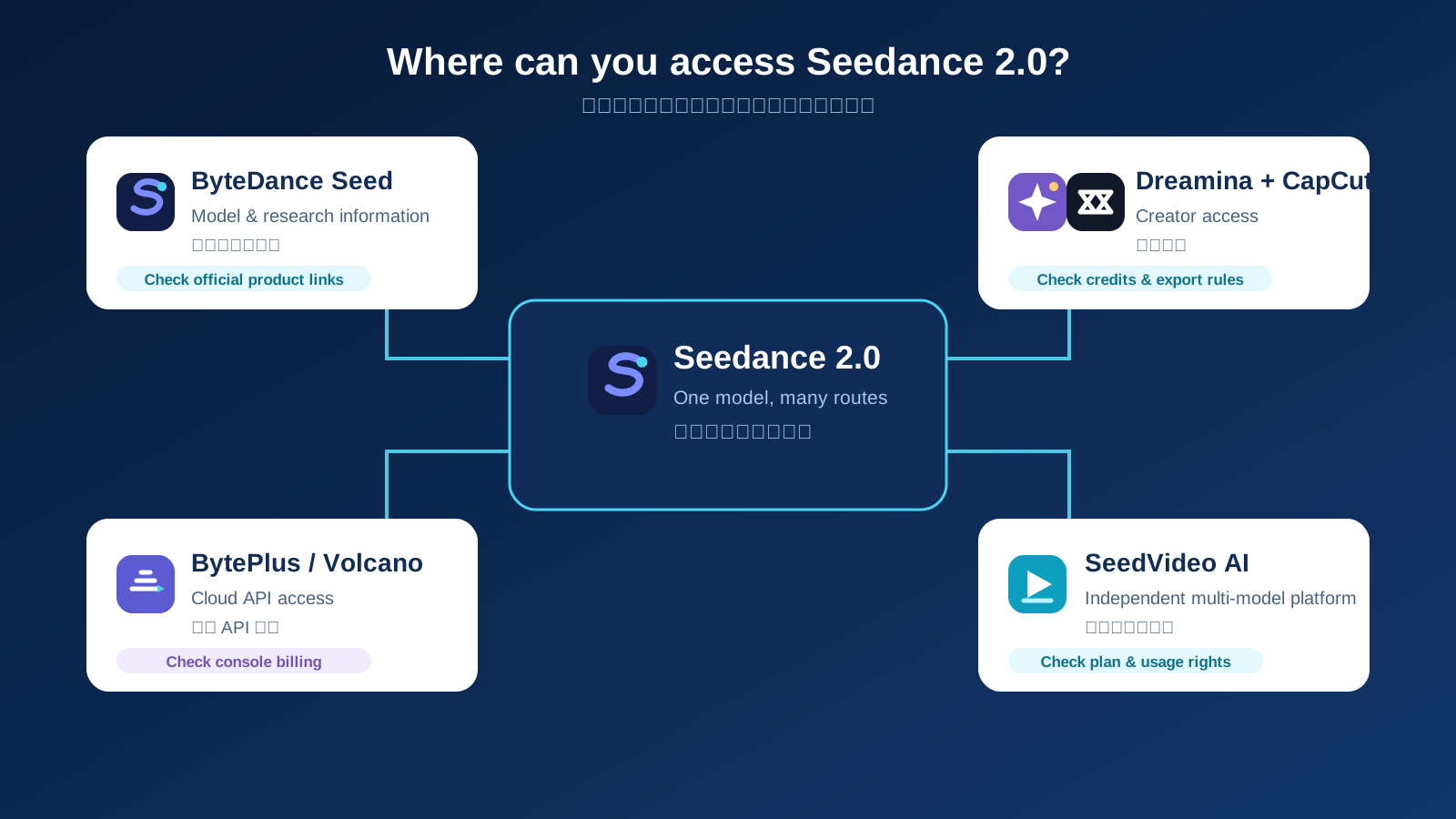
Si vous hésitez encore sur la famille de modèles à utiliser pour chaque prise de vue, la page hub Meilleurs générateurs de vidéos AI en 2026 est la bonne couche de comparaison. Si vous voulez un autre article compagnon spécifique à un modèle, le comparatif Seedance 2.0 vs Sora 2 vs Kling publié est également pertinent.
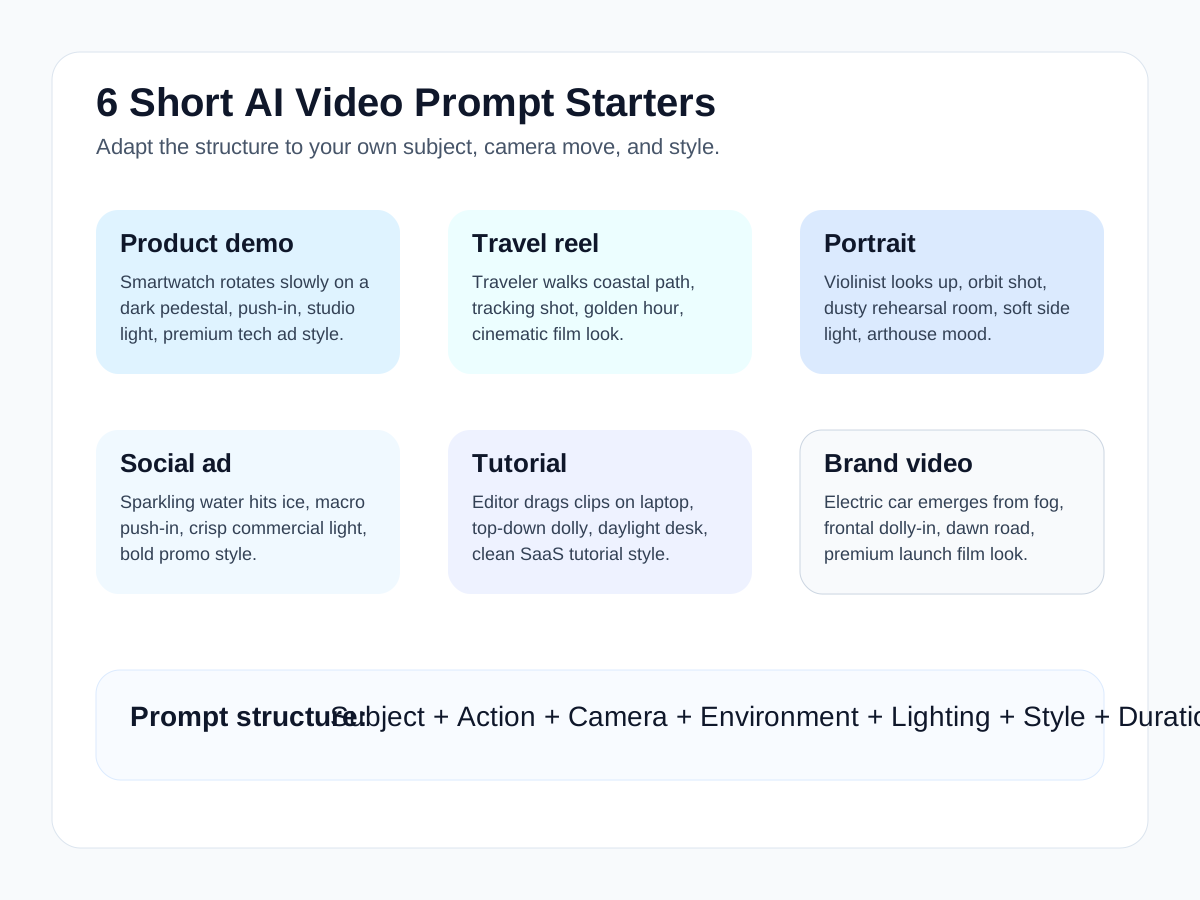
Exemples de prompts courts pouvant être adaptés à différents objectifs vidéo.
FAQ
Qu’est-ce qu’une invite texte à vidéo ?
Une invite texte en vidéo est une instruction écrite structurée qui indique à un modèle vidéo IA quel sujet générer, quelle action doit se produire, comment la caméra doit bouger, à quoi ressemble l’environnement et combien de temps le plan doit durer.
Quelle est la meilleure longueur pour une invite texte à vidéo ?
Il n’y a pas de nombre parfait de mots. La meilleure invite n’est que nécessaire pour spécifier le sujet, l’action, la caméra, l’environnement, l’éclairage, le style, la durée et quelques contraintes importantes.
Pourquoi les invites vidéo IA échouent-elles ?
La plupart échouent car ils sont vagues, surchargés ou contradictoires. Les invites tombent souvent en panne lorsque les utilisateurs combinent trop d’actions, trop de mouvements de caméra ou des directions de style peu claires en une seule phrase.
Comment créer une invite vidéo cinématographique ?
Utilisez un langage cinématographique qui décrit les choix de plans réels : mouvement de la caméra, sensation de l’objectif, direction de l’éclairage, atmosphère, rythme et comportement du sujet. Ne vous fiez pas uniquement au mot cinematic .
Quels mouvements de caméra dois-je utiliser dans les prompts vidéo IA ?
Commencez par des mouvements simples tels que le push-in, l’orbite, le travelling ou le cadrage statique. Ces éléments sont plus faciles à contrôler que les combinaisons complexes et suffisent pour la plupart des flux de travail des créateurs.
Dois-je utiliser texte-to-vidéo ou image-to-vidéo ?
Utilisez le texte-con-vidéo lorsque vous souhaitez générer une scène à partir de zéro. Utilisez image-to-vidéo lorsque vous avez déjà une référence visuelle et souhaitez préserver la composition ou l’identité du sujet. Le Guide de l'IA de l'image à la vidéo décompose ce flux de travail.
Où puis-je tester des instructions d'IA de texte à vidéo ?
Vous pouvez les tester dans SeedVideo AI si vous voulez un flux de travail pratique pour essayer différentes structures d'instructions et options de modèle depuis un seul endroit.
Conclusion
L'idée principale est simple : de meilleures instructions pour l'IA vidéo viennent d'une meilleure planification des prises. Lorsque vous définissez séparément le sujet, l'action, la caméra, l'environnement, l'éclairage, le style et la durée, le modèle a plus de chances de produire quelque chose de stable et utilisable. C'est vrai que vous écriviez une publicité produit, un reel de voyage, un clip tutoriel, un générique de marque ou une scène test cinématographique.
Si vous voulez pratiquer immédiatement la formule, commencez par SeedVideo AI ou allez directement à l' espace de travail texte-à-vidéo. Si vous choisissez encore l'outil adapté à votre flux de travail, lisez d'abord Meilleurs générateurs vidéo par IA en 2026 , puis comparez les approches par priorité aux instructions et par priorité à la référence avec le Guide de l'IA de l'image à la vidéo.