8 组 GPT Image 2.5 提示词:产品图、广告与图片编辑
一条好用的 GPT Image 2.5 提示词,要说清楚图片的用途、哪些细节很重要,以及你想改什么。产品广告可能需要包装文字清晰,并为标题留出空间;编辑任务则可能只换外套,同时保留人物面部和房间原貌。
下面八个模板都是 Seeddance 原创示例,参考了 X 上讨论的编辑流程和 OpenAI 的指南。每个示例都包含输入素材、可复制的提示词,以及需要检查的具体项目。生成前,请把示例产品和文字替换成你自己的需求。
这些编辑方法来自哪条 X 帖子
9 月 9 日,@xiaohu 分享了 15 条 GPT Image 2.5 编辑提示词,涉及参考图分工、产品场景、本地化文字和其他局部编辑。我们在 9 月 9 日 15:11(中国标准时间)查看时,该帖显示有 166 个赞、31 次转发和 23,062 次浏览,完整提示词可以阅读。帖子同时推广了 Higgsfield,因此本文只把它视为提示词合集,不把它当作模型性能证据。
其中一句简短指令很好地概括了这种方法:
“Keep product, layout and lighting exactly as is.”
这些是带有可查互动数据的早期发布案例,并不代表 X 全平台最热门提示词的排名。想看互动量更高的动画和精灵图帖子,可阅读我们的创意 GPT Image 2.5 提示词指南。
OpenAI 在官方提示词指南中也给出了类似建议:
“Separate changes from constraints.”
以下提示词都采用了这种区分。“保持标签清晰可读”是一项需要检查的要求,并不保证模型会保留每一个字母。
一份可以重复使用的简短需求模板
Make: [the image and where it will be used]. References: [what each uploaded image supplies]. Composition: [subject placement, crop, and empty space]. Appearance: [materials, lighting, palette, and medium]. Exact text: [the words that should appear, or no text]. Keep: [details that must survive]. Change in this revision: [one specific request].
不需要的字段可以删掉。没有文字的照片,不必专门写一段排版要求。把最重要的要求放在前面,方便与成图直接对照。
1. 为标题预留空间的产品图
上传一张清晰的产品照片。这个示例使用陶瓷咖啡杯;如果换成瓶子或罐子,需要相应改写材质说明。
Create a portrait product photograph for a coffee shop announcement. Use the uploaded cup as the reference for its silhouette and glaze. Place it in the lower right on a pale stone counter. Leave the upper left mostly empty for a headline added later. Use soft window light from the left and a short contact shadow. Keep the handle shape and small speckles in the glaze. Add no lettering, utensils, plants, or extra cups.
检查背景之前,先看杯柄开口和杯口边缘。如果这些部分变了,就回到原始参考图,把特征写得更清楚。产品即使进入了漂亮场景,一旦不像你真正售卖的商品,也很难派上用场。
2. 阅读顺序清楚的海报
这条提示词不需要参考图。请把三行文字全部换成已确认的活动信息。
Design one portrait poster for a neighborhood ceramics workshop. Use warm white paper, black type, and one orange illustration of a bowl. At the top, place the exact headline "MAKE A BOWL". Below it, place "Saturday, 10 am" in smaller type. At the bottom, place "Clay House Studio". Make the headline the first thing a viewer reads. Keep wide margins and separate the three text blocks. Include no other words, badges, prices, or logos.
把海报缩小到手机尺寸阅读。如果三行文字互相抢夺注意力,应调整它们的相对字号,不要再堆更多描述设计风格的形容词。
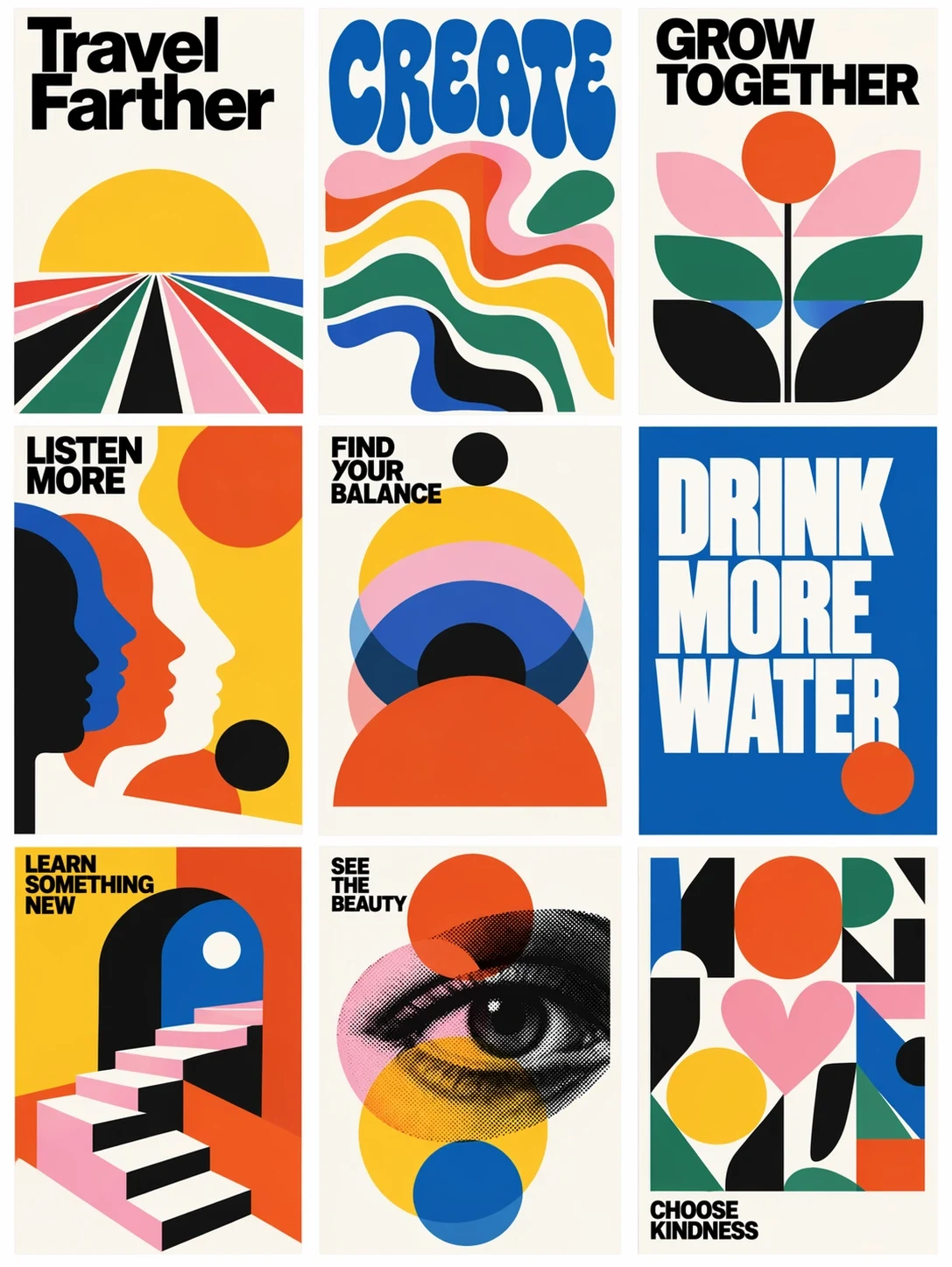
OpenAI 发布公告中的 ChatGPT Images 2.5 官方示例。大号文字和简单图形划分了画面空间,可作为版式选择的视觉参考。
3. 可控的背景色变体
从一张已经确认的产品图开始。每个变体都从同一张基础图生成,避免第二个版本继承第一个版本里的意外改动。
Edit the attached approved product advertisement. Replace the peach background with a pale mint background. Retain the product position, crop, label, headline, and existing shadow. Keep the same amount of empty space above the product. Do not add objects or change the product color. Return one version with this background change.
并排比较标题、产品比例和阴影位置。只有这些元素足够一致的变体,才能帮助你在后续广告测试中单独判断背景色的影响。
4. 使用两张参考图更换一件服装
图片 1 提供人物,图片 2 提供服装。相比把多套衣服拼成一张图,服装正面照更容易说明。
In image 1, replace the person's coat with the short denim jacket in image 2. Use image 2 for the jacket cut, stitching, buttons, and blue fabric only. Keep the face, hair, expression, hands, trousers, and stance from image 1. Fit the jacket naturally around the existing shoulders and elbows. Match the room light and retain the original background and crop.
仔细检查新夹克与袖口、手指和头发重叠的位置。如果还想换裤子,先把夹克做好,再单独发起下一轮修改。
5. 用 UI 截图制作宣传场景
上传截图前,先移除私人账户信息。如果最终素材要求界面完全准确,可在合成阶段把原始截图放入已确认的设备场景中。
Create a landscape promotional photograph of a laptop on a plain desk. Use the uploaded screenshot as the screen-content reference. Keep its sidebar on the left and its main chart in the center. Angle the laptop only slightly so the screen remains easy to read. Use a white wall, soft daylight, and empty space on the right. Place no other devices, hands, or decorative text in the scene.
按原始尺寸检查导航标签和图表小字。笔记本电脑照片看起来再真实,界面里仍可能出现模型编造的细节。生成场景可以用于构图;需要精确像素时,应保留原始截图。
6. 为不同市场替换标题
从一张已经确认的海报开始。由你自己提供译文,让图片模型处理一项定义清楚的文字编辑任务。
Edit the attached workshop poster for its Spanish edition. Replace only the headline "MAKE A BOWL" with "CREA UN CUENCO". Keep the date line, studio name, bowl illustration, colors, and margins. Fit the new headline into the existing headline area. Use the same bold type treatment and keep every letter legible. Do not translate or add any other text.
逐字检查文字和换行。较长的译文可能挤到插画;下一轮编辑时,可指定缩小标题,或允许使用两行排版。这是图片本地化,与翻译网页文字是两件事。
7. 更换室内照片中一件物体的材质
使用一张房间照片,确保要修改的物体清楚可见。
In this room photograph, change the round side table from glossy white to natural oak with a matte finish and visible fine grain. Keep the table's diameter, height, leg arrangement, and position. Retain the sofa, floorboards, window, and camera perspective. Make the new wood respond to the existing window light. Leave all other furniture and materials as they are.
检查桌腿是否仍落在地板上的相同位置。如果一次材质修改悄悄改变了物体尺寸,你得到的其实是另一套设计方案。
8. 制作干净的产品抠图
上传一张轮廓清晰可见的产品照片。
Isolate the photographed amber glass jar on a transparent background. Retain the lid ridges, label wording, jar proportions, and glass color. Remove the table and room behind it. Keep the jar centered with a small clear margin on every side. Inspect the edges around the lid and the translucent glass. Add no new shadow, floor, lettering, or decorative objects.
直接调用 API 时,请求 background="transparent",并选择 PNG 或 WebP 输出。检查导出文件的 alpha 通道;画在图片里的棋盘格不等于透明背景。OpenAI 在图片提示词指南中记录了这些控制项。
提示词没有达到预期怎么办
直接描述看得见的问题。“罐子标签从六个字母变成了七个”可以指导修改;“做得更专业一点”则会让模型自行猜测你不满意什么。
为每张已确认的图片保留副本。需要局部修改时,继续使用这张图片,并说明改动内容、位置和必须保留的细节。OpenAI 指出,编辑仍可能影响周围细节,接受修订前要逐一检查。图片编辑帮助
应该用 Flare 还是 Sunburst?
需求简单且等待时间重要时,先用 Flare。编辑难度高、需要更高精度时,再试 Sunburst。我们的 GPT Image 2.0 与 2.5 对比整理了官方模型差异和定价背景。
这些就是 X 原帖里的提示词吗?
引用句来自链接中的 X 帖子。八个编号模板由我们原创,需求和检查说明都不同。本文提供原帖链接,方便你阅读完整合集并比较不同方法。
生成前可以在哪里确认模型?
在你使用的服务中检查已选择的模型。GPT Image 2.5 概览介绍了此次发布,并附有官方来源链接。产品名称和发布页面不能代替工作区内当前模型的实际检查。