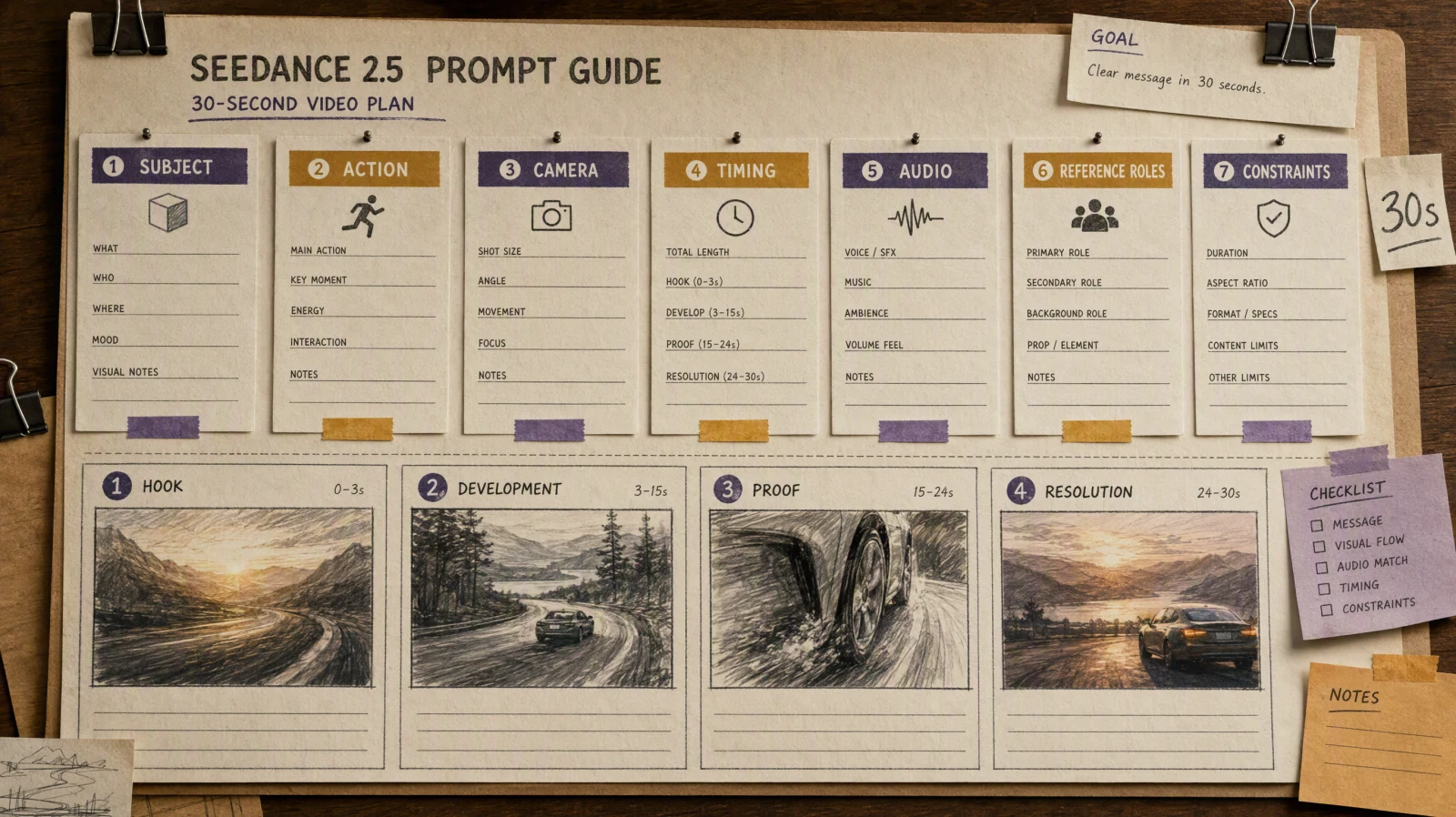
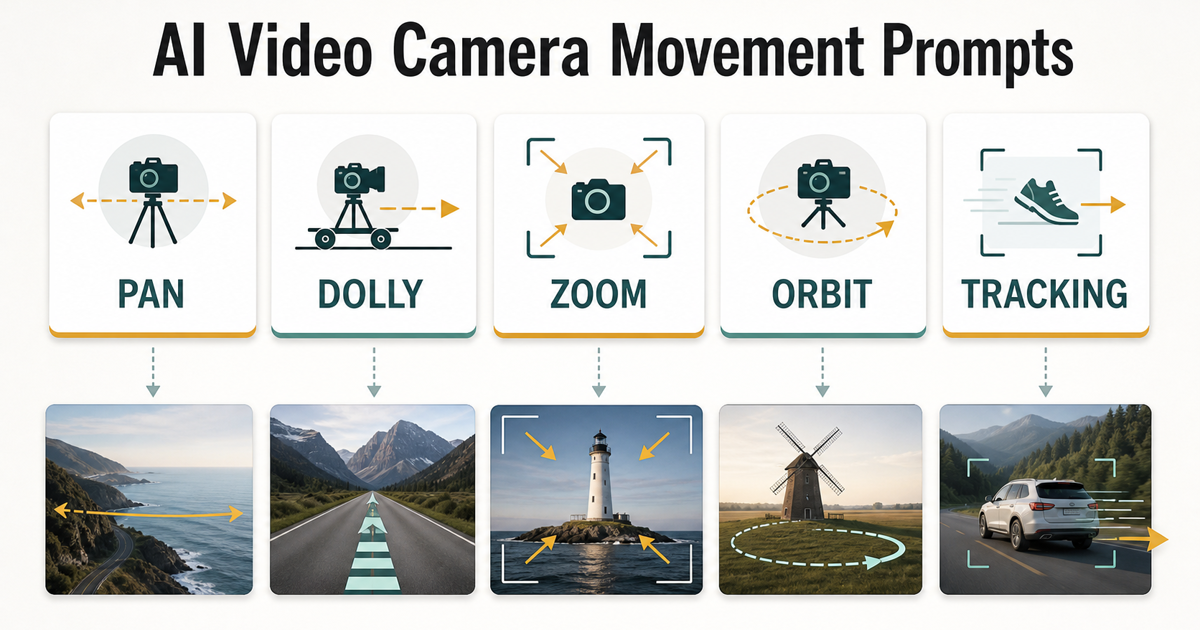
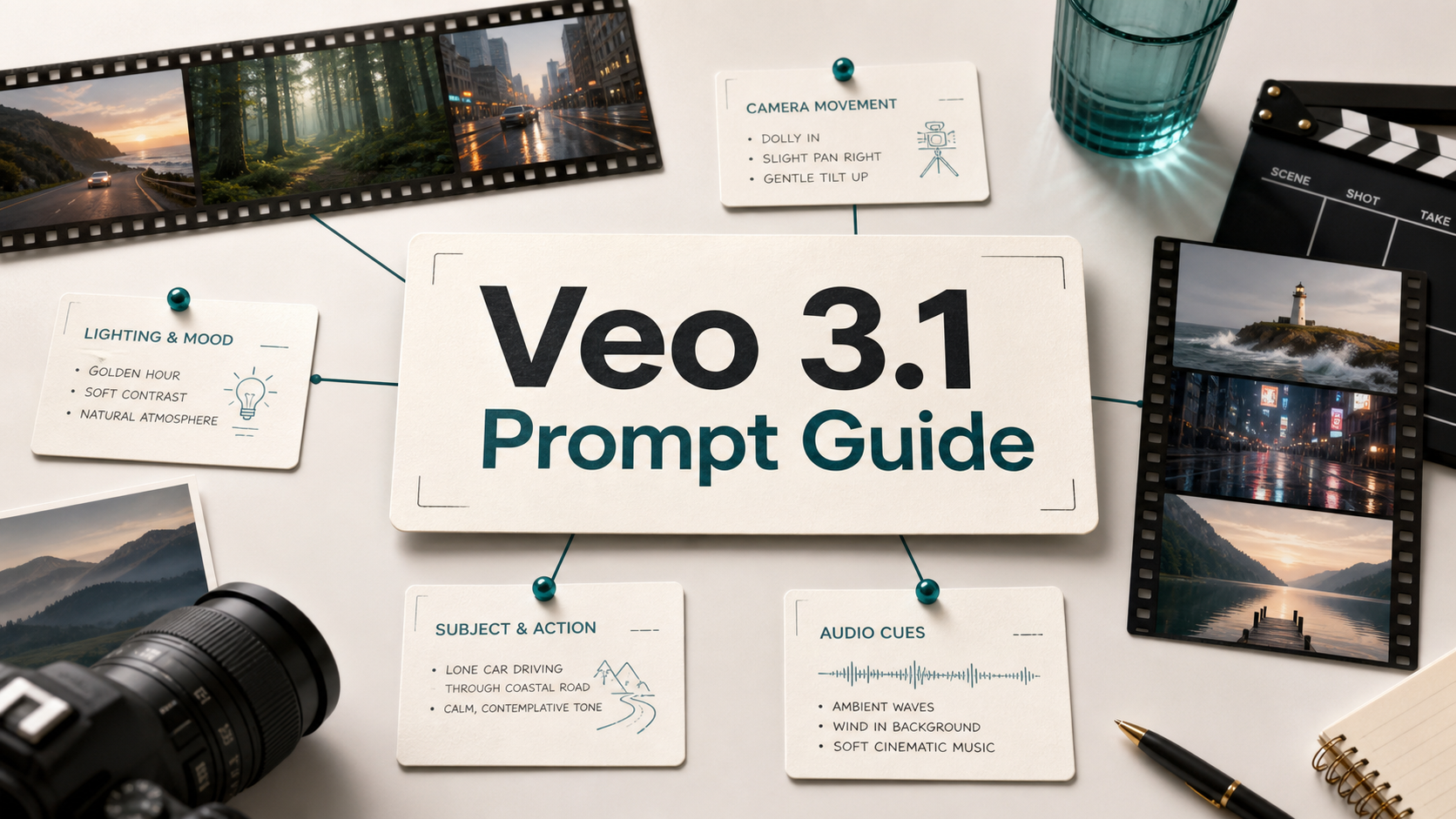
Seedance 提示词最好把一个视频镜头拆成清晰的创作 brief:主体、可见动作、镜头运动、场景、光线、风格和约束。下面 20 个示例可以直接复制,用于文生视频和图生视频测试。你只需要把产品、人物、地点和情绪替换成自己的需求。需要注意的是,AI 视频生成仍然带有概率性,所以这些提示词不是“保证每次输出完全一样”的魔法指令,而是更稳定的起点。使用 SeedVideo AI 时,建议先生成一个短镜头,按意图检查结果,再每次只调整一两个变量。
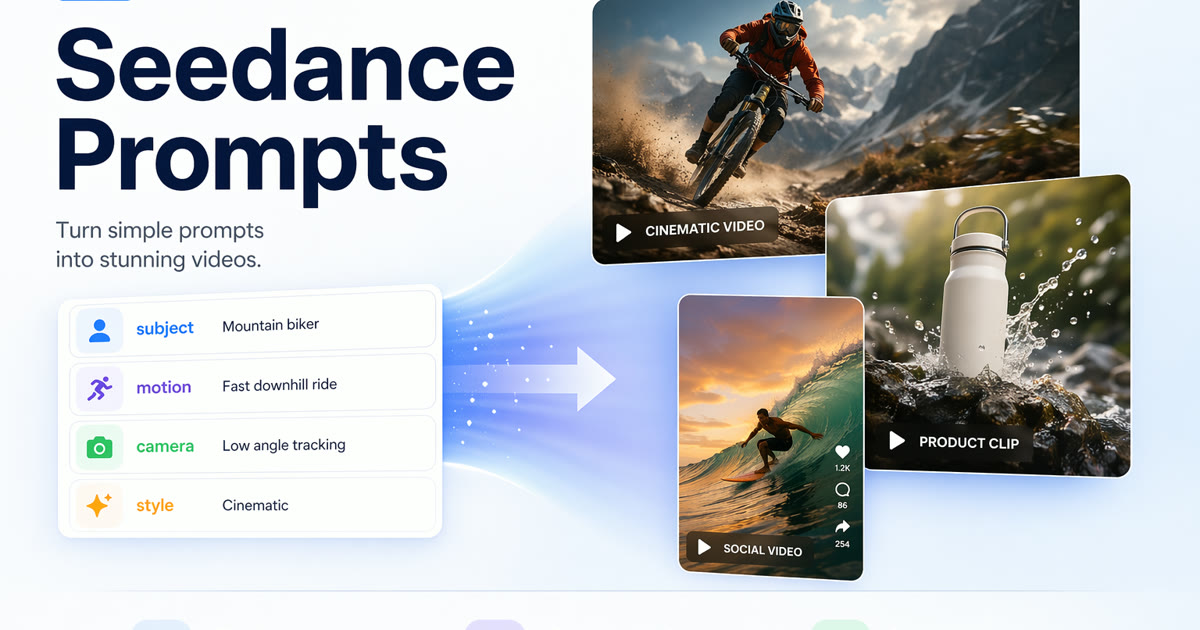
Seedance 提示词最好同时定义主体、运动、镜头、风格和约束。
要点速览
- 强 Seedance 提示词会定义主体、动作、镜头、场景、光线、风格、时长和约束。
- 文生视频需要更多视觉细节,因为模型要从零生成第一帧。
- 图生视频应保护参考图中已经存在的构图、主体和风格,重点描述运动。
- 在扩展成广告、教程、产品视频或社交内容前,先做短镜头测试。
- 不要承诺完全一致结果;任何输出上线前都需要人工审核。
快速答案
好的 Seedance prompt 本质上是一个紧凑的镜头 brief。可以按这个公式写:主体 + 动作 + 镜头运动 + 场景 + 光线 + 视觉风格 + 时长 + 约束。如果是图生视频,还要说明参考图中哪些内容必须保持不变,以及哪些元素应该动起来。如果是文生视频,则需要更清楚地描述第一帧,因为没有参考图。需要基础框架时,可以配合阅读 文生视频提示词指南 和 AI 视频提示词示例。
Seedance 提示词公式
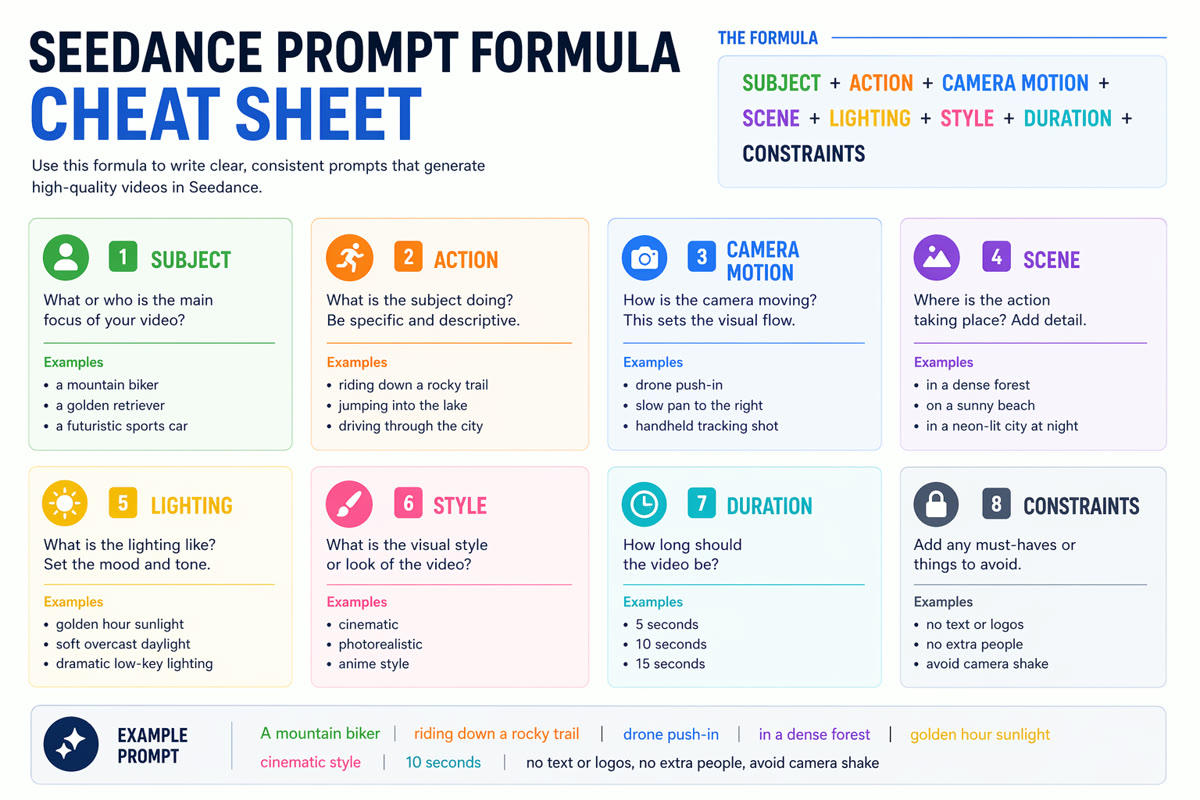
这个可复用公式可以帮助你写出更稳定的 Seedance 视频提示词。
| 提示词部分 | 应该写什么 | 示例 |
|---|---|---|
| 主体 | 主要人物、产品、地点或物体 | “木桌上的陶瓷咖啡杯” |
| 动作 | 画面中可见的变化 | “蒸汽升起,阳光扫过桌面” |
| 镜头 | 摄影机如何运动 | “浅景深慢速推进” |
| 场景 | 动作发生在哪里 | “安静的清晨厨房,背景有绿植” |
| 光线 | 时间、情绪和光线方向 | “柔和的金色窗边光” |
| 风格 | 视觉处理方式 | “电影感产品短片,自然色彩” |
| 时长 | 如果工作流支持,可写目标时长 | “5 秒” |
| 约束 | 要避免或保留的内容 | “不要文字,不要额外的手,Logo 不要可读” |
把这个公式当作检查清单,而不是死板模板。目标简单时提示词可以短;如果涉及品牌、产品、角色或运动控制,就需要更具体。
文生视频提示词示例
复制下面任意 Seedance AI prompt,再替换方括号里的信息。
-
电影感产品揭示
A [product] on a matte stone pedestal, slow push-in camera, soft rim light, subtle dust particles, premium commercial style, shallow depth of field, no readable text, no extra objects. -
创始人故事开场
A founder walks through a quiet studio at sunrise, reviewing sketches on a wall, handheld tracking shot, warm natural light, documentary startup mood, calm and focused, no text overlays. -
旅行氛围镜头
A narrow street in [city] after light rain, reflections on the pavement, cyclist passes through frame, slow pan left, cinematic travel film, realistic motion, no distorted signs. -
教育解释视觉
A clean 3D metaphor of ideas turning into connected nodes, gentle orbiting camera, white studio background, soft shadows, modern explainer style, no words or logos. -
角色情绪镜头
A young artist sits by a window sketching in a notebook, curtains move in a light breeze, close-up to medium shot, natural light, quiet cinematic tone, consistent face and hands.
图生视频提示词示例
图生视频不需要重复描述所有画面细节。让图片负责构图和风格,用提示词负责运动。
-
让产品图动起来
Use the uploaded product image as the first frame. Keep the product shape, color, and label position unchanged. Add a slow clockwise camera move, soft studio highlights, and gentle background parallax. No new text. -
让肖像产生轻微运动
Use the portrait as reference. Keep the person's identity and clothing consistent. Add subtle breathing, a small head turn, moving hair strands, and soft window light shifting across the face. -
食物和饮品动态镜头
Use the food image as the base. Keep the plating unchanged. Add steam, a slow overhead camera drift, tiny reflections on the sauce, and warm restaurant lighting. Do not add hands or utensils. -
建筑空间漫游
Use the room image as a reference. Preserve furniture layout and wall colors. Add a slow forward dolly, sunlight moving across the floor, and realistic depth. No new furniture, no warped lines. -
故事板动画化
Use the storyboard image as the source. Keep the character design and composition. Add gentle camera push-in, moving background clouds, and subtle character motion while preserving the illustration style.
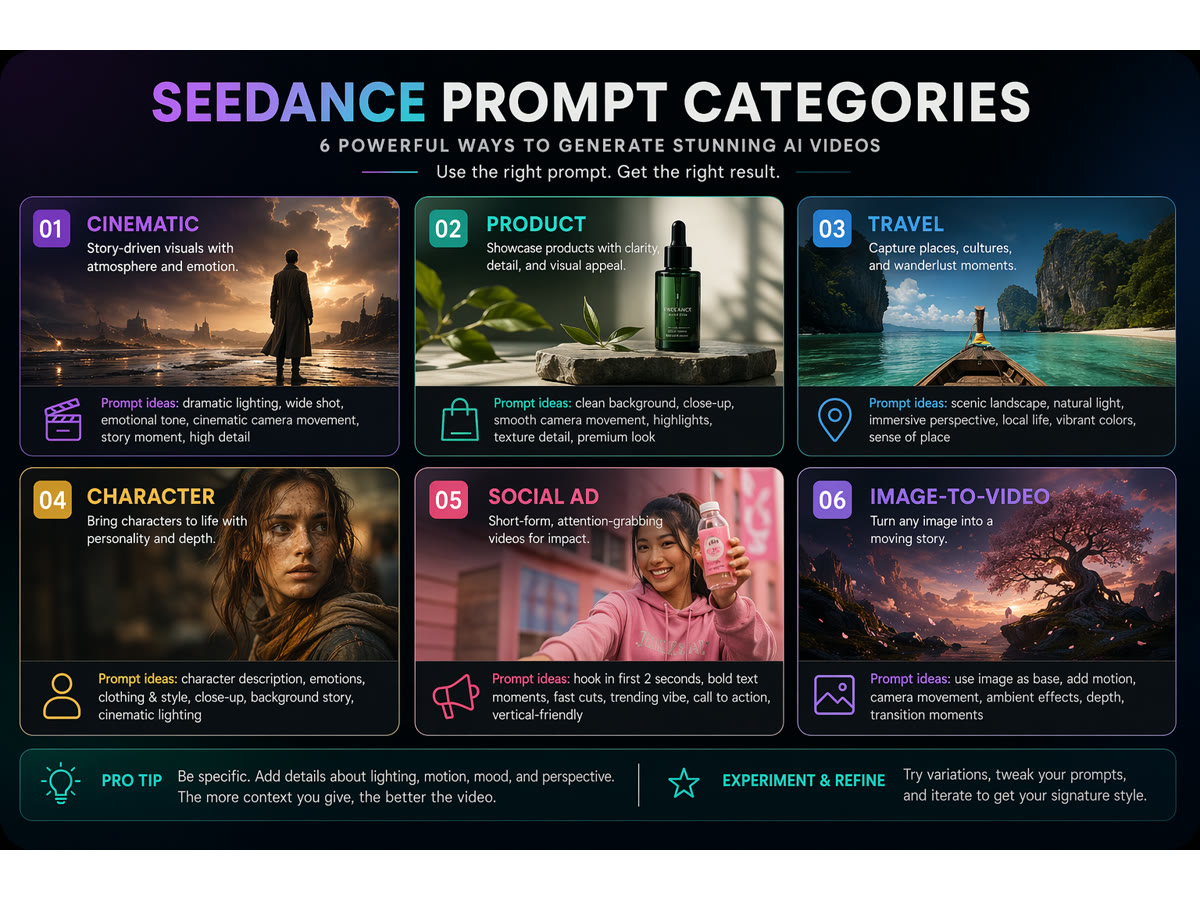
按照想生成的视频类型来组织提示词。
产品和营销提示词示例
-
落地页头图视觉
A SaaS dashboard concept shown as abstract workflow cards, cards connect into a short video timeline, slow parallax camera, clean white background, blue and green accent colors, no fake UI text. -
电商产品广告
A reusable water bottle splashes through a shallow stream, low-angle tracking shot, crisp natural light, energetic outdoor commercial style, keep product centered, no brand logo imitation. -
UGC 风格社交广告
A creator holds [product] near a bright desk, quick natural hand movement, phone-camera framing, friendly lifestyle lighting, short-form social ad style, realistic motion, no captions. -
新品预告片
A covered product silhouette in a dark studio, slow spotlight sweep, fabric moves slightly, camera pushes in, dramatic but minimal launch teaser, no text, no readable logos. -
功能对比视觉
Two clean visual paths split on screen: one chaotic workflow and one organized prompt workflow, smooth camera move, editorial infographic style, symbolic icons only, no small readable text.
电影感和社交视频提示词示例
-
竖屏开场 hook
A dramatic close-up of [subject] entering frame in the first second, fast but smooth push-in, high contrast lighting, vertical social video composition, energetic pacing, no text overlays. -
航拍建立镜头
A wide aerial view over a coastal road at sunset, camera glides forward above moving cars, cinematic orange-blue color grade, realistic shadows, stable horizon, no impossible physics. -
时尚细节镜头
Close-up of fabric texture and accessories as a model turns slightly, slow lateral camera move, studio light glints across details, editorial fashion film style, consistent hands and face. -
教程转场短片
A desk setup changes from messy to organized through smooth object motion, top-down camera, bright clean lighting, useful tutorial style, no floating text, no extra hands. -
抽象品牌氛围片
Soft geometric shapes flow like liquid glass around a simple product silhouette, slow orbit camera, calm premium color palette, high-end brand film style, no logos, no readable text.
较弱提示词 vs 改进提示词
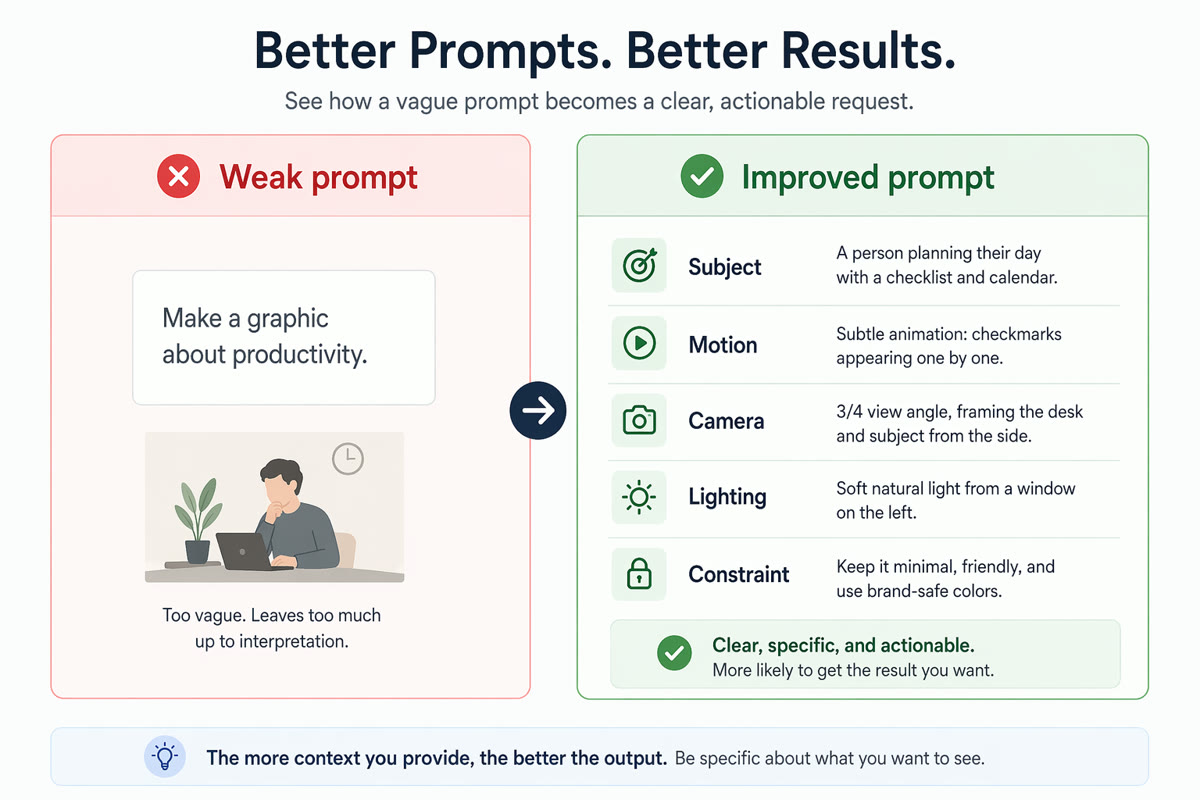
具体的运动、镜头和视觉约束通常能带来更好的 AI 视频结果。
| 较弱提示词 | 问题 | 改进后的 Seedance video prompt |
|---|---|---|
| “Make a cool product video.” | 没有主体、运动、场景、镜头和约束。 | “A matte black wireless speaker on a concrete table, slow push-in camera, soft rim light, tiny dust particles, premium tech commercial style, no readable text, no extra products.” |
| “Animate this image.” | 没说明什么要动、什么要保持不变。 | “Use the uploaded product photo as the first frame. Keep product geometry and color unchanged. Add a slow clockwise camera move, soft reflections, and subtle background parallax.” |
| “A person in a city.” | 太宽泛,无法控制情绪和镜头设计。 | “A commuter in a navy coat walks through a neon-lit crosswalk after rain, low-angle tracking shot, reflections on pavement, cinematic night mood, realistic motion.” |
如何改进较弱输出
- 一次只改一个变量。 如果结果接近目标,只改镜头或光线,不要全部重写。
- 缩短过载提示词。 太多场景或动作容易导致运动不稳定。
- 保护重要细节。 图生视频中要明确产品、脸、姿势或构图必须保持稳定。
- 避免依赖精确文字。 AI 视频模型通常不擅长生成可读文字。
- 使用真实工作流。 在 SeedVideo AI 生成短片,再对照 图生视频 AI 指南 中的检查方式优化。
实用 Seedance 提示词流程
- 明确一个输出目标:产品片、社交 hook、解释视频、旅行镜头或概念测试。
- 如果需要模型发明场景,用文生视频;如果构图或产品准确性重要,用图生视频。
- 按上面的公式写一个提示词。
- 在 SeedVideo AI 里生成短草稿。
- 检查运动、主体一致性、镜头行为和不想要的伪影。
- 只重写最弱的那一部分。
- 保存表现最好的提示词结构,后续做变体。
FAQ
什么是 Seedance prompt?
Seedance prompt 是描述目标视频镜头的短指令,通常包括主体、运动、镜头、场景、风格和约束。它更像创意 brief,而不是搜索词。
Seedance AI prompts 应该包含什么?
包含主体、可见动作、镜头运动、场景、光线、风格、近似时长和要避免的内容。图生视频还要说明参考图中哪些内容必须保持不变。
这些 Seedance prompt examples 能保证生成完全一样的结果吗?
不能。AI 视频生成具有概率性。这些示例是结构化起点,需要结合自己的场景测试、审核和细化。
文生视频和图生视频提示词有什么区别?
文生视频要描述完整场景,因为没有源图。图生视频则更关注运动和保留项,因为上传图片已经提供了构图、主体和风格。
Seedance prompts 可以用于产品视频吗?
可以,但要注意产品准确性。如果产品形状或包装很重要,优先使用图生视频,并避免要求模型从零生成可读标签。
应该测试多少个提示词?
先测试三个聚焦变体:一个改镜头、一个改光线、一个改运动。比较结果后再扩展更多概念。
从哪里开始?
从 SeedVideo AI 和一个短镜头开始。如果需要更广的模型选择视角,可以读 2026 年最佳 AI 视频生成器。如果需要更多示例,继续看 AI 视频提示词示例。
结论
最好的 Seedance 提示词足够具体,但不过度堆砌。它会说明画面里出现什么、镜头如何运动、采用什么视觉风格,以及要避免什么。选择上面一个示例,把主体和场景换成自己的 brief,然后在 SeedVideo AI 中测试。想持续提升效果,就保留提示词日志,记录哪些主体、镜头和约束真正改善了输出。