API 中的两个模型:Sunburst 与 Flare
gpt-image-2.6-flare 面向快速迭代,OpenAI 称它最快 6 秒就能返回一张 low 画质的图片。gpt-image-2.6-sunburst 面向精细创作,以及 medium 或 high 画质下保持一致的编辑。两者参数相同、token 费率相同,在我们的测试里,相同设置下消耗的输出 token 数也完全一样。

选择 GPT Image 2.6 Sunburst 或 Flare,写提示词或附上参考图,然后生成。新账号有注册赠送积分,足够生成第一张 GPT Image 2.6 图片。 免费在线体验 GPT Image 2.6!
模型概览
GPT Image 2.6 是 OpenAI 于 2026 年 11 月 4 日发布的图像模型,在 ChatGPT、Codex 和 API 中以 Images 2.6 的名称上线。OpenAI 称它的出图速度比之前快 50%,多轮编辑中角色、产品和品牌细节更稳定,并新增动画 GIF、标注引导编辑(markup)和复杂度(complexity)设置。
gpt-image-2.6-flare 面向快速迭代,OpenAI 称它最快 6 秒就能返回一张 low 画质的图片。gpt-image-2.6-sunburst 面向精细创作,以及 medium 或 high 画质下保持一致的编辑。两者参数相同、token 费率相同,在我们的测试里,相同设置下消耗的输出 token 数也完全一样。
2.6 新功能 · 生成器里已可用
GPT Image 2.6 新增的三项功能,都已经能在 SeedVideo AI 图片生成器里使用。2026 年 11 月 10 日,我们又发了 15 次付费请求,看每项功能实际做了什么。下面每个结果都按生成原样展示,旁边是当时发送的提示词。
01
GPT Image 2.6 在一次请求里画完所有帧,返回一张每帧 512 × 512 的循环 GIF。费用取决于承载这些帧的整张画布,而不只是帧数:low 画质下,4 到 8 帧 1 积分,9 到 12 帧 2 积分,13 到 16 帧 3 积分。
在生成器里把“格式”设为 GIF,再选“帧数”(4、6、9、12 或 16)和“速度”(每帧 0.08 到 0.4 秒)。附上一张照片,就能让照片动起来,而不必从文字开始。

17 秒 · 1,172 输出 token · 2 积分
提示词
A seamless looping animation of a white ceramic cup of hot coffee on a wooden table. Soft steam curls upward and drifts; the cup, the table and the light stay perfectly still. Fixed camera, warm morning light, shallow depth of field. No text.
32 秒 · 1,835 输出 token · 3 积分
提示词
A seamless looping animation of an orange origami paper bird flapping its wings up and down in place on a pale blue background. Fixed camera, the bird keeps the same size and position in every frame, flat paper-craft style, soft shadow underneath. No text.

17 秒 · 2,944 输出 token · 5 积分
提示词
A looping animation of a neon sign reading "OPEN" on a dark brick wall. The letters light up one at a time, O, P, E, N, then the whole word flashes twice and goes dark. Fixed camera, glowing pink and blue tubes, no other text.
26 秒 · 1,172 输出 token · 3 积分
提示词
Animate this photo as a seamless loop: gentle steam rises from the coffee in the mug and drifts away. Keep the mug, the embossed "SEED" logo, the coffee beans, the stone block, the light and the background exactly the same in every frame.
02
你画的标注会作为一张单独的透明图层,叠在第一张参考图上发给模型,告诉它要改哪里。四组测试里都只改了圈中的部分,结果里没有残留红圈。标注图层没有多计输入 token,所以带标注的编辑和普通参考图编辑价格相同。
添加一张参考图,点缩略图上的“标注”,在要改的地方圈画,然后在提示词里说明怎么改。Sunburst 和 Flare 都支持。
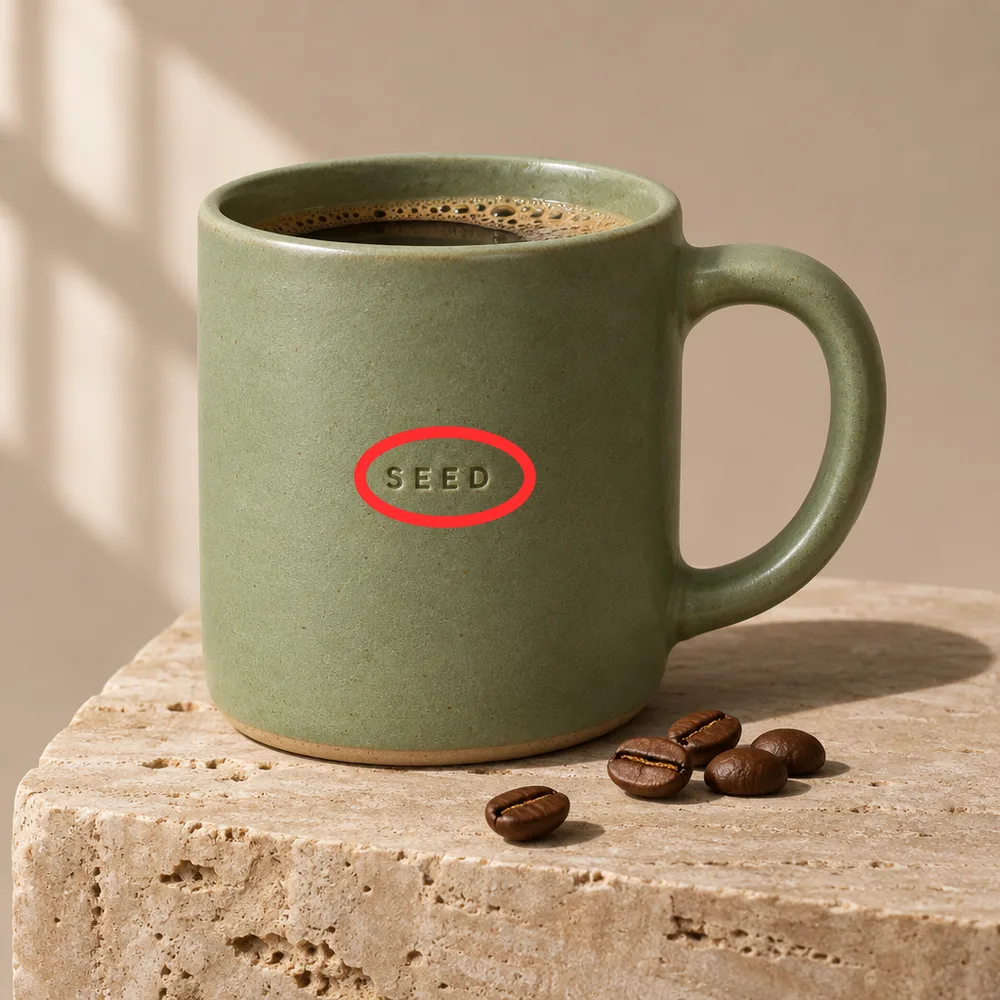
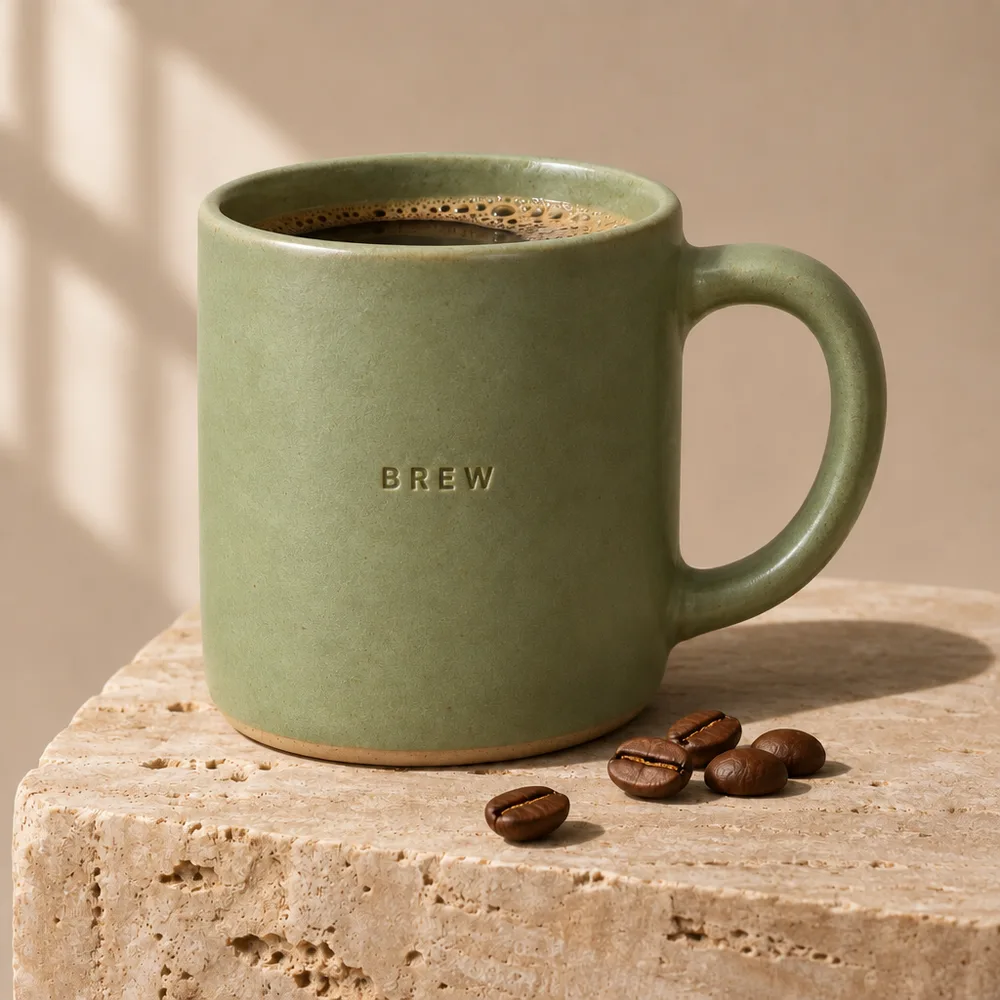
四个字母换了,浮雕的深浅和字距保持不变。釉色、咖啡、咖啡豆和石块都在原位。
30 秒 · 3 积分 · Sunburst、medium、1K
提示词
Replace the circled embossed text with the word "BREW" in the same embossed style. Keep everything else exactly the same and remove the red circle.
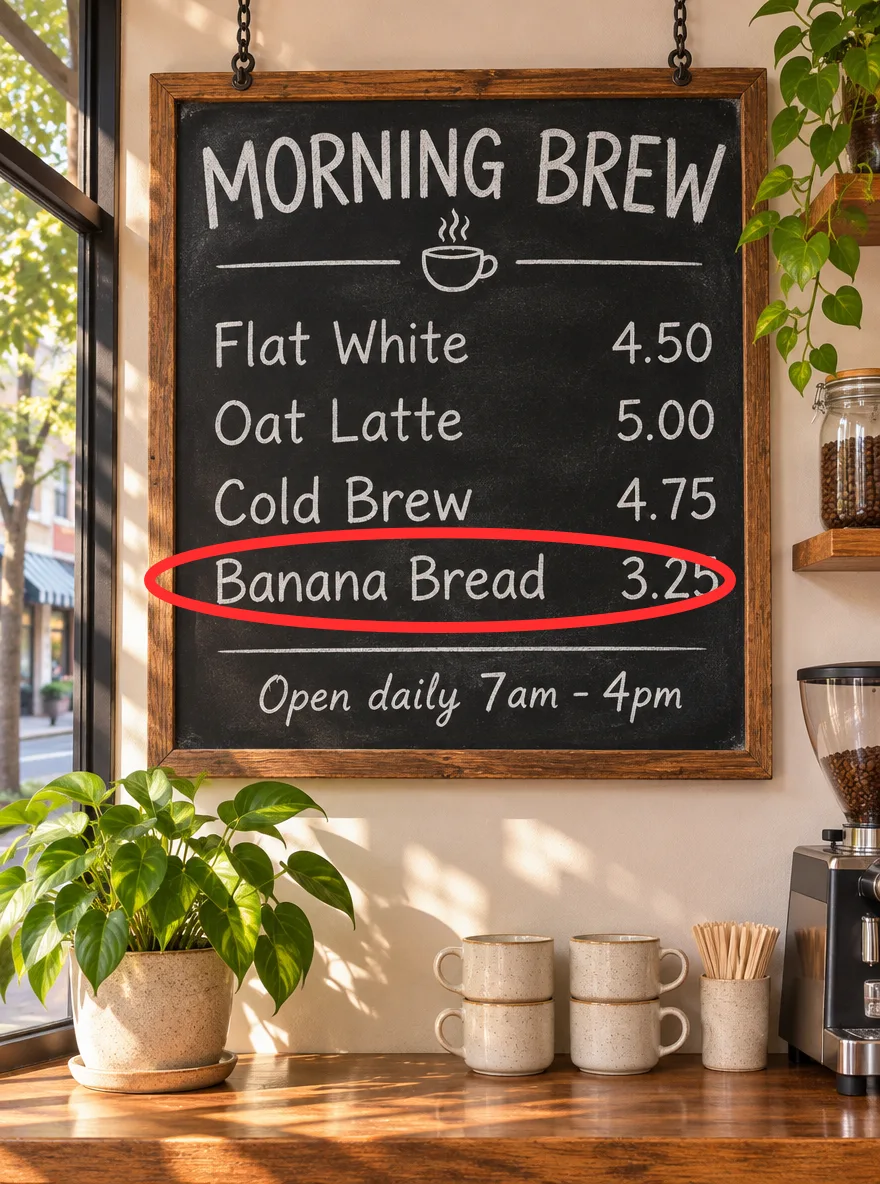
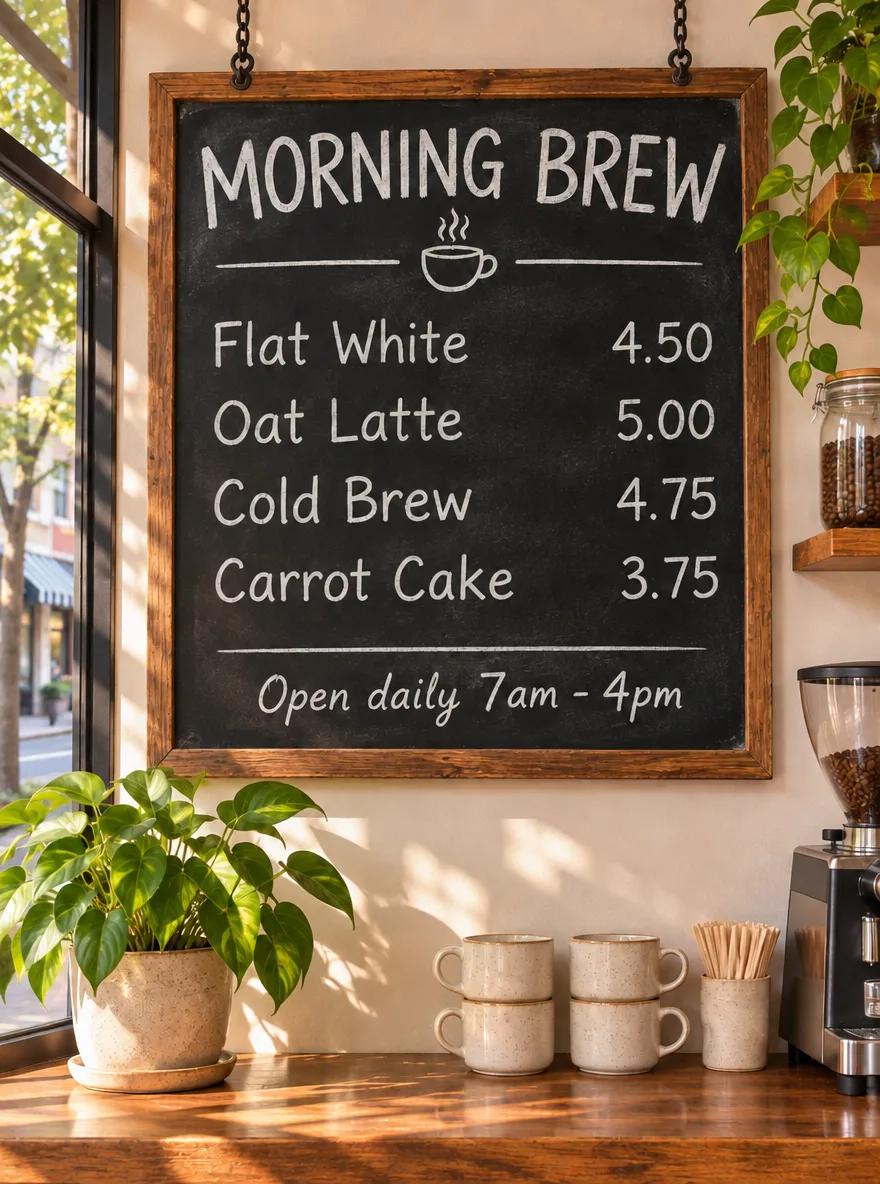
“Banana Bread 3.25”变成了“Carrot Cake 3.75”,粉笔字体一致。标题、另外三行、营业时间和整个房间都没有变。
19 秒 · 3 积分 · Sunburst、medium、1K
提示词
Change the circled line to read "Carrot Cake 3.75" in the same chalk lettering. Keep every other line, the frame and the room exactly the same. Remove the red circle.
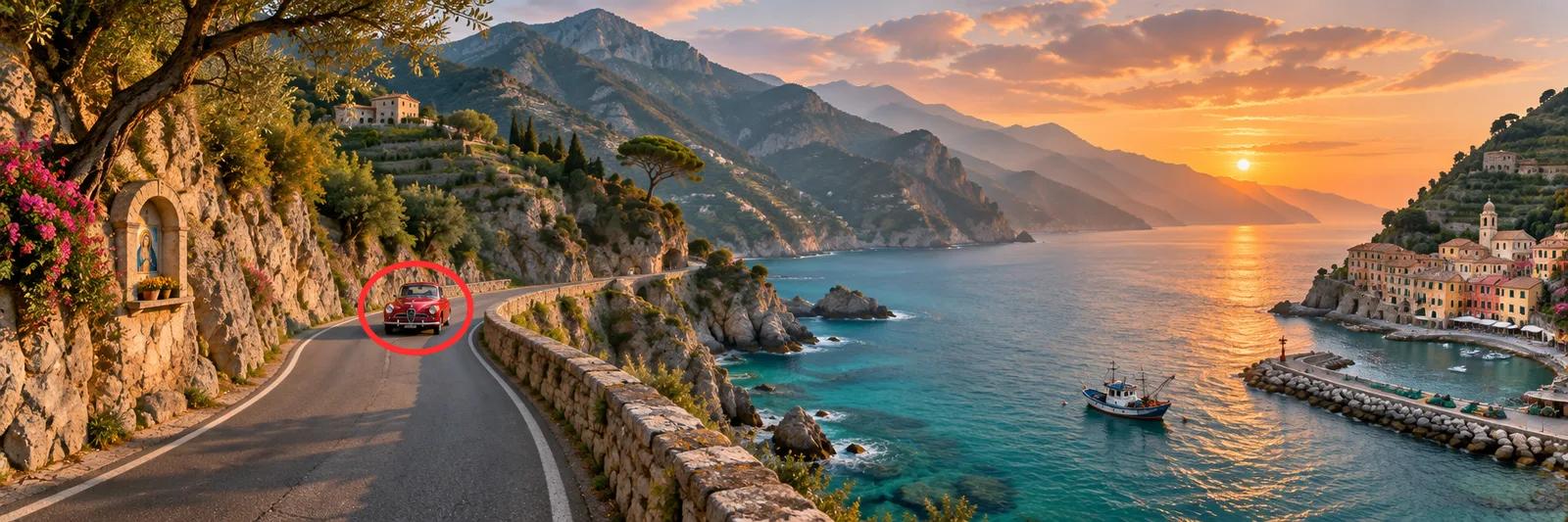
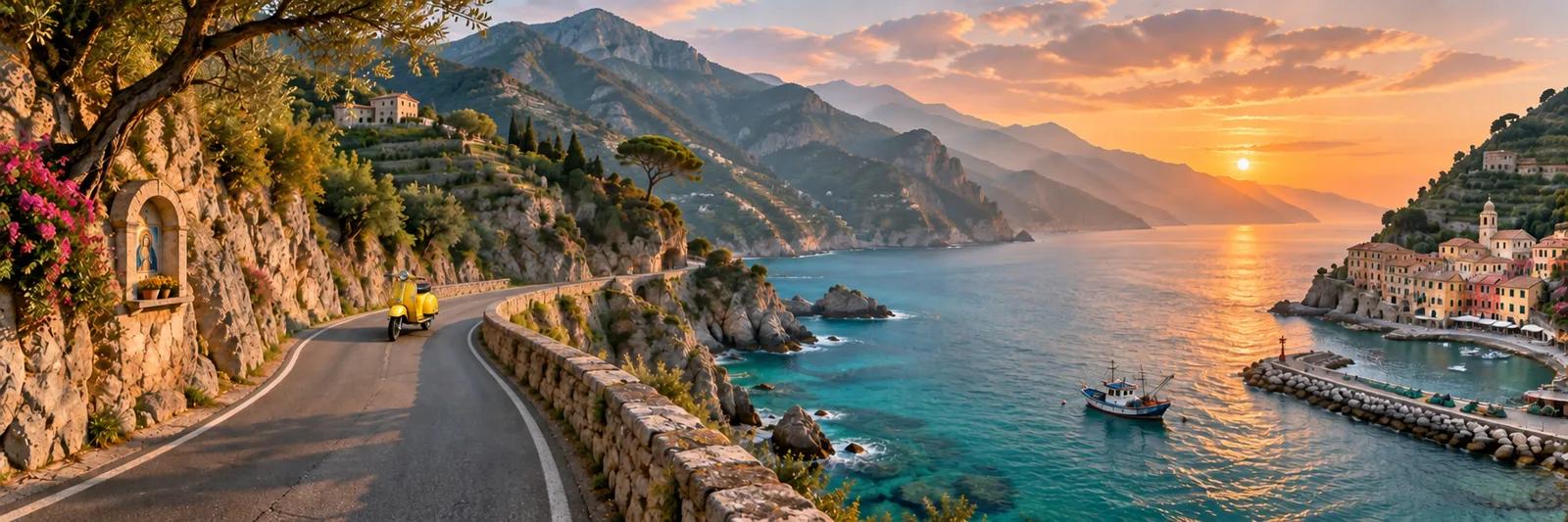
红色汽车换成了黄色踏板车,停在同一个弯道上,而这个目标只占画面很小的一块。神龛、渔船、村庄和落日都没有动。
17 秒 · 3 积分 · Sunburst、medium、1K
提示词
Replace the circled car with a yellow vintage scooter parked on the road. Keep the rest of the landscape exactly the same. Remove the red circle.
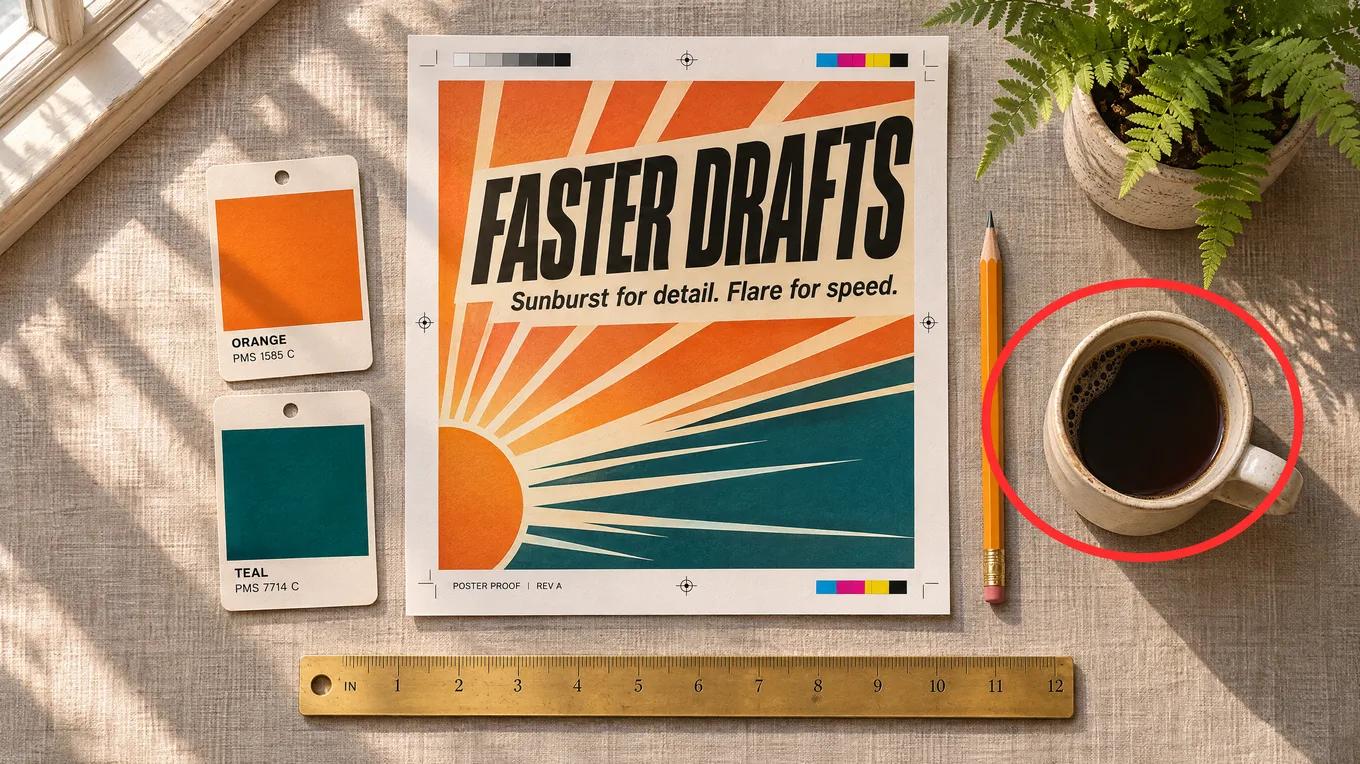
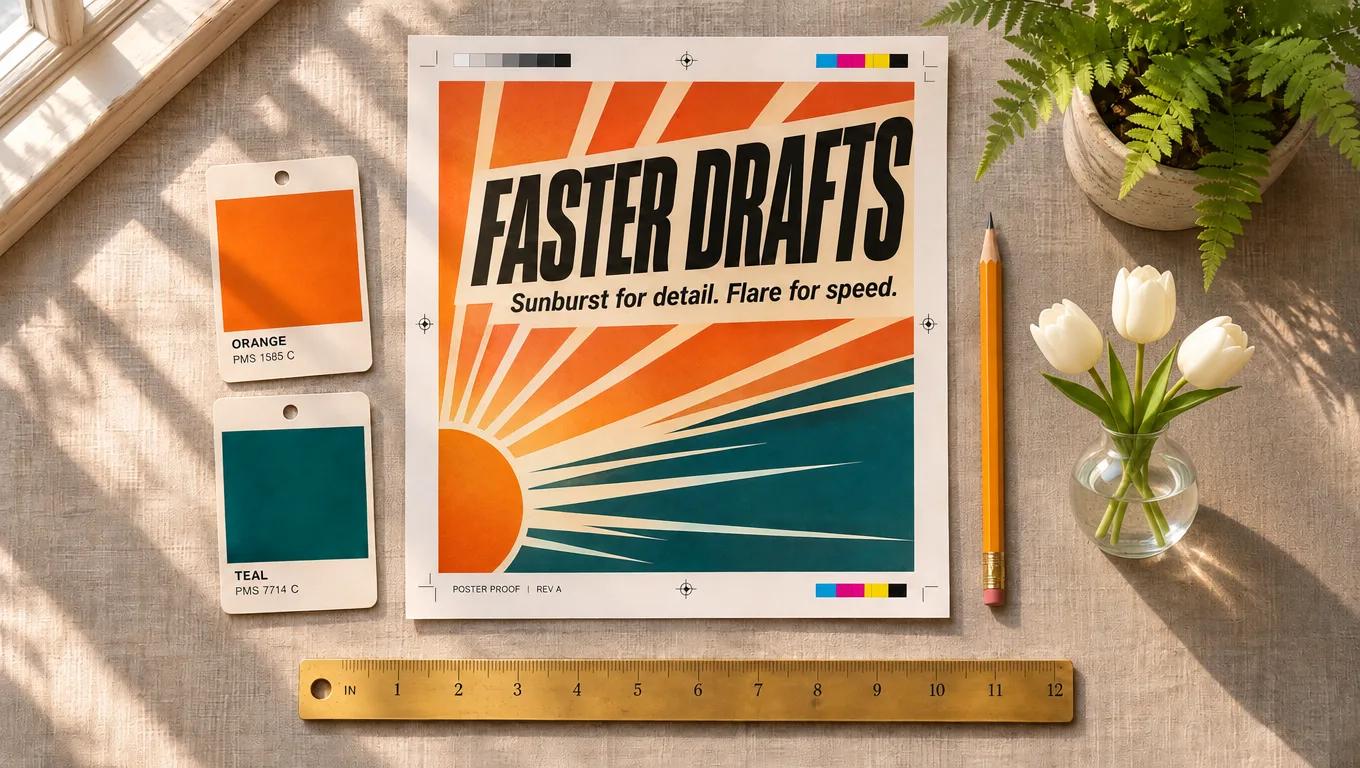
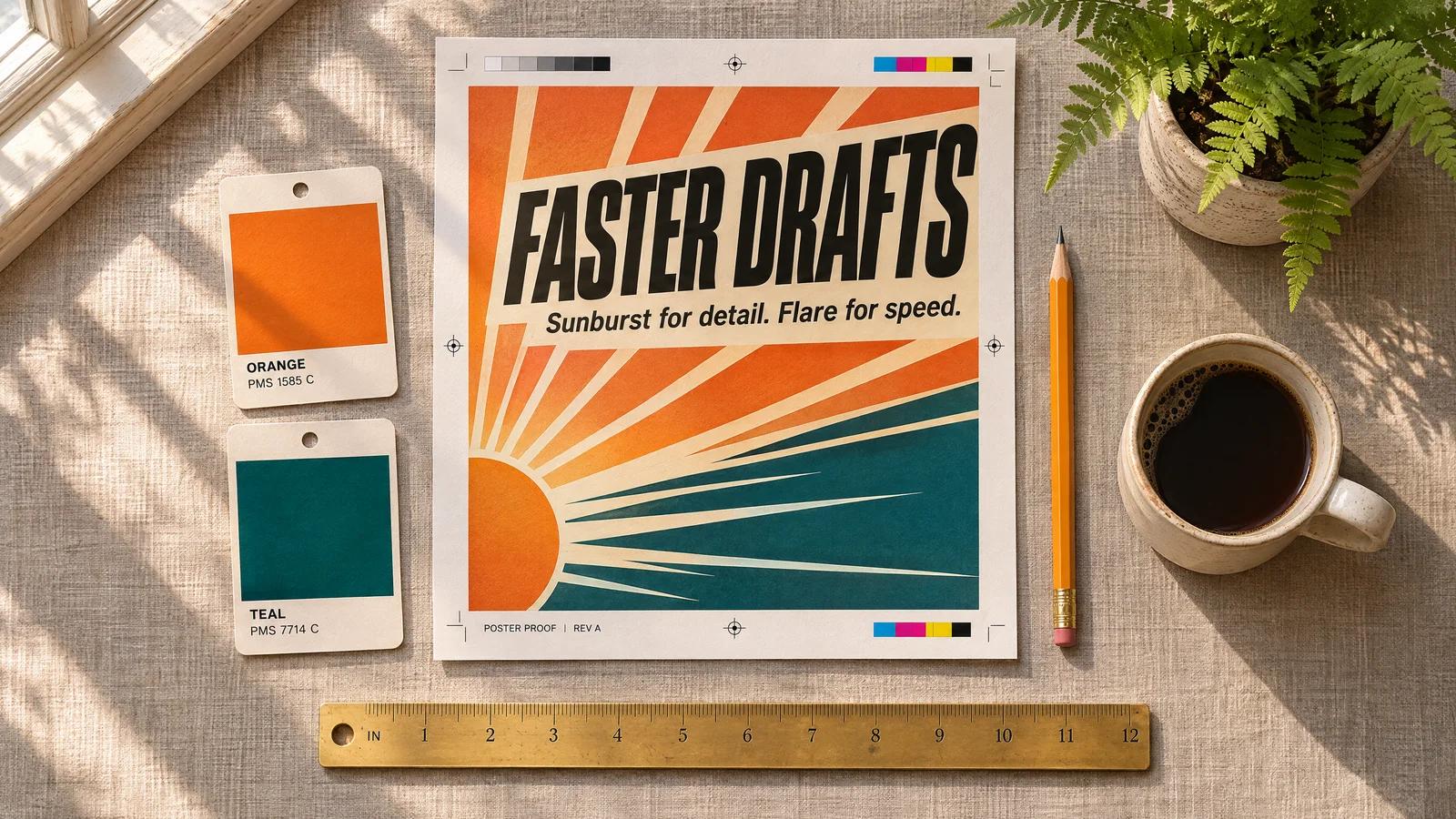
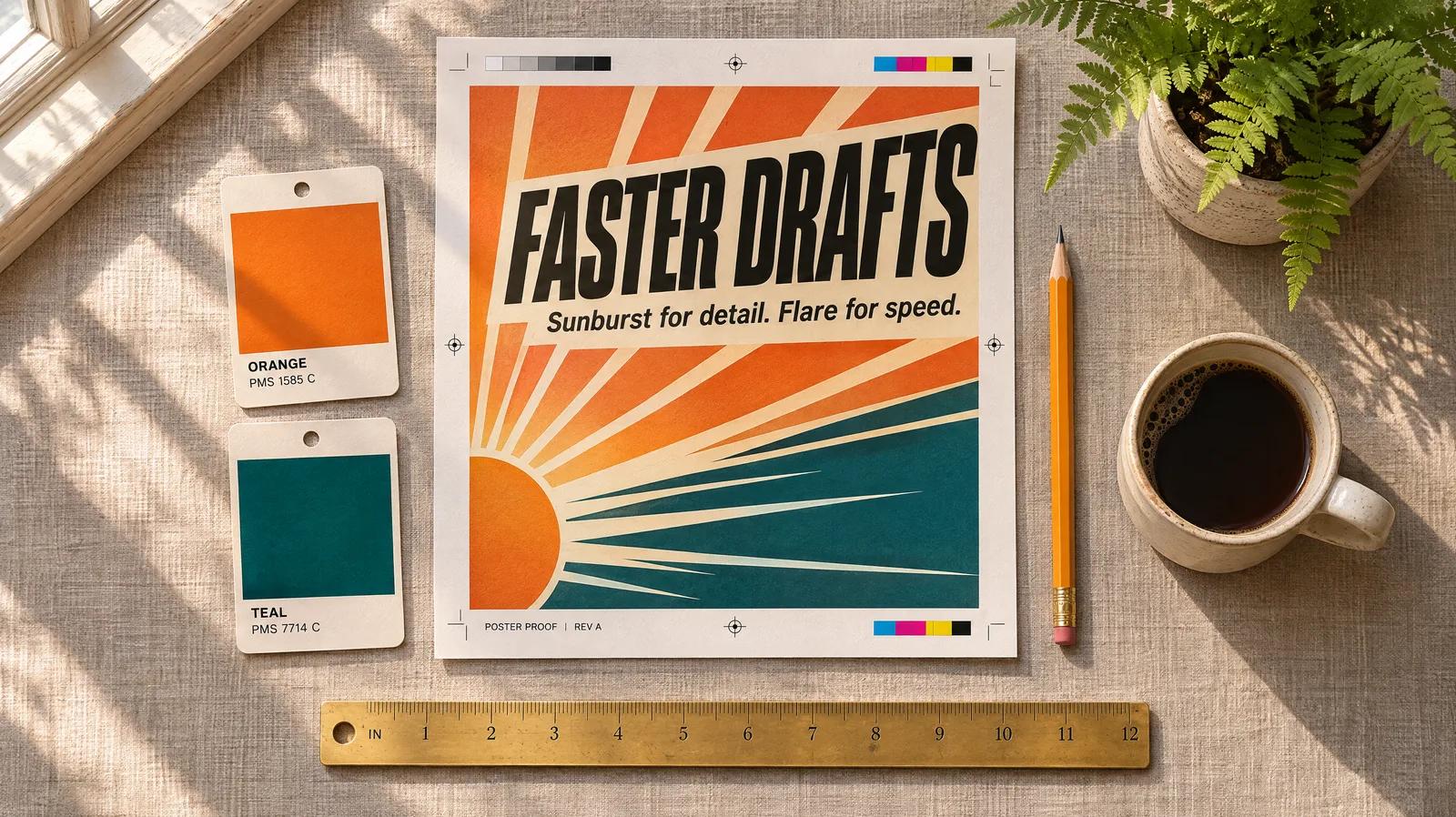
咖啡杯换成了插着三支白色郁金香的玻璃花瓶,阴影方向和窗光一致。海报文字、两张色卡、铅笔、尺子和蕨类都没有变化。
24 秒 · 3 积分 · Sunburst、medium、1K
提示词
Replace the circled coffee cup with a small glass vase holding three white tulips. Keep the poster, swatches, pencil, ruler, fern and tabletop exactly the same. Remove the red circle.
03
complexity 决定 GPT Image 2.6 在动笔前对版面做多少规划,分 low、medium、high 三档。在这里它不额外收费,在我们的测试里也没有改变 token 数:下面六张图都用了 1,086 个输出 token。
使用设置栏里的“规划”选项,生成静态图时它在“更多设置”里。默认是 high,也就是模型自己的默认值。
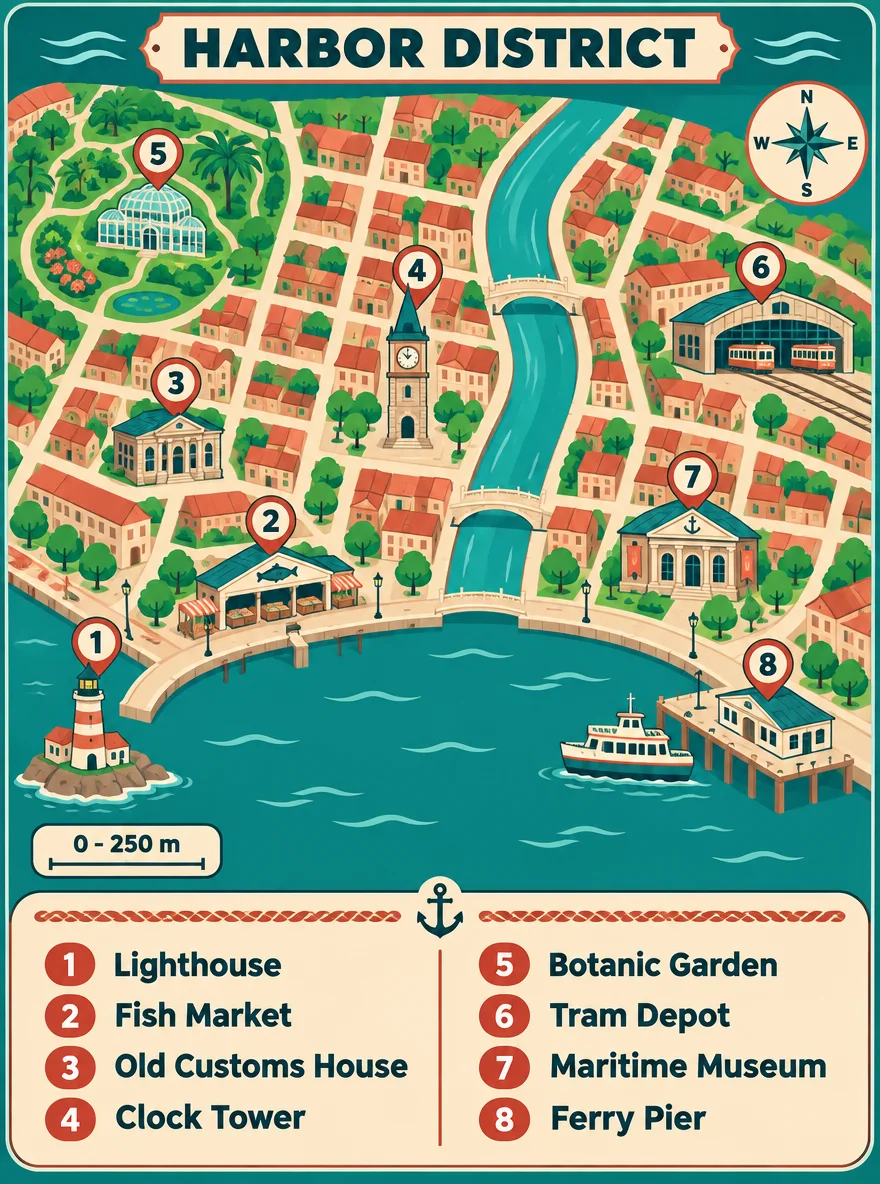
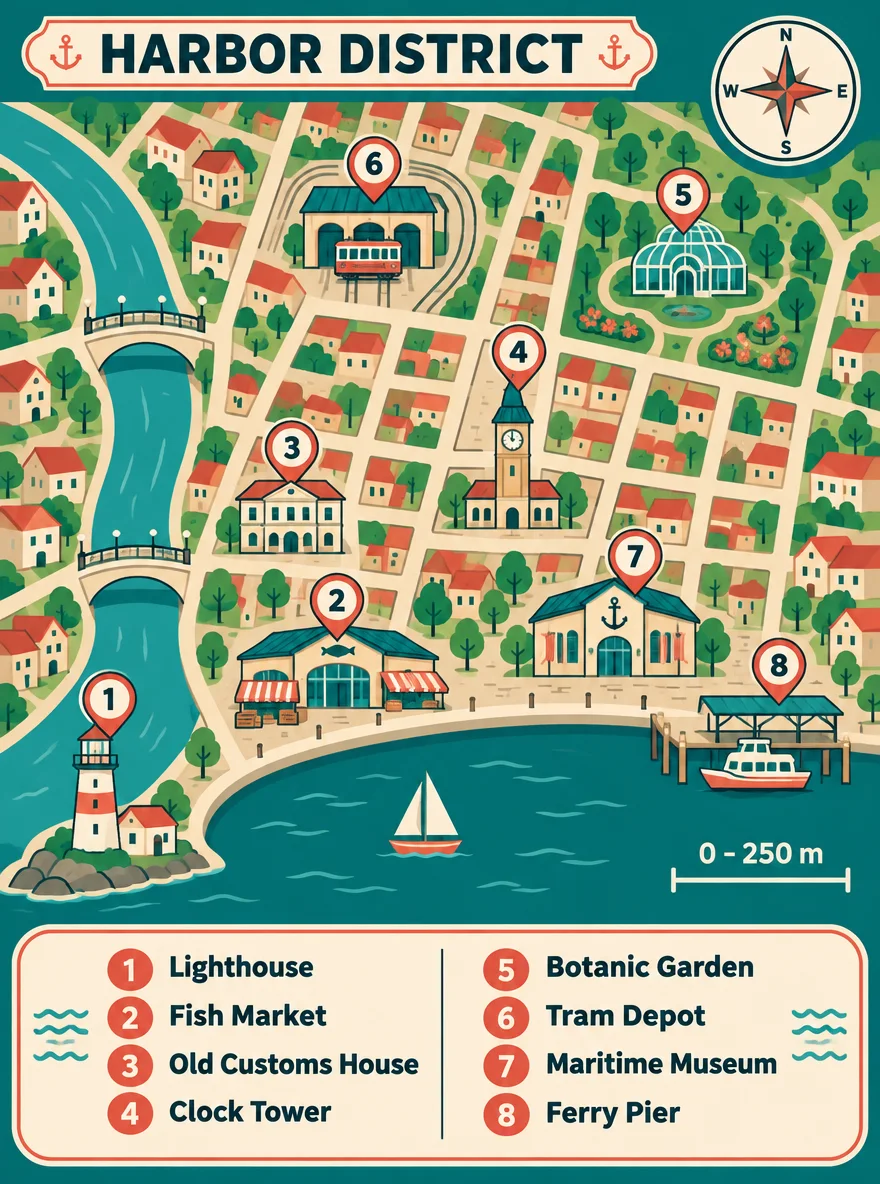
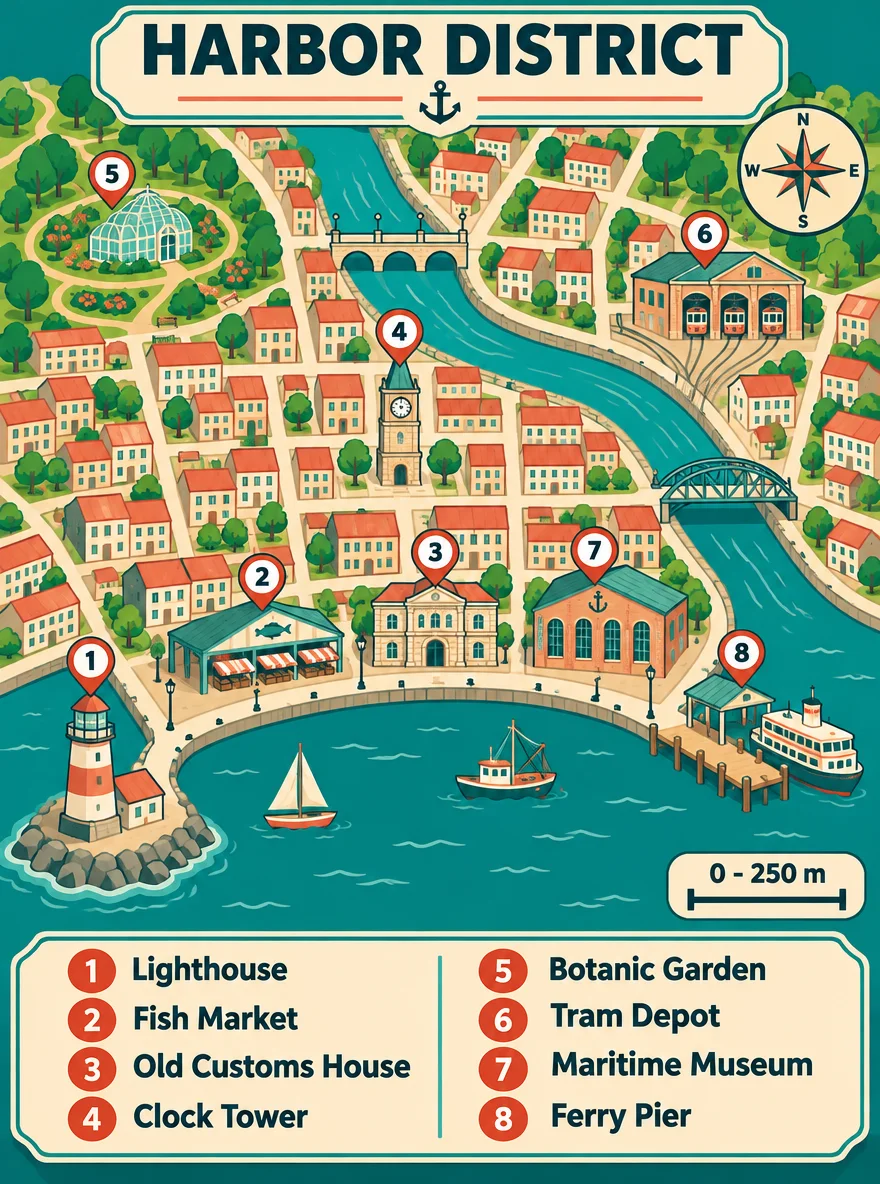
三档都把 1 到 8 号图钉各放了一次,图例逐字对应,也都画出了指南针和“0 - 250 m”比例尺。high 用了 66 秒,另外两档是 39 秒和 37 秒。
提示词
An illustrated walking-map poster titled "HARBOR DISTRICT" in bold letters at the top. A stylised top-down map of a small harbour town with a curved waterfront, a river with two bridges and a grid of streets. Eight numbered pins on the map, and a legend box at the bottom listing them exactly: "1 Lighthouse", "2 Fish Market", "3 Old Customs House", "4 Clock Tower", "5 Botanic Garden", "6 Tram Depot", "7 Maritime Museum", "8 Ferry Pier". Add a compass rose in the top-right corner and a scale bar reading "0 - 250 m". Flat vector style, teal, sand and coral palette. All text spelled exactly as written; every pin number appears once on the map and once in the legend.
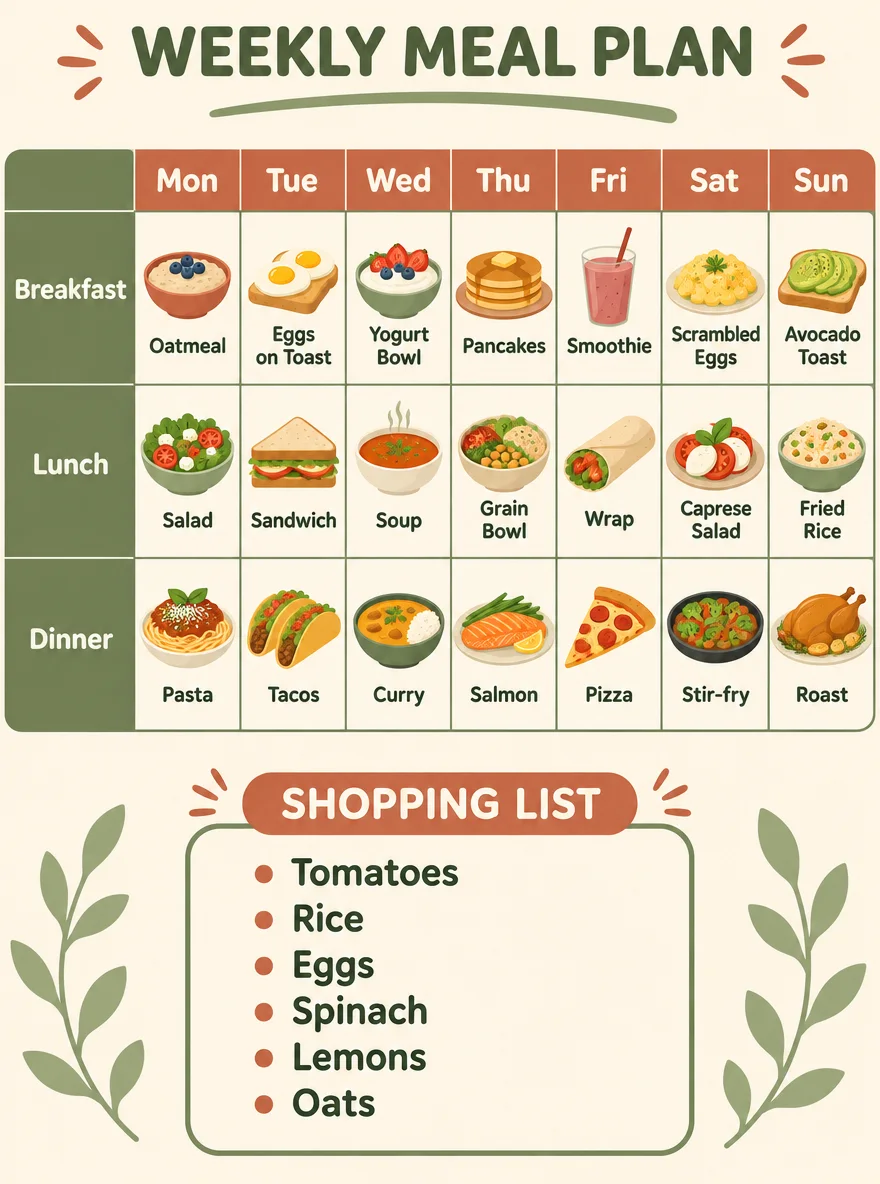
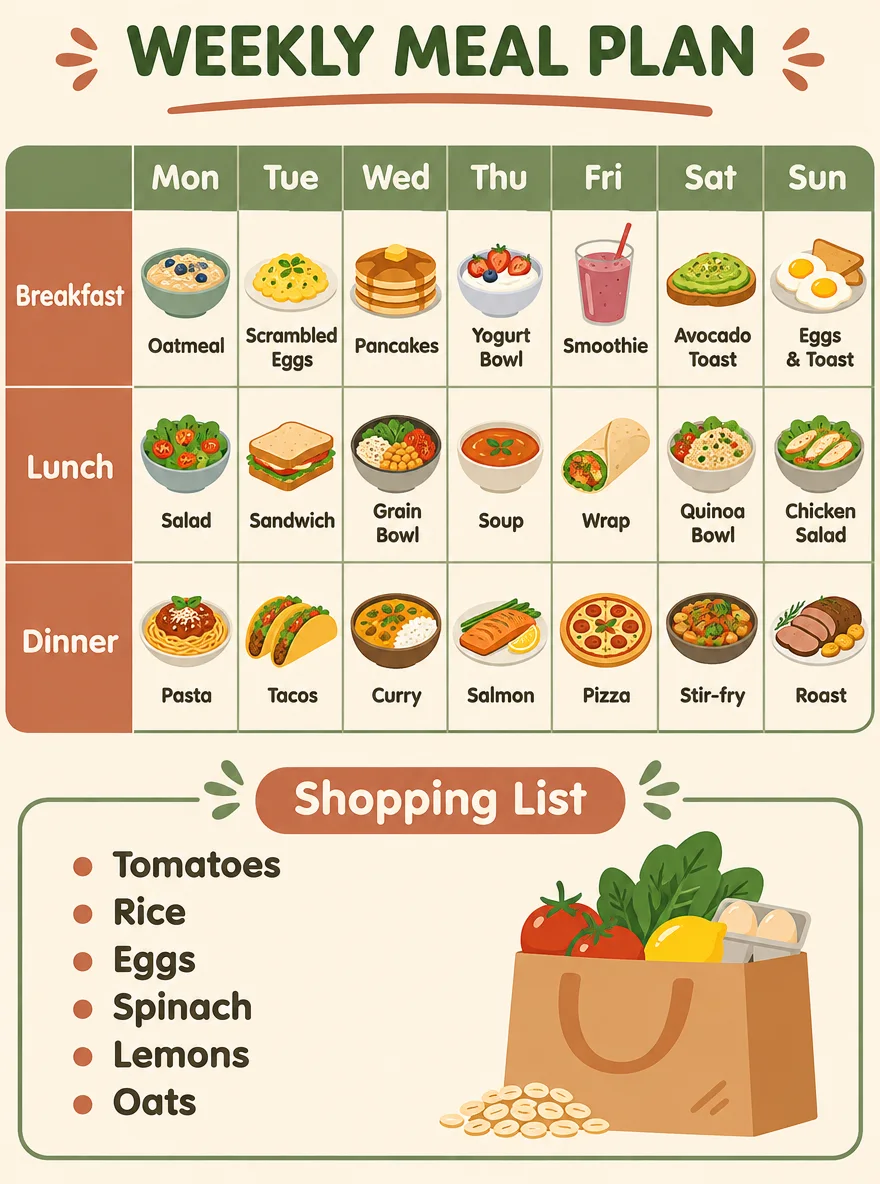
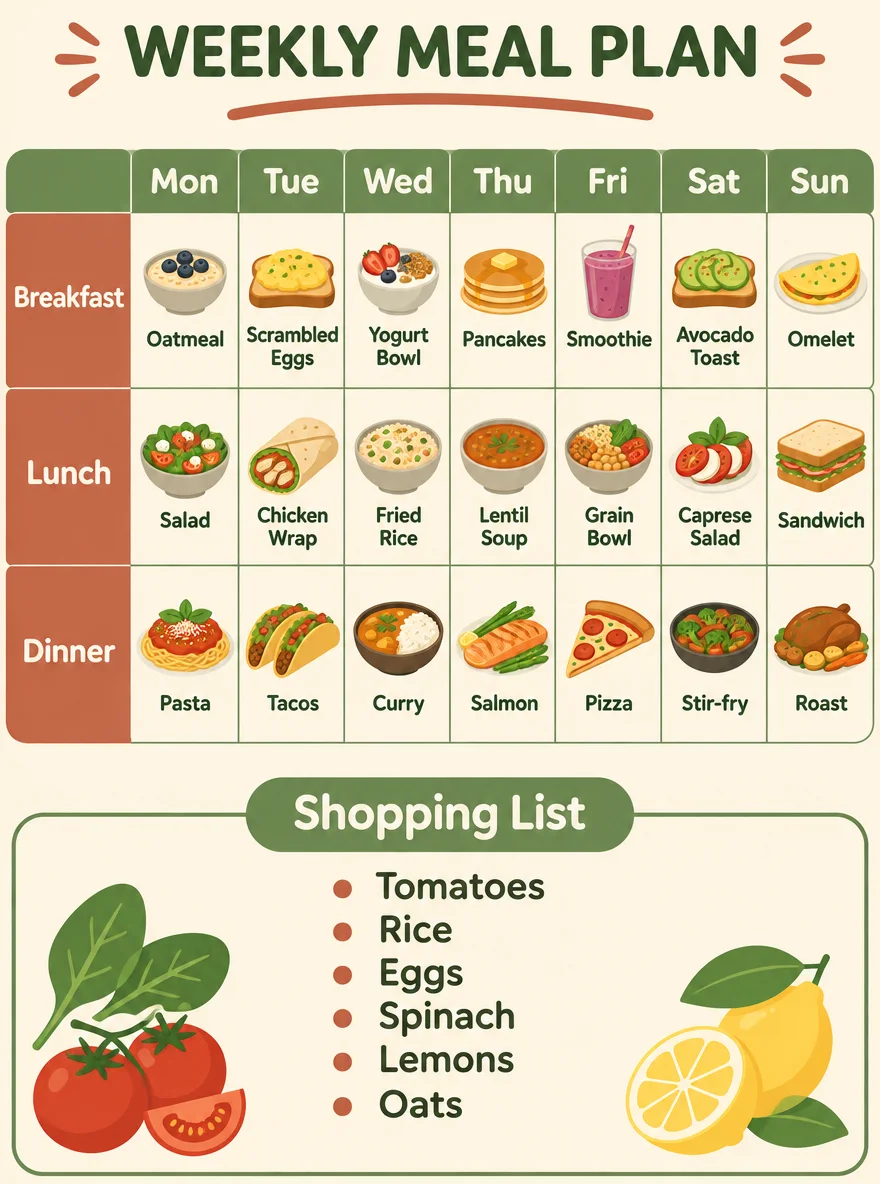
三档都填满了每一格,Dinner 一行的七道菜和六项购物清单都和要求完全一致,耗时在 30 到 34 秒之间。
提示词
A weekly meal-planner poster with a clean grid layout. Title "WEEKLY MEAL PLAN" at the top. A table with seven columns headed "Mon", "Tue", "Wed", "Thu", "Fri", "Sat", "Sun" and three rows labelled "Breakfast", "Lunch", "Dinner". Fill all 21 cells with a small flat food icon and a short dish name; the Dinner row must read exactly: "Pasta", "Tacos", "Curry", "Salmon", "Pizza", "Stir-fry", "Roast". Below the table, a shopping-list box with exactly six bullet items: "Tomatoes", "Rice", "Eggs", "Spinach", "Lemons", "Oats". Soft cream background, sage green and terracotta accents, rounded sans-serif type. All text spelled exactly as written.
在这两张信息密集的版面上,high 并不比 low 更准确,在地图那组里还是最慢的一次。每档只跑了一次,样本很小,只能当作起点:先用 low 出稿,只有当拥挤的画面漏了东西或放错位置时再调高。
本工作区使用的 API 线路目前不返回 GPT Image 2.6 的 SVG。静态图保存为 PNG,动图保存为 GIF。
我们的实测
2026 年 11 月 10 日,我们向 GPT Image 2.5 Sunburst、2.6 Sunburst 和 2.6 Flare 发出了 51 次付费请求:四条相同的提示词、五档画质阶梯、编辑、GIF,以及重复计时。下面每张图都按生成结果原样展示。
| 2026 年 11 月 10 日实测数据 | GPT Image 2.5 Sunburst | GPT Image 2.6 Sunburst | GPT Image 2.6 Flare |
|---|---|---|---|
| 同一提示词运行 6 次的耗时中位数(1:1、medium、1K) | 27 秒 | 30 秒 | 13 秒 |
| 所有 medium 运行中的最快到最慢 | 21–29 秒(9 次) | 25–346 秒(11 次) | 7–85 秒(9 次) |
| 1K 下一张 1:1 medium 图片的输出 token | 439 | 1,449 | 1,449 |
| 这张图在 SeedVideo AI 上消耗的积分 | 1 | 3 | 3 |
| 指定文字中的拼写错误 | 0 | 0 | 0 |
| 菜单提示词没有要求却多出的文字 | 多出 3 处标识 | 无 | 无 |
同一条黑板菜单提示词,3:4、1K,在两个 2.6 版本上跑完全部画质档位。每个档位下 Sunburst 与 Flare 消耗的输出 token 相同。全部 10 张图的每个单词和价格都拼写正确,所以对一张文字密集的 1K 图片来说,更高档位换来的是更细腻的粉笔质感,而不是准确度。1:1 图片消耗的 token 比这些 3:4 的数字多约三分之一;各宽高比的积分相同。
| 画质 | 输出 token | 按 OpenAI $30 / 百万 token 计 | 1K 积分 | 拼写错误 |
|---|---|---|---|---|
| low | 618 | $0.019 | 2 | 0 |
| medium | 1,086 | $0.033 | 3 | 0 |
| high | 1,316 | $0.039 | 3 | 0 |
| xhigh | 2,337 | $0.070 | 5 | 0 |
| max | 5,184 | $0.156 | 10 | 0 |
01
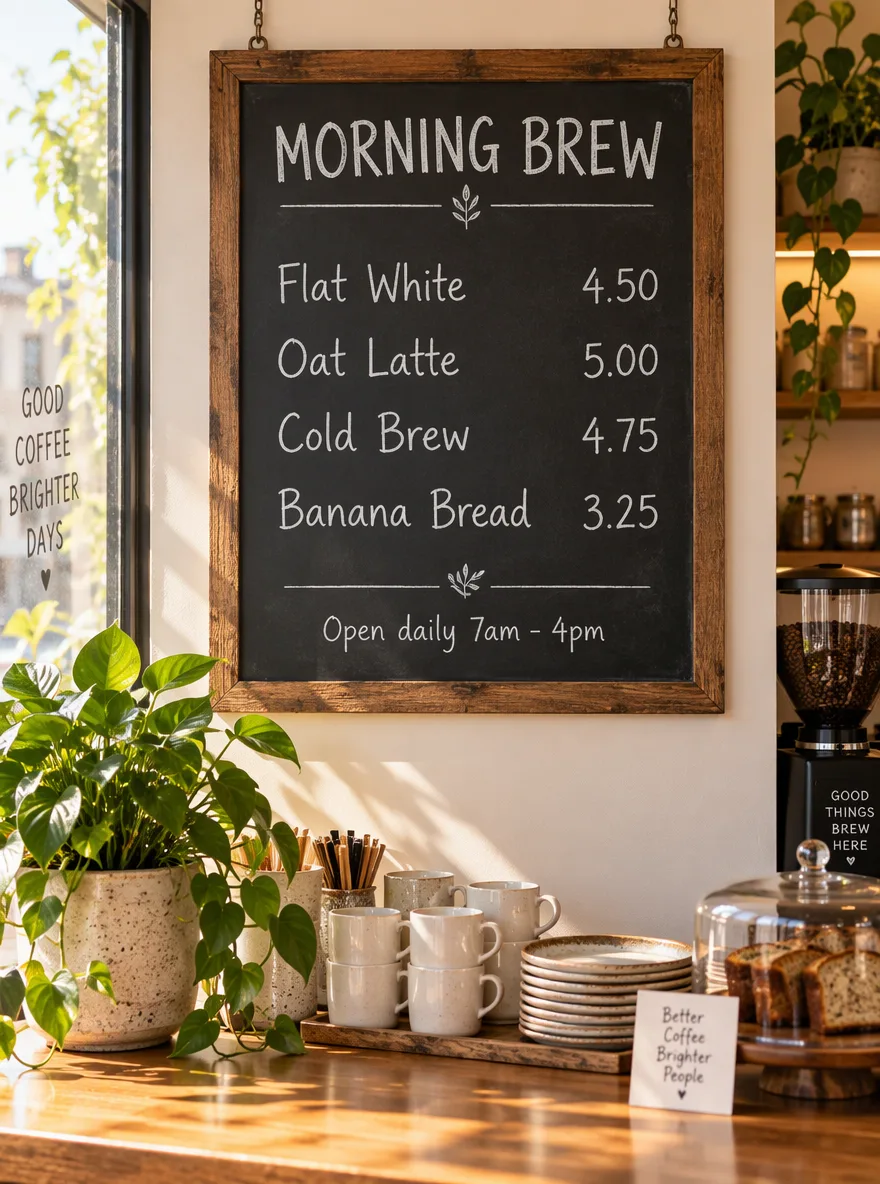
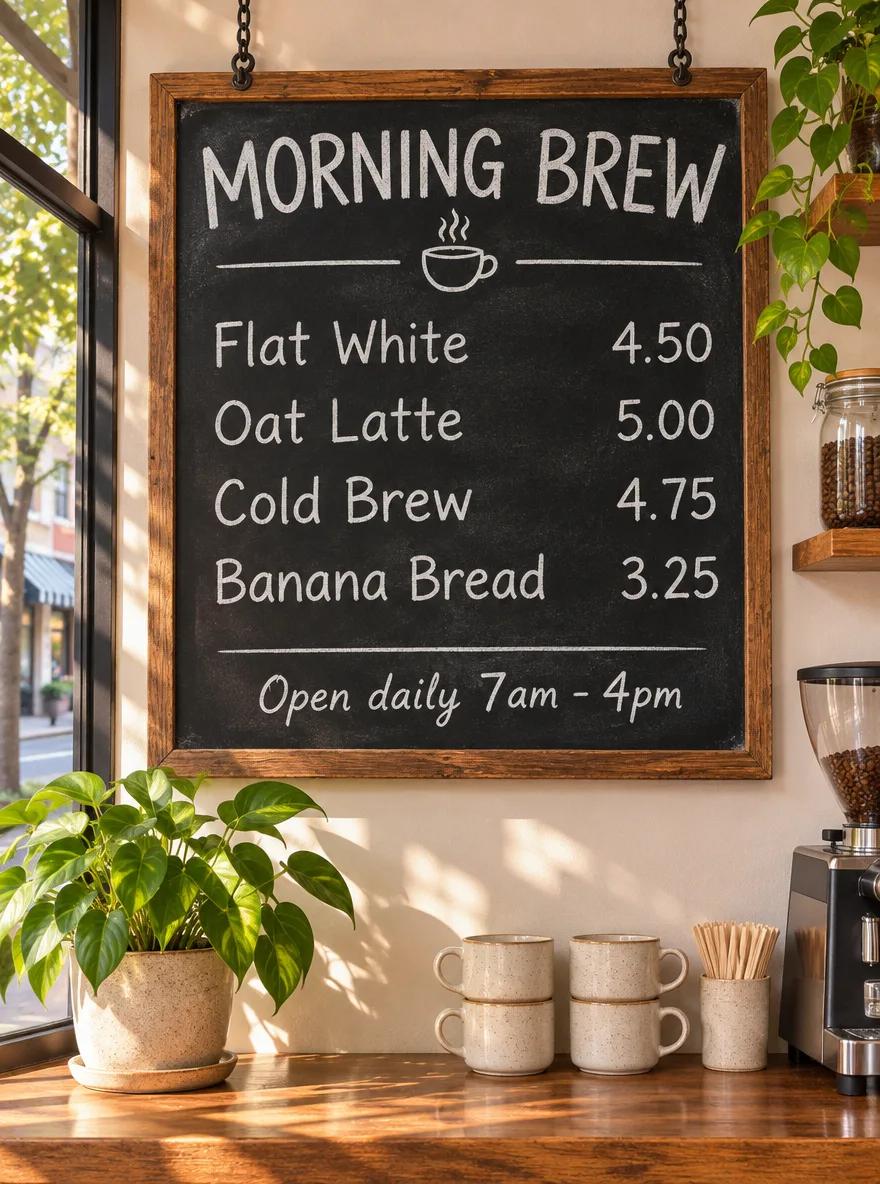
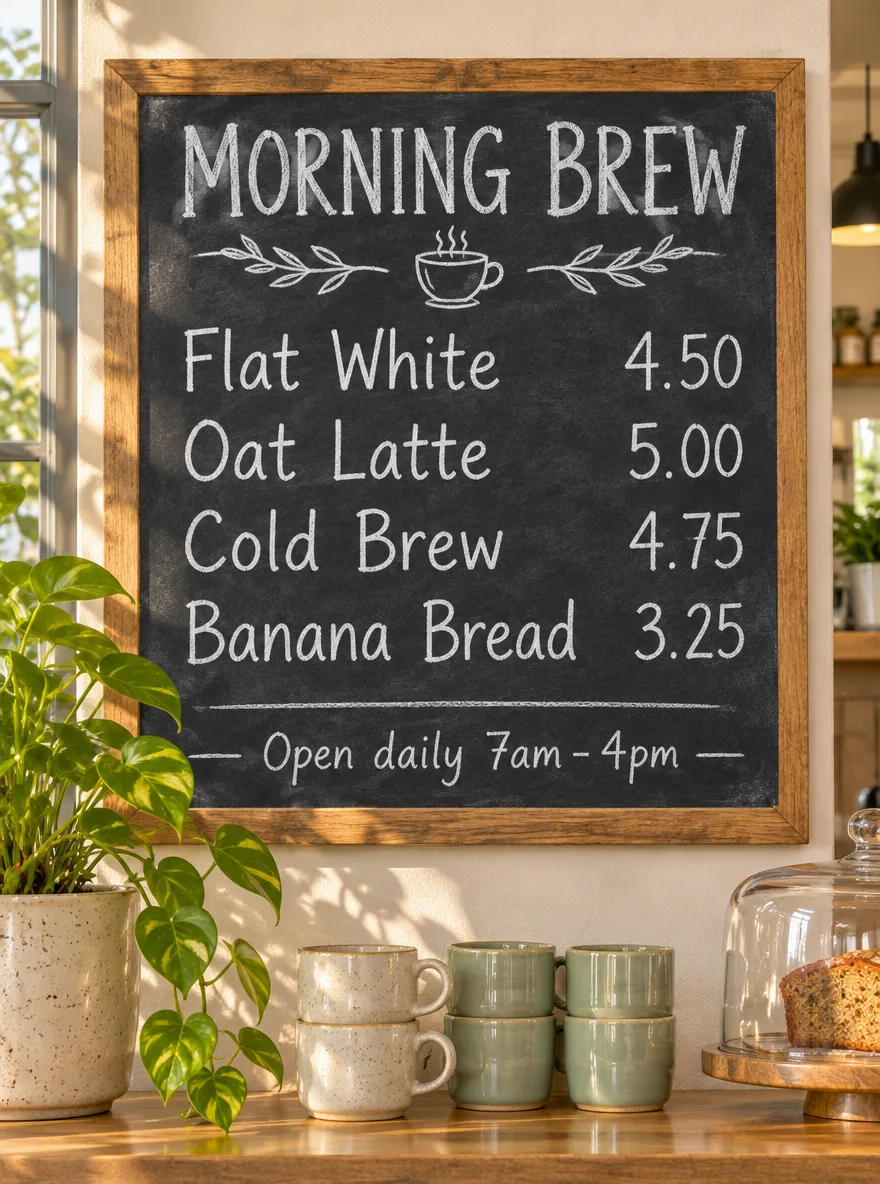
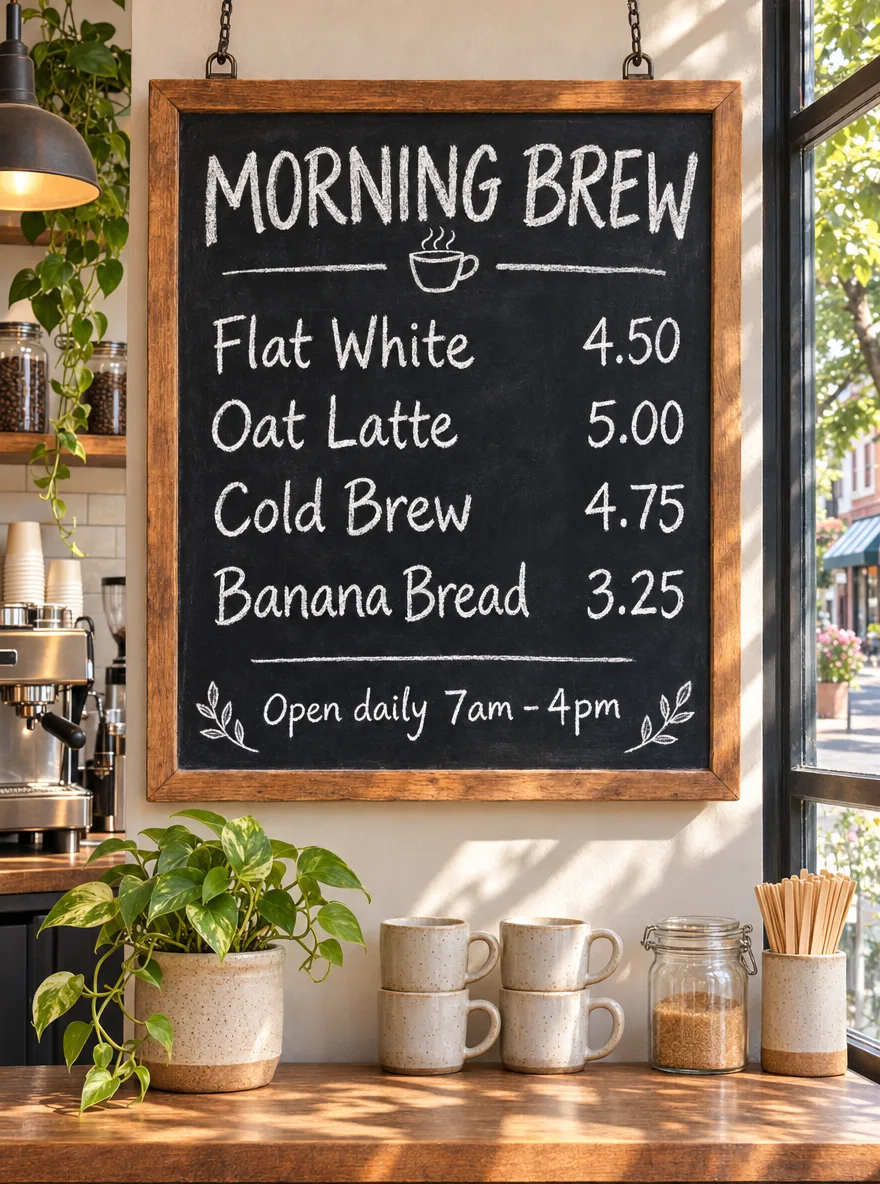
三个模型都把每个品名和价格拼对了。GPT Image 2.5 Sunburst 还写了三处没人要求的文字:一张橱窗贴、一块柜台立牌和磨豆机上的标签。两个 2.6 版本只画了要求的那几行,外加一个小小的咖啡杯涂鸦。
提示词 · 3:4 · 1K · medium
A chalkboard menu hanging in a sunlit neighborhood coffee shop, photographed straight on. Hand-lettered white chalk text, spelled exactly: title "MORNING BREW"; then four lines with prices aligned on the right: "Flat White 4.50", "Oat Latte 5.00", "Cold Brew 4.75", "Banana Bread 3.25"; small footer "Open daily 7am - 4pm". Warm natural light, a potted plant and ceramic cups on the counter below. All text sharp, correctly spelled, and readable.
02
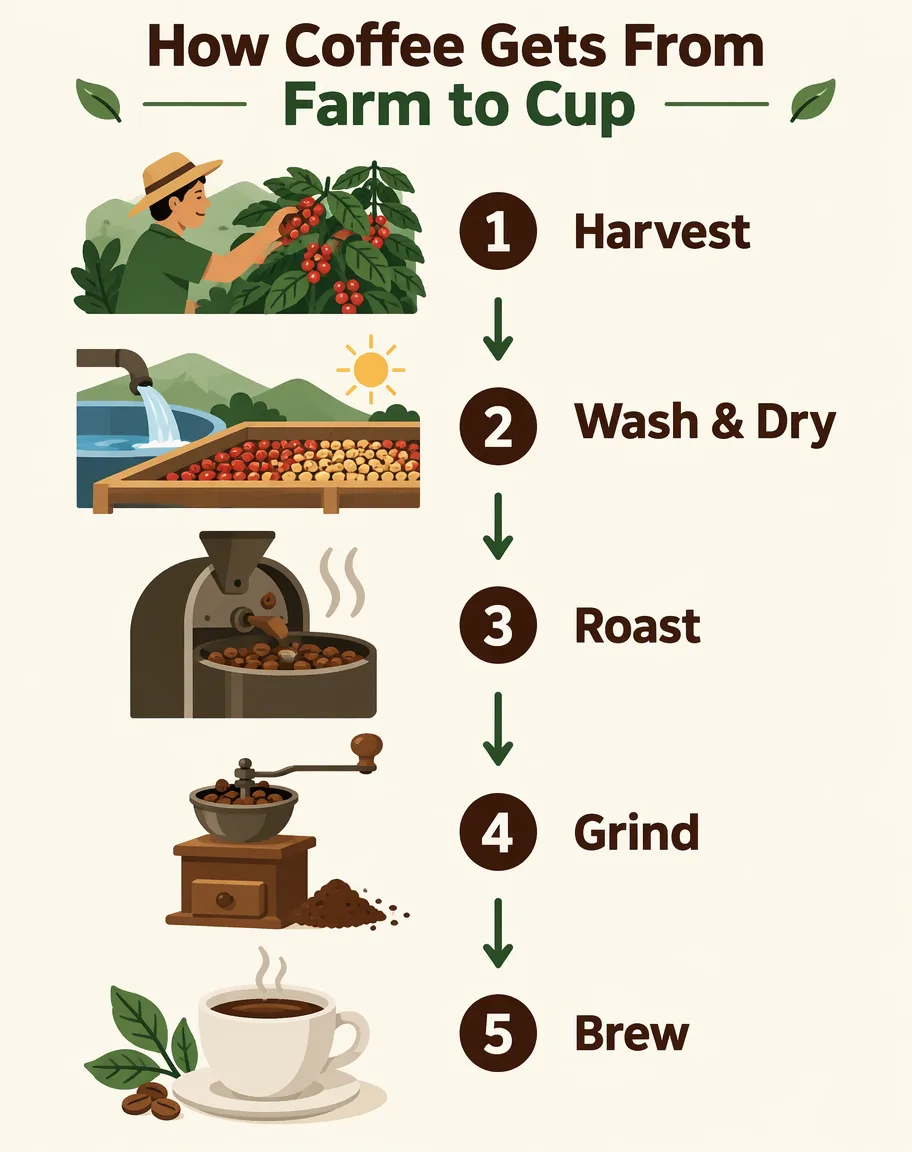
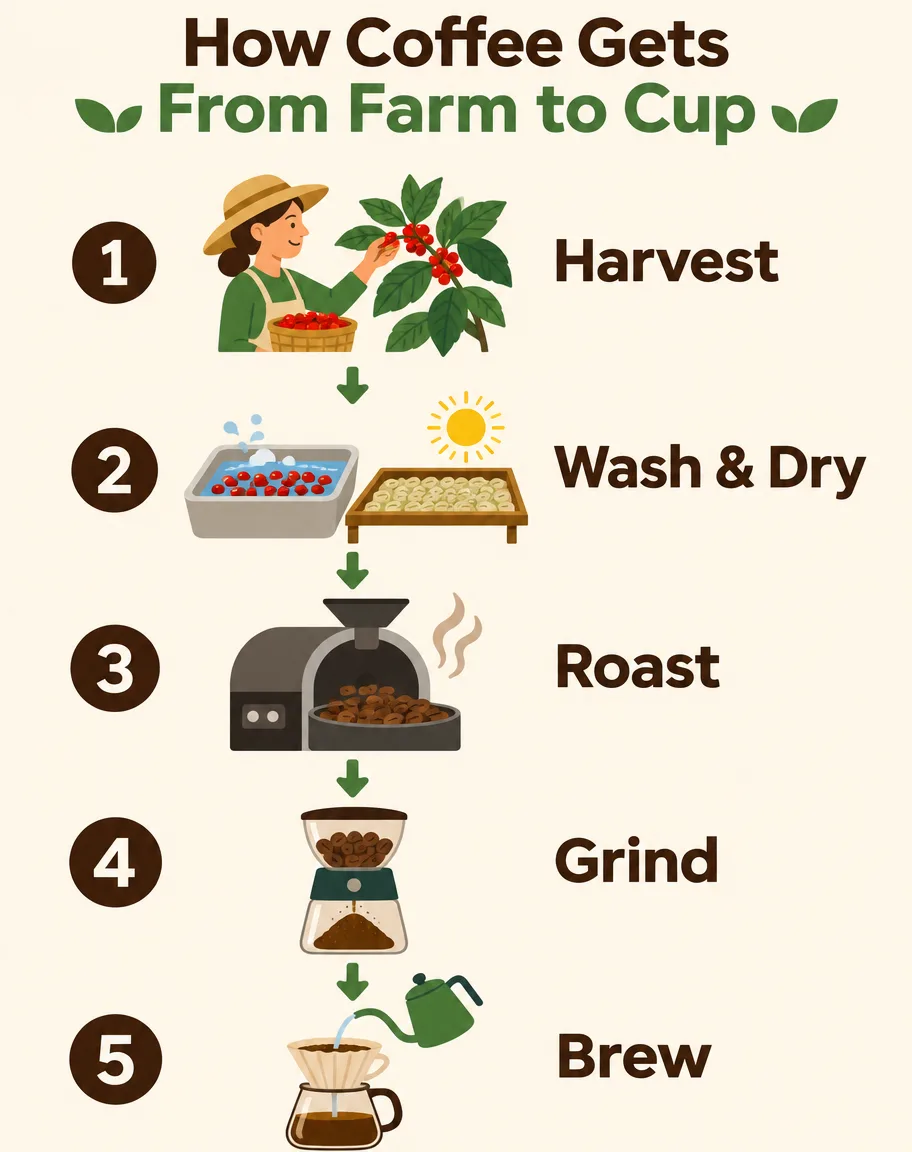
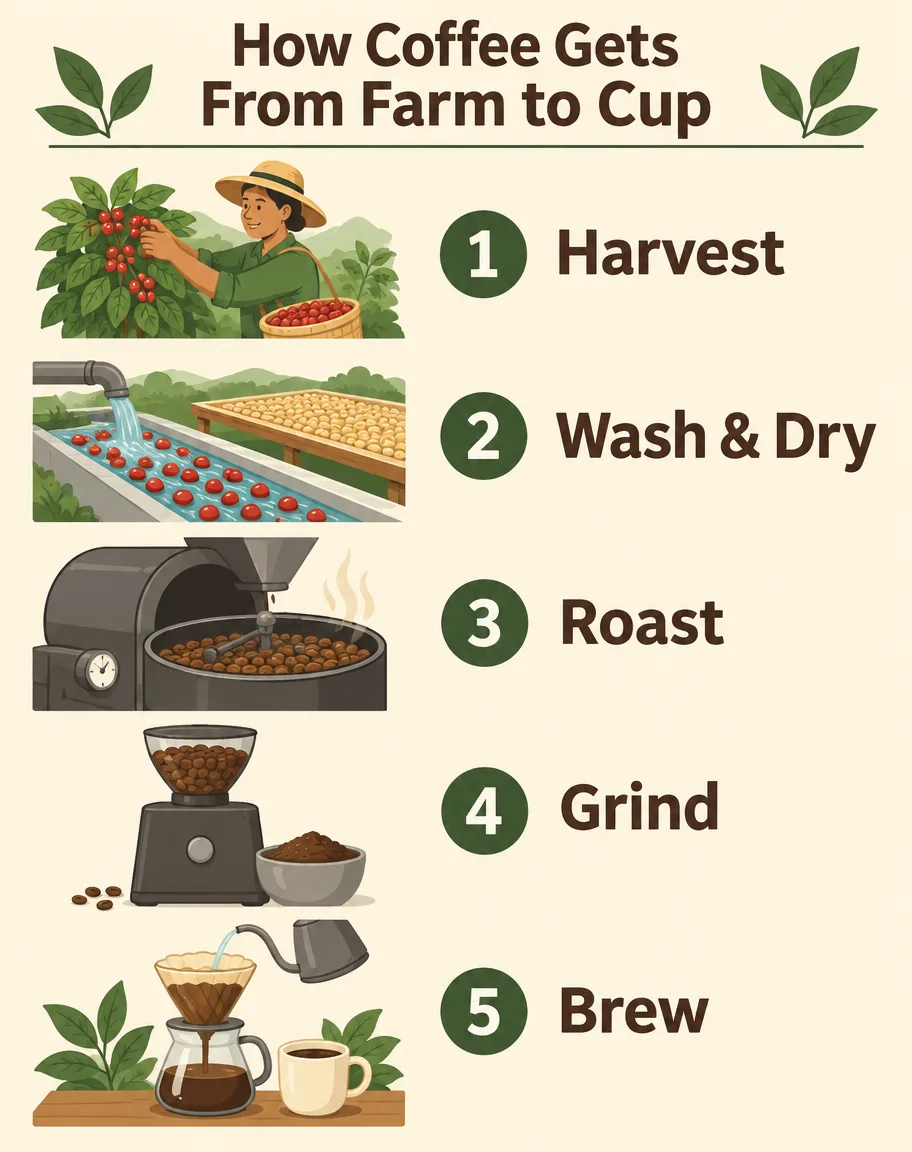
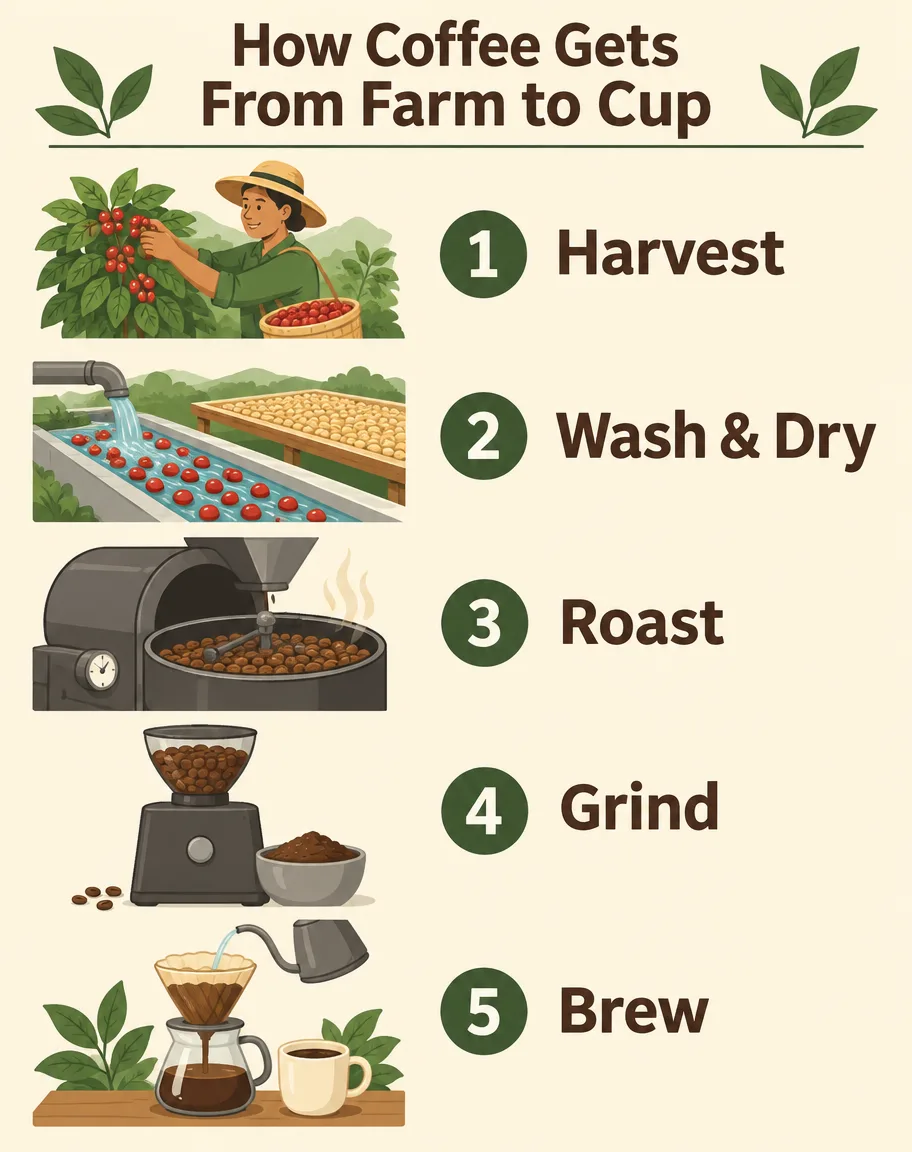
标题和五个标签在每个模型上都正确。GPT Image 2.6 Sunburst 用箭头串起简单图标;Flare 的字号更大,配的是更完整的场景插画。把 complexity 设为 low 和 medium 重跑 2.6 Sunburst,拼写和 token 数都没有变化。
提示词 · 4:5 · 1K · medium
A clean educational infographic titled "How Coffee Gets From Farm to Cup" with five numbered steps arranged top to bottom, each with a small flat illustration and a one-line label: "1 Harvest", "2 Wash & Dry", "3 Roast", "4 Grind", "5 Brew". Cream background, dark brown and green palette, modern sans-serif type, generous spacing, all labels spelled exactly as written.
03
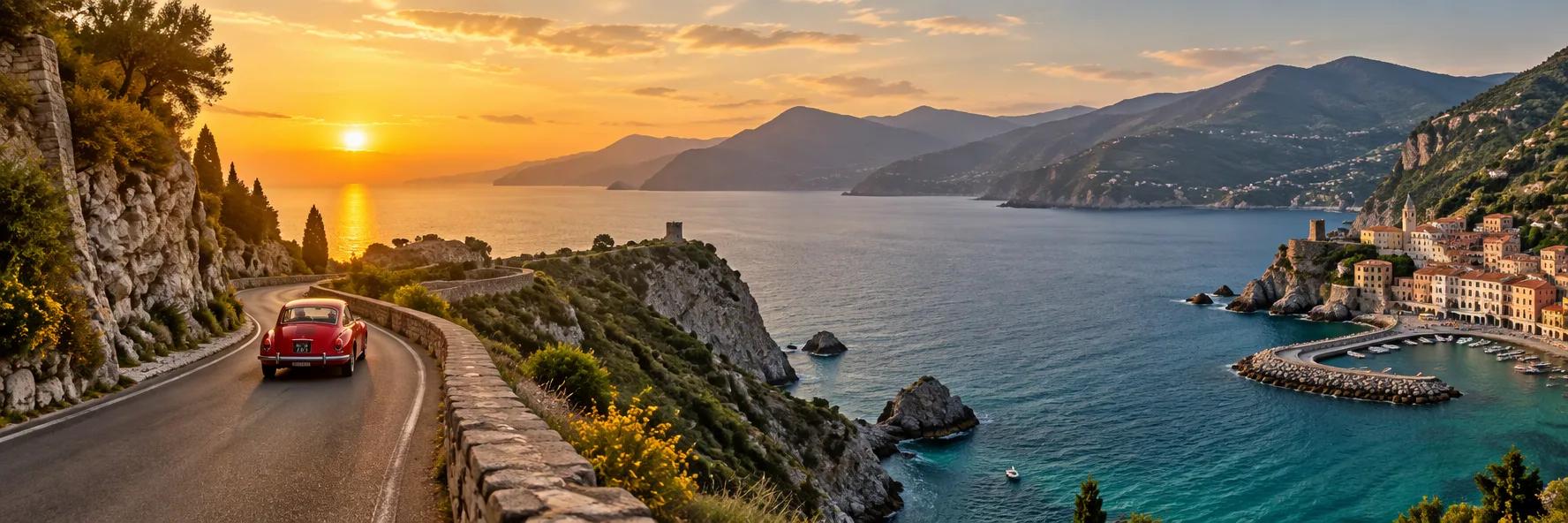
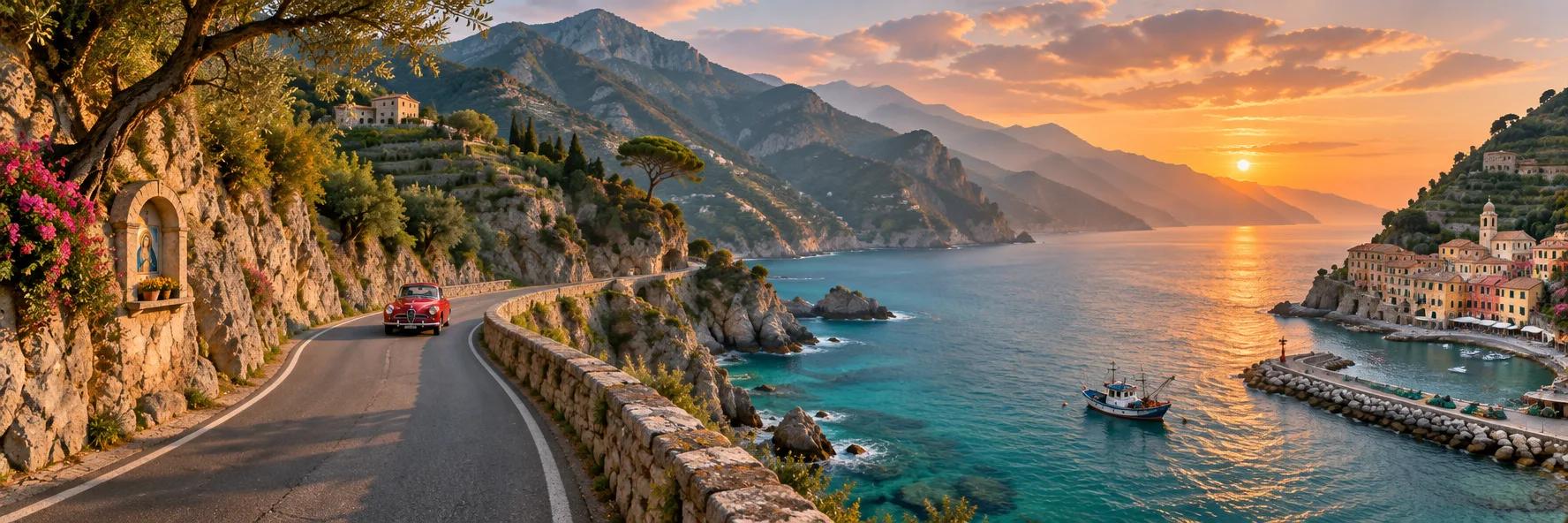
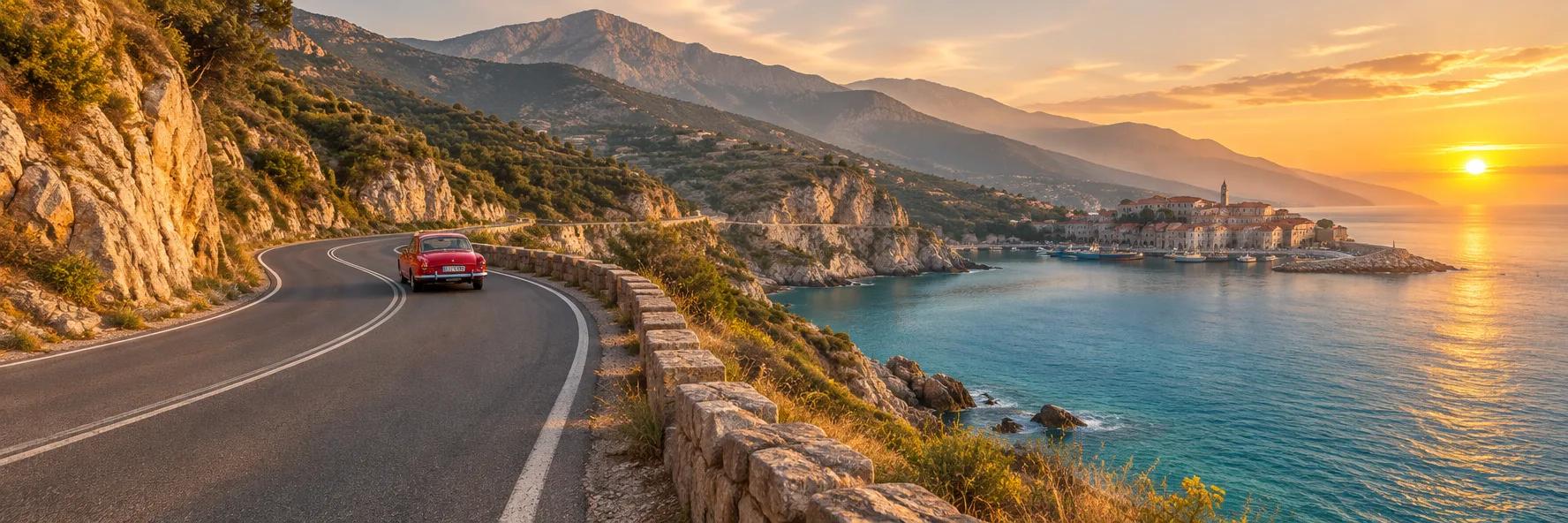
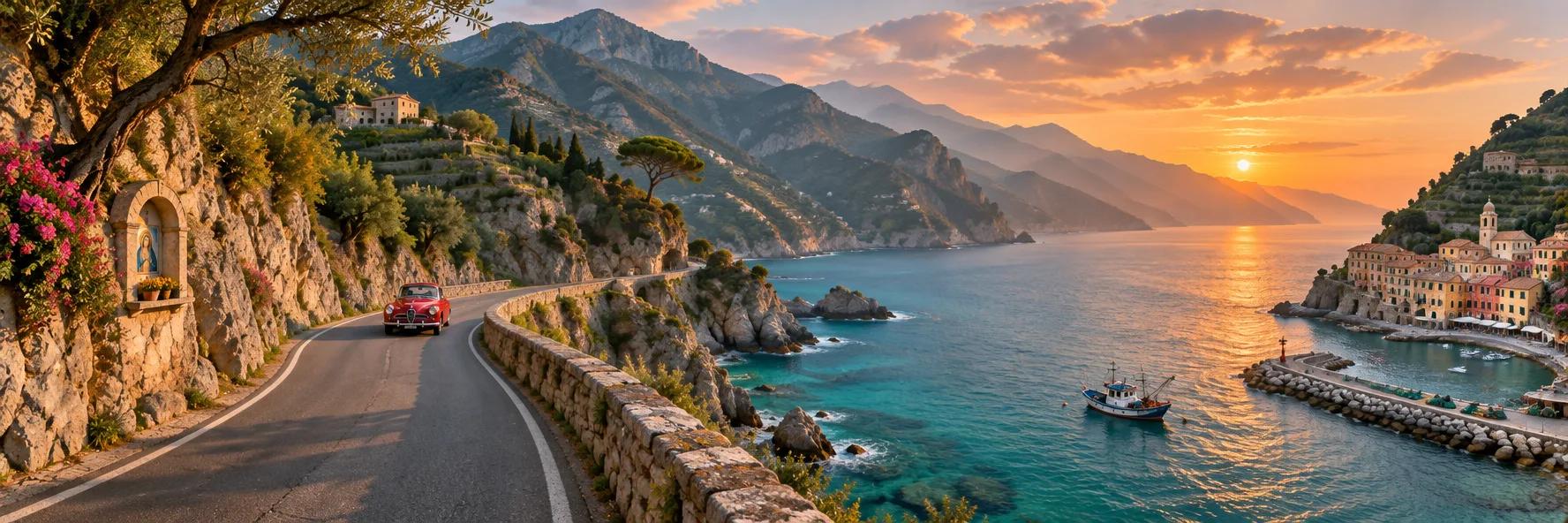
三个模型都返回了一张连贯的 1776 × 592 风景图,画面里只有一辆红色汽车。GPT Image 2.6 Sunburst 按要求把村庄放在最右侧,还加了一艘渔船和一座路边神龛;Flare 把村庄移向画面中央,右侧边缘换成了太阳。
提示词 · 3:1 · 1K · medium
An ultra-wide panoramic photograph of a coastal mountain road at golden hour: the road winds along cliffs above a turquoise sea, a single red vintage car in the middle distance, small fishing village at the far right, layered mountains fading into haze. Natural, continuous landscape with no repeated elements, realistic light, high detail.
04
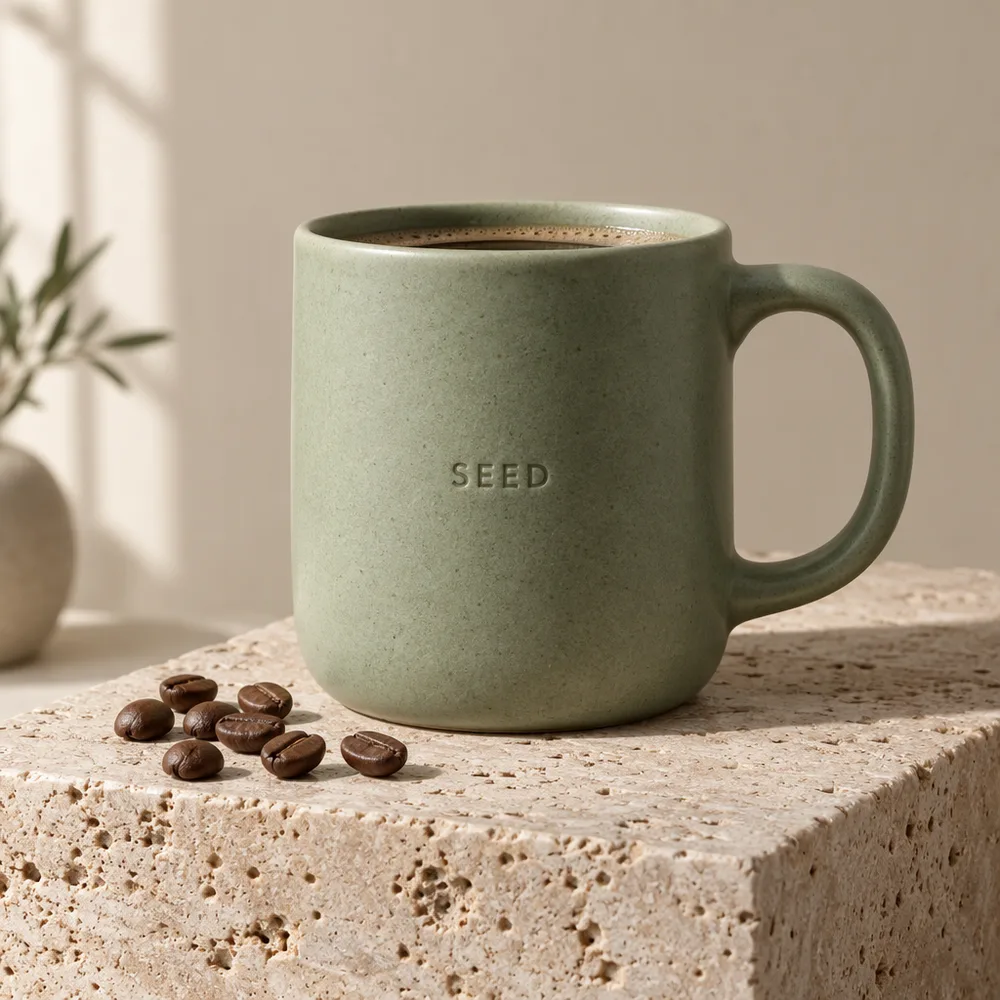
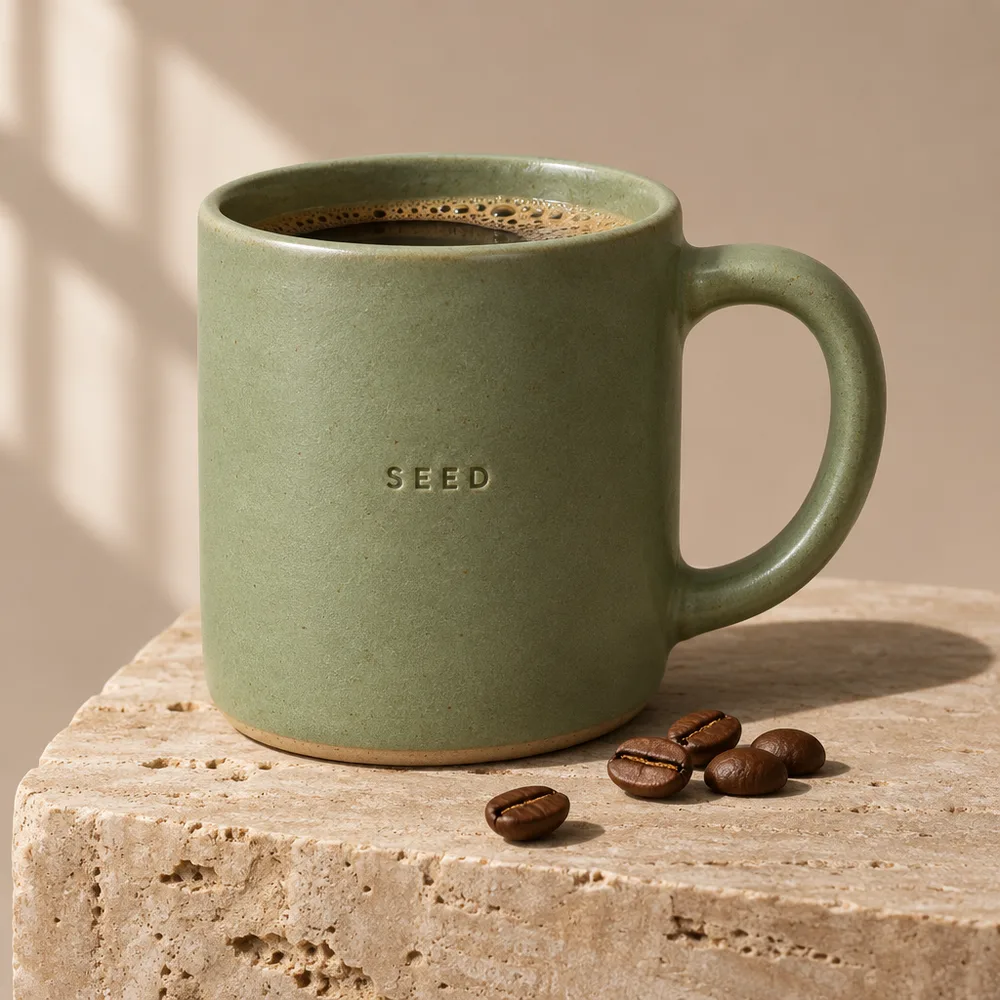
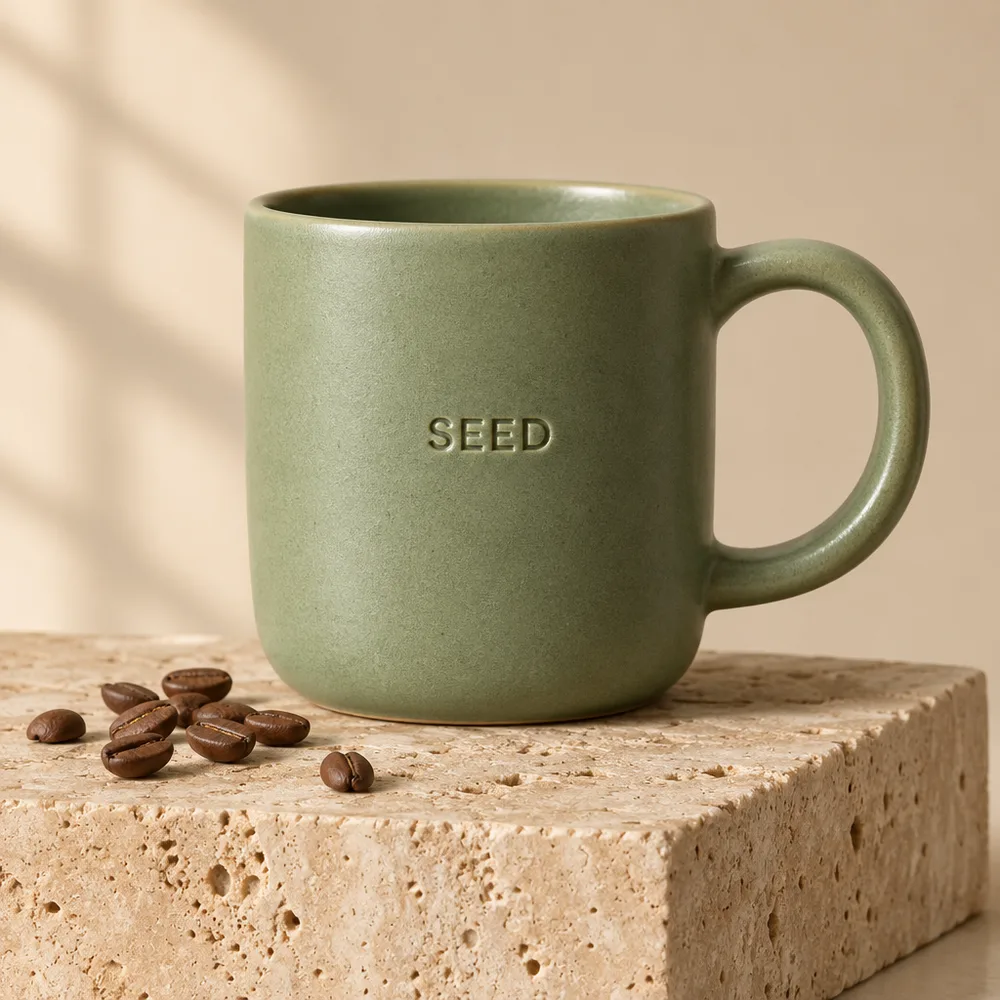
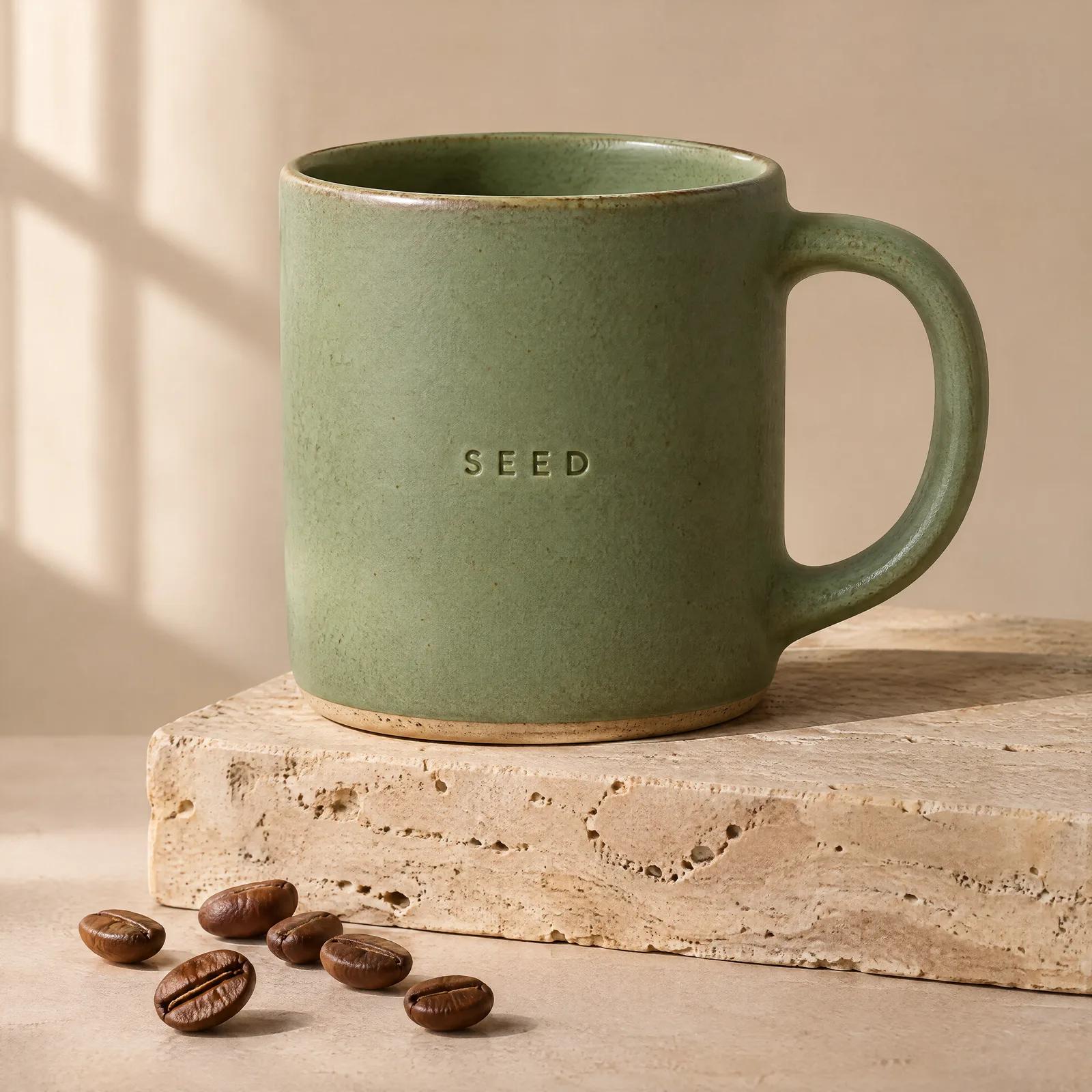
“SEED”浮雕字样在三个模型上都清晰可读。Flare 的杯子是空的,最贴合提示词的字面意思;两个 Sunburst 模型都往杯里倒了咖啡,2.5 还在我们要求保持极简的背景里加了一只花瓶。
提示词 · 1:1 · 1K · medium
Premium studio product photograph of a matte sage-green ceramic coffee mug with a small embossed logo reading "SEED" on the side, standing on a travertine stone block, soft window light from the left, gentle shadow, a few roasted coffee beans scattered in front, minimal beige background. Photorealistic, crisp detail on the glaze texture.
方法:请求走的是 SeedVideo AI 工作区使用的同一条 API 线路,每次请求一张图,从提交计时到文件生成完成,因此包含排队时间。发布首周的耗时并不稳定:11 次 Sunburst medium 运行中有 3 次超过两分半钟。每张图只跑一次,样本很小;请把它当作初步观察,而不是基准测试。
新变化
OpenAI 在 2026 年 11 月 4 日公布的内容,现在都已经能在 SeedVideo AI 上使用。
OpenAI 称生成速度提升 50%,Flare 在 low 画质下最快 6 秒。我们的测试里,Flare 最快的一张用了 7 秒,中位数 13 秒,约为 GPT Image 2.5 Sunburst 跑同一提示词所需 27 秒的一半。
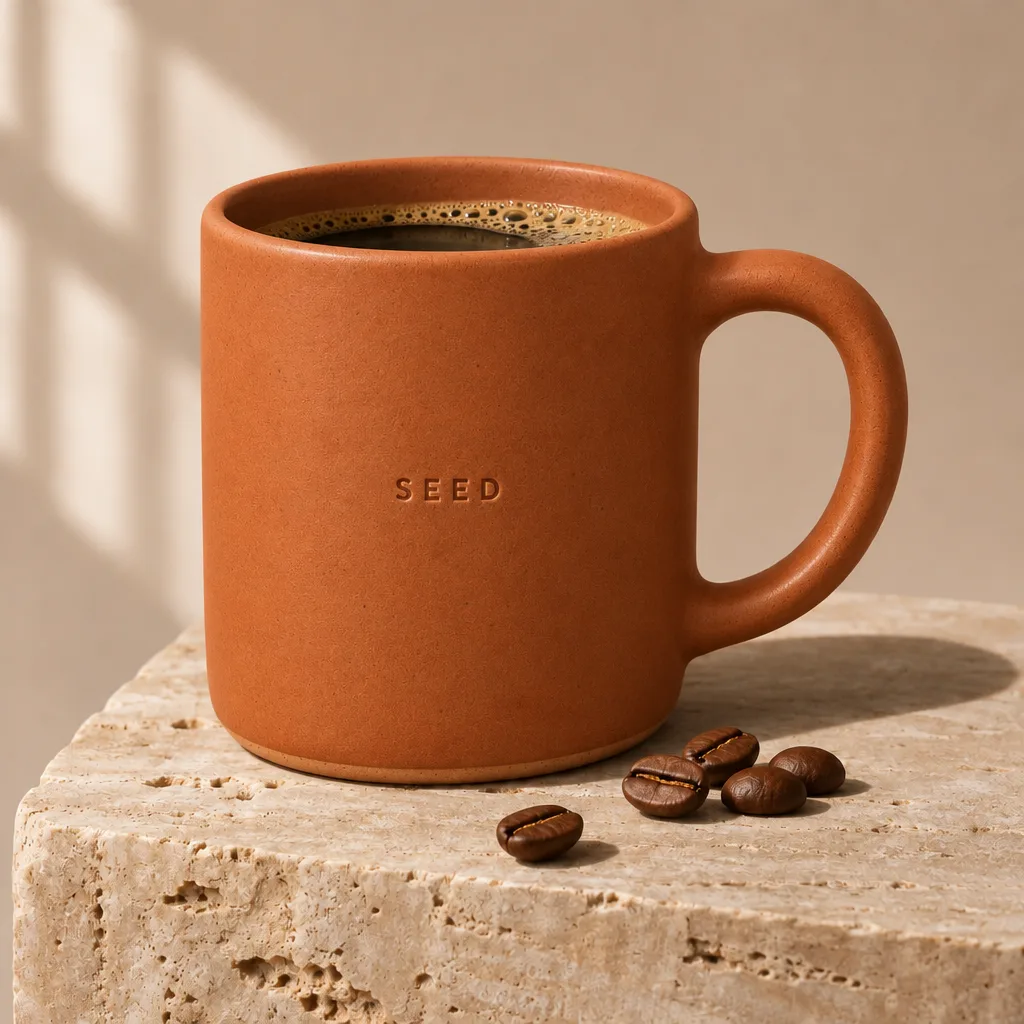
OpenAI 把 Sunburst 定位于多轮编辑中的一致性。我们的单指令测试是把马克杯的釉色从鼠尾草绿改成陶土色,两个 2.6 版本上 logo、咖啡豆、石块、光线和阴影全都留在原位。在这里可以通过参考图使用。
API 可以返回 2 到 16 帧的循环 GIF。我们 9 帧、512 × 512 的吉祥物循环动图,在 Flare low 画质下用了 14 秒,在 Sunburst medium 画质下用了 28 秒。在 SeedVideo AI 生成器里把“格式”设为 GIF,选 4 到 16 帧即可,一张动图 1 积分起。
标注(markup)让你在图上圈画或勾勒,指明编辑落在哪里;复杂度(complexity)决定模型在动笔前做多少规划。两者都已经在生成器里:“标注”在第一张参考图的缩略图上,“规划”在设置栏里(生成静态图时在“更多设置”里),都不额外消耗积分。
生产级控制
GPT Image 2.6 按输出 token 计费,一张图用多少 token 由三项设置决定:画质、尺寸和宽高比。
01
同一张 3:4 图片,low 用了 618 个 token,max 用了 5,184 个,相差八倍。medium 和 high 很接近(1,086 和 1,316),所以这里 1K 下两者同为 3 积分。先从 low 或 medium 开始,只有结果需要更细的细节时再往上调。
02
在 medium 画质下,1:1 图片在 1K 用了 1,449 个 token,2K 用了 2,944 个,4K(2880 × 2880)用了 4,894 个。狭长的画幅用得更少:3:4 是正方形数字的 75%,3:1 全景约为三分之一。
03
最多可附 16 张参考图;在我们的编辑测试中,每张增加 1,024 个输入 token。透明背景返回的是真正的 alpha 通道,没有额外的输出 token;OpenAI 仍把透明背景标为预览功能。
创意工作流
两个版本各自适合的场景,依据 OpenAI 的定位和我们测试中看到的结果。
01
用 Flare 快速出草稿和变体
缩略图、社媒变体和早期概念稿:这类场景里,13 秒左右出结果比最后那一点质感更重要。
02
海报和菜单上的定稿文案
我们测试中有 17 张带文字的图片,拼写错误为 0,2.6 的菜单场景里也没有凭空多出的标识。不过关键文案在发布前仍要逐字检查。
03
用 Sunburst 做商品换色和季节性修改
只改一处,比如釉色、背景或一行文案,团队已经确认的构图保持不变。
04
把静态图变成视频
在同一工作区,把 GPT Image 2.6 的成品图用作 Seedance 2.5 或 Kling 4.0 的首帧。
四步工作流
从第一版草稿到动态片段,整个流程都在同一个工作区完成。
打开 AI 图片生成器,快速出草稿选 GPT Image 2.6 Flare,精细创作和编辑选 GPT Image 2.6 Sunburst。
描述主体、版式和光线,需要逐字呈现的文字放在引号里。做编辑时,最多附 16 张参考图,并说明哪些必须保持不变。
草稿用 low 或 medium、1K。生成前会显示积分消耗:1K 图片 low 为 2 积分,medium 或 high 为 3 积分。
保留这张图,用确认过的提示词在 2K 或 4K 下重跑,或者送去图生视频。
视觉案例
11 月 10 日测试中的八张输出,标注了生成它们的版本和设置:2K 海报打样、9 帧循环动图、透明贴纸、一次编辑、max 画质菜单、4K 商品图、Flare 信息图和 3:1 全景。
 Sunburst · high · 2K
 Sunburst · GIF · 9 frames
 Sunburst · transparent
 Sunburst · edit
 Sunburst · max · 1K
 Sunburst · medium · 4K
 Flare · medium · 1K
 Sunburst · medium · 3:1
提示词指南
在我们的测试提示词中都行之有效的三个习惯。
Prompt 01
把标题、标签和价格放进引号,并说明它们的位置。菜单提示词逐行列出了品名和价格,每次 2.6 运行返回的结果都分毫不差。
Prompt 02
我们的编辑指令先说明唯一要改的地方,再把 logo、杯形、石块、咖啡豆、光线、阴影和背景列为固定项。它们全都保持原样。
Prompt 03
位置是两个版本的差异所在:我们要求放在“at the far right”的村庄,被 Flare 挪了位置。如果位置很重要,就说两遍,一遍写在场景描述里,一遍写成约束条件,或者改用 Sunburst。
模型对比
实际使用中的差异,来自我们的实测和已公布的规格。
01
参数相同,token 费率相同,在我们的测试里,相同设置下输出 token 数也完全一致。差别在耗时和表现:Flare 的中位数是 13 秒,Sunburst 是 30 秒,而 Sunburst 对位置要求执行得更准。用 Flare 出草稿,用 Sunburst 定稿。
02
每 token 的费率没变,但 2.6 在 low(1:1 图片 824 对 196)和 medium(1,449 对 439)下消耗更多输出 token。high、xhigh 和 max 完全相同。所以 2.6 出草稿更贵,最高档位的输出成本相同,而 GPT Image 2.5 仍是这里生成 1K 图片最便宜的方式,只要 1 积分。
03
一个月前用同样的菜单、信息图和商品提示词测试时,Nano Banana 2.1 也全部拼写正确,2K 下约 24 秒,每张 1K 图片 2 积分。它最多支持 14 张参考图,没有画质档位;GPT Image 2.6 提供 16 张参考图、五个档位和透明背景。
快速查看
规格来自所链接的官方资料;耗时和积分来自我们在 SeedVideo AI 上的实测。
GPT Image 2.6 Flare
GPT Image 2.6 Sunburst
GPT Image 2.5 Sunburst
Nano Banana 2.1
OpenAI 为 GPT Image 2.6 Flare 和 Sunburst 列出的 token 费率相同:文本输入 $5 / 百万 token、图像输入 $8 / 百万 token、图像输出 $30 / 百万 token,缓存输入分别为 $1.25 和 $2。
官方资料
从注册赠送积分开始
注册账号,选择 GPT Image 2.6 Flare 或 Sunburst,用注册赠送积分跑第一条提示词。注册无需信用卡。
开始创作常见问题
简要回答发布情况、两个版本、价格、速度,以及目前在 SeedVideo AI 上能用什么。
连贯工作流
同一个账号里,既有可以拿来和它对比的图像模型,也有能把静态图继续做下去的视频模型。
01
Flare、Sunburst 和 2.5 并排可选
在同一个模型选择器里切换 GPT Image 2.6 Flare、2.6 Sunburst 和更便宜的 2.5,每次生成前都会显示积分消耗。
02
同一份需求,换其他图像模型试试
想在文字或风格上多一个参照时,把提示词拿到 Nano Banana 2.1 或 Seedream 5.0 上跑一遍。
03
从静态图到视频片段
把确认过的图片直接送到图生视频或 Canvas,不用导出再重新上传。
继续探索
这些工具可以接着处理 GPT Image 2.6 生成的图片。
实用指南
本页背后的完整数据和提示词,以及相关指南。
相关模型
我们拿来和 GPT Image 2.6 对比的模型,都能在同一工作区使用。