Seedance 2.5 vs Seedance 2.0 is not a simple upgrade checklist yet. The practical difference for AI video creators is this: Seedance 2.0 is the confirmed baseline for shorter, reference-led clips, while Seedance 2.5 should be treated as an announced or preview workflow around longer 30-second planning, larger multimodal reference sets, and more targeted localized editing. If you are planning content today, use Seedance 2.5 as a signal for how to prepare prompts, references, timing, and review steps, but do not assume final API names, pricing, model IDs, or universal availability until the production surface confirms them. For hands-on work, start from SeedVideo AI, compare the live Seedance 2.5 page, and keep the established Seedance 2.0 model guide open as the current baseline.
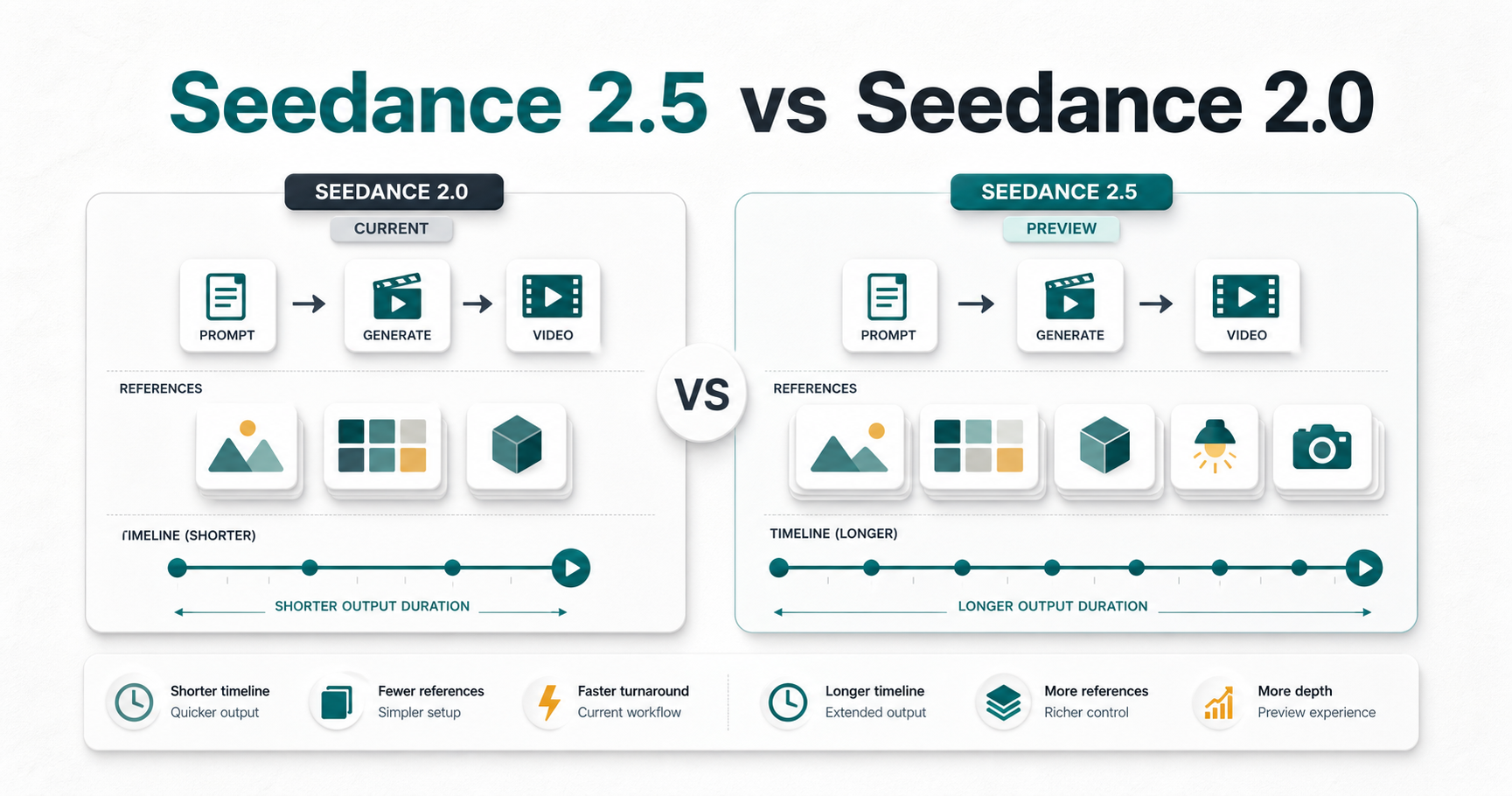
Compare confirmed Seedance 2.0 workflows with announced Seedance 2.5 preview capabilities.
TL;DR
- Seedance 2.0 is the confirmed baseline. Use it for current shorter AI video workflows, reference-led creation, and comparison tests.
- Seedance 2.5 is the preview signal. Public messaging points to 30-second generation planning, up to 50 multimodal references, and localized editing, but final platform details still need verification.
- Do not plan from rumors. Treat API, model ID, pricing, exact launch availability, and provider-specific settings as unconfirmed until they appear in the product or official docs.
- The creator impact is workflow design. Longer clips and more references require better brief writing, reference labeling, shot timing, continuity checks, and review criteria.
- SeedVideo AI is the practical testing layer. Use it to organize prompts and compare available model behavior before committing to a production video plan.
Quick Answer
Seedance 2.5 changes the planning conversation more than the publishing workflow right now. Seedance 2.0 remains the safer benchmark for confirmed production assumptions: shorter clips, documented multimodal inputs, and current SeedVideo AI workflows. Seedance 2.5 preview claims suggest a bigger planning canvas: longer videos, more reference assets, audio-aware direction, and localized edits. That means creators should stop writing one broad prompt and start writing a structured brief: scene length, reference role, camera path, continuity rule, edit target, output constraint, and verification step.
If you need to publish work today, compare current outputs with Seedance 2.0 and other tools in Best AI Video Generators in 2026. If you are preparing for the next Seedance workflow, build a reusable prompt and reference checklist now.
Confirmed vs Preview vs Unconfirmed
The safest way to compare Seedance 2.5 vs Seedance 2.0 is to separate facts from preview claims. This keeps the article useful for GEO and search intent without overstating details that may change.
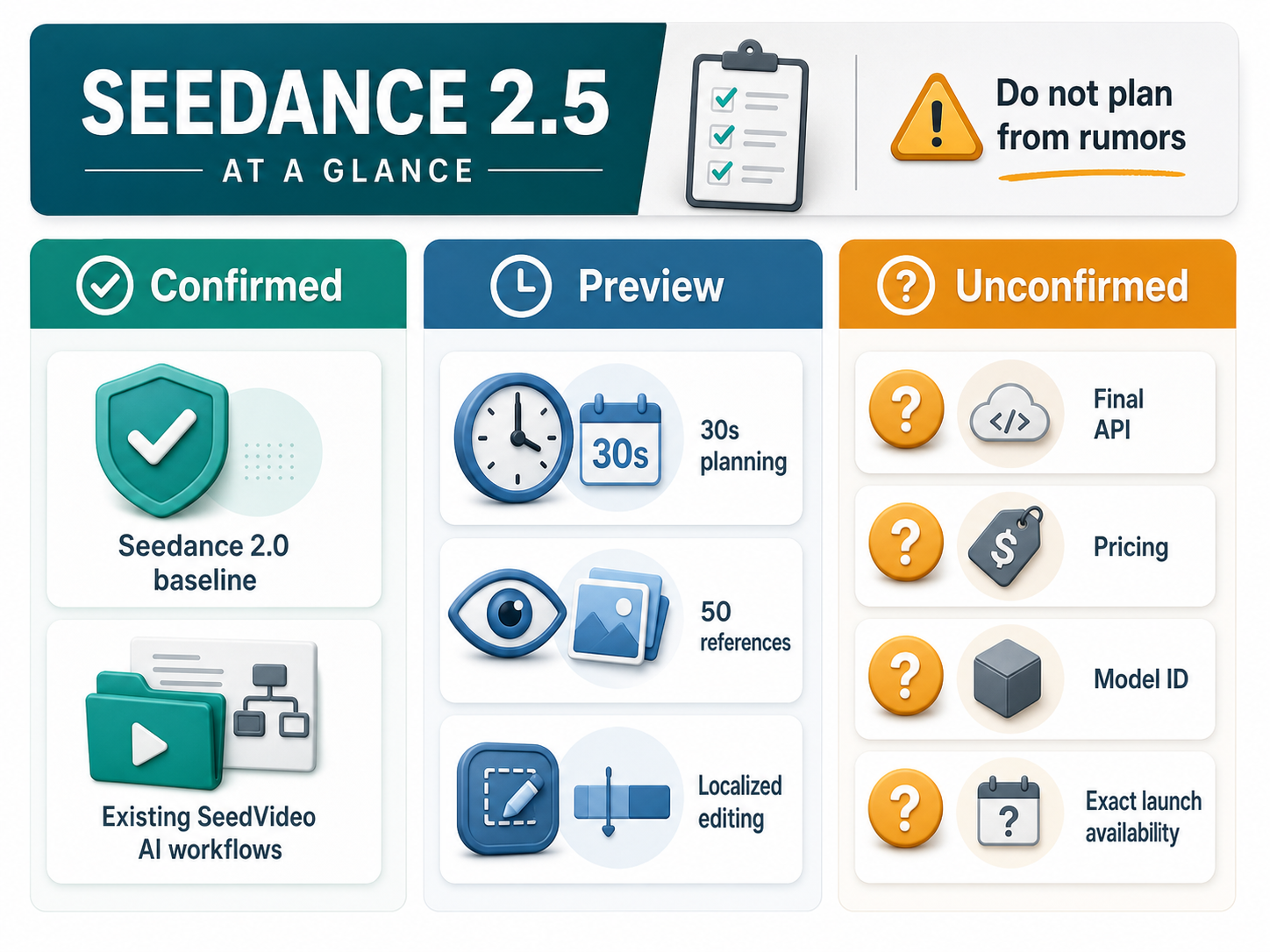
Separate public claims from unknown runtime details before planning content workflows.
| Item | Status | How to use it |
|---|---|---|
| Seedance 2.0 as a ByteDance Seed AI video model | Confirmed | Use it as the current comparison baseline. |
| Seedance 2.0 multimodal input direction | Confirmed | Plan around text, image, video, and audio references where the selected surface supports them. |
| Seedance 2.0 shorter clip workflow | Confirmed | Use it for current short creative tests, model comparisons, and production baselines. |
| Seedance 2.5 up to 30-second generation | Preview / announced | Plan longer story arcs, but verify current availability before promising deliverables. |
| Seedance 2.5 up to 50 multimodal references | Preview / announced | Prepare reference folders and role labels, but do not assume every provider exposes the same control. |
| Seedance 2.5 localized editing | Preview / announced | Write exact edit targets and preservation rules, then verify whether the current tool supports them. |
| Seedance 2.5 API name, price, model ID, and final limits | Unconfirmed | Do not publish hard claims until they are visible in official or product documentation. |
Comparison Table
| Dimension | Seedance 2.0 | Seedance 2.5 preview signal | Creator takeaway |
|---|---|---|---|
| Main planning role | Current baseline model workflow | Longer, reference-led next workflow | Keep 2.0 as your test baseline while preparing 2.5 briefs. |
| Clip duration | Shorter video generation workflow, commonly planned around compact clips | Announced around up to 30-second planning | Write a real beginning, middle, and final hold instead of a one-shot prompt. |
| Reference strategy | Useful for multimodal reference generation | Announced around a much larger multimodal reference budget | Label each asset by role: identity, product, style, motion, rhythm, or environment. |
| Editing direction | Current reference and revision workflows | More localized editing direction | Describe the exact region to change and the areas that must stay fixed. |
| Audio planning | Audio can matter in multimodal workflows | Audio references may become more central to timing | Pair rhythm notes with camera movement and scene beats. |
| Best for | Current production tests and comparison baselines | Longer ads, AI UGC, product scenes, cinematic tests, and reference-heavy clips | Choose based on proof needed, not hype. |
| Biggest risk | Overpacking a short clip | Treating preview claims as final production specs | Verify current controls before quoting specs to clients. |
What Seedance 2.5 Could Improve
Longer clips change the brief
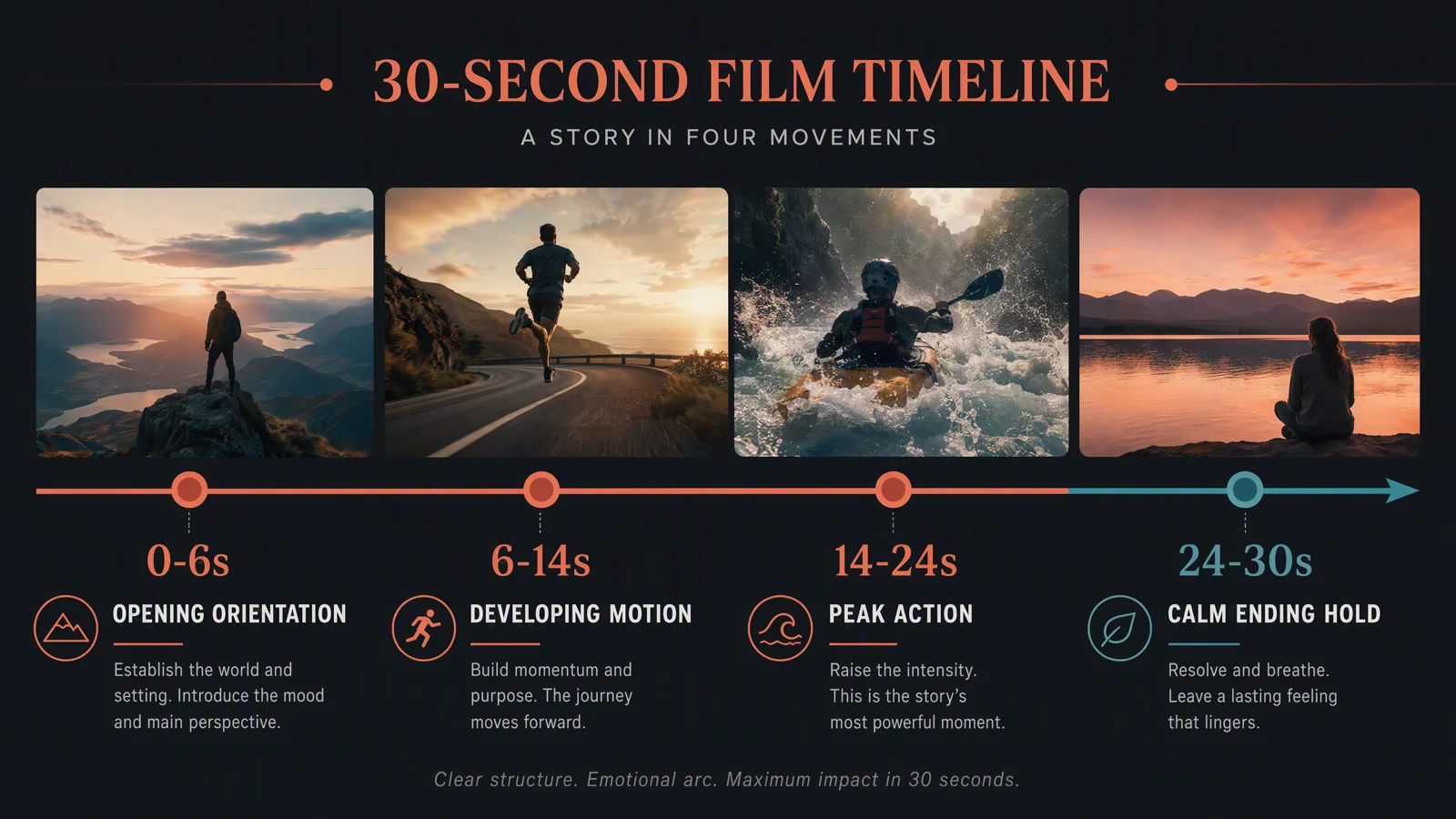
A 30-second AI video is not just a longer version of a five-second shot. It needs a hook, subject movement, a proof moment, a transition or development beat, and a clean final frame. If the preview direction holds, Seedance 2.5 will reward creators who write timed scene structures instead of mood-only prompts.
A practical 30-second structure can look like this:
| Time range | Planning job | Prompt note |
|---|---|---|
| 0-4 seconds | Hook | Show the subject and reason to watch. |
| 4-12 seconds | Context | Establish scene, product, character, or action. |
| 12-22 seconds | Proof moment | Show the benefit, transformation, motion, or emotional beat. |
| 22-30 seconds | Final hold | End with a stable product, character, or CTA frame. |
More references make organization mandatory
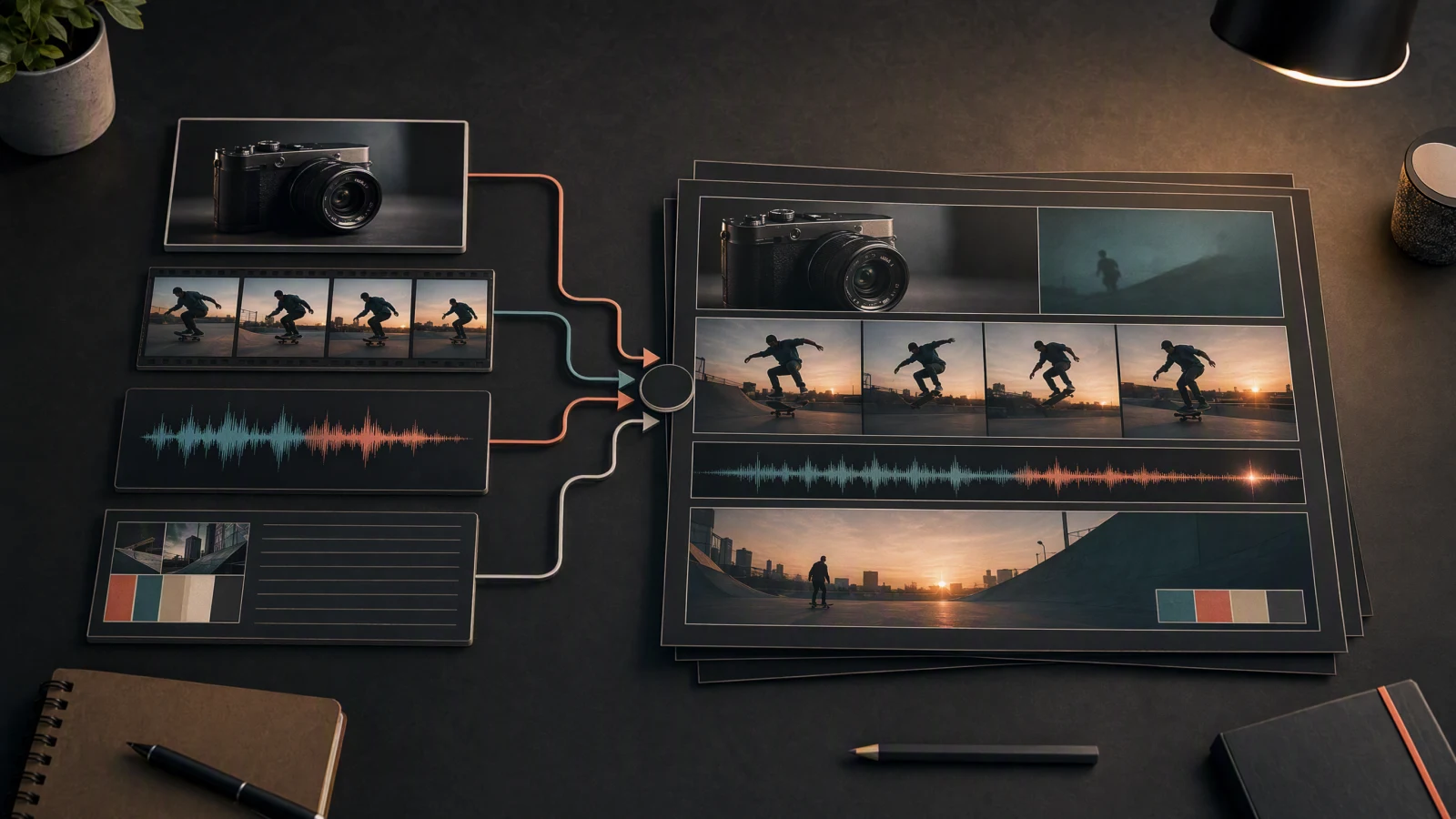
More references can improve control, but only if they are not dumped into the workflow without labels. A larger reference budget should be split into jobs:
- Identity references: character, face, clothing, product form.
- Environment references: location, background, lighting, set design.
- Motion references: action, camera path, gesture, timing.
- Style references: color grade, texture, genre, brand tone.
- Audio references: music rhythm, sound cues, dialogue pacing.
Localized editing needs preservation rules
Localized editing sounds powerful, but the prompt must say what changes and what stays fixed. For example: change the product label color, preserve the camera angle, keep the same lighting, keep the same hand pose, and do not alter the background. That style of constraint is more useful than asking for a vague improvement.
What Still Belongs to Seedance 2.0 Workflows
Seedance 2.0 remains valuable because it is the safer reference point for current testing. It belongs in workflows where you need a fast baseline, a shorter clip, or a controlled comparison before a bigger production plan.
Use Seedance 2.0 when:
- You need a short proof-of-concept video before planning a long clip.
- You want to compare Seedance with tools covered in the Seedance 2.0 vs Sora 2 vs Kling comparison.
- Your creative decision depends on prompt adherence and reference handling rather than final 30-second continuity.
- Your team needs a stable workflow today and cannot wait for preview details to settle.
- You are building an article, ad, or test library that needs repeatable baseline results.
For creators who are still choosing a model family, the broader Best AI Video Generators in 2026 guide is the better starting point.
Prompt Planning Implications
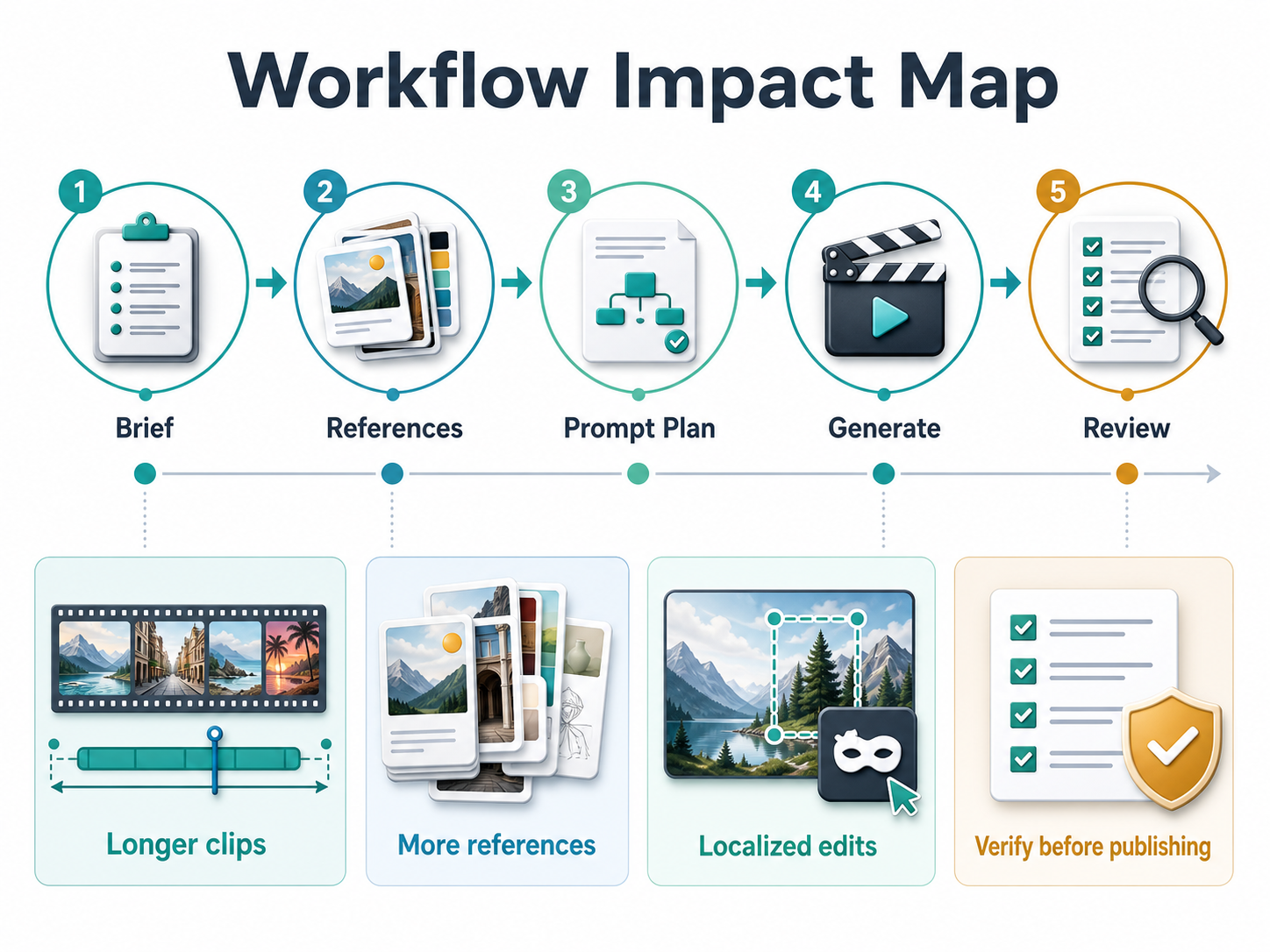
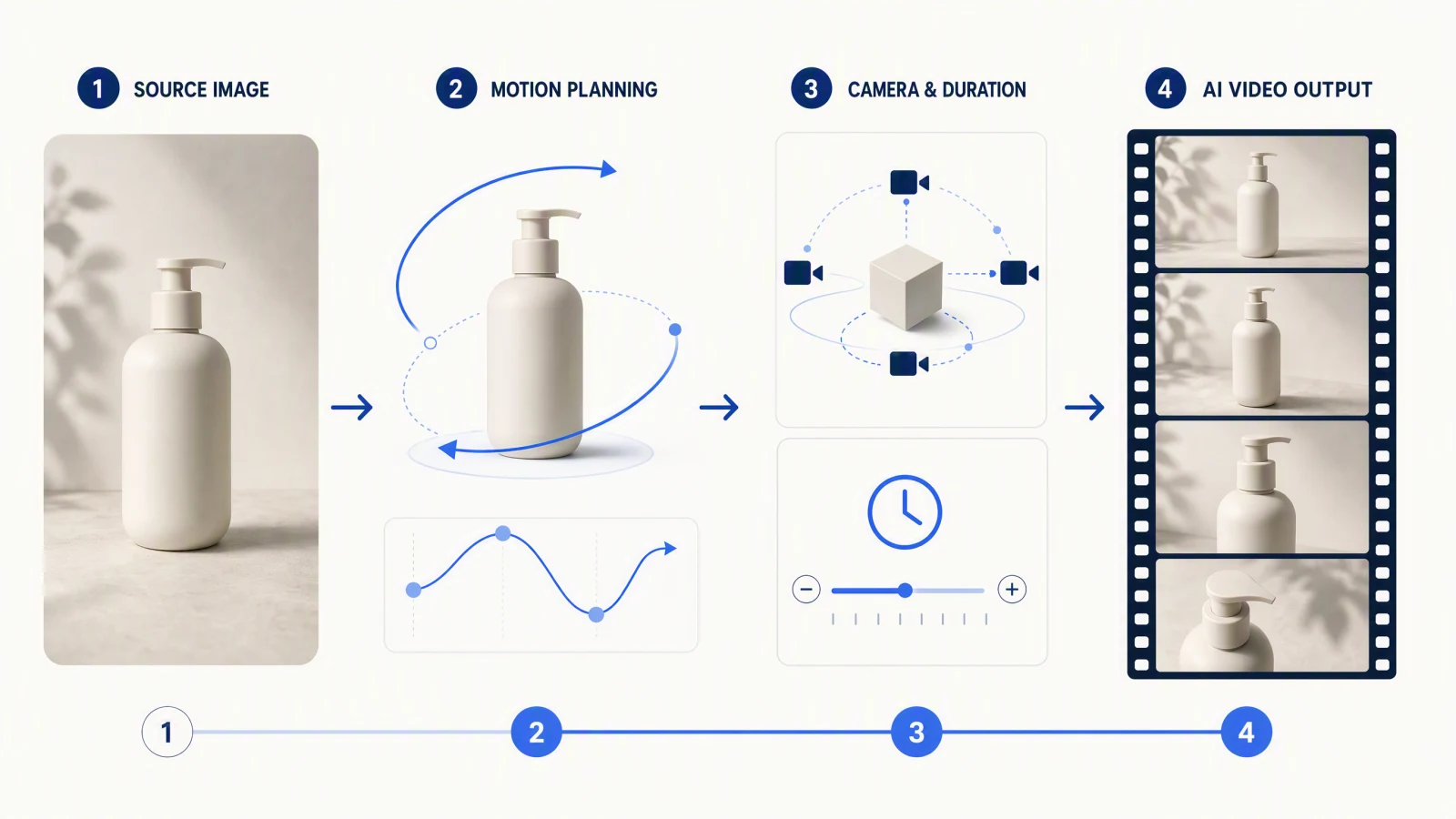
Longer clips and more references change how creators may plan AI video prompts.
A Seedance 2.5-ready prompt should read more like a mini production brief than a single sentence. Use this order:
- Intent: define the job of the video, such as product ad, AI UGC, tutorial, cinematic scene, or social concept.
- Scene length: decide whether the idea needs the full 30-second canvas or a shorter version.
- Subject and action: name the subject, movement, and final state.
- Reference roles: explain what each image, video, or audio reference controls.
- Camera path: describe movement, framing, and transitions.
- Continuity rules: state what must remain stable across the clip.
- Localized edit target: define what can change and what must be preserved.
- Verification criteria: decide how you will judge success before publishing.
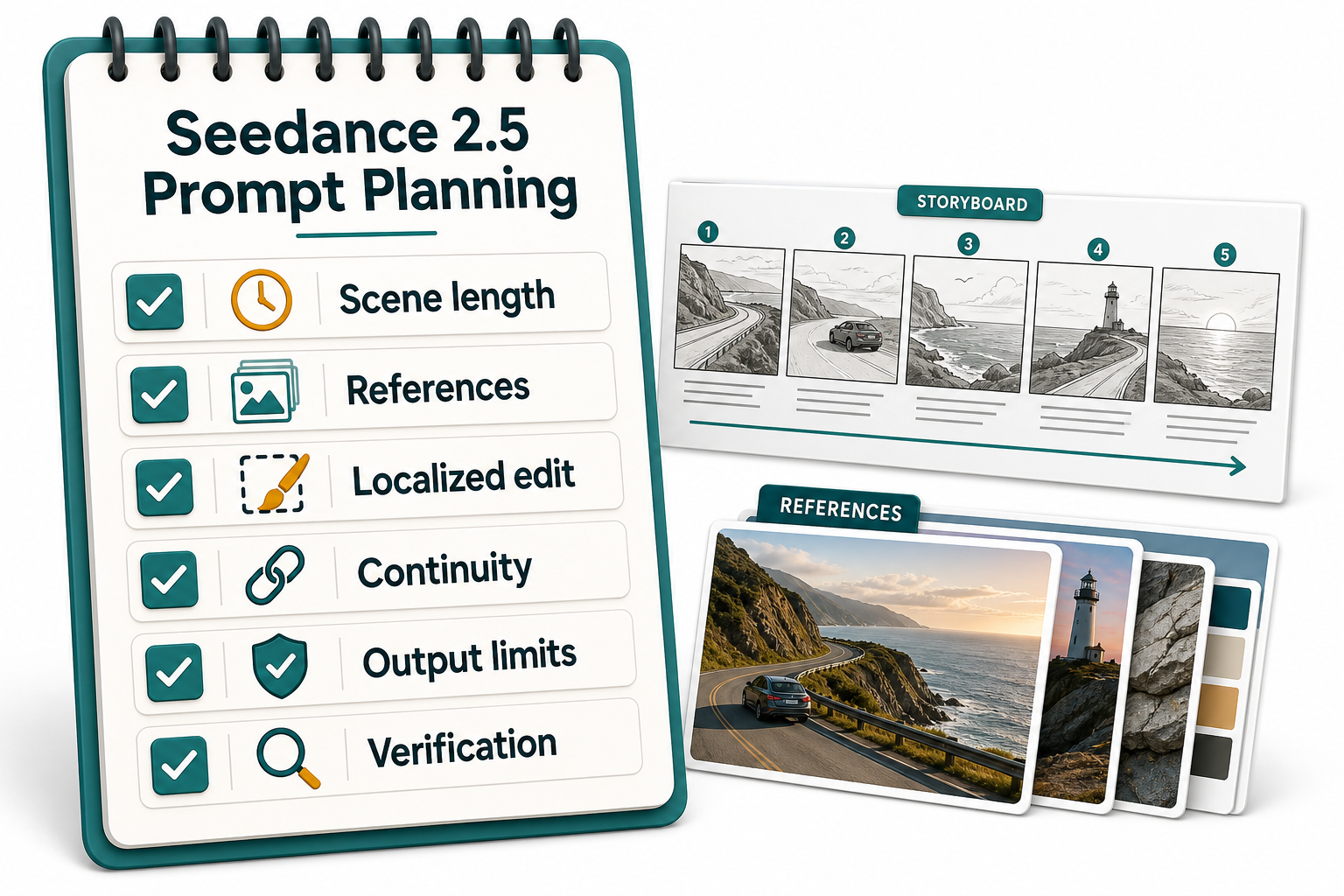
Treat preview features as planning signals until production details are confirmed.
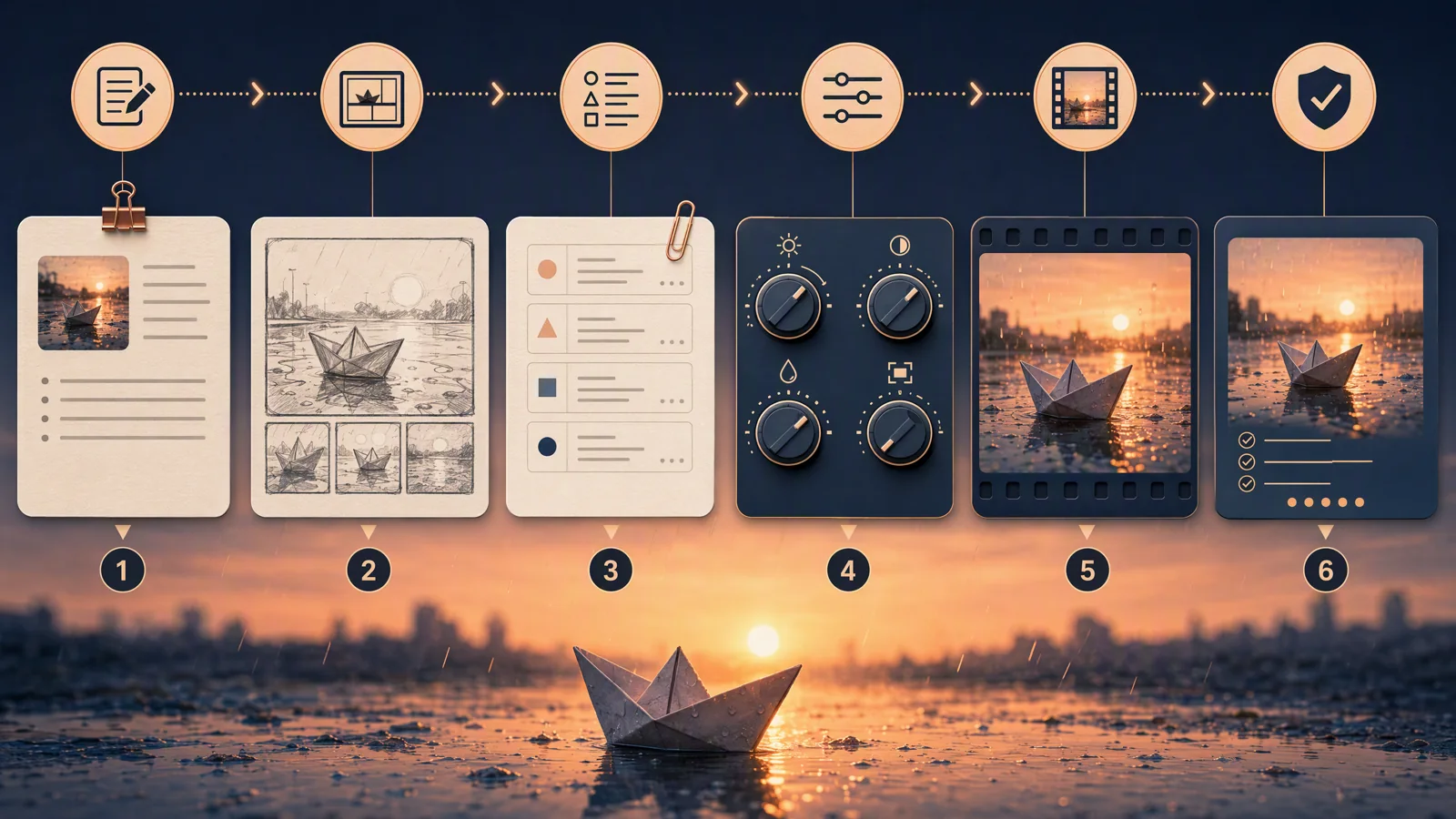
Example workflow
| Step | Action | Output |
|---|---|---|
| 1 | Write a 30-second brief with hook, movement, proof moment, and final hold. | A timed creative outline. |
| 2 | Sort references by role: identity, product, environment, motion, style, audio. | A labeled reference folder. |
| 3 | Generate a short baseline with an available workflow. | A comparison clip for quality and prompt adherence. |
| 4 | Revise only one variable at a time. | Clearer diagnosis of what changed. |
| 5 | Verify the final clip against continuity, subject accuracy, rights, and channel fit. | A publish-ready decision. |
Who Should Pay Attention
Seedance 2.5 is most relevant to teams that already have assets and need consistency across a longer video. Product marketers, ecommerce teams, short-drama creators, AI UGC teams, avatar video planners, and social editors should pay attention because their work often fails when references are not organized or when a short clip cannot carry the full message.
It is less urgent for creators who only need quick five-second visual tests, abstract mood clips, or one-off social experiments. In those cases, Seedance 2.0 or another available model may be enough.
Caution Before You Publish Claims
Do not claim a final Seedance 2.5 API, price, model ID, or exact availability unless you can verify it in an official source or the current product surface. Public posts and preview pages can be useful for planning, but production content should clearly separate confirmed facts from announced capabilities and unknown details.
Sources checked for this article include the SeedVideo AI Seedance 2.5 page, the official ByteDance Seed page for Seedance 2.0, the Seedance 2.0 technical report, and the Volcano Engine FORCE 2026 event page.
FAQ
Is Seedance 2.5 better than Seedance 2.0?
It may be better for longer, reference-heavy workflows if the preview capabilities are available in the surface you use. Seedance 2.0 remains the safer confirmed baseline for current tests and shorter workflows.
What is the biggest Seedance 2.5 change for creators?
The biggest planning change is the move toward longer 30-second videos and larger multimodal reference sets. That requires more structured briefs, reference labels, continuity rules, and review steps.
Can I assume Seedance 2.5 has a final API or public model ID?
No. Treat API names, final model IDs, pricing, and exact provider availability as unconfirmed until they appear in official or product documentation.
Should I still use Seedance 2.0?
Yes. Use Seedance 2.0 when you need a current baseline, a shorter clip, or a reliable comparison against other AI video generators.
How should I plan prompts for Seedance 2.5?
Write the prompt as a production brief: scene length, subject, action, camera path, reference roles, audio timing, localized edit target, output limits, and verification criteria.
What internal links should I read next?
Start with the live Seedance 2.5 page, then compare the current Seedance 2.0 guide, the Seedance 2.0 vs Sora 2 vs Kling comparison, and the broader Best AI Video Generators in 2026 guide.
Conclusion: Build the Brief Before You Chase the Upgrade
Seedance 2.5 vs Seedance 2.0 is best understood as a workflow shift. Seedance 2.0 gives creators a current baseline. Seedance 2.5 preview messaging points toward longer clips, more references, and more precise edit planning. The winning move is not to rewrite every claim as settled fact; it is to prepare cleaner briefs, better reference folders, and stricter verification steps.
Ready to test your next workflow? Start with SeedVideo AI, plan the clip on the Seedance 2.5 page, and compare the result against your current Seedance 2.0 baseline.