AI Product Video Generator: Turn Product Photos into Video Ads
An AI product video generator turns a product photo into a short video ad by adding controlled motion, camera direction, scene context, lighting, and a clear selling point. The best workflow is not to upload a product image and ask for "a cool ad." Start with a clean product photo, define the buyer and benefit, choose one scene, describe how the product or camera should move, then generate a short clip for review. This is especially useful for ecommerce teams, independent stores, landing page designers, and ad creators who need more video concepts than a manual shoot can produce. For a practical image-first workflow, use SeedVideo AI or go directly to the image-to-video workspace. If you are still choosing tools, compare options in Best AI Video Generators in 2026.
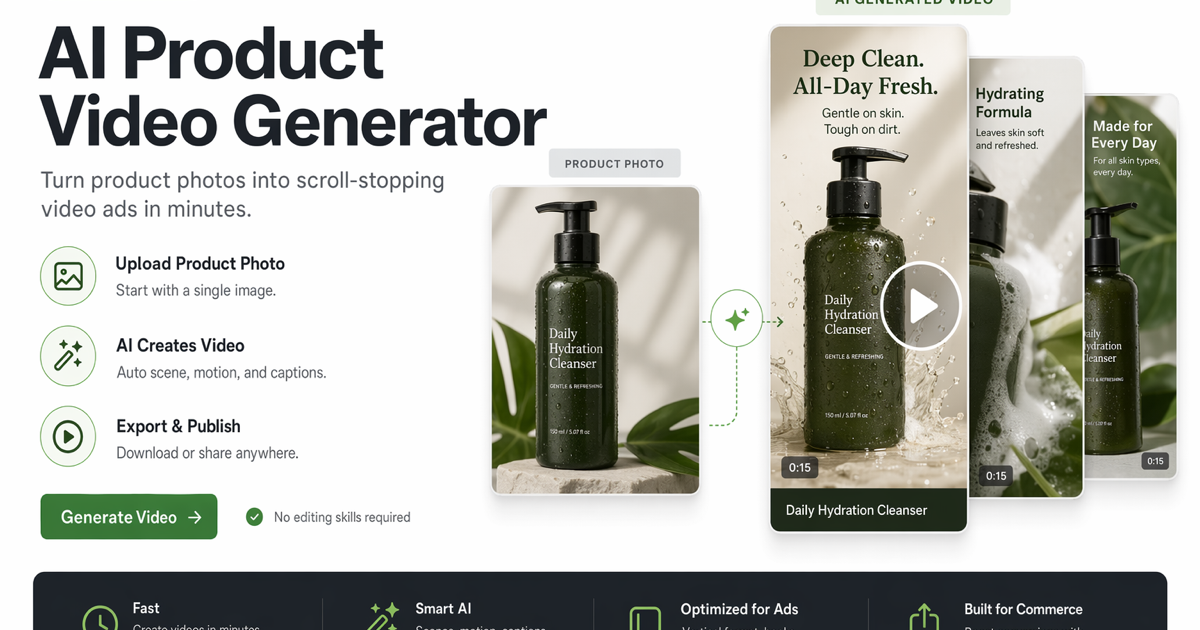
Turn a product image into short video concepts for ads, listings, and landing pages.
TL;DR
- A strong AI product video ad starts with a clean product image and one buyer benefit.
- Separate the product, audience, scene, camera, motion, lighting, and CTA in the prompt.
- Use image-to-video when the product shape, packaging, or composition must stay stable.
- Keep the first clip short, review the product accuracy, then refine one variable at a time.
- Do not imply unauthorized trademarks, fake endorsements, or official brand assets.
Quick Answer
To turn a product photo into a video ad, upload a high-quality product image, describe the target audience, name the key benefit, choose a realistic scene, add one camera move, specify product-safe motion, and include a clear call-to-action. In SeedVideo AI, the practical path is to start from image-to-video, test a short draft, then refine the best version for ads, product listings, landing pages, or email campaigns.
What an AI Product Video Generator Can Do
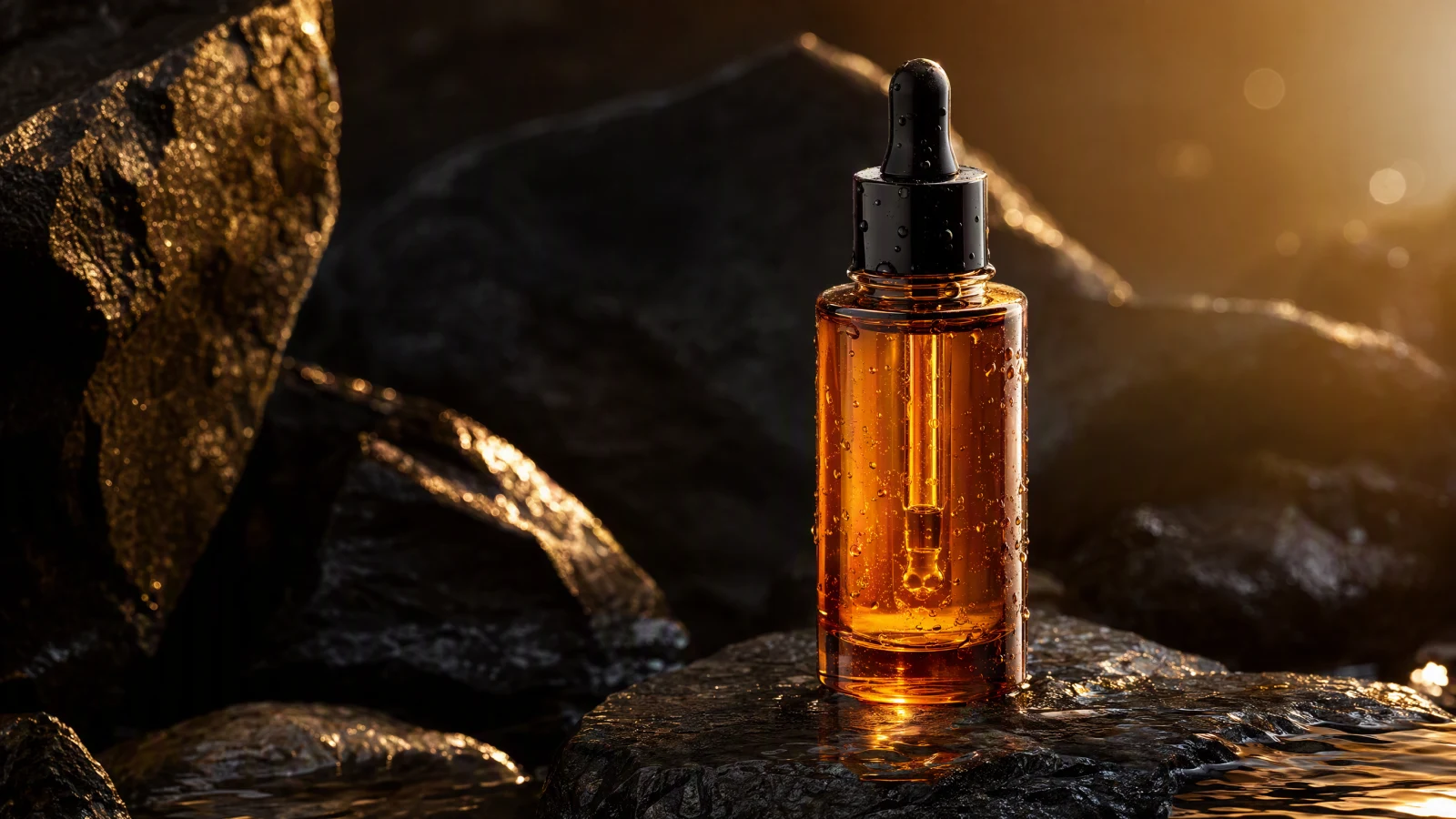
An AI product video generator can help you create short product motion concepts from still images. The useful output is usually a video draft, not a finished campaign by itself. It can show a bottle rotating under soft light, a sneaker moving through an urban scene, a gadget appearing on a desk, or a skincare product surrounded by water and texture cues. The model adds motion and context, while your prompt protects the product identity and message.
It works best when you treat the product photo as the anchor. The image controls shape, packaging, color, and composition. The prompt controls the commercial idea: who the video is for, what benefit matters, what the viewer should notice first, and what action should happen next.
Use it for:
- Product reveal clips.
- Short ecommerce video generator drafts.
- Paid social hooks.
- Amazon-style listing motion concepts.
- Landing page hero loops.
- Email campaign visuals.
- Creative tests before a manual shoot.
Best Product Image Inputs
The source image matters more than most prompts. A weak input makes the model guess. A strong input gives the model a clear object to preserve.
Use product photos with:
- One main product and minimal clutter.
- Sharp edges, readable packaging, and good lighting.
- A view that already resembles an ad frame.
- Enough background space for motion or camera movement.
- No unauthorized logos, celebrity faces, or protected marks you do not have rights to use.
Avoid images with:
- Heavy reflections that hide the product shape.
- Text that must remain perfectly legible in motion.
- Multiple products competing for attention.
- Busy backgrounds that distract from the offer.
- Cropped packaging when the product must stay recognizable.
Step-by-Step Workflow
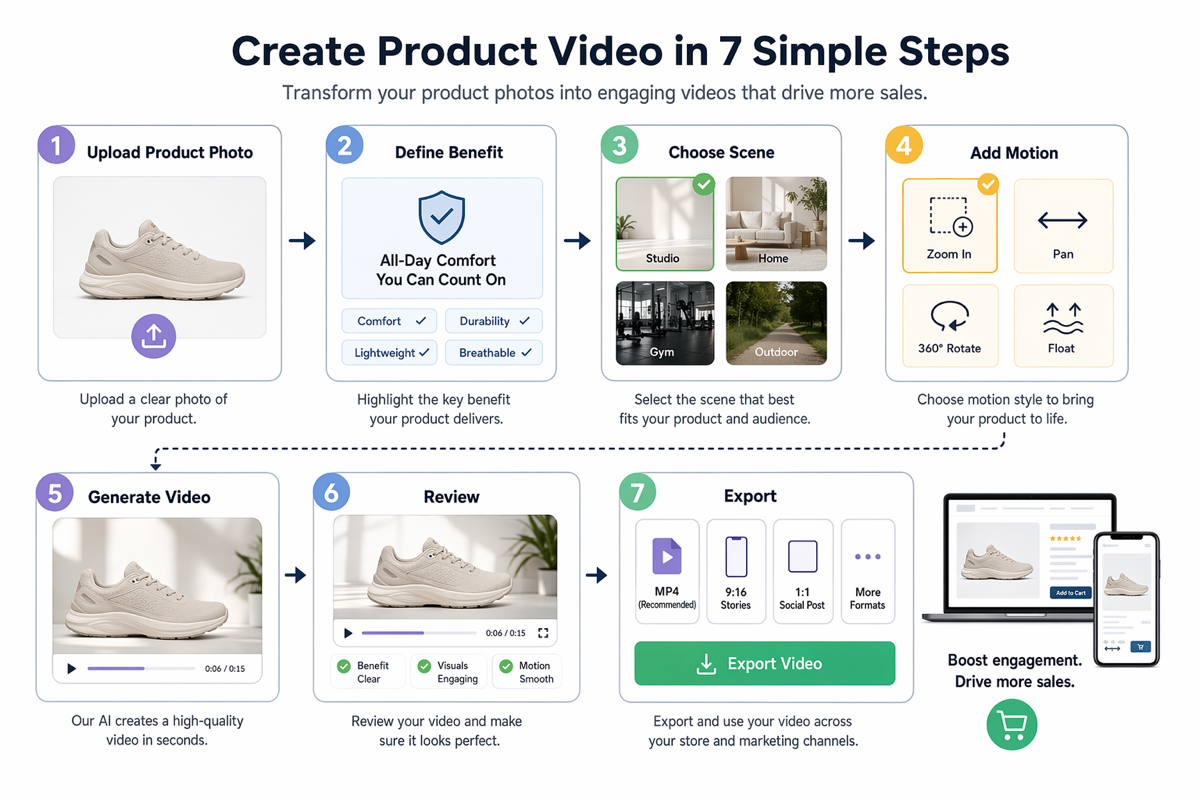
A practical workflow for creating product videos from still images.
| Step | Decision | Practical prompt direction |
|---|---|---|
| 1 | Upload the product image | Use a clean product photo with the product centered and readable. |
| 2 | Define the buyer | Name the audience, such as skincare shoppers, coffee lovers, or fitness buyers. |
| 3 | Choose one benefit | Focus on freshness, durability, comfort, speed, taste, or a single proof point. |
| 4 | Select the scene | Put the product in a believable ecommerce, studio, lifestyle, or social ad setting. |
| 5 | Add motion | Use one camera move and one product-safe motion cue. |
| 6 | Generate a short draft | Start with a short clip so you can review product accuracy quickly. |
| 7 | Review and refine | Keep the best draft, then adjust only motion, scene, lighting, or CTA. |
This product video workflow keeps the generation task narrow. Instead of asking the model to invent everything at once, you give it a product anchor and a focused commercial brief.
Product Video Prompt Formula
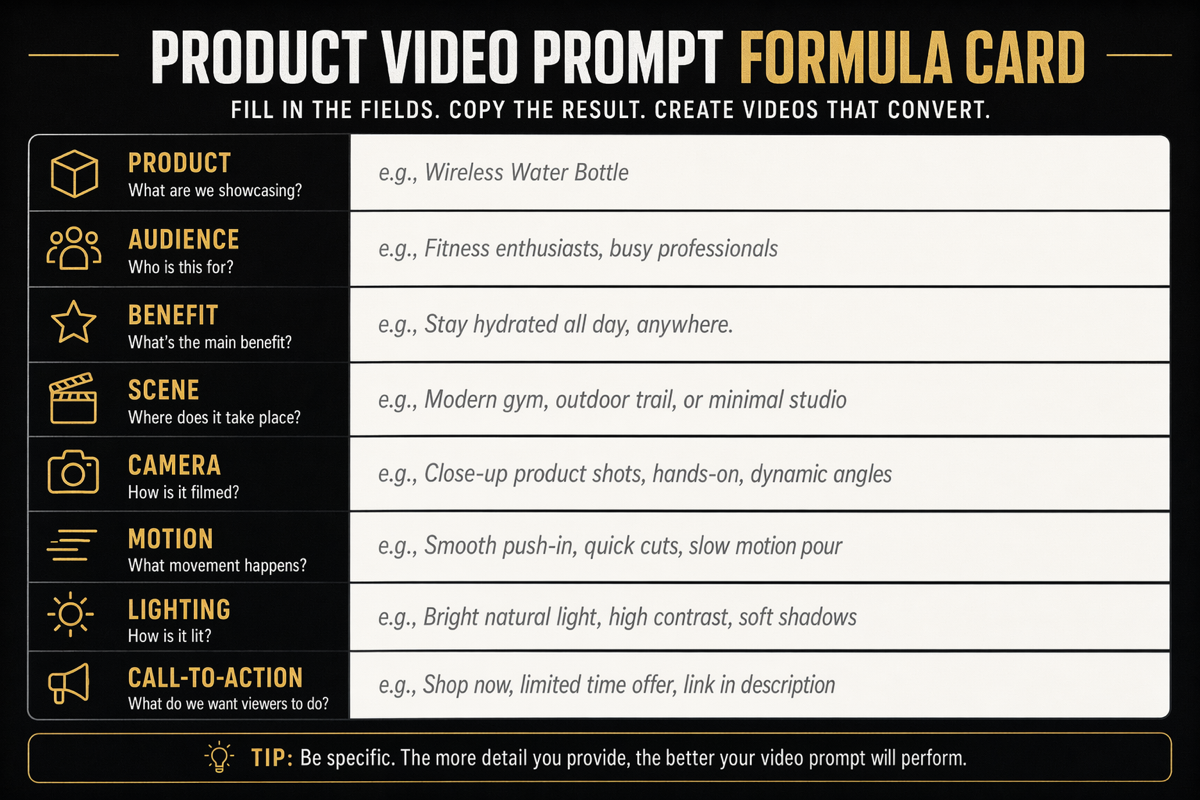
Product video prompts should describe the product, benefit, scene, and motion separately.
Use this product prompt formula:
| Prompt field | What to write |
|---|---|
| Product | Name the product type and visible attributes from the photo. |
| Audience | Identify who the ad is for and what they care about. |
| Benefit | Choose one promise the video should communicate. |
| Scene | Describe the setting without inventing fake brand partnerships. |
| Camera | Pick one camera move, such as slow push-in, gentle orbit, or top-down slide. |
| Motion | Say what should move and what should stay stable. |
| Lighting | Define the mood: soft studio light, morning window light, glossy ad lighting, or natural outdoor light. |
| CTA | End with the intended viewer action, such as shop now, compare options, or learn more. |
Example:
Use the uploaded product photo as the exact product reference. Create a 6-second product video ad for ecommerce shoppers. The product sits on a clean studio surface with soft morning light. Slow camera push-in, subtle product rotation, gentle shadow movement, crisp packaging, premium but realistic style. Keep the product shape, label placement, color, and proportions consistent. End with space for a simple "Shop now" call-to-action.
Try this prompt in SeedVideo AI
If you want more examples of reusable prompt structure, read AI Video Prompt Examples and the Image to Video AI Guide.
Use Cases for Ecommerce and Ads
| Use case | Best video idea | What to avoid |
|---|---|---|
| Ecommerce | Short product reveal that shows shape, texture, and benefit. | Overly cinematic motion that hides product details. |
| Amazon-style listing | Clean studio loop with readable packaging and simple movement. | Claims, badges, or competitor references you cannot verify. |
| TikTok ad | Fast hook with a clear use case and a visual before/after idea. | Fake creator endorsements or unauthorized brand signals. |
| Landing page hero | Polished looping product image to video AI clip with one clear visual message. | A background so busy that the product disappears. |
| Email campaign | Lightweight seasonal or launch visual that supports the headline. | Tiny text, complex UI, or unclear call-to-action. |
For most paid creative tests, generate several focused variations instead of one overloaded concept. Test scene, motion, and offer separately. That makes it easier to understand why one AI product video ad performs better than another.
Common Mistakes
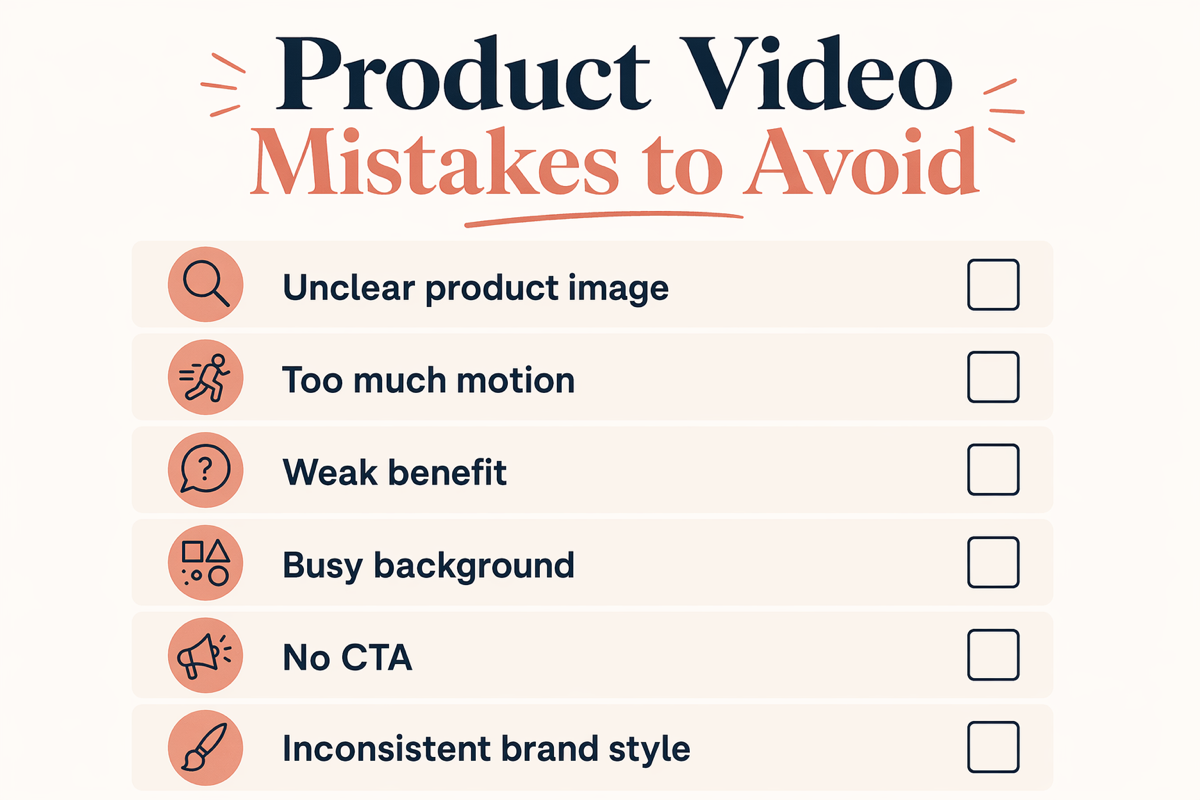
Clean inputs and focused motion usually produce stronger AI product videos.
Use this mistakes checklist before you generate:
- The product photo is unclear or low resolution.
- The prompt asks for too much motion.
- The benefit is vague or missing.
- The background is more important than the product.
- The CTA is not connected to the buyer's task.
- The prompt implies an unauthorized brand partnership.
- The generated video changes the product shape, packaging, or identity.
- The first draft is judged as final instead of refined.
The fastest fix is usually subtraction. Remove one camera move, simplify the scene, and make the product benefit more specific.
FAQ
What is an AI product video generator?
An AI product video generator is a tool or workflow that turns product images, product descriptions, or prompts into short video concepts for ads, ecommerce listings, landing pages, and social campaigns.
Can I turn a product photo into a video ad?
Yes. The best product photo to video AI workflow starts with a clean product image, then adds scene, motion, camera, lighting, and CTA instructions. Image-to-video is the right starting point when the product must remain visually consistent.
What makes a good product image to video prompt?
A good prompt separates product, audience, benefit, scene, camera, motion, lighting, and call-to-action. This gives the model clear jobs instead of one vague style request.
Can AI product videos be used for ecommerce ads?
They can be useful for ecommerce concepts, creative testing, landing page visuals, and short ad drafts. You still need to review product accuracy, legal usage rights, claims, and platform requirements before using the output in a campaign.
Should I include a brand logo in the prompt?
Only include brand assets you own or are authorized to use. Do not ask the model to create official-looking logos, fake partnerships, celebrity endorsements, or trademarked campaign material.
What is the safest first workflow for SeedVideo AI?
Start with SeedVideo AI image-to-video, upload one product image, write one benefit-driven prompt, generate a short clip, then refine the strongest result. If you want to compare broader workflows, start from the SeedVideo AI homepage.
How long should the first product video draft be?
Keep the first draft short. A short clip is easier to inspect for product accuracy, composition, and motion quality before you spend time building longer ad variations.
Conclusion
An AI product video generator works best when you treat the task like ecommerce shot design. Start with a strong product image, write a focused prompt, protect the product identity, and refine the strongest draft instead of asking for a complete campaign in one pass. For practical product photo to video AI work, try the SeedVideo AI image-to-video workspace. Keep Best AI Video Generators in 2026, Image to Video AI Guide, and AI Video Prompt Examples open if you want to compare workflows and improve your prompts.