Seedance 2.0 Guide: What It Is and How to Use It for AI Video Creation
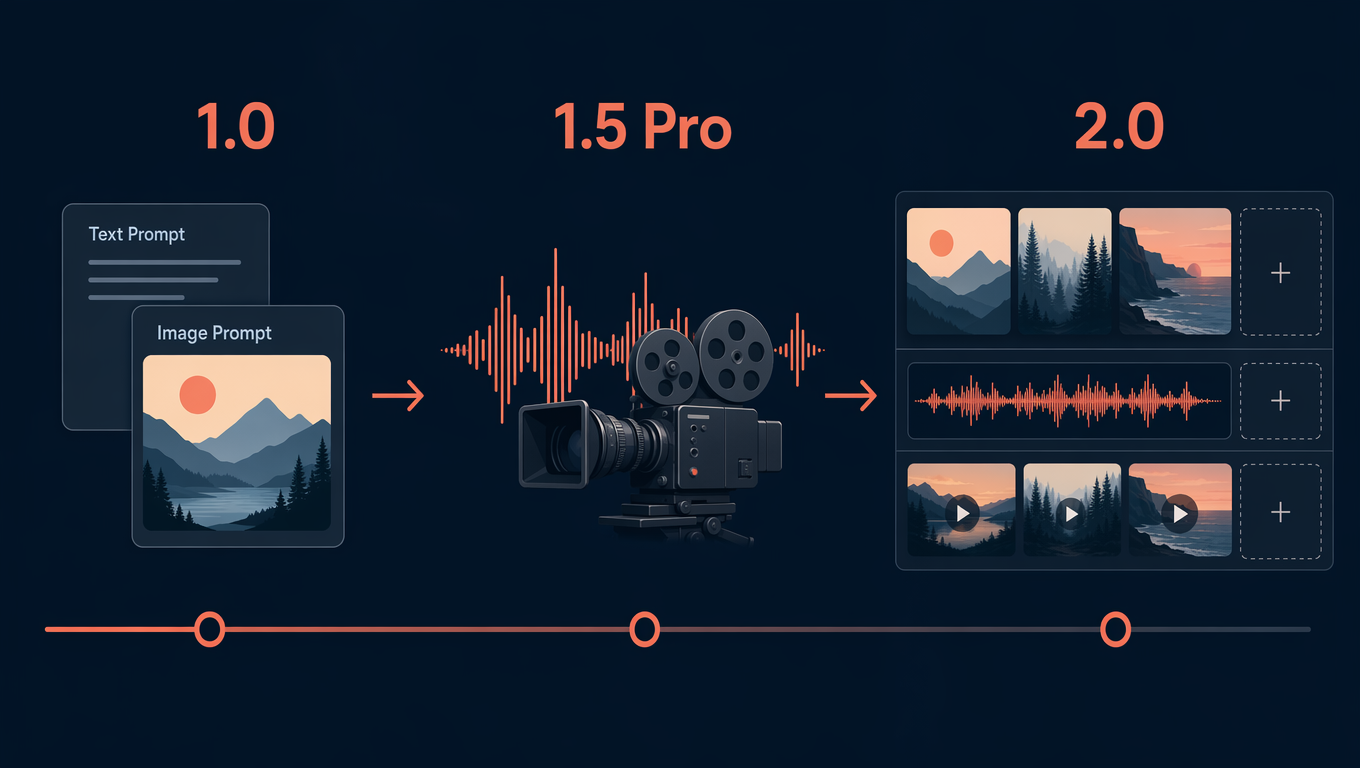
Seedance 2.0 is an AI video model family for turning written prompts and visual inputs into short video clips. For creators, marketers, founders, educators, and small teams, the practical value is not only the model name; it is the workflow around it. SeedVideo AI helps users approach Seedance 2.0 as a repeatable creation process: start with a clear text prompt or image reference, generate a clip, review the result, then refine the prompt until the motion, framing, and visual intent are closer to the brief. It is useful for ideation, product visuals, social video concepts, story tests, and marketing drafts. It is not a replacement for human direction, factual review, brand approval, or final editing. If you are comparing Seedance AI tools, this guide explains what Seedance 2.0 means, how SeedVideo AI fits, and how to start without overstating what any AI video generator can guarantee.
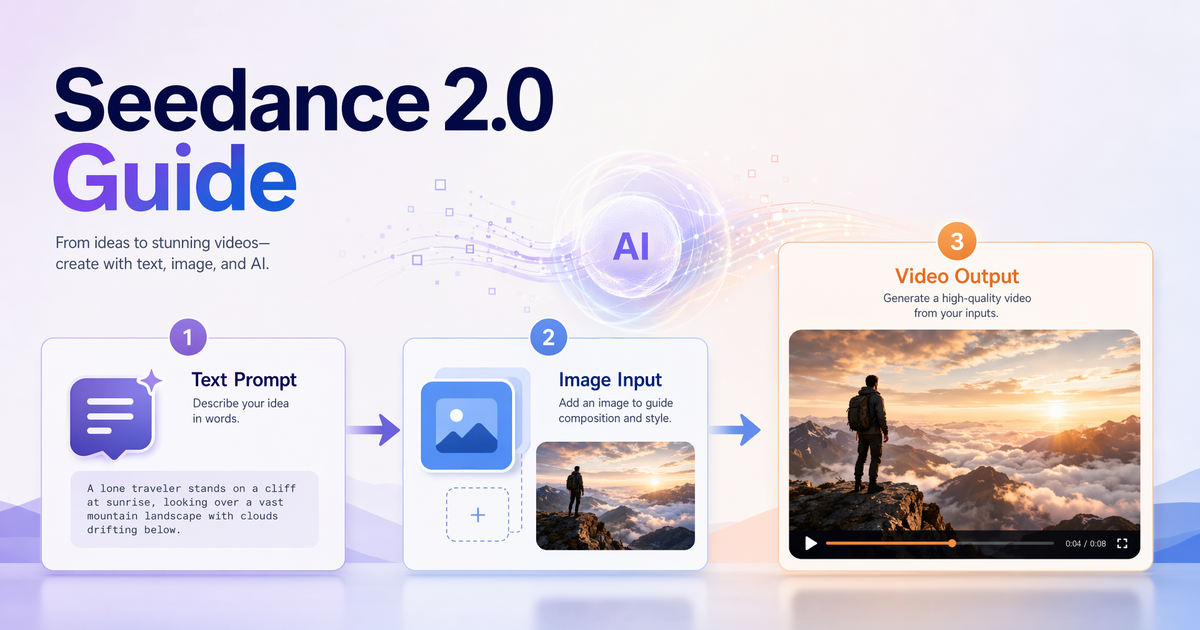
SeedVideo AI supports practical text-to-video and image-to-video workflows.
TL;DR
- Seedance 2.0 refers to an AI video model family used for prompt and image guided video creation.
- SeedVideo AI is an independent platform for practical Seedance workflows; it is not ByteDance official or affiliated.
- The strongest use cases are short creative clips, product visuals, marketing concepts, social posts, and early story exploration.
- Good results depend on clear prompts, suitable inputs, careful review, and iterative refinement.
- Do not treat any Seedance video generator as a guaranteed source of exact physics, perfect continuity, or final brand-safe assets without human review.
Quick Answer
Seedance 2.0 helps users create AI video clips from text prompts and visual direction. On SeedVideo AI, the best way to use it is to define one clear shot, choose whether the input should be text, image, or both, describe the subject and motion precisely, then review and refine the result. Beginners should avoid asking for an entire campaign video in one prompt. Start with one scene, one purpose, and one output format.
Definition: Seedance 2.0 is the model-level video generation capability. SeedVideo AI is the independent product experience that helps users turn that capability into usable creation workflows.
Try this prompt in SeedVideo AI
What Is Seedance 2.0?
Seedance 2.0 is best understood as an AI video generation model family rather than a traditional editing app. A model interprets instructions and visual inputs, then generates a new video output. That makes it different from timeline-based software where every camera move, transition, and frame is manually controlled.
In practical terms, Seedance 2.0 is useful when you need to move from an idea to a short visual draft quickly. A creator might write a prompt for a cinematic product shot. A marketer might test several ad concepts. A founder might turn a landing-page value proposition into a visual explainer draft. A designer might use an image as style direction and ask for natural motion.
The important limitation is control. AI video generation can be fast and expressive, but it is still probabilistic. Specific hands, logos, text, physics, exact timing, and multi-scene continuity may need review, retries, editing, or a different workflow. The right expectation is "generate and refine," not "type once and publish untouched."
What Is SeedVideo AI?
SeedVideo AI is the product layer around practical Seedance AI creation. It is designed for users who want to create, compare, and refine video ideas without building their own model pipeline.
This matters because most users do not only need a model name. They need a repeatable process:
- Choose the right input type.
- Write a clear prompt.
- Generate a clip.
- Review the output against the brief.
- Refine the prompt or input.
- Export or use the result in a larger content workflow.
That is the lens for a useful SeedVideo AI review: does the workflow help you get from intent to usable draft faster, and does it keep enough control in your hands to review the result before it goes live?
SeedVideo AI is an independent platform and should not be described as ByteDance official or affiliated. When you write about Seedance 2.0, keep the model, the platform, and the original model developer separate.
Core AI Video Workflows
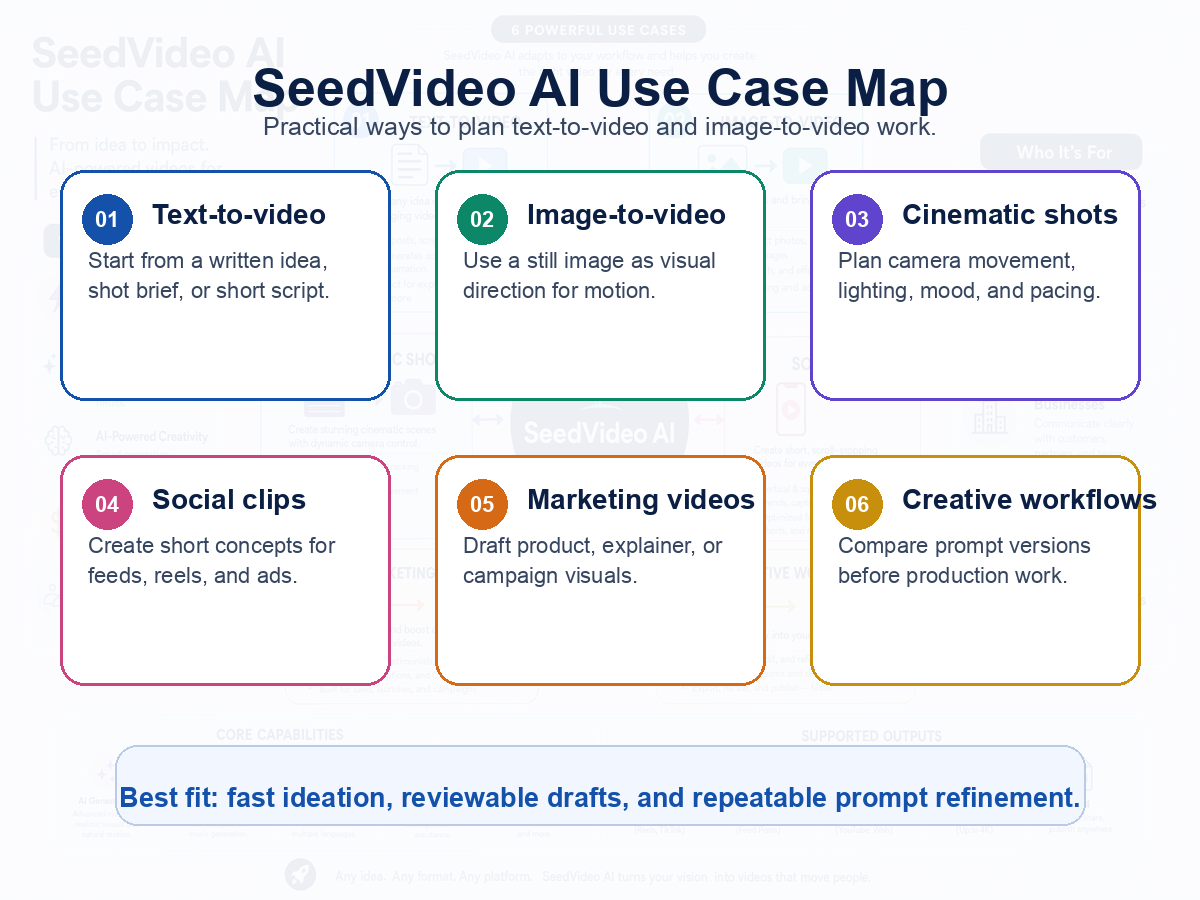
Common ways creators and marketers can use SeedVideo AI.
Seedance 2.0 workflows usually fall into two starting points: text-to-video and image-to-video. A stronger workflow often combines them: use text for intent and an image for visual direction.
| Workflow | Best for | Input you need | Practical tip |
|---|---|---|---|
| Text-to-video | Ideas, scripts, product concepts, social clips | A written shot description | Keep the prompt to one scene and one main action. |
| Image-to-video | Product visuals, character references, still artwork, mood boards | A clear image plus motion direction | Use the image for composition and style, then describe motion separately. |
| Prompt refinement | Improving weak first results | The first output and a revised prompt | Change one variable at a time so you know what improved. |
| Concept testing | Comparing creative directions | Several focused prompt variants | Save the best prompt structure before scaling up. |
| Marketing drafts | Ad concepts, explainers, launch visuals | Audience, product, benefit, scene, CTA | Review claims and brand details before publishing. |
For more prompt structure, use the Text to Video Prompt Guide. If your workflow starts from a still image, the Image to Video AI Guide is the better companion.
Use Cases
Seedance 2.0 is most useful when the output can be judged visually and improved through iteration. It is less appropriate when the project depends on exact compliance, exact anatomy, exact readable text, or long scene continuity.
| Use case | Good fit? | Why it works | Watch out for |
|---|---|---|---|
| Social media clip concepts | Yes | Short clips benefit from fast visual iteration. | Platform format and captions may still need editing. |
| Product motion visuals | Yes | Image input can guide the object and composition. | Verify product accuracy before publishing. |
| Storyboarding | Yes | Teams can explore mood, camera angle, and pacing. | Do not treat drafts as final continuity. |
| Ad concept exploration | Yes | Marketers can test several visual hooks quickly. | Check all claims, offers, and legal copy. |
| Education explainers | Sometimes | Simple visual metaphors can help explain ideas. | Complex factual or technical diagrams may need manual design. |
| Long-form film production | Limited | It can support shot ideation. | Long continuity and exact scene matching remain difficult. |
| Regulated brand campaigns | Limited | It can speed early drafts. | Human review and approval are required. |
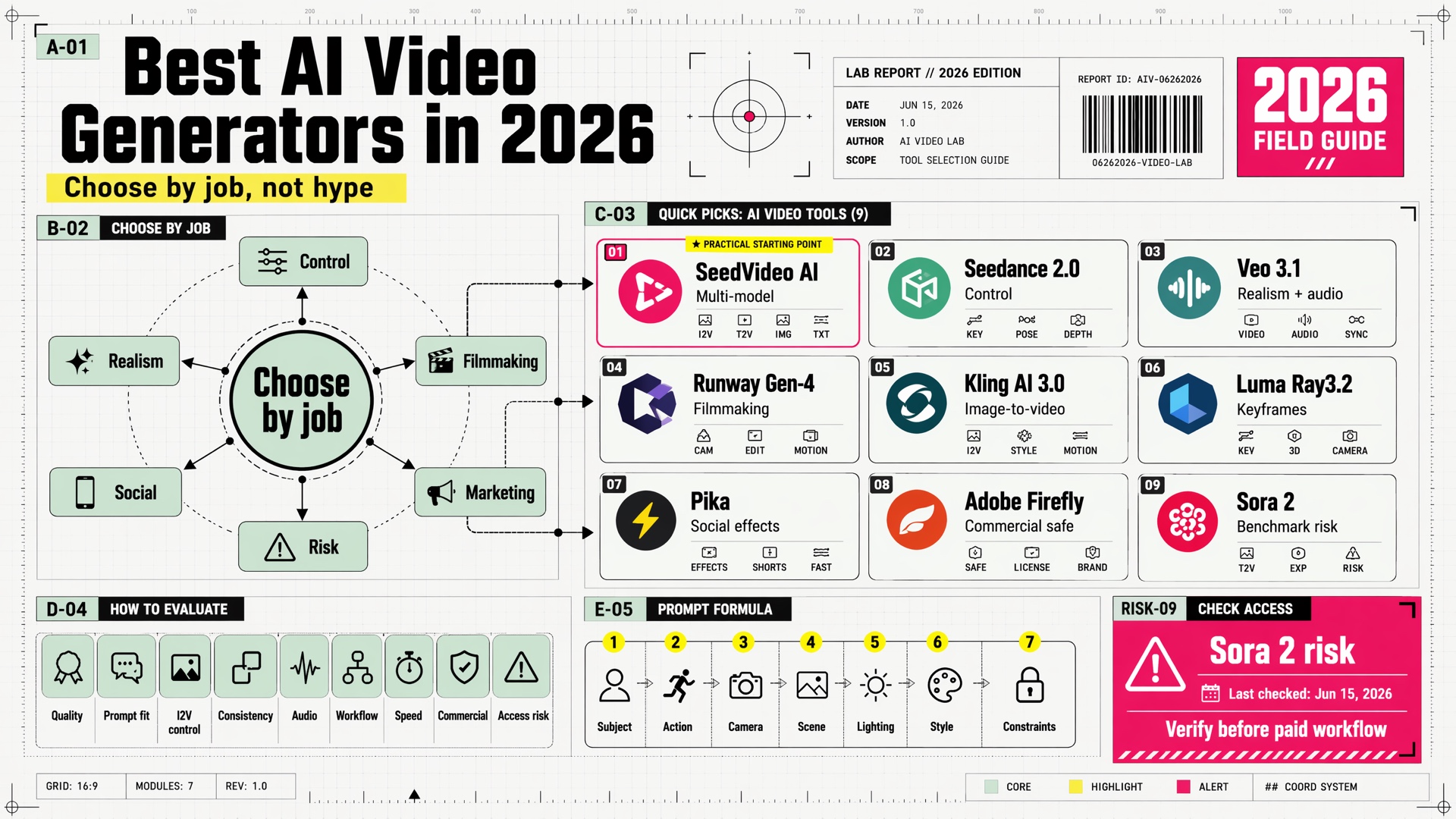
If you are choosing a broader stack, compare Seedance 2.0 with other options in Best AI Video Generators in 2026. That hub page is better for tool selection, while this guide focuses on the Seedance 2.0 workflow itself.
Beginner Workflow
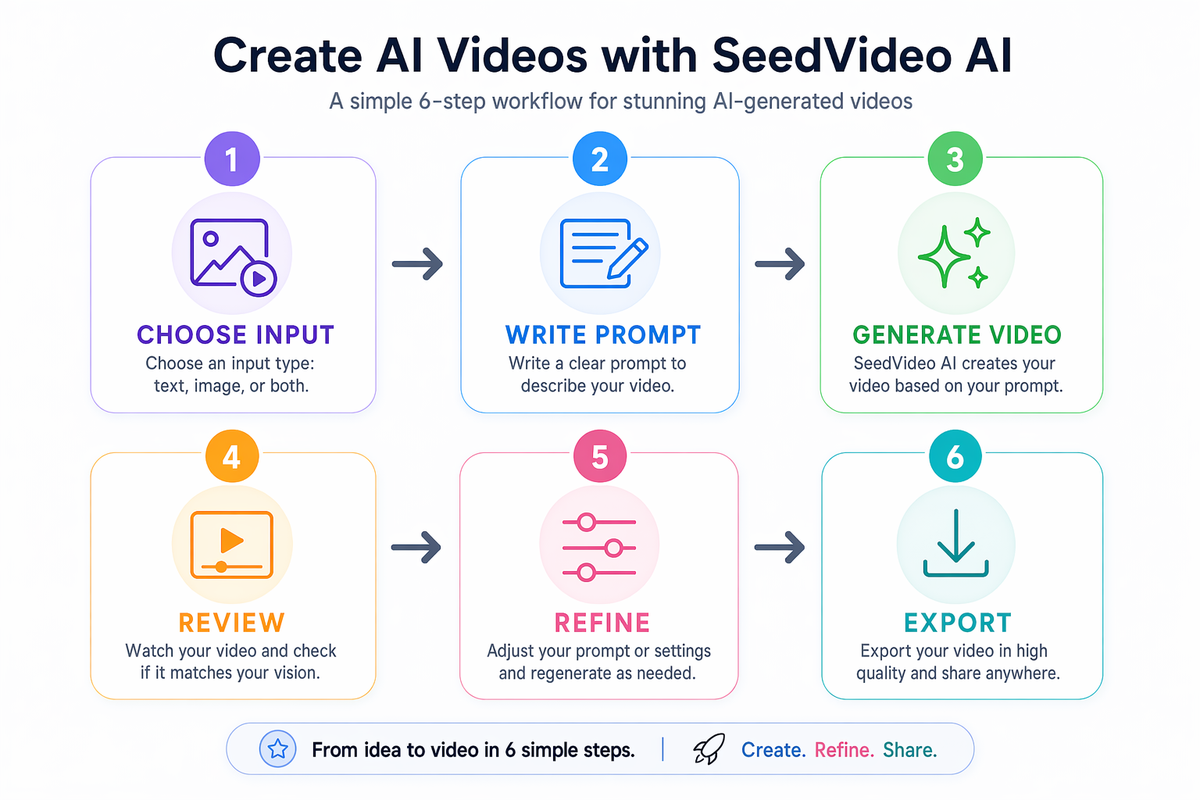
A simple workflow for creating and refining AI video clips.
1. Choose one output goal
Start with the purpose: product teaser, social hook, cinematic establishing shot, visual metaphor, or story test. A prompt that tries to create an entire campaign usually becomes vague. A prompt for one shot is easier to judge and improve.
2. Pick the right input type
Use text-to-video when the idea is flexible. Use image-to-video when composition, product appearance, character pose, or art direction matters. If the image contains details that must remain accurate, say which details should be preserved and which parts can change.
3. Write a focused prompt
A useful Seedance video generator prompt usually includes:
- Subject: who or what appears.
- Action: what changes during the clip.
- Setting: where the scene happens.
- Camera: wide shot, close-up, dolly, pan, orbit, static, or handheld feel.
- Lighting and mood: bright studio, dusk, cinematic contrast, soft daylight.
- Constraints: no logos, no readable text, no extra people, no distorted product shape.
4. Generate one clip
Generate a single draft before making many variants. This gives you a baseline. If the first result is directionally wrong, rewrite the prompt instead of making ten random copies.
5. Review against the brief
Check motion, composition, subject accuracy, unwanted text, object consistency, and whether the clip actually serves the use case. A visually attractive output can still be wrong for the job.
6. Refine one variable at a time
If the camera is wrong, adjust only the camera phrase. If the subject is wrong, clarify the subject and reference. If the pacing feels off, describe slower or faster motion. Small edits are easier to learn from than full rewrites.
7. Use the clip in a larger workflow
SeedVideo AI can help you create a strong video draft, but publishing still requires judgment. Add captions, brand checks, final copy, music, compliance review, and platform-specific formatting where needed.
How It Compares with Other AI Video Tools
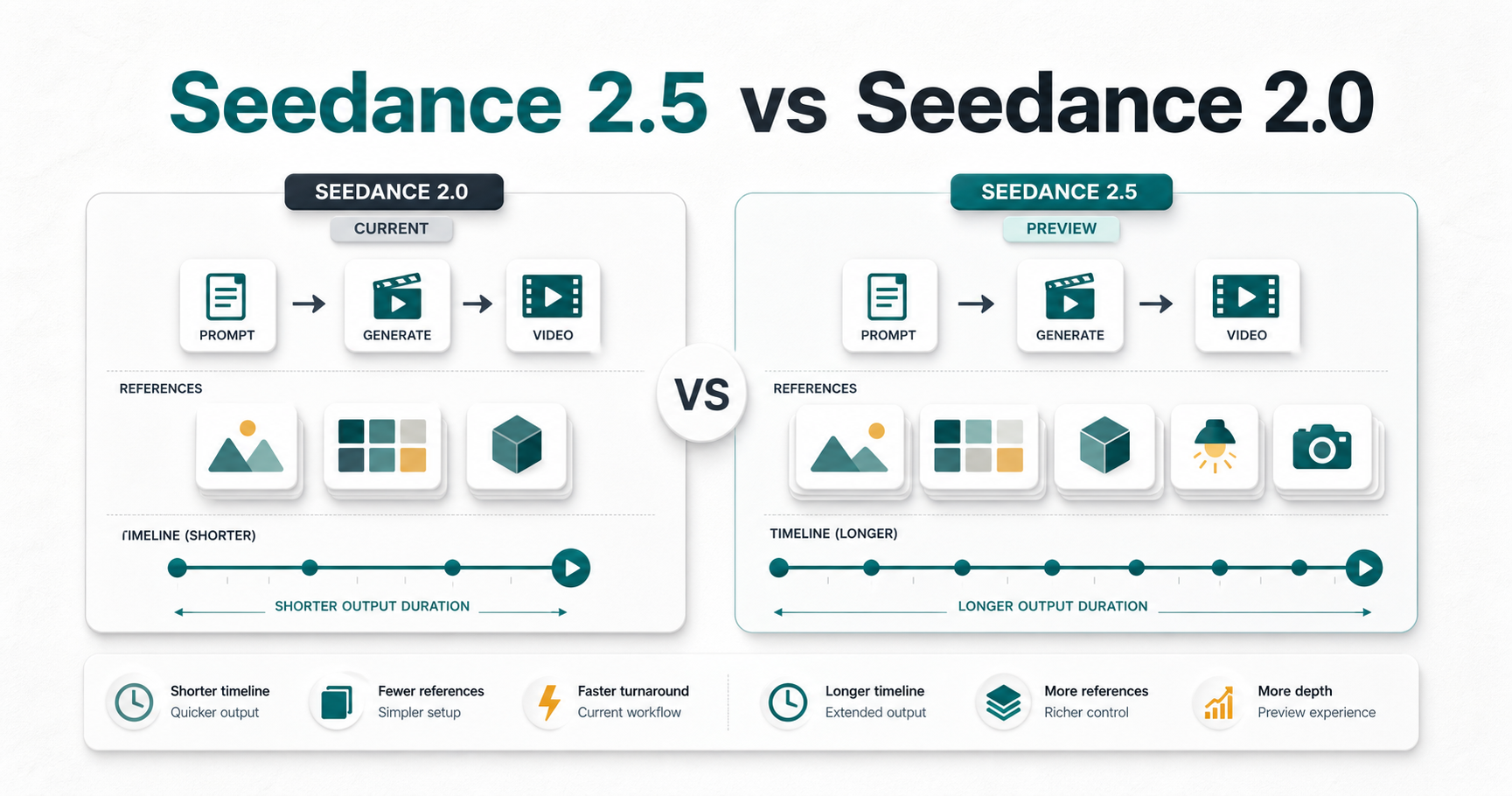
No AI video tool is best for every job. Seedance 2.0 is attractive when you want a practical Seedance AI workflow for short clips, text-to-video, image-to-video, and fast creative testing. Other tools may be better when you need a timeline editor, a specific model aesthetic, a closed enterprise review process, or features outside pure generation.
| Tool type | Best for | Not best for |
|---|---|---|
| SeedVideo AI with Seedance 2.0 | Practical Seedance 2.0 creation, prompt refinement, short clips, image-guided video ideas | Users who need guaranteed exact outputs without review |
| General AI video generators | Comparing different model aesthetics and generation styles | Teams that want one focused Seedance workflow |
| Timeline-first video editors | Manual cuts, captions, audio, brand packages, final assembly | Quickly creating a new visual clip from a prompt alone |
| Enterprise creative platforms | Approval workflows, asset governance, team controls | Fast solo ideation when simplicity matters most |
The safest approach is to match the tool to the stage of work. Use Seedance 2.0 for visual generation and creative iteration. Use editing, review, and publishing tools for the final delivery layer.
Best Fit and Not Best Fit
Seedance 2.0 is a good fit if you:
- Need fast AI video drafts for short creative ideas.
- Want to test several visual directions before production.
- Work with product visuals, social clips, explainer concepts, or storyboards.
- Can review and refine outputs instead of expecting one perfect generation.
- Want a workflow centered on Seedance video generation.
It is not the right fit if you:
- Need exact long-form continuity across many scenes.
- Require guaranteed readable text inside generated video frames.
- Need legally approved brand assets without human review.
- Expect exact physics, anatomy, or object behavior every time.
- Want a full editing suite to replace post-production tools.
Prompt Examples for Seedance 2.0
Use these as starting structures, not as rigid templates.
Product visual
A close-up cinematic product shot of a matte black wireless speaker on a clean desk. Soft morning light enters from the left. The camera slowly pushes in while subtle dust particles move in the air. Keep the product shape stable. No logos, no readable text, no extra objects.
Try this prompt in SeedVideo AI
Social hook
A fast 6-second vertical concept video showing a creator turning a rough idea into a polished AI video draft. Show three clear visual moments: blank note, prompt writing, finished video preview. Bright modern studio mood, smooth motion, no fake app interface.
Try this prompt in SeedVideo AI
Image-to-video direction
Use the uploaded product image as the visual reference. Keep the product shape, color, and main composition stable. Add slow cinematic camera movement, soft reflections, and gentle background motion. Do not add text, logos, or extra products.
Try this prompt in SeedVideo AI
For more reusable structures, see the AI video prompt examples article.
FAQ
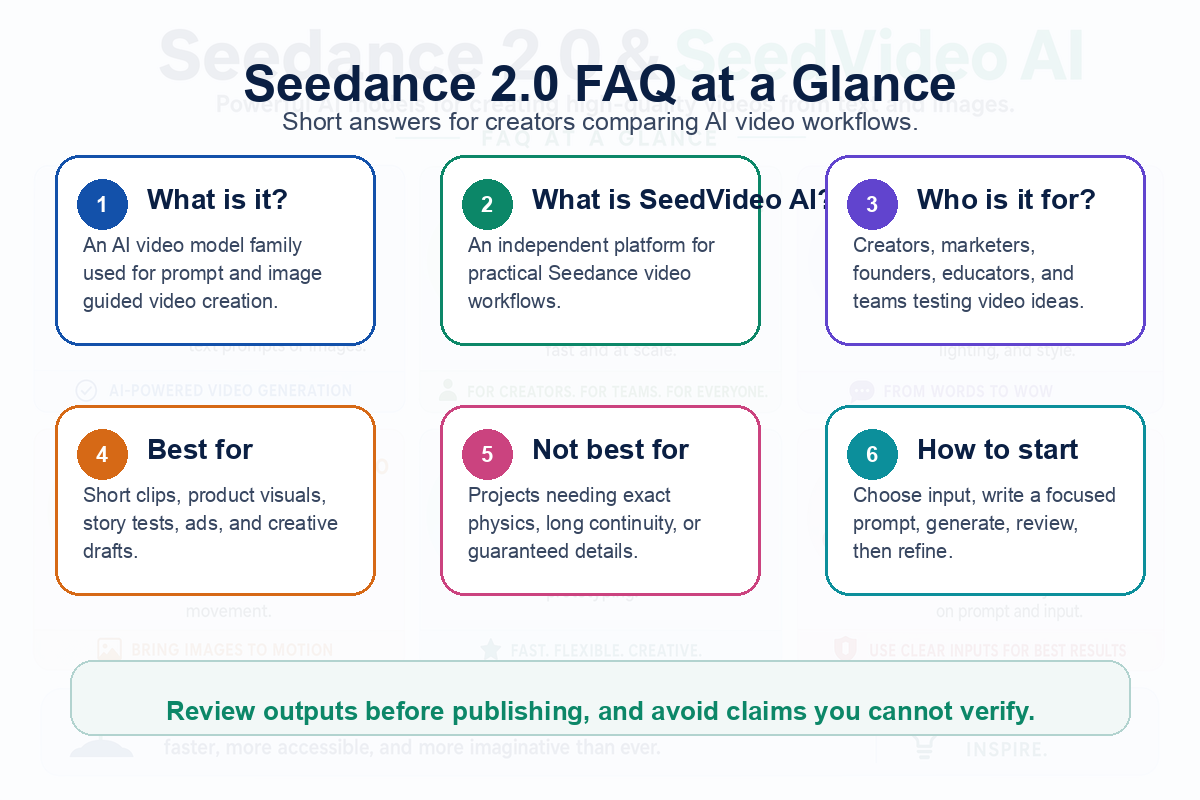
Quick answers to common Seedance 2.0 questions.
Is Seedance 2.0 the same as SeedVideo AI?
No. Seedance 2.0 refers to the model-level AI video capability. SeedVideo AI is an independent platform experience for creating and refining video workflows around Seedance.
What can I make with Seedance 2.0?
Typical use cases include short social clips, product visuals, storyboards, marketing drafts, visual metaphors, creative tests, and image-guided motion concepts. The best use case is a short, clear clip with one main idea.
Is SeedVideo AI good for beginners?
Yes, if beginners start small. Choose one scene, one input type, and one goal. Review the output, then refine the prompt. Trying to create a complete campaign video in one prompt is harder.
Does Seedance 2.0 guarantee perfect results?
No AI video model should be treated that way. Results can vary based on prompt quality, source images, subject complexity, and the amount of review and refinement. Always check details before using a clip publicly.
Is SeedVideo AI affiliated with ByteDance?
No. SeedVideo AI is an independent platform and is not ByteDance official or affiliated. Keep that distinction clear when writing about Seedance 2.0.
What is the best first prompt to try?
Start with a single shot: subject, action, setting, camera movement, lighting, mood, and constraints. For example, "A close-up product shot on a clean desk, slow camera push-in, soft daylight, no text, no logos, keep the product shape stable."
Conclusion
Seedance 2.0 is useful when you treat AI video creation as a workflow instead of a one-click shortcut. The strongest results come from clear inputs, focused prompts, careful review, and small refinements. SeedVideo AI gives creators and teams a practical way to explore Seedance AI for text-to-video, image-to-video, and short-form creative production while keeping human judgment in the loop.
Start with one focused clip on SeedVideo AI, compare the result against your brief, and refine from there.