SeedVideo AI

Nano Banana 2.1 Free:Sharper Images, Cleaner Text, Up to 4K

Write a prompt or add up to 14 reference images, pick an aspect ratio, and generate at 1K, 2K, or 4K. Try Nano Banana 2.1 online for free!

New model

What Is Nano Banana 2.1?

Nano Banana 2.1 (model code gemini-nano-banana-2.1) is Google's latest high-efficiency image generation and conversational editing model, released as generally available on October 6, 2026. It updates Nano Banana 2 (Gemini 3.1 Flash Image) and keeps Flash-level speed and cost while improving visual quality, prompt adherence, multi-turn character consistency, and text rendering.

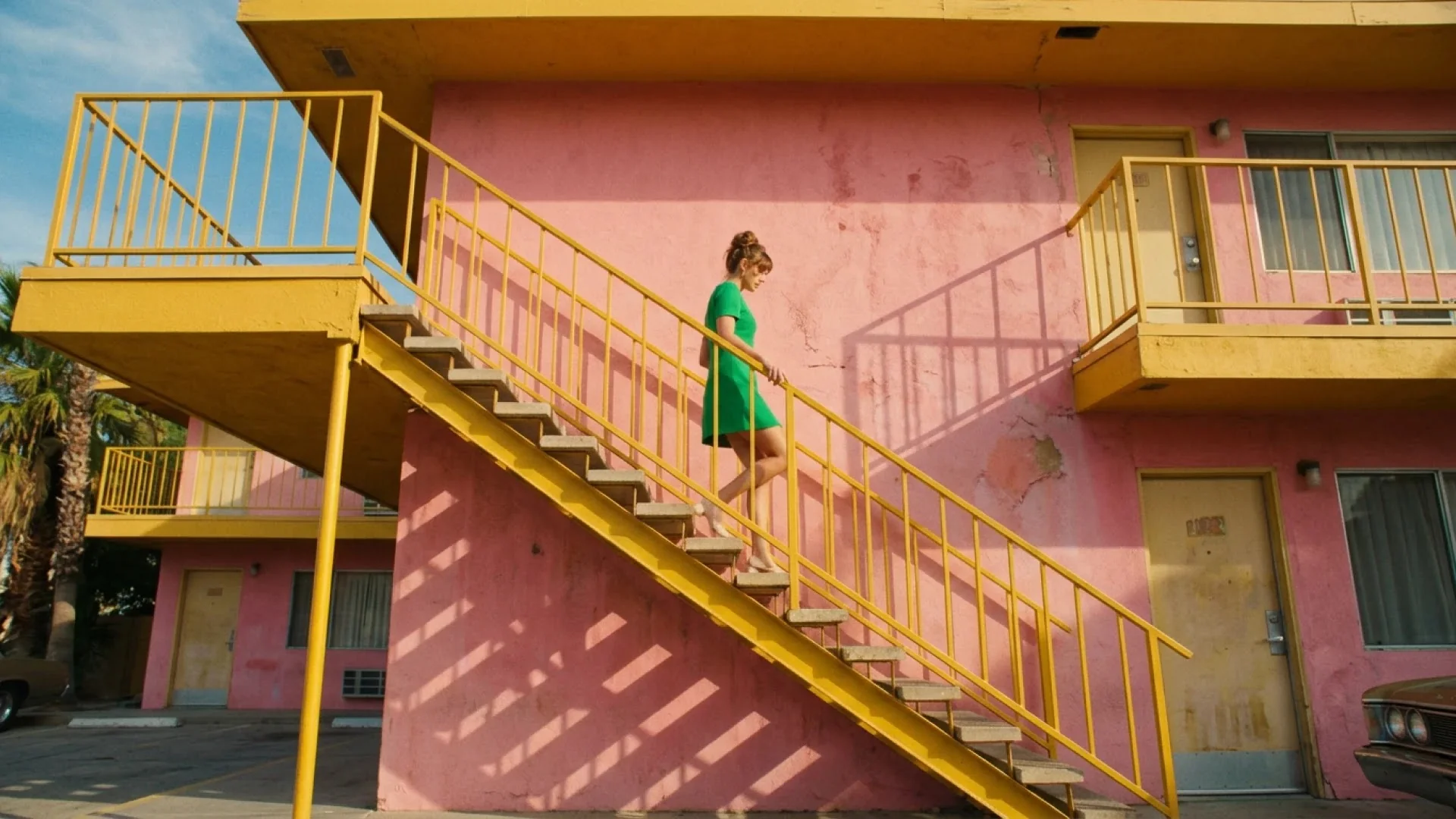
Google official Nano Banana 2.1 example: woman in a green dress walking down a yellow motel staircaseNano Banana 2.1
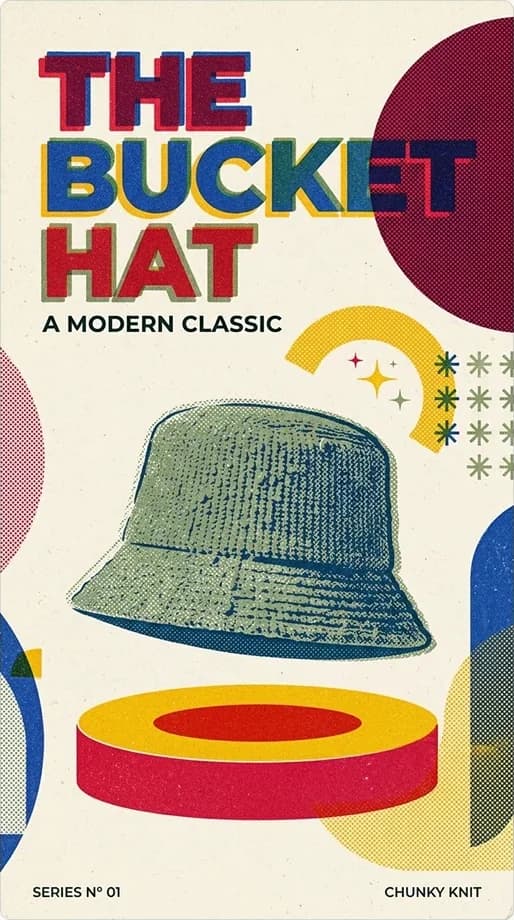
Google official Nano Banana 2.1 example: mid-century bucket hat posterNano Banana 2.1

What Changed from Nano Banana 2

Google lists improved realism at 1K, 2K, and 4K, fixed tiling artifacts on wide and panoramic ratios (1:4, 4:1, 1:8, 8:1) at 2K and 4K, better text and infographic layouts, and multi-image fusion that keeps up to 4 characters and 10 objects consistent. Google has also deprecated Nano Banana 2 and asks developers to migrate to Nano Banana 2.1.
Creation modes

Create Images with Nano Banana 2.1 on SeedVideo AI

Use the same model for a first draft and a final asset. Choose the output size per run, so you can explore at 1K and finish the approved idea at 2K or 4K.

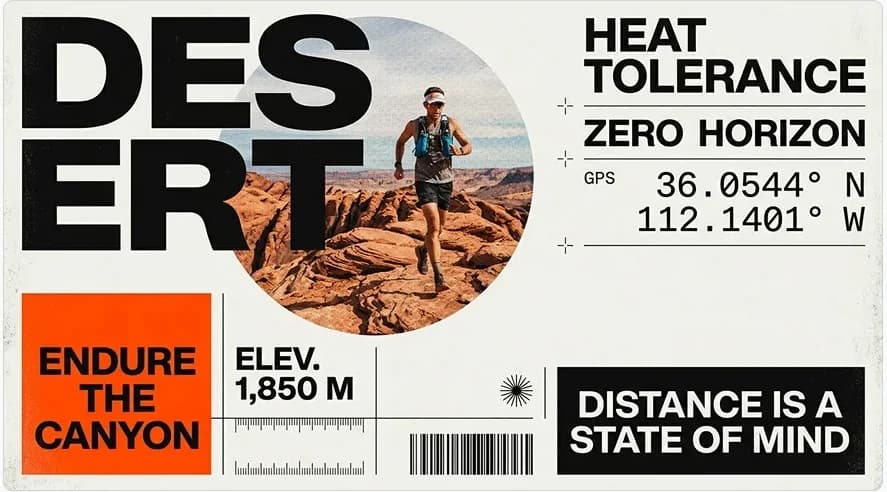
Google official Nano Banana 2.1 example: Swiss-style DESERT trail-running poster with GPS coordinates, elevation, and a barcodeNano Banana 2.1
Creation modes01

Generate Images from Text

Describe the subject, scene, composition, lighting, and the place the image will be used. Nano Banana 2.1 turns that brief into a new image for a campaign, product page, story frame, or design draft.

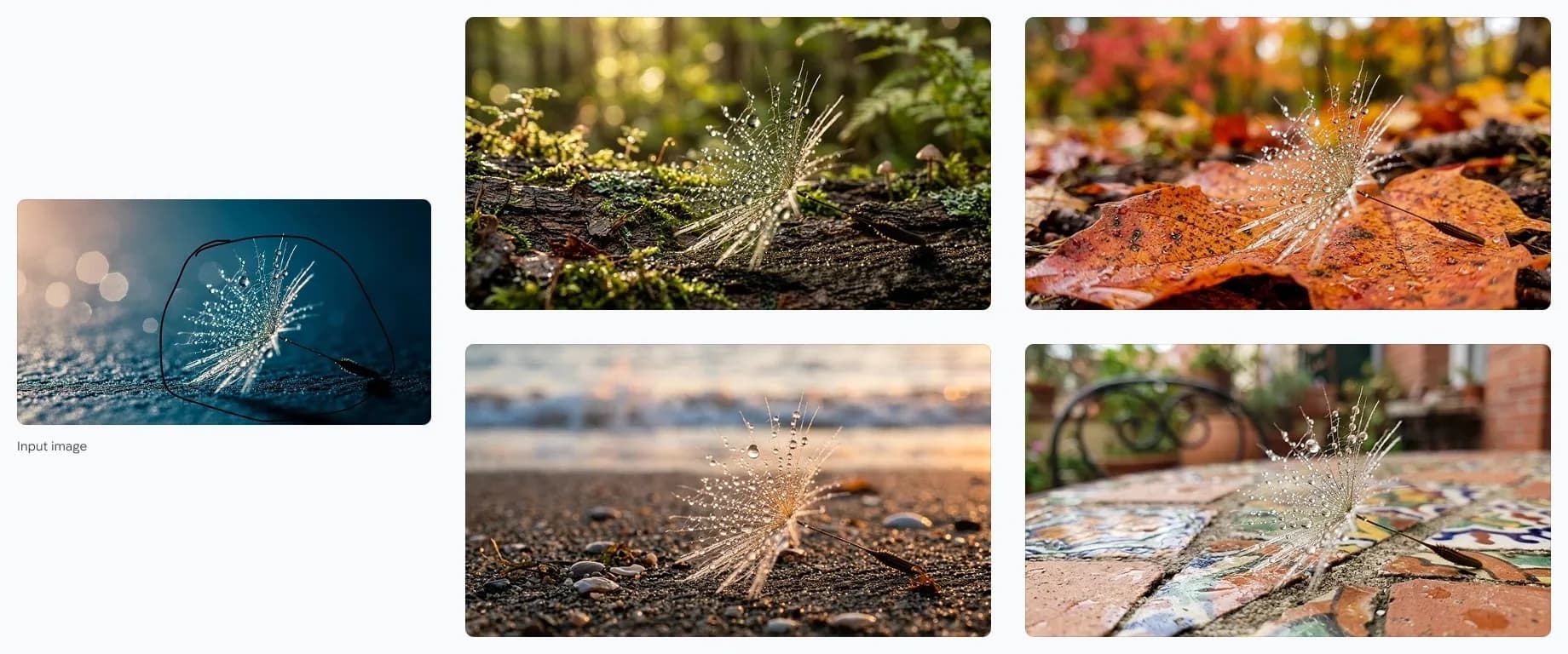
Google official Nano Banana 2.1 example: masked dandelion seed placed into four new scenes from one input imageNano Banana 2.1
Creation modes02

Edit an Image with a Prompt

Upload an image and say what should change and what must stay. Swap a background, restyle a scene, or add an element while naming the details the model should keep intact.

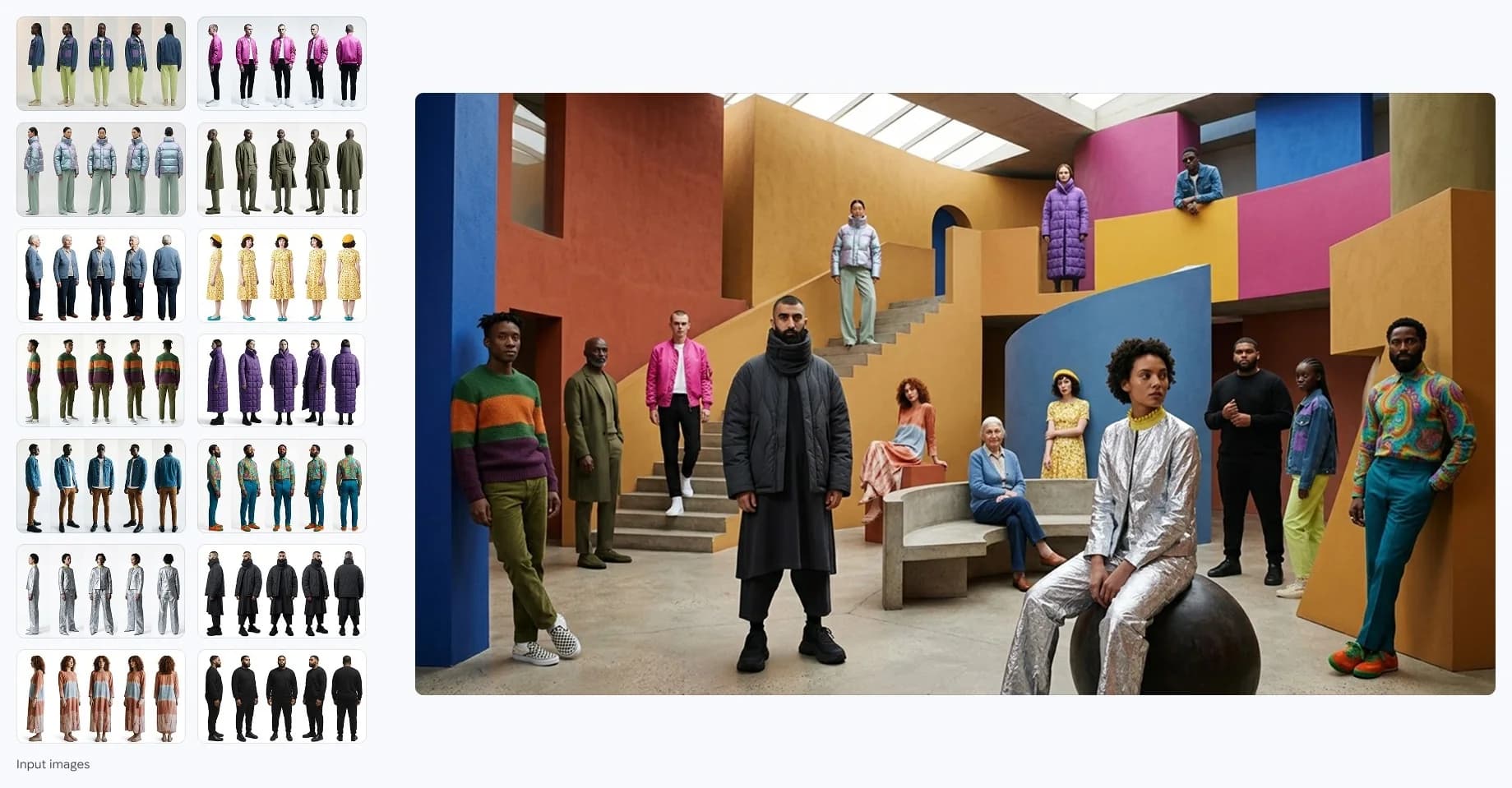
Google official Nano Banana 2.1 example: editorial group shot built from a grid of outfit reference imagesNano Banana 2.1
Creation modes03

Fuse up to 14 Reference Images

Combine people, products, objects, and style references in one generation. Google says Nano Banana 2.1 keeps up to 4 characters and up to 10 objects consistent across a multi-image fusion.

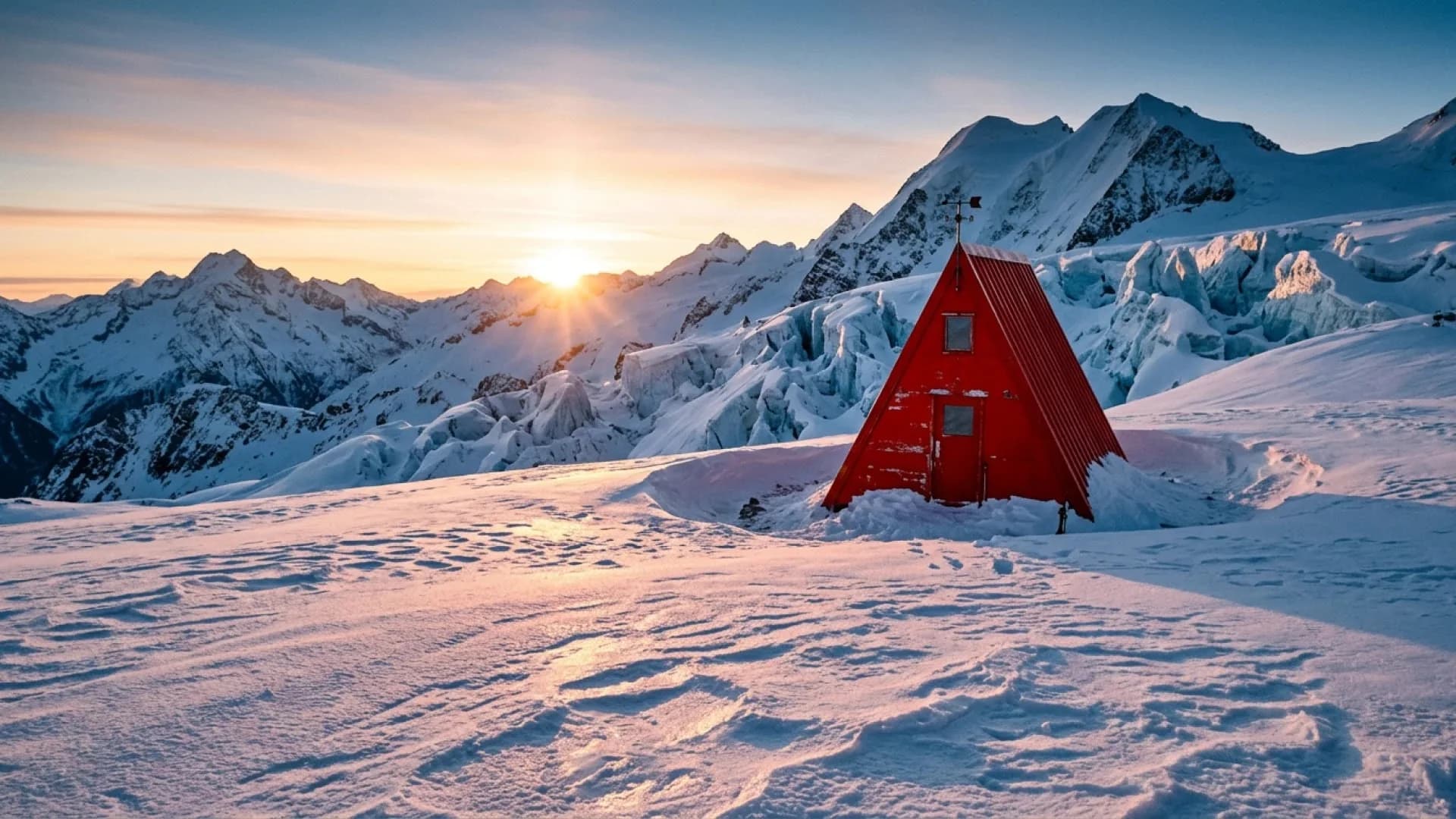
Google official Nano Banana 2.1 example: red A-frame shelter on a snowy alpine plateau at sunriseNano Banana 2.1
Creation modes04

Go Wide Without Tiling Artifacts

Banners, panoramas, and tall story formats are where Nano Banana 2 could repeat patterns. Google reports fixed tiling on 1:4, 4:1, 1:8, and 8:1 at 2K and 4K in Nano Banana 2.1.

Creative control

Keep Text, Subjects, and Format Under Control

A usable image needs readable copy, recognizable subjects, and the right shape for the channel. These are the areas Google targeted in the 2.1 update.

01

Put Exact Text into the Design

Write the exact headline, label, or caption in quotation marks with its language, size, and position. Google reports enhanced text rendering and infographic layout accuracy in Nano Banana 2.1, but very small text can still contain errors, so check every word before publishing.

02

Keep Characters and Products Consistent

Reuse clear references for a person, mascot, or product and say which traits must not change. Google reports better multi-turn character consistency; still compare each result with the source before you treat it as approved.

03

Pick the Output Size per Run

Choose from 14 aspect ratios or auto, then select 1K, 2K, or 4K. Unlike Nano Banana 2, version 2.1 has no 0.5K tier, and each size has its own credit cost shown before you generate.

Creative workflows

What Teams Make with Nano Banana 2.1

Choose the size and references around the final placement, then write the prompt for the channel where the image will appear.

01

Posters, ads, and social graphics

Create layout-led visuals with headlines, data blocks, and badges. Google's own 2.1 examples include typography-heavy sports and travel posters.

02

Product photography and mockups

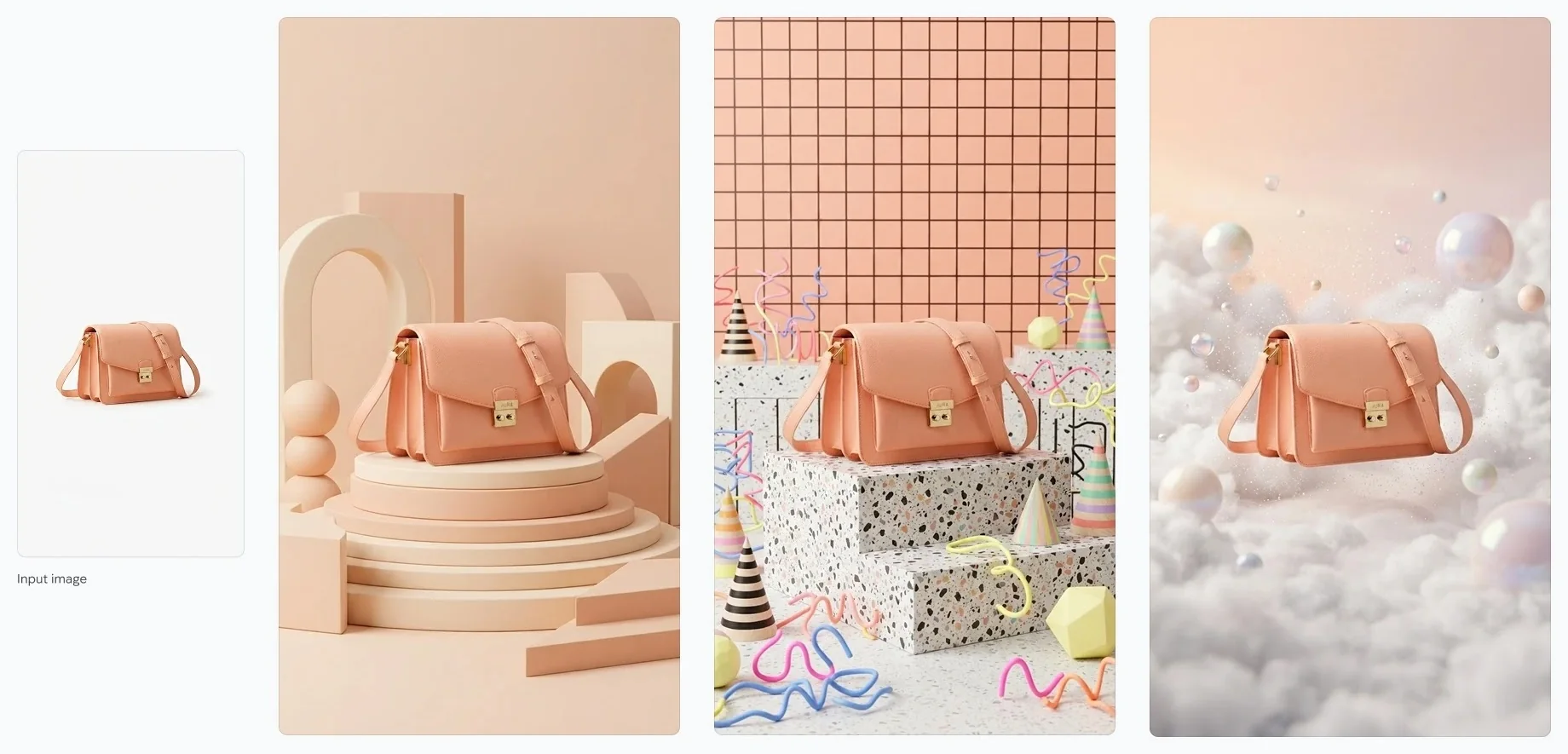
Place a product reference on new sets, pedestals, and lifestyle scenes while keeping its shape, color, and hardware recognizable from shot to shot.

03

Infographics and explainers

Turn notes and facts into labeled diagrams, menus, and educational visuals. Review every number, label, and claim before you publish generated information.

04

Storyboards and video first frames

Generate a consistent cast across frames, then carry the approved still into image-to-video as a first frame or character reference.

Four-step workflow

How to Use Nano Banana 2.1 on SeedVideo AI

Start with a clear goal, give the model the visual context it needs, and judge each result against the real use case.

  1. Step 1

    Select Nano Banana 2.1

    Open the image generator on this page and choose Nano Banana 2.1 from the Google models in the picker.

  2. Step 2

    Write a Prompt or Add References

    Describe the subject, setting, composition, text, and intended use. Upload up to 14 references when a person, product, palette, or layout needs a concrete guide.

  3. Step 3

    Choose Ratio and Size, Then Generate

    Pick an aspect ratio and 1K, 2K, or 4K. Check the result for text accuracy, subject fidelity, and fit for the final channel.

  4. Step 4

    Refine or Turn It into Video

    Make one focused edit at a time, download the finished image, or use it as the starting frame of a SeedVideo AI video.

Official example

Nano Banana 2.1 Image Showcase

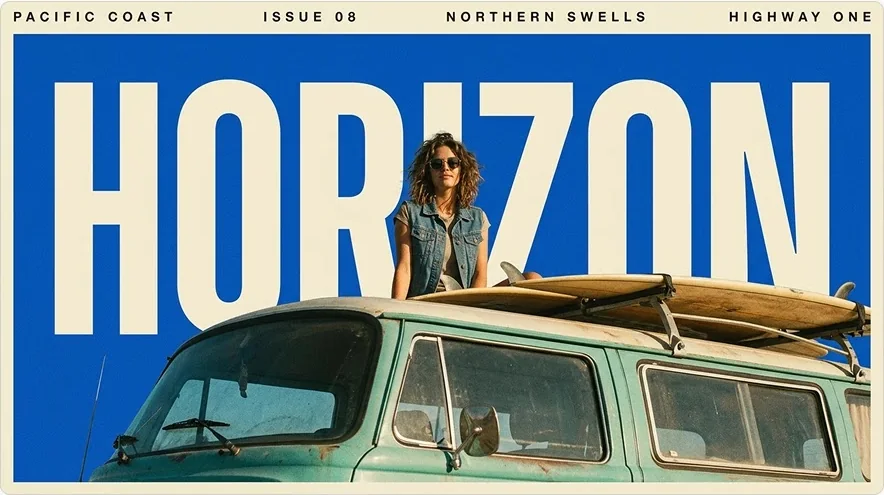
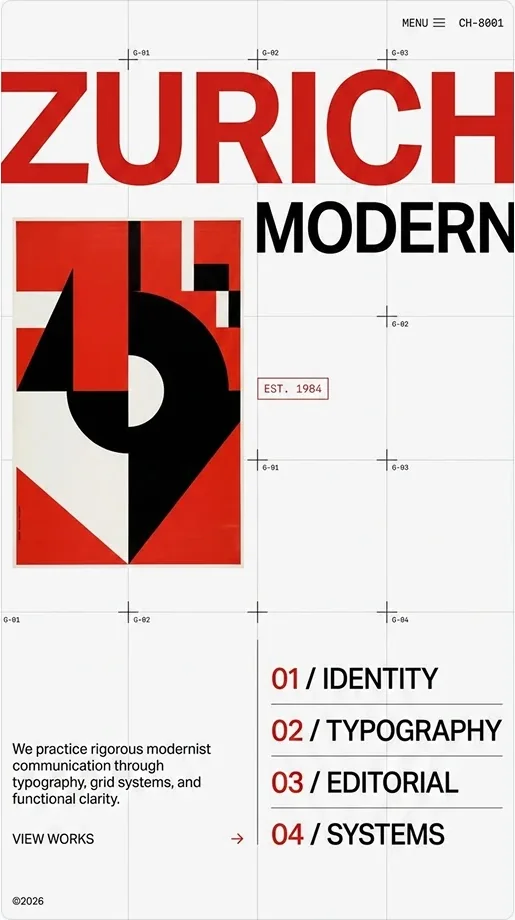
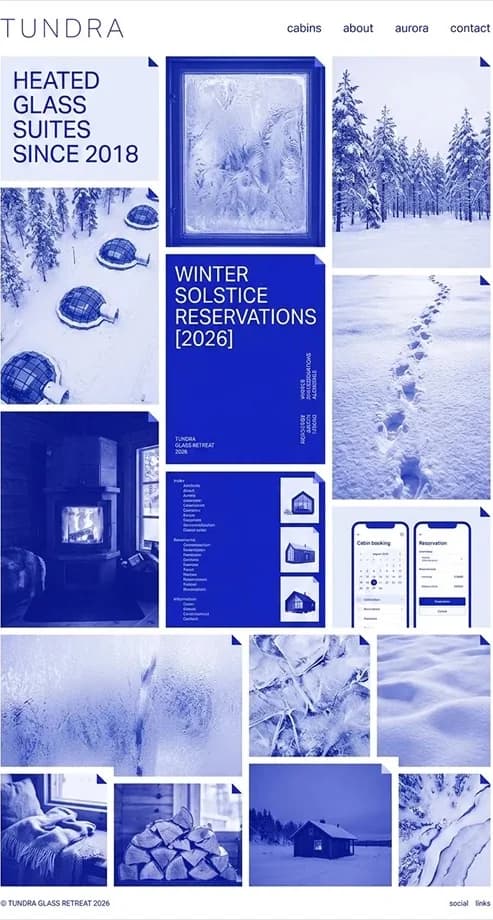
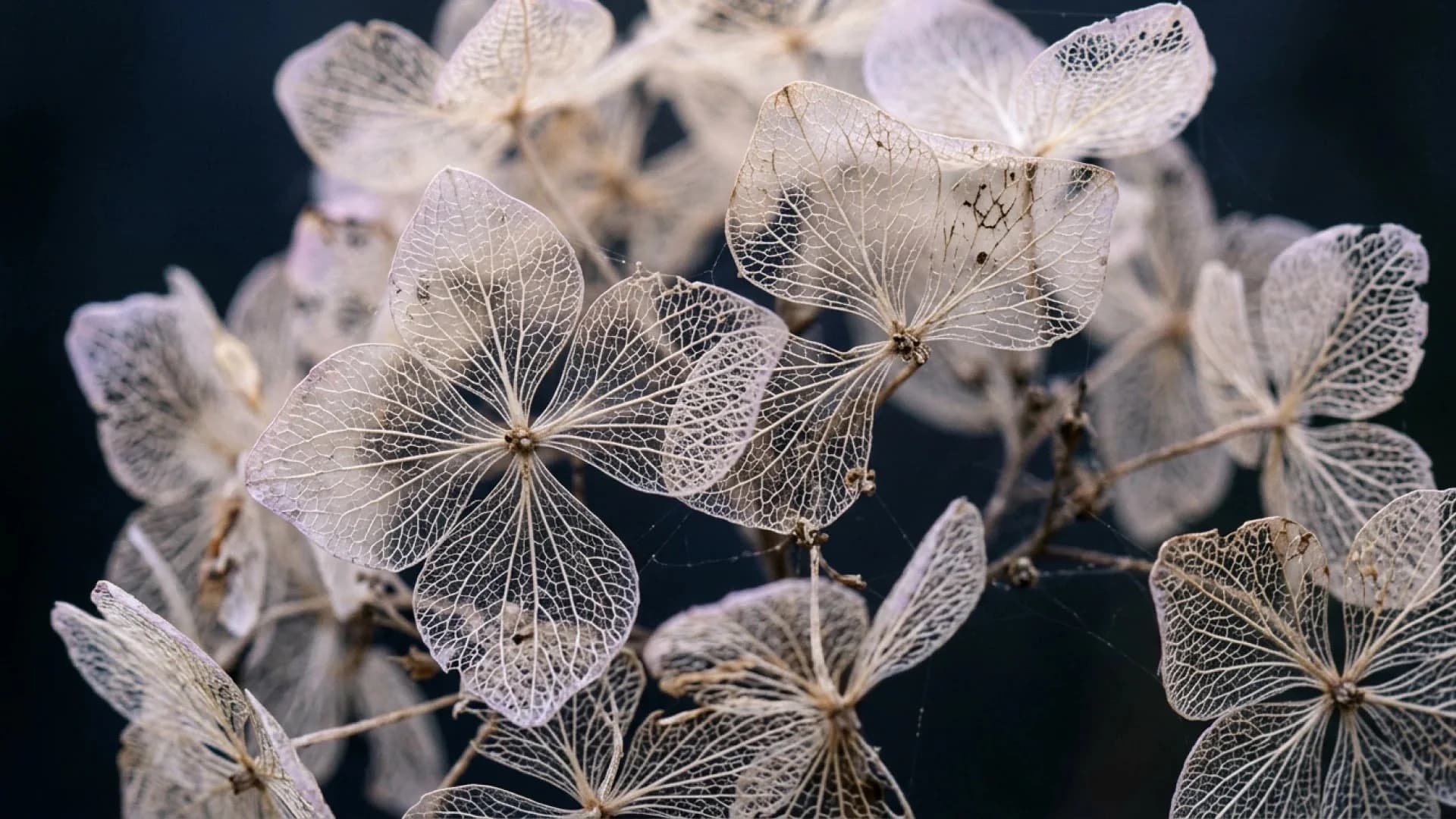
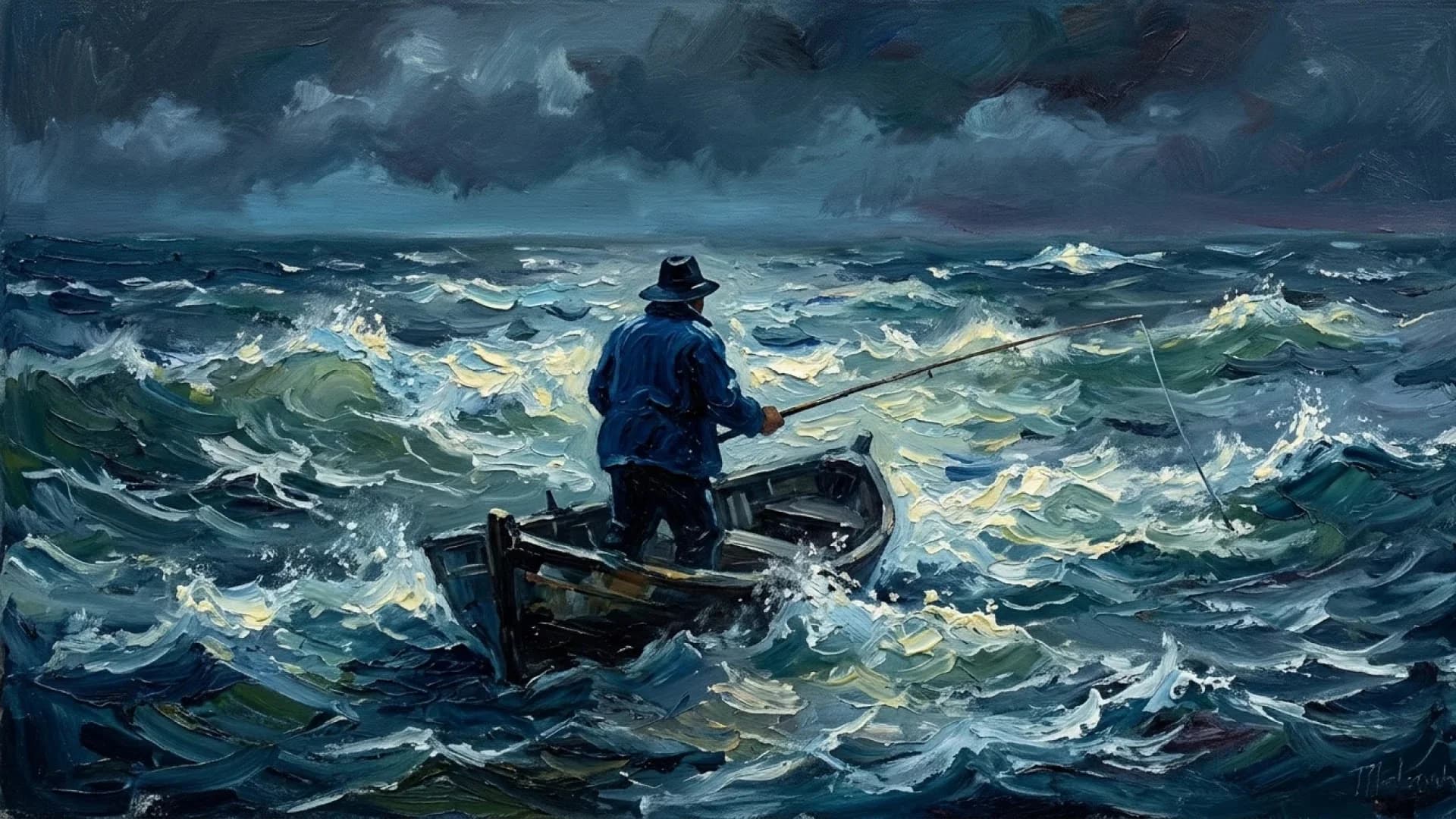
Google released these examples with Nano Banana 2.1: a Swiss-grid studio identity, a 1970s HORIZON travel poster, a full-page website mockup, one bag kept consistent across product sets, and photographic and painterly stills. Each image is shown in full.

Google official Nano Banana 2.1 example: 1970s HORIZON travel poster with a woman on a teal camper vanNano Banana 2.1
Google official Nano Banana 2.1 example: ZURICH MODERN Swiss-grid studio identity pageNano Banana 2.1
Google official Nano Banana 2.1 example: full-page TUNDRA hotel website mockupNano Banana 2.1
Google official Nano Banana 2.1 example: one peach crossbody bag kept consistent across three product setsNano Banana 2.1
Google official Nano Banana 2.1 example: macro photo of skeletonized hydrangea flowersNano Banana 2.1
Google official Nano Banana 2.1 example: impressionist oil painting of a fisherman in a stormy seaNano Banana 2.1
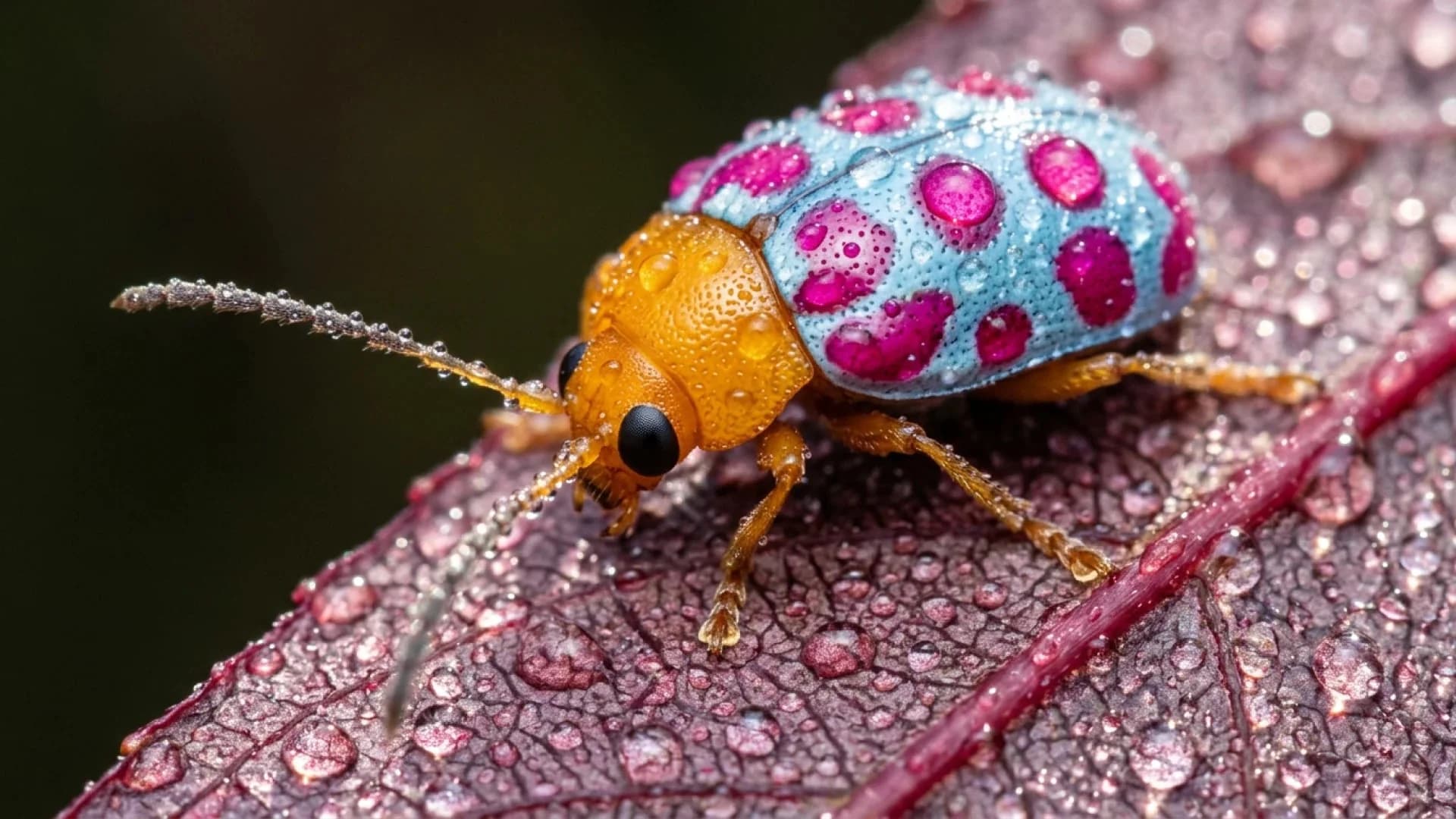
Google official Nano Banana 2.1 example: macro photo of a dew-covered beetle on a leafNano Banana 2.1
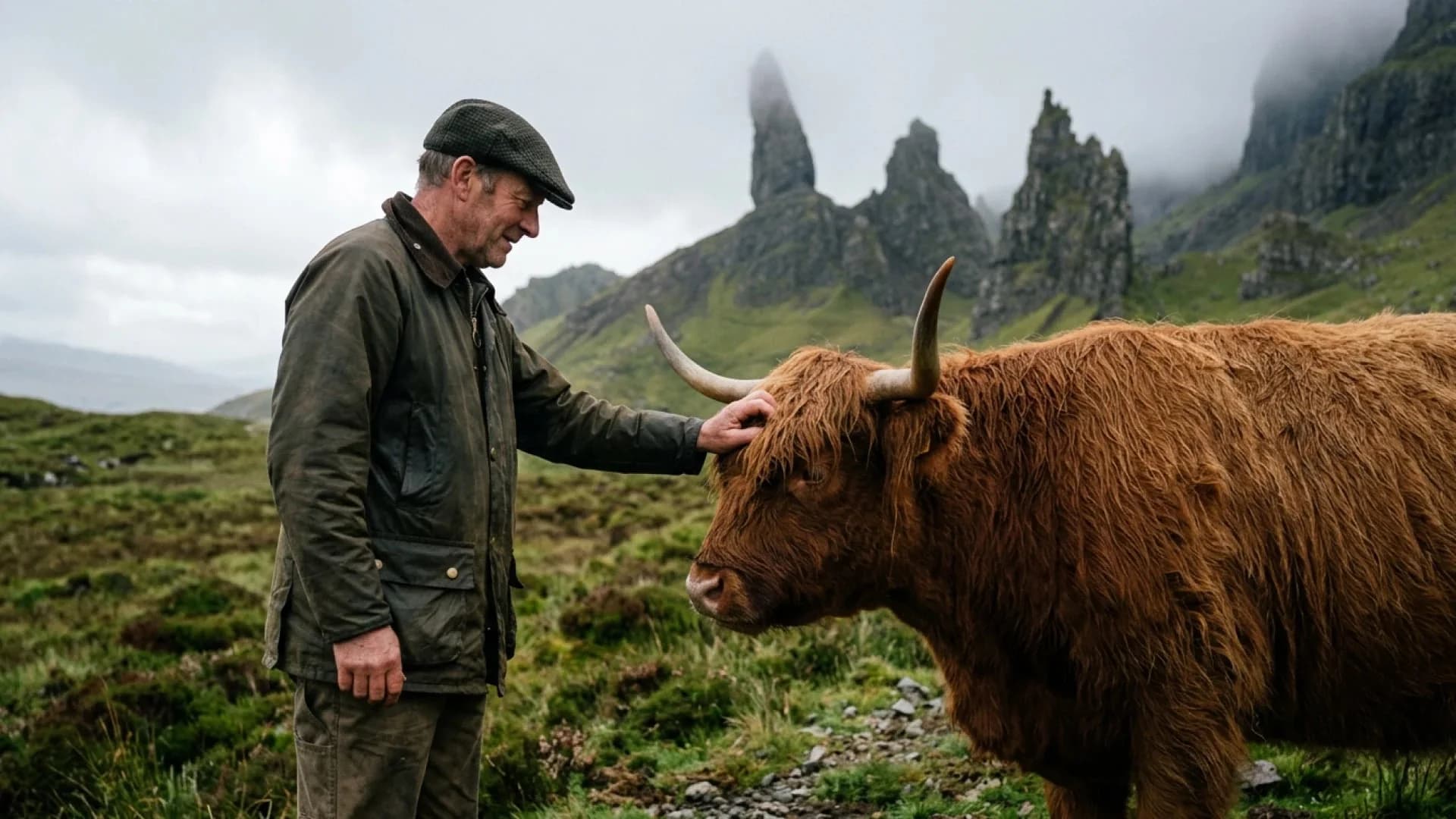
Google official Nano Banana 2.1 example: man in a flat cap petting a Highland cow in misty Scottish hillsNano Banana 2.1

Prompt guide

How to Write Better Nano Banana 2.1 Prompts

Google's own 2.1 prompts read like short art-direction briefs: the style, the layout, the exact copy, and the finish. Write yours the same way.

Prompt 01

Name the Style, Layout, and Palette

Start with the format and visual language, such as "Neo-Swiss sports poster" or "1970s travel cover". Then place the main elements and give two or three colors.

Prompt 02

Quote Every Word You Need

Put each headline, label, and number in quotation marks and say where it goes. Ask for crisp, legible typography and nothing extra, then proofread the output.

Prompt 03

Say What Changes and What Stays

For edits, name the target, the change, and the protected details. For example: replace only the backdrop with a terrazzo set; keep the bag, clasp, angle, and shadows unchanged.

Our test

Same Prompt, Two Models: Nano Banana 2 vs 2.1

On October 7, 2026 we sent four identical prompts to Nano Banana 2 and Nano Banana 2.1 at 2K, one run per model, and kept every result exactly as generated. Spelling was clean in both; the clearest differences were instruction following and cost.

Measured on SeedVideo AINano Banana 2Nano Banana 2.1
Credits per 2K image42
Generation time in our run24–25 s24–34 s
Spelling errors in the requested text00
Text added that the prompt did not ask for1 extra headerNone

01

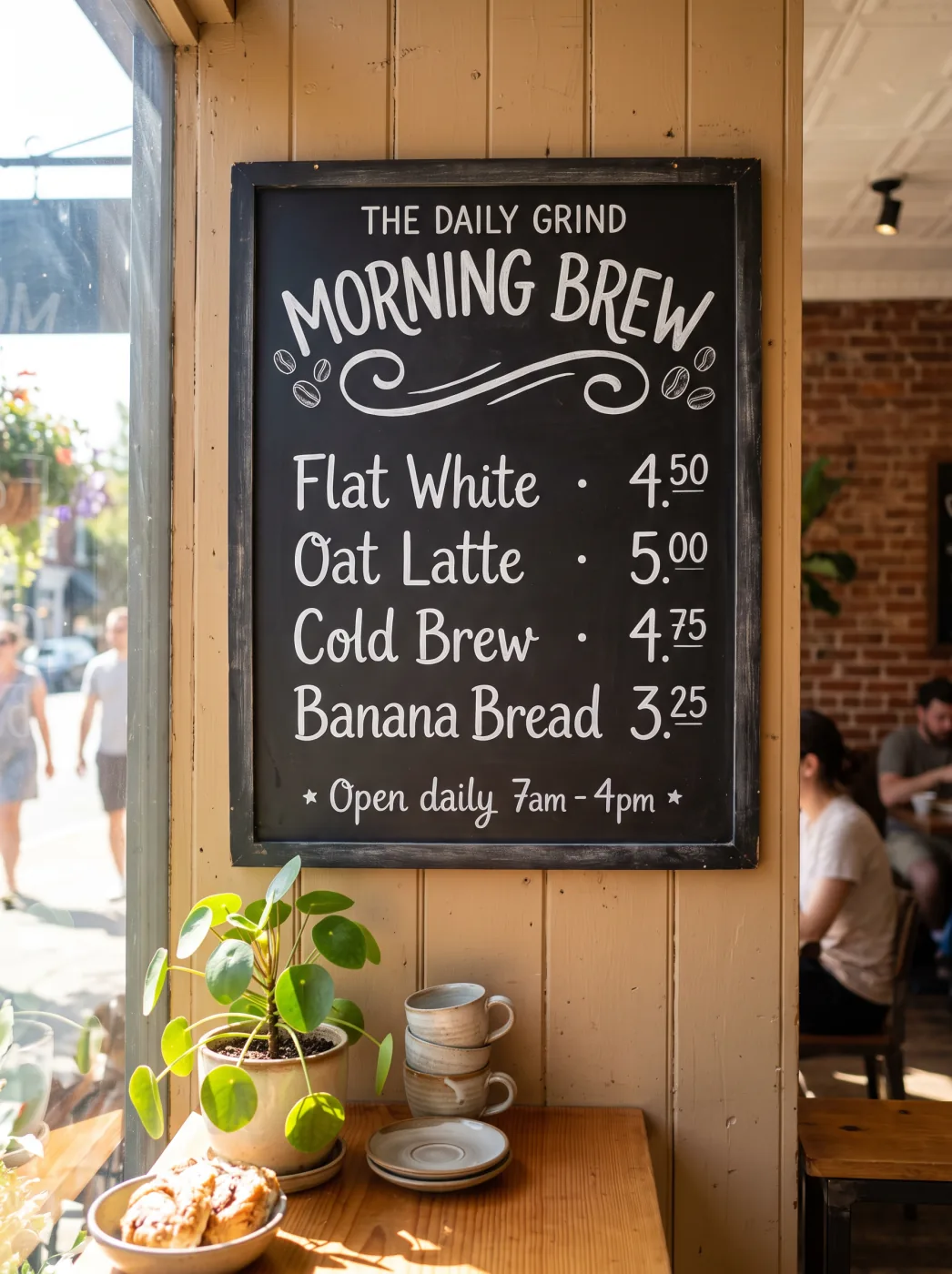
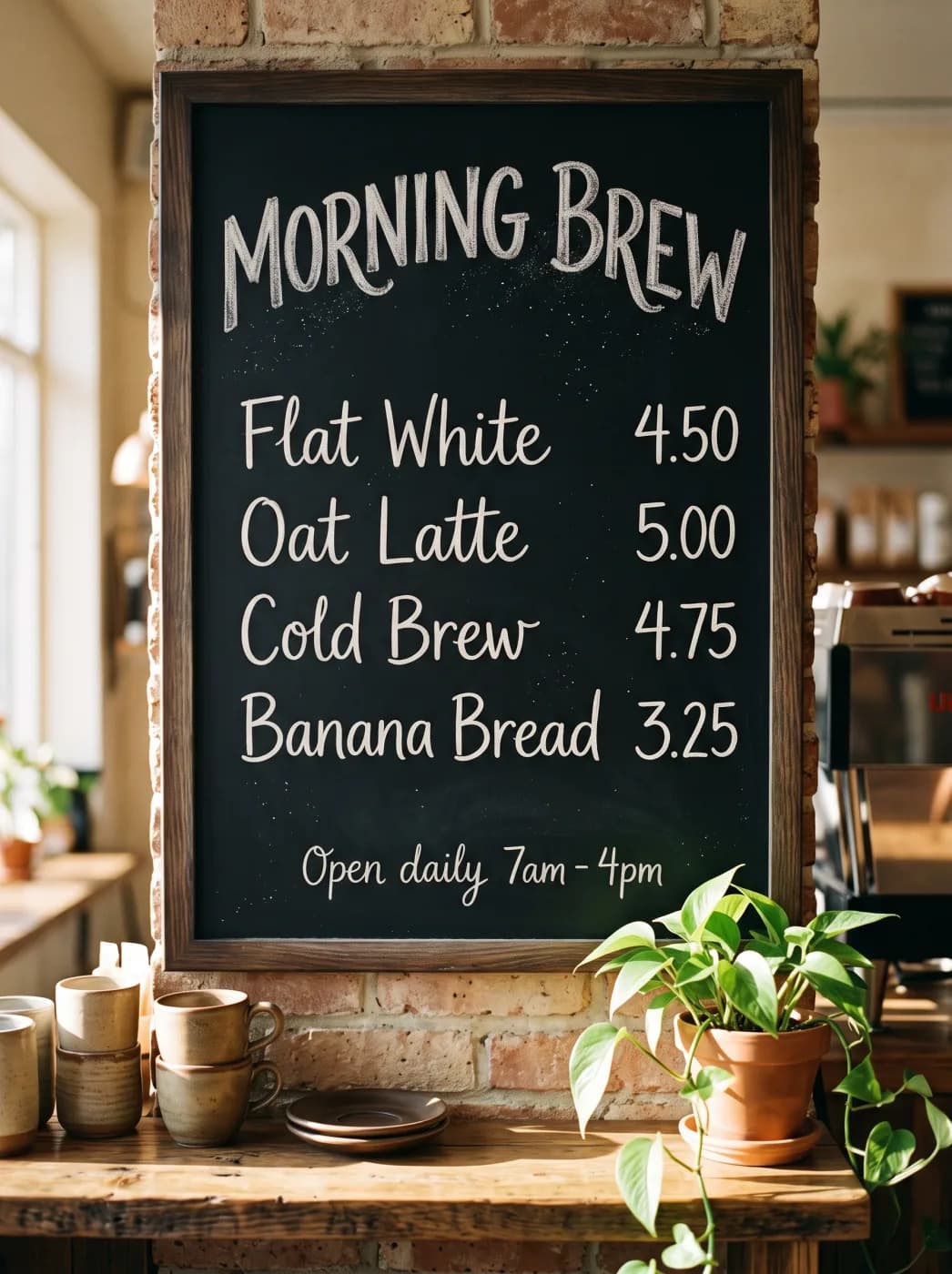
Chalkboard menu with exact prices

Both spelled every item and price correctly. Nano Banana 2 added a header the prompt never asked for, “THE DAILY GRIND”, and set the prices in superscript; Nano Banana 2.1 rendered only the requested lines.

Prompt · 3:4 · 2K

A chalkboard menu hanging in a sunlit neighborhood coffee shop, photographed straight on. Hand-lettered white chalk text, spelled exactly: title "MORNING BREW"; then four lines with prices aligned on the right: "Flat White 4.50", "Oat Latte 5.00", "Cold Brew 4.75", "Banana Bread 3.25"; small footer "Open daily 7am - 4pm". Warm natural light, a potted plant and ceramic cups on the counter below. All text sharp, correctly spelled, and readable.

Nano Banana 2 · Chalkboard menu with exact prices
Nano Banana 2
Nano Banana 2.1 · Chalkboard menu with exact prices
Nano Banana 2.1

02

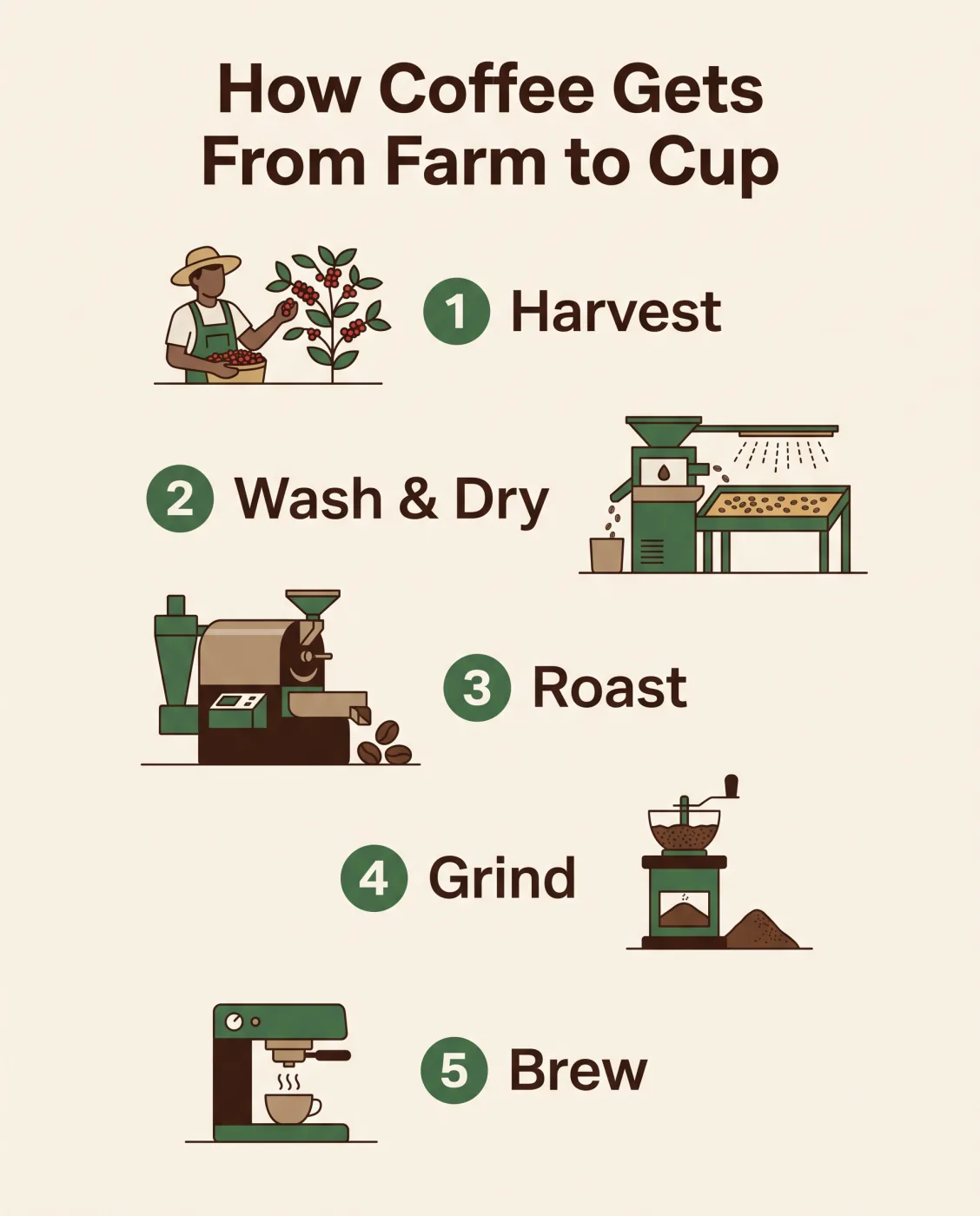
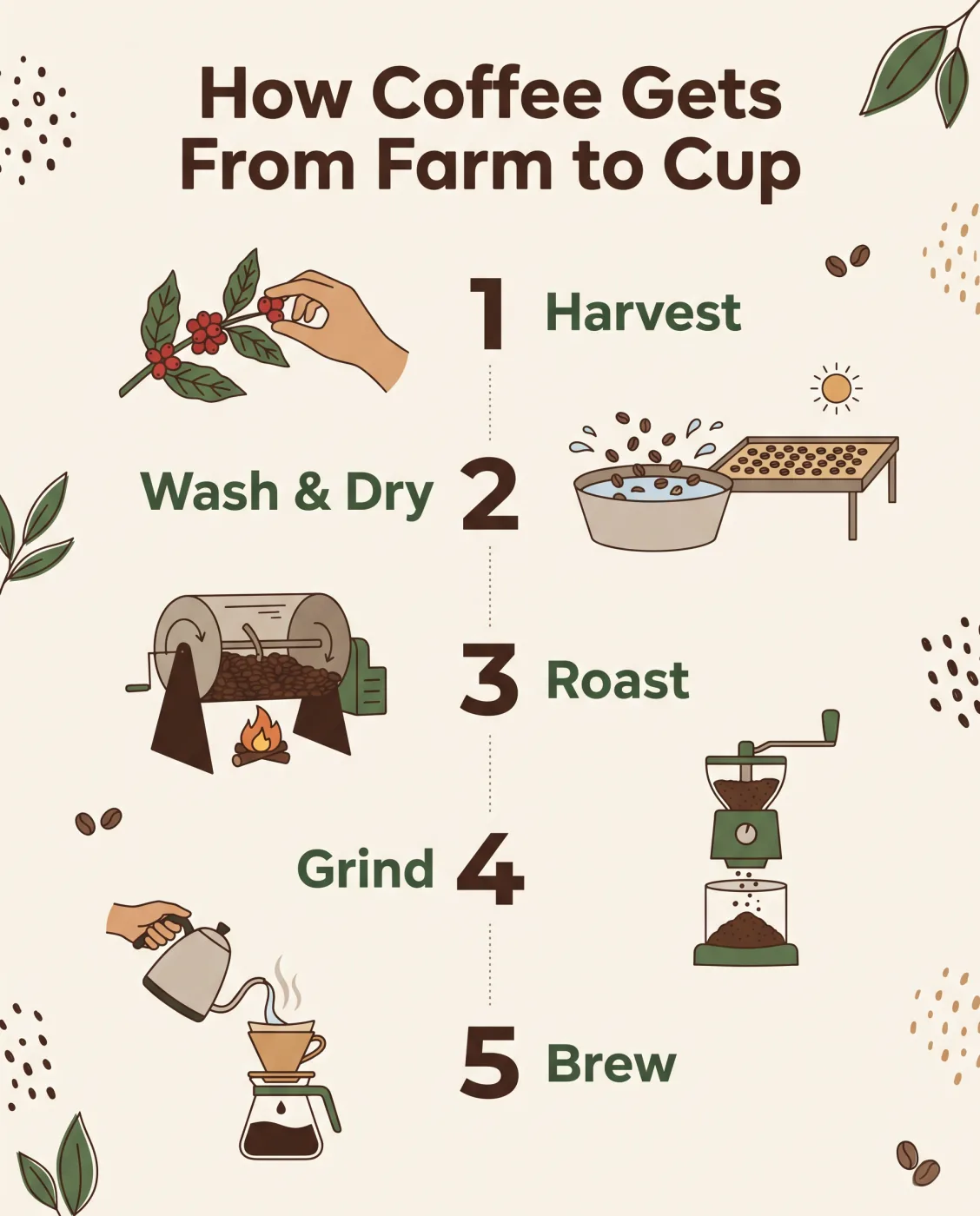
Five-step infographic

Both spelled the title and all five labels correctly. Nano Banana 2.1 chose a more editorial layout with alternating labels; Nano Banana 2 kept a tidier single-column list.

Prompt · 4:5 · 2K

A clean educational infographic titled "How Coffee Gets From Farm to Cup" with five numbered steps arranged top to bottom, each with a small flat illustration and a one-line label: "1 Harvest", "2 Wash & Dry", "3 Roast", "4 Grind", "5 Brew". Cream background, dark brown and green palette, modern sans-serif type, generous spacing, all labels spelled exactly as written.

Nano Banana 2 · Five-step infographic
Nano Banana 2
Nano Banana 2.1 · Five-step infographic
Nano Banana 2.1

03

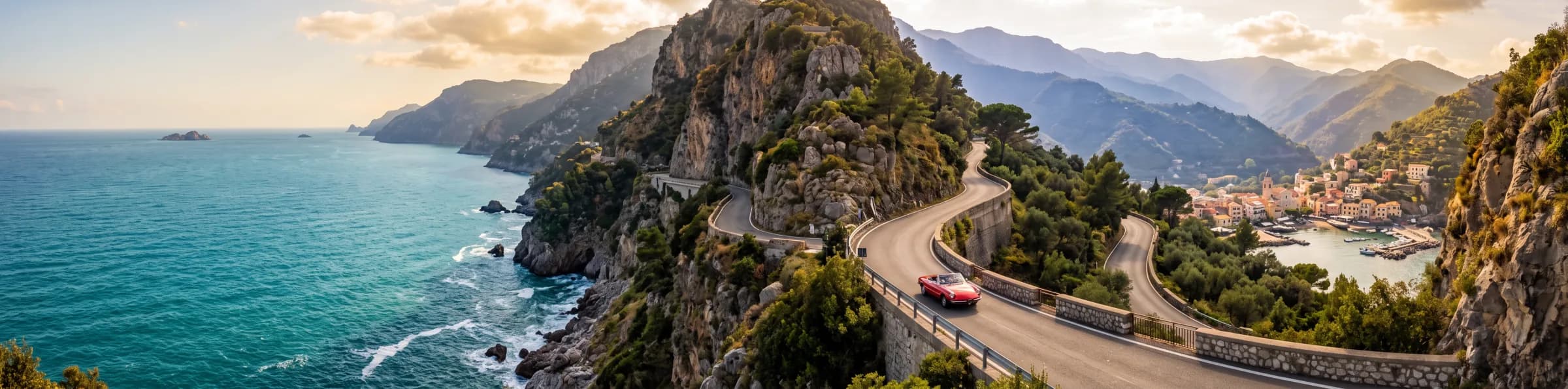
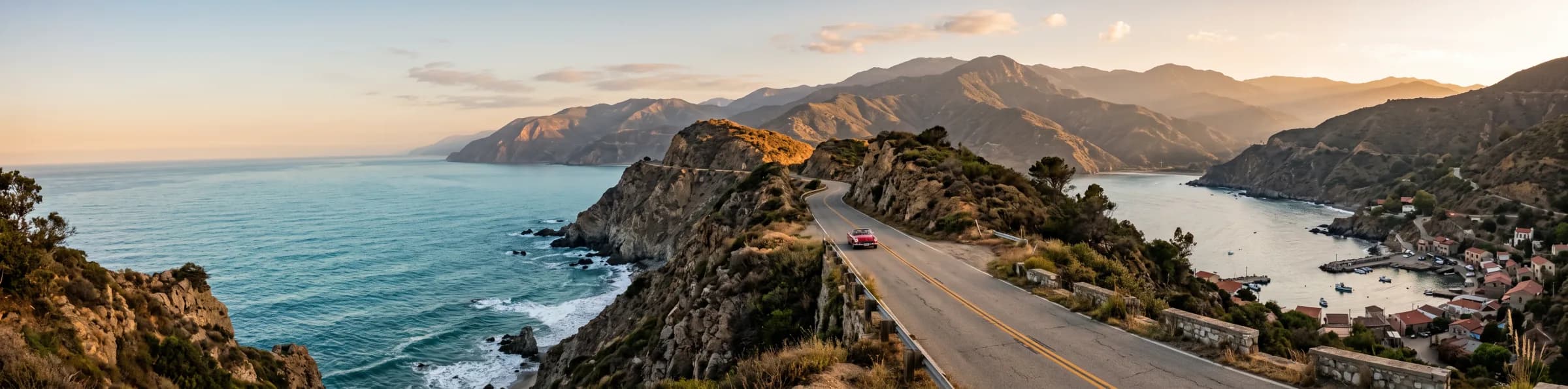
4:1 coastal panorama

Both returned a continuous 4128 × 1024 landscape with no visible repeated tiles in this run, so the tiling fix Google describes did not show up as a difference here.

Prompt · 4:1 · 2K

An ultra-wide panoramic photograph of a coastal mountain road at golden hour: the road winds along cliffs above a turquoise sea, a single red vintage car in the middle distance, small fishing village at the far right, layered mountains fading into haze. Natural, continuous landscape with no repeated elements, realistic light, high detail.

Nano Banana 2 · 4:1 coastal panorama
Nano Banana 2
Nano Banana 2.1 · 4:1 coastal panorama
Nano Banana 2.1

04

Product shot with an embossed logo

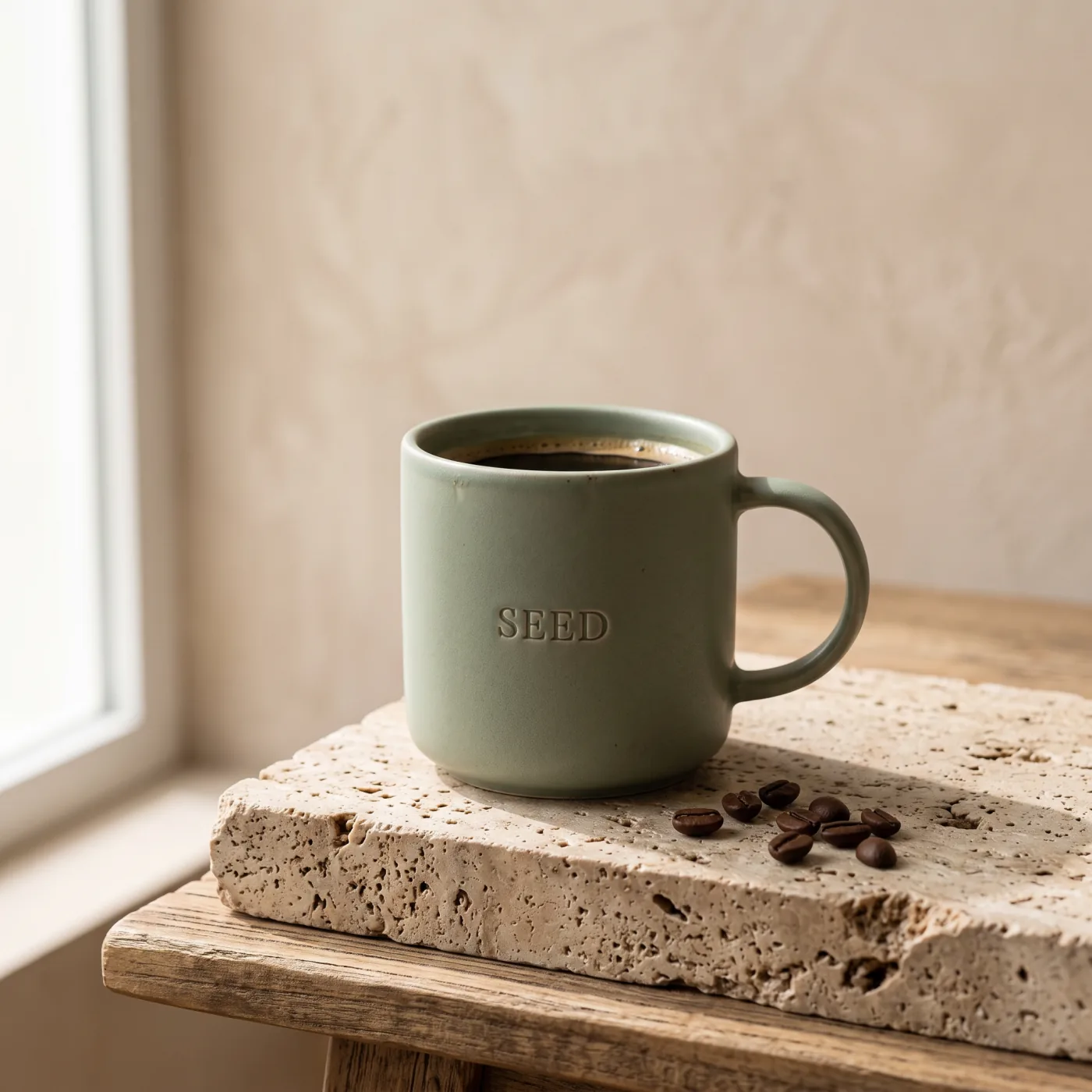
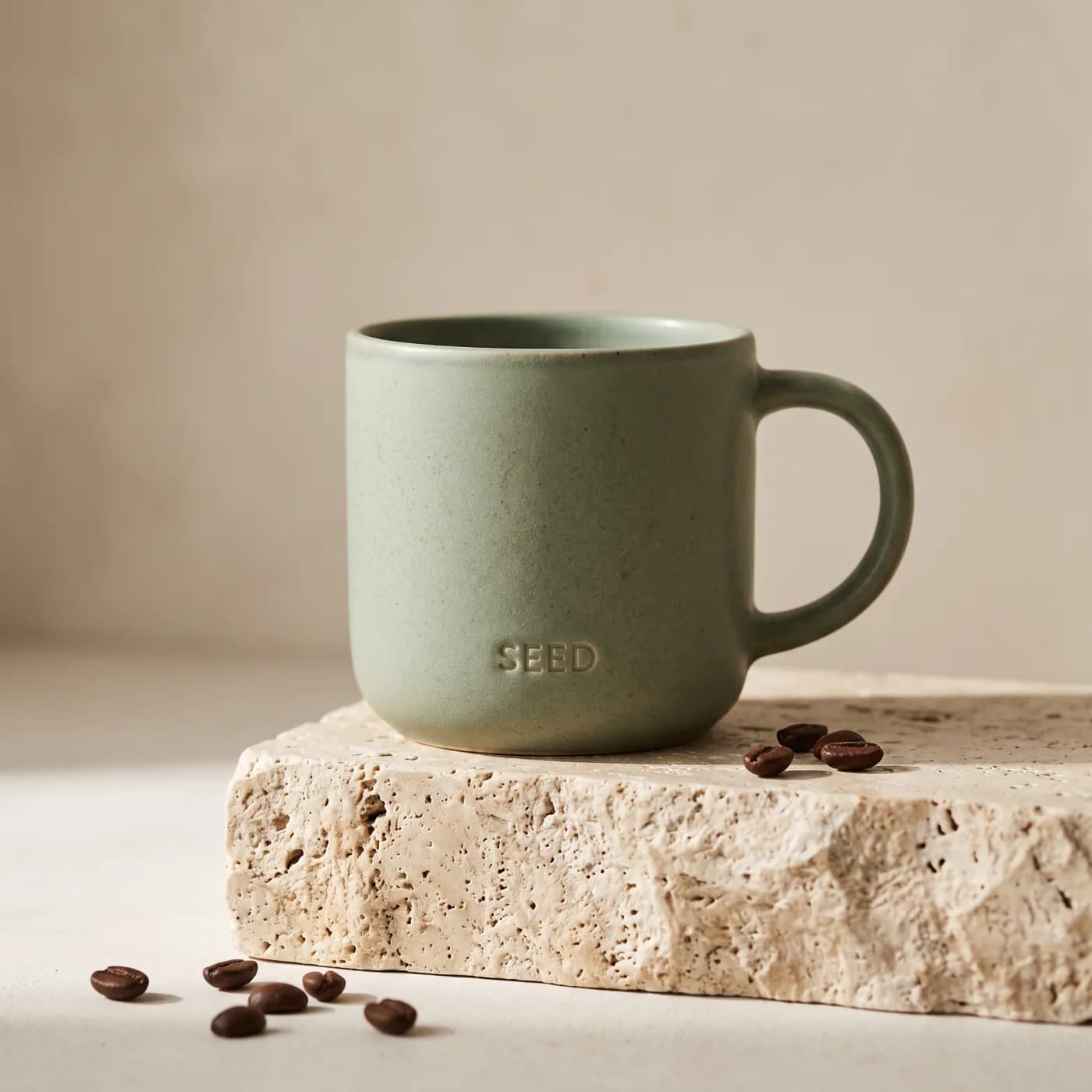
Both produced photoreal mugs with a legible “SEED” emboss and travertine texture. Quality was comparable, and Nano Banana 2.1 used half the credits.

Prompt · 1:1 · 2K

Premium studio product photograph of a matte sage-green ceramic coffee mug with a small embossed logo reading "SEED" on the side, standing on a travertine stone block, soft window light from the left, gentle shadow, a few roasted coffee beans scattered in front, minimal beige background. Photorealistic, crisp detail on the glaze texture.

Nano Banana 2 · Product shot with an embossed logo
Nano Banana 2
Nano Banana 2.1 · Product shot with an embossed logo
Nano Banana 2.1

Model comparison

Nano Banana 2.1 Compared with Other Image Models

Choose by the job, not by a single ranking. Run the same prompt, references, and aspect ratio through each model before you commit to one for production.

01

Nano Banana 2.1 vs Nano Banana 2

Same Flash family and the same 14 references, with better quality, text, consistency, and wide-ratio output in 2.1. Nano Banana 2 keeps a 0.5K tier for the cheapest drafts. On SeedVideo AI, 2.1 costs fewer credits than Nano Banana 2 at 1K, 2K, and 4K.

02

Nano Banana 2.1 vs Nano Banana Pro

Google positions 2.1 as the more efficient counterpart to Nano Banana Pro. Use 2.1 for fast, high-volume work; switch to Pro when a dense layout, demanding mockup, or brand-critical asset needs more deliberate reasoning.

03

Nano Banana 2.1 vs GPT Image 2.5

Both handle generation, editing, and text in images. Test GPT Image 2.5 when precise edits and faithful reference photos matter most; test Nano Banana 2.1 for Gemini-native multi-image fusion, wide formats, and lower per-image cost at 2K.

At a glance

Nano Banana 2.1 Comparison Chart

A quick summary of current differences. Model versions, limits, and availability change, so check the linked primary sources before a production rollout.

Nano Banana 2.1

Developer
Google
Supported inputs
Text and image
Editing and references
Generation, editing, and up to 14 references with 4-character and 10-object consistency
Output options
1K, 2K, and 4K on SeedVideo AI
Primary access
SeedVideo AI and Gemini API
Google Gemini Nano Banana 2.1

Nano Banana 2

Developer
Google
Supported inputs
Text and image
Editing and references
Fast generation and editing with up to 14 references; deprecated by Google in favor of 2.1
Output options
0.5K, 1K, 2K, and 4K on SeedVideo AI
Primary access
SeedVideo AI and Gemini API
Google Gemini 3.1 Flash Image

Nano Banana Pro

Developer
Google
Supported inputs
Text and image
Editing and references
Reasoning-led generation and editing for complex layouts, mockups, and precise text
Output options
1K, 2K, and 4K on SeedVideo AI
Primary access
SeedVideo AI and Gemini API
Google Gemini 3 Pro Image

GPT Image 2.5

Developer
OpenAI
Supported inputs
Text and image
Editing and references
Precision editing and faithful reference photos in Sunburst and Flare variants
Output options
1K, 2K, and 4K on SeedVideo AI
Primary access
SeedVideo AI and OpenAI API
OpenAI GPT Image 2.5

Google states that images from its native Gemini image models carry an invisible SynthID watermark. SeedVideo AI does not add a visible platform watermark to downloads. Always review text, identities, brand details, and factual claims before use.

Primary sources

Start with starter credits

Try Nano Banana 2.1 with Free Trial Credits

Generate your first Nano Banana 2.1 image from a prompt or reference and compare it with Nano Banana 2 on the same brief. New users receive starter credits after signing up; further use follows the current SeedVideo AI credit rules.

Start Creating

FAQ

Frequently Asked Questions About Nano Banana 2.1

Quick answers about the release, changes from Nano Banana 2, sizes, references, pricing, watermarks, and commercial use.

Nano Banana 2.1 is Google's latest high-efficiency image generation and editing model, with the model code gemini-nano-banana-2.1. It is an update to Nano Banana 2 (Gemini 3.1 Flash Image) and the more efficient counterpart to Nano Banana Pro.

Google announced Nano Banana 2.1 as generally available in the Gemini API on October 6, 2026, and rolled it out to Google products such as the Gemini app, AI Studio, and Flow. It is available on SeedVideo AI now.

Google reports better visual quality and realism, stronger prompt adherence, more consistent characters across edits, improved text and infographic layouts, and fixed tiling artifacts on 1:4, 4:1, 1:8, and 8:1 images at 2K and 4K. Version 2.1 drops the 0.5K output tier.

In our four-prompt test at 2K, Nano Banana 2.1 matched Nano Banana 2 on image quality and spelling, followed exact-text instructions more closely, and cost 2 credits per image instead of 4. Generation time was about the same, roughly 24 seconds. Four prompts is a small sample, so test your own briefs too.

SeedVideo AI is free to try with limited starter credits for new users. It is not an unlimited free service; additional generations use credits under the current account and pricing rules. On SeedVideo AI, Nano Banana 2.1 costs fewer credits than Nano Banana 2 at every shared resolution.

The SeedVideo AI workspace offers 1K, 2K, and 4K output, plus auto and 14 aspect ratios: 1:1, 1:4, 4:1, 1:8, 8:1, 2:3, 3:2, 3:4, 4:3, 4:5, 5:4, 9:16, 16:9, and 21:9. Each run returns one image.

Up to 14 reference images per generation. Google says the model can keep up to 4 characters and up to 10 objects consistent, so use the clearest, most relevant images rather than duplicates.

SeedVideo AI does not add a visible platform watermark to the downloaded image. Google states that its native Gemini image models embed SynthID, an invisible digital watermark that identifies AI-generated content.

Commercial use depends on the current service terms, your rights to every input, and any brand, privacy, or advertising rules that apply. Review those requirements and check the final image before you publish or sell it.

Connected workflow

Why Create with Nano Banana 2.1 on SeedVideo AI?

Use Google's newest Flash image model next to the rest of your image and video tools, without an API key or setup.

01

Newest Model, Lower Cost per Image

Nano Banana 2.1 costs fewer credits than Nano Banana 2 on SeedVideo AI at 1K, 2K, and 4K, so better output does not mean a bigger bill.

02

Switch Models on the Same Brief

Compare Nano Banana 2.1 with Nano Banana Pro, GPT Image 2.5, or Seedream 5.0 without rewriting your prompt or re-uploading references.

03

Carry the Image into Motion

Use an approved still as the first frame, character reference, or product shot in an image-to-video workflow.

Nano Banana 2.1 · New from Google

Create Your Next Image with Nano Banana 2.1

Add a prompt or references, choose a size up to 4K, and turn the best result into a finished asset or the first frame of your next video.

Start Creating