SeedVideo AI

GPT Image 2.5 Free:Create Sharper AI Images Online

GPT Image 2.5 brings sharper detail, element-level editing, faithful reference photos, and up to 50% lower latency across two API models. While GPT Image 2.5 rolls out, create with the GPT Image workflow on Seedance.io. Try GPT Image 2.5 online for free!

Model overview

What Is GPT Image 2.5?

GPT Image 2.5 — announced as ChatGPT Images 2.5 on September 8, 2026 — is OpenAI's new state-of-the-art image model. It improves lighting, texture, and text rendering, preserves the subjects in your reference photos, and keeps edits consistent across multiple turns, at up to 50% lower latency than Images 2.0.

Official ChatGPT Images 2.5 key art from OpenAI, with each letter rendered in a different generated style

One Release, Two API Models: Flare and Sunburst

The API splits GPT Image 2.5 in two. gpt-image-2.5-flare is OpenAI's fastest model for high-quality everyday generation — creator content, product visuals, and high-volume pipelines. gpt-image-2.5-sunburst is the most capable option for image generation and editing, built for workflows where editing precision matters most. Both share identical token pricing, support inpainting, and carry the 2026-09-08 snapshot.
What is new

What GPT Image 2.5 Improves Over Images 2.0

The GPT Image 2.5 release targets the places where image generation breaks down in real production: fidelity, targeted edits, subject consistency, and speed.

What is new01

Sharper Detail and More Natural Lighting

GPT Image 2.5 renders richer textures, more natural light, and more accurate real-world information. It handles complex layouts — including transparent backgrounds — and holds a visual style more consistently across a set of related images.

What is new02

Edits That Change Only What You Ask

Ask for one change — a product, a background, a line of copy — and GPT Image 2.5 updates that element while preserving the composition, subjects, and brand treatment around it. Earlier edits carry through long conversations without quality degradation.

What is new03

Faithful Subjects from Reference Photos

Attach one or more reference images and GPT Image 2.5 preserves the character, composition, and visual identity of your subject through generation and later edits — the biggest single upgrade for character work and product imagery.

What is new04

Sketch, Templates, and On-Image Comments

In ChatGPT, type @Sketch to draw a visual reference directly, start from templates such as Poster and Merch, place comments on an image to direct a focused edit, and share prompts so others can rerun them with their own photos.

Production control

Built for Work That Goes Through Revisions

A usable GPT Image 2.5 image survives feedback rounds. GPT Image 2.5 is tuned for exactly that: repeated, targeted revisions that protect the decisions already approved.

01

Element-Level Edits Across Many Turns

GPT Image 2.5 instruction following holds up across long editing conversations, so a campaign visual can go through round after round of copy, layout, and detail changes without the rest of the image drifting.

02

Choose Flare or Sunburst by Workflow

Flare answers fastest and suits everyday, high-volume generation; Sunburst trades speed for the tightest control across edits. Both cost the same per token, so the choice is about workflow, not budget.

03

Provenance Built In: C2PA and SynthID

GPT Image 2.5 images carry C2PA content-credentials metadata, and OpenAI is adding Google DeepMind's SynthID invisible watermarking across ChatGPT, Codex, and the API, so output stays identifiable after routine edits.

Creative workflows

What Creators Do with GPT Image 2.5

GPT Image 2.5 is aimed at imagery that must stay on-brand through edits, ship at volume, and increasingly end up in motion.

01

Product visuals that survive revisions

Generate polished GPT Image 2.5 product scenes, then swap backgrounds, seasons, or copy without disturbing the composition the team already approved.

02

High-volume social content with Flare

Flare targets creator and social pipelines — daily variants, thumbnails, and channel-specific layouts at 50% lower latency than Images 2.0.

03

Campaign creative with Sunburst

Sunburst is built for production-ready campaign visuals and polished product imagery where every revision must change one element and preserve the rest.

04

Turn stills into video on Seedance.io

Use a finished GPT Image 2.5 image as a start frame, style reference, or storyboard panel, then animate it with Seedance 2.5, MiniMax H3, and other video models in the same workspace.

Four-step workflow

How to Create and Animate GPT Image 2.5 Images on Seedance.io

GPT Image 2.5 handles composition and identity; the video models handle motion. Seedance.io keeps both steps in one workspace, with the GPT Image workflow available today.

  1. Step 1

    Open the AI Image Generator

    Sign in on Seedance.io and open the image workspace. Describe the subject, setting, composition, lighting, and any required text, or add a reference image that should guide the result.

  2. Step 2

    Generate and Review the First Version

    Pick the GPT Image 2.5 size and quality for the intended channel, generate, and judge the result against the brief — composition, message, hierarchy, and detail, not style alone.

  3. Step 3

    Refine with Focused Edits

    Tell GPT Image 2.5 what should change and what must stay. Replace a background, correct a line of copy, or adjust the light one instruction at a time — the workflow GPT Image 2.5 is optimized for.

  4. Step 4

    Download or Animate the Result

    Keep the GPT Image 2.5 image as a standalone asset, or carry it into image-to-video and Canvas to build motion around the visual direction you approved.

Visual examples

Official GPT Image 2.5 Examples

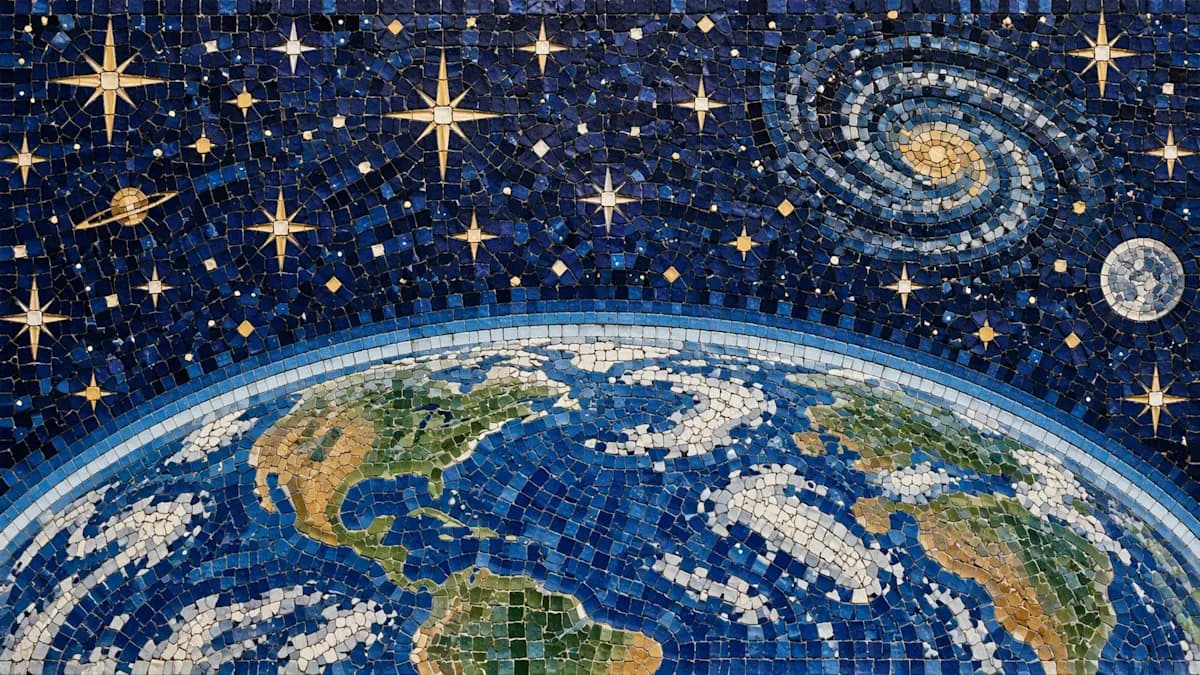
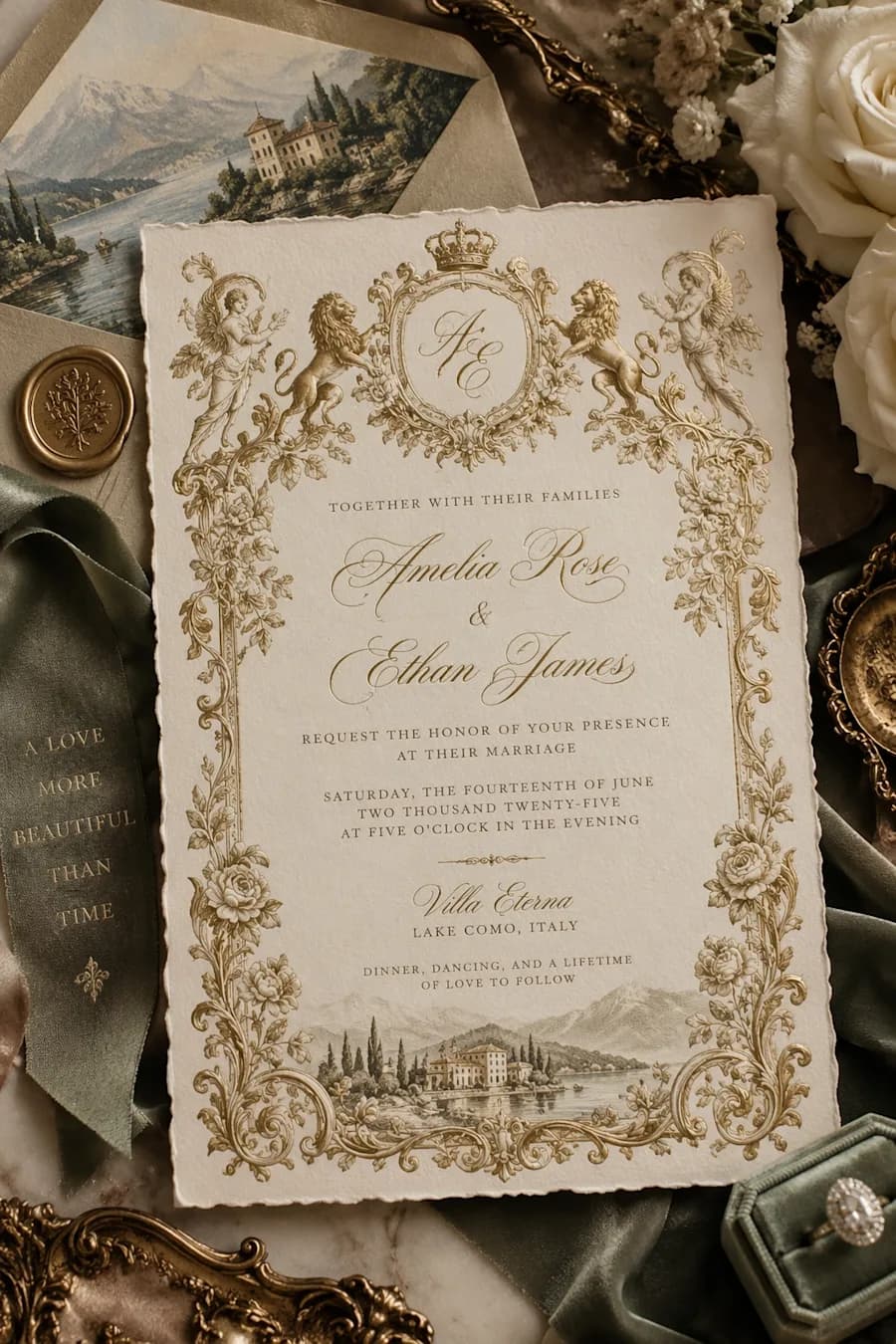
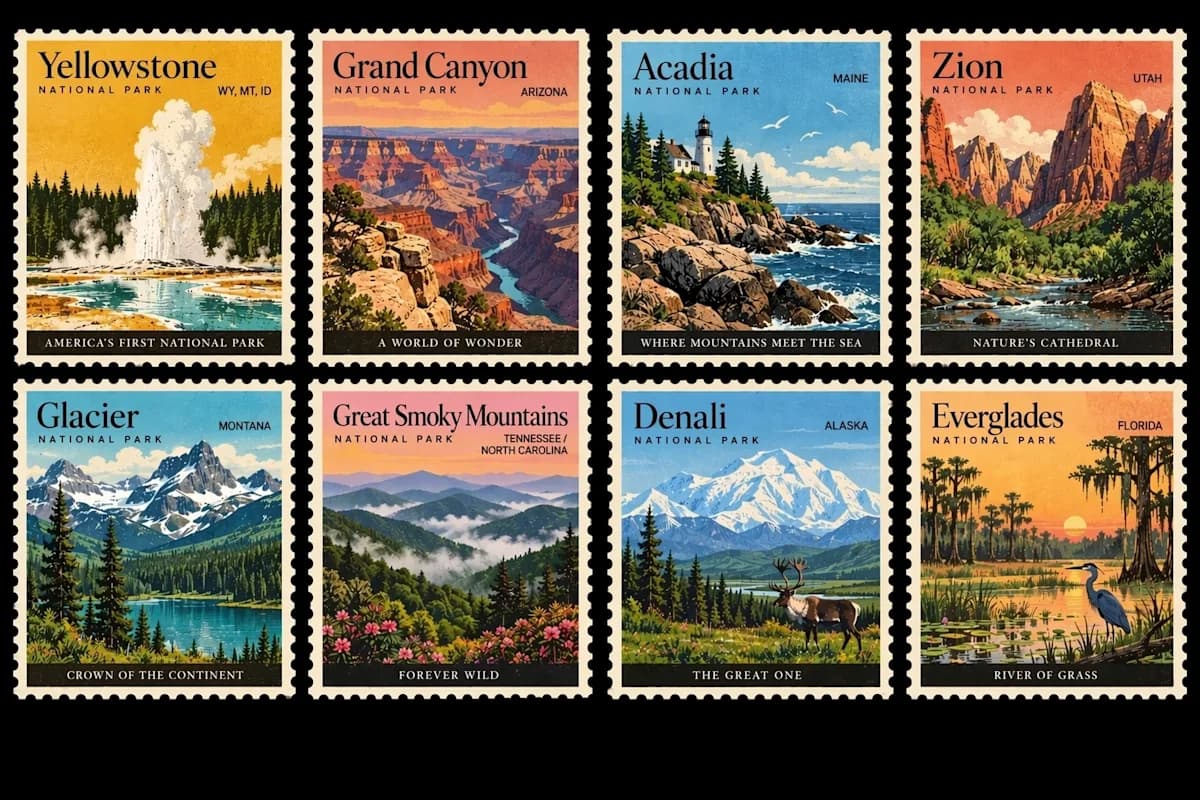
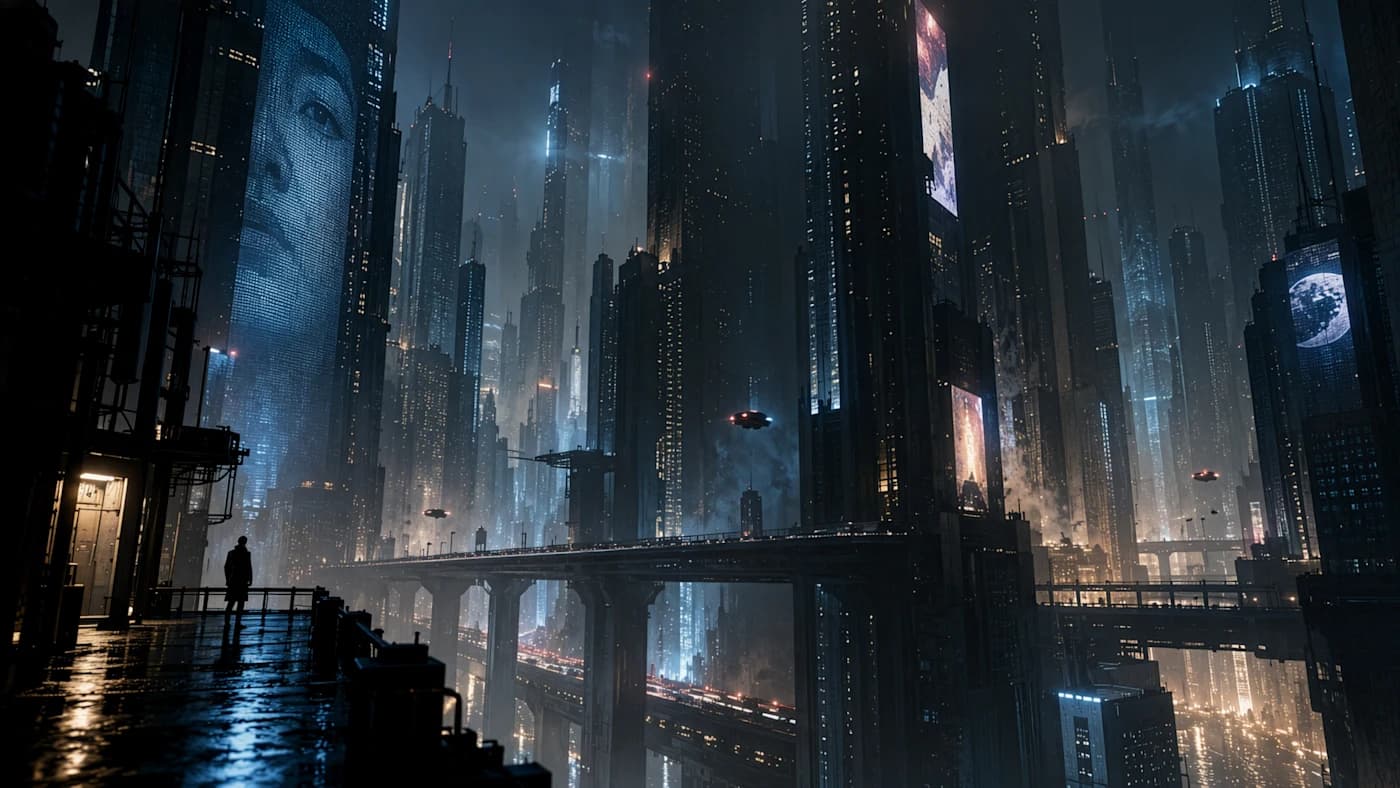
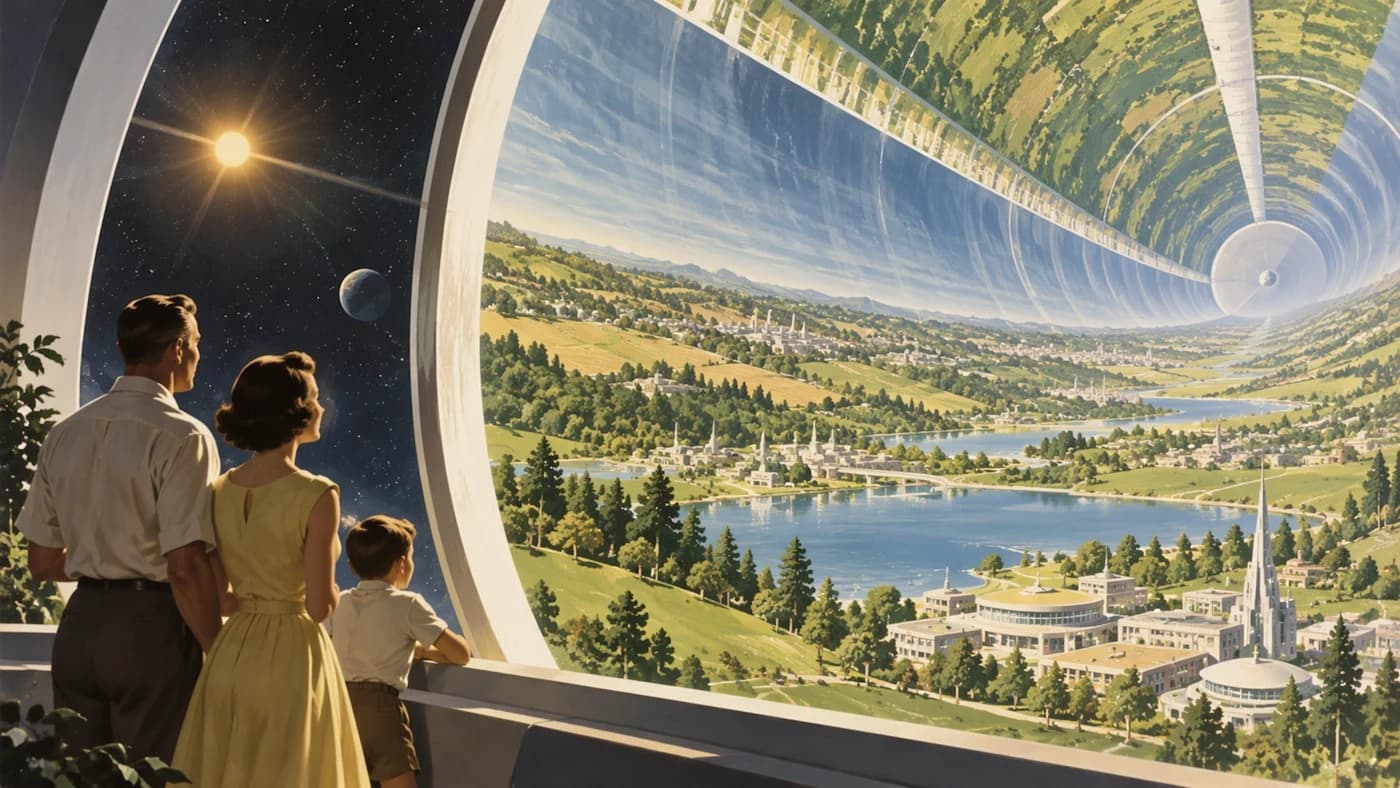
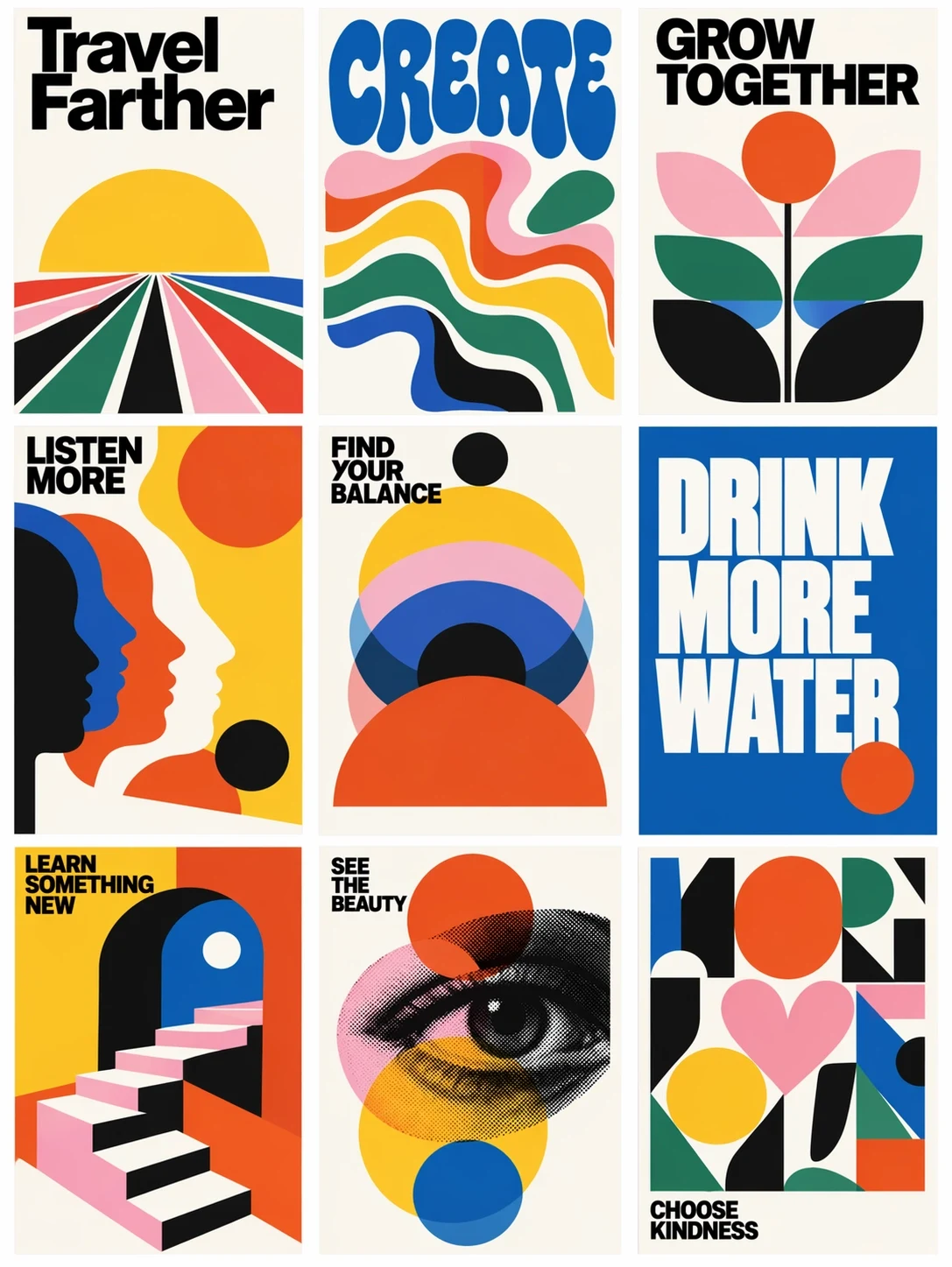
Selected images from OpenAI's launch announcement — a retrofuturist illustration, mid-century poster grids, an ornate wedding invitation, vintage stamps, a tile mosaic, and a cinematic night scene. Judge every GPT Image 2.5 result by clarity, composition, and fit for the final channel.

Official GPT Image 2.5 example: 1950s-style illustration of a family looking into a vast cylindrical space habitat filled with green landscapeGPT Image 2.5
Official GPT Image 2.5 example: Nine mid-century modern posters in a three-by-three grid combining bold lettering with colorful geometric illustrationsGPT Image 2.5
Official GPT Image 2.5 example: Blue and gold tile mosaic showing Earth beneath a star-filled sky with planets and a spiral galaxyGPT Image 2.5
Official GPT Image 2.5 example: An ornate cream and gold wedding invitation with a crowned monogram, decorative lions, and floral bordersGPT Image 2.5
Official GPT Image 2.5 example: Eight vintage-style stamps depicting US national parks including Yellowstone, Grand Canyon, and ZionGPT Image 2.5
Official GPT Image 2.5 example: A lone person stands on a wet balcony overlooking a dark futuristic city filled with towering illuminated buildingsGPT Image 2.5
Official OpenAI examples · ChatGPT Images 2.5 launch, September 8, 2026
Source: OpenAI — Introducing ChatGPT Images 2.5
Start Creating

Prompt guide

How to Write Better GPT Image 2.5 Prompts

GPT Image 2.5 rewards structured briefs and short, focused follow-ups. Communicate intent and priorities, then refine one decision at a time.

Prompt 01

Describe the Subject and Composition

Start with the subject and action, then add setting, camera distance, perspective, lighting, mood, and where key elements belong. If copy will sit above the subject, reserve that space in the brief.

Prompt 02

Specify Text, Layout, and Style

Put required wording in quotation marks and state where it belongs. Describe hierarchy, type treatment, color direction, and audience. Text rendering improved in GPT Image 2.5, but critical copy still deserves a character-by-character check.

Prompt 03

Lean on Multi-Turn Edits

The headline upgrade in GPT Image 2.5 is edit reliability. Instead of one oversized prompt, iterate: name the edit target, the requested change, and the details GPT Image 2.5 must protect — then repeat until approved.

Model comparison

GPT Image 2.5 Compared: Flare, Sunburst, and the Rest

The 2.5 release splits into two models with the same price and different priorities, while GPT Image 2 stays available. Compare the documented positioning before choosing.

01

Flare vs Sunburst

GPT Image 2.5 Flare is the default: OpenAI's fastest model for high-quality everyday generation, delivering higher quality than GPT Image 2 at 50% lower latency. GPT Image 2.5 Sunburst is the most capable for generation and editing, built for premium workflows where editing precision matters most — at the cost of longer generation times.

02

GPT Image 2.5 vs GPT Image 2

The GPT Image 2.5 models add sharper detail, more natural lighting, more faithful reference photos, and far steadier multi-turn edits, at the same token rates. GPT Image 2 is not being retired, so pipelines tuned to it can migrate on their own schedule.

03

GPT Image 2.5 vs Nano Banana Pro

Both target professional image work. GPT Image 2.5 centers precision editing, reference fidelity, and speed; Google positions Nano Banana Pro for complex graphic design, accurate text, and Search-grounded real-world context. Run the same brief through both before committing.

At-a-glance

Detailed Comparison Chart

These are workflow-level differences, not a quality ranking. Model versions, output options, and availability change; open the linked primary sources before making a production decision.

GPT-Image-2.5 Flare

Developer
OpenAI
Supported inputs
Text and image
Editing and references
Generation, editing, and inpainting with reliable multi-turn instructions
Quality and speed
Six quality settings (low to max, plus auto); 50% lower latency than GPT Image 2
Primary access
OpenAI Images API (generations and edits), ChatGPT rollout
OpenAI GPT-Image-2.5 Flare

GPT-Image-2.5 Sunburst

Developer
OpenAI
Supported inputs
Text and image
Editing and references
Most capable generation and editing; tightest control across revision chains
Quality and speed
Six quality settings (low to max, plus auto); slower than Flare
Primary access
OpenAI Images API (generations and edits), ChatGPT rollout
OpenAI GPT-Image-2.5 Sunburst

GPT Image 2

Developer
OpenAI
Supported inputs
Text and image
Editing and references
Generation, editing, and high-fidelity image inputs; previous generation
Quality and speed
Flexible sizes up to 3,840 px per edge; baseline latency for the family
Primary access
OpenAI API and supported products, including Seedance.io
OpenAI GPT Image 2

Nano Banana Pro

Developer
Google
Supported inputs
Text and image
Editing and references
Professional image generation and editing with reasoning and Search grounding
Quality and speed
Options up to 4K in supported Gemini surfaces
Primary access
Gemini API and Google AI products
Google Gemini 3 Pro Image

GPT Image 2.5 Flare and Sunburst share identical token pricing: $5 per 1M text input tokens, $8 per 1M image input tokens, and $30 per 1M image output tokens, with cached-input discounts — the same rates as GPT Image 2.

Primary sources

Start with starter credits

Try GPT Image 2.5 Free with Trial Credits

GPT Image 2.5 is rolling out across ChatGPT and the OpenAI API. On Seedance.io you can create with the GPT Image workflow today — free starter credits at sign-up — and this page tracks the GPT Image 2.5 models as they reach the workspace.

Start Creating

FAQ

Frequently Asked Questions About GPT Image 2.5

Quick answers about the GPT Image 2.5 release, Flare and Sunburst, pricing, editing, watermarking, and how it fits the Seedance.io workspace.

GPT Image 2.5 — announced as ChatGPT Images 2.5 — is OpenAI's state-of-the-art image model released on September 8, 2026. It improves lighting, texture, and text rendering, preserves subjects from reference photos, and follows editing instructions reliably across multiple turns, at up to 50% lower latency than Images 2.0.

They are the two API models of the GPT Image 2.5 release, both with the 2026-09-08 snapshot. Flare is the fastest model for high-quality everyday generation; GPT Image 2.5 Sunburst is the most capable for generation and editing, recommended where editing precision matters most. Both support the image generation and edit endpoints, including inpainting.

GPT Image 2.5 Flare and Sunburst share identical token rates: $5 per 1M text input tokens ($1.25 cached), $8 per 1M image input tokens ($2 cached), and $30 per 1M image output tokens — the same rates as GPT Image 2. In ChatGPT, GPT Image 2.5 rolls out to every tier with plan-based usage limits.

OpenAI is rolling GPT Image 2.5 out to all ChatGPT, ChatGPT Work, and Codex users across every tier on desktop, mobile, and web, and both API models are documented in the OpenAI model catalog. Adobe has also brought the 2.5 models to Firefly.

The Seedance.io image workspace currently runs GPT Image 2, and this page tracks the GPT Image 2.5 rollout — the workspace picks up new GPT Image 2.5 models as they become available upstream. You can create with the GPT Image workflow today and animate any still with the video models in the same account.

Editing is the headline upgrade. GPT Image 2.5 changes only the elements you ask for — a product, a background, a line of copy — while preserving composition and brand treatment, and edits stay consistent across long multi-turn conversations.

Generated images carry C2PA content-credentials metadata, and OpenAI is adding Google DeepMind's SynthID invisible watermarking across ChatGPT, Codex, and the API to keep outputs identifiable.

No. OpenAI keeps GPT Image 2 available at unchanged prices, so existing pipelines can migrate to the 2.5 models on their own schedule.

Connected workflow

See Why Creators Choose Seedance.io

A strong still is often the first frame of something bigger. Keep GPT Image 2.5 generation, review, iteration, and motion planning in one workspace so the approved GPT Image 2.5 direction survives the handoff.

01

One workspace for image and video models

Create with the GPT Image workflow, compare against Seedream 5.0 and Nano Banana, and animate the winner with Seedance 2.5 or MiniMax H3 — without moving projects between tools.

02

Protect approved details during edits

Use focused revision instructions to preserve the subject, crop, palette, or composition while changing the one detail that still blocks approval.

03

Carry still images into motion

Move a selected concept into image-to-video and Canvas workflows without losing the starting frame, story beat, or art direction that made it useful.

Keep exploring

Explore More AI Image Models and Creative Tools

Different briefs benefit from different visual engines and follow-up tools. Compare the workflow you need, then choose the shortest path from a GPT Image 2.5 idea to a usable asset.

GPT Image 2.5 · Released Sep 8, 2026

Create AI Images on Seedance.io Now

Start with a GPT Image 2.5 prompt or reference image, refine one decision at a time, and animate the strongest result into video.

Start Now