How to Recreate Sora-Style Cinematic Videos with Seedance 2.5
"Sora-style" is useful search shorthand, but it is not a preset, filter, or formal visual standard. The look people usually mean comes from a specific combination: one readable subject, a camera move with a clear start and finish, believable material behavior, motivated light, and enough time for the action to resolve. Seedance 2.5 can reproduce that visual grammar when the prompt describes the shot rather than stacking vague words such as "cinematic" and "epic." Start with one motion idea, name the lens and camera path, describe what the light is doing, and tell the model how objects should react. For longer sequences, use first and last frames or reference assets to hold the character, wardrobe, and environment in place. The five recipes below are designed for the current Seedance 2.5 workflow and can be adapted without copying a specific Sora clip.
Looking for where to go after the Sora API shutdown? Start with our Sora alternative guide, then come back here for the shot-design recipe that recreates the Sora look in Seedance 2.5.
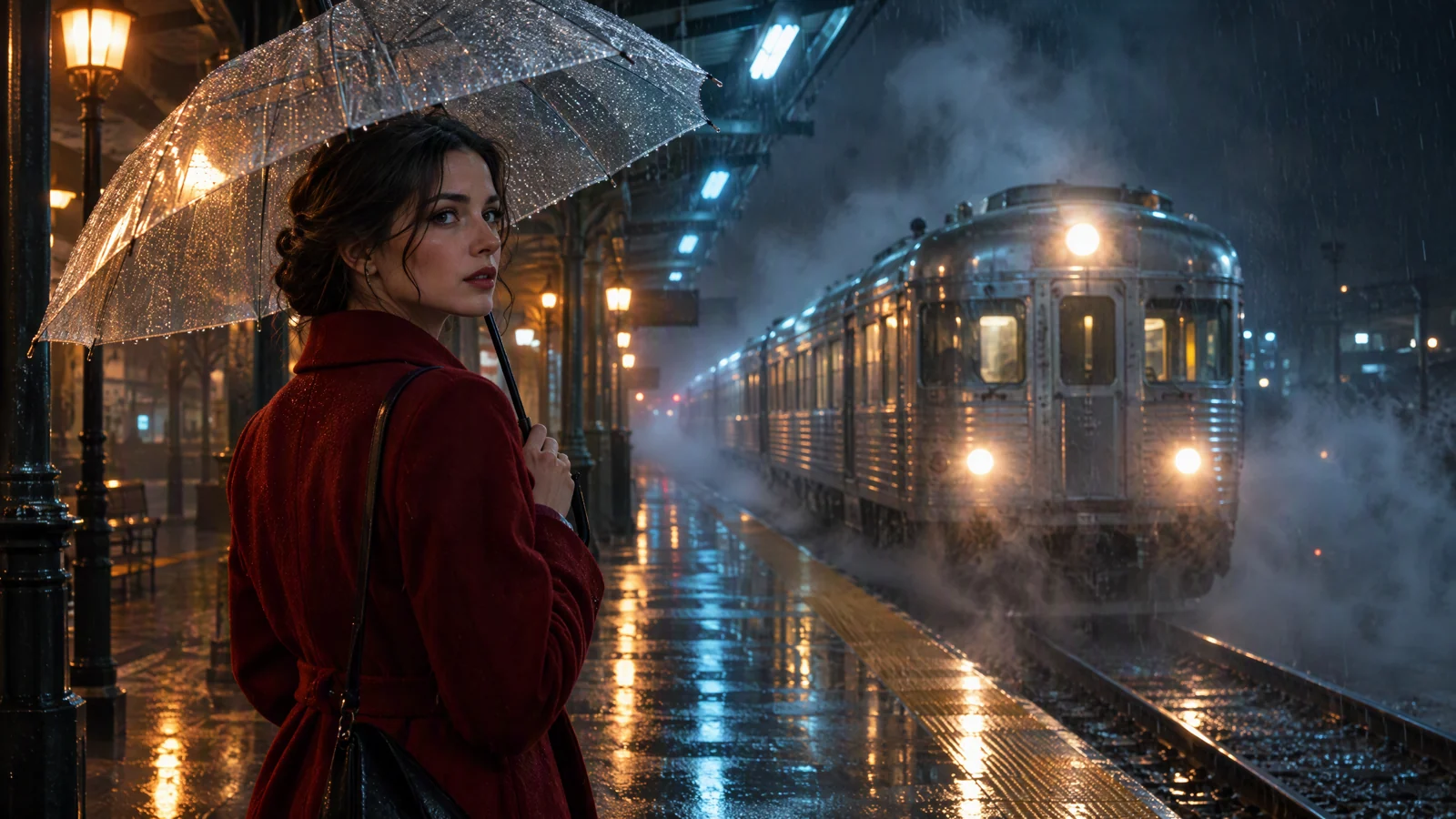
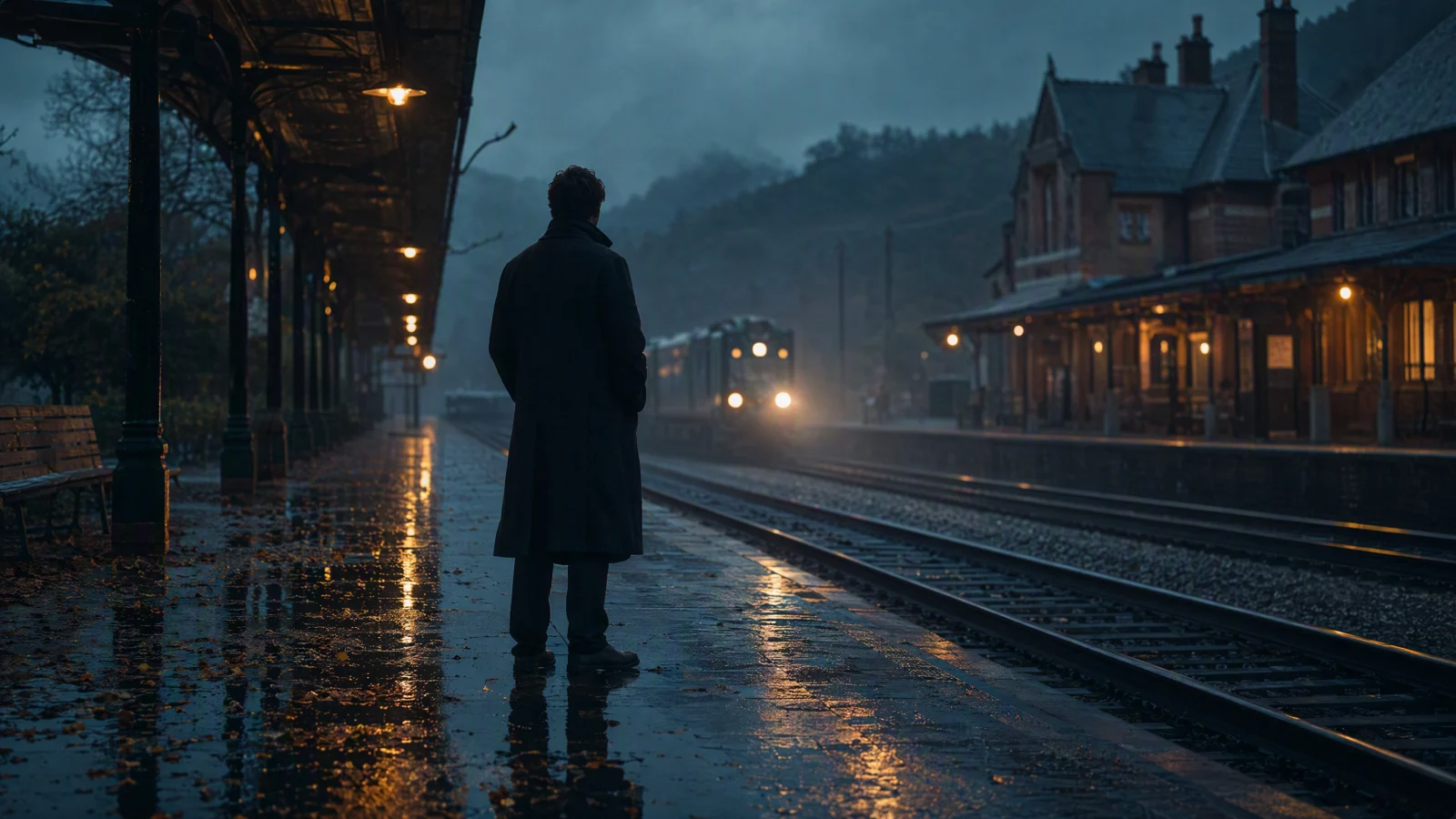
Video prompt: An original adult woman in a deep red coat holds a transparent umbrella on a rain-soaked night train platform as an old silver train arrives through mist. The camera makes a slow eye-level dolly in on a 35mm lens. Wet pavement reflects warm tungsten lamps and cool cyan station lights. Realistic rain, steam, skin, and fabric texture, restrained color grade, one continuous shot, 16:9.
TL;DR
- Build the look from shot design instead of relying on a style keyword.
- Write one subject, one action arc, one camera path, a light source, and physical reactions.
- Use one image for a start frame, two for first and last frames, or three or more reference images when continuity matters.
- Keep the first draft simple. Add only one difficult element per revision.
- The SeedVideo AI web workspace and the public API do not advertise the same maximum resolution, so check the surface you actually use.
Quick Answer
To make a Sora-style cinematic AI video with Seedance 2.5, write the prompt like a compact shot list: subject and action, environment, camera position and movement, lighting, material behavior, then the ending state. Choose a duration long enough for that action to finish. Add a start image when composition matters, a first and last frame when the ending must land precisely, or reference images and video when the next shot must preserve a character or place. You can build the shot in the AI text-to-video generator, then revise one variable at a time.
What "Sora-style" means
OpenAI never defined a "Sora look" setting. Its original Sora research page instead shows prompts that name concrete filmmaking choices: low camera angles, drone moves, shallow depth of field, 35mm or 70mm film, wet reflections, warm backlight, and specific subject motion. The same page also documents weak spots in complex physics, cause and effect, left and right, and exact camera trajectories.
Those examples point to a practical recipe. The polished result comes from choices the model can see and sequence.
| Visual ingredient | Write this in the prompt | Avoid this shortcut |
|---|---|---|
| Subject | Age range, wardrobe, silhouette, one identifying detail | "A cinematic person" |
| Action | A visible action with a beginning and ending | Several unrelated actions |
| Camera | Shot size, height, lens, direction, speed | "Dynamic camera" |
| Light | Source, direction, color temperature, surface response | "Beautiful lighting" |
| Physics | Weight, inertia, contact, wind, water, fabric, particles | "Realistic physics" alone |
| Finish | The last pose, frame, or resolved movement | Letting the shot stop anywhere |
The word "cinematic" can still be useful, but it should summarize choices already present in the prompt. It cannot replace them.
Check the current Seedance 2.5 limits
The web generator and the public API are separate product surfaces. On September 21, 2026, the English SeedVideo AI model card listed Seedance 2.5 with multimodal control, audio, up to 1080p, and 4 to 30 seconds. The public Seeddance API model guide lists 4 to 30 seconds at 480p or 720p for seedance-2.5, with plan-dependent availability.
| Surface | Current published limits | What that means for this workflow |
|---|---|---|
| SeedVideo AI web workspace | Model card lists up to 1080p and 4 to 30 seconds | Use the controls shown in your signed-in workspace |
| Public Seeddance API | 480p or 720p, 4 to 30 seconds | Do not assume the browser's 1080p option exists for an API key |
| Media inputs | Images, video, and audio supported for Seedance 2.5 | The supplied assets determine text, frame, or reference mode |
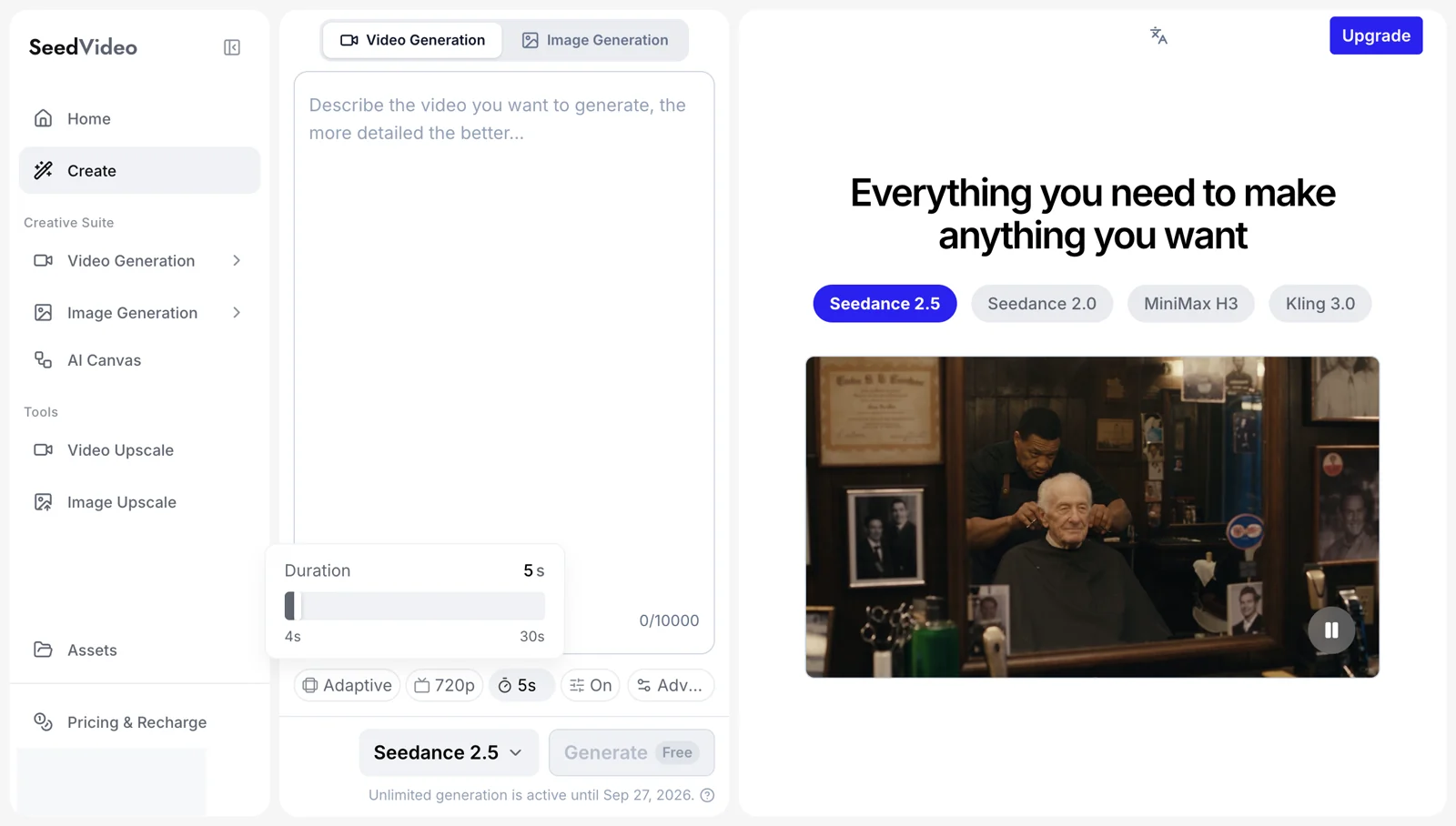
SeedVideo AI workspace screenshot: Seedance 2.5 selected in the real English interface, with the 4 to 30 second duration range, prompt editor, controls, navigation, and preview visible.
The interface can change, so read the visible model card before committing a long shot. For a deeper library of camera language and scene structures, use the 25 cinematic Seedance prompts as a companion reference.
A prompt formula for one coherent shot
Use this order:
subject + visible action + environment + camera + lighting + physical behavior + final state + format
An effective prompt is often two to five sentences. Put the subject and action first. Camera instructions should describe one continuous move unless the video is long enough to support cuts. End with the state you want to see in the last second.
Weak version
A cinematic woman at a train station, dramatic lighting, realistic, masterpiece.
Directed version
An original adult woman in a deep red coat waits under a transparent umbrella on a rain-soaked night platform. An old silver train approaches through mist while the camera slowly dollies toward her at eye level on a 35mm lens. Warm platform lamps and cool cyan signs reflect in the wet pavement. Her coat hem and loose hair respond to the train's air pressure. End with the train stopped behind her as she turns toward the open door.
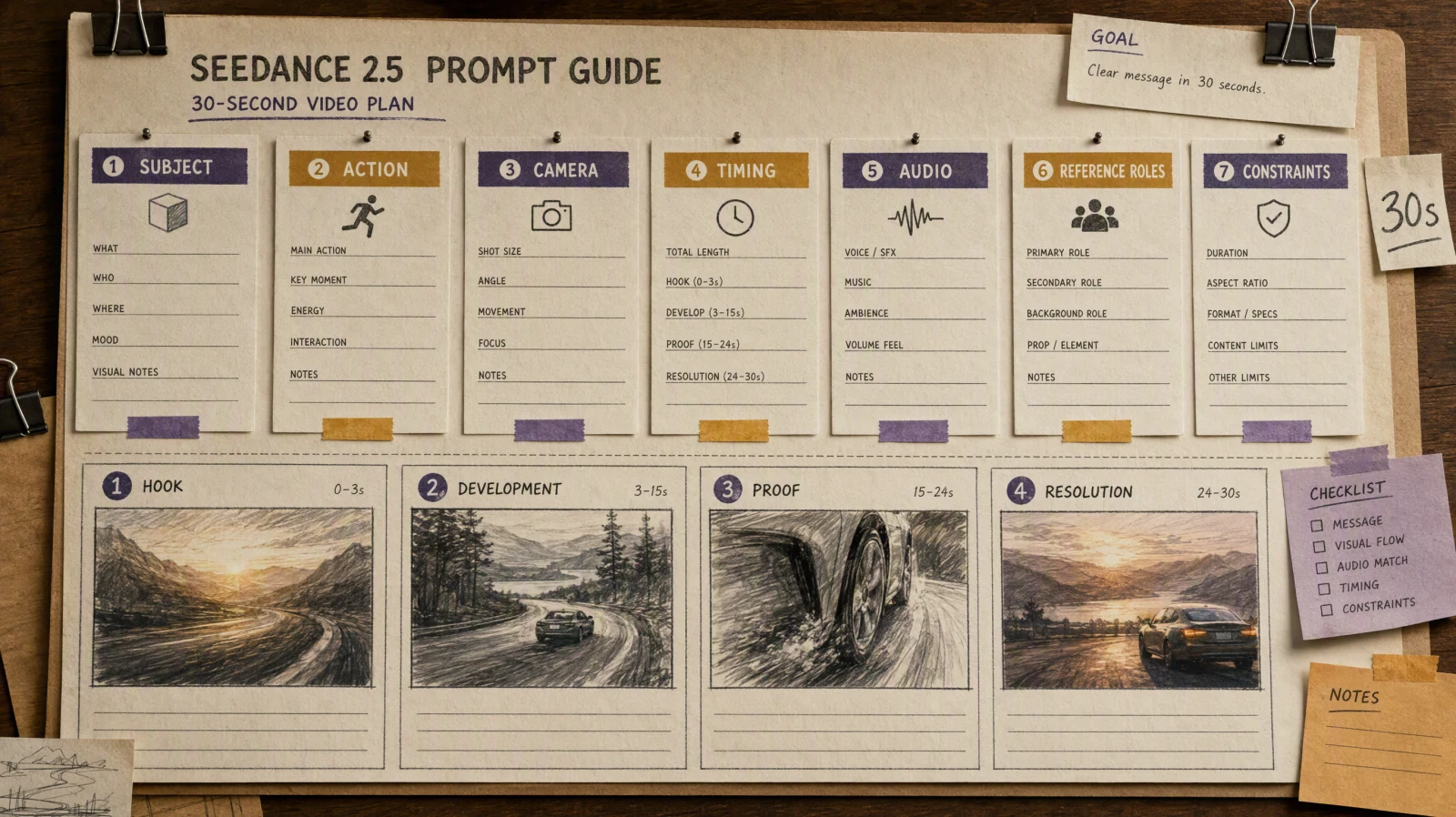
The directed version gives every second a job. The Seedance 2.5 prompt guide has more structures for timing, sound, and reference assets.
Five cinematic prompt recipes
1. Rainy urban long take
Best for mood, reflections, a measured reveal, and one strong character beat.
An original adult woman in a deep red coat holds a transparent umbrella on a rain-soaked night train platform. An old silver train arrives through mist. The camera makes a slow eye-level dolly in on a 35mm lens, beginning in a wide shot and ending in a medium close-up. Wet pavement reflects warm tungsten lamps and cool cyan station lights. Rain beads on the umbrella, steam rolls along the tracks, and her coat moves in the pressure wave. End with the train stopped and its door opening behind her. Restrained color grade, realistic skin and fabric, one continuous shot, 16:9.
If the train bends or the character drifts, remove background passengers and shorten the camera travel. Restore complexity only after the subject remains stable.
2. Believable impossible physics
The scene can be impossible while each object still obeys a readable rule. Here, gravity turns off once and stays off.
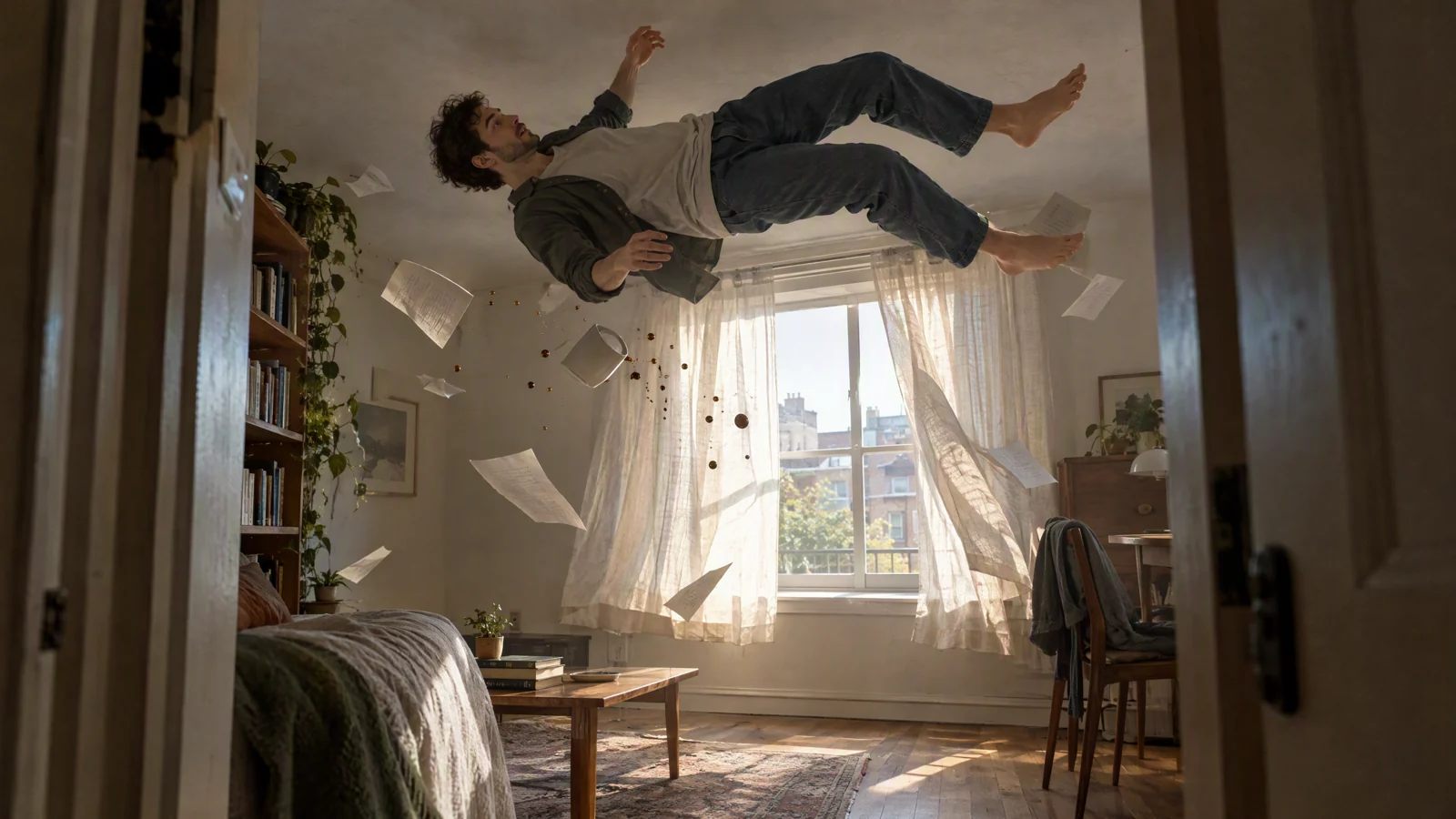
Video prompt: In a modest sunlit apartment, gravity softly switches off. An original adult man rises toward the ceiling while linen curtains, paper sheets, a ceramic cup, and coffee droplets continue with believable inertia. The camera watches from the doorway on a wide 28mm lens with a slow forward drift. Soft morning light, realistic materials, quiet wonder, one continuous shot, 16:9.
Inside a modest apartment at breakfast, gravity softly switches off over two seconds. An original adult man rises toward the ceiling while paper sheets, a ceramic cup, and coffee droplets keep their existing momentum. The camera watches from the doorway on a 28mm lens and drifts forward slowly. Morning light enters from one window and casts consistent shadows. Curtains and clothing lag behind the body movement. End with the man steadying himself against the ceiling while the droplets continue past him. Realistic materials, quiet tone, one continuous shot, 16:9.
Do not add a second physics event. A single rule is easier to preserve than a chain of transformations.
3. Refracted golden-hour light
This recipe puts the visual interest in light behavior rather than character motion.
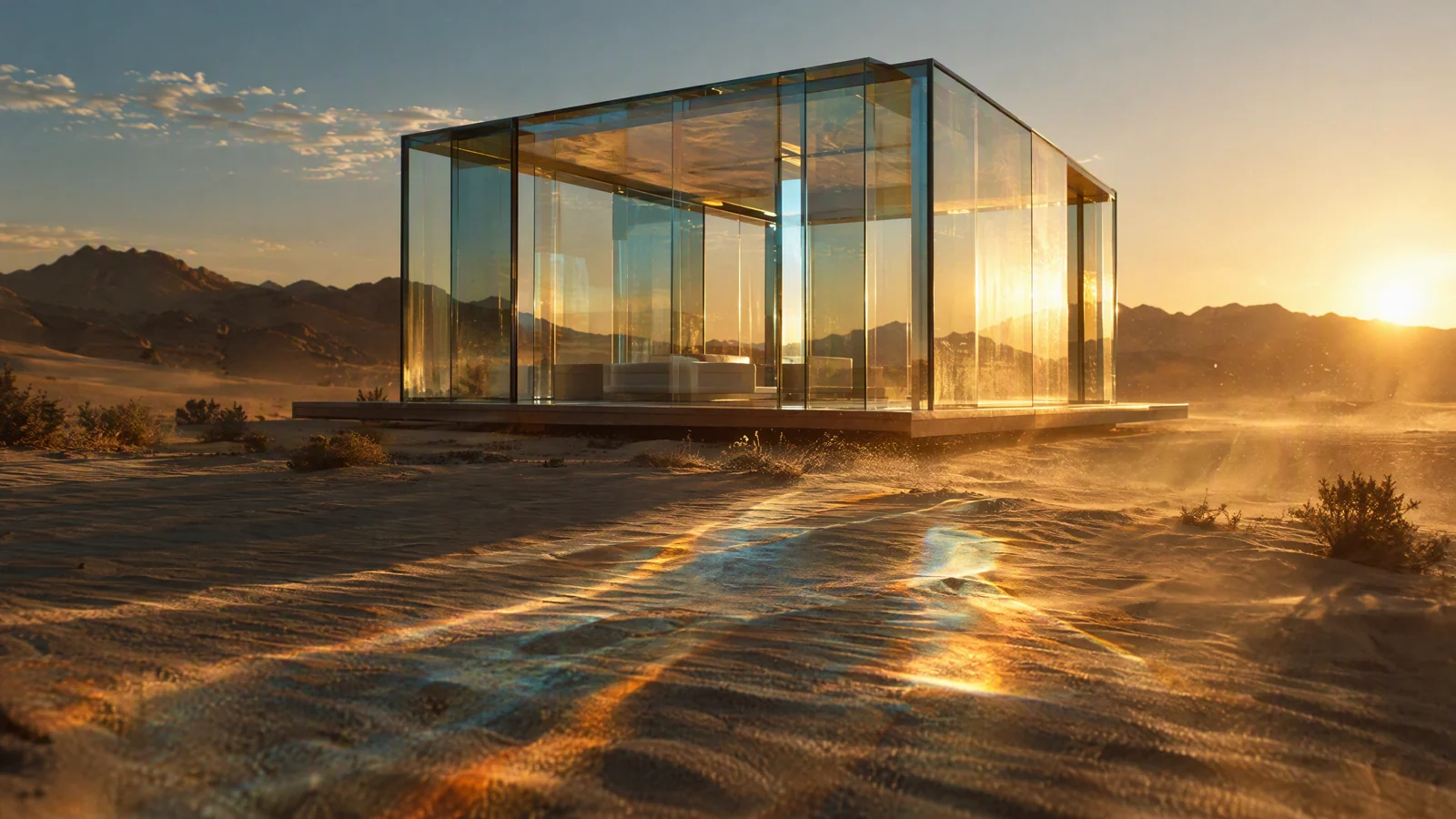
Video prompt: A transparent glass pavilion stands alone in a windswept desert at golden hour. The camera makes a slow low-angle orbit on a 40mm anamorphic lens. Sunlight passes through thick glass and paints amber and pale blue caustics across rippled sand. Dust catches the backlight, edges stay rigid, shadows remain natural, restrained color, 16:9.
A transparent glass pavilion stands alone in a windswept desert at golden hour. Begin at a low three-quarter angle and make a slow clockwise orbit on a 40mm anamorphic lens. The setting sun passes through thick glass walls and creates amber and pale blue caustics that move across rippled sand. Fine dust crosses the backlight. Keep every glass edge rigid and preserve the same pavilion geometry throughout. End when the sun aligns with the far corner and the main reflection reaches the foreground. Natural shadows, controlled highlights, restrained color, 16:9.
If the building melts, reduce the orbit to 20 degrees and add "rigid planar glass panels with fixed corners." If the reflections flicker, ask for one sun and one dominant reflection path.
4. Intimate 35mm character moment
Use small movements. A face close-up becomes less stable when the prompt asks for walking, speaking, turning, smiling, and handling an object at once.
An original adult watchmaker sits alone at a wooden workbench before sunrise, wearing a charcoal apron and round reading glasses. Start on a medium profile shot, then make a slow 35mm push in as he fits a tiny gear into an open pocket watch. A warm desk lamp lights his hands and cheek while cool dawn fills the workshop window. His breathing and finger movement are subtle. End on a close shot as the watch begins ticking and he looks up without smiling. Fine film grain, shallow depth of field, natural skin texture, quiet room tone, 16:9.
For dialogue, separate the spoken line from the visual instructions. Keep it short enough to fit the selected duration.
5. Character continuity through a snow forest
Continuity improves when wardrobe details are compact and repeated exactly. Do not invent a new description for the second shot.
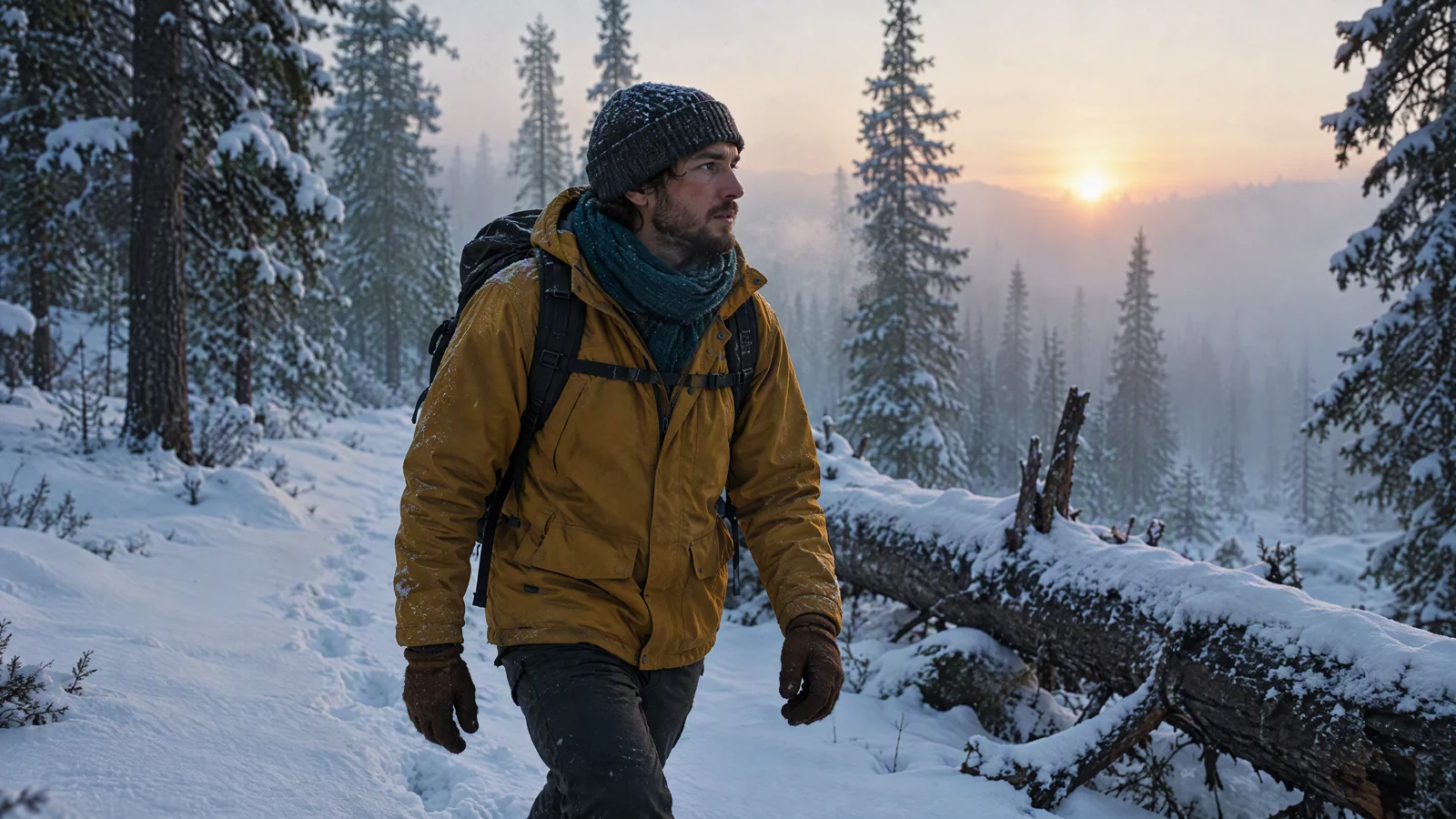
Video prompt: An original adult explorer in a mustard field jacket, teal wool scarf, dark backpack, and brown gloves moves through a snowy pine forest at dawn. A shoulder-height camera tracks beside the explorer past a fallen tree. Fresh footprints form behind each step, pale sunlight cuts through fog, breath vapor and snow contact stay realistic, subtle 35mm grain, 16:9.
An original adult explorer wears a mustard field jacket, teal wool scarf, dark backpack, and brown gloves in a snowy pine forest at dawn. A shoulder-height camera tracks beside the explorer moving from left to right, passing a fallen tree and stepping into fresh snow. Keep the face, jacket, scarf, backpack, and gloves unchanged. Footprints appear behind each step and breath vapor drifts backward in the cold air. End as the explorer stops at a ridge and looks toward pale sunlight through fog. Natural snow contact, subtle 35mm grain, one continuous move, 16:9.
Use a reference image of the explorer for later shots. Reuse the same wardrobe sentence without synonyms.
Combine first and last frames with reference-to-video
Seedance selects the workflow from the media you attach. The current API guide documents this mapping, and the web workspace exposes Image and Video attachment controls.
| Inputs | Mode | Use it for |
|---|---|---|
| No media | Text to video | Discovering composition and motion |
| One image | Image to video, image used as the start frame | Holding the opening composition |
| Two images | First and last frame generation on supported models | Landing an exact ending pose or camera position |
| Three or more images | Reference-to-video on Seedance 2.0 and 2.5 | Preserving a character, object, wardrobe, or location |
| A reference video | Reference-to-video on supported models | Borrowing motion rhythm or camera behavior |
For a two-shot sequence, generate or choose the last frame of shot one first. Reuse it as the start frame of shot two. Add the character reference separately, then describe only the new action and camera move. This creates a visual handoff without asking one prompt to solve an entire scene.
When using the SeedVideo AI text-to-video workspace, keep the asset roles clear in the prompt. Name references in plain language, such as "the explorer in the mustard jacket" or use the documented asset notation when working through the API.
A practical production workflow
| Pass | What to do | What to approve before moving on |
|---|---|---|
| 1. Block the shot | Write subject, action, camera path, and ending | The action fits the duration |
| 2. Lock identity | Add one clean character or product reference | Face, silhouette, and wardrobe are readable |
| 3. Add light and materials | Name one key light and two important surfaces | Reflections and shadows have a stable source |
| 4. Check physics | Watch contact points, weight, wind, liquid, and cloth | Nothing changes rule halfway through |
| 5. Extend the scene | Reuse the last frame and references in the next shot | The handoff preserves scale and direction |
| 6. Finish outside the model | Edit cuts, mix audio, add text, and grade | The exported sequence matches the channel |
When a result fails, remove one competing instruction before changing anything else. Rewriting every noun and adjective at once hides which change helped.
Common differences and how to fix them
| Result | Likely cause | Next revision |
|---|---|---|
| Camera rushes or stops early | Too much travel for the duration | Shorten the path or increase duration |
| Subject changes identity | Description is long or inconsistent | Use a reference image and repeat the same compact identity line |
| Objects melt or merge | Too many contacts or transformations | Keep one interaction and specify rigid materials |
| Light flickers | Several light sources compete | Choose one key light and one fill source |
| Motion feels floaty | Prompt names style but not weight or contact | Add foot pressure, inertia, drag, wind, or impact |
| Ending feels abrupt | No final state was written | Describe the last pose and hold it briefly |
| Reference overwhelms the prompt | Asset roles are unclear | State what to preserve and what may change |
Seedance and Sora are different models. A prompt can reproduce the same shot plan, palette, and motion logic, but it will not reproduce the exact random details of another model's output. Judge the new clip by continuity, readable action, and whether the planned ending lands.
Final shot checklist
- One main subject is easy to identify.
- The action has a beginning, development, and final state.
- The camera uses one readable path.
- Light comes from named sources.
- Important materials keep their shape and texture.
- Wind, cloth, liquid, particles, and body weight react consistently.
- Character and wardrobe descriptions stay identical across shots.
- The selected duration can contain the action.
- The output resolution matches the web workspace or API surface being used.
- Text, titles, logos, and precise edits are handled in post when needed.
FAQ
Is "Sora-style" an official Seedance 2.5 setting?
No. It is a shorthand for visual traits people associate with Sora examples, such as controlled camera movement, detailed lighting, coherent environments, and physically readable motion. Seedance 2.5 has no button with that name.
Can Seedance 2.5 copy a Sora video exactly?
No model can reproduce the exact random details of another generation from a text description alone. Use the original clip only as planning reference, then rebuild the shot with original characters, assets, camera instructions, and lighting.
Should I use text-to-video or image-to-video?
Use text-to-video to discover a composition. Use one image when the opening frame matters, two images when both endpoints matter, and reference assets when character or location continuity matters more than discovery.
How long should a cinematic shot be?
Use the shortest duration that lets the action resolve. Five to eight seconds works for one compact move. Longer durations can support a reveal or several beats, but they also give identity and physics more time to drift.
Does Seedance 2.5 support 1080p?
The current SeedVideo AI web model card lists up to 1080p, subject to the controls and plan shown in the workspace. The public Seeddance API documentation lists 480p and 720p for seedance-2.5. Check the surface you plan to use.
What should I change first when a shot fails?
Remove one difficult element. Simplify the camera path, reduce the number of subjects, or keep only one physical interaction. Once the shot is stable, add detail back one variable at a time.
Build the first shot
Pick one recipe, replace the subject and location, and keep its camera and ending structure intact. Open the AI text-to-video generator, select Seedance 2.5, confirm the visible duration and resolution controls, and generate only after the shot fits those limits. The goal is a clear, finishable shot that can connect to the next one.