50 AI Video Prompt Examples for Cinematic, Product, Social, Dialogue, and Reference Videos
AI video prompt examples work best when they describe one clear shot instead of an entire film. Start with the subject, then add the action, setting, camera movement, lighting, visual style, timing, and anything that must remain stable. The 50 examples below are ready to copy, but they are more useful as adaptable templates: replace the subject, brand details, location, aspect ratio, or motion while keeping the shot direction specific.
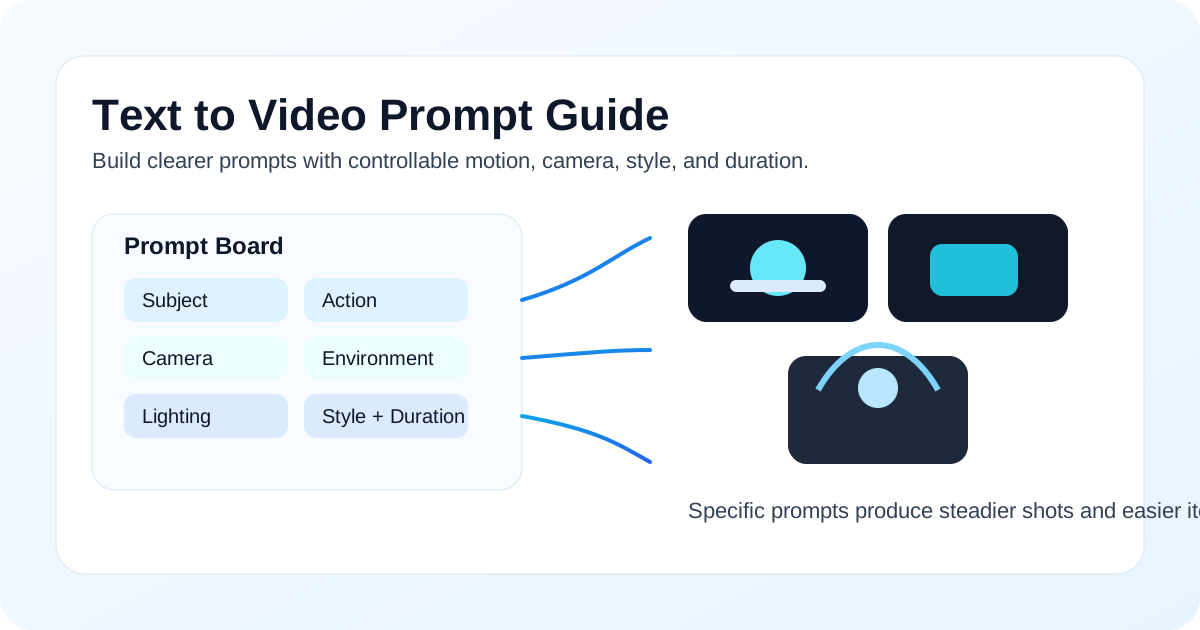
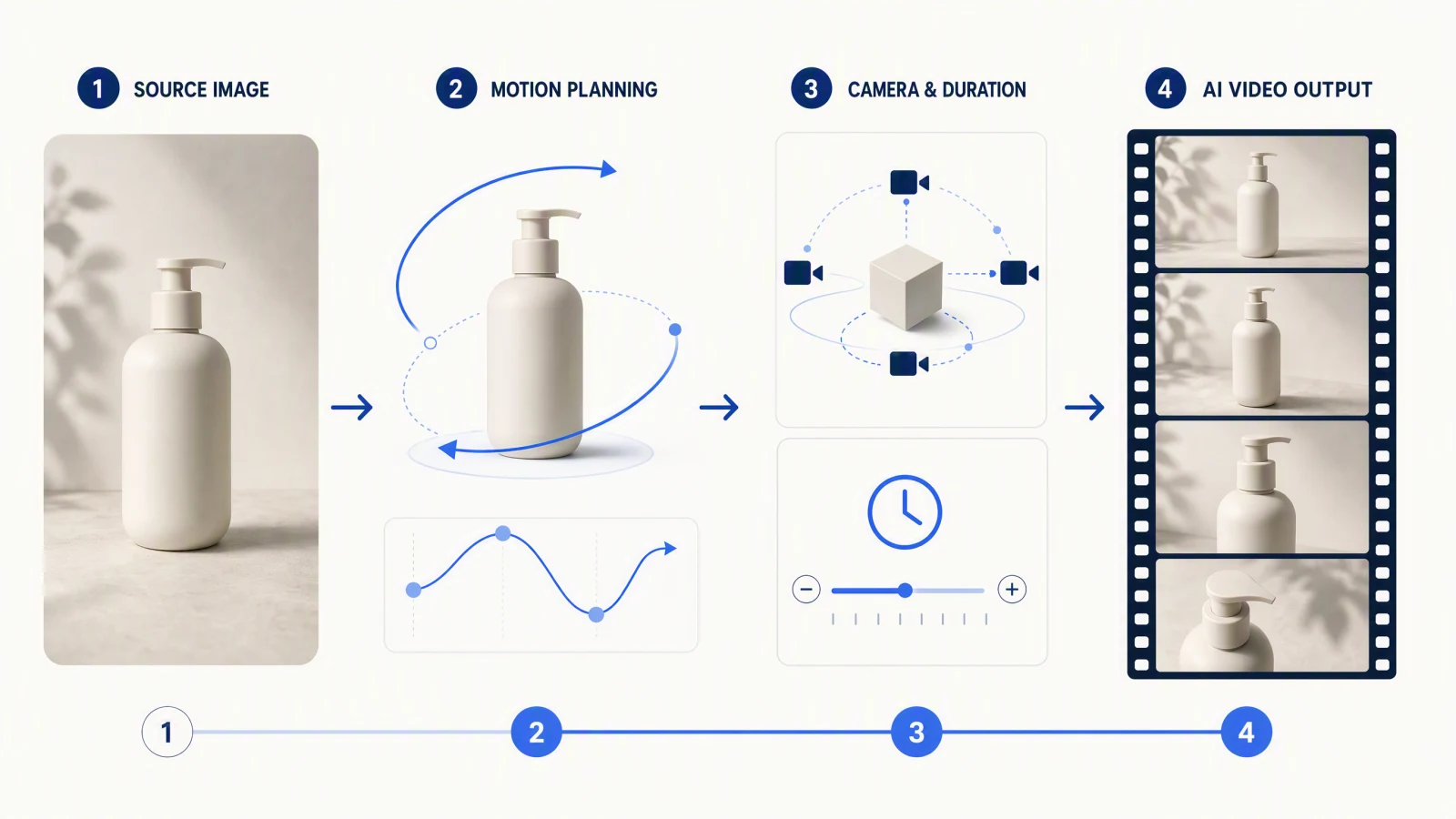
For text-to-video, describe everything the model must invent. For image-to-video, focus on what should move, what should stay unchanged, and how the camera should behave. Generate a short draft first, review subject consistency and motion, then revise one variable at a time. This process works for cinematic scenes, product videos, travel clips, social ads, dialogue scenes, and reference-driven animation. Every prompt below has a "Try this prompt" link that opens it in the generator with the text already filled in. If you need a broader prompting foundation first, read the Text to Video Prompt Guide.
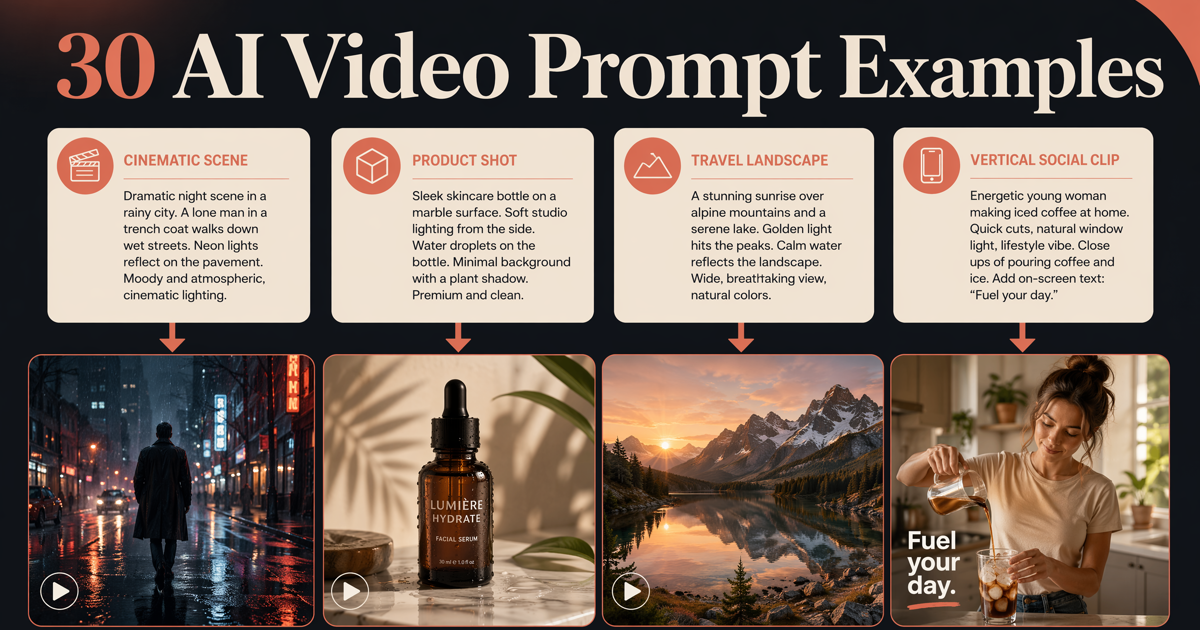 Prompt examples help creators move from a blank page to usable video ideas.
TL;DR
- Write prompts as shot directions: subject + action + setting + camera + lighting + style + constraints.
- Keep each generation focused on one scene and one main action.
- For image-to-video, describe motion and preservation instead of redescribing the entire image.
- Draft with simple motion first; add camera moves and atmosphere only after the subject behaves correctly.
- Use the examples below as structures, not magic phrases.
- To test a prompt right away, the AI video prompt library and the Seedance 2.5 prompt library open each example in the generator with one click.
Quick Answer
A strong AI video prompt answers seven questions: Who or what is on screen? What happens? Where does it happen? How does the camera move? How is the scene lit? What should it feel like? What must not change? A practical formula is:
[Subject] + [action] + [environment] + [camera] + [lighting] + [style and pacing] + [constraints]
For example: “A ceramic perfume bottle rotates slowly on wet black stone, soft mist moving behind it, macro dolly-in, narrow rim light, premium editorial product film, controlled reflections, label remains sharp and unchanged.”
Quick Prompt Formula
| Prompt element | What to specify | Useful language |
|---|---|---|
| Subject | The main person, object, animal, or scene | “a red hiking backpack,” “two cyclists,” “a glass skincare bottle” |
| Motion | One primary action plus subtle secondary motion | “turns toward camera,” “fabric moves in a light breeze” |
| Setting | Location, time, weather, and background | “alpine lake at dawn,” “minimal studio with warm gray backdrop” |
| Camera | Framing, lens feel, angle, and movement | “wide establishing shot,” “slow macro push-in,” “locked overhead view” |
| Lighting | Direction, softness, color, and contrast | “soft window light,” “golden-hour backlight,” “high-contrast neon” |
| Style | Visual language and pacing | “documentary realism,” “premium commercial,” “quiet cinematic tension” |
| Constraints | What must stay stable or be avoided | “logo remains readable,” “no extra objects,” “face stays consistent” |
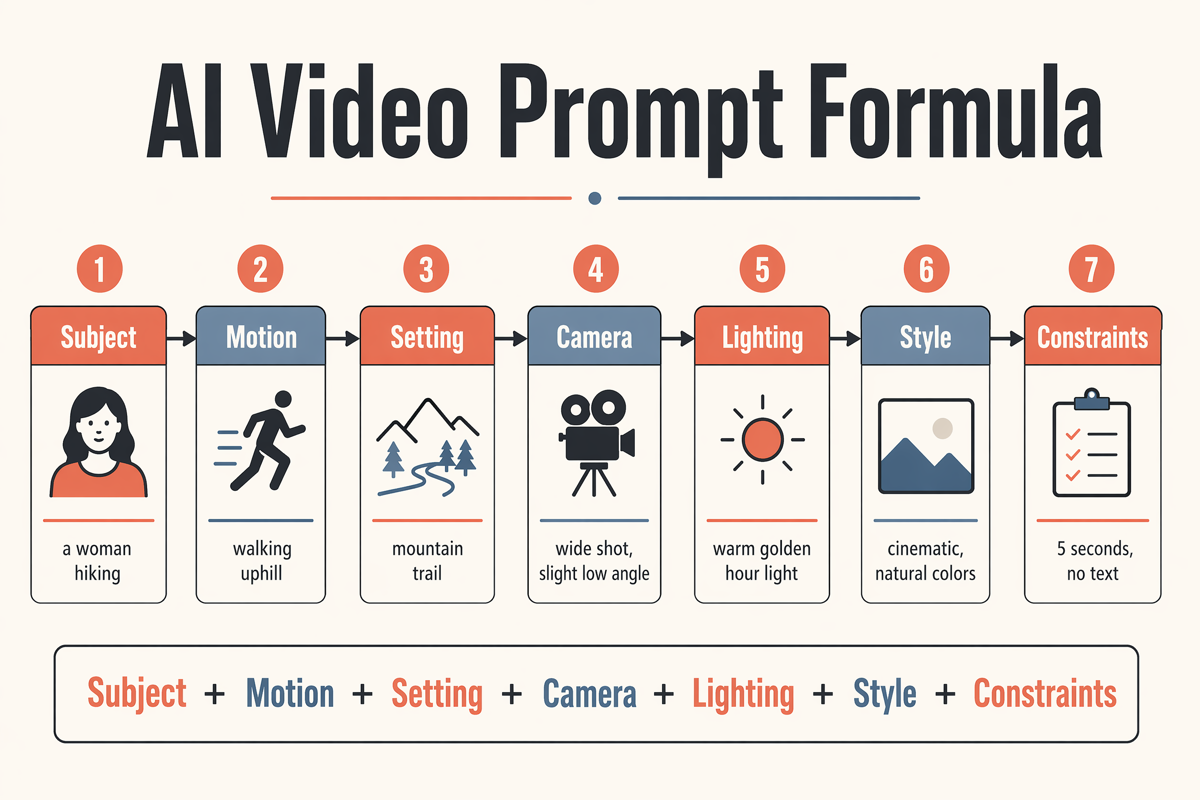 A reusable formula for writing better AI video prompts.
Last verified: October 11, 2026, against the SeedVideo AI workspace panels for Seedance 2.5, Kling 3.0, Veo 3.1, and Wan 3.0.
Before using a long prompt, decide which element matters most. If product accuracy is critical, prioritize constraints. If the goal is atmosphere, prioritize lighting, camera, and environmental motion. If the scene starts from a reference image, use the workflow in the Image to Video AI Guide.
How the same prompt changes by model
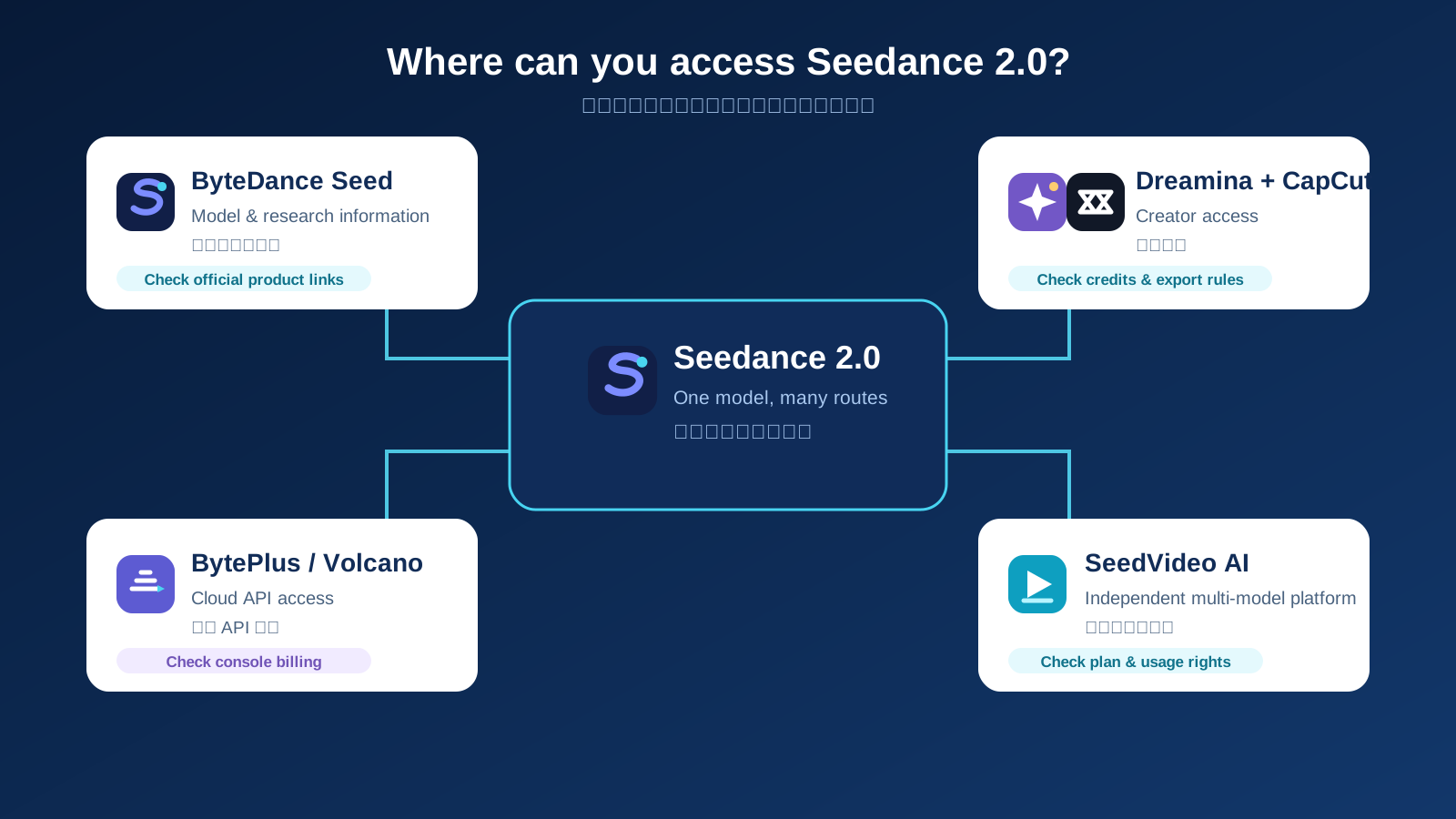
The prompt structure above works everywhere, but the panel you type it into does not. These are the differences you hit most often when you move one prompt between the four video models in the SeedVideo AI workspace, as checked on October 11, 2026.
| What changes | Seedance 2.5 | Kling 3.0 | Veo 3.1 | Wan 3.0 |
|---|---|---|---|---|
| Clip length to plan for | 4 to 30 seconds in one pass; write 2 to 4 beats for 30 seconds | 4 to 15 seconds on a slider; one or two beats | 4, 6, or 8 seconds; write exactly one shot | 2 to 30 seconds; long takes work |
| Resolution here | 480p, 720p, 1080p (1080p on Pro, Premium, or credit packs) | 720p or 1080p | 720p or 1080p (Veo 3.1 Fast adds 4K) | 480p, 720p, 1080p |
| Audio | On/off switch; describe dialogue, ambience, or silence in the prompt | On/off switch | Always generated; no switch, so write the sound you want or ask for quiet | Always generated; put spoken lines in quotes |
| Reference inputs | Up to 9 images plus one 2 to 15 second video; name each asset's job | Kling O3 variant for reference-led shots; Motion Control transfers movement from a video | One image as start frame, or two for start and end | Up to 10 images and 5 clips |
| Timing words | Second ranges such as 0-5 s / 5-16 s are planning aids, see the timestamp prompts guide | Keep one action per clip; timing words rarely matter at 5 to 10 seconds | One continuous action; no beats | Second ranges help on long takes |
| Prompt length limit | 2,500 characters | 2,500 characters | 2,000 characters | 2,500 characters |
Two habits transfer well: keep one lead subject and one main camera move per clip, and put the non-negotiable constraint on its own short line so it is not the first thing a model drops. Separate negative-prompt fields are not something to assume; if a panel does not show one, write the constraint in ordinary prompt language.
Prompt length by clip duration
Longer clips need more structure, not more adjectives. These are editorial recommendations from writing and revising the prompts on this page:
| Clip length | Structure | Prompt length | Example on this page |
|---|---|---|---|
| 4 to 5 seconds | One subject, one action, one camera idea | 25 to 60 words | 7. Premium skincare bottle |
| 8 to 10 seconds | One action plus a reaction or reveal | 40 to 90 words | 1. Rainy detective entrance |
| 15 seconds | Two or three beats, one camera move each | 80 to 150 words | 20. Before-and-after room styling |
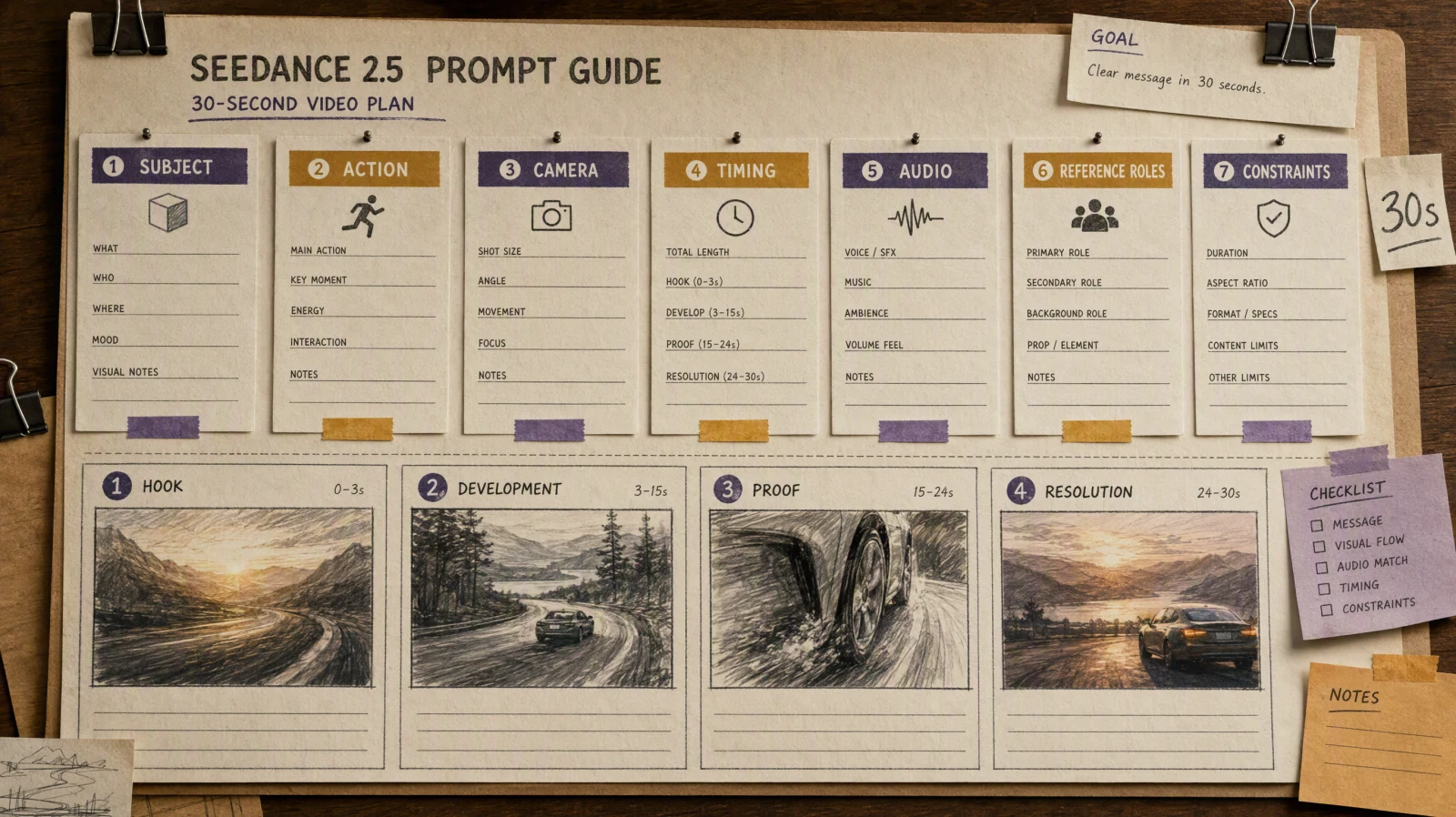
| 30 seconds | Four beats: hook, development, proof, resolution | 150 to 260 words | See the Seedance 2.5 prompt guide |
Cinematic AI Video Prompts
When to use them: narrative openings, concept trailers, music videos, mood films, dramatic transitions, and visual pitch decks.
1. Rainy detective entrance
A tired private detective in a dark wool coat steps out of a narrow hotel doorway into heavy midnight rain, pauses under a flickering red sign, then looks down the empty street; slow low-angle dolly-in, wet pavement reflections, deep shadows, restrained neo-noir color, realistic rain and coat movement, no sudden camera shake.
Try this prompt in SeedVideo AI
2. Desert discovery
A lone archaeologist climbs the final ridge of a vast desert dune and discovers a partially buried stone observatory below; begin behind the character, then crane upward into a wide reveal, early sunrise haze, wind lifting sand from the ridge, epic scale with grounded documentary realism, slow deliberate pacing.
Try this prompt in SeedVideo AI
3. Quiet science-fiction corridor
An engineer walks through a silent orbital-station corridor while emergency lights activate one section at a time ahead of her; centered tracking shot, subtle handheld tension, cool metallic surfaces, soft red warning light, realistic walking pace, consistent costume and face, no monsters or extra characters.
Try this prompt in SeedVideo AI
4. Forest memory scene
A child in a yellow raincoat runs through a misty pine forest and stops beside an old wooden swing moving by itself; medium follow shot transitioning to a slow circular move, diffuse morning light, muted green palette, dreamlike but photorealistic, gentle fog drift, emotionally quiet rather than frightening.
Try this prompt in SeedVideo AI
5. Rooftop decision
Two friends stand on a city rooftop just before sunrise, one hands the other a sealed letter, both remain silent as traffic glows far below; slow side-profile push-in, natural wind in hair and clothing, cool blue hour shifting toward warm horizon light, intimate cinematic drama, subtle expressions.
Try this prompt in SeedVideo AI
6. Historical market reveal
A merchant opens a carved wooden shop at dawn in a crowded ancient coastal market; start on a close-up of the key turning, pull back through hanging fabrics to reveal vendors, baskets, and ships beyond, warm directional sunlight, textured period realism, layered background motion without chaotic crowd behavior.
Try this prompt in SeedVideo AI
Product Video Prompts
When to use them: ecommerce hero clips, launch videos, paid ads, product-detail pages, pitch decks, and visual prototypes. Replace generic product descriptions with accurate materials, colors, and packaging details.
7. Premium skincare bottle
A frosted glass skincare bottle stands on pale travertine as a thin ribbon of water flows around its base; slow macro orbit, soft morning side light, clean cream background, premium beauty commercial, controlled highlights, bottle shape and label remain unchanged and readable, no hands.
Try this prompt in SeedVideo AI
8. Athletic shoe performance shot
A lightweight running shoe lands on a wet track in slow motion, compresses naturally, then pushes forward as droplets scatter; low side angle, short tracking move, crisp stadium rim light, energetic sports-ad pacing, accurate sole geometry, no floating parts or distorted laces.
Try this prompt in SeedVideo AI
9. Coffee maker demonstration
A compact stainless-steel coffee maker brews one espresso in a modern kitchen, steam rises as the cup fills, then the camera moves toward the crema; three-quarter product view into a gentle push-in, warm window light, realistic appliance operation, clean lifestyle commercial, no extra buttons or changing logo.
Try this prompt in SeedVideo AI
10. Headphones color launch
Matte cobalt over-ear headphones rotate slowly above a matching geometric pedestal while narrow bands of light sweep across the ear cups; locked centered composition with subtle zoom, dark blue studio, precise premium technology aesthetic, smooth controlled rotation, product proportions stay consistent.
Try this prompt in SeedVideo AI
11. Watch detail sequence
A brushed-steel wristwatch rests on black fabric as the second hand moves and the fabric folds shift slightly; extreme macro close-up transitioning to a top-down hero frame, focused specular lighting, luxury editorial style, dial markings remain sharp, no invented complications or changing time display.
Try this prompt in SeedVideo AI
12. Packaged snack social ad
A colorful bag of sea-salt chips drops onto a bright kitchen counter, three chips bounce beside it, then a lemon and herbs slide into frame; fast overhead-to-front transition, sunny hard light, playful commercial energy, packaging design remains stable and legible, no additional products.
Try this prompt in SeedVideo AI
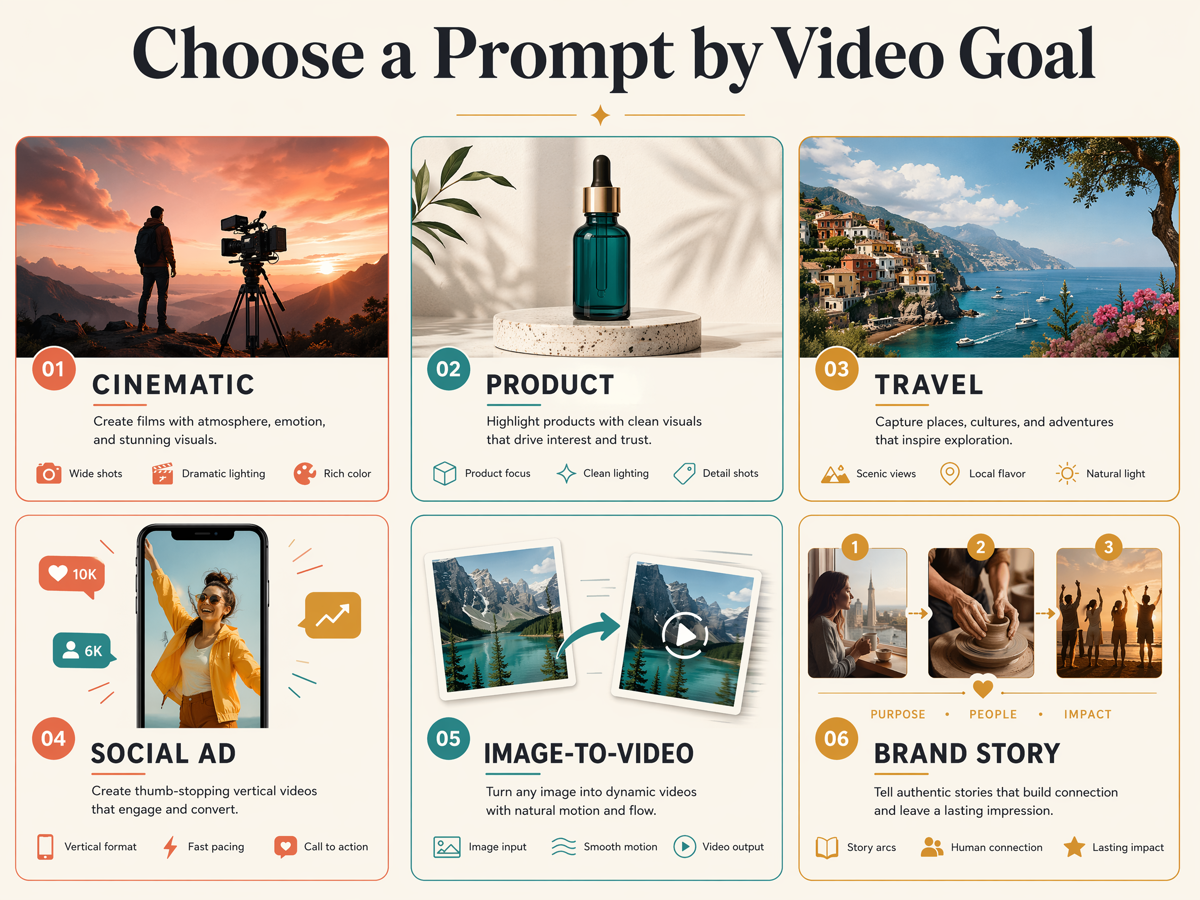 Different video goals need different prompt structures.
Travel Video Prompts
When to use them: destination teasers, tourism campaigns, itinerary videos, hotel content, travel storytelling, and location mood boards. Avoid asking one clip to cover an entire trip; create one shot per moment.
13. Alpine lake arrival
A hiker reaches a clear alpine lake at sunrise, removes a backpack, and watches the first light touch the mountain peaks; wide rear three-quarter shot, slow forward glide, light fog above the water, natural documentary color, gentle clothing movement, realistic scale and terrain.
Try this prompt in SeedVideo AI
14. Night market walk-through
The camera moves slowly through a lively night market with steaming food stalls, handwritten signs, and small groups sharing dishes; eye-level stabilized walk-through, warm practical lights mixed with cool evening ambience, observational travel-film style, believable crowd motion, no readable fake brand names.
Try this prompt in SeedVideo AI
15. Coastal train window
A traveler sits beside a train window as cliffs and blue sea pass outside, sunlight flickers across the face, and the traveler looks up from a notebook; intimate medium close-up, camera fixed inside the carriage, natural reflections, calm cinematic travel diary, consistent face and hands.
Try this prompt in SeedVideo AI
16. Old-town morning
A baker opens wooden shutters on a quiet cobblestone street while bicycles pass in the distance and sunlight reaches the upper buildings; slow lateral dolly, soft early-morning light, realistic European old-town atmosphere, subtle ambient movement, no crowds or modern billboards.
Try this prompt in SeedVideo AI
17. Tropical waterfall reveal
A narrow jungle path opens onto a tall waterfall surrounded by dense tropical plants; begin close behind broad leaves, move forward into a wide reveal, humid mist catching sunlight, rich natural greens, immersive expedition documentary style, physically realistic water flow.
Try this prompt in SeedVideo AI
18. Desert camp at blue hour
Lanterns illuminate a small desert camp as two travelers pour tea beside a low table and the last blue light fades behind the dunes; gentle circular camera move, warm lantern light against cool sky, quiet luxury-travel mood, realistic fire and fabric motion, no oversized moon.
Try this prompt in SeedVideo AI
Social Media Ad Prompts
When to use them: short vertical ads, launch announcements, app promos, creator hooks, before-and-after stories, and fast product education. Build the first frame around one instantly readable idea.
19. Three-second problem hook
Vertical 9:16 video: a creator stares at an empty editing timeline, taps the desk in frustration, then looks toward a bright finished-video preview appearing beside the laptop; quick push-in, clean home studio, high-contrast natural light, relatable creator-ad style, readable composition with space for headline text.
Try this prompt in SeedVideo AI
20. Before-and-after room styling
Vertical split-screen: the same small living room begins plain on the left and transforms into a warm, styled space on the right as furniture and lighting change in controlled stages; locked camera, fast but smooth transitions, bright lifestyle-ad lighting, room geometry remains identical.
Try this prompt in SeedVideo AI
21. Restaurant menu teaser
Three fast close-up shots of a chef finishing a signature dish: sauce poured, herbs placed, then the plated meal turned toward camera; vertical framing, rhythmic match cuts, warm restaurant lighting, rich food texture, premium social ad, realistic hands and utensils.
Try this prompt in SeedVideo AI
22. Fitness challenge opener
A runner ties one shoe at dawn, stands, and launches onto an empty riverside path; vertical low-angle sequence, three concise cuts, cool morning light becoming warm, motivational but realistic sports content, natural body motion, clear negative space for challenge text.
Try this prompt in SeedVideo AI
23. Small-business packing story
A small-business owner folds tissue paper around a handmade ceramic cup, adds a thank-you card, closes the box, and smiles toward camera; vertical overhead shot transitioning to eye level, soft window light, authentic behind-the-scenes style, consistent cup design and packaging.
Try this prompt in SeedVideo AI
24. Fast feature demonstration
Vertical screen-side lifestyle shot: a designer selects one image, enters a short video direction, and reacts to the resulting animated concept; quick over-shoulder framing, bright modern workspace, concise educational-ad pacing, avoid showing a detailed fake interface, focus on the human workflow and result.
Try this prompt in SeedVideo AI
Image-to-Video Prompts
When to use them: animating product photos, portraits, illustrations, concept art, real-estate images, or campaign stills. Upload the image first, then describe motion without rewriting its visual identity.
25. Portrait with subtle movement
Preserve the person's face, hairstyle, clothing, and background composition. Add a gentle breeze moving only loose hair and fabric, one natural blink, and a small shift of gaze toward the window. Slow camera push-in, soft unchanged lighting, realistic restrained motion, no face redesign.
Try this prompt in SeedVideo AI
26. Product photo turntable
Keep the product shape, materials, colors, logo, and label exactly consistent with the reference image. Animate a slow 20-degree turn while a soft highlight travels across the surface. Camera remains stable, background stays unchanged, no new accessories or packaging.
Try this prompt in SeedVideo AI
27. Illustrated landscape parallax
Preserve the illustration style and all major shapes. Create layered depth: foreground grass moves slightly, middle-ground trees shift with gentle parallax, clouds drift slowly, and the camera moves forward. No new buildings, characters, or style changes.
Try this prompt in SeedVideo AI
28. Interior design walkthrough
Keep the room layout, furniture, materials, and decor unchanged. Animate a slow stabilized camera move from the doorway toward the window while curtains move lightly and sunlight shifts across the floor. No object morphing, no added furniture, straight architectural lines.
Try this prompt in SeedVideo AI
29. Food photography animation
Preserve the plated dish and table arrangement. Add subtle steam, a slow camera orbit of less than 15 degrees, and a small light change that reveals texture. Keep ingredients, plate shape, garnish, and portion size unchanged; no utensils entering the frame.
Try this prompt in SeedVideo AI
30. Fashion campaign still
Preserve the model's identity, outfit construction, accessories, and pose. Animate a controlled turn of the head, slight fabric movement, and a slow sideways camera slide. Maintain editorial lighting and background color, realistic anatomy, no changes to garment details.
Try this prompt in SeedVideo AI
Camera Movement Prompts
When to use them: when the subject is simple but the shot needs to feel directed. One deliberate move reads better than three competing ones.
31. Slow push-in on a decision
A woman in a gray wool sweater sits at a kitchen table at dawn reading a handwritten letter, then folds it and looks toward the window; slow push-in from a medium shot to a close-up over the full clip, soft window light from the left, muted warm palette, no cuts, face and hair stay consistent, no extra people.
Try this prompt in SeedVideo AI
32. Orbit around a still object
A ceramic teapot on a rough oak table with steam rising from the spout; a smooth 180-degree orbit at eye level, shallow depth of field, morning side light, quiet still-life realism, the teapot never changes shape or pattern, background stays soft and unchanged.
Try this prompt in SeedVideo AI
33. Crane reveal of a landscape
Start low behind tall grass on a hillside, then crane upward to reveal a river valley with a small stone village under overcast light; steady vertical rise, wide lens, natural desaturated greens, slow pacing, no people, no text, no lens flare.
Try this prompt in SeedVideo AI
34. Handheld follow through a doorway
A courier in a plain orange jacket walks through a narrow apartment corridor, opens a door, and steps onto a sunny balcony; restrained handheld tracking from behind, slight natural sway, exposure shifts from dim hallway to bright daylight, realistic footsteps, no cuts, jacket color and bag stay the same.
Try this prompt in SeedVideo AI
35. Whip pan between two subjects
Two chess players face each other across a marble table in a quiet library; a fast whip pan from the older player's hands to the younger player's face as a piece is captured, then a locked close-up on the board, warm lamp light, one whip pan only, no additional camera motion, both faces stay consistent.
Try this prompt in SeedVideo AI
Character and Dialogue Prompts
When to use them: short scenes with one or two speaking characters. Models with native audio, such as Seedance 2.5, can time a single line to an action, so keep dialogue to one or two sentences and say exactly when it lands.
36. One-line apology at a doorstep
A man in his thirties holding a small paper bag stands on a rainy porch and says, "I brought the good coffee this time," then gives a small, hopeful smile; medium shot from inside the doorway, warm interior light against cool rain outside, natural lip sync, quiet rain ambience, no music, one line of dialogue only.
Try this prompt in SeedVideo AI
37. Two friends sharing a secret
Two teenage friends sit on a school gym floor; one leans in and whispers, "Don't tell anyone, but I got in," and the other covers her mouth in surprise; static two-shot at eye level, soft overhead light, subtle echo of a large room, no background extras, faces and clothing consistent throughout.
Try this prompt in SeedVideo AI
38. Silent reaction with ambient sound
An elderly fisherman on a wooden pier reads a message on an old phone, lowers it, and looks out at the gray sea without speaking; slow side push-in, overcast light, gulls and gentle water lapping as the only audio, no dialogue, no music, weathered face stays consistent.
Try this prompt in SeedVideo AI
39. Product line delivered to camera
A barista in a plain black apron holds a paper cup toward the camera and says, "Single origin, no sugar, exactly how you like it," with a quick nod; locked medium close-up in a bright cafe, soft front light, natural speech pace, subtle cafe ambience under the line, no on-screen text or logos.
Try this prompt in SeedVideo AI
40. Argument that ends in laughter
A couple in a small kitchen argues over a burned pan; she says, "That was the last one," he replies, "It was already old," and both start laughing; medium two-shot with a slight handheld feel, warm evening light, realistic overlapping laughter, no background music, one continuous take.
Try this prompt in SeedVideo AI
Vertical Hook Prompts for Short Video
When to use them: 9:16 clips where the first second has to stop a scroll. Lead with the payoff, keep motion readable on a phone, and leave room for captions.
41. Before-and-after in one frame
Vertical 9:16, a cluttered desk splits down the middle: the left half stays messy while the right half tidies itself object by object in a fast stop-motion feel; locked overhead shot, even daylight, playful pacing, no hands visible, the desk and objects remain the same across both halves.
Try this prompt in SeedVideo AI
42. Ingredient drop reveal
Vertical 9:16, fresh strawberries drop one by one into a glass of sparkling water in slow motion, then a fast cut to the full glass with condensation; macro locked shot, bright backlight, crisp bubbles, no hands, no text, the glass shape never changes.
Try this prompt in SeedVideo AI
43. Three-second question hook
Vertical 9:16, a young man looks straight at the camera in a sunlit bedroom and asks, "Would you wear this to a wedding?" then steps back to reveal a bright green suit; static shot, natural window light, natural lip sync, quiet room tone, subject centered with headroom for a caption.
Try this prompt in SeedVideo AI
44. Fast unboxing rhythm
Vertical 9:16, hands open a plain kraft box on a white table and pull out a pair of unbranded white sneakers, tissue paper lifting with each beat; four quick top-down inserts, then a hero shot of the shoes, bright soft light, snappy pacing, no logos, sneakers stay identical in every insert.
Try this prompt in SeedVideo AI
45. Satisfying loop
Vertical 9:16, a single drop of honey falls onto a stack of pancakes and spreads slowly to the edges, ending on a frame that matches the start so the clip loops cleanly; locked macro shot, warm morning light, no hands, no text, pancakes unchanged from first to last frame.
Try this prompt in SeedVideo AI
Reference-to-Video Prompts
When to use them: you already have the identity, product, or motion on file. Give each uploaded asset one job, name it, and tell the model which asset wins if two references disagree. These follow the reference-to-video pattern used by Seedance 2.5, where uploads are addressed as @image1, @video1, and @audio1.
46. Product identity from a photo, motion from a clip
Use @image1 for the bottle's shape, cap, label placement, and color; follow the slow tabletop orbit and final front-facing stop from @video1; place the bottle on a dark stone counter with soft side light; keep the product geometry higher priority than any shape in the motion clip, no extra objects.
Try this prompt in SeedVideo AI
47. Character sheet performs a new action
Use @image1 as the only identity reference for the character: face, hair, jacket, and body proportions; make the character walk across a rooftop at sunset, stop at the edge, and turn toward the camera; steady tracking shot, warm backlight, no second person, do not copy the background from the reference sheet.
Try this prompt in SeedVideo AI
48. Environment plate with a new subject
Use @image1 only for the environment: the empty subway platform, its tiles, lighting, and depth; add a courier in a plain yellow raincoat waiting with a bicycle; medium wide shot, slight camera drift, fluorescent green-white light, ambient station hum, keep the platform layout exactly as shown.
Try this prompt in SeedVideo AI
49. Match a dance move from a reference video
Use @video1 for the motion only: copy the jump, spin, and landing with the same timing; the performer is the character in @image1, wearing the outfit shown there; set the action in a bright dance studio with mirrors, locked wide shot, upbeat but silent, keep hands and feet contact points clean.
Try this prompt in SeedVideo AI
50. Previs to final look
Use @video1 as the shot plan: preserve its camera path, shot order, and character positions; replace the gray placeholder set with the night market environment from @image1 and the placeholder figure with the character from @image2; do not inherit any gray materials or block shapes from the previs.
Try this prompt in SeedVideo AI
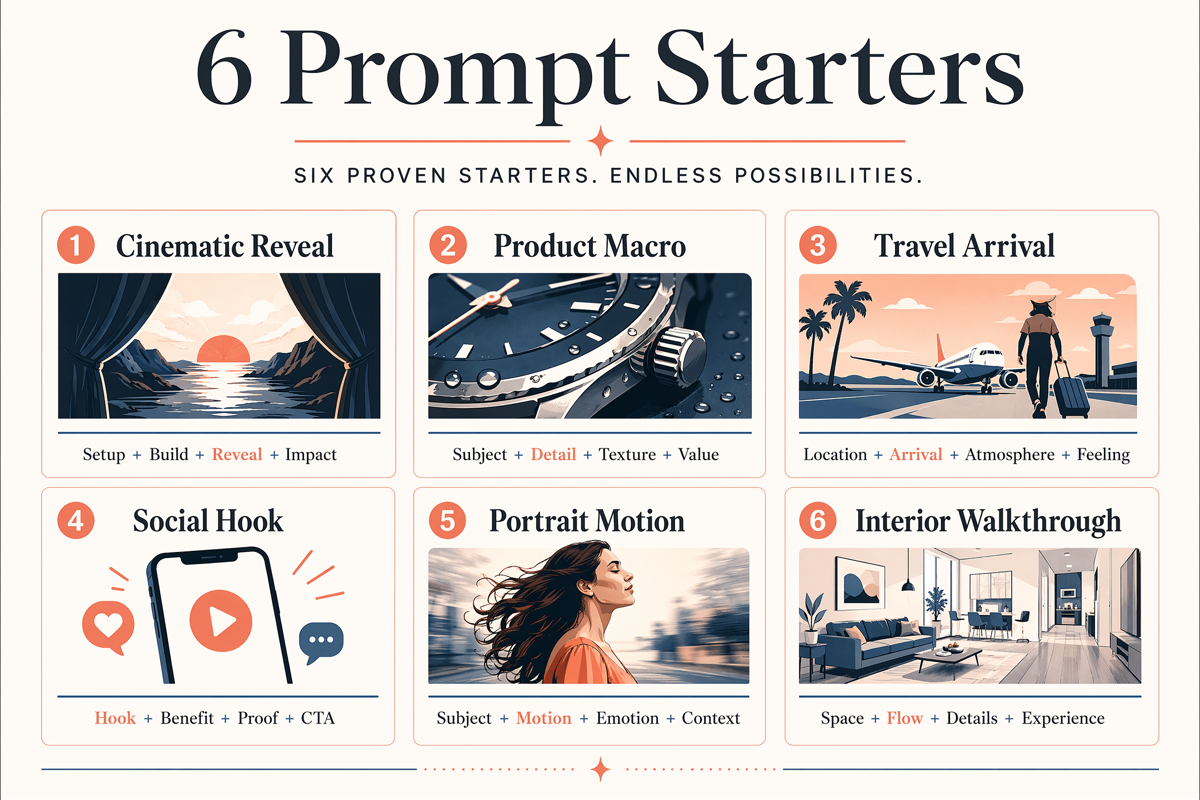 Short examples users can adapt for their own AI video projects.
How to Adapt These Prompts in SeedVideo AI
SeedVideo AI provides text-to-video and image-to-video workflows, so the right adaptation depends on whether the model must invent the first frame or preserve one you already have.
- Choose one shot goal. Define the single action the viewer should understand.
- Select text-to-video or image-to-video. Use the text-to-video generator for scenes from scratch; use the image-to-video generator when composition or identity already exists.
- Copy the nearest example. Keep its structure, then replace subject, location, materials, brand details, and mood.
- Remove unnecessary instructions. Every phrase should control subject, motion, camera, lighting, style, timing, or constraints.
- Generate a simple draft. Test the core subject motion before adding a complex camera move.
- Review one failure category at a time. Check identity, geometry, motion, camera, lighting, then background.
- Revise one variable. If the subject works but the camera does not, change only the camera direction.
- Create separate shots for separate ideas. Edit several focused clips together instead of asking one prompt for a full commercial.
Practical workflow example
Suppose you want a product launch clip for a watch:
- Draft 1: Keep the camera locked and test the watch rotation.
- Draft 2: Preserve the motion and refine highlights and background.
- Draft 3: Add a restrained macro push-in.
- Final pass: Confirm the dial, markings, case shape, and logo remain consistent.
This staged workflow gives you clearer feedback than rewriting the whole prompt after every result. For multi-shot prompts that need one character to stay consistent across a longer clip, run the final pass on Seedance 2.5 — it holds identity for up to 30 seconds. If you are still deciding which generation model fits the job, compare the workflows in Best AI Video Generators in 2026.
Common Prompt Mistakes
| Mistake | Why it fails | Better approach |
|---|---|---|
| Asking for several scenes in one generation | The model must change location, subject, and camera at once | Generate one shot per prompt |
| Using only mood words | “Epic” or “cinematic” does not define visible action | Add subject, motion, framing, and light |
| Combining conflicting camera moves | The shot direction becomes ambiguous | Choose one main camera movement |
| Overdescribing an uploaded image | The model may redesign the reference | Describe motion and preservation |
| Changing every variable after a failed draft | You cannot tell what improved the result | Revise one failure category at a time |
| Ignoring negative constraints | Important logos, faces, or geometry may drift | State exactly what must remain unchanged |
FAQ
What is the best format for an AI video prompt?
Use subject + action + environment + camera + lighting + style + constraints. Put the most important instruction early, and keep the prompt focused on one shot.
How long should an AI video prompt be?
Long enough to remove ambiguity, but not so long that several instructions compete. A useful prompt is often two to five sentences. Precision matters more than word count.
Should I include camera movements in every prompt?
No. Use a locked camera when subject motion or product accuracy is the priority. Add a pan, orbit, tracking move, crane, or push-in only when it supports the shot.
How are text-to-video prompts different from image-to-video prompts?
Text-to-video prompts describe the entire first frame and its motion. Image-to-video prompts should preserve the uploaded image and focus on motion, camera behavior, timing, and elements that must not change.
Why do AI video subjects change during a clip?
The prompt may ask for too much motion, combine several actions, or fail to state preservation constraints. Simplify the action, reduce the camera move, and explicitly protect identity, product geometry, or composition.
Can I use these prompts for vertical social videos?
Yes. Add “vertical 9:16 composition,” keep the main subject near the center-safe area, create a readable first frame, and leave negative space if you plan to add captions or a call to action.
Do the same prompts work with every AI video model?
The structure transfers, but models interpret motion, camera language, references, and constraints differently. Keep the creative goal constant, test a short draft, and adjust the wording based on the selected model’s output.
What do I change when I move a prompt from Seedance 2.5 to Veo 3.1 or Kling 3.0?
Cut it to one shot and one action for Veo 3.1's 4 to 8 second clips, remove second-range timing, and write the sound you want because Veo always generates audio. For Kling 3.0, keep one or two beats inside 15 seconds and use the Kling O3 or Motion Control variants when a reference image or video should drive the result. The model table above lists the panel differences.
Can I paste these prompts into Seedance 2.5?
Yes. Every example is written as a single shot brief, which is how Seedance 2.5 reads prompts. For 20 to 30 second clips, add timing beats and an ending frame; the Seedance 2.5 Prompt Guide shows the seven-field version of the same idea.
How do I write prompts for 30-second AI videos?
Plan two to four beats with rough timestamps, keep one subject and one location, decide how the clip ends, and state what must not change. Longer clips fail on continuity, not on detail, so spend the extra words on constraints rather than adjectives.
Start Creating
Choose one example, replace the details with your own subject and goal, and generate a short first pass in the text-to-video generator. If you are brand new to the workflow, start with How to Make AI Videos; when you need concepts rather than structures, browse 40 AI Video Ideas. For deeper prompting fundamentals, use the Text to Video Prompt Guide; for reference-driven work, continue with the Image to Video AI Guide.