Seedance 1.0 vs 1.5 Pro vs 2.0: Which Model Should You Use?
Seedance 1.0, Seedance 1.5 Pro, and Seedance 2.0 are built for different starting points. Choose 1.0 when your job begins with a text or image prompt and you need a short visual sequence. Choose 1.5 Pro when sound, dialogue, or performance has to be created with the picture. Choose 2.0 when the job depends on several reference assets or on editing and extending an existing video. The newest version is not automatically the right one: the useful choice depends on the material and control your workflow needs.
TL;DR
| Version | Short answer |
|---|---|
| Seedance 1.0 | Best for text-to-video or image-to-video work that needs stable motion and multi-shot storytelling. |
| Seedance 1.5 Pro | Best for sound-led scenes, dialogue, dialect, and more cinematic camera direction. |
| Seedance 2.0 | Best for mixed text, image, audio, and video references, plus editing and continuation workflows. |
Quick Answer
Start with the simplest version that matches your inputs. A silent product concept can fit 1.0. A short scene whose spoken delivery and sound effects matter can fit 1.5 Pro. If you already have character images, clips, audio, or a storyboard to combine, 2.0 is the relevant model to evaluate. Use the current SeedVideo AI text-to-video workflow to test the option available in your product interface.
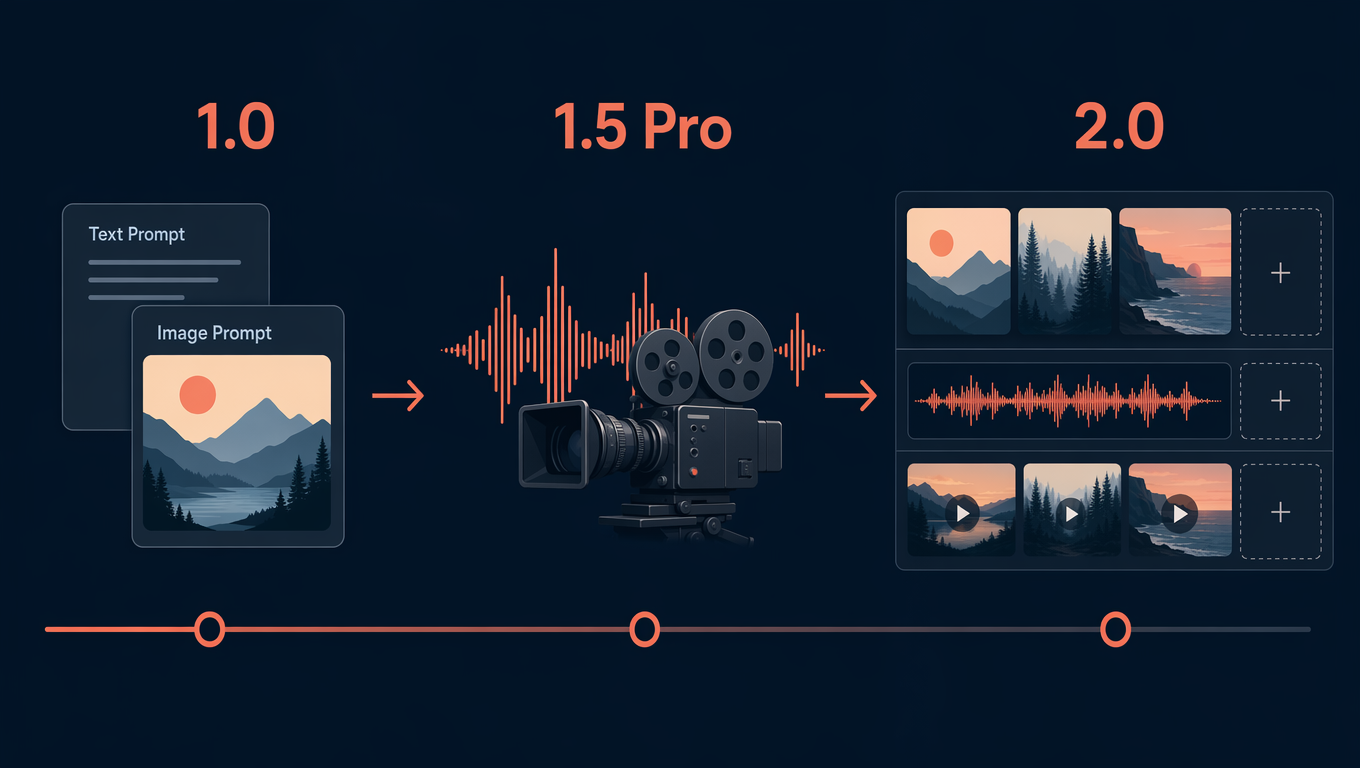
The version timeline separates visual prompting, sound-led creation, and multi-reference work.
Comparison Table
| Version | Officially described inputs | Audio | Duration and resolution | References and editing | Best for | Not best for | Evidence status |
|---|---|---|---|---|---|---|---|
| 1.0 | Text and image | The cited 1.0 pages describe visual generation; do not assume native audio output from them. | The official launch note describes a 5-second 1080p test; its multi-shot example is 10 seconds. | Text-to-video and image-to-video in one model; no 2.0-style mixed-reference or editing claim here. | Visual concepts, image-led clips, multi-shot motion. | Dialogue-led work or a reference-heavy edit. | Official model page and technical report. |
| 1.5 Pro | Text prompts and image-driven generation | Native joint audio-visual generation; the launch describes multilingual speech and regional dialect support. | The cited launch page does not provide a comparable public duration or resolution limit. | The cited material emphasizes generation, not the later 2.0 reference limits. | Dialogue, sound effects, singing, camera-driven scenes. | Jobs that need a stated multi-asset reference limit or targeted edit. | Official launch and model card. |
| 2.0 | Text, image, audio, and video | Joint audio-video generation and dual-channel audio. | The launch states 15-second high-quality multi-shot audio-video output. | Up to 9 images, 3 video clips, and 3 audio clips with instructions; it also describes editing and extension. | Reference-driven production, continuity, and targeted changes. | A simple first visual test where its extra inputs add no value. | Official model page and launch. |
The timing, resolution, and reference figures above are version-specific statements, not a same-prompt speed or quality ranking. ByteDance's benchmark results are its own reported evaluations, not an independent cross-version test.
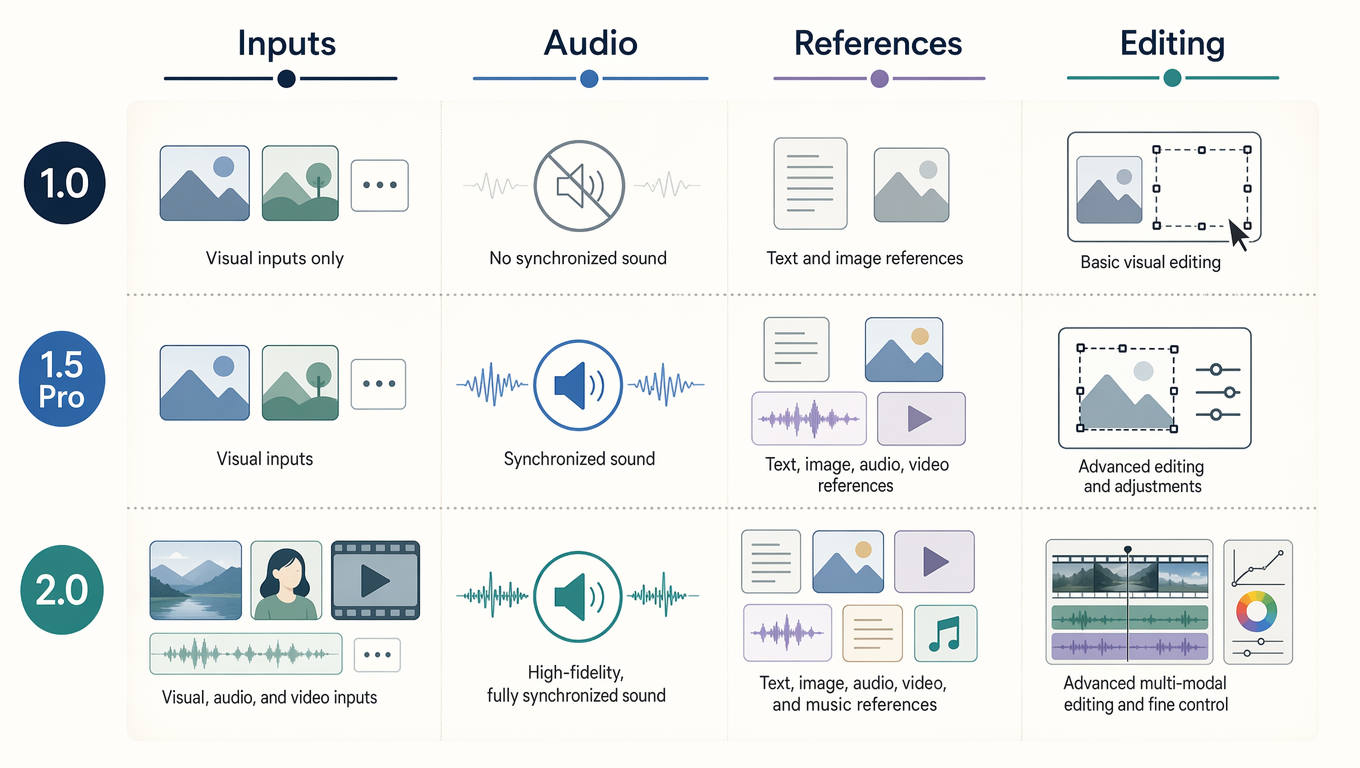
The matrix is a workflow guide, not a quality leaderboard.
Seedance 1.0: visual prompts and multi-shot motion
ByteDance describes Seedance 1.0 as supporting text and image generation, 1080p output, smooth motion, and native multi-shot narrative video. Its technical report announcement says it can make a 10-second sequence with two or three shot transitions. That makes 1.0 a sensible fit when you are shaping an idea with words or a single visual reference and want a coherent short sequence.
Best for: a silent visual concept, a product mood clip, an image-to-video test, or a prompt that needs several connected shots.
Not best for: a scene where the deliverable depends on spoken performance, generated music, or a collection of source assets that must be edited together.
Seedance 1.5 Pro: sound and performance in the same brief
Seedance 1.5 Pro adds native audio-visual generation. The official launch describes text-to-audio-video and image-driven creation, audio-visual synchronization, multilingual speech, and regional dialect support. It also highlights complex camera movement, including continuous takes and dolly zooms. Those claims make 1.5 Pro the version to consider when a prompt needs a voice, rhythm, environmental sound, and picture to work together.
Best for: a dialogue scene, an audiovisual ad concept, a short drama beat, or a performance with sound cues.
Not best for: treating an official capability statement as proof that every product surface exposes it, or assuming it has 2.0's published mixed-reference limits.
Seedance 2.0: references and editing become part of the workflow
Seedance 2.0 accepts text, image, audio, and video. Its launch states that a request can combine up to nine images, three video clips, three audio clips, and natural-language direction. It also describes targeted modification of clips, characters, actions, and storylines, plus video extension. The same launch states 15-second multi-shot audio-video output and dual-channel audio.
Best for: a storyboard plus character references, an existing clip that needs continuation, or an edit brief with several source materials.
Not best for: declaring it the best model for every job. If you only need a quick visual trial, the added reference workflow may not help.
What actually changed between versions?
The useful progression is about the kind of direction you can supply. Seedance 1.0 centers visual text and image prompts. Seedance 1.5 Pro makes sound part of generation. Seedance 2.0 expands the brief into a mixed set of visual, audio, and video references, then adds editing and continuation. That is a workflow change, not a promise that a newer model wins every prompt.
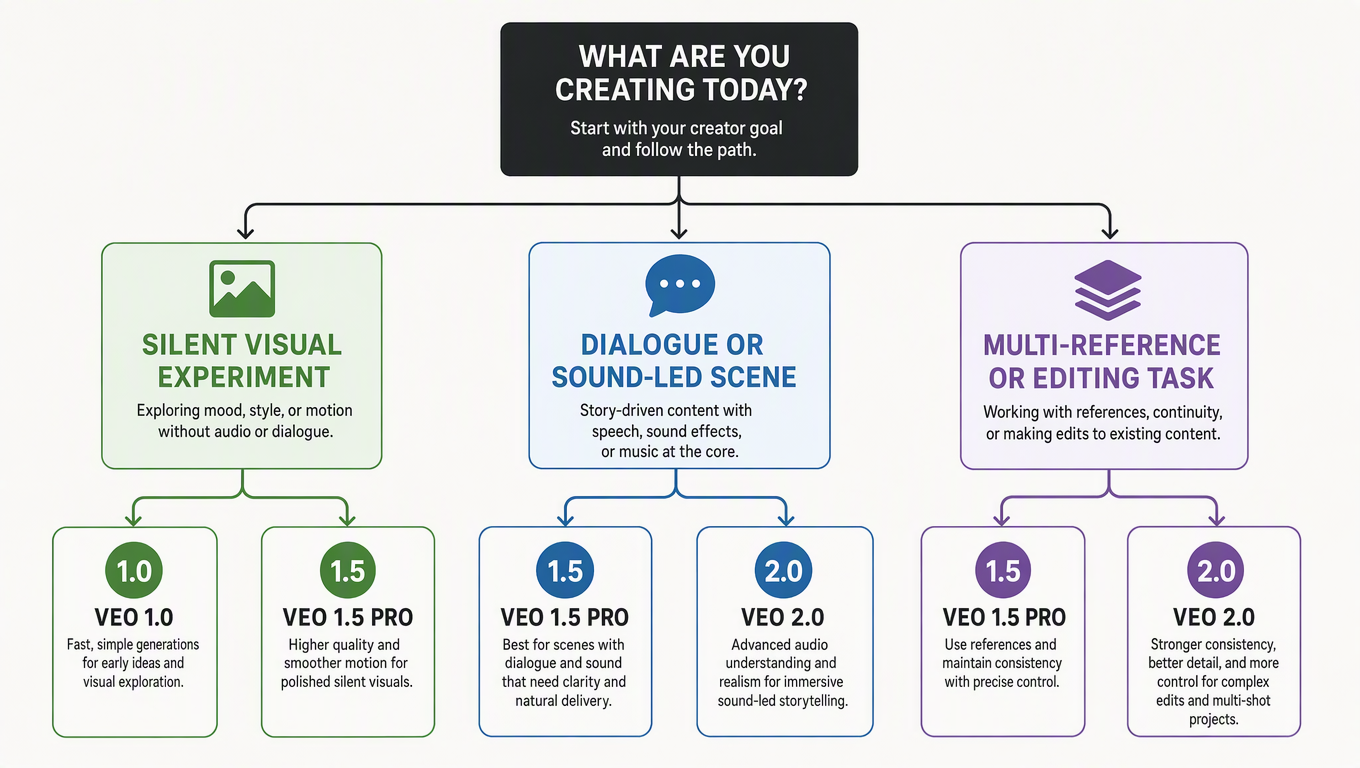
Choose by the materials and control the job requires.
Choose by workflow
| Your starting point | Practical choice |
|---|---|
| Text or one image; visual motion matters | Seedance 1.0 |
| Dialogue, dialect, music, or sound effects drive the idea | Seedance 1.5 Pro |
| Several images, clips, audio files, or an edit instruction shape the result | Seedance 2.0 |
| You need a current public product option | Check the available workflow before committing production work. |
Availability vs capability
Model documentation describes what a model can do. It does not by itself prove that Dreamina, CapCut, BytePlus, or another product interface exposes every mode, duration, reference limit, or editing control today. Check the current interface, its upload fields, and its terms before committing a client deliverable.
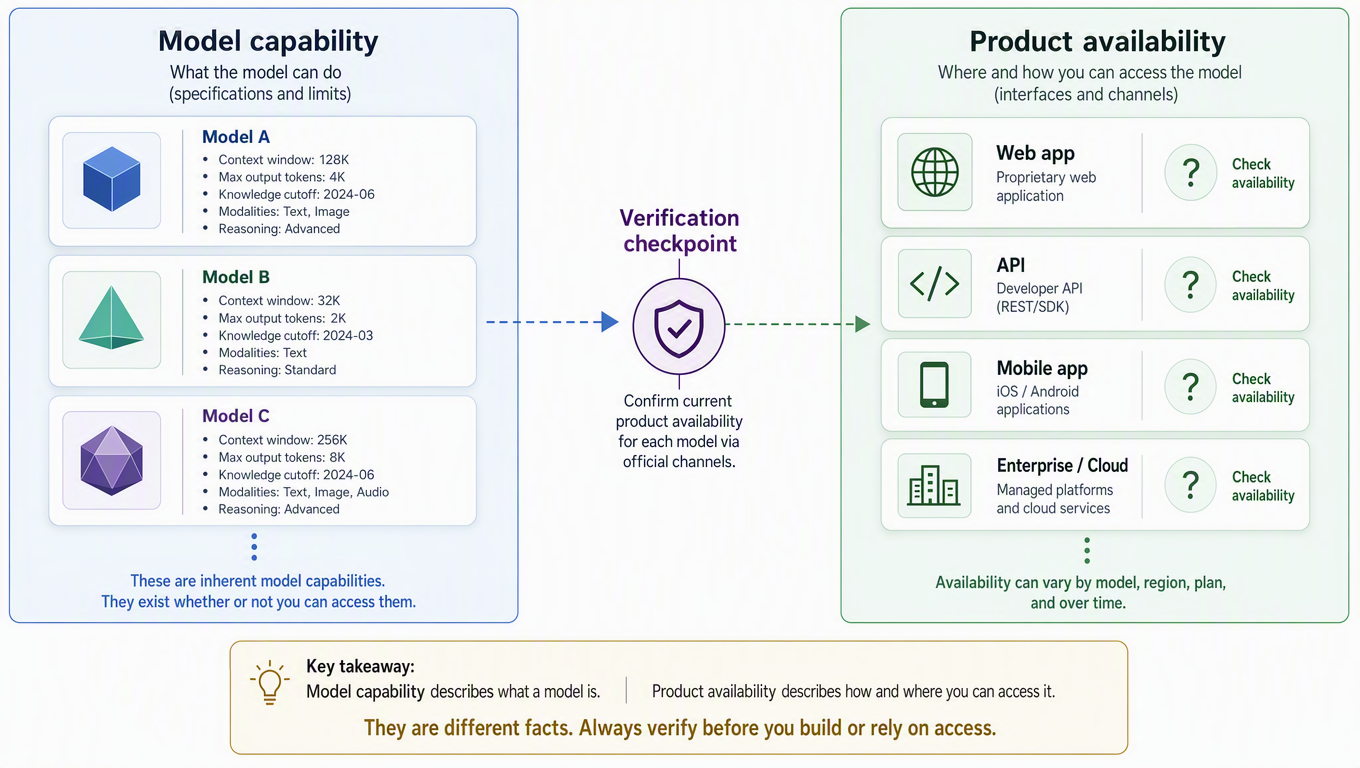
Published capability and the controls visible in a current product are separate checks.
Where Seedance 2.5 fits
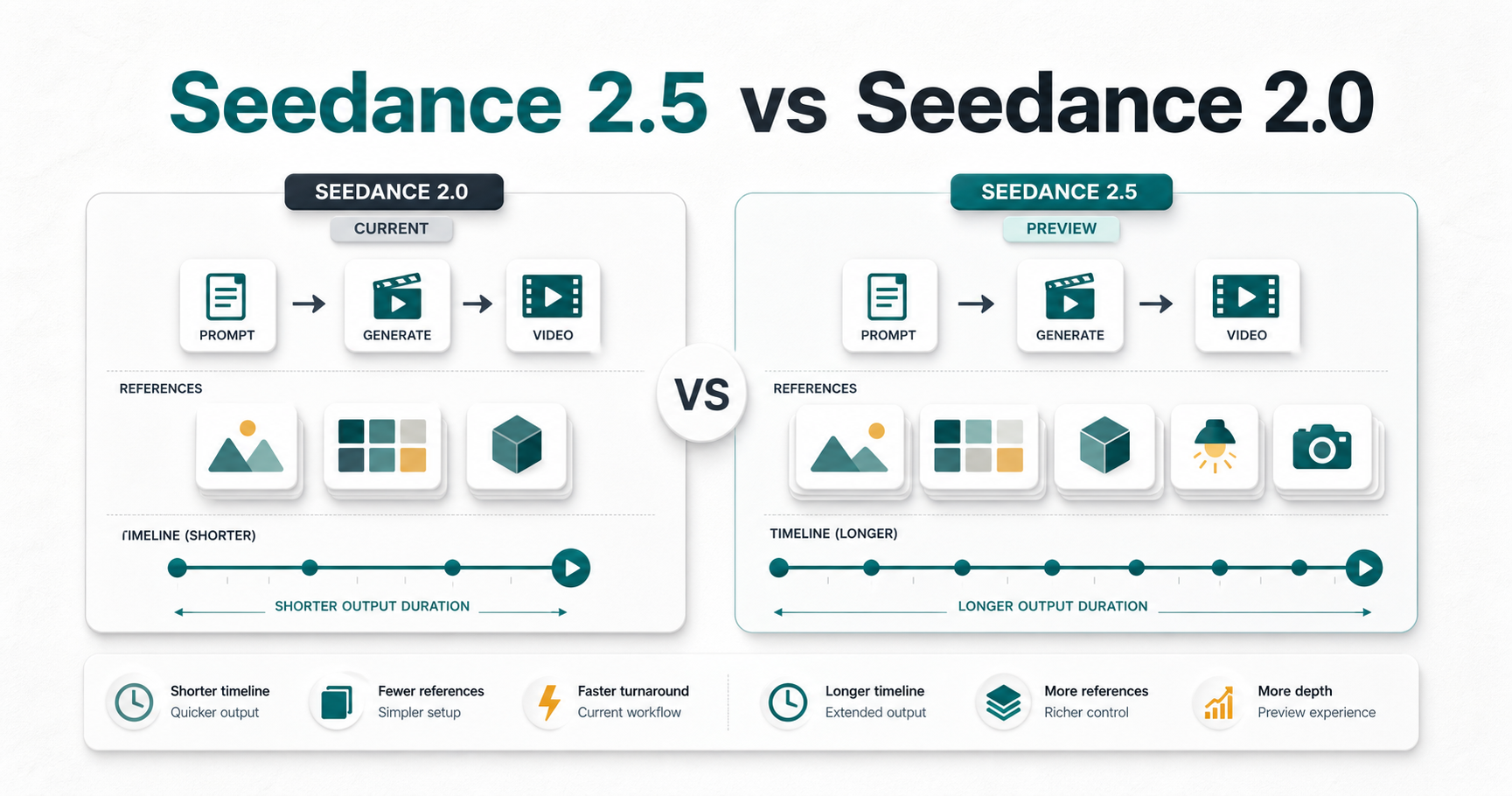
If your decision is specifically between 2.5 and 2.0, use our separate Seedance 2.5 vs Seedance 2.0 comparison. For prompt construction, see Seedance prompts.
FAQ
Does Seedance 1.0 generate audio?
The cited 1.0 official pages focus on visual text and image generation. Do not infer native audio output from those sources.
Is 1.5 Pro only for dialogue?
No. Its official launch also discusses sound effects, camera control, and narrative scenes. Dialogue is one reason to choose it, not the only one.
What is the published 2.0 reference limit?
The launch states up to nine images, three video clips, and three audio clips with natural-language instructions.
Can I compare generation speed across all three?
Not from these sources. The 1.0 report gives one hardware-specific test, but that is not a controlled three-version comparison.
Does 2.0 support editing?
The official launch describes targeted changes and video extension. Check your current product interface for access to those controls.
Which version should a beginner try?
Choose the model that matches the inputs you already have. A plain visual prompt is a different job from a multi-reference edit.
Sources and methodology
This guide uses the Seedance 1.0 model page, its technical report announcement, the Seedance 1.5 Pro launch, the Seedance 1.5 Pro model card, the Seedance 2.0 model page, and the Seedance 2.0 launch. It does not claim a controlled speed, cost, or quality ranking.
Ready to test a visual workflow? Open SeedVideo AI's text-to-video generator.