Seedance 2.5 Prompt Guide: 36 Prompts + 12 Full 30-Second Examples
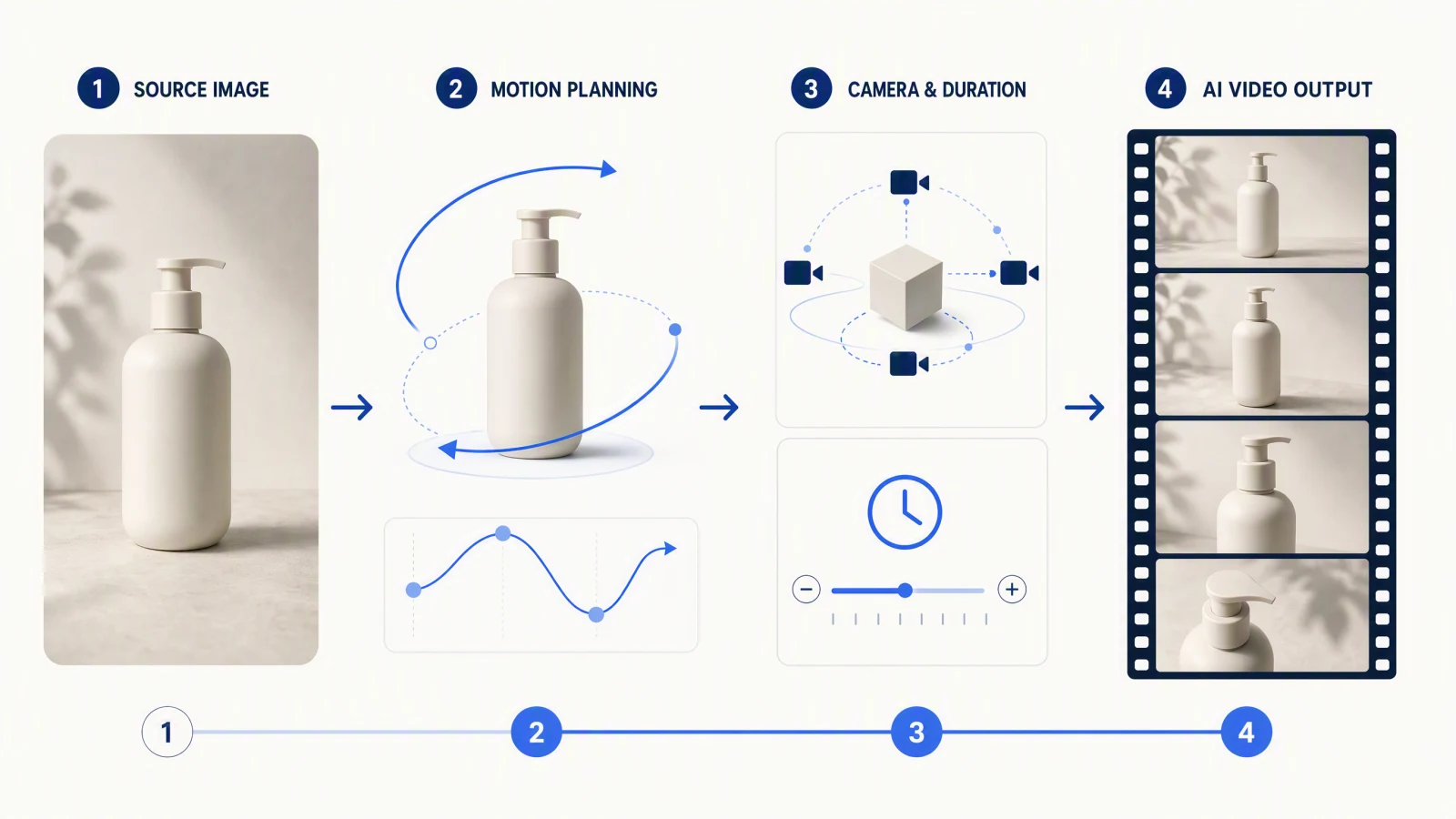
Treat a Seedance 2.5 prompt as a compact directing note. Start with the subject, then state the action, camera behavior, timing, audio direction, reference roles, and constraints. For a 30-second clip, split the idea into a hook, development, proof, and resolution so the ending does not arrive by accident. Choose the generation mode before you write: text works for a new scene, an image anchors appearance and composition, first and last frames control the visual journey, and reference mode assigns separate jobs to images, video, or audio. The 12 original templates below are meant to be rewritten. Replace the generic products, settings, and characters with material you own or have permission to use, then generate a baseline and revise one variable at a time.
TL;DR
- Use this order: Subject -> Action -> Camera -> Timing -> Audio -> Reference Roles -> Constraints.
- Plan 30 seconds as four beats: hook, development, proof, and resolution.
- Match the prompt to text, image, first and last frame, or reference mode before adding detail.
- Give every reference one job. Do not ask two assets to define the same identity or style.
- Treat every example as a rewriteable template, then review the full clip and change one variable.
- To copy and test instead of reading, open the Seedance 2.5 prompt library: every prompt has a one-click Try button. Earlier-version examples live in Seedance prompts.
Quick Answer
A useful Seedance 2.5 prompt gives you seven things you can check after generation: one subject, one readable action, one main camera idea, a timed sequence, audio intent, the job of each reference, and the details that must not change. For a 30-second video, write four beats rather than a long paragraph: 0-5 seconds for the hook, 5-16 for development, 16-25 for proof or escalation, and 25-30 for resolution. These timings are planning aids, not guaranteed frame-accurate controls. Start with the simplest mode that can preserve what matters, then add references only when each asset has a clear role. If you only want prompts to copy, jump to the 24 short starters; the settings quick reference lists the durations, resolutions, reference limits, and credit rates those prompts assume.
Last verified: October 11, 2026, against the SeedVideo AI web generator, the Seedance 2.5 model page, and the model documentation.
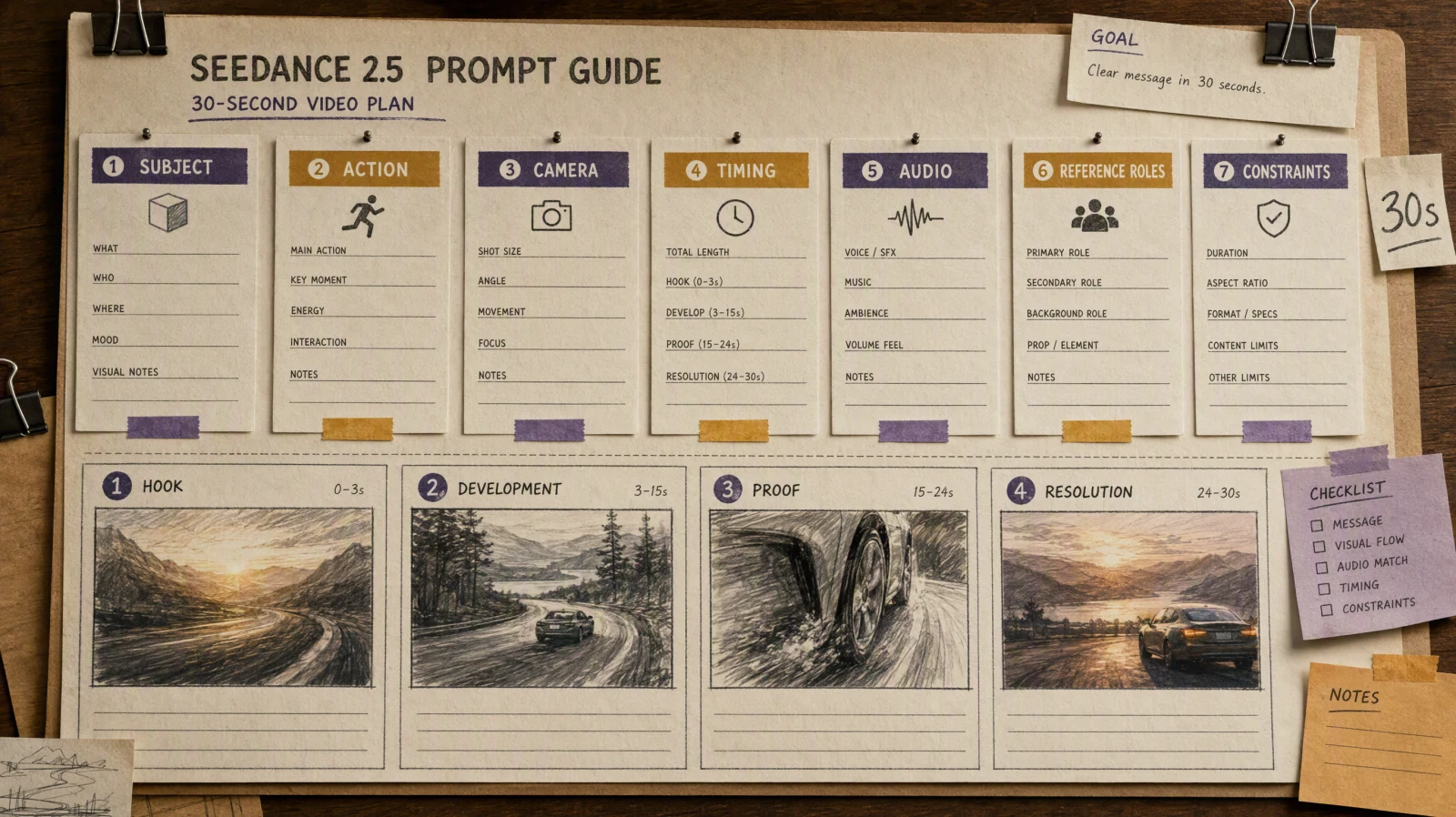
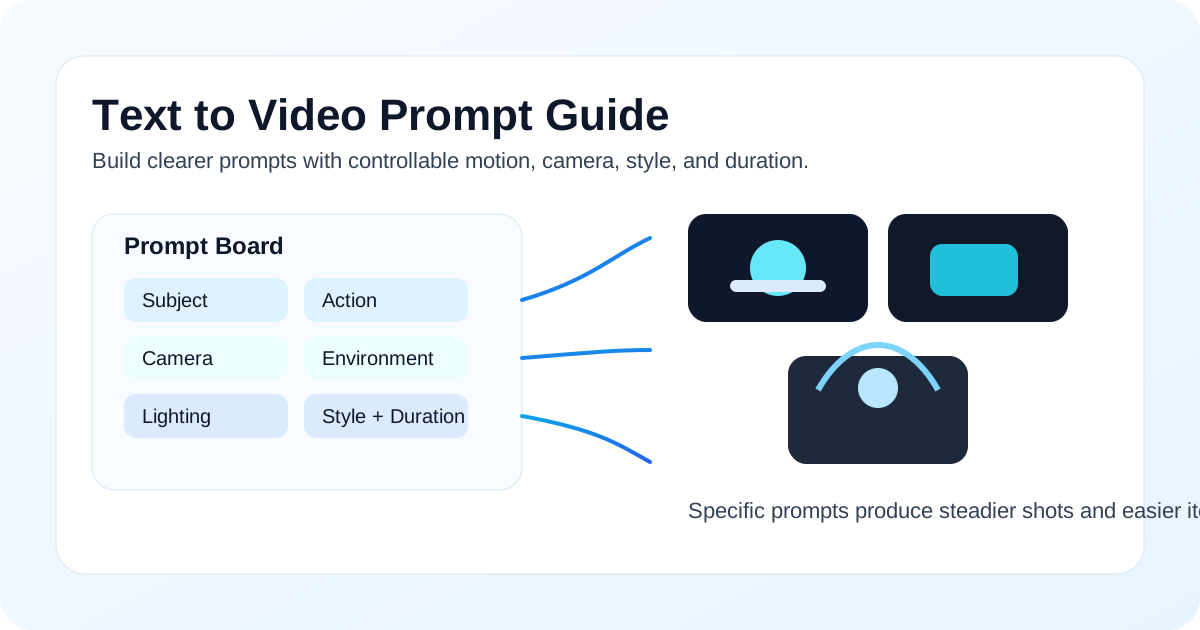
A 30-second prompt works better as a directing brief with seven distinct fields.
Seedance 2.5 prompt anatomy
Use this seven-field skeleton:
Subject: Who or what must remain recognizable?
Action: What changes on screen?
Camera: What shot size and movement should guide the viewer?
Timing: What happens in each beat, and how does the clip end?
Audio: What dialogue, ambience, rhythm, or silence supports the action?
Reference roles: Which asset controls identity, product, environment, motion, style, or audio?
Constraints: What must stay fixed, and what should be omitted?
Concrete nouns and verbs do more work than long adjective lists. "A ceramic cup rotates once while the camera moves from a medium shot to a close-up" is easier to review than "a beautiful, premium, cinematic product reveal." If the result misses the brief, the first version tells you which field needs attention.
For general prompt formulas and shorter examples, use the Seedance prompts guide. For a focused vocabulary of pans, dollies, orbits, and tracking shots, see the AI video camera movement prompts guide.
How prompting changes by mode
| Mode | Best starting input | Fields to stress | Reference wording | Review first |
|---|---|---|---|---|
| Text to video | Written scene brief | Subject, action, camera, timing | No asset marker needed | Whether the scene and motion are readable |
| Image to video | One owned or licensed image | Action, camera, fixed appearance | Describe what the source image must preserve | Identity, geometry, and unintended deformation |
| First and last frame | Two compatible images | Transition path, timing, ending | Assign the opening and ending compositions separately | Whether the motion connects both frames naturally |
| Reference to video | Images, video, or audio with separate jobs | Reference roles, constraints, timing | In SeedVideo AI's documented reference workflow, @image1, @video1, and @audio1 follow array order | Whether each reference influences only its assigned role |
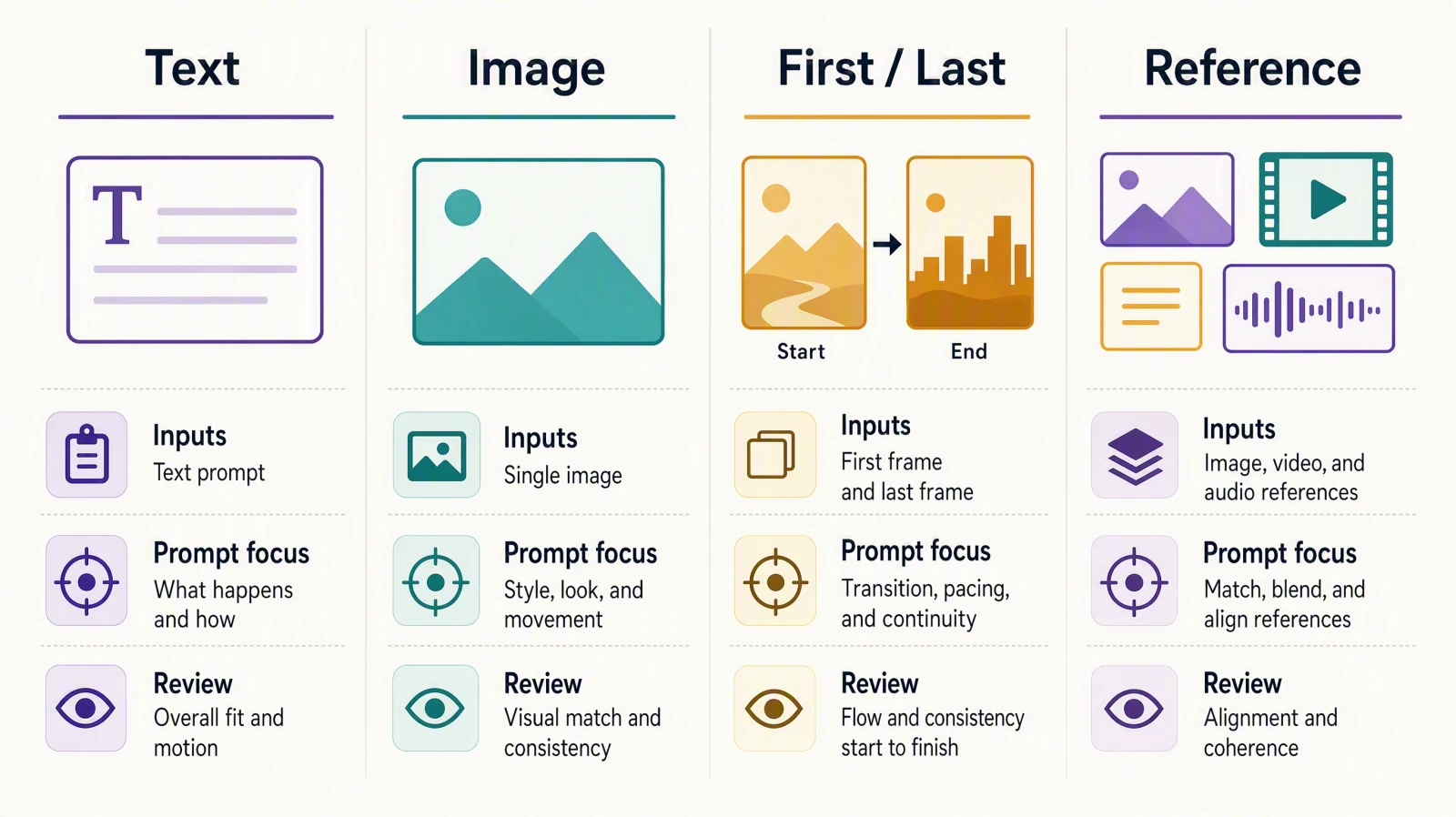
Choose the mode first, then spend prompt detail on the fields that mode needs most.
The reference markers above follow the current SeedVideo AI model documentation, checked on August 2, 2026. Dreamina uses its own interface and asset labeling. Do not assume a label copied from one product will work unchanged in another. Confirm the visible workflow before you paste a prompt.
Seedance 2.5 settings quick reference
Prompts are only half of a generation. The other half is the settings panel, and the limits differ between the SeedVideo AI web generator and the public API. The table lists what each surface exposed on October 11, 2026.
| Setting | SeedVideo AI web generator | SeedVideo AI API |
|---|---|---|
| Clip length | 4 to 30 seconds (5 seconds is the default) | 4 to 30 seconds |
| Resolution | 480p, 720p, or 1080p; 1080p needs Pro, Premium, or a credit pack, Lite tops out at 720p | 480p or 720p |
| Draft mode | Preview at 480p, then upgrade the keeper to 1080p; the draft is billed at the 480p rate | Not exposed |
| Aspect ratio | 16:9, 9:16, 1:1, 4:3, 3:4, 21:9, adaptive | Same values |
| Audio | On by default; switch off for silent clips | generate_audio |
| Reference inputs | Up to 9 reference images plus one reference video (2 to 15 seconds) | Up to 30 images, 10 videos, and 10 audio files, addressed as @image1, @video1, @audio1 in array order |
| Prompt length | Up to 2,500 characters | Up to 2,500 characters |
| Credit rate | About 3 credits per second at 480p, 6 at 720p, 15 at 1080p (base credit-pack rates; subscribers pay less per second) | Same rates, see pricing |
How long a prompt should be depends on the clip length you selected. These are editorial recommendations from our own drafting, not model limits:
| Clip length | Beats | Prompt length that stays reviewable | What to drop first if it fails |
|---|---|---|---|
| 4 to 5 seconds | 1 shot, 1 action | 40 to 80 words | Secondary motion and style adjectives |
| 10 seconds | 1 to 2 beats | 60 to 120 words | The second camera move |
| 15 seconds | 2 to 3 beats | 90 to 160 words | Dialogue, keep ambience only |
| 30 seconds | 4 beats (hook, development, proof, resolution) | 150 to 260 words | The third and fourth beat's detail, keep the ending |
The 12 full examples below are written for the 30-second row. The 24 starters are written for the 5-to-10-second rows and can be stacked into longer beats.
Plan a 30-second scene
A four-beat plan keeps a longer clip from becoming one unbroken action:
| Beat | Planning range | Job | Useful question |
|---|---|---|---|
| Hook | 0-5 seconds | Establish the subject and a reason to keep watching | What changes immediately? |
| Development | 5-16 seconds | Show the main action or problem | What should the viewer understand? |
| Proof | 16-25 seconds | Demonstrate the result, consequence, or emotional turn | What makes the claim visible? |
| Resolution | 25-30 seconds | Hold a clean ending or callback | What should the final frame communicate? |
Do not treat these ranges as exact edit points. They are a writing tool. If one beat needs more room, shorten another. A product demonstration may spend most of its time on proof, while a dialogue scene may need a longer development beat.
Text-to-video examples
1. Desk lamp product story
Best for: A horizontal product concept when no source image is required.
Inputs: Text only, 16:9. Replace the unbranded lamp with your own cleared product description if identity matters.
Prompt:
Subject: an unbranded matte-white desk lamp in a small apartment studio.
Action: the room begins dim; a designer switches on the lamp, adjusts the arm, sketches, and pins the finished drawing to the wall.
Camera: begin with a wide locked shot, move into one slow side dolly during the adjustment, then end on a steady product close-up.
Timing: 0-4s dark-room hook; 4-15s setup and adjustment; 15-25s visible drawing progress; 25-30s clean lamp hero frame with the sketch in soft background focus.
Audio: quiet room tone, one switch click, pencil movement, no voiceover.
Reference roles: none.
Constraints: one person, one lamp, consistent room layout, no logos, no on-screen text, no extra camera moves.
Try this prompt in SeedVideo AI
Why it works: The prompt gives the product a visible job. The final frame resolves the story instead of adding a second feature.
What to review: Check the lamp shape, hand interaction, camera path, and whether the closing frame stays steady long enough to use.
2. Cinematic rain-platform scene
Best for: A short-film mood test with one character and a clear visual turn.
Inputs: Text only, 2.39:1 or 16:9.
Prompt:
Subject: an adult traveler in a plain dark coat waiting alone on a covered rural train platform at blue hour.
Action: rain moves across the tracks; the traveler checks an old paper ticket, hears an approaching train, then decides not to board and folds the ticket away.
Camera: restrained handheld medium shot, slow push toward the ticket, cut to a wide profile as the train passes, return to a still close-up.
Timing: 0-6s establish the empty platform; 6-15s ticket and approaching light; 15-24s train passes without stopping in frame; 24-30s quiet decision and held close-up.
Audio: rain, distant rail vibration, train pass, no music, no dialogue.
Reference roles: none.
Constraints: one traveler, no readable brand marks, no dramatic weather change, keep coat and platform lighting consistent.
Try this prompt in SeedVideo AI
Why it works: The action has a beginning, choice, and ending. Camera changes follow the decision instead of decorating the scene.
What to review: Watch the traveler's identity, the direction of the passing train, continuity of the ticket, and unwanted background people.
3. Vertical recipe hook
Best for: A 9:16 social clip built around a quick visual payoff.
Inputs: Text only, 9:16.
Prompt:
Subject: a home cook making a bright citrus noodle bowl in a clean kitchen, using generic unbranded ingredients.
Action: open on the finished bowl, rewind the visual idea into preparation, toss the noodles, then return to the finished bowl with steam and a lifted bite.
Camera: overhead hook, two fast close inserts for zest and sauce, medium side shot for the toss, locked close-up for the ending.
Timing: 0-3s final-dish hook; 3-13s ingredient actions; 13-23s toss and texture; 23-30s plated result and lifted bite.
Audio: crisp kitchen sounds with a light rhythmic pulse, no spoken recipe and no generated captions.
Reference roles: none.
Constraints: one bowl, stable ingredient colors, safe utensil handling, no labels, no impossible food transformations.
Try this prompt in SeedVideo AI
Why it works: The prompt fits a vertical feed and gets to the payoff immediately. Each camera change has a clear subject.
What to review: Check food continuity, hand anatomy, whether the opening and ending bowls match, and whether the rapid inserts remain legible on a phone.
Image-to-video examples
4. Skincare bottle macro reveal
Best for: Product motion when a single approved pack shot must define appearance.
Inputs: One owned product image on a neutral background, 16:9.
Prompt:
Subject: preserve the bottle shape, cap, label placement, color, and proportions from the source image.
Action: soft condensation forms on the bottle; one drop travels down the side while a leaf shadow moves slowly across the background.
Camera: start at a medium product shot, make one slow macro push toward the drop, then settle on the full bottle.
Timing: 0-5s immediate texture hook; 5-18s controlled push and moving shadow; 18-25s drop reaches the base; 25-30s full pack shot.
Audio: faint room tone and a soft water detail, no speech.
Reference roles: the source image controls product identity and composition.
Constraints: keep label text unchanged, no cap movement, no duplicate bottle, no added claims, no floating particles.
Try this prompt in SeedVideo AI
Why it works: Motion is limited to condensation, shadow, and camera. The product reference has one explicit job.
What to review: Compare bottle geometry and label placement with the source. Reject any invented claim or letter distortion.
5. Portrait-to-dialogue setup
Best for: A character test when one consented portrait defines appearance.
Inputs: One consented adult portrait with a simple background, 16:9.
Prompt:
Subject: preserve the adult subject's facial features, hairstyle, plain blue shirt, and age from the source portrait.
Action: the subject looks off camera, listens, turns back, and says, "I kept the original because the small mistake made it feel honest."
Camera: stable medium close-up with a very slow push after the subject turns back.
Timing: 0-7s listening reaction; 7-13s turn; 13-24s dialogue; 24-30s quiet breath and held expression.
Audio: natural indoor room tone, clear adult voice, no music.
Reference roles: the image controls identity and wardrobe.
Constraints: one speaker, no beauty retouching, no subtitles, no change of background, keep lip movement aligned with the short line.
Try this prompt in SeedVideo AI
Why it works: The line is short enough to leave room for listening and reaction. The prompt does not overload the image with a new setting.
What to review: Check consent scope, facial identity, mouth movement, eye direction, and whether the voice is appropriate for the approved subject.
6. Illustration into quiet motion
Best for: Animating an owned editorial illustration without changing its composition.
Inputs: One original illustration of a night library, 4:5 or 16:9.
Prompt:
Subject: preserve the illustrated night library, its limited blue-and-amber palette, two reading figures, and paper-cut texture.
Action: desk lamps glow on one by one, pages turn, rain traces the windows, and the clock hand advances slightly.
Camera: nearly locked frame with a slow two-percent push toward the center table.
Timing: 0-6s first lamp glow; 6-19s page and rain movement; 19-25s second lamp glow; 25-30s settle into the original composition.
Audio: soft rain and page turns, no dialogue, no melody.
Reference roles: the image controls composition, characters, palette, and medium.
Constraints: preserve the illustration style, no extra readers, no realistic faces, no camera orbit, no new text on book covers.
Try this prompt in SeedVideo AI
Why it works: Small movements respect the source illustration. Returning to the original composition gives the loop a usable ending.
What to review: Look for style drift, accidental realism, new objects, warped hands, and any movement that breaks the paper-cut look.
Reference-to-video examples
7. AI UGC product demonstration
Best for: A vertical creator-style demonstration with separate identity and product references.
Inputs: @image1 consented adult presenter; @image2 owned product pack shot; @video1 self-recorded hand demonstration; 9:16.
Prompt:
Subject: @image1 defines the presenter. @image2 defines the unaltered product. @video1 defines only the hand motion and order of use.
Action: the presenter opens with the product already in hand, demonstrates the three physical steps from @video1, then shows the unchanged product beside the completed result.
Camera: phone-like medium close-up, one top-down insert for the demonstration, return to the same medium close-up.
Timing: 0-4s visual hook; 4-18s demonstration; 18-25s result; 25-30s product and result held together.
Audio: natural spoken line, "Here is the part I kept getting wrong," followed by direct demonstration sound; no music.
Reference roles: @image1 identity and wardrobe; @image2 product identity; @video1 motion only.
Constraints: do not copy the background, person, or product visible in @video1; no claims, price, logo changes, or captions.
Try this prompt in SeedVideo AI
Why it works: Each asset has one job, so the motion reference does not compete with presenter or product identity.
What to review: Check whether the result borrows unwanted details from the motion video, and verify the product remains unchanged through the insert.
8. Previsualization to final scene
Best for: Turning an owned blocking rehearsal into a more finished scene without copying protected production design.
Inputs: @video1 self-recorded rehearsal with two adult performers; @image1 original location still; @image2 original wardrobe board; 16:9.
Prompt:
Subject: two adult characters follow the positions and movement timing in @video1. @image2 defines their simple approved wardrobe.
Action: character A crosses to the window, character B waits by the table, then both react to a light outside.
Camera: preserve the basic blocking from @video1, but use a slow lateral dolly instead of the rehearsal's static camera.
Timing: 0-7s room and positions; 7-18s crossing action; 18-25s shared reaction; 25-30s hold both characters in profile.
Audio: room tone, two footsteps, distant vehicle sound, no dialogue.
Reference roles: @video1 movement and timing; @image1 environment and light direction; @image2 wardrobe.
Constraints: do not preserve faces, props, or background from @video1; no extra characters, no recognizable franchise design.
Try this prompt in SeedVideo AI
Why it works: The rehearsal supplies blocking while approved stills replace temporary visual details. The final camera move is stated separately.
What to review: Confirm the model follows positions without importing rehearsal faces or props. Check screen direction and the shared reaction.
9. Product, environment, and style map
Best for: A controlled ecommerce scene using several approved visual references.
Inputs: @image1 owned product; @image2 owned kitchen location; @image3 original color board; @video1 self-shot pouring motion; 16:9.
Prompt:
Subject: @image1 defines the exact reusable bottle. @image2 defines the kitchen layout. @image3 defines only the warm neutral color treatment.
Action: a hand fills the bottle using the smooth pouring speed from @video1, closes it, places it beside a lunch bag, then carries both out of frame.
Camera: one waist-level tracking shot with a brief close insert during the pour, then return to the original axis.
Timing: 0-5s empty bottle hook; 5-17s fill and close; 17-24s pack; 24-30s clean exit and empty counter.
Audio: water, cap click, fabric movement, no speech.
Reference roles: @image1 product identity; @image2 environment; @image3 color only; @video1 motion only.
Constraints: do not copy objects from the color board or background from the motion clip; no label mutation, no duplicate hands, no text overlays.
Try this prompt in SeedVideo AI
Why it works: The reference map prevents a style board from becoming a scene blueprint. The empty final counter gives the sequence a clear resolution.
What to review: Check product identity, hand count, fill level, camera-axis continuity, and whether reference details leak into the wrong role.
Audio-aware and dialogue examples
10. Two-person dialogue with a reaction beat
Best for: A short dialogue scene using consented character and voice references.
Inputs: @image1 and @image2 consented adult character references; @audio1 approved scratch dialogue; 16:9.
Prompt:
Subject: @image1 is speaker A in a gray sweater. @image2 is speaker B in a green jacket. Keep their positions and appearance consistent.
Action: A asks, "Did you move the chair?" B looks at the empty corner, pauses, and answers, "No."
Camera: begin in a two-shot, cut to B only after the question, then return to a wider two-shot for the empty-corner reveal.
Timing: 0-7s room setup; 7-13s question; 13-21s look and pause; 21-25s answer; 25-30s silent wide reveal.
Audio: @audio1 controls the words and pause length; retain quiet room tone and one floor creak.
Reference roles: @image1 and @image2 identity; @audio1 dialogue timing only.
Constraints: two adults only, no extra speech, no subtitles, no voice imitation beyond the approved recording, keep eyelines consistent.
Try this prompt in SeedVideo AI
Why it works: The pause is treated as part of the performance. The camera waits for the question before isolating the reaction.
What to review: Check speaker assignment, lip movement, pause length, eyelines, and whether the final wide shot makes the empty corner clear.
11. Music-driven motion study
Best for: An abstract, rights-cleared rhythm test without lyrics or branded imagery.
Inputs: @audio1 original 30-second instrumental loop; @image1 original geometric style frame; 1:1 or 9:16.
Prompt:
Subject: three simple paper forms use the color and texture rules from @image1.
Action: forms fold on the main pulse, slide on the syncopated notes, pause during the brief break, then assemble into one balanced composition.
Camera: fixed frontal view with one slow push during the final eight seconds.
Timing: follow the broad sections of @audio1: opening pulse, denser middle phrase, short break, final resolve.
Audio: @audio1 is the only soundtrack. Do not add vocals or sound effects.
Reference roles: @audio1 rhythm and section changes; @image1 material and palette only.
Constraints: no logos, letters, faces, or exact imitation of an existing music video; keep the forms readable against the background.
Try this prompt in SeedVideo AI
Why it works: The prompt maps motion to musical sections rather than demanding an edit on every beat. That leaves room for readable shapes.
What to review: Check whether motion responds to the major changes, whether the break is visible, and whether the final arrangement holds.
12. Audio-led vertical monologue
Best for: A social explainer with one consented speaker and an approved recording.
Inputs: @image1 consented adult speaker; @audio1 original 22-second voice recording; 9:16.
Prompt:
Subject: @image1 defines the adult speaker, plain clothing, and neutral home-office setting.
Action: the speaker delivers @audio1, points once to a blank paper sketch, then returns attention to camera and ends with a small nod.
Camera: stable chest-up phone framing, one subtle push during the main point, no cuts.
Timing: 0-3s attentive silent opening; 3-25s approved recording; 25-30s nod and clean hold.
Audio: @audio1 controls the spoken words and pacing; preserve light room tone, no music.
Reference roles: @image1 identity and environment; @audio1 speech only.
Constraints: no generated captions, no additional claims, no background changes, no voice cloning beyond the speaker's explicit permission.
Try this prompt in SeedVideo AI
Why it works: The visual action stays simple enough to support speech. The silent opening and ending give editors room to trim.
What to review: Check lip alignment, the approved wording, hand anatomy, eye contact, and whether the ending remains still.
Reference role map
Give every asset one primary job:
| Role | What the reference may control | What it should not control by accident |
|---|---|---|
| Identity | Face, wardrobe, product geometry | Camera path or unrelated background objects |
| Product | Shape, material, label placement | Presenter appearance or room layout |
| Environment | Architecture, light direction, spatial layout | Character identity or product design |
| Motion | Blocking, gesture order, speed | Faces, costumes, temporary rehearsal props |
| Style | Palette, medium, texture, contrast | Exact composition or protected character design |
| Audio | Words, rhythm, ambience, pause length | Visual identity unless explicitly assigned |
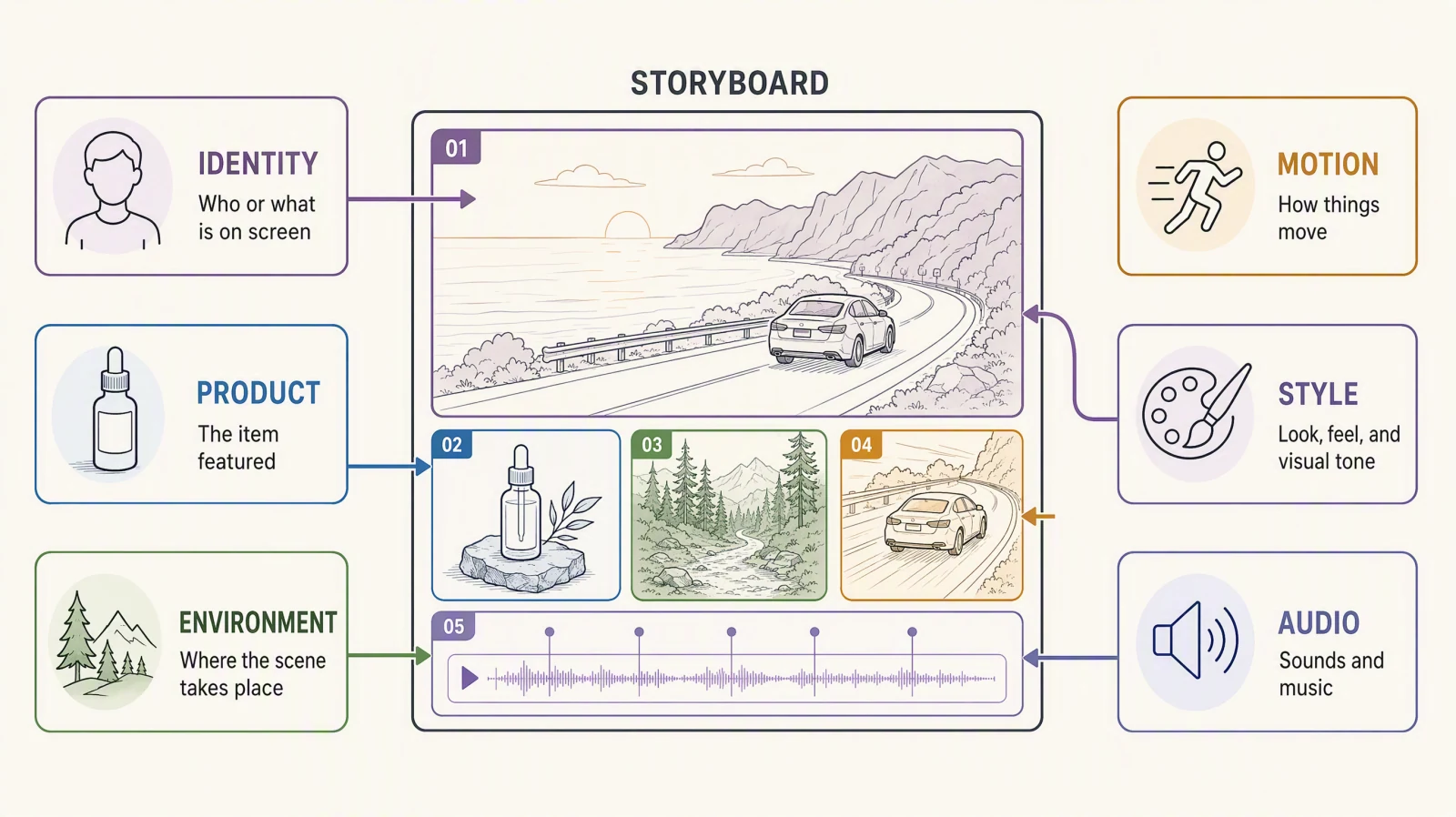
Clear reference roles reduce accidental borrowing from the wrong asset.
If two images both define the product, choose one master reference. If a rehearsal video contains temporary faces or props, say that it controls motion only. A reference pack becomes harder to diagnose when every file is allowed to influence everything.
Seedance 2.5 prompts: 24 short copy-paste starters
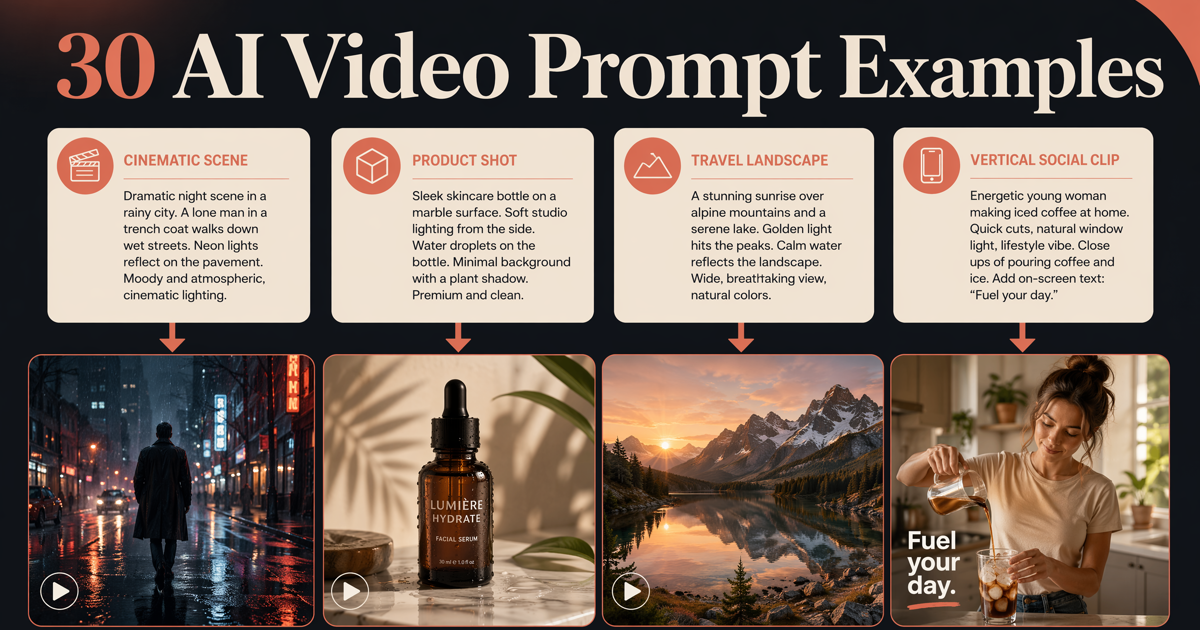
The twelve examples above are full 30-second briefs. These 24 starters are the short form: one paragraph each, written in the same seven-field spirit, sized for 5 to 15 second drafts. Paste one, generate, then expand the winner into a timed brief. Each block has a "Try this prompt" link that opens it in the generator.
Product starters
Subject: an unbranded amber glass serum bottle on wet black slate. Action: the bottle stays still while a single water drop slides down the label. Camera: locked macro, then a two-second push-in at the end. Audio: quiet room tone, one soft drip. Constraints: label geometry unchanged, no hands, no text, no extra props.Try this prompt in SeedVideo AI
Subject: a pair of unbranded white leather sneakers on a concrete floor in a bright studio. Action: the sneakers rotate a quarter turn as soft light sweeps across the toe box. Camera: low locked shot at floor level. Audio: none. Constraints: stitching and sole shape identical throughout, no logos, single light sweep only.Try this prompt in SeedVideo AI
Subject: a matte-black insulated bottle on a mossy rock beside a mountain stream. Action: condensation forms on the bottle while the stream moves behind it. Camera: slow half orbit ending front-on. Audio: running water, light wind, no music. Constraints: bottle proportions fixed, no people, no on-screen text.Try this prompt in SeedVideo AI
Subject: a folded linen shirt on a warm wooden table. Action: the shirt unfolds itself flat, sleeves last. Camera: locked overhead. Audio: soft fabric sound only. Constraints: color and weave consistent, no hands, ends on the flat hero frame held for two seconds.Try this prompt in SeedVideo AI
Cinematic starters
Subject: a lone lighthouse keeper in a wool coat on a stone stairway at dusk. Action: he climbs three steps, stops, and looks up as the lamp turns on above him. Camera: low angle, slow tilt up with the light. Audio: wind and distant waves, no dialogue. Constraints: one person, coat and face consistent, no extra light sources.Try this prompt in SeedVideo AI
Subject: an empty 1970s diner at night, rain on the windows. Action: neon sign flickers on, coffee steam rises from a single cup at the counter. Camera: slow dolly along the counter. Audio: rain, faint neon hum, no music. Constraints: no people enter, sign text unreadable, interior layout fixed.Try this prompt in SeedVideo AI
Subject: a young woman in a red raincoat at a bus stop in fog. Action: headlights approach, she steps forward, then the light passes without stopping. Camera: side profile medium shot, static. Audio: engine passing, wet tires, no dialogue. Constraints: coat color constant, no readable signs, fog density steady.Try this prompt in SeedVideo AI
Subject: a desert road at golden hour with one vintage motorcycle parked on the shoulder. Action: dust drifts across the road as the sun drops behind a ridge. Camera: wide locked shot, slow natural light change. Audio: wind only. Constraints: no rider, no vehicles, ridge silhouette unchanged.Try this prompt in SeedVideo AI
Vertical social starters (9:16)
Subject: vertical 9:16, a hand places a fresh croissant on a white plate. Action: the croissant is torn open to show layers with a small puff of steam. Camera: locked close-up, phone-friendly framing. Audio: crisp crackle, no voice. Constraints: one croissant, clean background, headroom for a caption.Try this prompt in SeedVideo AI
Subject: vertical 9:16, a person in a plain hoodie holds a small potted plant up to the camera. Action: they turn the pot to show a new leaf, then smile. Camera: static selfie framing. Audio: room tone. Constraints: face consistent, centered subject, headroom for a caption, no text.Try this prompt in SeedVideo AI
Subject: vertical 9:16, a bowl of ramen on a dark counter. Action: chopsticks lift noodles in slow motion, steam rising. Camera: tight locked shot at a slight angle. Audio: gentle broth sound. Constraints: bowl and toppings unchanged, no text, ends on the lifted noodles.Try this prompt in SeedVideo AI
Subject: vertical 9:16, a runner ties her shoes on a track at sunrise. Action: she stands, exhales, and starts a three-step sprint out of frame. Camera: low static shot. Audio: breath and footsteps. Constraints: outfit consistent, no other runners, sun position fixed.Try this prompt in SeedVideo AI
Image-to-video starters
Preserve the uploaded portrait exactly: face, hair, clothing, and framing. Add a slow blink, a small breath, and hair moving in a light breeze. Camera: static. Audio: none. Constraints: no change to identity, background, or lighting; motion stays subtle.Try this prompt in SeedVideo AI
Preserve the uploaded product photo. Rotate the product 30 degrees on its base while the highlight travels across it. Camera: locked. Audio: none. Constraints: label and geometry unchanged, background unchanged, no added objects.Try this prompt in SeedVideo AI
Preserve the uploaded landscape illustration. Add parallax: foreground trees drift slightly faster than the mountains, clouds move slowly. Camera: gentle lateral slide. Audio: soft wind. Constraints: colors and line style unchanged, no new elements.Try this prompt in SeedVideo AI
Preserve the uploaded interior photo. Move the camera forward through the room toward the window over the full clip. Audio: quiet ambience. Constraints: furniture positions and materials stay identical, no people, exposure steady.Try this prompt in SeedVideo AI
Reference-to-video starters
Use @image1 for the character's face, hair, and outfit. Use @image2 for the environment only. Action: the character walks to the window and opens it. Camera: slow follow from behind. Audio: street noise rises as the window opens. Constraints: identity from @image1 wins over any figure in @image2; no extra people.Try this prompt in SeedVideo AI
Use @image1 for the product and @video1 for the camera move and timing. Action: reproduce the orbit and final stop from @video1 with the product from @image1. Audio: none. Constraints: product geometry has priority over shapes in the motion clip.Try this prompt in SeedVideo AI
Use @video1 for motion only: match the jump, turn, and landing timing. The performer is the character in @image1. Setting: bright dance studio with mirrors. Camera: locked wide. Audio: silent. Constraints: clean hand and foot contact, outfit from @image1.Try this prompt in SeedVideo AI
Use @video1 as the shot plan: keep its camera path, shot order, and positions. Replace the gray placeholder set with the environment in @image1 and the placeholder figure with the character in @image2. Constraints: do not inherit gray materials or block shapes from the previs.Try this prompt in SeedVideo AI
Dialogue and audio starters
Subject: a barista in a plain black apron behind a bright counter. Action: she hands a cup toward the camera and says, "Single origin, no sugar, exactly how you like it," then nods. Camera: locked medium close-up. Audio: natural speech, light cafe ambience under the line. Constraints: one line only, no text, no logos.Try this prompt in SeedVideo AI
Subject: two friends on a school gym floor. Action: one whispers, "Don't tell anyone, but I got in," and the other covers her mouth in surprise. Camera: static two-shot at eye level. Audio: whisper with a soft room echo. Constraints: faces and clothing consistent, no extras.Try this prompt in SeedVideo AI
Subject: an elderly fisherman on a wooden pier. Action: he reads a message on an old phone, lowers it, and looks out at the gray sea. Camera: slow side push-in. Audio: gulls and water only, no dialogue, no music. Constraints: weathered face consistent, overcast light steady.Try this prompt in SeedVideo AI
Subject: a couple in a small kitchen with a burned pan. Action: she says, "That was the last one," he replies, "It was already old," and both laugh. Camera: medium two-shot, slight handheld. Audio: overlapping laughter, no music. Constraints: one continuous take, warm evening light.Try this prompt in SeedVideo AI
Common prompt mistakes
| Mistake | What usually becomes hard to judge | Better revision |
|---|---|---|
| Too many goals | The clip completes none of them clearly | Keep one visual promise and one resolution |
| Conflicting directions | Camera and subject motion compete | Choose one main camera move |
| Vague action | The model fills time with generic movement | Use visible verbs and state who performs them |
| No ending | The clip stops during motion | Reserve the last beat for a held frame or callback |
| Unassigned references | Style, identity, and background leak across assets | Give each asset one named role |
| Dense negative list | Important constraints disappear in a wall of prohibitions | Keep a short list of reviewable fixed details |
| Two equal subjects | The model picks one and the other drifts or vanishes | Name a lead subject and give the second a reaction |
| Overlapping time beats | Two actions compete for the same seconds | Give each beat its own range and one action |
| Contradictory style words | "Documentary" plus "anime" plus "cinematic" cancel out | Keep one style family per prompt |
Why Seedance 2.5 ignores part of a prompt
When a result skips an instruction, the cause is usually one of three things in the prompt itself, not a missing control:
- Competing subjects. "A barista and a customer talk while a dog runs past" gives three actors equal weight. Rewrite with one lead: "A barista pours a latte and looks up; a customer in the doorway reacts. No other people or animals."
- Instructions buried after the first sentence. Details that appear late in a long paragraph are the first to be dropped. Move the non-negotiable constraint (label stays readable, face stays the same) into its own short line.
- Mode mismatch. Asking a text-to-video prompt to "keep the product exactly like the photo" cannot work without the photo. Switch to image or reference mode and assign the asset a role instead of describing it harder.
Fix the prompt, regenerate once, and compare the same seconds in both clips before changing anything else.
Do not invent unsupported controls. If the current interface does not expose a negative prompt, seed, camera-control slider, or local editing command, do not write one as if it were available. Put necessary constraints in ordinary prompt language and verify the visible settings on the platform you use.
One-variable revision workflow
- Save the prompt and references used for the baseline.
- Watch the complete video once without editing the prompt.
- Name the largest failure: subject, motion, camera, timing, audio, or ending.
- Change only the field responsible for that failure.
- Generate again with the other fields unchanged.
- Compare both clips at the same moments, especially the first and final frames.
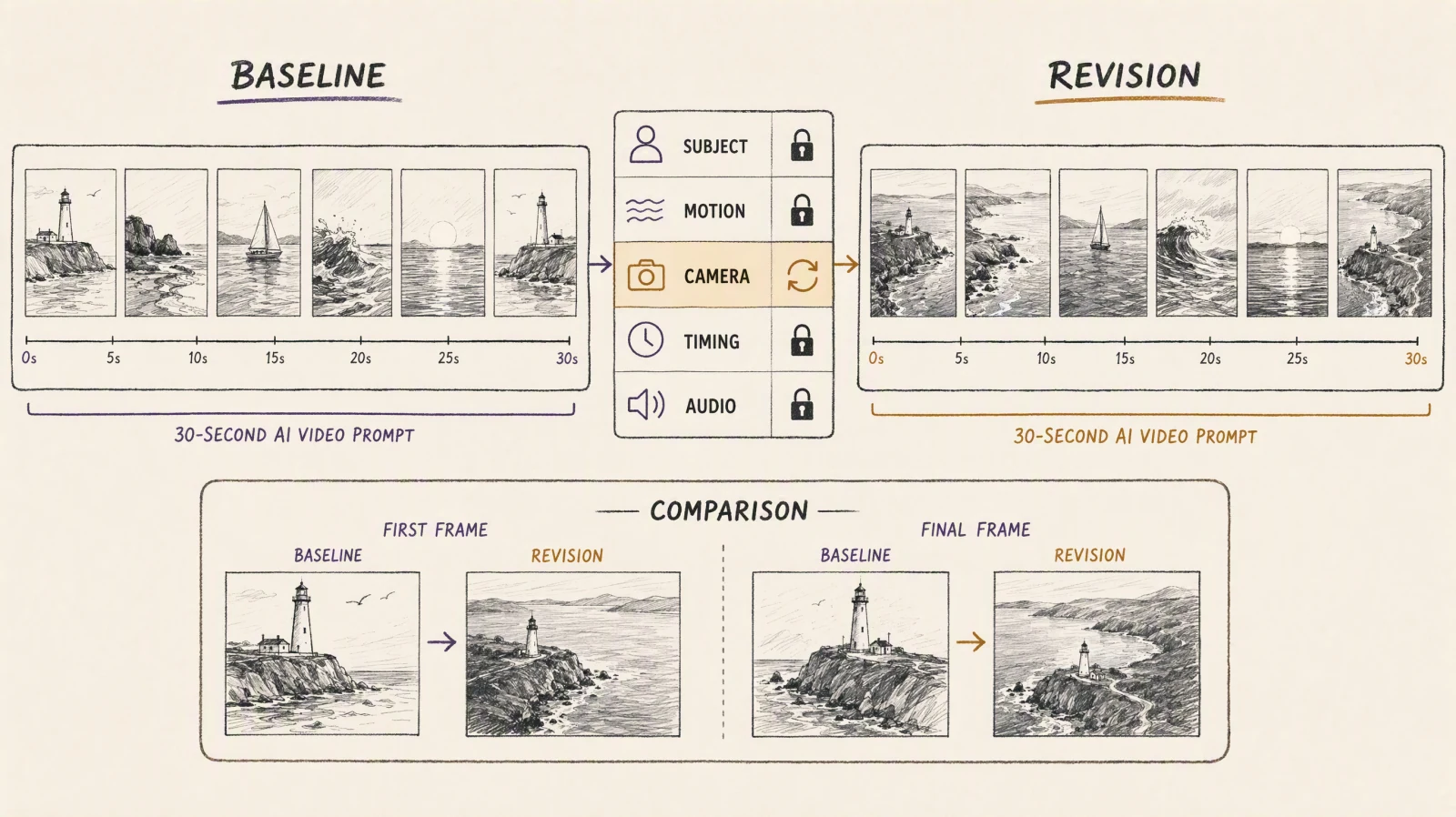
A one-variable revision makes it easier to tell which prompt change helped.
If the product changes shape, tighten the identity or product reference role before touching camera language. If the middle drags, revise timing before adding more action. If dialogue feels rushed, shorten the words or add pause direction instead of changing the visual style.
Rights and safety notes
Use prompts, images, video, audio, likenesses, voices, and brand assets you own or have permission to use. Consent for a portrait does not automatically include voice cloning or commercial advertising. A reference video may also contain music, artwork, logos, or people whose rights need separate review.
Keep templates generic until approved assets are ready. Do not use a public figure, fictional character, recognizable film scene, or competitor logo as a shortcut for style or identity. Review every output before publication for altered labels, invented claims, unintended people, and unsafe actions.
FAQ
How long should a Seedance 2.5 prompt be?
Long enough to define the seven fields, short enough that each instruction can be checked. A compact structured brief is usually easier to revise than one dense paragraph. Remove adjectives that do not change a visible decision.
How many shots should a 30-second prompt include?
Start with two to four readable beats. More cuts are possible, but every extra shot adds continuity work. A single continuous take can also work when the subject action changes clearly over time.
Can I use @image1, @video1, and @audio1?
SeedVideo AI's model documentation supported these array-order markers when checked on August 2, 2026. Use them only in a workflow that currently supports reference markers. Dreamina and other products may label assets differently.
Should I write a negative prompt?
Only if the current interface exposes a documented negative-prompt field. Otherwise, add a short Constraints section to the main prompt. Do not assume a separate control exists.
How should I prompt audio?
State whether the clip needs dialogue, ambience, music, sound effects, or silence. Name the broad timing relationship, such as a pause before the reveal. Use cleared audio and avoid requesting an unapproved person's voice.
How do I keep a character consistent?
Use one approved identity reference, repeat stable wardrobe and setting details, and limit avoidable scene changes. Review the face, hair, clothing, body proportions, and eyelines across the whole clip.
What should I change after a failed generation?
Change the field tied to the largest visible problem. Tighten the action when motion is vague, simplify camera direction when framing drifts, and revise timing when the ending is missing. Keep other fields fixed for the next comparison.
Why does Seedance 2.5 ignore part of my prompt?
Usually because two subjects or two actions compete for the same seconds, because a key constraint sits at the end of a long paragraph, or because the prompt asks text mode to preserve something only an image or reference asset can carry. See the adherence checklist under Common prompt mistakes.
Are timing ranges frame-accurate commands?
No. They are a planning structure unless the current product explicitly documents stronger timing control. Review the result rather than assuming each transition will land on an exact second.
Sources and methodology
- Dreamina Seedance 2.5 prompt guide, checked August 2, 2026, for its public 30-second planning and reference-prompt examples.
- Dreamina Seedance 2.5 model page, checked August 2, 2026, for its public description of 30-second generation and multimodal reference workflows.
- SeedVideo AI Seedance 2.5 page, checked August 2, 2026, for the model entry, input modes, and current product guidance.
- SeedVideo AI model documentation, checked August 2, 2026, for current reference limits, mode selection, and
@image1,@video1, and@audio1syntax. - SeedVideo AI Seedance 2.5 model page and the signed-in web generator, checked October 11, 2026, for clip length, resolutions, draft mode, reference-input limits, and credit rates in the settings quick reference.
All 12 prompt examples in this guide are original rewriteable templates. They are not official model recommendations and do not guarantee a particular result.
Build your Seedance 2.5 prompt
Open Seedance 2.5 on SeedVideo AI, choose the mode that matches your inputs, and start with one template. Replace every placeholder with approved material, generate a baseline, then revise one field at a time.