Seedance 2.5 Reference to Video: R2V Workflow Guide
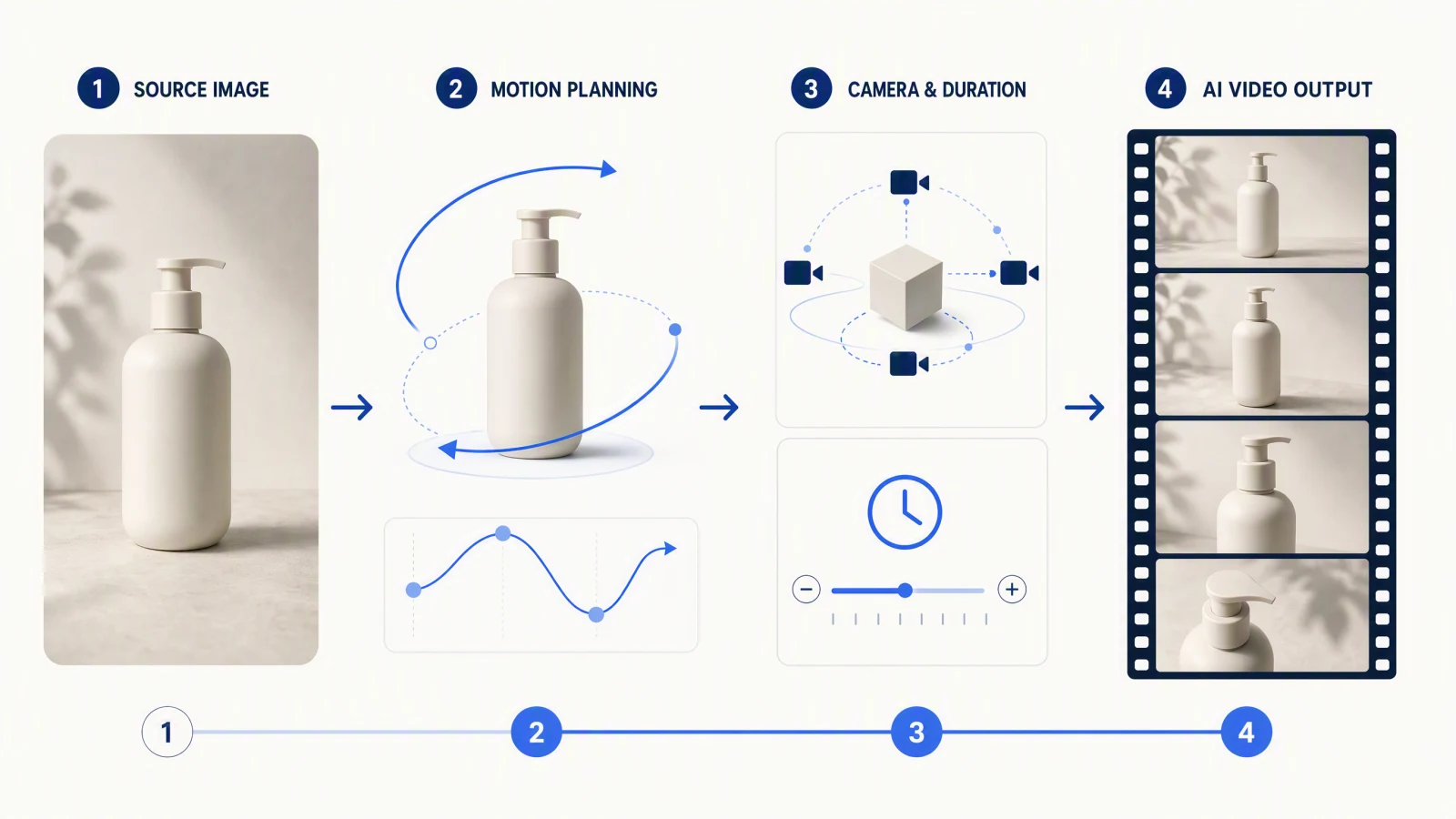
Seedance 2.5 reference to video (R2V) is reference-driven generation: you give the model selected images, video clips, audio, or a mix of them to guide identity, motion, camera behavior, setting, style, and timing. It uses those assets as instructions for a new shot rather than simply copying a source video.
The practical work is less about uploading every asset you have and more about assigning each reference one clear job. Start with the smallest pack that can describe the shot, name those jobs in the prompt, and remove any asset that gives conflicting direction. On SeedVideo AI, the tested web entry is Video to Video with Seedance 2.5. The public API documents a broader reference workflow, so this guide separates what was visible in the web product from what is documented and what was not tested on August 6, 2026.
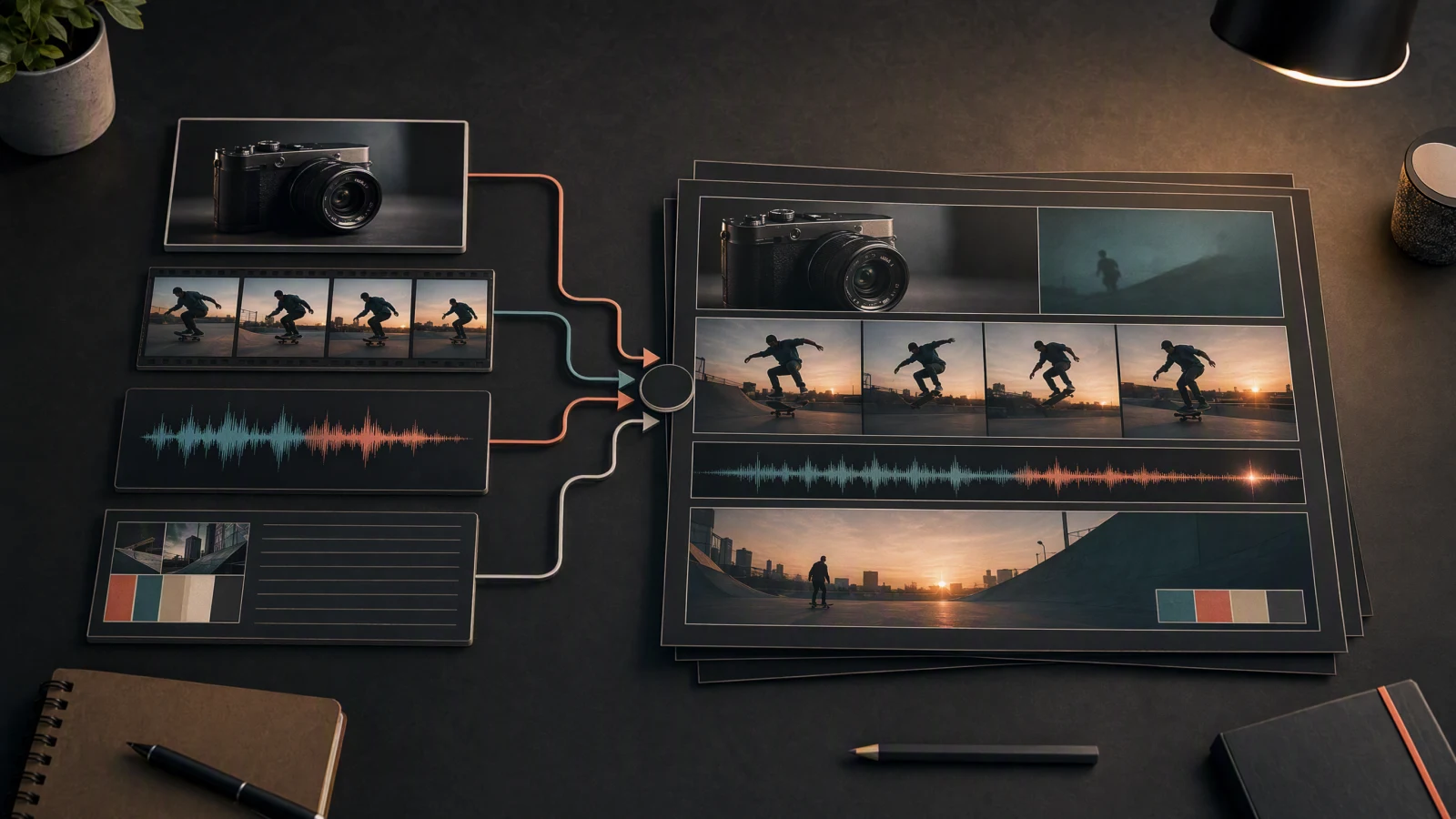
A small set of image, motion, audio, and text references can guide different parts of one generated shot.
TL;DR
- Use R2V when several parts of the result need separate reference sources.
- Give each asset one primary role, such as identity, motion, camera, or audio.
- Begin with two to four references. Add another only when you can name the missing information it supplies.
- If two references disagree, choose a winner in the prompt or remove one.
- Check identity, motion, space, camera, sound, and usage rights before approving the result.
Quick Answer
What R2V means: Reference to video (R2V) is a Seedance 2.5 generation mode where you give the model a small pack of images, video clips, or audio and tell it what each one controls, such as identity, product, setting, motion, camera, or rhythm. Unlike image to video (I2V), the references are instructions rather than the literal first frame, so the model builds a new shot that borrows from each source instead of animating one picture.
Choose R2V when one starting image cannot express the whole brief. A compact product-ad pack might contain one clean product image, one environment image, one short camera or motion clip, and an optional audio reference. Tell Seedance what each item controls. If the result drifts, simplify the pack before expanding the prompt.
Last verified: 2026-10-11 against the SeedVideo AI web generator, the Seedance 2.5 model page, and the model documentation.
What is reference-to-video?
R2V creates a new video from a collection of references. One image might establish the product, another the location, a clip might demonstrate movement, and an audio file might set rhythm. The prompt connects those pieces by assigning roles.
That differs from ordinary video-to-video. In V2V, an existing clip is usually the main temporal source and the task is to transform, edit, or restyle it. R2V can use a video as one instruction among several, without requiring the output to repeat every frame or event.
Reference is not the same as reproduction. A source can influence shape, motion, composition, or pacing, but the model still generates a new result. Review the output for invented details and do not assume that supplying a reference guarantees exact identity, product geometry, or choreography.
R2V vs I2V vs first/last frame vs video-to-video
| Mode | Main input | What it controls best | Best for | Not best for |
|---|---|---|---|---|
| Reference to Video (R2V) | Several images, clips, audio files, or a mix | Separate roles such as identity, motion, setting, camera, and timing | Complex briefs that need more than one source | Simple shots that one image already defines |
| Image to Video (I2V) | One start image | Opening composition, subject appearance, and initial layout | Animating a still while preserving its starting look | Borrowing motion and sound from separate sources |
| First/Last Frame | A start image and an end image | The opening, ending, and the transition between them | Planned reveals, transformations, and camera moves with a known destination | Open-ended scenes without a required final frame |
| Video to Video (V2V) | One existing clip | Timing, performance, camera path, and edit structure | Restyling or changing a source clip while keeping its motion | Building a new scene from independent references |
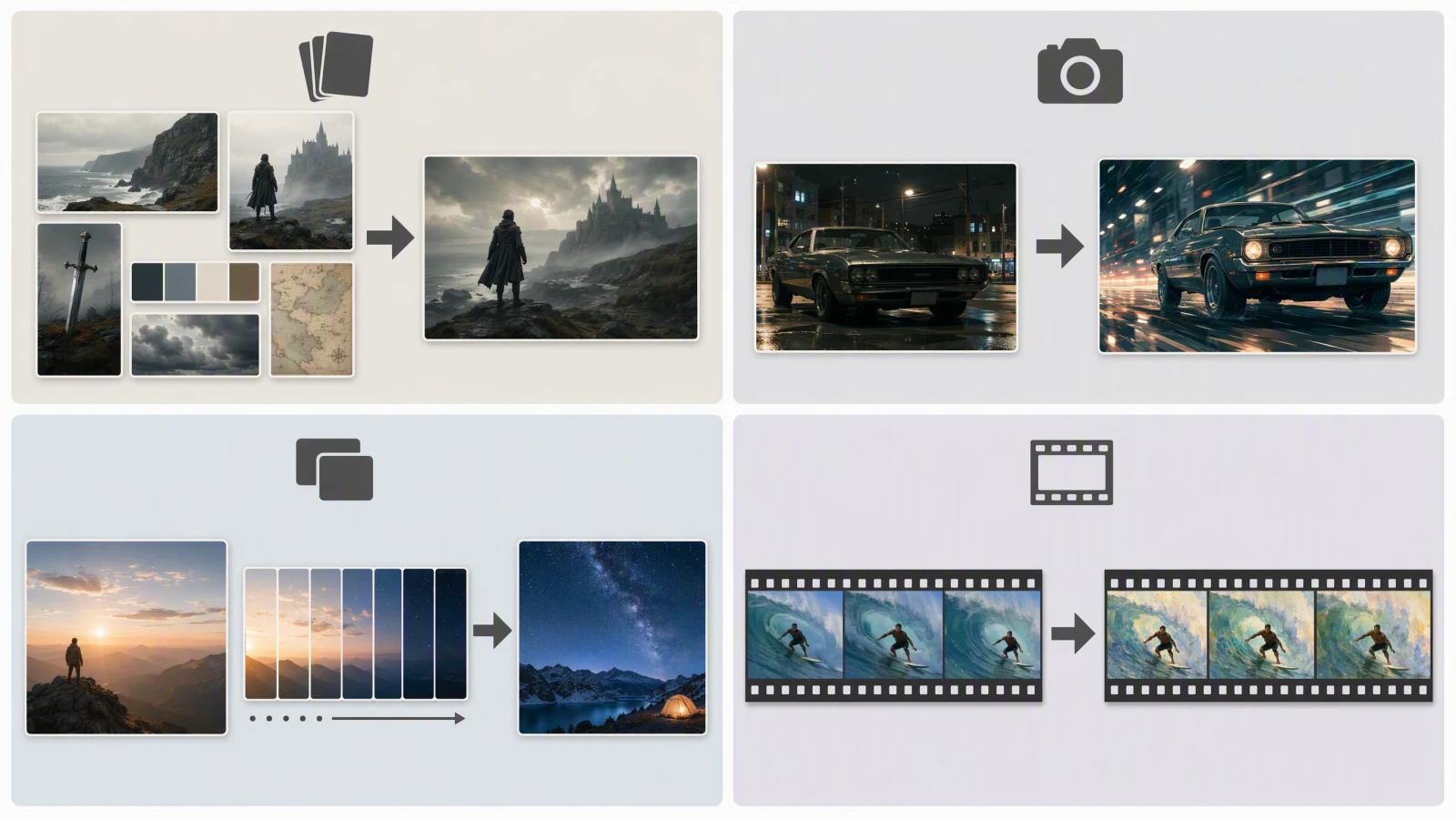
R2V combines role-specific sources, while I2V, first/last frame, and V2V each begin with a more dominant visual input.
Capability status and verified limits
Limits belong to the platform that exposes them. Do not treat one platform's interface or documentation as a universal Seedance limit.
| Surface | Status | What was verified | Verified date |
|---|---|---|---|
| SeedVideo AI web generator, Seedance 2.5, Video to Video | Tested | The signed-in interface showed up to 9 reference images and one optional MP4/MOV reference video lasting 2 to 15 seconds. It exposed prompt, aspect ratio, duration, quality, and audio-output controls. | 2026-08-06 |
| SeedVideo AI public API documentation | Documented | Seedance 2.5 reference generation lists up to 30 images, 10 videos, and 10 audio files, with output lasting 4 to 30 seconds at 480p or 720p. | 2026-08-06 |
| Dreamina Seedance 2.5 pages | Documented | Dreamina describes multimodal R2V, including motion, green-screen, and white-model references. Its product page advertises up to 50 references and 30-second generation in that product. | 2026-08-06 |
| SeedVideo AI web generator, Seedance 2.5, output settings | Verified | Clip length 4 to 30 seconds; 480p, 720p, or 1080p output (1080p on Pro, Premium, or credit packs); a 480p draft mode billed at the 480p rate; aspect ratios 16:9, 9:16, 1:1, 4:3, 3:4, 21:9, and adaptive; audio on or off. | 2026-10-11 |
| SeedVideo AI web generator, reference inputs | Verified | Up to 9 reference images and one reference video. The 2-to-15-second video window recorded on 2026-08-06 was unchanged. | 2026-10-11 |
| A completed SeedVideo AI multi-reference R2V output | Not tested | No claim is made here about identity accuracy, motion fidelity, audio adherence, or success rate for a completed multimodal generation. | 2026-08-06 |
The web and API numbers differ because they describe different surfaces. Follow the controls shown in the surface you are using. The API's format limits are also specific: JPEG, PNG, or WebP images; MP4 or MOV video; and MP3 or WAV audio. See the current SeedVideo AI model documentation before preparing a large pack.
Reference role map
Every asset should answer one question. If you cannot say what an asset controls, leave it out of the first attempt.
| Role | What the reference should communicate | Good source | Common conflict |
|---|---|---|---|
| Identity | Who or what must remain recognizable | Clean character sheet or product photo | Two different faces, outfits, or product variants |
| Product | Shape, label placement, material, and color | Front, side, or detail photo with neutral lighting | Styled photo changes proportions or hides key geometry |
| Environment | Layout, scale, lighting direction, and background | Wide location plate or simple set concept | Perspective and light disagree with the subject reference |
| Motion | Body action, object path, or physical beat | Short, readable motion clip | Motion requires a pose or prop absent from the identity source |
| Camera | Framing, lens feel, path, and speed | Previs clip or simple camera-path animation | The camera move fights the blocking or reveals missing space |
| Style | Palette, texture, contrast, and rendering treatment | One coherent mood board or look frame | Several style images pull toward unrelated visual languages |
| Audio | Music, dialogue, ambience, or sound cue | Clean track with the intended timing | The audio beat does not match the requested action |
| Timing | The order and duration of events | Beat sheet, storyboard, or time-coded prompt | Too many events are packed into the selected duration |
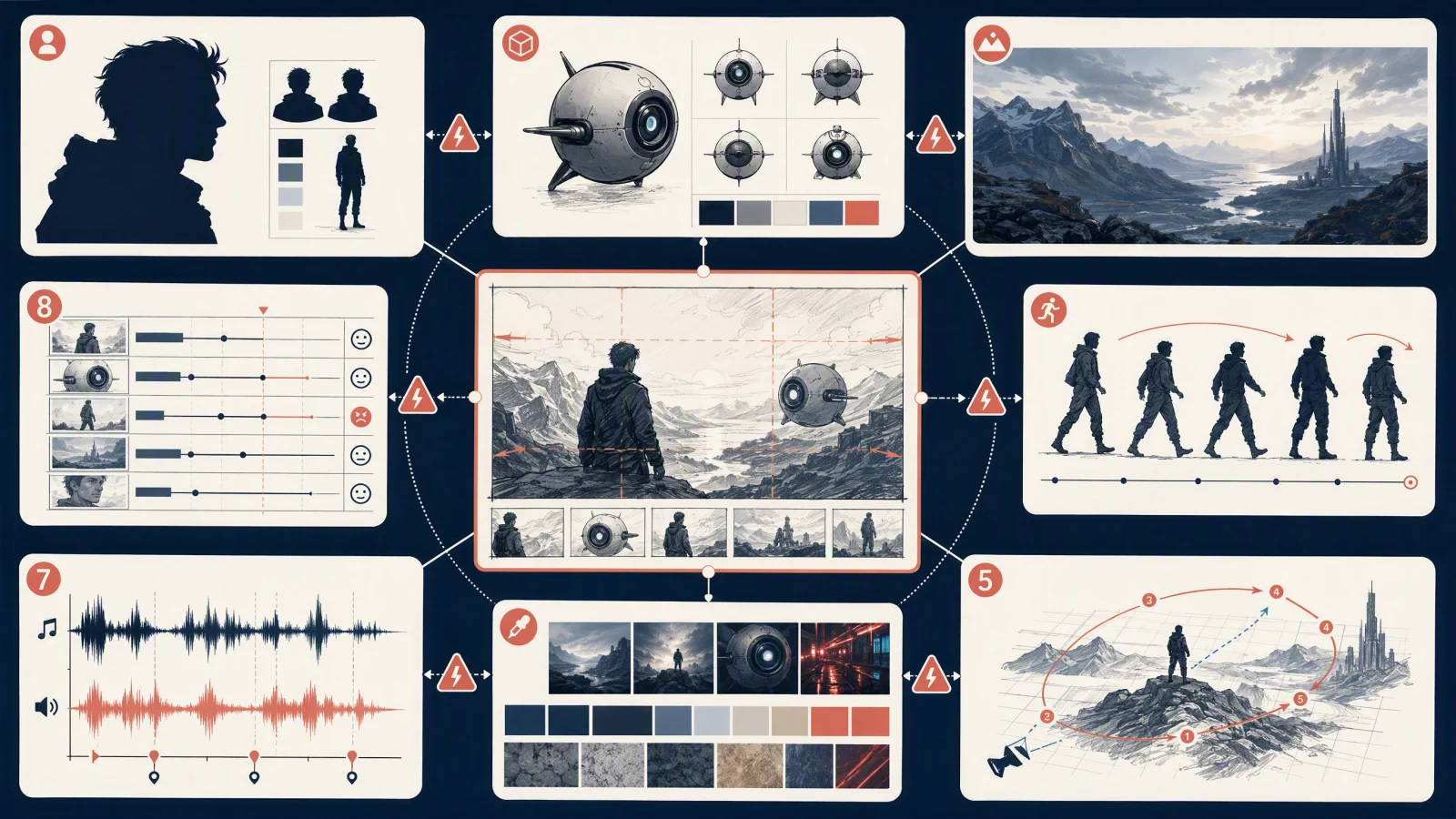
The role map separates identity, product, environment, motion, camera, style, audio, and timing so conflicts are easier to spot.
If the visual direction is still scattered across different references, an AI mood board generator can bring the colors, imagery, and textures together before you select a look frame for the shot.
Build a small, non-conflicting reference pack
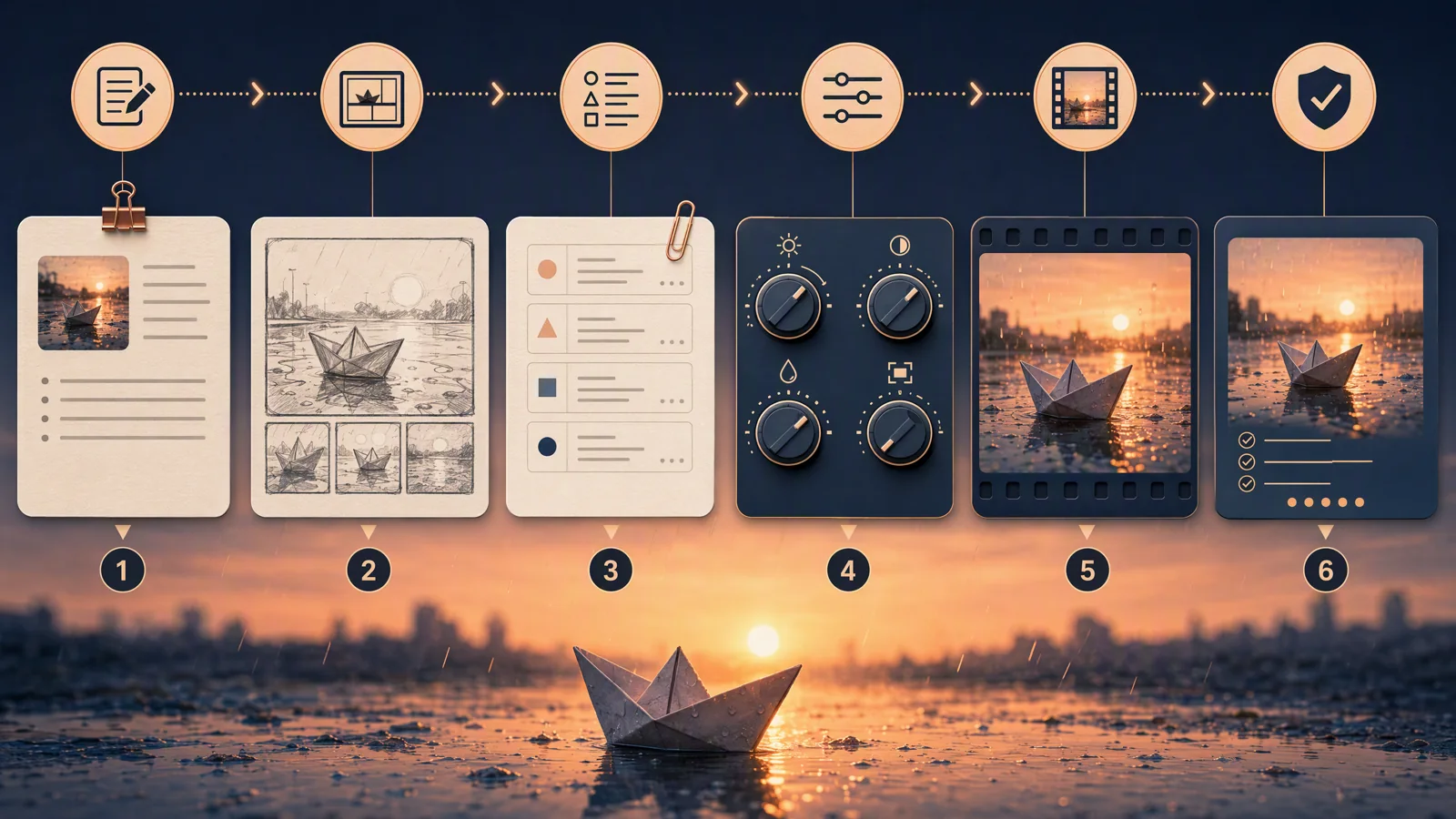
Start with the brief, not the upload limit. Write one sentence for the shot, then underline the details that cannot be expressed reliably with words alone. Those are candidates for references.
Use this order:
- Pick the anchor. For a product ad, the product image is usually the anchor. For a performance shot, the character identity or motion clip may be the anchor.
- Add one reference for the hardest secondary requirement. This is often motion, camera, or environment.
- Add audio only when the beat, voice, ambience, or sound cue affects the picture.
- Assign each asset in the prompt with explicit labels, such as
@image1,@video1, or@audio1, when the interface supports them. - Read the prompt once from each asset's point of view. If two assets appear to control the same property differently, remove one or state which one wins.
A useful first pack often has two to four assets. The documented maximum is capacity, not a target.
Step-by-step R2V workflow in SeedVideo AI
The following steps match the SeedVideo AI web interface that was visible on August 6, 2026.
- Open SeedVideo AI and enter the video generator.
- Choose Video to Video, then select Seedance 2.5 from the model menu.
- Add the minimum reference images needed for identity, product, style, or environment. The visible web control allowed up to nine.
- If motion or camera behavior needs a visual source, add one reference video. The visible control accepted MP4/MOV clips from 2 to 15 seconds.
- Write a prompt that names the job of every input. State the subject, action, space, camera, timing, and which reference wins if two sources overlap.
- Choose the available aspect ratio, duration, quality, and audio-output setting for the destination.
- Generate a draft. Review it against the role map rather than asking whether it merely looks impressive.
- Change one variable at a time. Remove a conflicting reference, shorten the action, or clarify one role before adding more material.
For a basic introduction to the model, use the Seedance 2.5 setup guide. If one image is enough, the Seedance 2.5 image-to-video guide is the simpler workflow. The older Seedance 2.0 video reference guide covers a different product path.
Three complete reference-pack examples
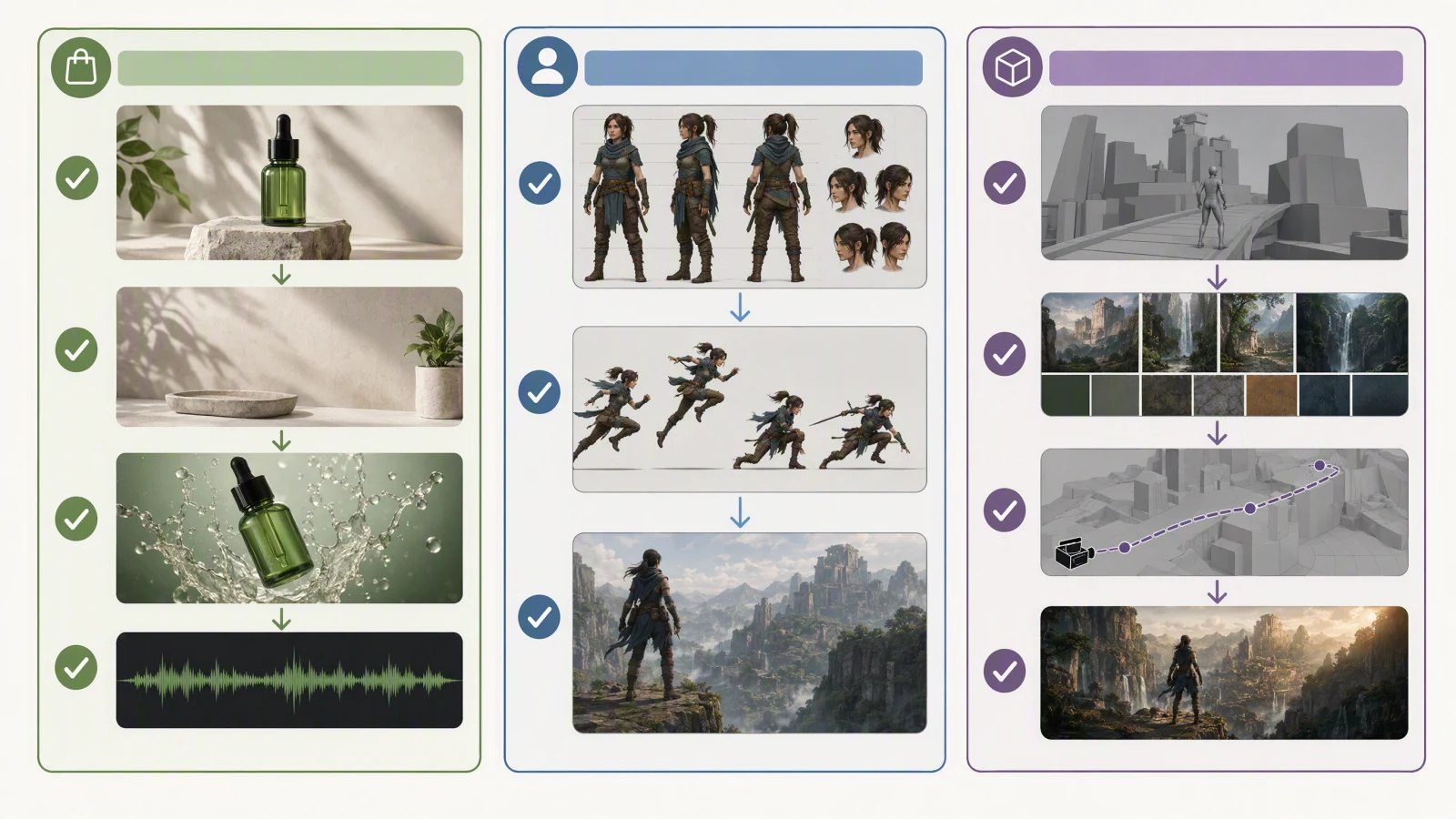
Each pack includes only the sources needed to describe its anchor, hardest secondary requirement, and timing.
Product ad pack
| Asset | Role | What to ask for |
|---|---|---|
@image1: clean product photo |
Product anchor | Preserve the bottle silhouette, cap position, material, and label placement |
@image2: stone counter at dusk |
Environment | Use the surface, background depth, and side-light direction |
@video1: slow tabletop orbit |
Camera and timing | Follow the orbit speed and finish on the front label |
@audio1: optional six-second beat |
Audio timing | Land the final product turn on the last beat |
Prompt pattern: "Use @image1 for product shape and label placement. Set it in the counter environment from @image2. Follow the slow orbit and final front-facing stop from @video1. Keep the product geometry higher priority than any shape visible in the motion clip."
Character motion pack
| Asset | Role | What to ask for |
|---|---|---|
@image1: front and three-quarter character sheet |
Identity | Preserve face, hair, outfit, and body proportions |
@video1: clean action clip |
Motion | Follow the jump, turn, landing, and approximate pace |
@image2: location plate |
Environment | Place the action on the shown rooftop without copying another person |
Keep the motion clip visually simple. A green-screen or uncluttered source can make the action easier to read, but it does not remove the need to check hands, contact points, clothing, and face consistency.
White-model previs to final-look pack
| Asset | Role | What to ask for |
|---|---|---|
@video1: white-model or gray-box previs |
Blocking, camera, and timing | Preserve the shot order, camera path, and major positions |
@image1: final environment concept |
Environment and style | Replace the gray set with the intended architecture and lighting |
@image2: character or product reference |
Identity | Use the approved subject instead of the placeholder geometry |
A white model is a spatial plan, not a finished-look reference. Say that directly. Otherwise, the output may inherit gray materials or placeholder shapes that were meant to control only blocking.
Seedance 2.5 R2V prompt examples (copy-paste)
The packs above explain which asset does which job. These eight prompts are the sentence you actually type once the pack is uploaded. Each one names every reference, gives it one role, and says which reference wins when two disagree. Swap the nouns, keep the structure, and use the "Try this prompt" link to open a block in the generator.
Use @image1 for the bottle's shape, cap, and label placement. Use @image2 for the stone counter, its depth, and the side-light direction. Follow the slow orbit and front-facing stop from @video1. Keep product geometry higher priority than any shape in the motion clip. No extra objects, no text.
Try this prompt in SeedVideo AI
Use @image1 as the only identity reference: face, hair, outfit, and body proportions. Follow the jump, turn, and landing from @video1 at the same pace. Place the action on the rooftop from @image2 without copying any person in it. Clean hand and foot contact, no second character.
Try this prompt in SeedVideo AI
Use @video1 as blocking, camera path, and timing only. Replace the gray set with the architecture and lighting from @image1. Use the character in @image2 instead of the placeholder figure. Do not inherit gray materials, block shapes, or placeholder proportions from the previs.
Try this prompt in SeedVideo AI
Use @image1 for the character's identity and @image2 for the outfit only. Action: she sits at a cafe table, stirs a cup, and looks toward the window. Camera: slow push-in from a medium shot. Audio: quiet cafe ambience. Identity from @image1 wins over the model shown in @image2.
Try this prompt in SeedVideo AI
Use @image1 for the environment: the empty subway platform, tiles, lighting, and depth. Add a courier in a plain yellow raincoat with a bicycle, not present in the reference. Camera: medium wide with slight drift. Keep the platform layout exactly as shown; no added signage.
Try this prompt in SeedVideo AI
Use @video1 for camera motion only: reproduce its handheld follow and its two speed changes. Subject: the character from @image1 walking through the hallway in @image2. Audio: footsteps and room tone. Nothing else from @video1 should appear, including its original subject.
Try this prompt in SeedVideo AI
Use @audio1 for timing: land the final product turn on the last beat. Use @image1 for the product and @image2 for the tabletop environment. Camera: a slow half orbit that ends front-on exactly at the last beat. No lyrics, no added music, no text.
Try this prompt in SeedVideo AI
Use @image1 for the character and @image2 for the same character's second outfit. Shot one: outfit from @image1 at a bus stop. Shot two: outfit from @image2 at the same bus stop, same face and hair. Camera: locked medium shot in both. Constraints: only the outfit changes between shots.
Try this prompt in SeedVideo AI
Audio and timing references
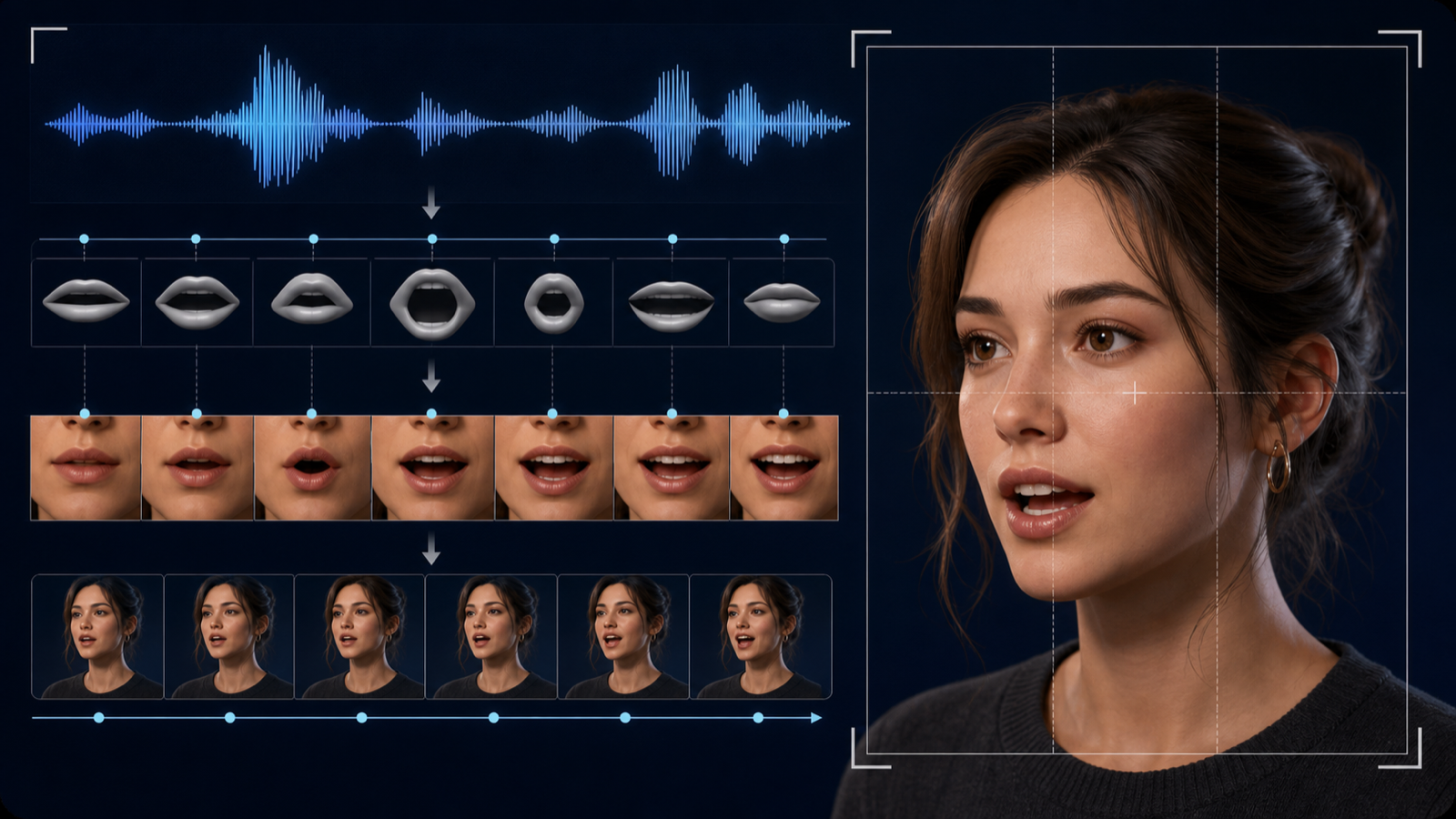
Audio can guide three different things: what is heard, when an event happens, and how the edit feels. State which one matters. "Use this audio" is vague; "start the camera push on the first beat and reveal the product on the fourth" gives the sound a timing role.
Keep dialogue, music, and effects separate when possible. A mixed track makes it harder to identify which cue the model should follow. If the surface does not expose audio-reference upload, describe the beat structure in the prompt or use the documented API workflow rather than assuming the web control is present.
Find and fix conflicting references
Conflict usually appears as drift, compromise, or instability. The subject may borrow features from two identity images. A camera clip may demand space the environment image does not contain. A fast audio cue may compress an action that needs more time.
Use this repair order:
- Identify the property that failed: identity, geometry, motion, space, camera, style, audio, or timing.
- Find every reference that tries to control that property.
- Keep the clearest source and remove the rest.
- State the priority in one sentence.
- Generate again before changing another variable.
Longer prompts do not resolve contradictory evidence. Clear ownership does.
Chain two R2V passes for a 60-second story
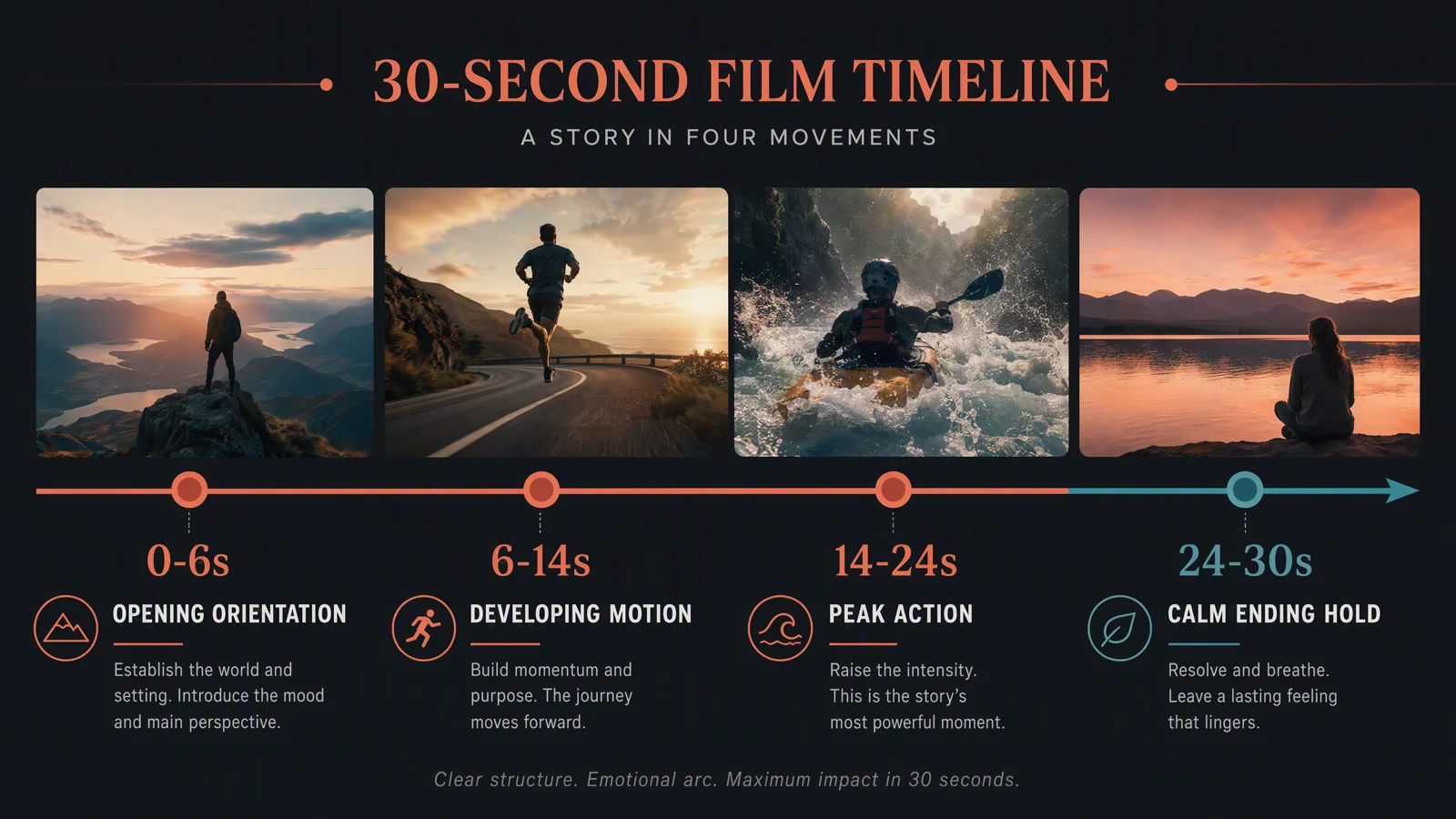
Seedance 2.5 generates up to 30 seconds in one pass. For a longer story, run R2V twice and let the first result steer the second. The method below is what we use when drafting; it is a workflow, not a guarantee that the seam will be invisible.
- Generate part one (0 to 30 seconds) with your normal pack: identity, product or environment, and one motion or camera reference. End the prompt with a held frame, because the final second becomes the handoff.
- Cut a handoff clip. Trim the last 5 to 10 seconds of part one. On the web generator a reference video must be 2 to 15 seconds, so do not upload the whole 30-second result; the API accepts clips up to 30 seconds but a short tail keeps the instruction clear.
- Generate part two (30 to 60 seconds) with the same identity and environment references in the same array positions, the handoff clip as
@video1, and a prompt that names it as the continuity source. - Review the seam first. Compare the last frame of part one with the first frame of part two for wardrobe, lighting direction, product orientation, and background. If they disagree, tighten the identity reference or shorten the handoff clip before touching anything else.
Part-one prompt skeleton:
@image1 is the identity reference and @image2 is the environment. Thirty-second scene in four beats: 0-5 s the character enters and stops at the counter; 5-16 s she unpacks the product and sets it down; 16-25 s slow push-in as she reads the label; 25-30 s she looks up and holds still. End on a steady medium close-up with the product visible. Same wardrobe, same lighting direction throughout.
Try this prompt in SeedVideo AI
Part-two prompt skeleton:
@image1 is the same identity reference and @image2 the same environment as before. @video1 is the previous shot's final seconds: continue directly from its last frame, same framing, wardrobe, and lighting. 0-8 s she turns the product toward camera; 8-20 s a second character enters frame left and reacts; 20-30 s both walk out of frame and the camera holds on the counter. No cuts back to the opening.
Try this prompt in SeedVideo AI
Keep the two halves as separate files until the seam passes review, then join them in an editor. Changing the resolution or aspect ratio between passes makes the seam harder to hide, so set both before part one.
Review checklist
| Check | Pass condition |
|---|---|
| Identity | Face, outfit, product shape, label placement, and distinctive features stay recognizable |
| Motion | Action order, contact, weight, and object paths are believable |
| Space | Subjects occupy the intended location without unexplained layout changes |
| Camera | Framing and movement follow the brief without unwanted jumps |
| Audio | Dialogue, music, effects, and visible beats match the requested role |
| Rights | You have permission to use every image, clip, voice, likeness, logo, and music track |
FAQ
What does R2V mean in Seedance 2.5?
R2V means reference to video. The model generates a new video while using supplied media to guide selected properties such as identity, motion, camera, style, or timing.
Is a white model the same as a style reference?
No. A white model or gray-box previs usually communicates layout, blocking, camera path, and timing. Use a separate look frame when you need finished materials, lighting, or color.
Does a green screen improve motion reference?
It can make the performer and movement easier to read because the background is simpler. It does not guarantee correct hands, contact, clothing, identity, or physics in the generated shot.
Can R2V copy an action exactly?
Treat it as guidance, not motion capture. Review the order, timing, pose, contact points, and object paths. Use conventional motion-capture or compositing tools when exact reproduction is required.
Can I use audio as a reference?
SeedVideo AI's API documentation lists audio references for Seedance 2.5. The tested web Video to Video interface did not show an audio-reference upload control, so check the current surface before building the workflow around it.
How many references should I use?
Use the fewest that cover the brief. Two to four is a practical first attempt for many shots. Add another only when it has one clear role that the existing pack does not cover.
What should I do when references conflict?
Name the failed property, remove duplicate sources for that property, and declare which remaining reference has priority. Test that simpler pack before rewriting everything else.
Does R2V guarantee character consistency?
No. A clean identity reference and a non-conflicting pack can improve control, but you still need to review the face, hair, clothing, proportions, and continuity in every shot.
What permissions do I need?
Use assets you own or are licensed to use. Check rights for people, voices, music, footage, products, trademarks, and locations. A generated result does not erase restrictions attached to the source material.
Sources and methodology
Platform capabilities and limits were checked on August 6, 2026. The main references were the SeedVideo AI model documentation, Dreamina's Seedance 2.5 R2V overview, motion reference guide, and Seedance 2.5 product page. Product limits can change, so use the limits shown in your current interface or account documentation.
Build your first R2V pack
Open Seedance 2.5 on SeedVideo AI, pick one anchor reference, add one source for the hardest secondary requirement, and give every asset a single job. A smaller pack makes the first result easier to diagnose and the second attempt much easier to improve.