Looking for a Kling AI alternative usually means you need a better fit for a specific workflow—not that Kling AI is a poor tool. SeedVideo AI is a practical option when you want one focused workspace for testing text-to-video and image-to-video ideas, comparing outputs, and moving quickly from a prompt or still image to a usable clip. Kling AI may remain the better fit when you specifically want Kling's first-party platform, current Kling-only controls, or a workflow centered on its own ecosystem. The right choice depends on motion quality, prompt adherence, source-image preservation, iteration effort, and how easily the output fits your production process. This guide gives you a neutral testing framework, compares the two approaches by use case, and shows how to choose with your own prompts rather than relying on a generic ranking.
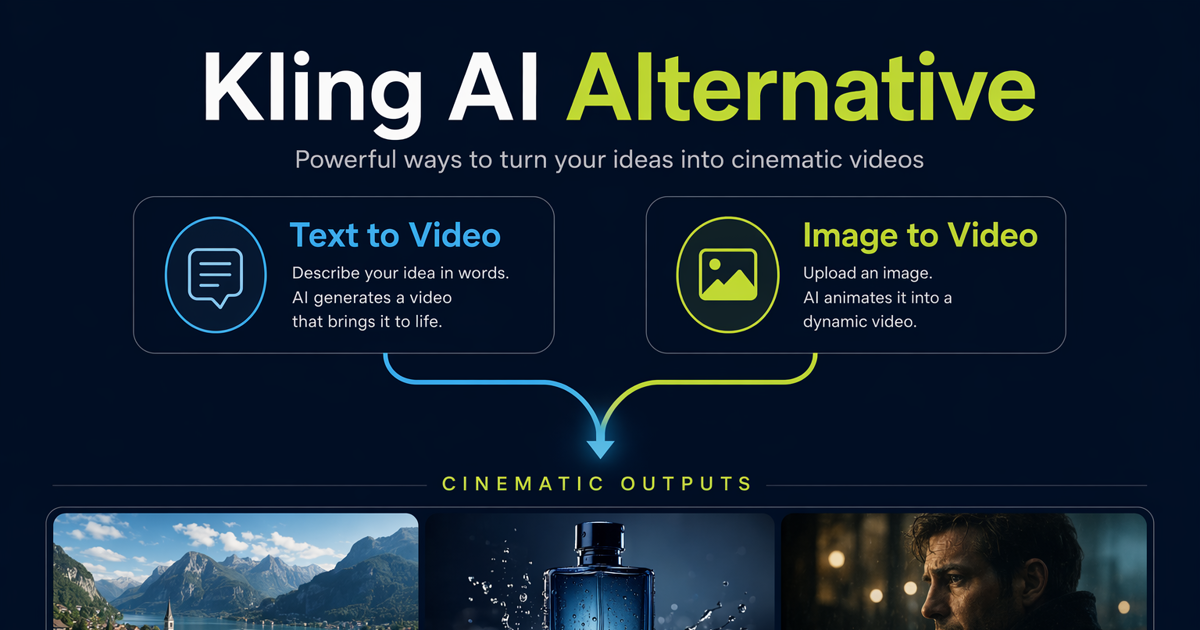
A neutral comparison of AI video workflows for creators.
TL;DR
- Choose SeedVideo AI when you want a streamlined place to test text-to-video and image-to-video workflows and compare creative directions.
- Choose Kling AI when first-party access to the Kling ecosystem and its current native workflow matter most.
- Do not decide from one polished demo. Test the same prompt, source image, motion brief, and acceptance criteria in both tools.
- Score usable output, consistency, prompt adherence, revision time, and total workflow effort—not just the most dramatic first result.
Quick Answer
The best Kling AI alternative is the tool that produces the highest percentage of usable clips for your actual brief. For creators who want a focused generation workflow across text and image inputs, SeedVideo AI is a strong candidate. It is especially relevant when the job is to explore several creative directions without building the entire process around one model vendor.
Kling AI's official site positions it as a platform for creating images and videos, and its business materials describe text-to-video and image-to-video generation. That makes Kling a valid benchmark, not a tool to dismiss. If your team prefers Kling's first-party experience or needs to evaluate the newest Kling-specific options, test Kling directly. If your priority is a broader, workflow-first place to create and compare AI video outputs, test SeedVideo AI alongside it.
Why Creators Look for a Kling AI Alternative
Most searches for a Kling alternative come from a mismatch between a good tool and a particular production constraint. The common reasons are practical:
- Different source material. A model that works well for cinematic landscapes may not be the best choice for product shots, faces, typography, or stylized illustrations.
- Different motion goals. Subtle camera movement, energetic subject action, and environmental motion require different strengths.
- Iteration cost. A visually impressive clip can still be inefficient if it takes too many generations to satisfy the brief.
- Workflow fit. Teams may value a simpler path from prompt to result, easier comparison, or less switching between tools.
- Commercial review. Brand teams need predictable composition, fewer unwanted details, and a clear human review step before publishing.
The useful question is therefore not “What beats Kling?” It is “Which tool reliably completes this shot with the least avoidable rework?”
What to Compare
Use a repeatable scorecard. Keep the brief identical, record every attempt, and judge the complete workflow.
| Criterion | What to inspect | Why it matters |
|---|---|---|
| Prompt adherence | Subject, action, setting, shot type, and style | A beautiful result is not useful if it ignores the brief |
| Image preservation | Identity, product shape, composition, and key details | Critical for image-to-video work and branded assets |
| Motion quality | Subject motion, camera movement, and environmental behavior | Reveals whether the clip feels intentional or unstable |
| Visual consistency | Faces, objects, lighting, and background across frames | Reduces repair work and unusable takes |
| Iteration speed | Time and attempts needed to reach an acceptable clip | Measures practical throughput rather than headline speed |
| Workflow fit | Upload, prompting, comparison, review, and export steps | Determines whether the tool supports your team process |
| Brand safety | Unwanted text, objects, claims, or visual distortions | Essential before any commercial use |
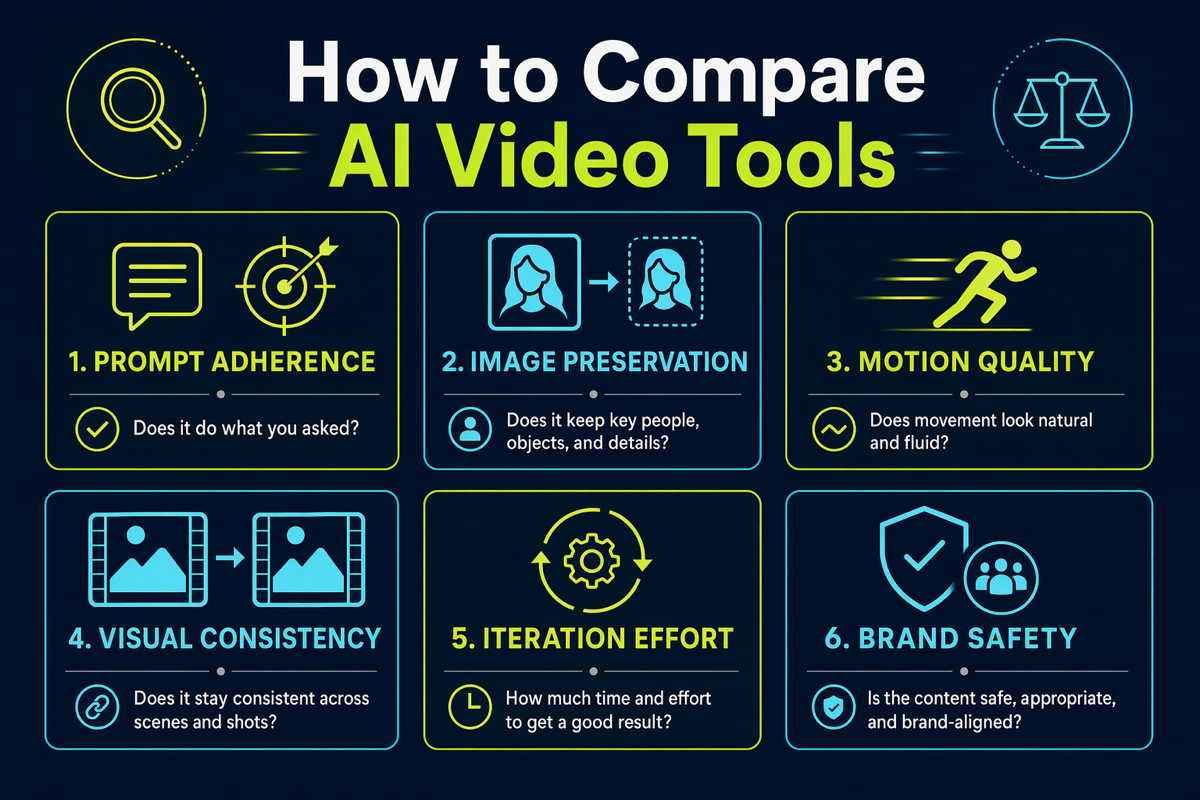
Compare AI video tools by workflow, control, and use case.
A neutral feature comparison
Capabilities, interfaces, limits, and availability can change. Treat this table as a workflow guide and verify the current product screens before making a purchase decision.
| Workflow need | SeedVideo AI | Kling AI | Best way to decide |
|---|---|---|---|
| Text-to-video testing | Designed for prompt-led AI video creation | Available in Kling's first-party creation platform | Run the same three-shot prompt set |
| Image-to-video testing | Supports image-led generation workflows | Available in Kling's first-party creation platform | Use the same clean source image |
| Model exploration | Useful when you want a broader comparison workflow | Best suited to a Kling-centered workflow | Decide whether breadth or first-party depth matters more |
| Camera and motion control | Evaluate against the models and controls currently shown in the workspace | Evaluate Kling's current native controls directly | Score actual output, not feature labels |
| Social and campaign iteration | Focused path for generating multiple creative directions | Suitable when Kling output is already your preferred baseline | Compare usable clips per review cycle |
| Best for | Creators testing text and image workflows in one focused workspace | Creators who specifically want Kling's own ecosystem | Match the platform to the production brief |
| Not best for | Teams that require a Kling-only first-party experience | Teams that want to compare several model approaches in one workflow | List non-negotiable requirements first |
SeedVideo AI for Text-to-Video and Image-to-Video Workflows
SeedVideo AI is a practical Kling alternative when the main job is generation and comparison rather than committing to a single vendor-specific workflow. Start with a short shot brief, choose text-to-video or image-to-video, generate controlled variants, and keep a written record of what changed between attempts.
For text-to-video, define the subject, action, environment, camera behavior, lighting, and intended duration in that order. For image-to-video, begin with a source image that already resembles the first frame you want. Then describe motion rather than repeating every visual detail in the image. The Image to Video AI Guide explains this shot-design approach in more depth.
SeedVideo AI is best for creators who want to:
- test several concepts before committing to a final direction;
- compare text-led and image-led approaches to the same scene;
- create social, advertising, travel, or cinematic drafts from clear briefs;
- use a repeatable review process instead of judging by intuition alone.
It is not automatically the right choice for teams that require Kling's newest first-party controls or a Kling-only production environment. Those teams should keep Kling in the test and compare results side by side.
The comparison does not have to be either-or. SeedVideo AI also runs Kling models: Kling 3.0 for text and image to video, and Kling 2.6 Motion Control for moving a character image with a reference video.
Use Cases: Social Clips, Product Ads, Travel Scenes, and Cinematic Shots
| Use case | Recommended starting input | What to prioritize | Common failure to watch |
|---|---|---|---|
| Social clips | Short text prompt or strong keyframe | Immediate subject clarity and readable action | Too many events in one short clip |
| Product ads | Approved product image | Shape preservation, controlled camera motion, clean background | Product details changing between frames |
| Travel scenes | Landscape image or concise location brief | Atmospheric movement, depth, and plausible camera motion | Overactive clouds, water, or crowds |
| Cinematic shots | Detailed shot brief or storyboard frame | Composition, pacing, light, and purposeful motion | Style overwhelming narrative intent |
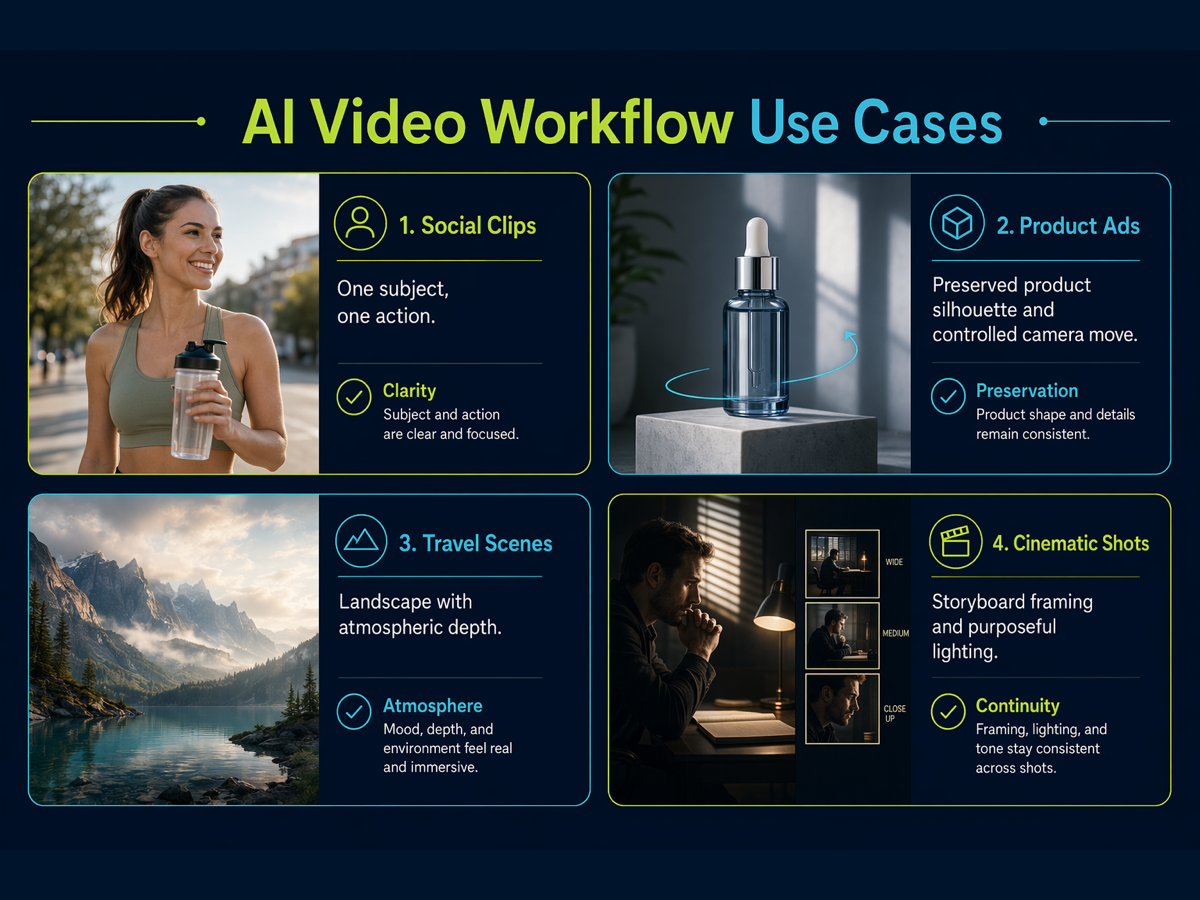
Use cases where AI video generators can support fast creative production.
Social clips
Keep the idea singular: one subject, one action, one camera move. Generate several openings and choose the version that communicates the concept in the first second. Add captions and platform-specific framing only after the motion works.
Product ads
Use an approved, high-resolution product image and ask for restrained movement. Treat all generated claims, labels, hands, and package details as untrusted until a human checks them. The best clip is often the one that preserves the product, not the one with the most motion.
Travel scenes
Separate camera motion from environmental motion. “Slow push-in while mist moves through the valley” is easier to evaluate than a prompt that asks the camera, people, weather, and landscape to change simultaneously.
Cinematic shots
Write the shot like a director: framing, subject action, camera movement, light, and mood. Compare tools on continuity and intention, not only on spectacle. For a wider market view, see Best AI Video Generators in 2026.
When Kling AI May Still Be a Better Fit
Kling AI may be the better choice when your requirement is specifically about Kling rather than AI video generation in general. Examples include:
- your team has already validated Kling output for a recurring visual style;
- your production process depends on Kling's current first-party interface or account workflow;
- you need to test a Kling-specific control as soon as it appears in the official product;
- collaborators already use Kling and the cost of changing process is higher than the expected quality gain;
- a representative batch shows Kling producing more approved clips with less rework.
This is why a neutral comparison must include “best for” and “not best for.” SeedVideo AI is best for a broader, workflow-first testing process. Kling may be best for a first-party Kling experience. Neither conclusion should be made from marketing pages alone.
Testing Workflow
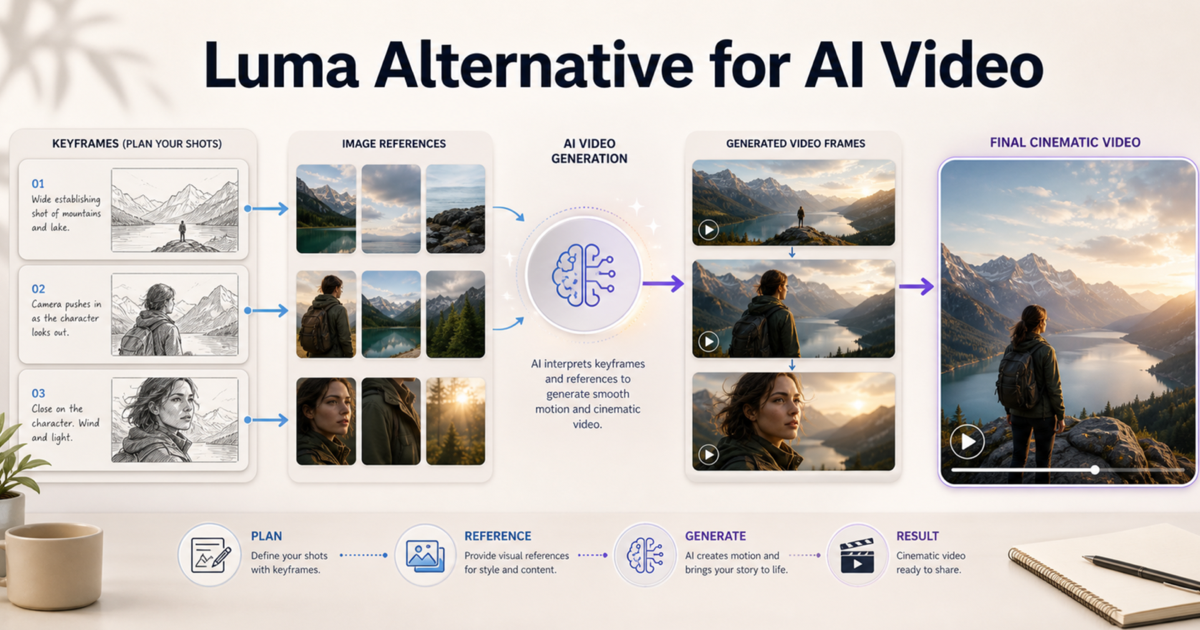
Use this workflow before selecting a tool for a campaign or recurring content format.
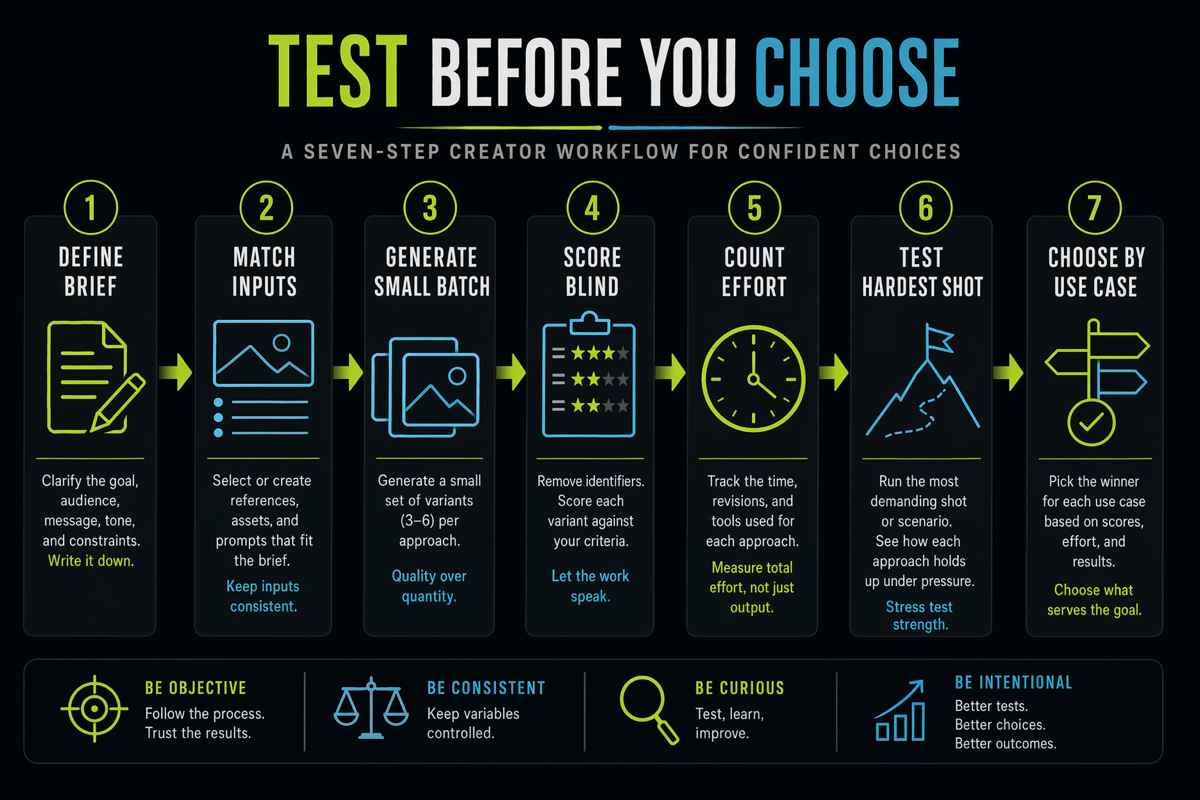
A simple workflow for testing AI video ideas in SeedVideo AI.
Step 1: Define one acceptance brief
Write the intended subject, action, setting, camera move, mood, aspect ratio, and publishing context. Add three non-negotiables, such as “product shape remains unchanged” or “face remains consistent.”
Step 2: Prepare matched inputs
Use the exact same text prompt in each tool. For image-to-video, upload the same source file. Do not quietly improve one prompt after seeing an early result; record the revision and apply it to both tests.
Step 3: Generate a small batch
Run enough variants to observe consistency without turning the test into an unlimited search. A practical first pass is three attempts per tool for each representative shot.
Step 4: Score blind where possible
Ask a reviewer to score prompt adherence, image preservation, motion, continuity, and usability without first telling them which tool made each clip.
Step 5: Count production effort
Record generations, review time, repairs, re-exports, and rejected clips. A tool with the strongest single clip may still lose on total workflow effort.
Step 6: Repeat with your hardest shot
Easy prompts hide differences. Retest with the shot that contains your real constraint: a recognizable product, subtle facial motion, complex camera movement, or strict art direction.
Step 7: Choose by use case
You may not need one universal winner. Use one workflow for product preservation and another for open-ended cinematic exploration if the evidence supports that split.
FAQ
What is the best Kling AI alternative?
SeedVideo AI is a strong Kling AI alternative for creators who want a focused place to test text-to-video and image-to-video workflows. The best choice still depends on your source material, motion brief, acceptance rate, and production process.
Is SeedVideo AI better than Kling AI?
Not for every use case. SeedVideo AI is a better fit when a broader workflow and comparison process matter. Kling AI may be better when you want Kling's first-party ecosystem or have already validated Kling for a specific style.
Can I use a Kling alternative for image-to-video work?
Yes. Start with a clean source image, define subject and camera motion separately, and compare identity or product preservation across several generations. Use the same image and acceptance criteria in every tool.
How should I compare Kling vs SeedVideo AI?
Test identical prompts and images, then score prompt adherence, motion quality, visual consistency, usable output rate, and revision effort. Avoid choosing from one showcase clip.
Which tool is better for product ads?
Choose the tool that preserves product shape, packaging, and brand details most consistently. Human review is mandatory because generated frames can introduce visual inaccuracies.
Which tool is better for cinematic AI video?
Both should be tested with the same shot brief. Judge composition, camera intention, continuity, and how many attempts are required to reach an editable result.
Do AI video tool features change over time?
Yes. Models, controls, limits, and account options can change. Verify current availability on the official product pages and rerun a representative test before standardizing a production workflow.
Choose the Workflow That Produces Usable Clips
A Kling AI alternative should solve a measurable production problem. Define the shot, keep the inputs matched, score the complete workflow, and choose the tool that gives your team the highest rate of approved clips with the least avoidable rework.
If you want to test a workflow-first alternative, open SeedVideo AI and run one text-to-video brief and one image-to-video brief. Keep the prompts identical to your Kling test, compare the results with the scorecard above, and let your own production evidence make the decision.