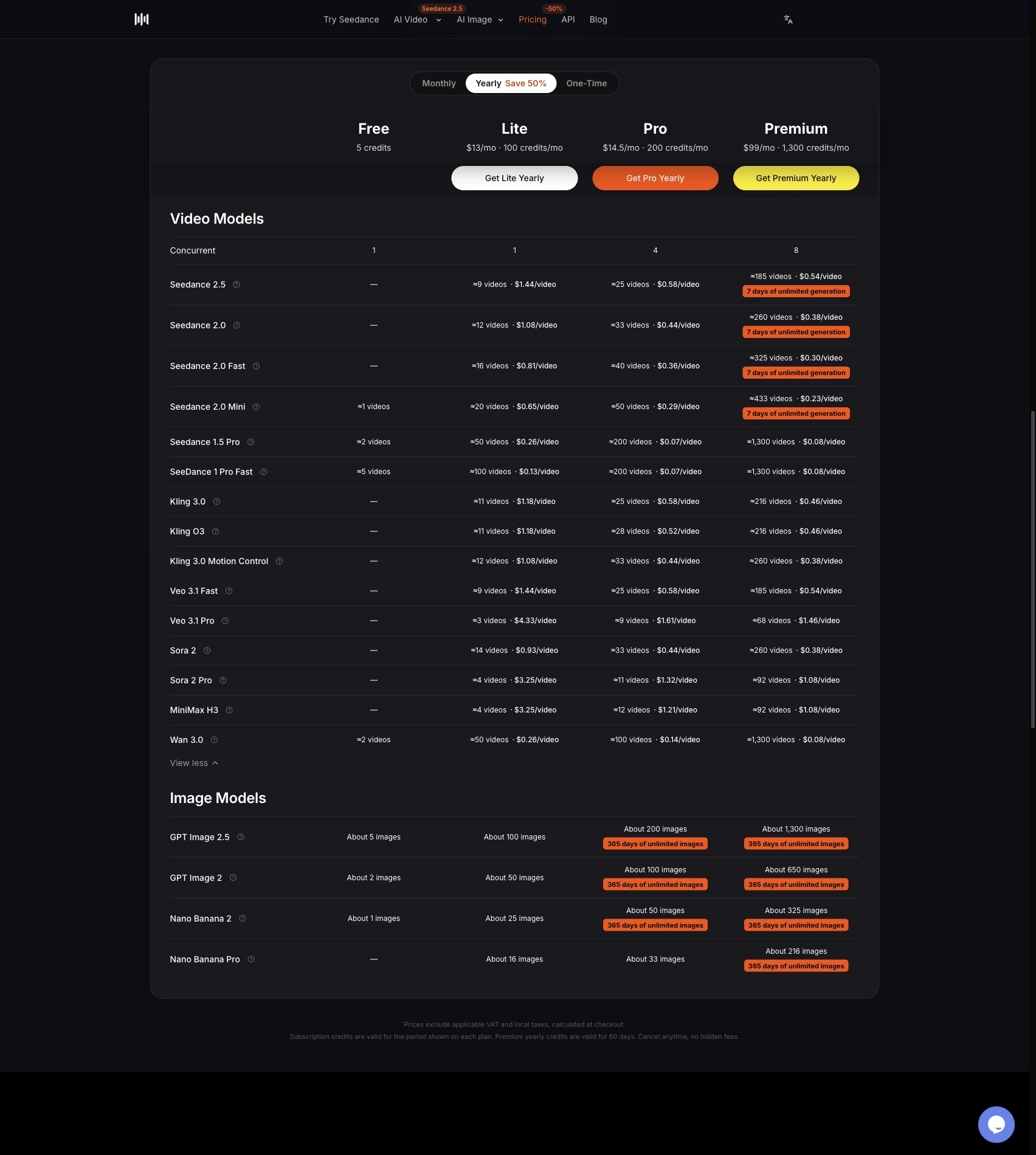
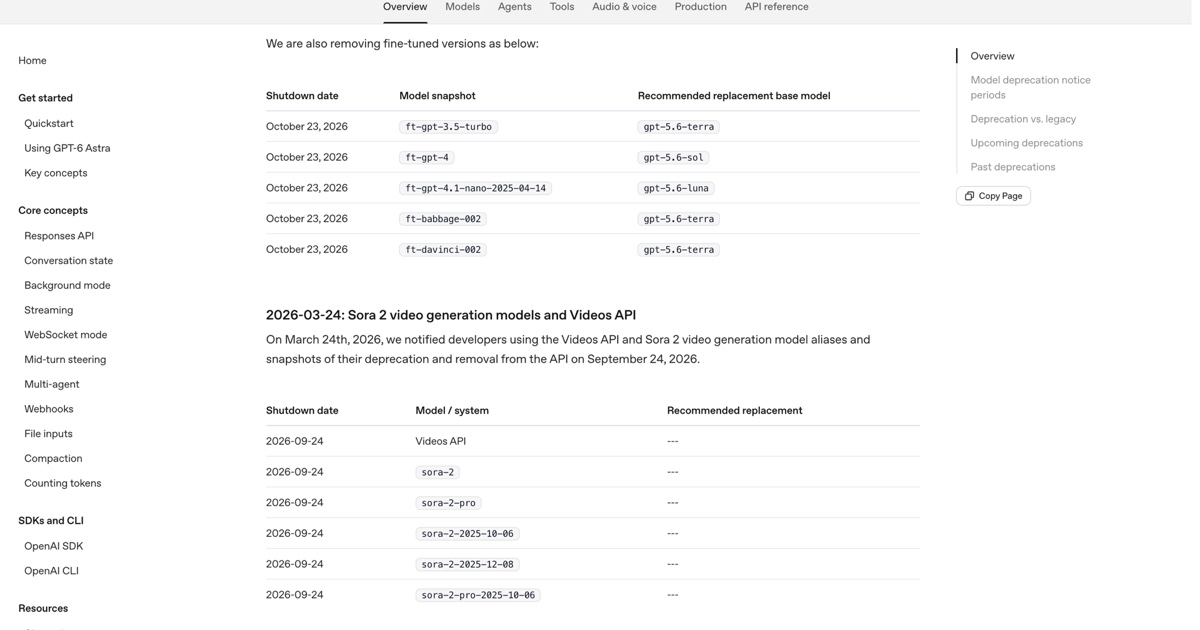
Nano Banana 2.1 is Google's October 6, 2026 update to Nano Banana 2, and Google has already marked Nano Banana 2 as deprecated. To see what changes in practice, we sent the same four prompts to both models at 2K: a chalkboard menu with exact prices, a labeled infographic, a 4:1 panorama and a product shot. Both spelled every requested word correctly and produced comparable image quality. Nano Banana 2.1 followed the exact-text instruction more closely, since Nano Banana 2 added a header nobody asked for, and on SeedVideo AI it costs 2 credits per 2K image instead of 4. Generation time was about the same, roughly 24 seconds. If you are choosing today, start new work on Nano Banana 2.1 and keep Nano Banana 2 only for 0.5K drafts.
Last verified: 2026-10-07.
Quick Answer
| What we compared | Nano Banana 2 | Nano Banana 2.1 |
|---|---|---|
| Credits per 2K image on SeedVideo AI | 4 | 2 |
| Output sizes | 0.5K, 1K, 2K, 4K | 1K, 2K, 4K |
| Spelling errors in our text tests | 0 | 0 |
| Text added that the prompt did not request | 1 extra header | None |
| Generation time in our test | 24–25 s | 24–34 s |
| Status at Google | Deprecated | Current, generally available |
TL;DR
- Image quality was close in all four tests; neither model misspelled requested text.
- Nano Banana 2.1 stuck to the exact copy we wrote. Nano Banana 2 invented a menu header.
- On SeedVideo AI, Nano Banana 2.1 costs fewer credits at every size both models share.
- The 4:1 panorama came out continuous from both models, so we could not see the tiling fix Google describes.
- Google recommends moving to Nano Banana 2.1; only Nano Banana 2 offers a 0.5K tier.
What changed in Nano Banana 2.1
Google's Nano Banana 2.1 model page describes it as a high-efficiency image generation and conversational editing model that keeps Flash-level speed and cost. The Gemini API release notes list it as generally available on October 6, 2026, and mark Nano Banana 2 as deprecated in the same entry.
According to Google, the update brings:
- better visual quality and realism at 1K, 2K and 4K
- fixed tiling artifacts on 1:4, 4:1, 1:8 and 8:1 images at 2K and 4K
- more accurate text rendering and infographic layouts
- multi-image fusion with up to 14 references, keeping up to 4 characters and 10 objects consistent
The Nano Banana 2.1 model card also lists known limits, including errors in very small text. Our tests used large, readable text, so they do not challenge that limit.
How we ran the test
We used the same request for both models: identical prompt, identical aspect ratio, 2K output and one image per prompt. Each image below is shown exactly as generated, with Nano Banana 2 on the left (or top) and Nano Banana 2.1 on the right (or bottom). One run per prompt is a small sample, so treat the results as a practical first look rather than a benchmark.
You can repeat any prompt yourself in the Nano Banana 2.1 image generator and switch to Nano Banana 2 in the same model menu to compare.
Test 1: chalkboard menu with exact prices
This prompt checks whether a model writes exactly the copy you give it and nothing else.
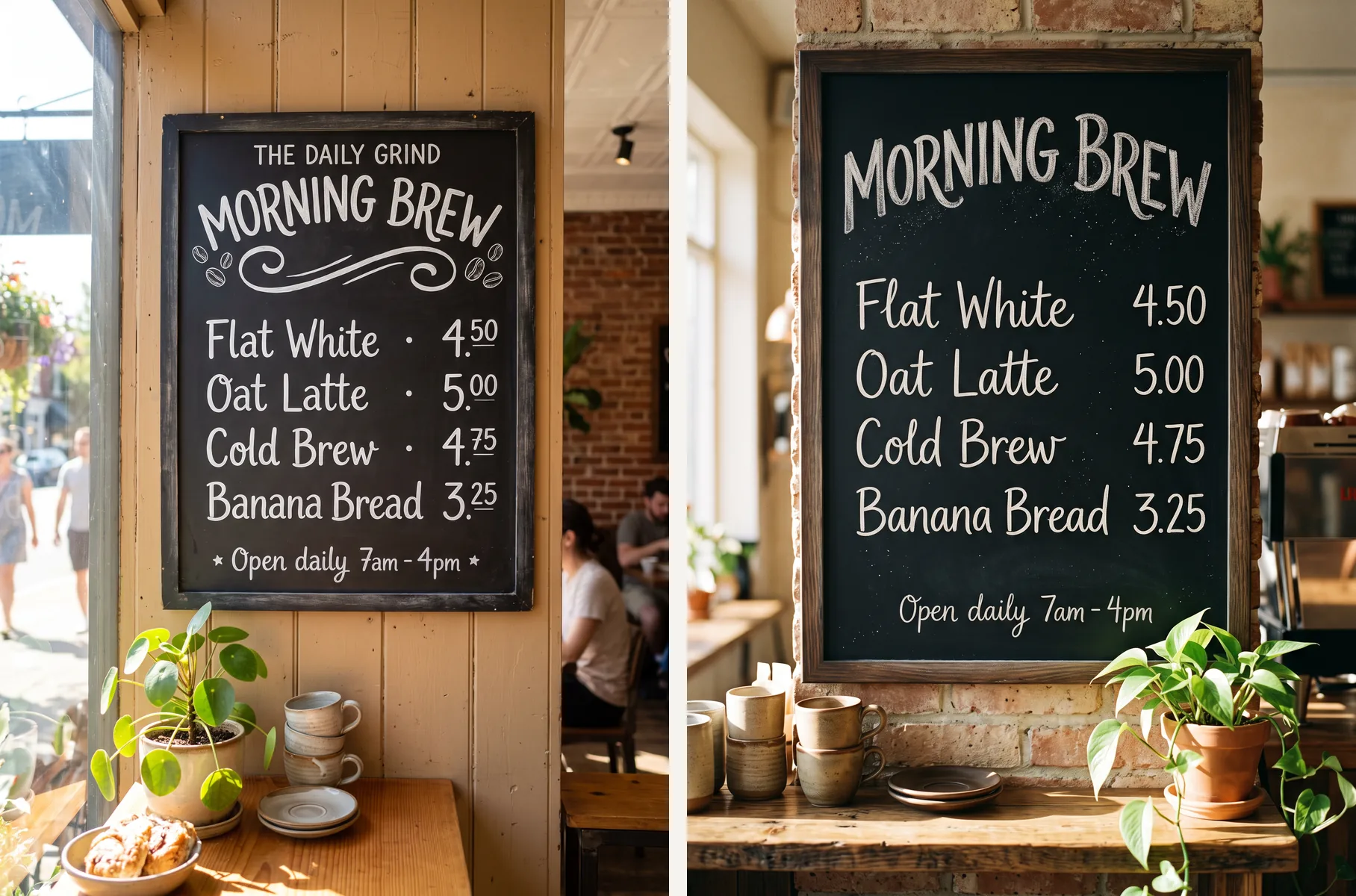
Image prompt: sunlit coffee-shop chalkboard menu titled "MORNING BREW" with four priced items. Left: Nano Banana 2. Right: Nano Banana 2.1.
A chalkboard menu hanging in a sunlit neighborhood coffee shop, photographed straight on. Hand-lettered white chalk text, spelled exactly: title "MORNING BREW"; then four lines with prices aligned on the right: "Flat White 4.50", "Oat Latte 5.00", "Cold Brew 4.75", "Banana Bread 3.25"; small footer "Open daily 7am - 4pm". Warm natural light, a potted plant and ceramic cups on the counter below. All text sharp, correctly spelled, and readable.
Try this prompt in SeedVideo AI
Both models spelled every item and price correctly. Nano Banana 2 added a café name, "THE DAILY GRIND", above the title and set the prices in superscript. Nano Banana 2.1 drew only the lines we asked for. For menus, packaging or ads where every word is approved copy, that difference matters more than style.
Test 2: five-step infographic
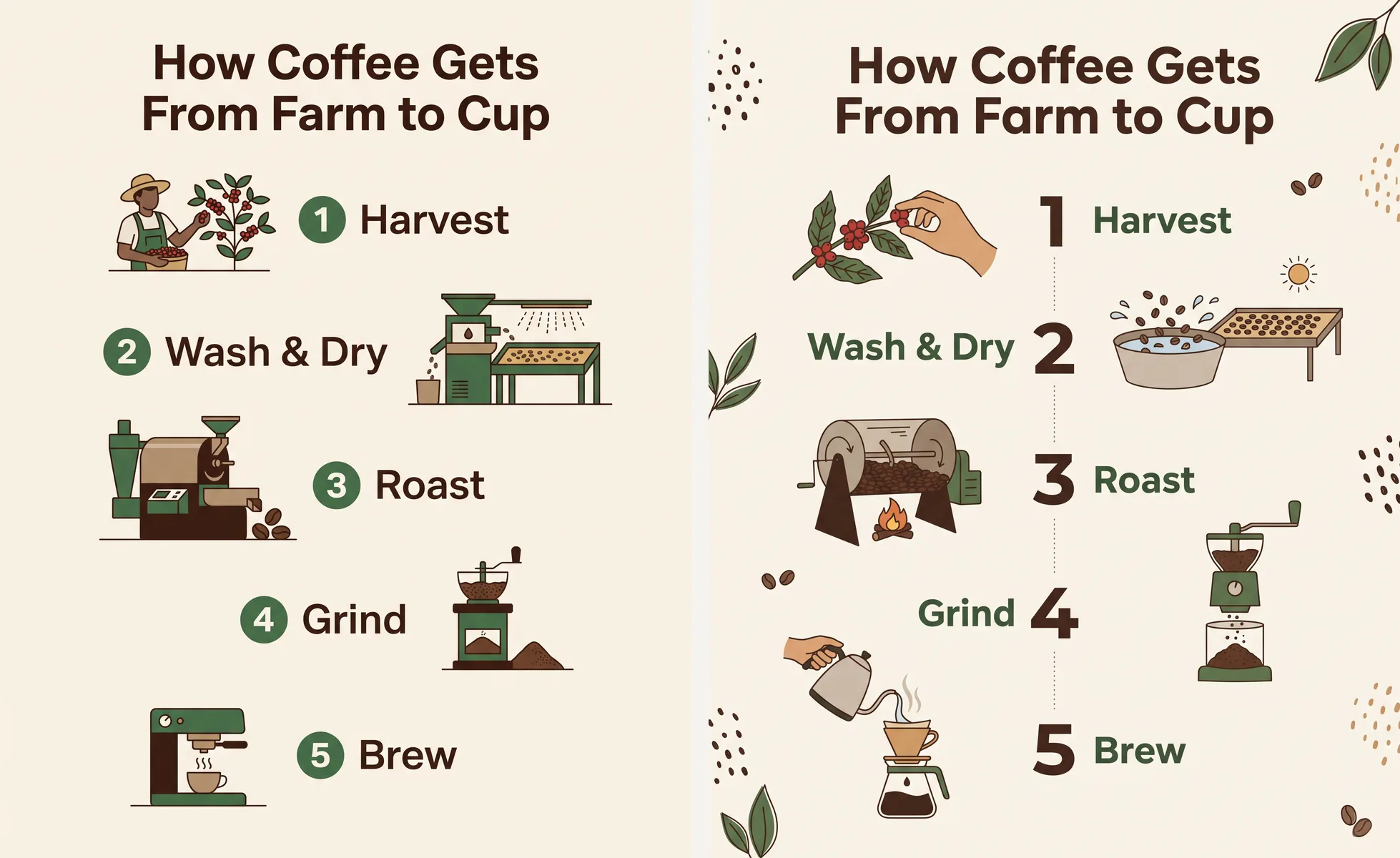
Image prompt: five-step "How Coffee Gets From Farm to Cup" infographic on a cream background. Left: Nano Banana 2. Right: Nano Banana 2.1.
A clean educational infographic titled "How Coffee Gets From Farm to Cup" with five numbered steps arranged top to bottom, each with a small flat illustration and a one-line label: "1 Harvest", "2 Wash & Dry", "3 Roast", "4 Grind", "5 Brew". Cream background, dark brown and green palette, modern sans-serif type, generous spacing, all labels spelled exactly as written.
Try this prompt in SeedVideo AI
Both spelled the title and all five labels correctly. Nano Banana 2.1 chose a more editorial layout with labels alternating left and right; Nano Banana 2 produced a tidier single-column list that is easier to scan. Neither result is wrong, so pick based on the look you want.
Test 3: 4:1 coastal panorama
Wide formats are where Google says Nano Banana 2 could repeat patterns at high resolution.
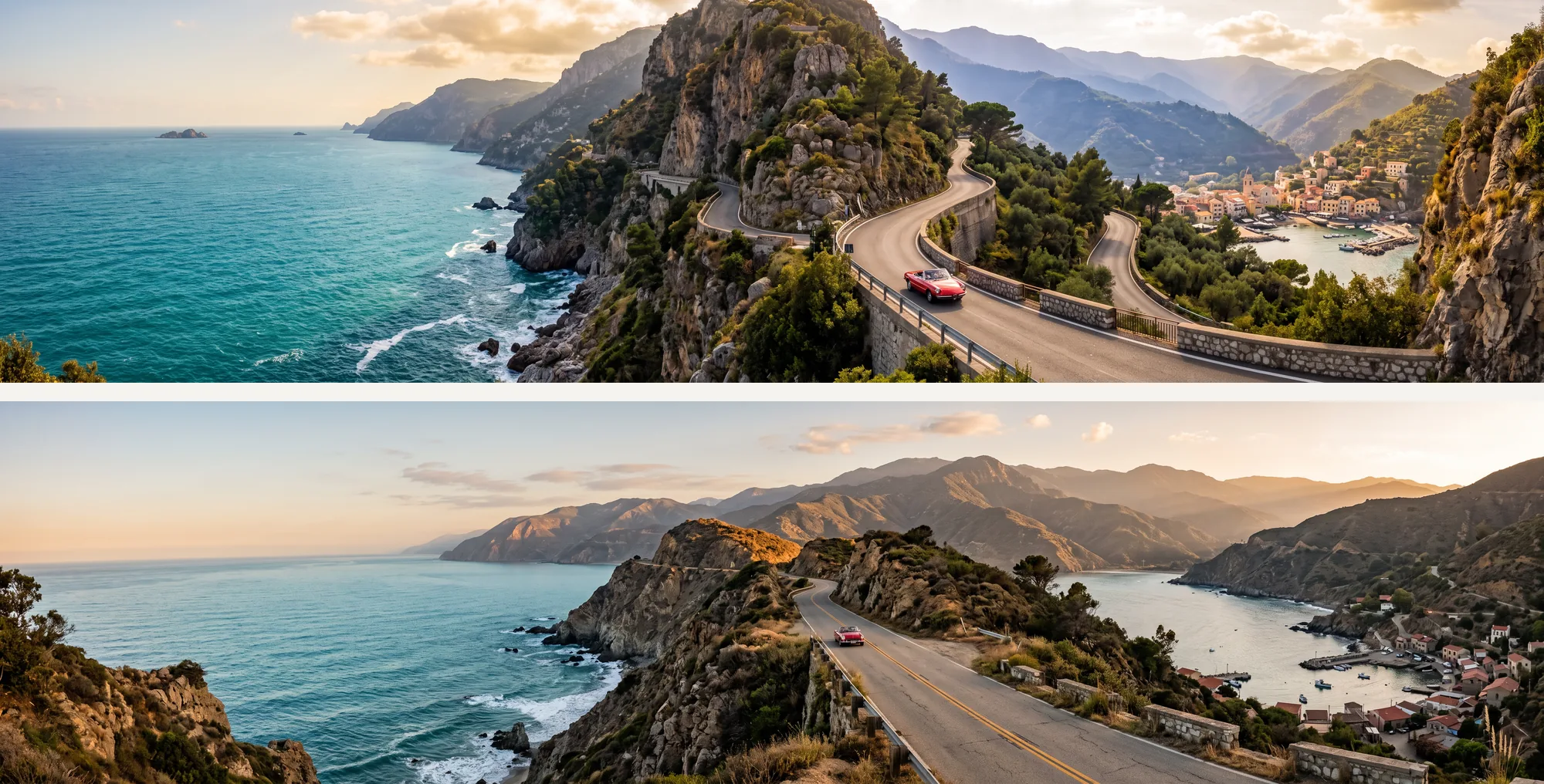
Image prompt: 4:1 golden-hour coastal mountain road with a red vintage car and a fishing village. Top: Nano Banana 2. Bottom: Nano Banana 2.1.
An ultra-wide panoramic photograph of a coastal mountain road at golden hour: the road winds along cliffs above a turquoise sea, a single red vintage car in the middle distance, small fishing village at the far right, layered mountains fading into haze. Natural, continuous landscape with no repeated elements, realistic light, high detail.
Try this prompt in SeedVideo AI
Both models returned a continuous 4128 × 1024 landscape with no visible repeated tiles. Nano Banana 2 went for a more dramatic cliff view; Nano Banana 2.1 a calmer, more natural one. Our single prompt did not reproduce the tiling problem, so we cannot confirm the fix from this test alone.
Test 4: product shot with an embossed logo
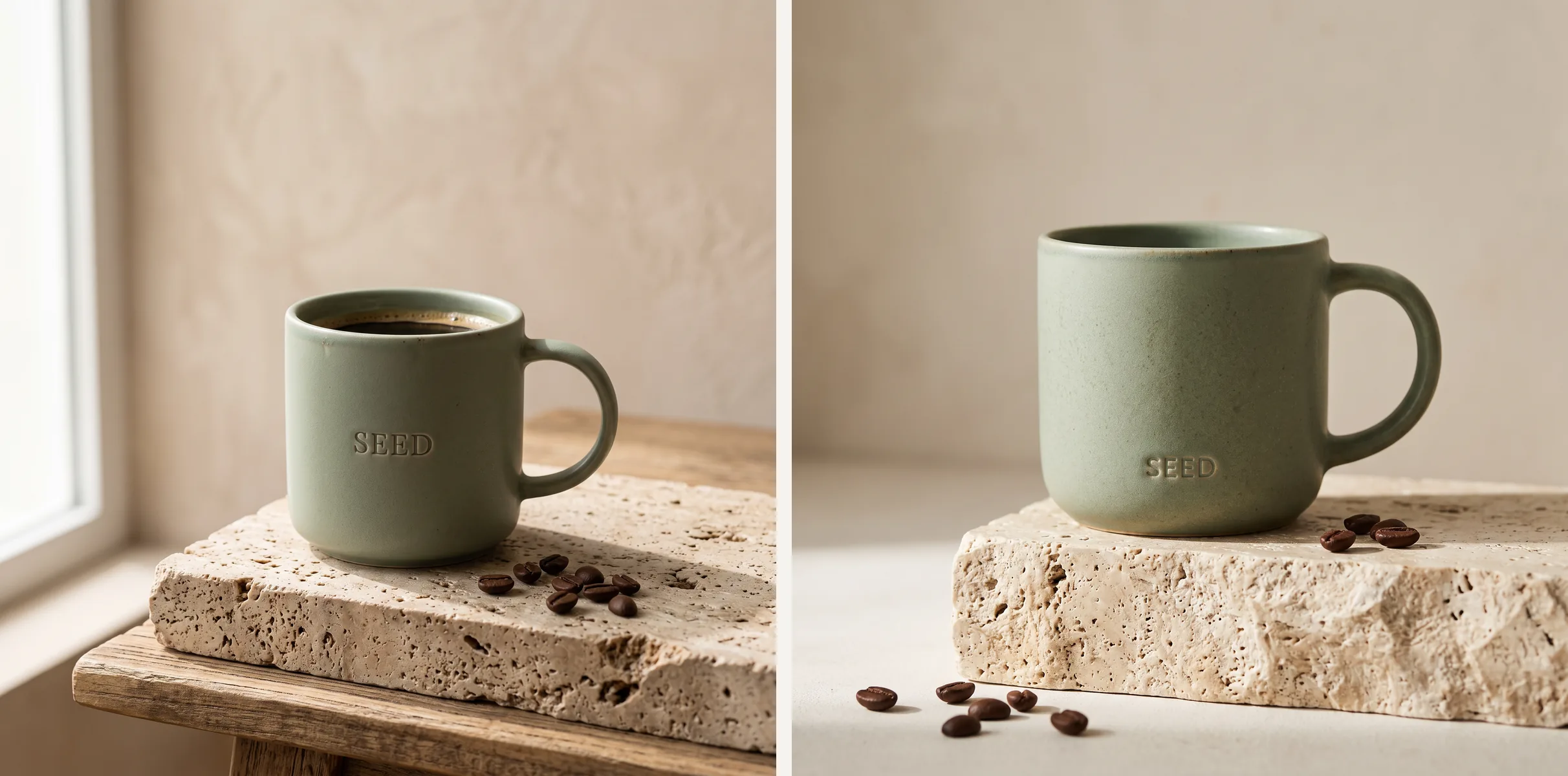
Image prompt: matte sage-green ceramic mug with an embossed "SEED" logo on a travertine block. Left: Nano Banana 2. Right: Nano Banana 2.1.
Premium studio product photograph of a matte sage-green ceramic coffee mug with a small embossed logo reading "SEED" on the side, standing on a travertine stone block, soft window light from the left, gentle shadow, a few roasted coffee beans scattered in front, minimal beige background. Photorealistic, crisp detail on the glaze texture.
Try this prompt in SeedVideo AI
Both produced photoreal mugs with a legible emboss and convincing stone texture. Nano Banana 2 filled the mug with coffee on its own; Nano Banana 2.1 kept it empty, which matches the prompt more literally. Quality was comparable, and Nano Banana 2.1 used half the credits.
Cost and speed on SeedVideo AI
| Output size | Nano Banana 2 | Nano Banana 2.1 |
|---|---|---|
| 0.5K | 2 credits | Not offered |
| 1K | 3 credits | 2 credits |
| 2K | 4 credits | 2 credits |
| 4K | 6 credits | 5 credits |
Both models returned each 2K image in about 24 seconds in our test; one Nano Banana 2.1 image took 34 seconds. Current plans and credit options are on the SeedVideo AI pricing page.
Which one should you use?
Nano Banana 2.1
Best for: new projects, approved copy on menus, posters and ads, product images, and any 1K–4K work where cost per image matters.
Not for: the cheapest possible rough drafts, because it has no 0.5K tier.
Nano Banana 2
Best for: 0.5K thumbnails and quick idea checks, or finishing a series that was started on it.
Not for: long-term workflows, since Google has deprecated it and recommends migrating to Nano Banana 2.1.
For demanding layouts and brand-critical mockups, the Nano Banana model family page explains when Nano Banana Pro is worth the extra credits. If you also work with OpenAI models, our GPT Image 2 vs GPT Image 2.5 comparison covers that upgrade, and more matchups live in the model comparisons hub.
Prompt tips for Nano Banana 2.1
- Quote every word you need. Put headlines, labels and prices in quotation marks and say where they go, as in the menu prompt above.
- Say what must not appear. Nano Banana 2.1 respected our exact copy, but adding "do not add any other words" makes the rule explicit for long layouts.
- Name the format before the subject. Start with "infographic", "studio product photograph" or "ultra-wide panoramic photograph" so the model picks the right composition.
- Pick the output size on purpose. Draft at 1K, then rerun the approved prompt at 2K or 4K without changing the wording.
Here is a prompt in the same style you can adapt for a launch visual:
A clean product launch poster for a reusable glass water bottle on a pale blue background, bottle centered with soft studio light and a gentle reflection. Exact text only: top headline "STAY CLEAR", small line under the bottle "Glass. Light. Forever." Modern sans-serif type, generous margins, do not add any other words, logos or symbols.
Try this prompt in SeedVideo AI
When a still is approved, you can animate the source image into a short clip in the same workspace. Prompt patterns from our GPT Image 2.5 prompt collection also transfer well to Nano Banana 2.1.
FAQ
Is Nano Banana 2.1 better than Nano Banana 2?
In our four-prompt test at 2K, Nano Banana 2.1 matched Nano Banana 2 on image quality and spelling, followed exact-text instructions more closely and cost half the credits. Four prompts is a small sample, so test your own briefs before switching a production workflow.
Is Nano Banana 2 being shut down?
Google marked Nano Banana 2 (gemini-3.1-flash-image) as deprecated in its October 6, 2026 release notes and recommends migrating to Nano Banana 2.1. Check Google's deprecations page for any shutdown date.
What sizes does Nano Banana 2.1 support?
It outputs 1K, 2K or 4K images in 14 aspect ratios, including 1:4, 4:1, 1:8 and 8:1. There is no 0.5K tier.
How many reference images can I use?
Up to 14 per generation. Google says the model can keep up to 4 characters and up to 10 objects consistent.
Does Nano Banana 2.1 add a watermark?
SeedVideo AI does not add a visible watermark to downloads. Google states that its Gemini image models embed an invisible SynthID watermark.
Try the same prompts
Every prompt in this test is ready to copy. Open the Nano Banana 2.1 image generator, paste one in, choose 2K and compare the result with Nano Banana 2 from the same model menu. New accounts receive starter credits to run a few tests before choosing a plan.