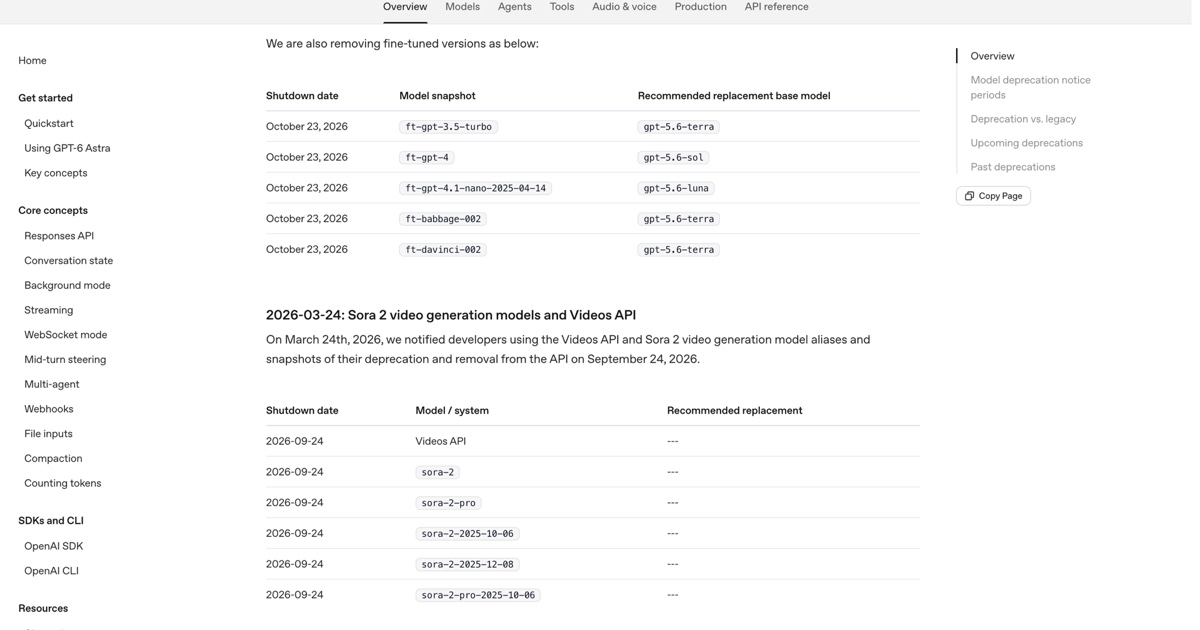
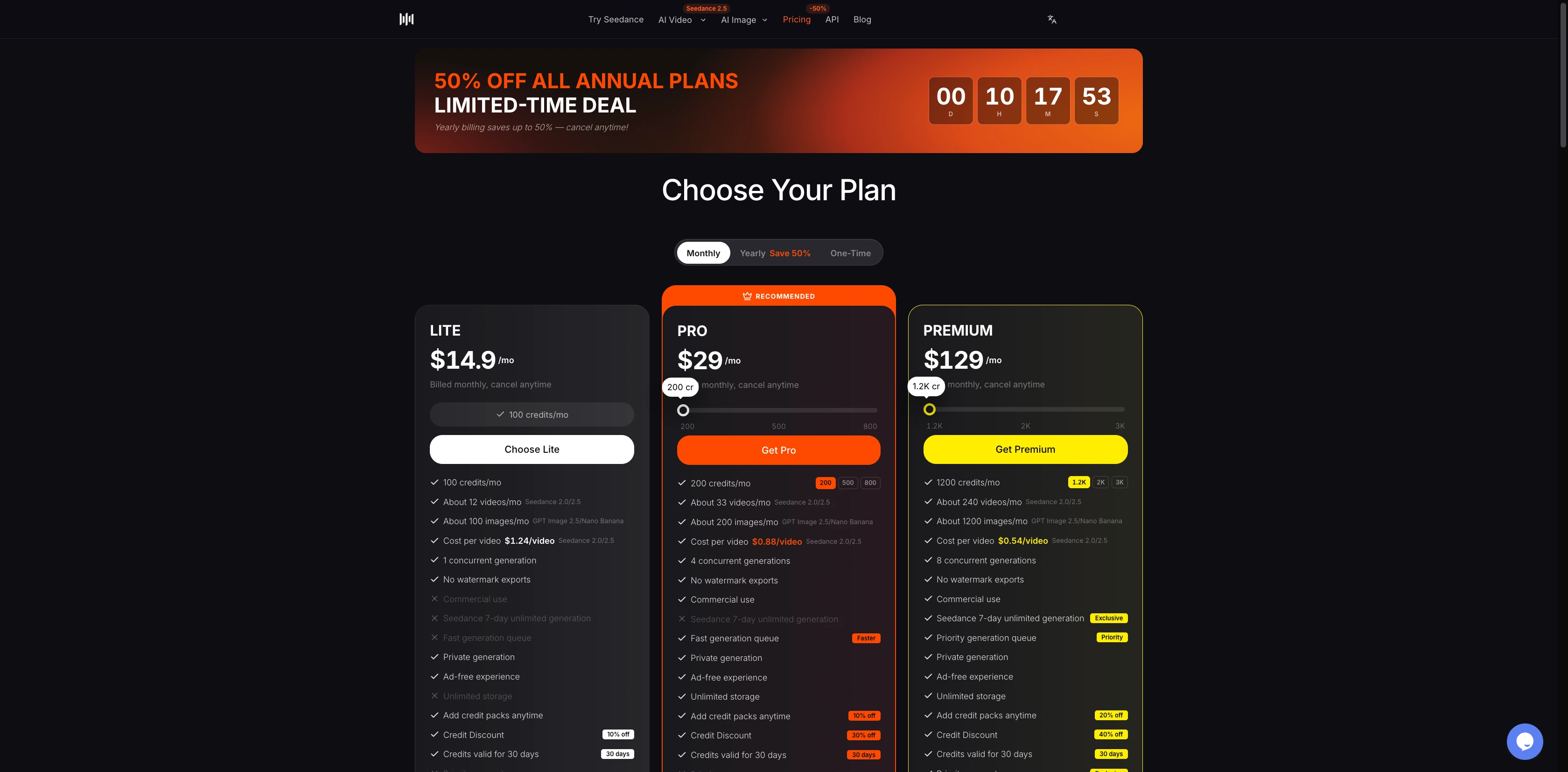
On October 3, 2026, SeedVideo AI has 5 sign-up credits and watermark-free exports on eligible entry models. PixVerse has 60 initial credits plus 30 daily credits, but its free tier excludes watermark-free exports. Runway gives 125 one-time credits with watermarked videos. Pika lists 0 monthly credits on Free. For a free AI video generator with no watermark, start with SeedVideo AI's basic models; Seedance 2.5 requires a paid option.
Last verified: 2026-10-03.
Quick Answer
| Tool | Free allowance | Watermark on free exports | Resolution / duration limit | Commercial permission on free | Verified |
|---|---|---|---|---|---|
| SeedVideo AI | 5 credits on sign-up | No added platform watermark | Entry-model settings apply; no single free duration cap stated | Not included | 2026-10-03 |
| PixVerse Basic | 60 initial credits + 30 daily | Watermark-free benefit excluded | Up to 540p; no universal free duration stated | Non-commercial unless separately authorized | 2026-10-03 |
| Runway Free | 125 one-time credits | Yes | Current eligible models determine limits | Runway permits commercial use, subject to rights and terms | 2026-10-03 |
| Pika Free | 0 monthly credits; credit packs available | No watermark listed | No confirmed free generation allowance to attach a limit to | No commercial license | 2026-10-03 |
These are different kinds of free access. A welcome allowance, a daily allocation, and a free account with paid credits cannot be treated as interchangeable. Credit units also differ between tools, so 125 Runway credits do not mean more clips than 60 PixVerse credits.
For a broader selection, use our AI video generator overview. For this specific requirement, check the free allowance and export rules before comparing models.
TL;DR
- SeedVideo AI matches the free, no-added-watermark requirement for eligible basic models within its 5-credit welcome allowance.
- PixVerse offers repeat daily credits, but Basic does not include watermark-free output.
- Runway's free allocation is a one-time trial with watermarks.
- Pika's watermark-free Free account lists 0 monthly credits. It is not a verified recurring free generation offer.
- A clean export does not automatically include commercial permission.
SeedVideo AI: a small allowance for clean basic-model clips
Best for: Trying an eligible basic model and exporting a clip without an added platform watermark.
Not for: Unlimited free generation, free Seedance 2.5 access, or commercial delivery on the Free plan.
New accounts receive 5 sign-up credits. The SeedVideo AI pricing comparison separates the entry models available on Free from Seedance 2.5 and other models that need payment. The number of clips depends on the selected model, duration, and settings. Spend the allowance on a simple shot before planning a sequence.
The AI text-to-video generator lets you choose the model and read the cost before submitting. If Seedance 2.5 is selected when you arrive, switch to an eligible entry model for a free-credit trial. A paid model being visible in the chooser does not make it part of the free offer.
SeedVideo AI's English pricing comparison, including Free model access and paid Seedance 2.5 access.
Free does not include commercial permission. The pricing FAQ lists commercial use for eligible paid subscriptions and credit packs; Lite monthly is excluded. Check the option you intend to buy rather than assuming every upgrade has the same rights.
PixVerse: daily experiments with a watermark tradeoff
Best for: Returning each day to try draft ideas with the Basic allowance.
Not for: A free watermark-free export or an assumed commercial license.
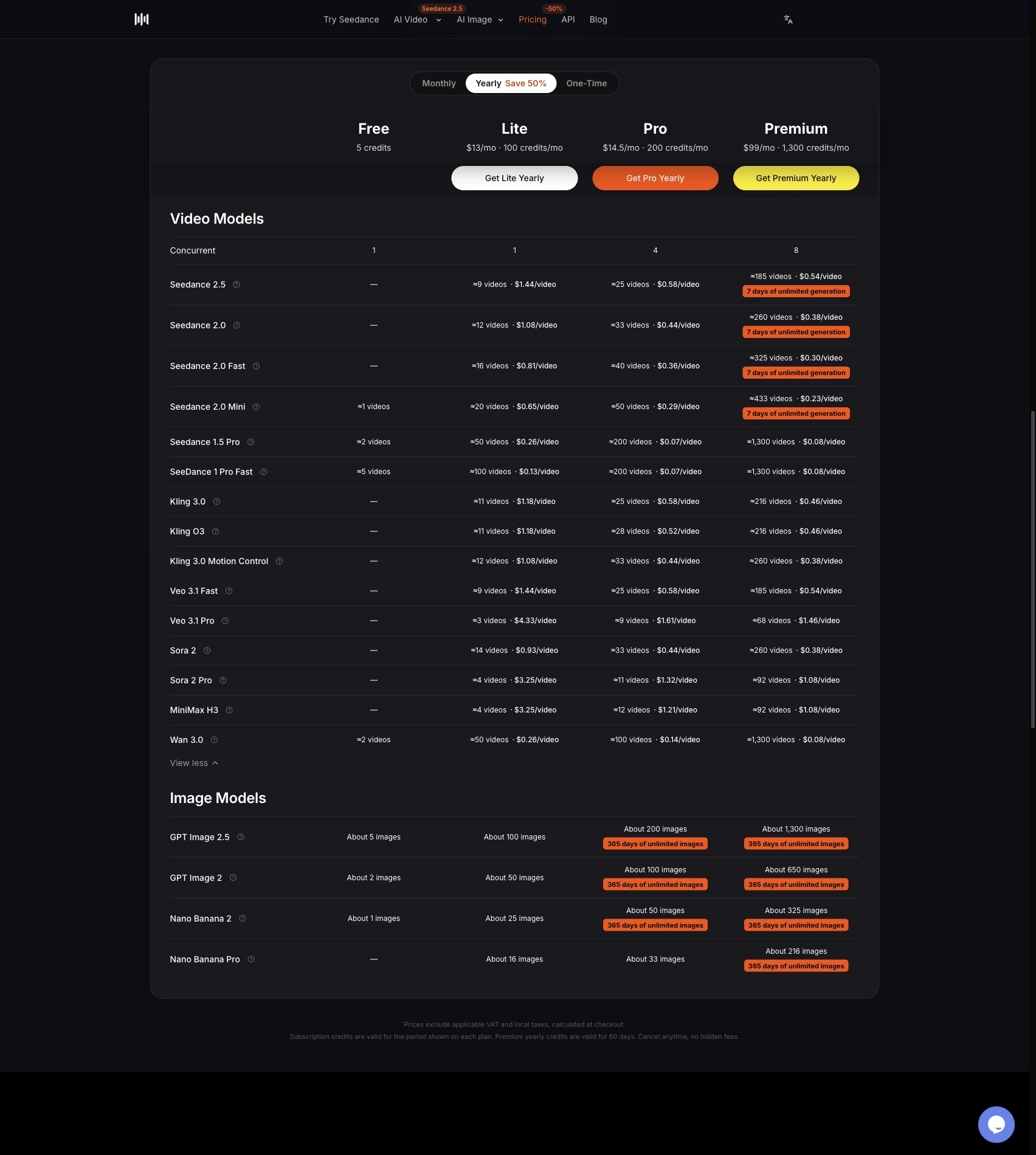
The PixVerse subscription comparison lists 60 initial credits and 30 daily credits for Basic. Daily credits refresh at 00:00 UTC, which is 08:00 Beijing time, and unused daily credits expire that day. Basic output is capped at 540p on the current table.
The watermark-free row is excluded on Basic and included from Standard upward. If you need a clean export, PixVerse Basic does not meet that requirement.
PixVerse's English plan comparison shows Basic's 60 initial credits, 30 daily credits, and 540p limit.
The consumer terms, section 4.1, limit output use to non-commercial purposes unless separately authorized or licensed. API terms and consumer app terms apply to different products. Use the terms attached to your actual workflow.
Runway: a one-time trial with watermarked video
Best for: Exploring the tools currently available in a Free account.
Not for: Repeat free allowances or watermark-free video delivery.
Runway's Free plan details give new Free accounts 125 one-time credits. They do not expire, but they do not refresh after spending. The same help page says every video generated on Free has a Runway watermark; Standard or higher is needed to generate without one.
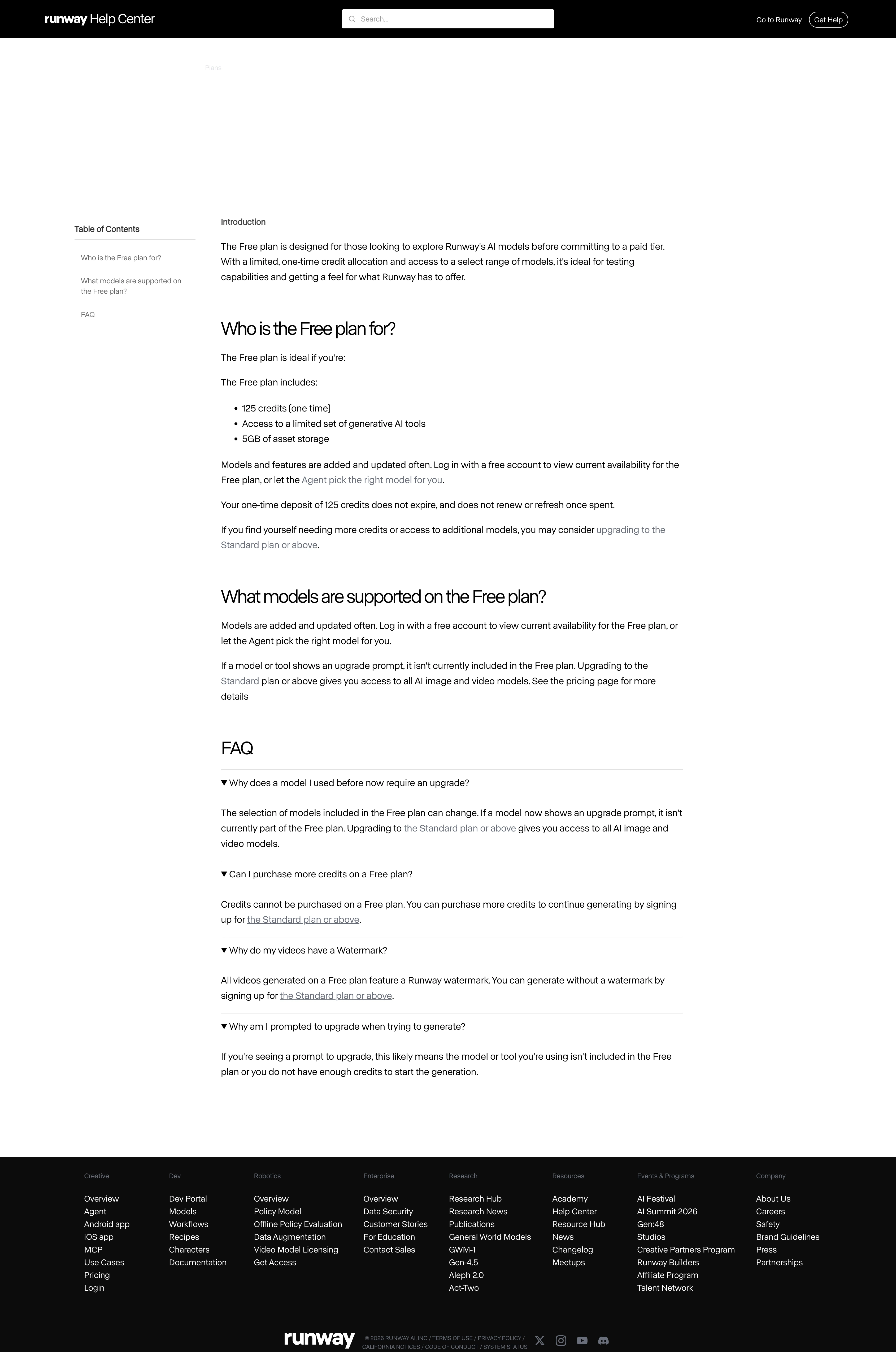
Runway's Free plan guide lists the one-time allowance and explains the watermark requirement.
Runway says Free model availability can change and directs users to their accounts for the current selection. Check duration and resolution for the free model currently available in your account. Its commercial-use guidance allows commercial use subject to its terms and other rights. That permission does not change the free watermark policy.
For product work, our Seedance 2.5 and Runway comparison covers a different decision: which paid workflow suits the shot you need.
Pika: clean exports, but no monthly free generation allocation
Best for: Comparing a watermark-free account option when you are willing to buy credits.
Not for: A guaranteed monthly free video budget.
The current Pika pricing page lists Free with 0 monthly credits and credit packs. Its comparison marks no watermark as included and a commercial license as excluded on Free. A watermark-free account still needs credits to generate video.
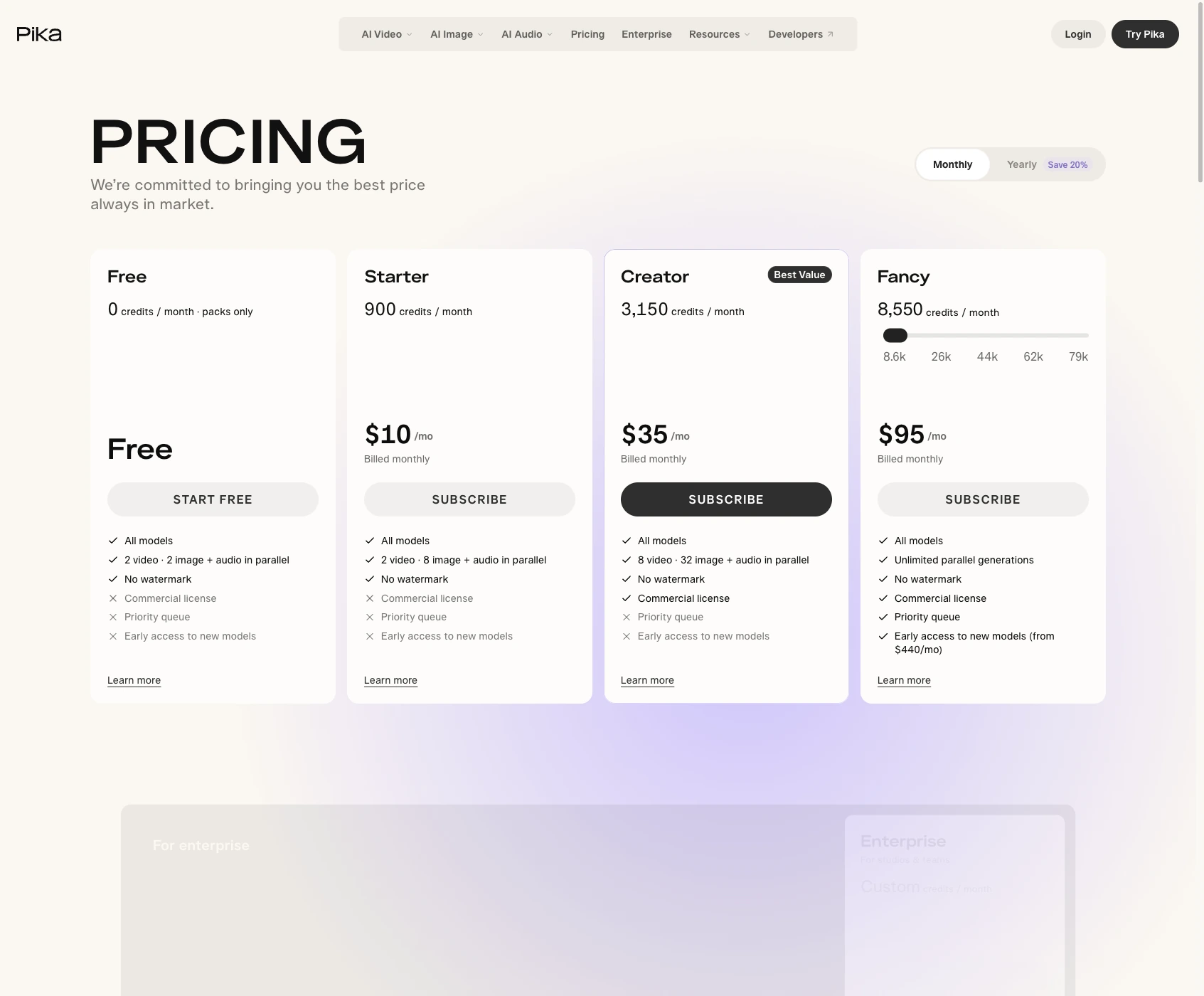
Pika's current English pricing cards show 0 monthly credits on Free and the plan's export and license rules.
Ignore monthly allowances from older plan tables; use the current pricing page for your budget. Any temporary welcome promotion needs its own confirmed terms before it can count as free access.
A workflow that keeps a free trial within its allowance
- Open the text-to-video workspace and choose an eligible basic model.
- Keep the first scene simple: one location, one subject, one continuous camera move.
- Choose the available duration and resolution, then compare the displayed cost with your remaining allowance.
- Submit only when the selected settings fit that allowance.
- Download the finished clip and check its actual dimensions and watermark status before publishing it.
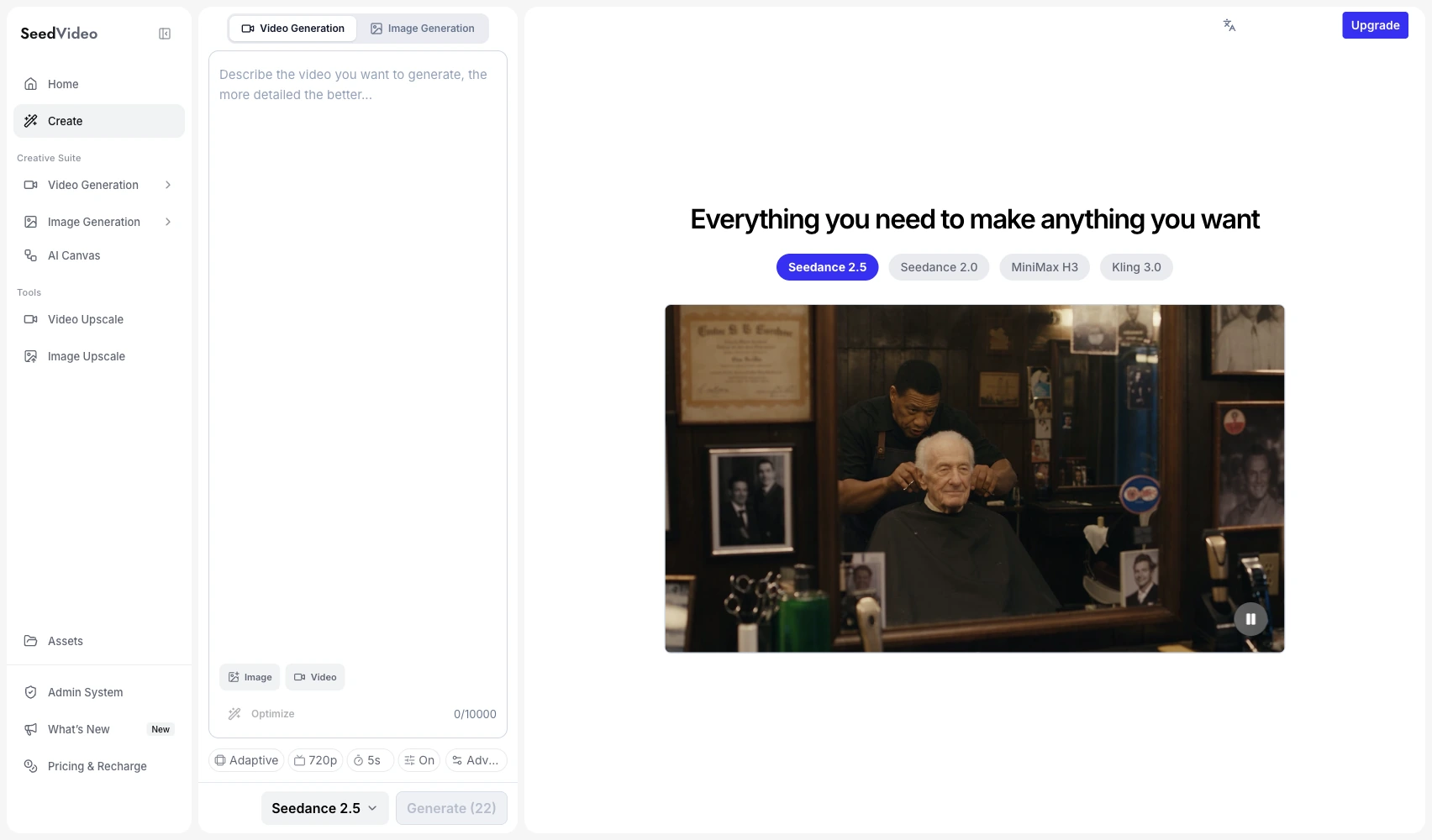
The English generator workspace keeps the prompt, model picker, settings, and preview together.
This prompt gives the model one scene to work with:
Wide shot of a quiet seaside village at dawn. A bicycle rests beside a white stone wall as curtains move gently in the breeze. The camera slowly pushes forward, warm natural light, realistic detail, one continuous shot.
Try this prompt in SeedVideo AI
The prompt does not select a free model for you. Confirm the model and cost after opening the workspace. If you are making an ad, the social media ad generator comparison covers tools for draft ideas and commercial delivery.
FAQ
Can I remove a watermark for free?
Choose a tool that includes clean exports in its free allowance if you need a new watermark-free clip. Runway requires Standard or higher for clean generation; PixVerse Basic excludes that benefit. Upgrading does not necessarily change an already generated file, so check the service's rules before paying.
Do free credits reset?
PixVerse daily credits refresh at 00:00 UTC and expire that day. Runway's 125 credits are one-time and do not refresh. SeedVideo AI's 5 credits are a sign-up allowance, not a monthly allocation. Pika currently lists 0 monthly credits on Free.
Can I use a free AI video commercially?
The tool and plan matter. SeedVideo AI Free excludes commercial permission; Pika Free excludes a commercial license. PixVerse's consumer terms require separate authorization for commercial use. Runway allows commercial use under its terms. You still need the necessary rights to inputs and content.
What resolution and duration can I export for free?
PixVerse Basic lists up to 540p. Other limits depend on the tool's current eligible model and selected mode. Check the actual free model's settings; the headline maximum of a paid model is not a free-plan entitlement.
Do I need a credit card to sign up?
SeedVideo AI's pricing FAQ says its sign-up credits require no credit card. The other services' card requirements are not established by the pricing and help pages cited here. Check the sign-up screen before entering payment details.
What happens after the free allowance runs out?
SeedVideo AI lets you buy credit packs or upgrade. PixVerse has its next daily allocation; unused daily credits do not accumulate. Runway requires an upgrade to continue after its one-time credits run out. Pika lists paid credit packs. Compare the cost of the settings you need in our AI video pricing guide.
Choose the plan by the export you need
Start with a basic-model shot in the SeedVideo AI generator. Use the displayed cost to keep the first attempt within your free credits. For more comparisons, the AI video model comparison collection covers more tools and the paid workflows they support.