Seedance 2.5 has no separate negative prompt field. On SeedVideo AI the Seedance 2.5 composer gives you one prompt box (up to 10,000 characters) plus settings for aspect ratio, resolution, duration and sound. The official ModelArk API for the model takes the same kind of input: a text prompt and a list of parameters, none of which is a negative prompt. So "Seedance negative prompts" means one practical thing: you write exclusions inside the main prompt, in plain language, and you back them up with the settings that control the same thing. A short closing line such as "no on-screen text, no logos, one person only" works when it is specific and checkable. A long list of banned words does not, because it competes with the parts of the prompt that describe what you want. The most reliable style control comes from naming one style family, describing what should fill the frame, and turning off sound with the toggle instead of writing "no music." This guide shows how to do that, with 10 copy-ready prompts.
TL;DR
- Seedance 2.5 has no negative prompt box on SeedVideo AI, and the official API lists no negative prompt parameter. Exclusions go inside the prompt.
- Put the positive description first, and keep exclusions to one short "Constraints" line at the end, three to five items.
- Replace "no X" with what should be there instead: "empty beach" beats "no people," "plain unlabeled bottle" beats "no logo."
- Use one style family per prompt. Mixed style words cancel each other out faster than any negative line can fix.
- Use settings for what settings control: the Sound toggle for silence, aspect ratio for framing, a start image for a locked look.
- Official guidance recommends prompts under about 1,000 English words; longer prompts make the model drop details.
Quick Answer
To use negative prompts in Seedance 2.5, open the AI text-to-video generator, choose Seedance 2.5, and write your prompt in this order: style, subject, action, camera, light, audio, then one closing line that starts with "Constraints:" and lists three to five things that must not appear. Make every item visible and checkable ("no on-screen text," "one person only," "no camera shake"). If you want a silent clip, switch Sound to Off rather than writing "no music." Generate, check each constraint against the result, and change one line at a time.
Last verified: October 12, 2026.
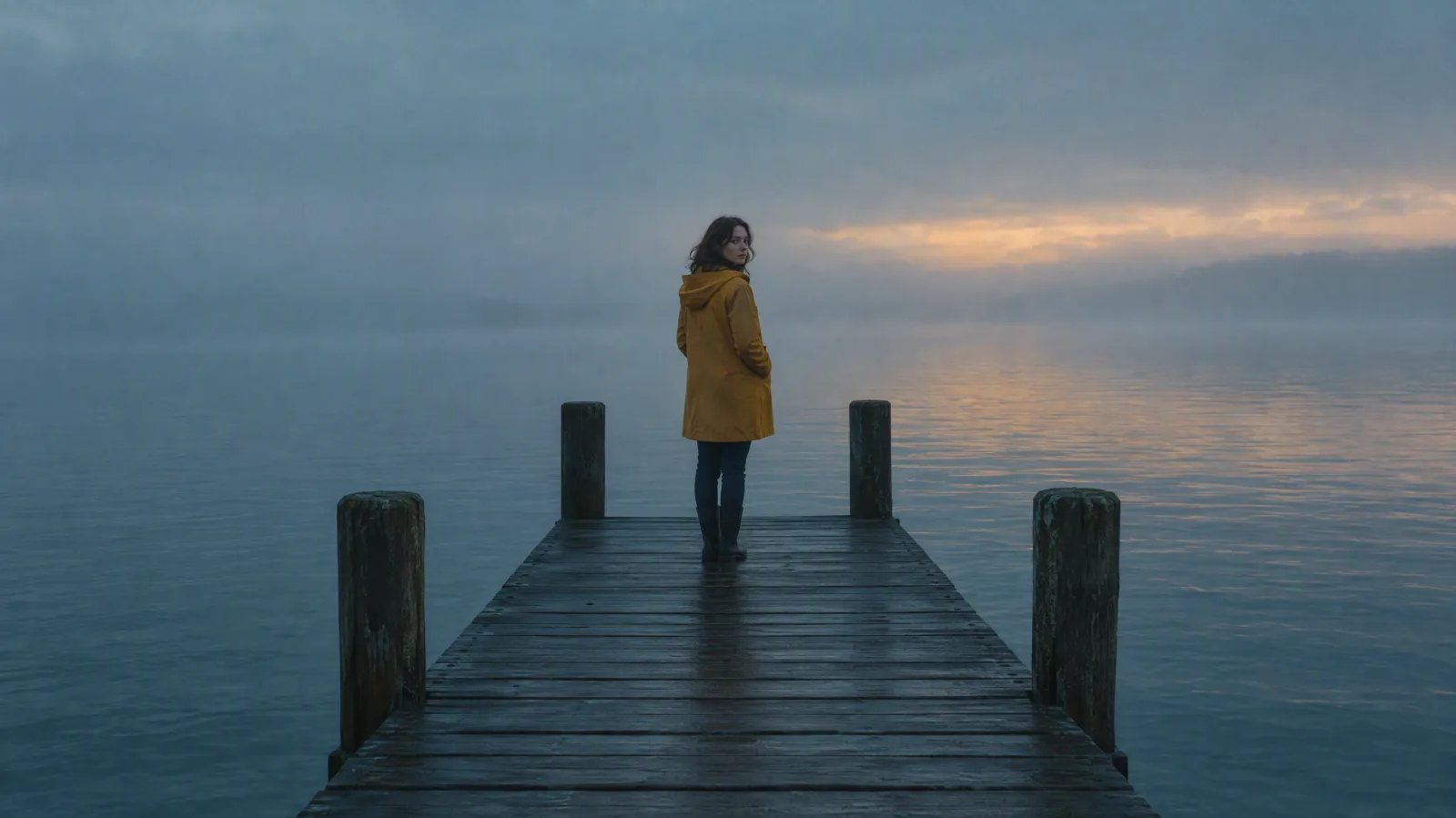
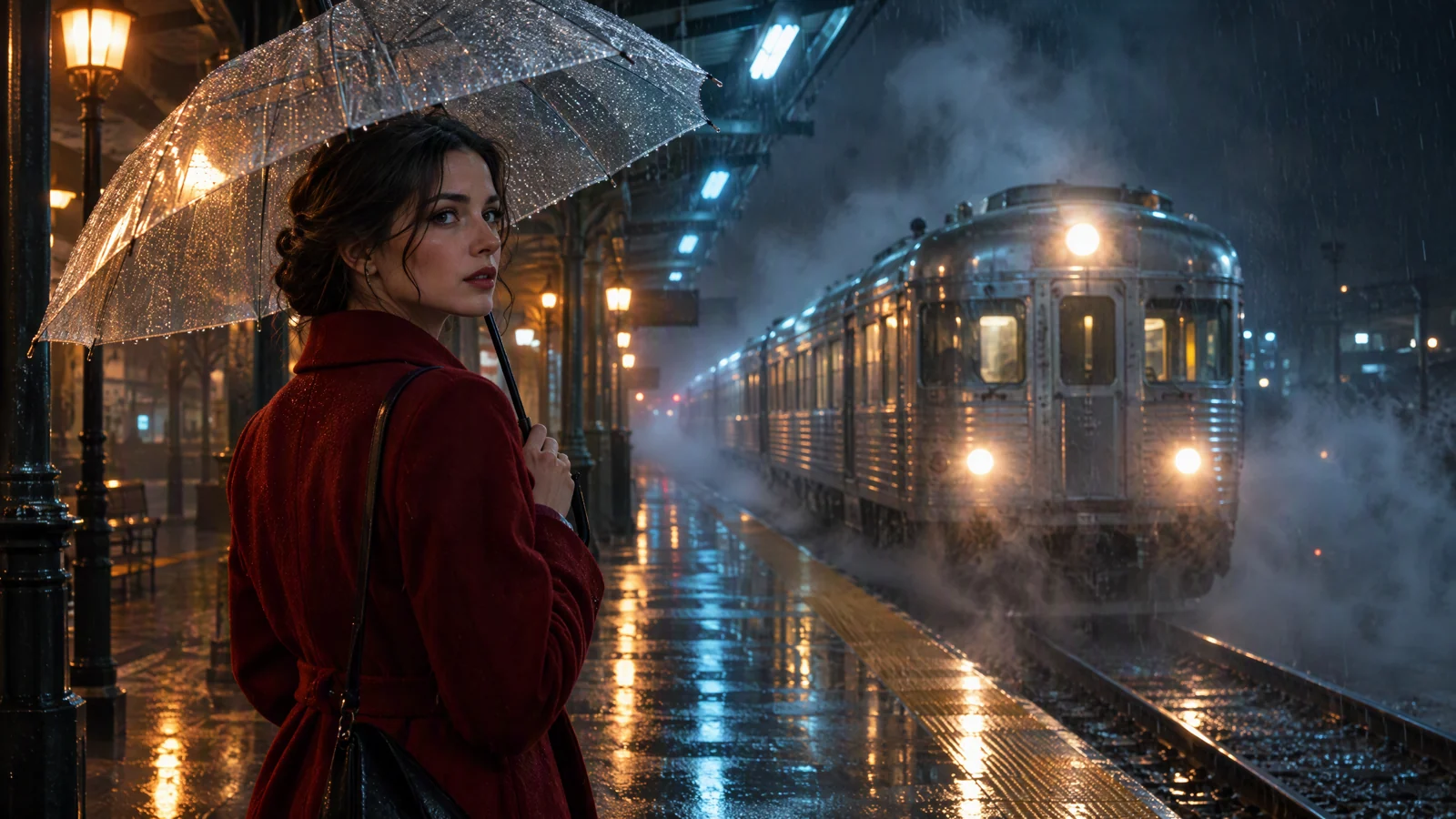
Image prompt: Cinematic film still of a fictional adult woman in a mustard-yellow raincoat standing alone at the end of an empty wooden pier at blue-hour dawn, calm gray sea and soft fog behind her, she turns her head slightly toward the camera, wide shot on a 35mm lens, soft diffused natural light, muted teal and amber color grade, fine film grain, single subject, no other people, no boats, no signs.
How style control works in Seedance 2.5
Before writing exclusions, it helps to know which controls exist and which do not. This table lists what you can actually set, on SeedVideo AI and in the official ModelArk API documentation for Seedance 2.5.
| Control | Where it lives | What it does | Use it instead of writing |
|---|---|---|---|
| Prompt | One text box, up to 10,000 characters on SeedVideo AI | Describes style, subject, action, camera, light, sound and constraints | Everything else below |
| Negative prompt field | Not available | Not available | Write a constraints line in the prompt |
| Aspect ratio | Settings row: Adaptive, 16:9, 9:16, 1:1, 4:3, 3:4, 21:9 | Sets the frame shape | "no letterbox," "not vertical" |
| Resolution | 480p, 720p, 1080p | Sets output detail | "no blur" as a quality fix |
| Duration | 4 to 30 seconds | Sets clip length | "don't end too early" |
| Sound | On or Off toggle | Off returns a silent video; On generates matching voice, effects and music | "no music, no sound" |
| Start image | Image to Video mode | Locks the first frame's look and aspect ratio | Long lists of "don't change the face" |
| Seed, fixed camera | Listed only for older Seedance 1.x models in the API | Not available for Seedance 2.5 | Describe a locked camera in words |
Two official details matter for exclusions. First, the ModelArk documentation recommends keeping the prompt to roughly 1,000 English words or 500 Chinese characters; beyond that, the model may focus only on key points and leave out details. A long wall of prohibitions eats into that budget. Second, when sound is on, the model writes its own voices, effects and background music from the prompt and the picture, and it recommends putting dialogue in double quotes. If you want no audio at all, the toggle is the dependable control.
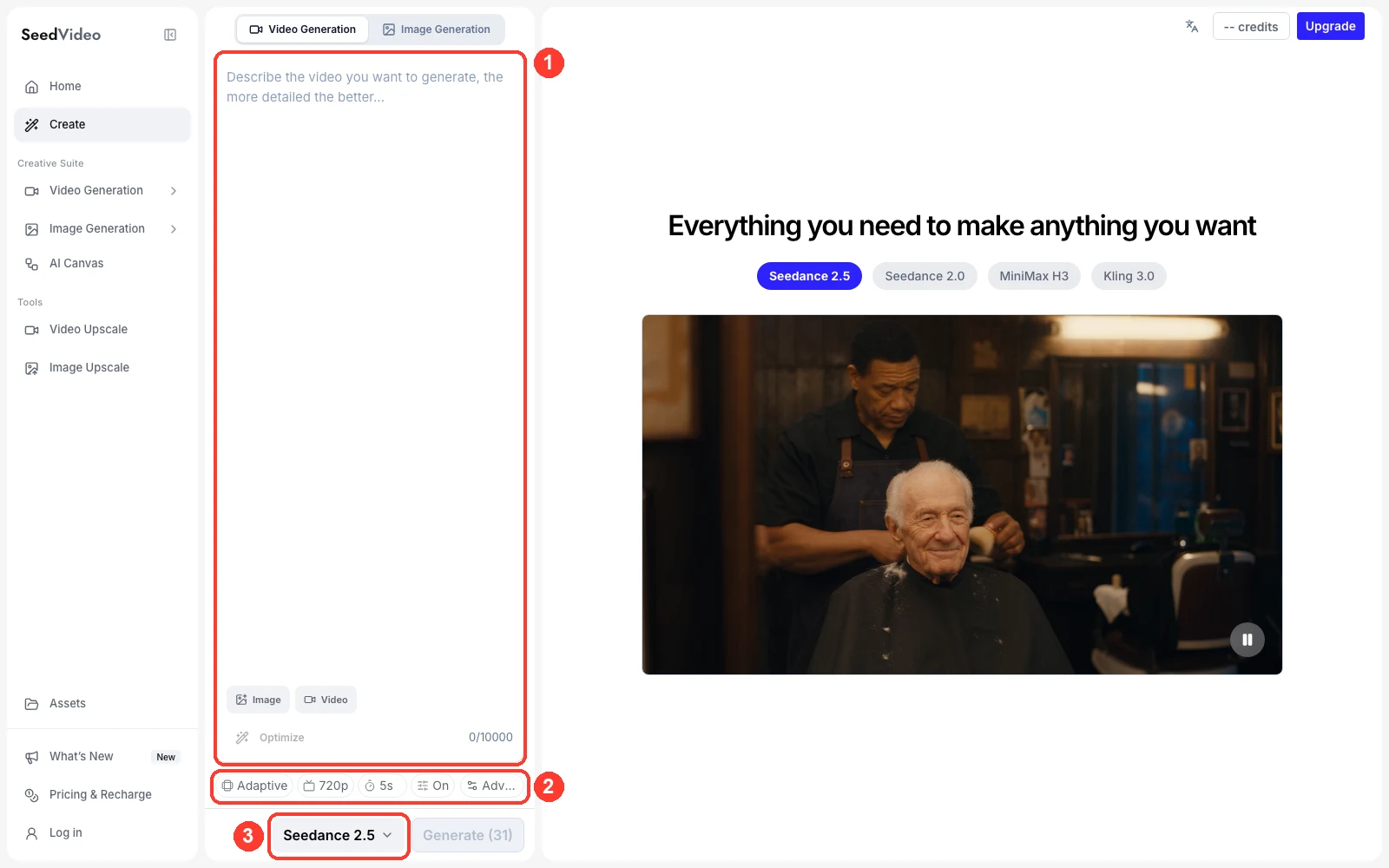
SeedVideo AI workspace with Seedance 2.5: (1) the single prompt box, (2) aspect ratio, resolution, duration and Sound, (3) the model selector.
In the workspace above, everything you exclude goes in box 1. Box 2 handles framing, length and audio. If you would rather start from a still that already looks right, animate a source image instead; the first frame then sets the look, and your prompt only has to describe motion.
How to write exclusions that Seedance 2.5 follows
A negative phrase still puts the unwanted thing into the prompt. "No crowd" contains the word crowd. In practice, the exclusions that hold up best share three traits:
- They come after the positive description. The model reads the scene first. The constraints line refines it; it should not be the main content.
- They are short and concrete. "No on-screen text" is checkable. "Nothing ugly" or "no bad quality" gives the model nothing to act on.
- They have a positive partner. Pair "no other people" with "empty pier." Pair "no logos" with "plain unlabeled glass." The positive version tells the model what to draw in the space.
Keep the constraints line to three to five items. If you need ten, the scene description is probably too loose, and tightening it will do more than extra prohibitions. The Seedance 2.5 prompt guide covers the full prompt structure; the examples below focus on the exclusion line.
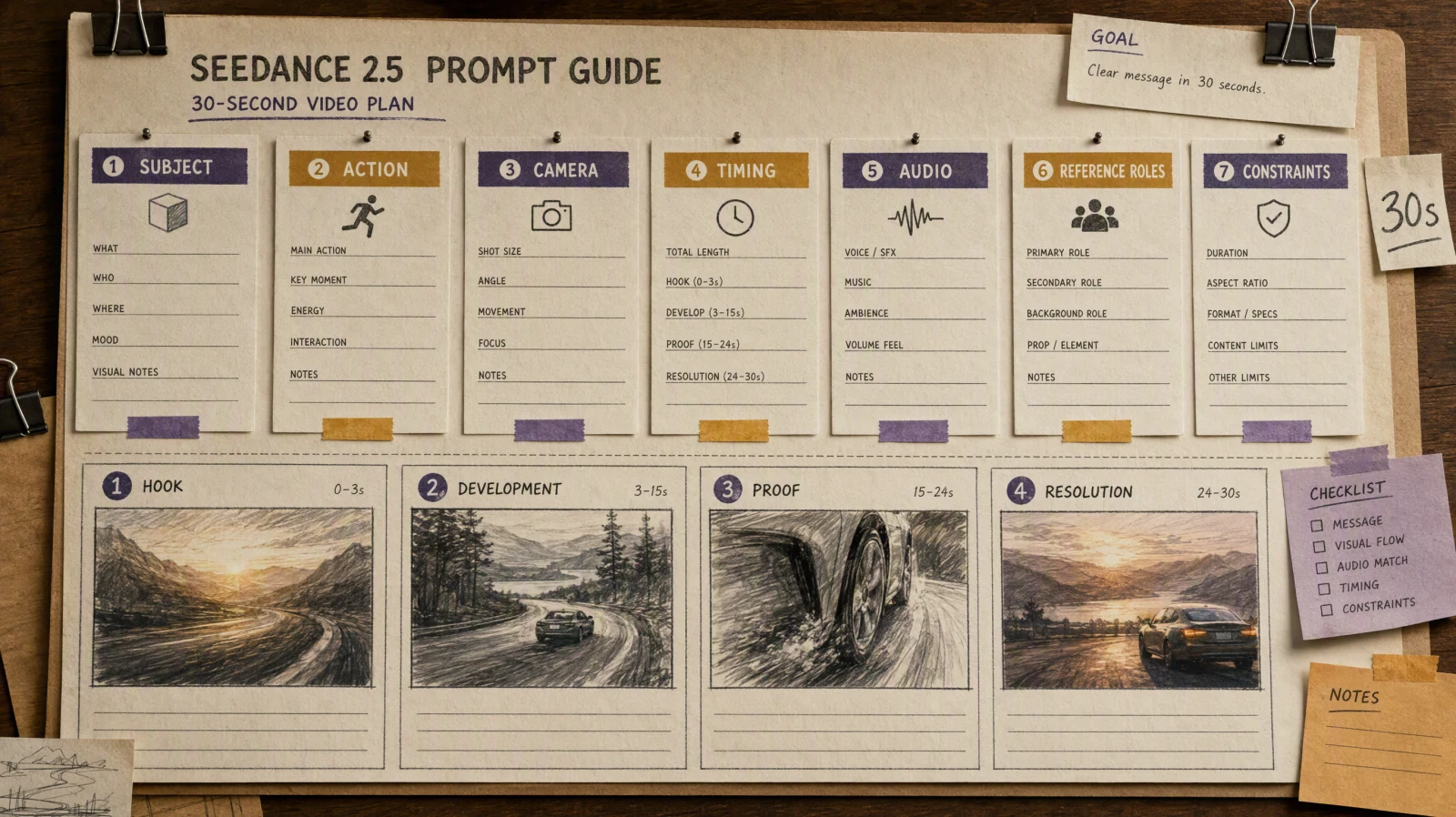
The template
Write the prompt in this order, and keep the last line for constraints:
- Style family (one): "cinematic live-action," "watercolor animation," "clean studio product commercial."
- Subject and setting.
- Action, with a clear ending.
- Camera: shot size, lens feel, movement.
- Light and color.
- Audio, or switch Sound to Off.
- Constraints: three to five visible things that must not appear or change.
10 Seedance 2.5 negative prompt examples
Each example names the problem it solves, then gives a full prompt you can paste into the generator. The exclusions sit in the last line.
1. No subtitles or on-screen text
Unwanted captions and random lettering are the most common complaint in social clips.
Cinematic live-action, vertical 9:16. A young chef in a white apron plates a bowl of ramen at a steel counter, then slides it toward the camera and smiles. Medium close-up, slow push-in. Warm tungsten kitchen light. Audio: sizzling pan, soft kitchen ambience. Constraints: no subtitles, no on-screen text, no captions, plain unprinted bowl.
Try this prompt in SeedVideo AI
2. One person only
Duplicate people appear when the prompt leaves the background open.
Cinematic live-action. A woman in a mustard-yellow raincoat stands alone at the end of an empty wooden pier at foggy dawn, then turns her head toward the camera. Wide shot on a 35mm lens, locked camera. Muted teal and amber grade, fine film grain. Audio: gentle waves and wind. Constraints: one person only, empty pier, no boats, no birds crossing the frame.
Try this prompt in SeedVideo AI
3. Unbranded product with no logos
Product shots pick up invented labels unless the surface is described.
Clean studio product commercial. An unbranded frosted glass perfume bottle with a plain brushed-gold cap stands on wet black stone while a single water droplet runs down the glass. Locked macro shot with a two-second slow push-in at the end. One soft key light from the left, thin rim light, dark charcoal backdrop. Constraints: plain unlabeled glass, no logos, no text, no hands, no extra props.
Try this prompt in SeedVideo AI

Video prompt: Clean studio product commercial. An unbranded frosted glass perfume bottle with a plain brushed-gold cap stands on wet black stone while a single water droplet runs down the glass. Locked macro shot with a slow push-in at the end. One soft key light from the left, thin rim light, dark charcoal backdrop. Constraints: plain unlabeled glass, no logos, no text, no hands, no extra props.
4. No background music, but keep natural sound
When you want ambient sound without a score, say what the audio contains and name the one thing to leave out.
Documentary live-action. An elderly fisherman mends a net on a wooden dock at overcast midday, pulls the last knot tight and looks out at the gray sea. Slow side dolly at eye level. Soft overcast light, desaturated colors. Audio: gulls, water against the dock, rope creaking. Constraints: no background music, no voiceover, no dialogue.
Try this prompt in SeedVideo AI
If you want no audio at all, switch Sound to Off instead and remove the audio line.
5. Steady camera, no shake
Cinematic live-action. A ceramic teapot pours amber tea into a small cup on a linen tablecloth by a sunny window, steam rising as the cup fills. Tripod-locked medium shot, camera completely still for the whole clip. Soft morning backlight. Audio: pouring tea, quiet room tone. Constraints: no camera shake, no zoom, no cuts.
Try this prompt in SeedVideo AI
6. No morphing or extra fingers in hand shots
Hands drift when they do too much. One simple action plus a constraint works better than a list of anatomy rules.
Cinematic live-action close-up. Two hands slowly fold a square of blue paper into a paper boat on a wooden desk, then set the finished boat down. Locked overhead shot. Soft daylight from a window on the left. Audio: paper creasing, quiet room. Constraints: two hands only, five fingers on each hand, paper stays blue, no extra objects.
Try this prompt in SeedVideo AI
7. Keep a single art style, no photorealism
Hand-painted watercolor animation with soft paper texture and loose ink outlines. A small red fox walks through a misty birch forest in early autumn, stops, and sniffs a fallen leaf. Side view at eye level, slow tracking shot. Washes of ochre, rust and pale green, morning light through the trees. Audio: soft footsteps on leaves, light birdsong. Constraints: one fox only, consistent 2D watercolor style, no photorealism, no 3D render look.
Try this prompt in SeedVideo AI
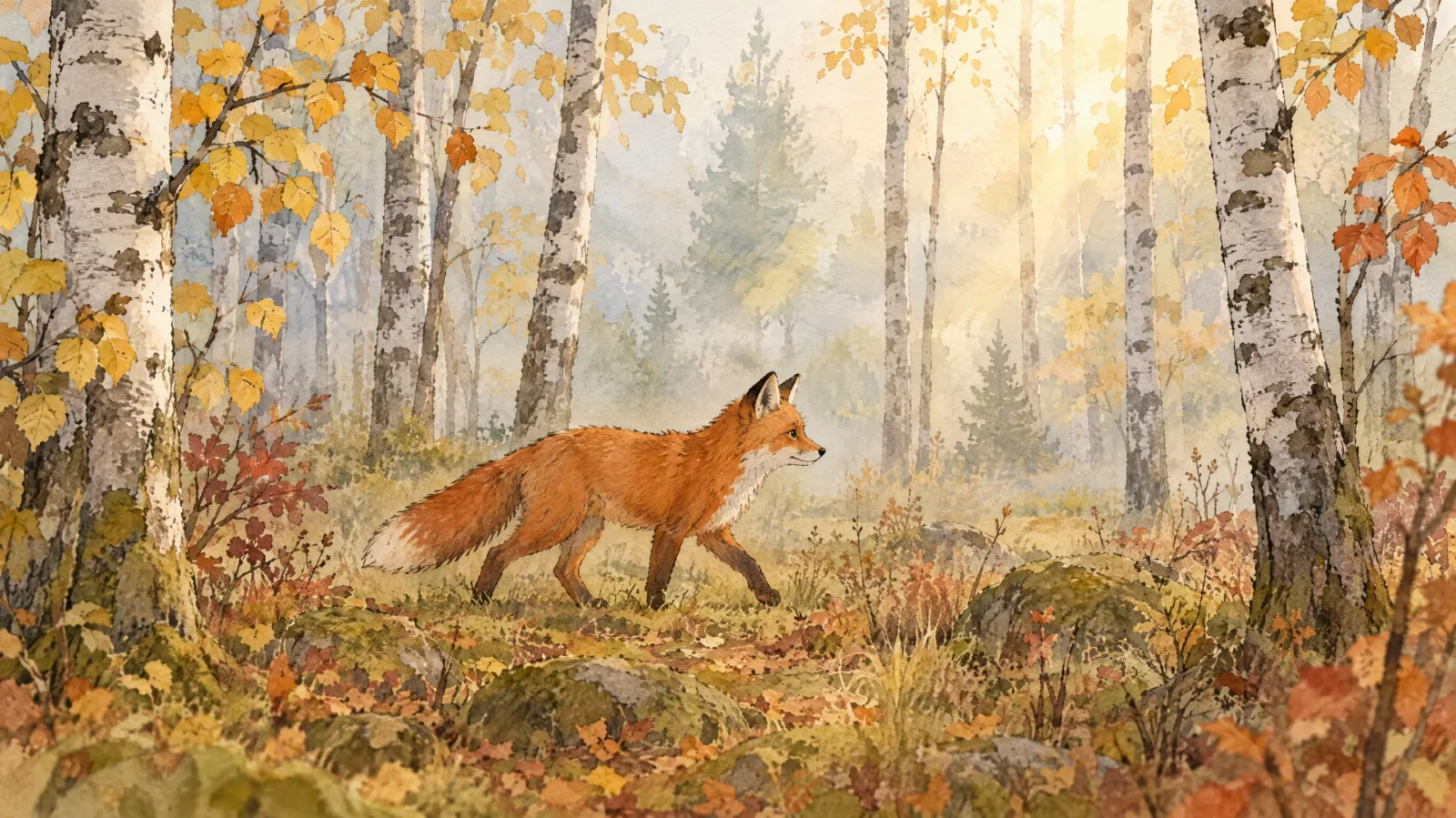
Video prompt: Hand-painted watercolor animation with soft paper texture and loose ink outlines. A small red fox walks through a misty birch forest in early autumn, stops, and sniffs a fallen leaf. Side view at eye level, slow tracking shot. Washes of ochre, rust and pale green, morning light through the trees. Constraints: one fox only, consistent 2D watercolor style, no photorealism, no 3D render look.
8. Clean background, no clutter
Clean studio fashion film. A model in a charcoal wool coat walks three steps toward the camera on a seamless pale gray backdrop, stops, and adjusts her collar. Full-body shot, slow dolly back. Soft even studio light, gentle shadow on the floor. Audio: footsteps, soft room tone. Constraints: seamless empty backdrop, no furniture, no other people, no text.
Try this prompt in SeedVideo AI
9. No sudden cuts, one continuous take
A prompt with several actions can come back as several shots. If you want a single take, say so and rule out cuts.
Cinematic live-action, one continuous take. A cyclist rides along a coastal road at golden hour, passes a white lighthouse and rolls out of frame on the right. Camera tracks alongside at a steady distance for the whole clip. Warm low sun, long shadows. Audio: wind, tires on asphalt, distant surf. Constraints: no cuts, no scene changes, no slow motion.
Try this prompt in SeedVideo AI
10. Keep colors and outfit unchanged
Cinematic live-action. A man in a red knit sweater and dark green scarf walks through a snowy park at dusk, stops under a lamp post and checks his watch. Medium shot, slow follow from behind, then he turns to profile. Cool blue snow, warm lamp light. Audio: crunching snow, distant traffic. Constraints: sweater stays red, scarf stays dark green, no costume changes, no extra people near him.
Try this prompt in SeedVideo AI
For more scene ideas built on the same structure, the Seedance 2.5 cinematic video prompts collection has longer shot-by-shot examples.
How exclusions combine with style words
Style words and exclusions pull on the same output. When they disagree, the style words tend to win in practice, since they describe the whole frame and come first. Use that order on purpose:
| Priority | What to write | Example |
|---|---|---|
| 1. Style family | One family, stated first | "Hand-painted watercolor animation" |
| 2. Positive description | What fills the frame | "misty birch forest, one red fox" |
| 3. Camera and light | How it is shot | "side view, slow tracking, morning light" |
| 4. Audio | What we hear, or Sound Off | "soft footsteps, light birdsong" |
| 5. Constraints | 3–5 checkable exclusions | "no photorealism, one fox only" |
Three practical rules follow from this order:
- Do not mix style families. "Documentary," "anime" and "cinematic" in one prompt produce a muddled result, and a "no anime" line cannot fix it. Pick one and drop the others.
- Exclude the nearest rival style, not every style. For a watercolor clip, "no photorealism, no 3D render look" covers the likely drift. A list of ten banned styles only adds noise.
- Keep camera exclusions consistent with camera instructions. "Slow tracking shot" plus "no camera movement" contradicts itself. Decide on the move first, then exclude what conflicts with it. The AI video camera movement prompts guide lists the moves by name.
When negative prompts fail, and what to do instead
| Problem | Why the exclusion did not hold | What to do instead |
|---|---|---|
| Text still appears | The scene contains signs, labels or screens | Describe surfaces as plain: "plain wall," "unprinted mug," or reframe away from signage |
| Music plays anyway | Sound is on and the prompt describes a mood | Switch Sound to Off, or list the exact ambient sounds you want |
| Extra people appear | The setting implies a crowd: "busy street," "café" | Change the setting to one that is empty by nature: "empty street at dawn" |
| Style drifts to realism | Mixed style words, or a realistic subject description | State the style first and repeat it in constraints: "consistent 2D watercolor style" |
| Face or outfit changes | Too many actions or a long clip | Use a start image in image-to-video mode, shorten the clip, and give one action |
| Constraints ignored entirely | Prompt is too long or the list is too dense | Cut the constraints to five items and the prompt to the essentials |
A simple revision loop keeps the testing cheap:
- Generate once at 480p or 720p with a 5-second duration.
- Check each constraint in order and note which ones failed.
- Change one thing: the setting, the positive partner, or the constraint wording.
- Regenerate with everything else unchanged and compare the same seconds.
- When the short clip passes, raise the duration or resolution for the final version.
The Seedance 2.5 model page lists the model's full specifications, and more prompt guides are collected under Seedance model guides.
FAQ
Does Seedance 2.5 have a negative prompt field?
No. On SeedVideo AI, the Seedance 2.5 composer has one prompt box and settings for aspect ratio, resolution, duration and sound. The official ModelArk API lists no negative prompt parameter either. Write exclusions as a short closing line inside the main prompt.
Where should I put "no" phrases in a Seedance prompt?
At the end, after the style, subject, action, camera, light and audio. Start the line with "Constraints:" and keep it to three to five items that you can check in the result.
How do I stop Seedance 2.5 from adding background music?
For a silent clip, switch Sound to Off. For natural sound without a score, describe the exact sounds you want ("gulls, water, rope creaking") and add "no background music" to the constraints line.
Why does Seedance 2.5 still add text after I wrote "no text"?
Usually the scene invites text: shop signs, product labels, screens or posters. Describe those surfaces as plain or unlabeled, or frame the shot away from them. Keep "no on-screen text" in the constraints line as well.
How many negative terms should a Seedance prompt include?
Three to five. More than that dilutes the prompt. Official guidance notes that long prompts can cause the model to focus on key points and skip details, so a dense list of prohibitions works against you.
Can I use a seed or a fixed-camera setting to control style?
Not with Seedance 2.5. In the official API, seed and fixed-camera parameters are listed only for older Seedance 1.x models. With 2.5, describe a locked camera in the prompt ("tripod-locked shot, camera completely still").
Try it
Pick one of the ten prompts above, paste it into the Seedance 2.5 text-to-video generator, and run a 5-second test at 720p. Check each constraint against the result, adjust one line, and run it again. Once the exclusions hold, extend the clip or raise the resolution for the final render.