Seedance is ByteDance's video generation model family. Dreamina is a creative application that lets people use models, including Seedance, through a browser workflow. ByteDance Seed's official directory links directly to Dreamina for Seedance 2.5. Your interface, credits, subscription and available controls come from the platform you choose. SeedVideo AI at seeddance.io is a separate, independent platform, so its account and pricing should be evaluated separately.
Last verified: 2026-10-06.
Quick Answer
| Name | Entity and affiliation | Model role | What you open |
|---|---|---|---|
| Seedance | Video-model family from ByteDance Seed | The generation technology; the official catalog currently features Seedance 2.5 | ByteDance Seed's model information and its linked access platforms |
| Dreamina | Creative application listed on ByteDance Seed's official site, on the CapCut domain | Offers Seedance alongside other creative tools and models | The Dreamina website and its account workspace |
| SeedVideo AI | Independent platform at seeddance.io | Provides its own interface and plans for supported models, including Seedance 2.5 | The SeedVideo AI generator and pricing page |
The official Seed model directory is a useful starting point for checking the relationship. Its Dreamina link connects the model to an application where people can use it.
TL;DR
- Seedance names a model family; Dreamina names an application.
- Dreamina currently advertises Seedance 2.5, and ByteDance Seed links to its access page.
- Model capabilities and a platform's enabled controls can differ.
- Credit units, promotions and subscriptions belong to the specific service.
- SeedVideo AI has its own independent platform identity and billing.
Seedance: the model layer
Best for: Understanding the underlying model version and its published capabilities.
Not for: Finding one universal consumer subscription or a single account shared by every Seedance website.
ByteDance's Seedance 2.5 model page describes joint audio-video generation. The official launch article, dated July 31, 2026, describes generation up to 30 seconds, reference control and editing.
Those are model-level descriptions. A website can expose a smaller set of inputs or a different range of settings. Before planning a shot, check the version selected inside the application and the controls available on your account.
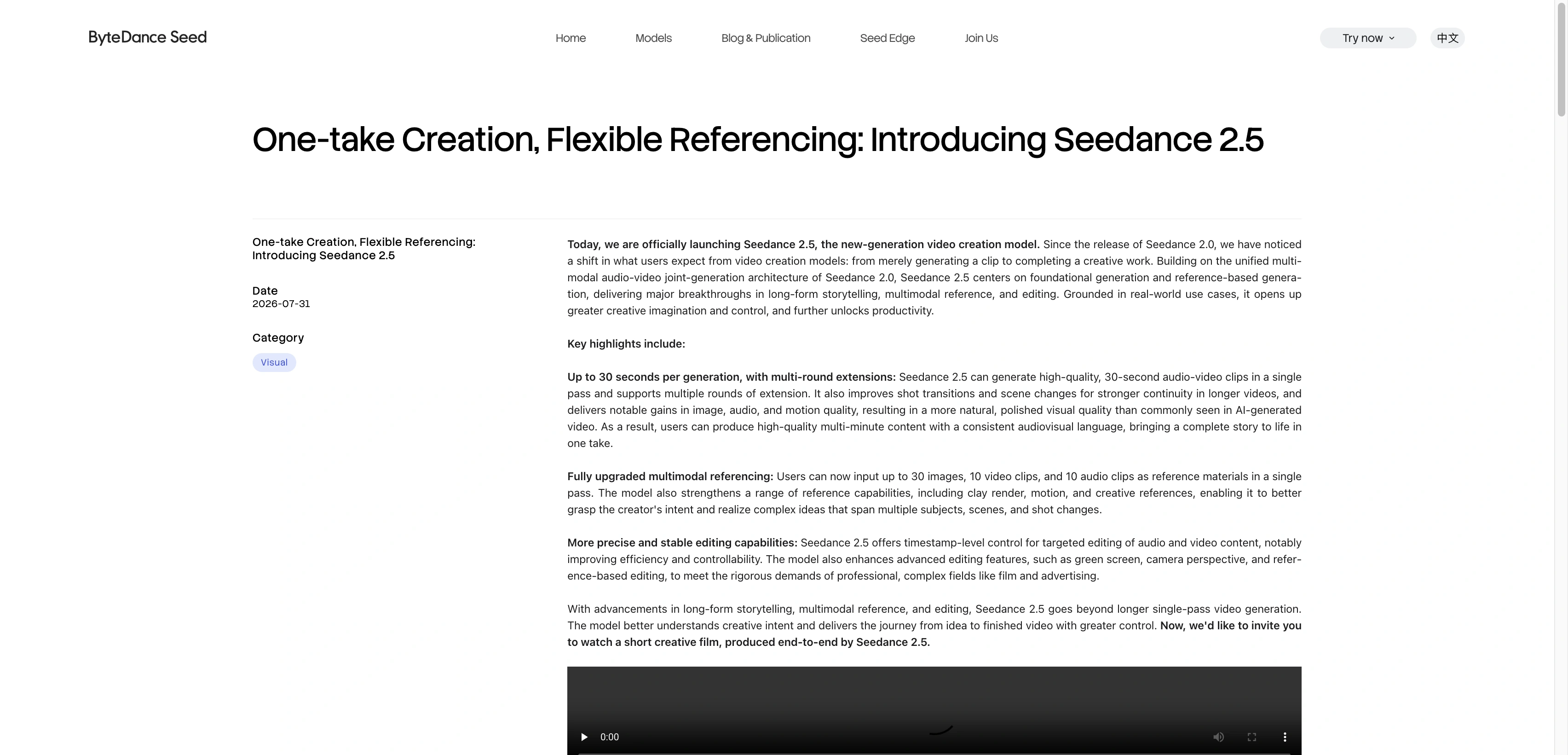
ByteDance Seed's English launch page identifies Seedance 2.5 and its published model capabilities.
For an introduction to the SeedVideo AI workflow, the Seedance 2.5 getting-started guide shows how the model fits into a working interface.
Dreamina: the application and account workflow
Best for: Using the creative workspace linked from ByteDance Seed's official directory.
Not for: Assuming one advertised model unlocks every feature, price or credit allowance in every region.
Dreamina's website brings together image creation, video creation, marketing tools and avatars. Its current navigation and homepage feature Seedance 2.5. The official Seed catalog's Dreamina access link is more useful than guessing which search result is the right entry.
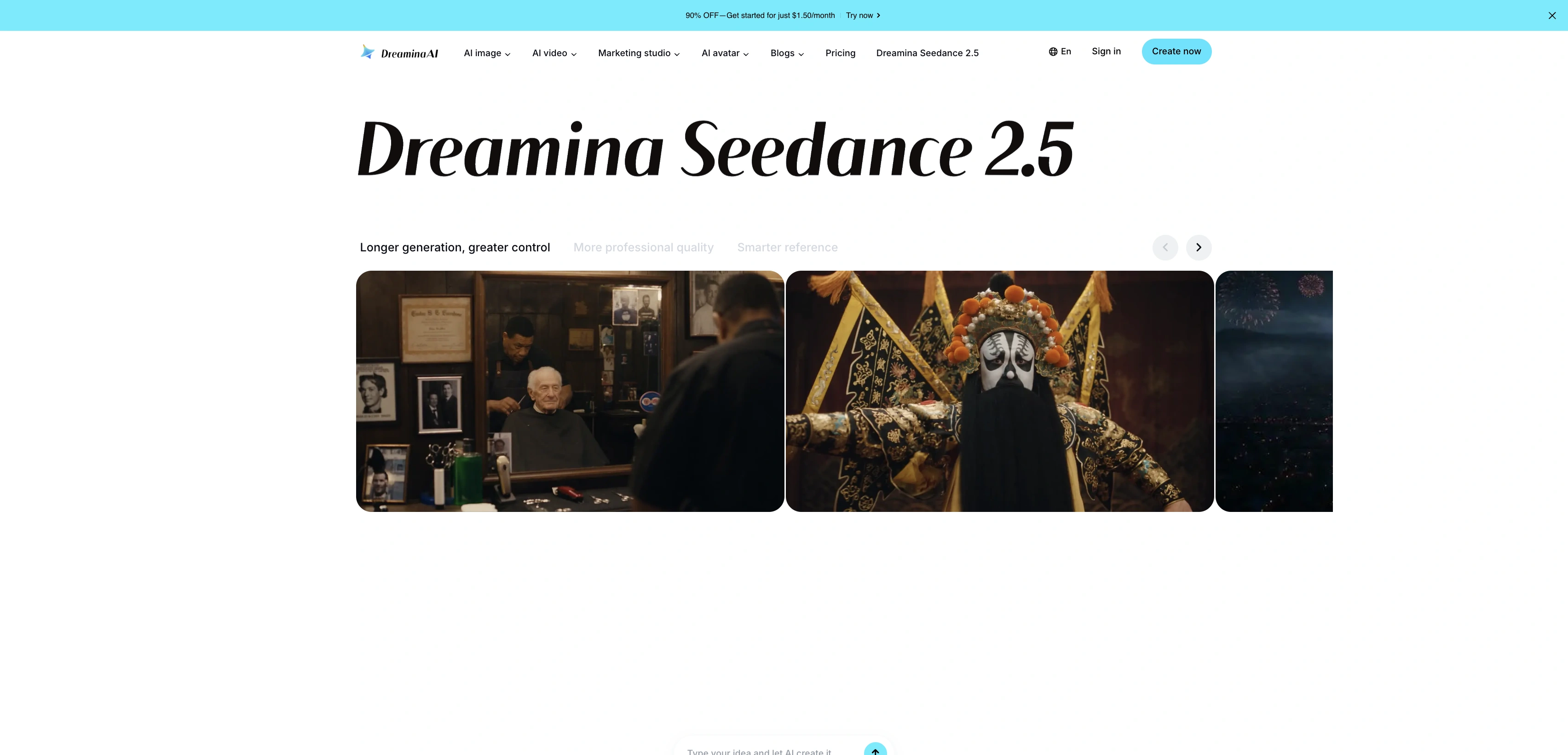
Dreamina's English homepage places Seedance 2.5 within its image, video, marketing and avatar workspace.
Dreamina's US service terms allow existing CapCut account credentials, while applying Dreamina's own terms. Account access and the applicable service provider depend on the product and region. Check which service bills the account and provides its credits.
How does Jimeng fit in?
ByteDance's Seedance 2.5 launch article names Jimeng AI and Doubao Pro as rollout platforms. Dreamina appears in the current official model directory. These are access-platform names around the model. Check the chosen platform's current account, features and terms before assuming Dreamina and Jimeng have identical offers.
SeedVideo AI: a separate platform
Best for: Using Seedance through the SeedVideo AI workspace and its own model selection and plans.
Not for: Accessing a Dreamina subscription, Dreamina support or a ByteDance-owned account.
SeedVideo AI is an independent platform and is not affiliated with ByteDance or any other underlying model providers.
The SeedVideo AI Seedance 2.5 page describes this platform's offering. Its text-to-video workspace has a prompt editor, model picker, settings and preview. Check both the model in the picker and the platform in the address bar.
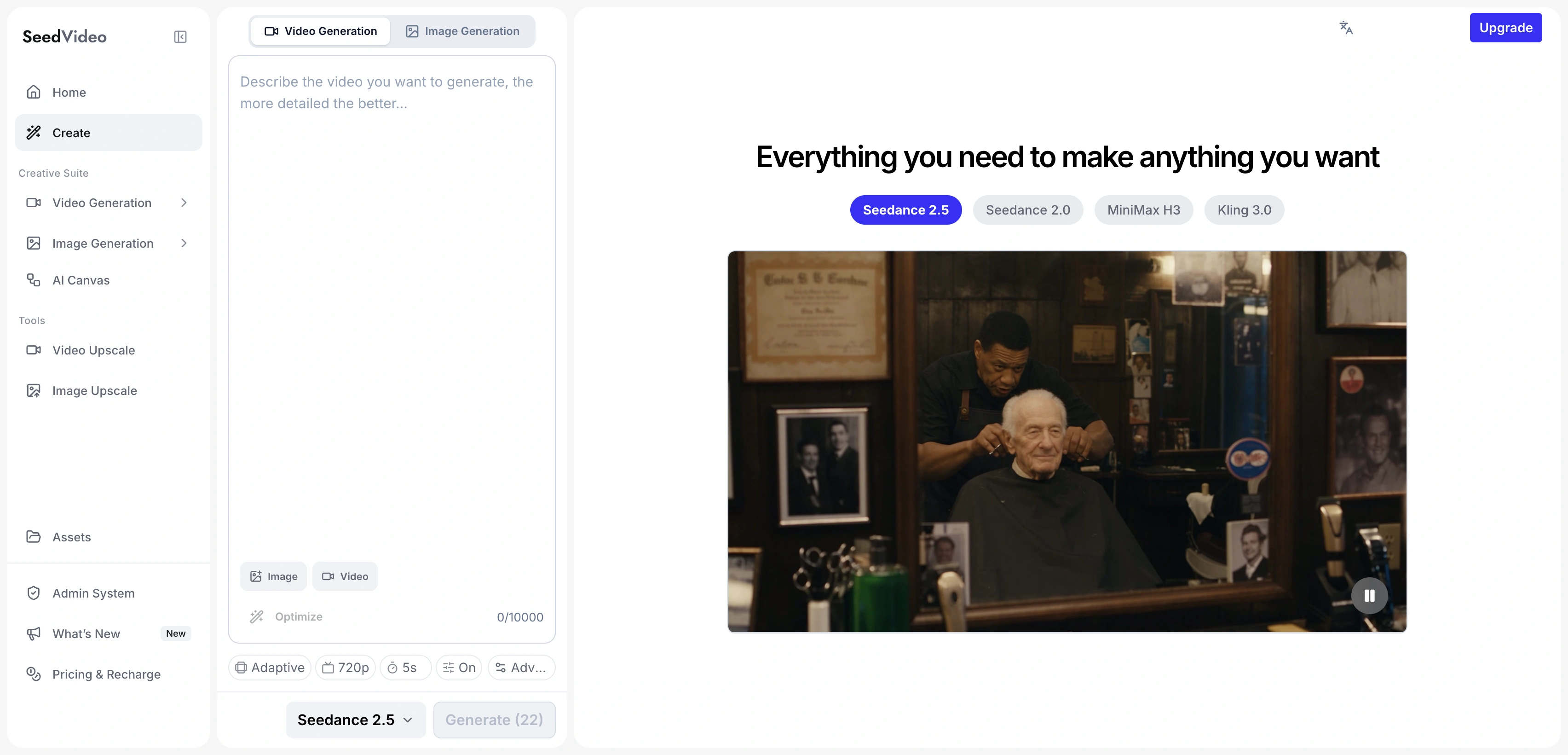
SeedVideo AI's English workspace shows its own interface with Seedance 2.5 selected.
If you already have a source image, the Seedance 2.5 image-to-video guide explains that workflow. The platform remains SeedVideo AI when you change the input mode.
Features and prices belong to different layers
| Question | Model-level answer | What the application decides |
|---|---|---|
| Which engine generates the video? | A named version such as Seedance 2.5 | Which versions are available to your account |
| Can I use reference material? | The official model describes multimodal reference capabilities | Accepted input types, upload limits and exposed controls |
| How long can a clip be? | The official Seedance 2.5 description includes up to 30 seconds per generation | The duration options enabled for the selected mode and plan |
| What does a generation cost? | The model name does not define one consumer price | The provider's credit schedule, subscription and selected settings |
Keep the input, model version, duration and resolution consistent when comparing an offer. A large monthly credit number is not enough to calculate the number of usable clips.
Price snapshot for October 6, 2026
| Offer | Published price or free allowance | Scope |
|---|---|---|
| Seedance model family | No single consumer subscription is established by the model information page | Prices come from the service through which you access it |
| Dreamina Free | Official FAQ advertises 120 free credits per day | Eligible account, model and mode still need confirmation in Dreamina |
| Dreamina Basic, US-facing monthly page | US$1.50 for the qualifying first month, then US$15/month; 1,575 monthly credits | Public English USD quote; promotion and payment eligibility apply |
| SeedVideo AI Free | 5 sign-up credits for entry models | Seedance 2.5 requires a paid option on this platform |
| SeedVideo AI Lite monthly | US$14.90/month with 100 monthly credits | This platform's own plan; taxes are calculated at checkout |
Dreamina's free-credit FAQ publishes the 120-credit daily allowance. It does not turn that allowance into a guaranteed number of clips for every model or setting.
The Dreamina pricing page shows the introductory and renewal amounts separately. Basic's US$1.50 offer lists qualifying credit-card, debit-card or PayPal payments; other listed payment methods are US$15. The promotion FAQ gives an October 9, 2026 end date at 23:59 UTC+8. Confirm the offer and tax total for your own region and account before purchasing.
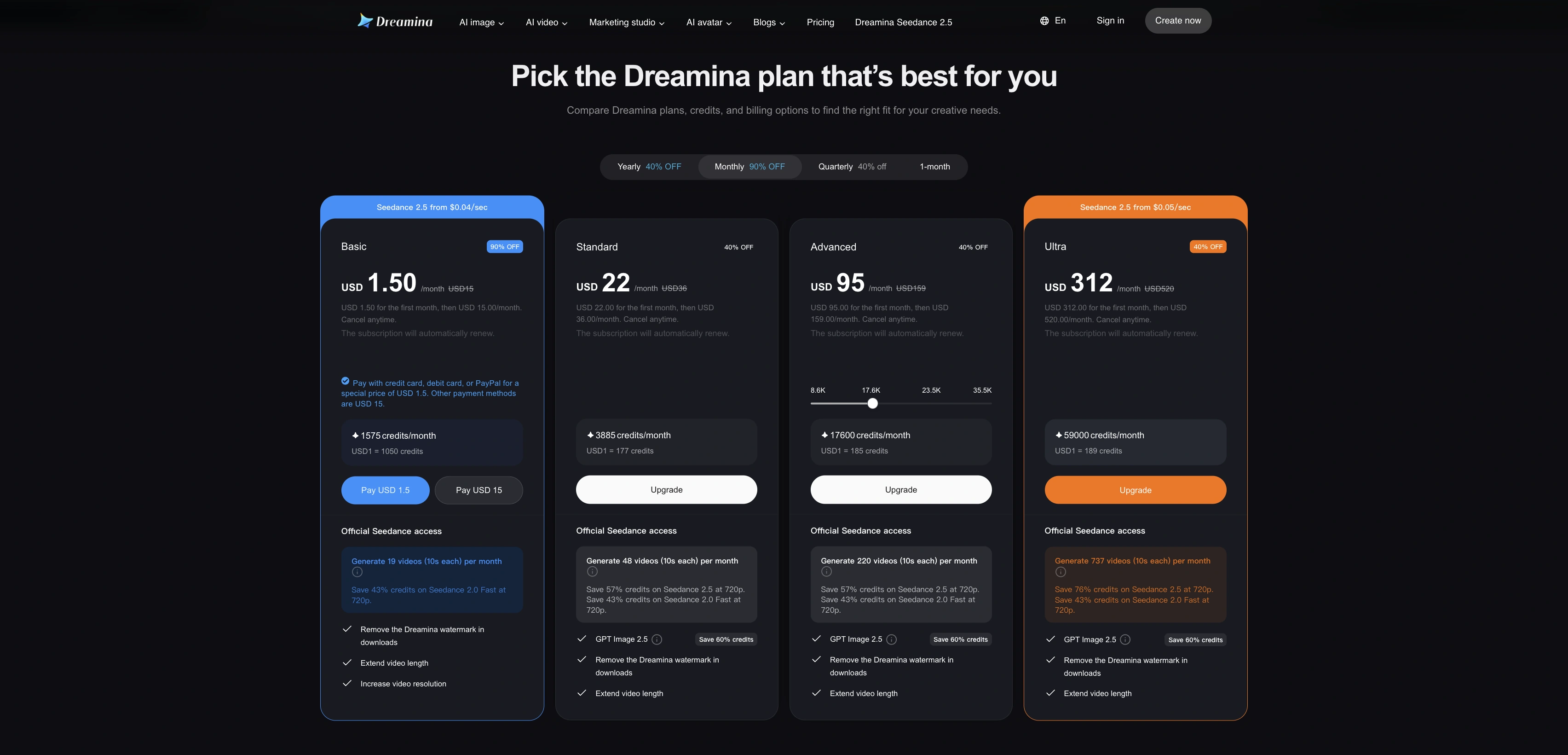
Dreamina's public US-facing monthly pricing on October 6, 2026; the first-month and renewal prices differ.
SeedVideo AI pricing uses a different credit schedule. Its FAQ excludes commercial use from Lite monthly and includes it on specified eligible paid options. Commercial rights, watermark rules and refunds should be checked on the service you intend to use. For more cost comparisons, see the AI video pricing guide.
Choose an entry and prepare one shot
- Use ByteDance Seed's directory if you need a verified manufacturer-linked entry.
- Choose Dreamina or another platform deliberately, then check the domain and account you are using.
- Select the actual model version, input mode and available duration.
- Read the credit cost and export conditions for those settings before submitting.
- Review the finished clip's motion, audio and export properties before committing to a longer sequence.
This prompt keeps the first shot simple:
A plain ceramic mug sits beside a rain-streaked window in a quiet cafe. Steam rises gently as the camera slowly moves closer. Soft overcast daylight, realistic ceramic texture, subtle reflections, one continuous shot, no abrupt camera movement.
Try this prompt in SeedVideo AI
Open the SeedVideo AI text-to-video generator to use the prompt in that platform. Check the selected model and cost before generation. The Seedance 2.5 prompt guide covers ways to add motion and camera detail.
FAQ
Are Seedance and Dreamina the same thing?
Seedance is a model family. Dreamina is an application that offers access to Seedance and other creative tools. The official Seed directory links the two.
Does Dreamina offer Seedance 2.5?
Yes. Its current public site features Seedance 2.5, and ByteDance Seed's model directory links to Dreamina's 2.5 entry. Check the account workspace for the modes available to you.
Is SeedVideo AI an official ByteDance website?
SeedVideo AI is an independent platform and is not affiliated with ByteDance or any other underlying model providers. Use ByteDance Seed's own directory when you want a manufacturer-linked application.
Are Dreamina credits the same as Seedance credits?
Seedance is the model name. Credits are defined by the service providing access. Do not treat a Dreamina credit as equivalent to a SeedVideo AI credit or assume a subscription transfers between the services.
Can I use Seedance for free?
That depends on the platform and model version. Dreamina publishes a daily free-credit allowance with account and mode conditions. SeedVideo AI provides 5 sign-up credits for entry models; Seedance 2.5 is a paid option there.
Do Dreamina and Jimeng share accounts and plans?
The official sources establish them as access platforms around Seedance. That does not establish shared accounts, identical subscriptions or matching features. Check the specific service's current terms and sign-in options.
Continue with the platform you chose
Use the SeedVideo AI Seedance 2.5 page if you want this platform's workflow. The Seedance model guide collection contains more introductions and practical tutorials.