SeedVideo AI

Google Flow AI Video and Image Studio

Google Flow is Google’s own AI creative studio: Gemini Omni, Veo 3.1 and Nano Banana Pro with an agent, frames and ingredients to video, plain-language editing and custom Flow Tools. Every Google account gets 50 credits a day, and more come with a Google AI plan. SeedVideo AI is built for video across model makers: Seedance 2.5 next to Kling, Veo, Sora, Wan and MiniMax, one-time credit packs and no watermark on paid exports. Try SeedVideo AI For Free Now!

Seedance 2.5 and 2.010+ top AI modelsNo watermark4K HDFast generation

Quick answer

Is Google Flow worth it?

Google Flow is Google’s AI creative studio, launched at Google I/O on May 20, 2025 as the successor to VideoFX. It runs only Google’s own models, Gemini Omni, Veo 3.1 and Nano Banana Pro, and adds an agent, frames and ingredients to video, Scenebuilder, plain-language editing and custom Flow Tools. Any Google account gets 50 Flow credits a day; Google AI plans add 200 to 25,000 monthly credits for $4.99 to $199.99 a month. Its iPhone app rates 3.8 from 96 ratings, and its few Trustpilot reviews cite flagged prompts and credits lost to failed videos. SeedVideo AI adds Seedance 2.5, Kling and Sora next to Veo, with one-time credit packs.

Nora

NoraEditor at SeedVideo AI

Google Flow facts checked on from flow.google.com, Google AI plans, Google One Terms of Service and Google’s launch post.

Run by
Google (Google Labs with Google DeepMind), launched May 20, 2025 at Google I/O
User ratings
US App Store 3.8 (96 ratings); Trustpilot 2.8 for labs.google (6 reviews)
Free plan
50 Google Flow credits a day with any Google account
Paid plans from
Google AI Plus $4.99/mo, with 200 monthly Flow credits
Refunds
The seller’s refund policy under the Google One terms; cancelling keeps access to the end of the billing period

Key Features of Google Flow

Flow puts Google’s image and video models behind one project canvas, then adds planning, editing and tool-building around them. These are the parts its own pages lead with, and where SeedVideo AI fits next to each.

Gemini Omni, Veo 3.1 and Nano Banana Pro in One Studio

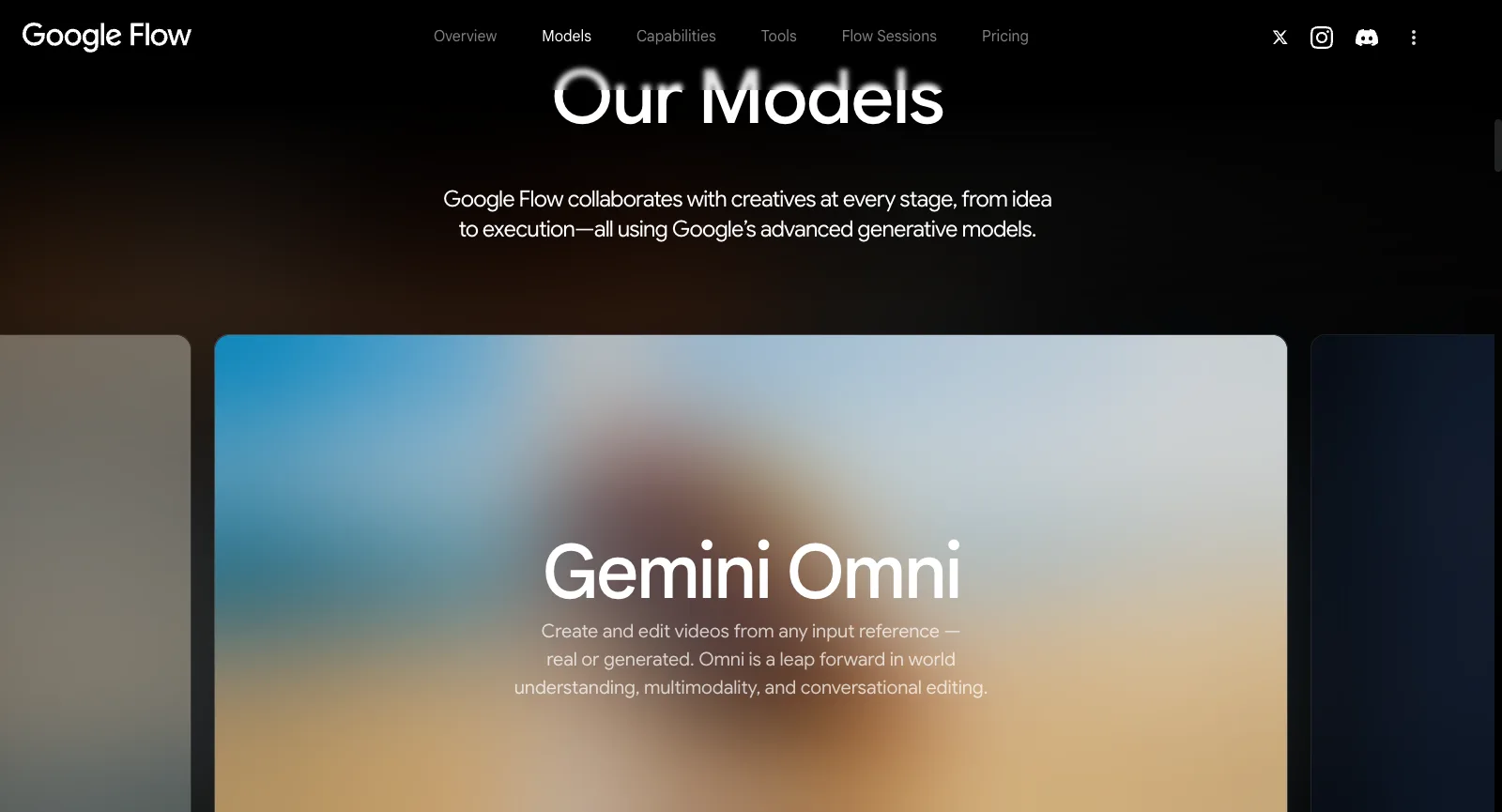
Flow’s Models section names three model families: Gemini Omni, which creates and edits video from any input reference, real or generated; Veo 3.1, with native audio and a focus on physics, realism and prompt adherence; and Nano Banana, Google’s image model for subject consistency and text rendering. The free tier lists Gemini Omni Flash, Nano Banana Pro and Veo 3.1.

Every model on its pages is Google’s. If you want Veo with Google’s own tools around it, this is the most direct place to use it; if you want to compare Veo with models from other labs, Flow does not offer them.

Frame from a Seedance 2.5 video made on SeedVideo AI

On SeedVideo AI

SeedVideo AI runs Veo 3.1 too, next to Seedance 2.5 and 2.0, Kling 3.0, Sora 2, Wan 3.0 and MiniMax H3, with the credit cost shown before every run.

Try Seedance 2.5
Google Flow About page, logged out: Our Models, with the Gemini Omni card for creating and editing videos from any input reference
Screenshot of flow.google.com/about, taken logged out on Oct 17, 2026.

An Agent That Plans the Project with You

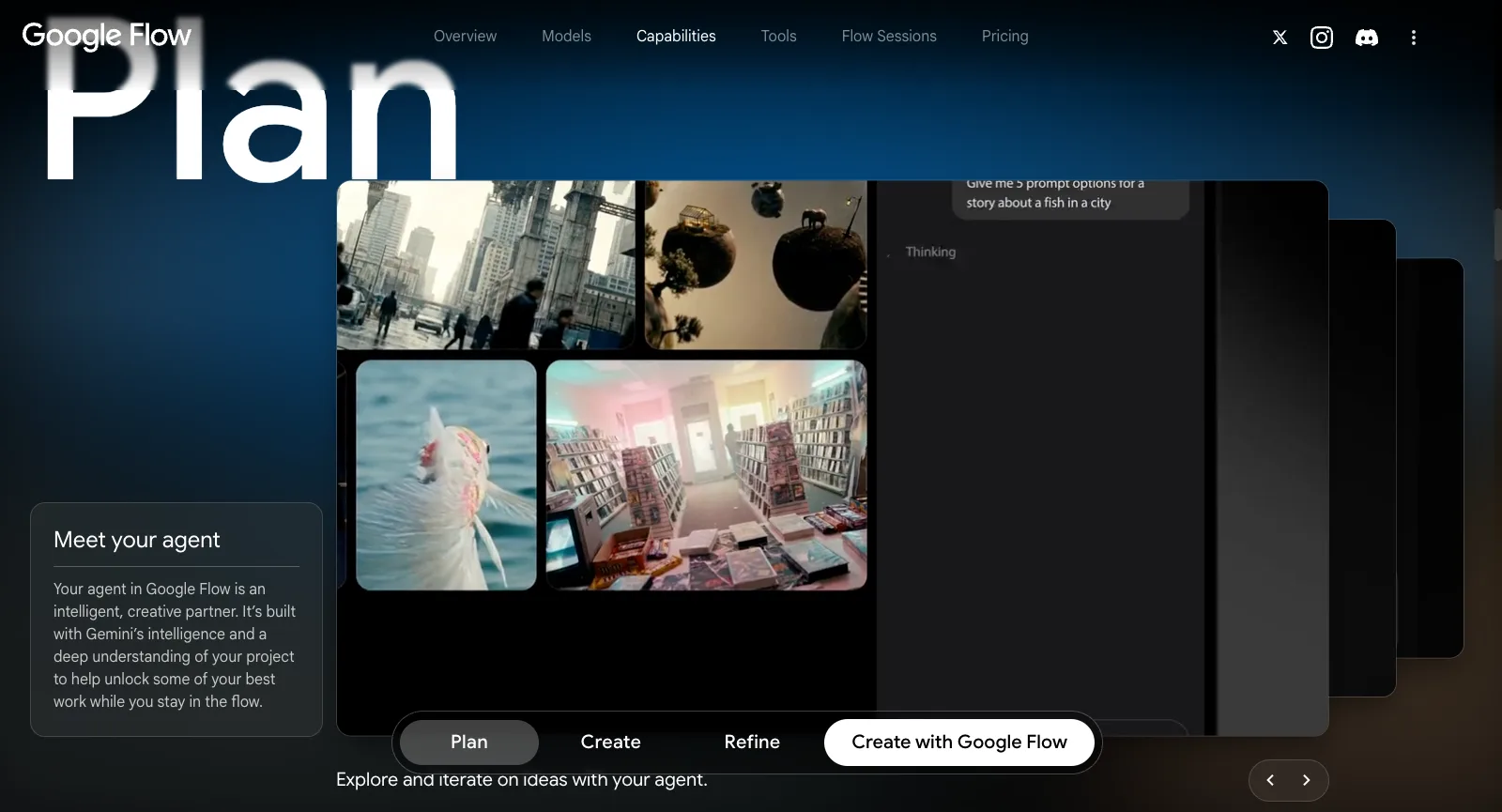
Flow’s agent is described as an intelligent creative partner built with Gemini’s intelligence and an understanding of your project. Its demo asks for five prompt options for a story about a fish in a city and lays the results out on the project canvas.

The agent is on the free tier; Plus and Ultra list higher and highest access to it, and Google does not publish the exact limits on the pricing section.

Frame from a Seedance showcase video on SeedVideo AI

On SeedVideo AI

Looking for ideas for a video? The SeedVideo AI showcase collects tested Seedance prompts and the clips they made.

Browse the showcase
Google Flow About page, logged out: the Plan capability, Meet your agent, with a prompt-options request beside generated scenes
Screenshot of flow.google.com/about, taken logged out on Oct 17, 2026.

Text, Frames and Ingredients to Video

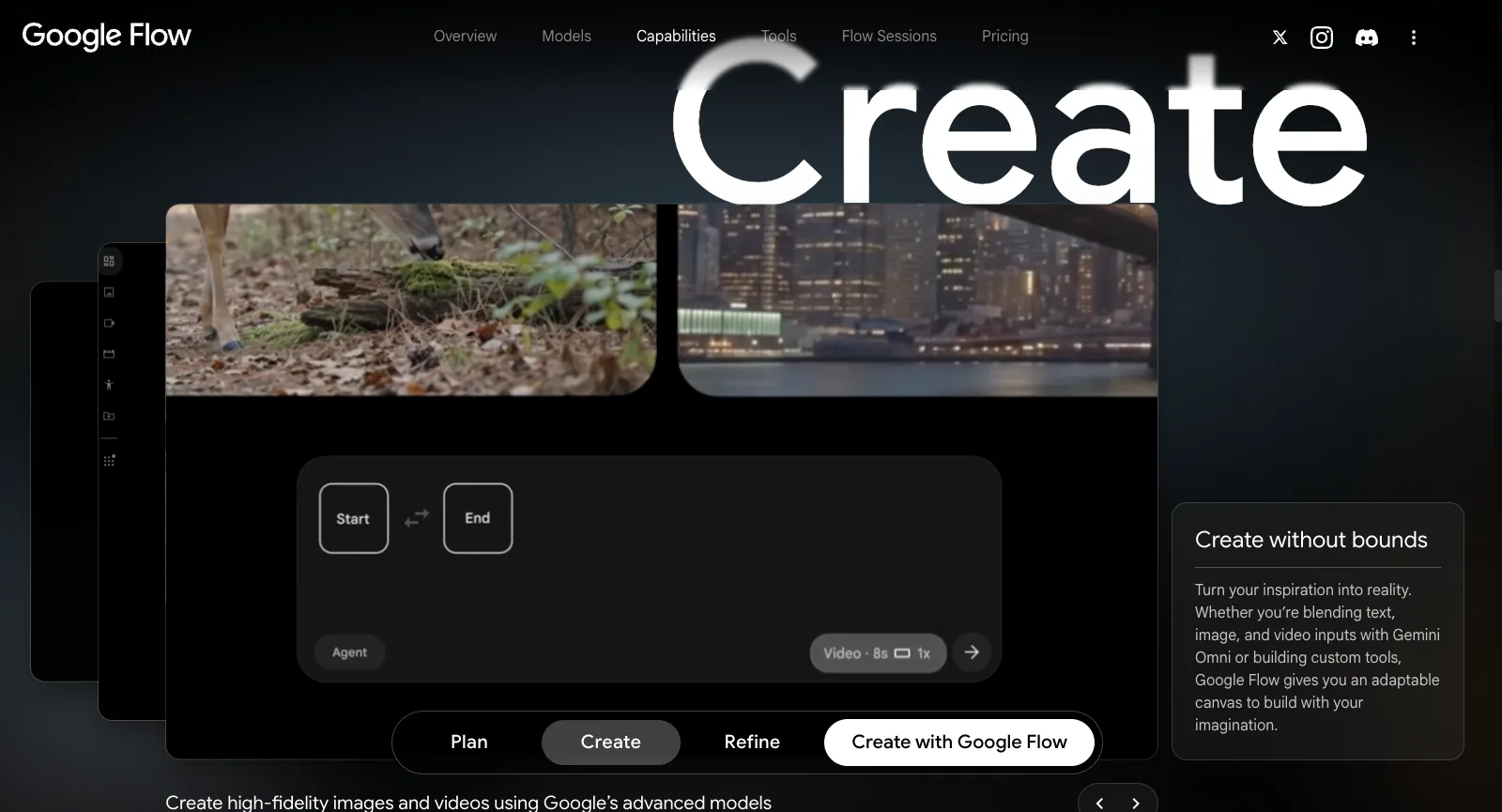
The free tier already lists Text to Video, Frames to Video, Ingredients to Video and Video Extension. Frames to Video takes a start and an end frame; Ingredients to Video builds a scene from reference images, and Scenebuilder is listed next to them. Its Create demo shows a Start and End frame box with an 8-second video setting.

Flow’s page says you can blend text, image and video inputs with Gemini Omni, and its app adds camera-roll and live-camera uploads on the iPhone.

Image-to-video example frame

On SeedVideo AI

On SeedVideo AI, upload an image as the first frame and describe the motion; Seedance 2.5 also takes image, video and audio references in one run.

Image to video
Google Flow About page, logged out: the Create capability, Create without bounds, with Start and End frames and an 8-second video setting
Screenshot of flow.google.com/about, taken logged out on Oct 17, 2026.

Refine: Edit Images and Videos in Plain Language

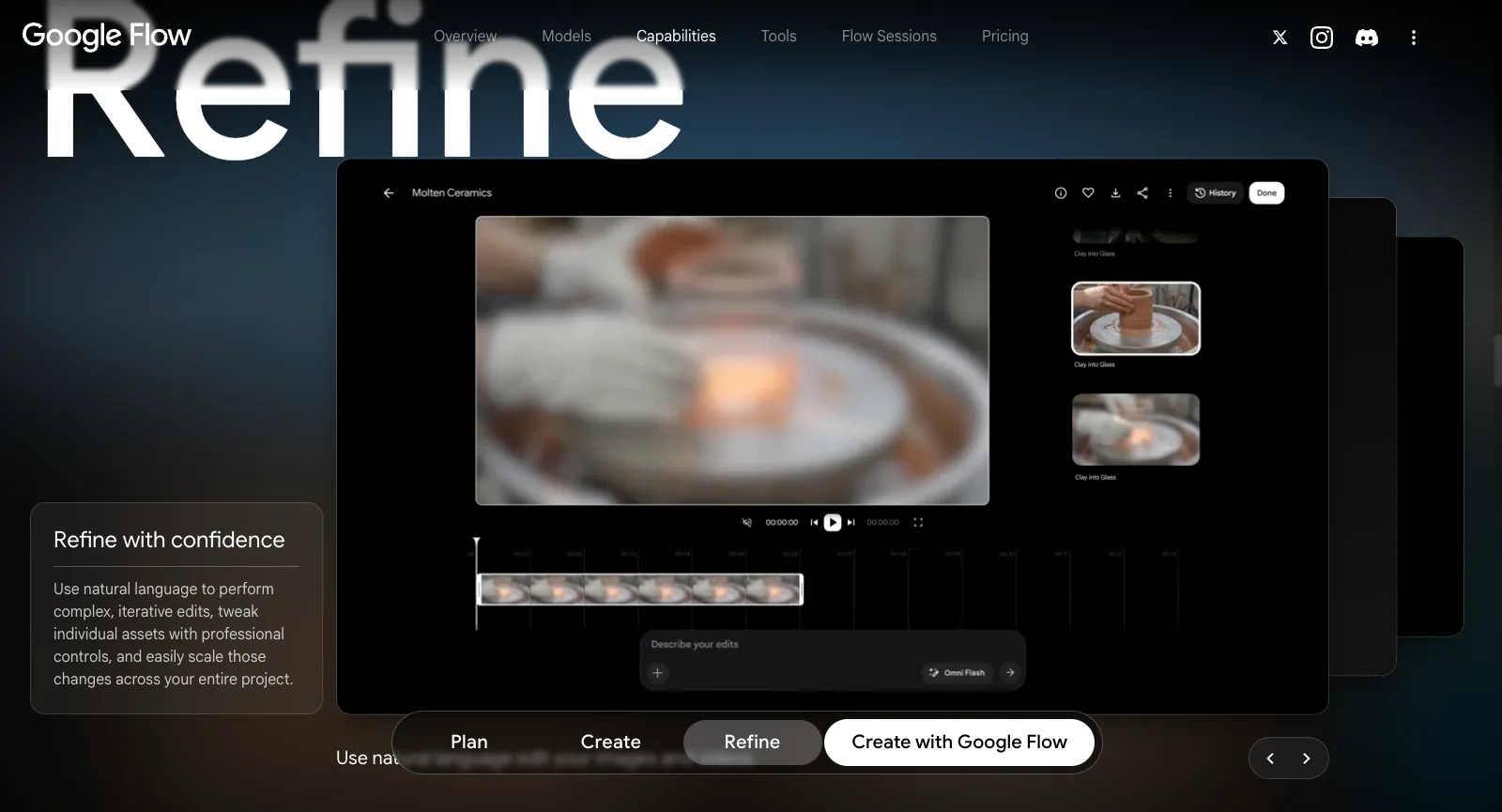
Flow’s Refine step lets you describe edits in natural language, tweak individual assets with more precise controls and apply a change across the whole project. Its demo shows a clip with a timeline, a version history and a “Describe your edits” box running on Omni Flash. Video-to-video editing is on the free tier.

This is the clearest difference from most generators: you keep editing the clip you have instead of generating a new one from scratch.

Frame from a Seedance 2.5 clip made on SeedVideo AI

On SeedVideo AI

On SeedVideo AI, Seedance video to video replaces a person, swaps an object, changes the background or extends the shot in a clip you upload.

Video to video
Google Flow About page, logged out: the Refine capability, Refine with confidence, with a clip timeline and a Describe your edits box
Screenshot of flow.google.com/about, taken logged out on Oct 17, 2026.

Flow Tools: Build Your Own Creative Tools

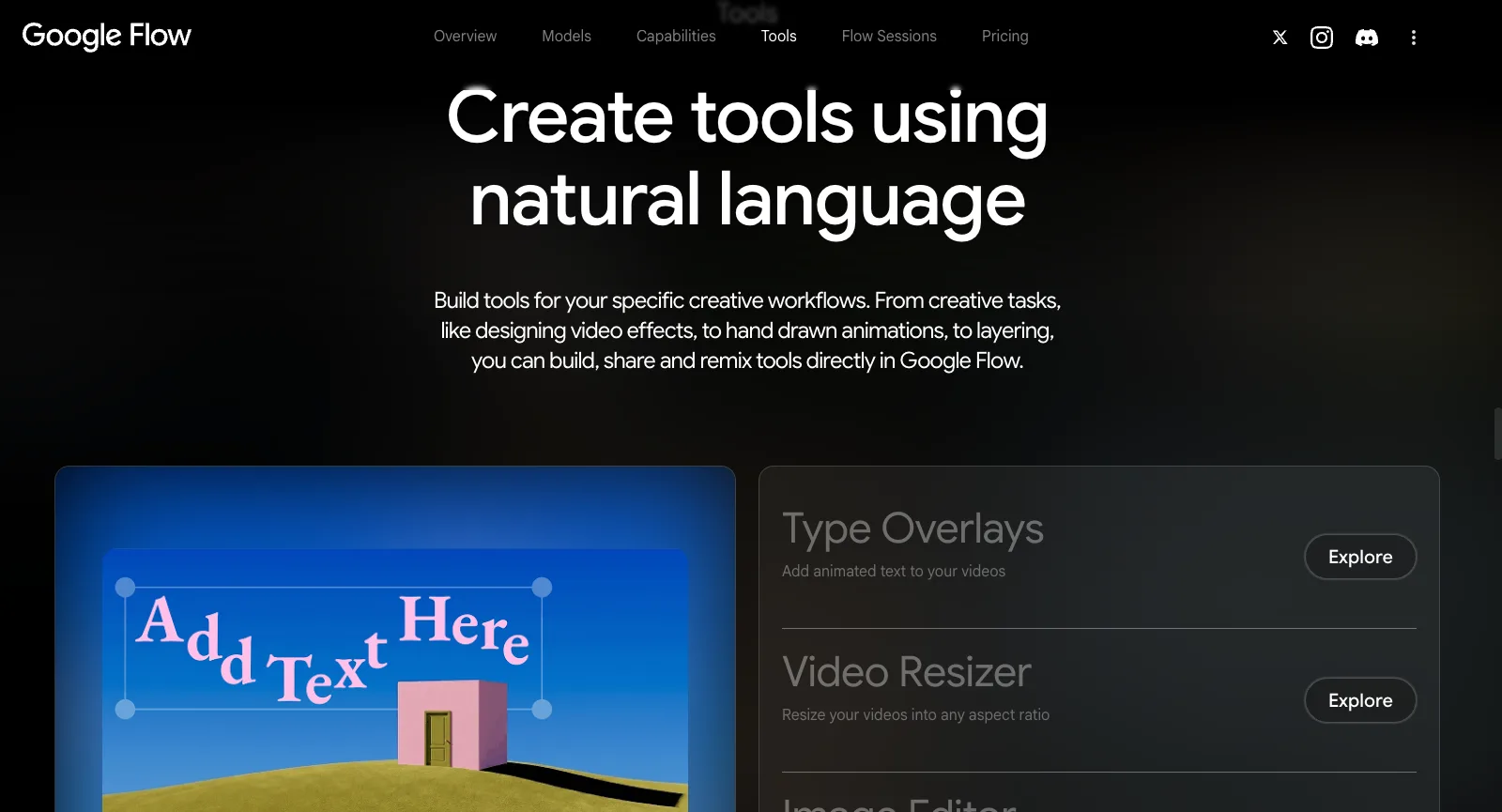
Flow Tools are tools you build inside Flow by describing what they should do, then share or remix. Google’s own set includes Type Overlays for animated text, Video Resizer, a layer-based Image Editor, Storyboard Studio, Shader Effects, Mockup, Character X-ray, Grid Architect and Scout360 for 360-degree environments.

Free accounts can use tools; building them starts with Google AI Plus. SeedVideo AI has nothing like it.

Frame from a video with native sound made on SeedVideo AI

On SeedVideo AI

SeedVideo AI has no tool builder; it keeps one generator with every model, and Seedance 2.5 follows camera moves and references written into the prompt.

See Seedance 2.5
Google Flow About page, logged out: Tools, Create tools using natural language, with Type Overlays and Video Resizer
Screenshot of flow.google.com/about, taken logged out on Oct 17, 2026.

Scenebuilder, Characters, Avatars and Upscaling

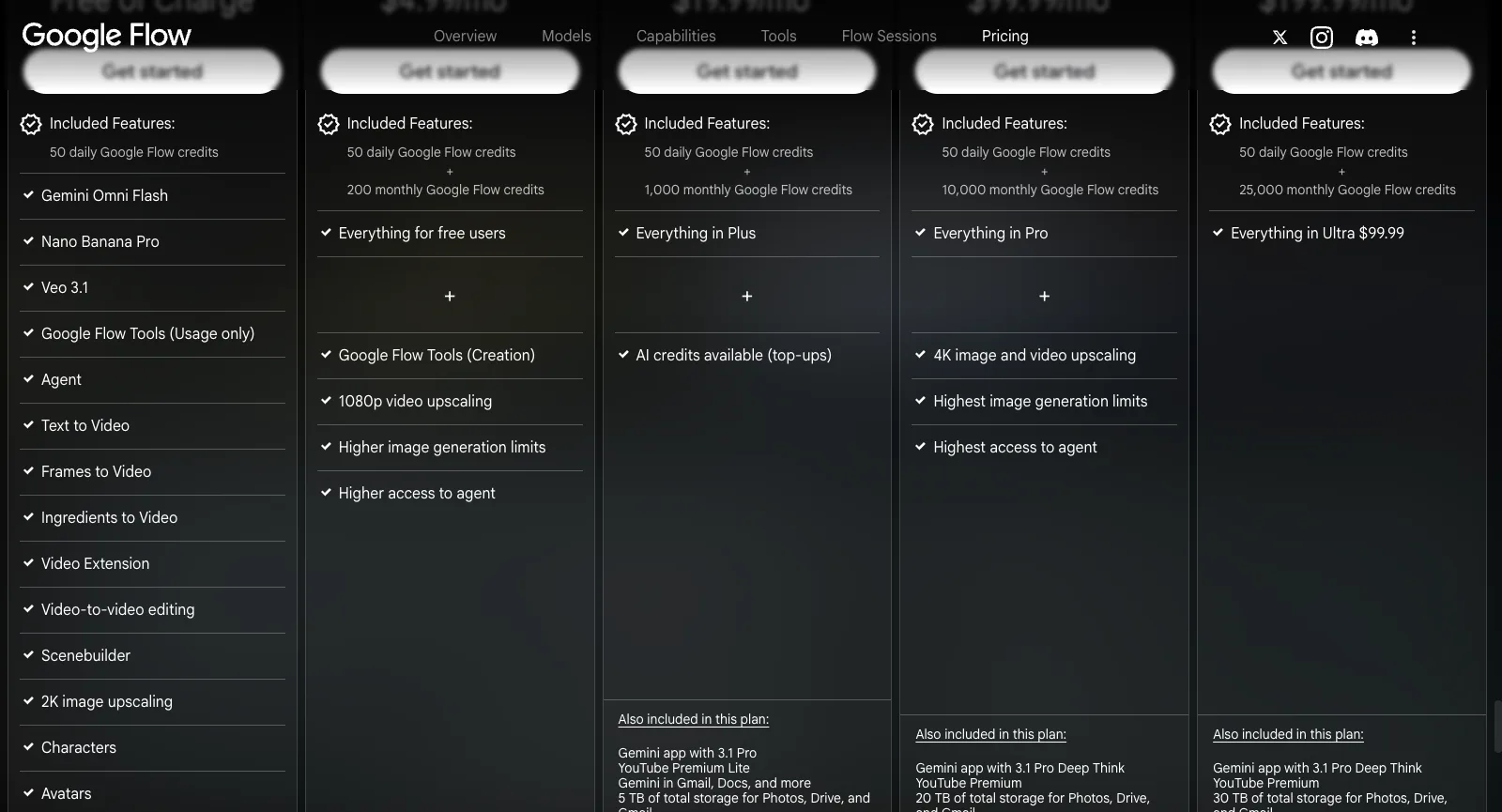
Flow’s plan list includes Scenebuilder, Characters and Avatars on every tier, with 2K image upscaling for free users. Google AI Plus adds 1080p video upscaling, and Google AI Ultra adds 4K image and video upscaling.

For people who want a recurring character across many shots, Characters and Avatars are built into the same canvas rather than handled through a separate tool.

Image made with GPT Image 2.5 on SeedVideo AI

On SeedVideo AI

SeedVideo AI’s Image Upscaler enlarges an image 2×, 4× or 8× with three model versions, from fast Standard to a generative large model.

Try the Image Upscaler
Google Flow pricing, logged out: features per plan, from Scenebuilder, Characters and Avatars on the free tier to 4K upscaling on Ultra
Screenshot of flow.google.com/about#pricing, taken logged out on Oct 17, 2026.

Google Flow Product Positioning and Background

Google introduced Flow on May 20, 2025 at Google I/O as an AI filmmaking tool built for Veo, Imagen and Gemini, and as the evolution of VideoFX, an earlier Google Labs experiment. The launch post was signed by product leads from Google DeepMind, Google Creative Lab and Google Labs, and Flow first opened to Google AI Pro and Ultra subscribers in the US.

Today Flow lives at flow.google.com, calls itself an AI creative studio and has a free tier for anyone with a Google account. Paid access comes through Google’s AI plans, which also bundle the Gemini app, storage and other Google services; Google says Flow is available in more than 140 countries and territories, for users aged 18 and over. An iPhone app followed in September 2026.

SeedVideo AI is an independent platform built around Seedance video, with Kling, Veo, Sora, Wan and MiniMax as options and a smaller set of image models, published credit prices and one-time credit packs.

Who Uses Google Flow: Real-World Use Cases

Flow’s FAQ says it is for anyone exploring visual ideas, from films and music videos to new forms of art. If you want Google’s models with Google’s editing tools, it is a strong fit; if you want to choose among video models from several labs, a multi-model generator may suit you better.

Filmmakers and storytellers

Build scenes from frames and ingredients, extend shots, and keep a recurring cast through Characters and Avatars.

Music video makers

Flow’s FAQ names music videos among its uses, and Google sells Flow Music, from $8 a month, alongside it.

Concept artists and art directors

Ask the agent for directions, generate stills with Nano Banana Pro and turn the best into moving tests with Veo 3.1.

Google AI subscribers

People already paying for Google AI Pro or Ultra for Gemini and storage get 1,000 to 25,000 Flow credits a month on top.

Creators on the phone

The iPhone app shoots or uploads from the camera roll, runs generations in the background and syncs projects with the web.

Creative technologists

Build and share Flow Tools, such as effects, resizers or storyboard helpers, by describing them in plain language.

Google Flow Reviews: What Real Users Say

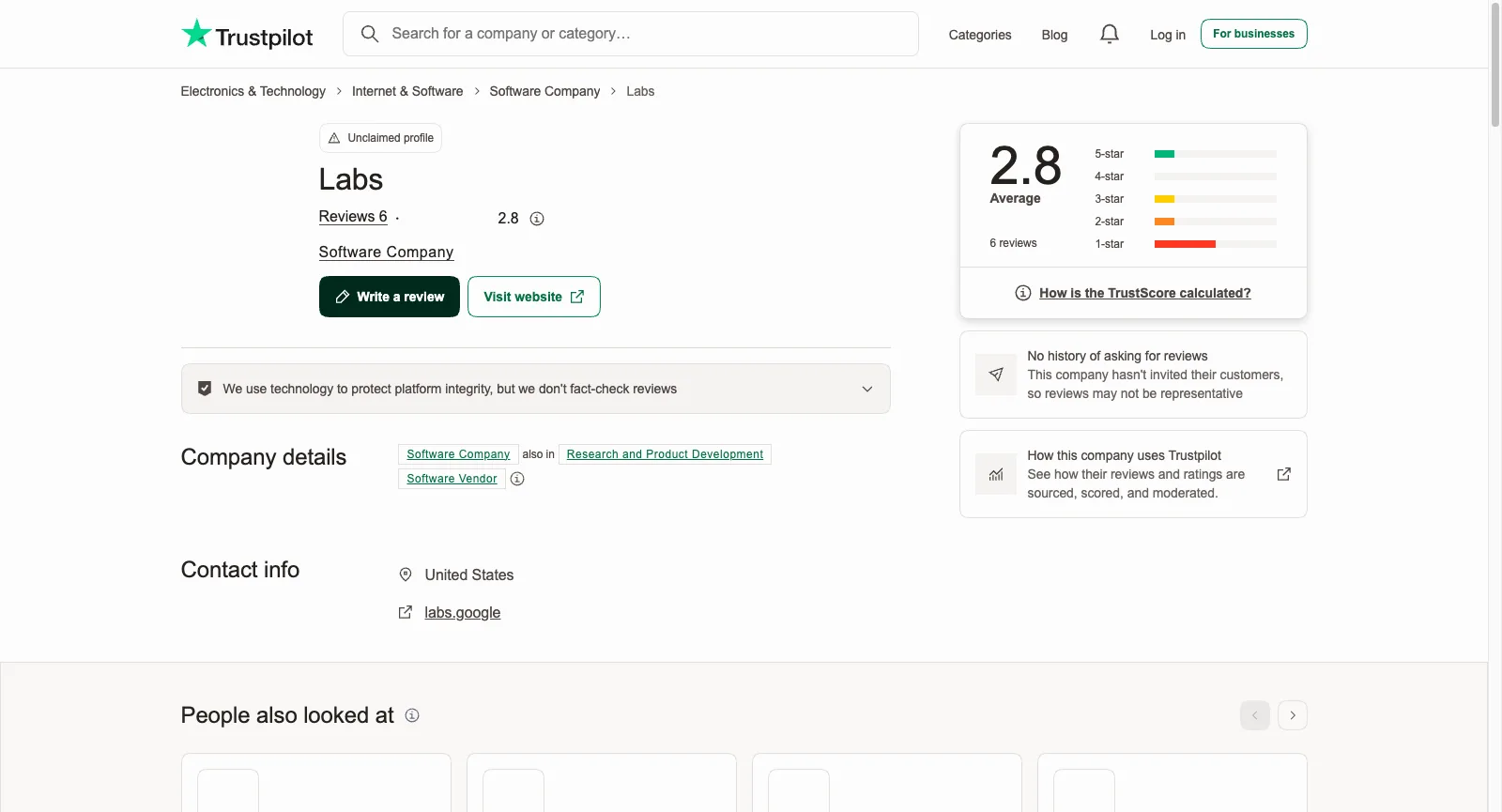
Google has no Trustpilot profile for Flow, and few people review it there. We read every review on the unclaimed labs.google and flow.google.com profiles (7 in all, in every language) and the 34 most recent US App Store reviews. Of those 34, 15 gave four or five stars, mostly for having Flow on the phone, and 15 gave one or two, mostly for failed generations and too few credits. App Store reviews have no permalinks, so the themes below link only to Trustpilot reviews; one review can count toward several themes.

US App Store

3.8 / 5

96 ratings. Google Flow for iPhone, by Google LLC, released September 2026

View source

Trustpilot (labs.google)

2.8 / 5

6 reviews. Unclaimed profile for Google Labs, where Flow began

View source

Trustpilot (flow.google.com)

3.2 / 5

1 review. Unclaimed profile; the one review gave one star

View source
Labs (labs.google) on Trustpilot, logged out: 2.8 average from 6 reviews, unclaimed profile with no history of asking for reviews
Screenshot of trustpilot.com/review/labs.google, taken logged out on Oct 17, 2026.

What users like

  1. 01

    Little praise on Trustpilot, more on the App Store

    The only five-star Trustpilot review is two words long. A three-star reviewer making fitness videos says they are generally very satisfied with the quality, and recent five-star App Store reviews praise finally having Flow as a phone app.

What users complain about

  1. 01

    Ordinary prompts flagged as policy violations

    The most specific complaint: prompts that reviewers call technical or harmless flagged as against Google’s policies, from a locked-off shot of two characters to a stylized anatomy figure and an outfit with nobody in it.

    What SeedVideo AI does

    Seedance’s own safety checks still apply on SeedVideo AI, but a run that is blocked or fails releases its credits, and Kling, Veo, Wan and MiniMax are one switch away in the same generator.

  2. 02

    Credits spent on errors and inconsistent videos

    Reviewers describe generations that end in errors, one reporting 700 credits used without a single video with a consistent voice and another €240 spent on a service they say could not generate without errors.

    What SeedVideo AI does

    A failed run releases its credits, and the cost of every clip shows before it runs; a finished video you are unhappy with is still charged. One-time pack credits last 180 to 365 days.

  3. 03

    Results that need reworking

    A free-tier user testing reels says the output often had to be edited by hand or recreated from scratch, and is looking for other options.

    What SeedVideo AI does

    Seedance 2.5 takes image, video and audio references in one run, and video to video edits a clip you upload instead of starting over; every run shows its credit cost first.

  4. 04

    Credit limits that run out quickly

    Even a broadly satisfied reviewer asks for higher credit limits, and recent App Store reviews say video credits run out quickly.

    What SeedVideo AI does

    One-time packs from $29.90 add credits without a plan, and Premium includes 7 days of unlimited Seedance 2.5 and 2.0 once per account.

Ratings and reviews were read on Oct 17, 2026. Neither Trustpilot profile is claimed, and Trustpilot shows no history of Google asking for reviews; labs.google also covers other Google Labs experiments. The App Store rating is for the US store only. Reviews are summarized, not quoted; open each link for the full text.

Google Flow Pricing and Plans in 2026

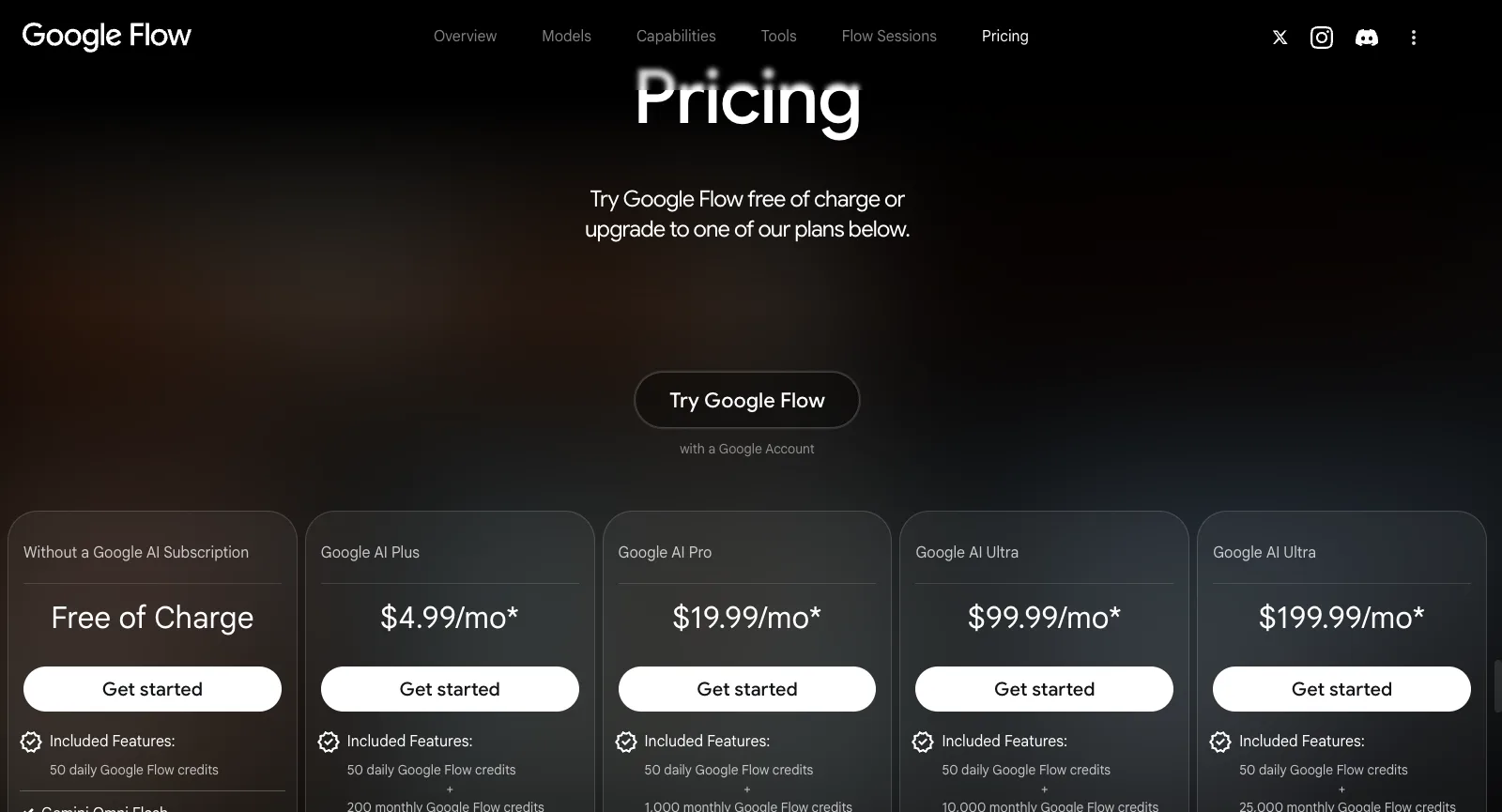
Flow is free with a Google account and paid through Google’s AI plans, which bundle Flow credits with the Gemini app, storage and other Google services. Every tier gets 50 credits a day, paid plans add a monthly allowance, and each image or video spends credits by model. Here is how the plans line up with SeedVideo AI.

Google Flow pricing, logged out: free of charge, Google AI Plus $4.99, Pro $19.99 and Ultra $99.99 or $199.99 a month, with Flow credits per plan
Screenshot of flow.google.com/about#pricing, taken logged out on Oct 17, 2026.
Free planGoogle Flow50 Flow credits a day with a Google account: Gemini Omni Flash, Nano Banana Pro, Veo 3.1, the agent and Flow Tools (use only)SeedVideo AIFree sign-up credits with no card; entry models such as Seedance 2.0 Mini, up to 720p
Entry planGoogle FlowGoogle AI Plus: $4.99/mo. 200 monthly Flow credits on top of the 50 a day, Flow Tools creation, 1080p video upscalingSeedVideo AILite: $14.90/mo, or $13/mo billed yearly. 100 credits/mo, Seedance 2.5 at up to 720p (other models up to 1080p); commercial use on yearly billing only
Mid planGoogle FlowGoogle AI Pro: $19.99/mo. 1,000 monthly Flow credits plus 50 a day, AI credit top-ups, Gemini app and 5 TB of storageSeedVideo AIPro: $29/mo, or $14.50/mo billed yearly. 200 credits/mo, up to 2K, commercial use
Top plansGoogle FlowGoogle AI Ultra: $99.99/mo for 10,000 monthly Flow credits, or $199.99/mo for 25,000; 4K image and video upscalingSeedVideo AIPremium: $149/mo, or $99/mo billed yearly. 1,300 credits/mo, 4K output, Motion Control
Seedance 2.5Google FlowNot offered: Flow runs Google’s own models (Gemini Omni, Veo 3.1, Nano Banana)SeedVideo AIIncluded from Lite up: clips up to 30 seconds with synchronized audio and image, video and audio references; 720p on Lite, 1080p from Pro and on credit packs
Cost per videoGoogle FlowVaries by image or video and by model; the FAQ links per-model costs to the help center, not the pricing sectionSeedVideo AIEvery model shows its credit cost in the generator before you run it
Unlimited videoGoogle FlowNo unlimited plan; every tier is capped by 50 daily credits plus the plan’s monthly creditsSeedVideo AIPremium: 7 days of unlimited Seedance 2.5 and 2.0 video (up to 1080p, up to 10 s per clip, free queue), once per account
Buying credits without a planGoogle FlowNo: AI credit top-ups are listed from Google AI Pro up; unused AI credits may be forfeited on cancellingSeedVideo AIOne-time credit packs with no subscription, from $29.90 (200 credits) to $999 (8,000 credits), commercial use included
RefundsGoogle FlowThe seller’s refund policy applies (Google One terms); cancelling keeps access to the end of the billing periodSeedVideo AIWithin 3 days of purchase if none of that purchase’s credits have been used; payment fees of up to 4% + $1.50 are deducted

Google Flow prices were read on flow.google.com/about (Pricing) and Google’s AI plans pages on Oct 17, 2026. They are US prices per month, and Google notes that prices may vary by market. Refund and credit rules are from the Google One Terms of Service, last modified October 1, 2026. SeedVideo AI prices match our pricing page.

Google Flow vs SeedVideo AI vs Higgsfield: Feature Comparison

Three different starting points: Google Flow as Google’s own studio for its models, SeedVideo AI as a Seedance-first multi-model video generator, and Higgsfield as a multi-model suite with its own cinematic tools.

Core approachGoogle FlowGoogle’s own studio: Gemini Omni, Veo 3.1 and Nano Banana Pro with an agent, Scenebuilder, plain-language editing and Flow ToolsSeedVideo AISeedance-first video generator with Kling, Veo, Sora, Wan and MiniMax as optionsHiggsfieldMulti-model platform with Cinema Studio, Genjutsu, AI Influencer and an agent
Seedance 2.5Google FlowNot offered; Google models onlySeedVideo AIFrom Lite: up to 30 s with audio, 720p on Lite, 1080p from ProHiggsfieldFrom Plus; Starter has Seedance 2.0 Fast and 2.0 Mini only
Other video modelsGoogle FlowGemini Omni Flash and Veo 3.1 onlySeedVideo AIKling 3.0, Veo 3.1, Sora 2, Wan 3.0, MiniMax H3HiggsfieldKling, Sora, Veo, Wan, Hailuo, Grok and its own
Unlimited videoGoogle FlowNone; 50 daily credits plus each plan’s monthly creditsSeedVideo AIPremium: 7 days of unlimited Seedance 2.5 and 2.0, once per accountHiggsfield7-day Kling 3.0 and Wan 3.0 on Plus and Ultra; Seedance 2.5 on business plans
Credits without a subscriptionGoogle FlowNo: top-ups listed from Google AI Pro upSeedVideo AIYes: one-time packs from $29.90, valid 180 to 365 daysHiggsfieldNo: packs for subscribers only, valid 90 days
Refund windowGoogle FlowThe seller’s refund policy (Google One terms)SeedVideo AI3 days, if none of that purchase’s credits were usedHiggsfield7 days, first purchase only, no credits used

Google Flow facts were read on its official pages, Google’s AI plans pages and the Google One terms on Oct 17, 2026, Higgsfield facts on Oct 14, 2026.

Why Creators Switch from Google Flow to SeedVideo AI

Most people who move want models from more than one lab, or want to pay for video without a Google AI subscription.

  1. 01

    Seedance, Kling and Sora next to Veo

    SeedVideo AI runs Seedance 2.5 and 2.0 next to Kling 3.0, Veo 3.1, Sora 2, Wan 3.0 and MiniMax H3, and Lite ($13/month billed yearly) already includes Seedance 2.5, Kling, Veo and Sora, so a prompt one model refuses can go to another. Flow runs Google’s own models only.

  2. 02

    Pay once, no subscription

    One-time packs from $29.90 need no subscription and last 180 to 365 days, with commercial use, 1080p Seedance and no watermark. On Flow, extra AI credits are listed from Google AI Pro up, and unused AI credits may be forfeited when a plan is cancelled.

  3. 03

    A week of unlimited Seedance on Premium

    Premium ($99/month billed yearly) includes 7 days of unlimited Seedance 2.5 and 2.0 once per account, up to 11 ten-second 720p clips, and a failed run never costs credits. Flow has no unlimited plan: every tier is capped by daily and monthly credits.

Stay with Google Flow if…

  • You already pay for Google AI Pro or Ultra for Gemini, storage or YouTube Premium, so Flow credits come at no extra cost.
  • You want Gemini Omni’s plain-language video editing, the agent, Scenebuilder or custom Flow Tools.
  • You are happy with 50 free credits a day for Veo 3.1 and Nano Banana Pro and do not need other labs’ models.

Explore More Google Flow Alternatives

Eight more platforms worth a look. Starting prices are the cheapest paid plan each official pricing page showed on Oct 13, 2026, before tax; they buy different amounts of generation, so use them to shortlist, not to rank.

Higgsfield

Multi-model platform with in-house tools (Cinema Studio, AI Influencer, Ads Studio, Soul images), team plans and published per-5-second credit rates for Kling 3.0 and Seedance 2.0.

Good fit: Creators who want Higgsfield’s own tools, or Kling 3.0 at its low published rate (about 7 credits per 5 seconds at 720p).

Not ideal: Seedance on the entry plan: Starter includes only Seedance 2.0 Fast and 2.0 Mini.

Starts at: Starter, $19/mo billed monthly or yearly, 270 credits/mo. The free tier is listed as “Limited use”.

Full Higgsfield comparisonOfficial pricing

Pollo AI

Aggregator with a very large model menu plus its own Pollo models, ready-made video and image apps, Agent and Marketing Studio, MCP, API and mobile apps.

Good fit: People who want the widest choice of models; its current 60% subscriber discount undercuts SeedVideo AI’s Seedance prices on most plans.

Not ideal: Buying credits without a subscription; unused subscription credits do not roll over.

Starts at: Lite, $15/mo or $12/mo billed yearly, 400 credits/mo.

Full Pollo AI comparisonOfficial pricing

Runway

Creative suite built on Runway’s own models (Gen-4.5, Aleph, Act-Two) with music, voice and sound-effect generation, 4K upscaling and third-party models such as Seedance and Kling.

Good fit: Editing-heavy projects that need more than generation.

Not ideal: High clip volume on the entry plan: Runway says Standard’s 625 credits cover about 52 seconds of Gen-4.5.

Starts at: Standard, $15/mo or $12/mo billed yearly, 625 credits/mo. Free plan with 125 one-time credits.

Official pricing

Kling AI

The official home of the Kling models, including Kling 3.0 and 3.0 Omni with synchronized audio, Motion Control, native 4K video and an API platform.

Good fit: People who only use Kling and want it first-party.

Not ideal: Seedance users: Seedance is not offered on its pricing or home page.

Starts at: Standard, $6.99 for the first month, then $8.80/mo, or $79.20 billed yearly; 660 credits/mo.

Official pricing

Hailuo AI (MiniMax)

MiniMax’s own video app for its Hailuo and MiniMax H3 models, with Omni Reference (up to 12 reference images) and Hailuo Agent; paid plans also list Veo 3.1 and Sora 2.

Good fit: Creators who prefer MiniMax’s own models and pricing per second.

Not ideal: Seedance users: Seedance is not listed on its pricing page, and the free trial covers Hailuo models only.

Starts at: Standard, $10.50/mo (sale price on the check date) or $8.40/mo billed yearly, 1,000 credits/mo.

Official pricing

Luma Dream Machine

Luma’s Ray3.2 video and Uni-1 image models with Luma Agents and connectors such as Figma and Frame.io; its credit table also lists Seedance 2.5, 2.0 and 2.0 Mini.

Good fit: Teams that want Ray3.2 and agent workflows in their design tools.

Not ideal: Trying things cheaply: the pricing page has no free plan and paid plans start at $25/mo.

Starts at: Plus, $30/mo or $25/mo billed yearly, 10,000 credits/mo, commercial use.

Official pricing

PixVerse

PixVerse’s own V6 model with native audio, the R2 real-time model, Agent, Canvas, Lip Sync and an API. Seedance 2.5 and 2.0 appear only on the Pro plan and above.

Good fit: Quick social clips, with daily free credits (60 to start, then 30 a day, up to 540p).

Not ideal: Seedance on a budget: Standard covers PixVerse models only and tops out at 720p.

Starts at: Standard, $10/mo or $8/mo billed yearly, 1,200 credits every 30 days plus 60 a day.

Official pricing

Vidu

Vidu’s own Q4 and Q3 models and the real-time Vidu S, with Reference to Video, Vidu Agent and an API platform.

Good fit: Reference-to-video work on Vidu’s own models; Q4 at 540p costs 2 credits a second on paid plans.

Not ideal: Seedance users: Seedance is not offered on its pricing page.

Starts at: Standard, $10/mo or $8.25/mo billed yearly, 800 credits/mo.

Official pricing

Frequently Asked Questions

Answers about Google Flow, checked on Oct 17, 2026.

What is Google Flow used for?
Google Flow is used to make and edit AI video and images with Google’s own models: Gemini Omni and Veo 3.1 for video, Nano Banana Pro for images. People use it for short films, music videos, concept art and social clips, building scenes from text, frames or reference ingredients, and editing them in plain language.
Is Google Flow free?
Partly. Anyone with a Google account gets 50 Flow credits a day, with Gemini Omni Flash, Nano Banana Pro, Veo 3.1 and the agent. Paid Google AI plans add monthly credits: Plus $4.99/month for 200, Pro $19.99 for 1,000, and Ultra $99.99 for 10,000 or $199.99 for 25,000 (US prices on Oct 17, 2026).
How many credits does a Google Flow video cost?
Flow does not list it on its pricing section. Its FAQ says costs vary across image, video and model selection and links to a per-model breakdown in its help center. Google’s terms add that the number of credits for an action is shown in the product and that Google can change it.
Does Google Flow offer refunds?
Flow is paid through Google’s AI plans, so the Google One Terms of Service apply: refunds follow the refund policy of the seller you bought from, such as Google Play, and cancelling keeps access until the end of the current billing period. Unused AI credits may be forfeited when a plan is cancelled. Local consumer law can give you more.
Does Google Flow have Seedance or Kling?
No. Flow’s pages list only Google’s own models: Gemini Omni, Veo 3.1 and Nano Banana. For Seedance 2.5, Kling, Sora, Wan or MiniMax next to Veo, you need a multi-model generator such as SeedVideo AI or Higgsfield.
What is the best Google Flow alternative for video?
For Seedance video without a subscription, SeedVideo AI: Seedance 2.5 from the entry plan, one-time credit packs from $29.90, no watermark on paid exports, and Kling, Veo, Sora, Wan and MiniMax in the same generator. If you want a cinematic toolset on top, Higgsfield is the closest multi-model option.
Is SeedVideo AI affiliated with Google?
No. SeedVideo AI is an independent platform that runs Seedance, Veo and other models. Google, Google Flow, Gemini, Veo and Seedance are trademarks of their owners and are named here only to review and compare products.

Your next Seedance videoStarts with one prompt

Sign up free with no card and test on the sign-up credits. The credit cost shows before every run.