Best AI Video Generators for Short Dramas in 2026
Last verified: September 1, 2026. StoryShort is the best fit if you want one workspace to turn a premise into a voiced vertical episode. Seedance 2.5 is the strongest all-round shot model here for long clips, dense reference packs, dialogue, and 9:16 production. Kling 3.0 is the better specialist when a scene needs native multi-shot direction and several speaking characters. Runway Gen-4.5 suits teams that already edit in Runway, while Veo 3.1 is useful for native audio, first-and-last-frame control, reference images, and extension. These are not interchangeable products: one assembles episodes, while the other four generate shots that still need editorial work.
TL;DR
- Best complete short-drama workspace: StoryShort.
- Best overall shot model: Seedance 2.5.
- Best for native multi-shot dialogue: Kling 3.0.
- Best for a broader editing workspace: Runway Gen-4.5.
- Best for frame control and Veo extension: Veo 3.1.
Quick Answer
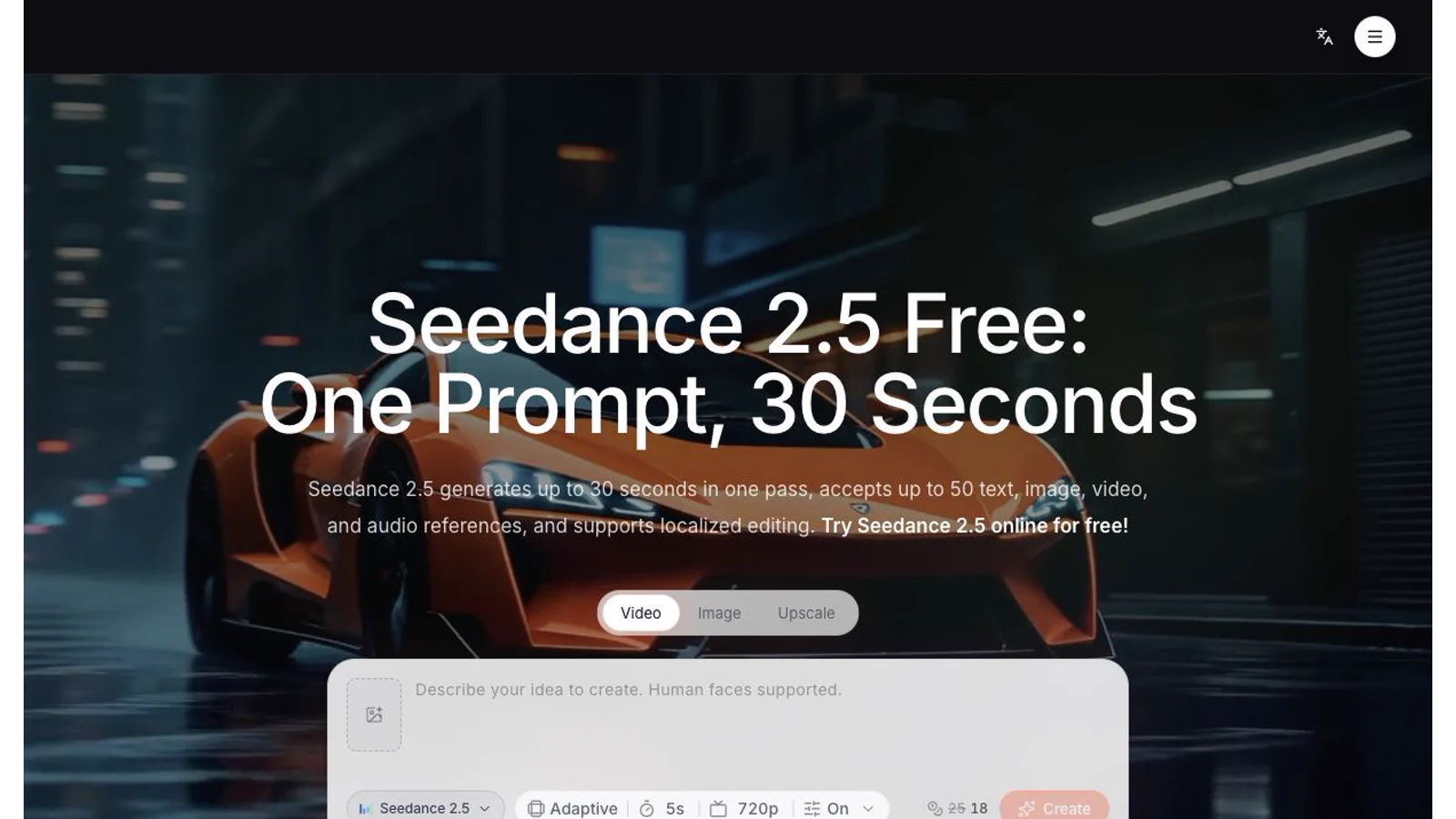
Choose the production layer before you choose a model. StoryShort handles scripts, casting, scene assembly, voices, music, and episode export in one workflow. The other tools are shot generators, so you must manage the script, shot list, continuity, dialogue, subtitles, and final edit. For a recurring vertical series, start with a character bible and a five-shot pilot. Use the same references and prompt in every candidate tool. Count approved shots and failed attempts, not subscription price alone. If you want to build that pilot with a multimodal model, open the Seedance 2.5 model workspace and keep every test at the same duration and resolution.
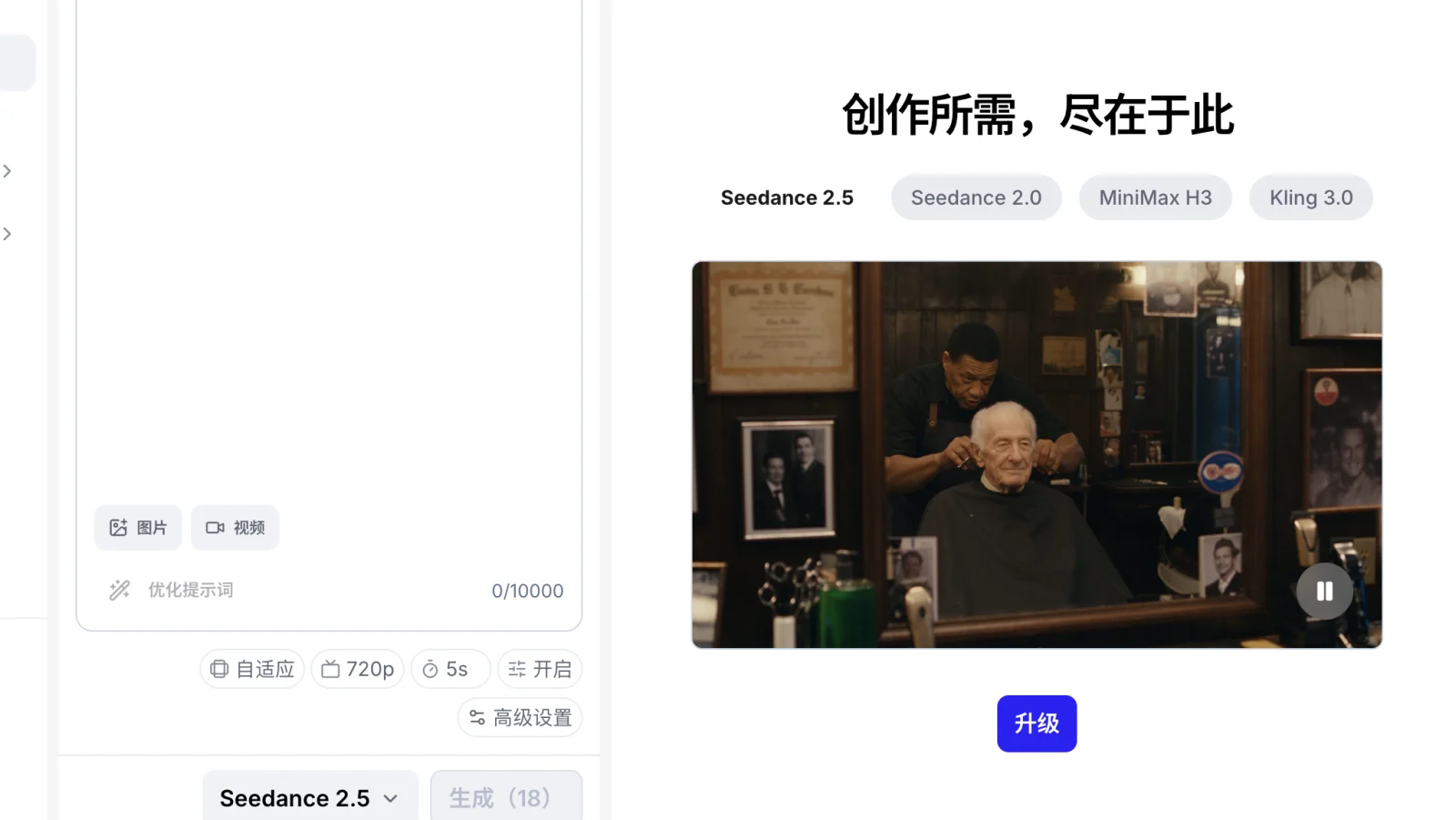
Current SeedVideo AI generator view with Seedance 2.5 selected, including aspect ratio, resolution, duration, audio, and reference controls.
Short-drama tool comparison
The table separates episode workspaces from shot models. Prices and limits are the provider's public values on the verification date. Web subscriptions and API billing are different products, so compare the surface you will actually use.
| Tool | Product type | Current starting access | Free entry | Maximum output used for this comparison | Clip or episode length | 9:16 | Audio and dialogue | Commercial-use check |
|---|---|---|---|---|---|---|---|---|
| StoryShort | Complete episode workspace | Starter displayed at $23/month, billed yearly at $279 | Storyboard can be built before rendering; rendering uses credits | Vertical MP4 export; page does not publish a single resolution ceiling | 30 seconds to 3 minutes per episode | Yes, portrait is the default | Voices, spoken dialogue, lip movement, and music are assembled in the episode workflow | Paid plans list downloads and no watermark; confirm asset and likeness rights |
| Seedance 2.5 on SeedVideo AI | Shot model and multimodal editor | Free signup credits; Lite is $19.90 monthly or $9.90 monthly equivalent on annual billing | Yes, signup credits | 720p in the current public Seedance API and account controls used here | 4 to 30 seconds | Yes | Generated audio plus image, video, and audio references | Paid plans support commercial use; source assets and third-party rights still apply |
| Kling 3.0 | Shot model | API list price starts at $0.084/second for 720p without audio; web pricing differs | Web access may offer trial credits; API packages are prepaid | 4K is listed on the current API price table | 3 to 15 seconds | Yes | Native audio, speaker assignment, five documented dialogue languages, accents, and multi-shot control | API is sold for commercial production; follow Kling terms and clear source rights |
| Runway Gen-4.5 | Shot model inside an editing platform | Standard is $15 monthly or $12/month billed annually; Gen-4.5 costs 12 credits/second | 125 one-time credits on Free | 720p in the current Gen-4.5 guide | 2 to 10 seconds | Yes; portrait support depends on the selected input surface | Use Runway's audio tools where needed; the current Gen-4.5 guide centers on video generation | Standard and higher remove watermarks; use remains subject to Runway terms |
| Veo 3.1 | Shot model and API | Gemini API paid tier starts at $0.40/second for 720p or 1080p with audio | No free API tier for Veo 3.1 | 4K for an 8-second generation | 4, 6, or 8 seconds; extensions add 7 seconds to Veo clips | Yes | Native audio is generated with video | Paid API terms and Google's generative-media policies apply |
Do not turn this matrix into a quality score. Without a same-prompt test using the same references, duration, resolution, and review rules, a numerical ranking would be invented precision.
1. StoryShort: best complete workspace for a fast vertical pilot
Best for: a small team that wants to move from a premise to an assembled 9:16 episode without building a separate script, storyboard, voice, music, and editing pipeline.
Not best for: teams that need frame-level control over every shot, want to choose a different model for each beat, or already have an established post-production workflow.
StoryShort is the only product in this list designed around the episode rather than the clip. Its current short-drama page accepts a premise or script, offers an AI screenplay writer, lets you choose AI images or AI video, and includes generation presets, voices, music, and portrait, landscape, or square output. The page currently exposes Seedance 2.0 and Veo 3.1 as video-model choices, with an estimated credit cost before generation.
That product shape matters. A studio testing a new romance or revenge series can make a storyboard, assign a cast, edit lines, and render an episode without moving every shot between tools. StoryShort says episodes can run from 30 seconds to 3 minutes and that vertical 9:16 is the default. Its paid plans list downloads and no watermark. The displayed Starter plan is $23 per month when billed yearly at $279, with 400 credits and one series.
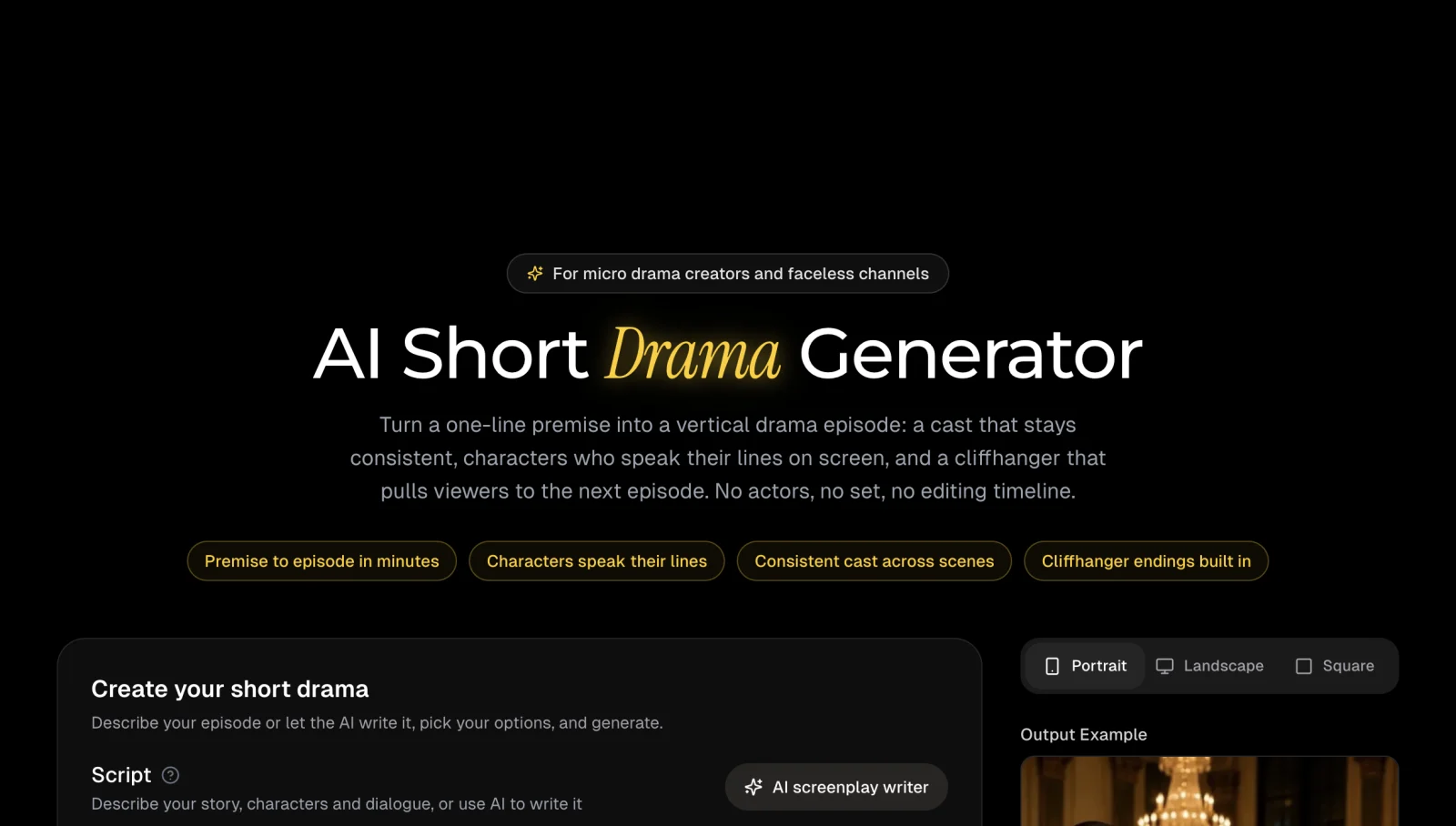
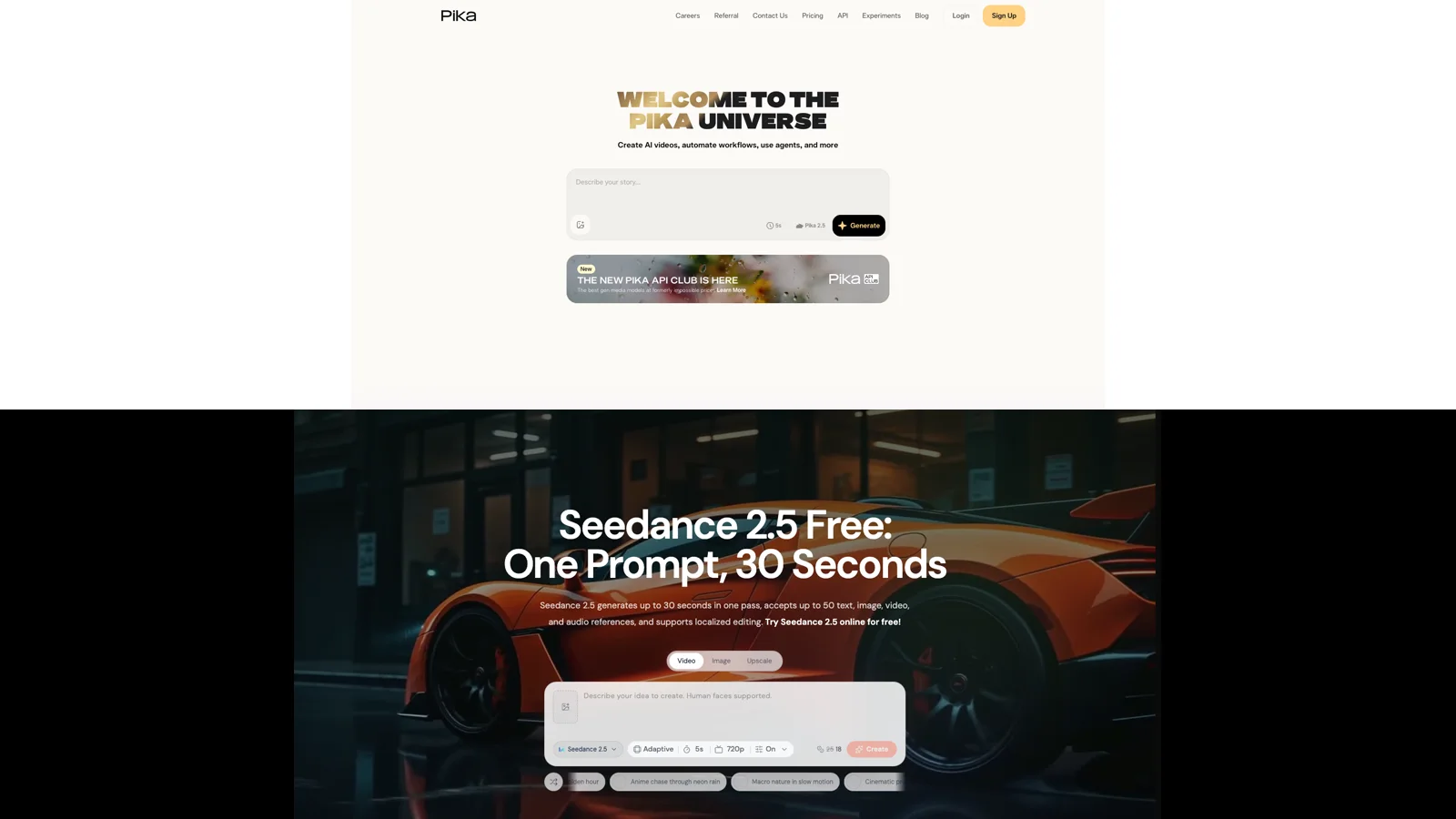
StoryShort's current short-drama page shows a premise-to-episode workflow, consistent-cast positioning, spoken dialogue, cliffhanger structure, and portrait output.
The tradeoff is control. If the lead character's face drifts in one scene, or a reaction shot needs a different camera move, a shot-model workflow usually gives you a cleaner way to replace only that beat. StoryShort is a sensible choice for a proof of concept, a faceless channel, or a team that values throughput over shot-by-shot model selection.
2. Seedance 2.5: best overall shot model for reference-heavy episodes
Best for: teams that manage their own edit and need longer single clips, multimodal references, dialogue, vertical framing, or local changes to an existing shot.
Not best for: creators who expect one prompt to produce a complete episode with script structure, cast management, subtitles, and final assembly.
Seedance 2.5 covers text-to-video, one-image start frames, first-and-last-frame generation, and reference-driven video. The public Seedance API documentation lists 4 to 30 seconds at 480p or 720p. It accepts up to 30 images, 10 videos, and 10 audio files for reference generation, with 30 seconds of total video and audio reference duration. The current SeedVideo AI controls also expose vertical 9:16, sound, and a credit quote before submission.
For short drama, the useful part is not the maximum number of references. It is the ability to give each reference a job. Use one clean identity image, one wardrobe view, one location anchor, and one voice or motion reference. A smaller, consistent pack usually creates fewer contradictions than uploading every image from a character folder. The AI short-drama workflow shows how to turn that pack into a shot list, while the character consistency guide explains how to lock face, clothing, props, and location between clips.
Thirty seconds is useful when a scene needs a sustained performance, but it is not a reason to put a whole episode in one generation. Generate separate beats, approve their first and last frames, then assemble them in an editor.
SeedVideo AI currently offers signup credits, and its pricing page lists Lite at $19.90 monthly or $9.90 per month on annual billing. Generation cost changes with model, length, resolution, reference mode, audio, and plan discount. Use the quote on the button, then record accepted shots and retries.
3. Kling 3.0: best for native multi-shot dialogue
Best for: dialogue scenes that need automatic or custom shot changes, multiple speakers, native audio, and subject or voice binding.
Not best for: a team looking for an episode scheduler, full script-to-series workspace, or the lowest-cost way to explore rough storyboards.
Kling's official VIDEO 3.0 guide documents text-to-video, image-to-video, start-and-end frames, native audio, multi-shot generation, start-frame plus element reference, and multi-character coreference. Its duration control runs from 3 to 15 seconds. The guide also lists dialogue support in Chinese, English, Japanese, Korean, and Spanish, plus selected dialects and accents. Custom Multi-Shot lets the creator describe each shot and its duration, while the automatic mode plans camera changes from the prompt.
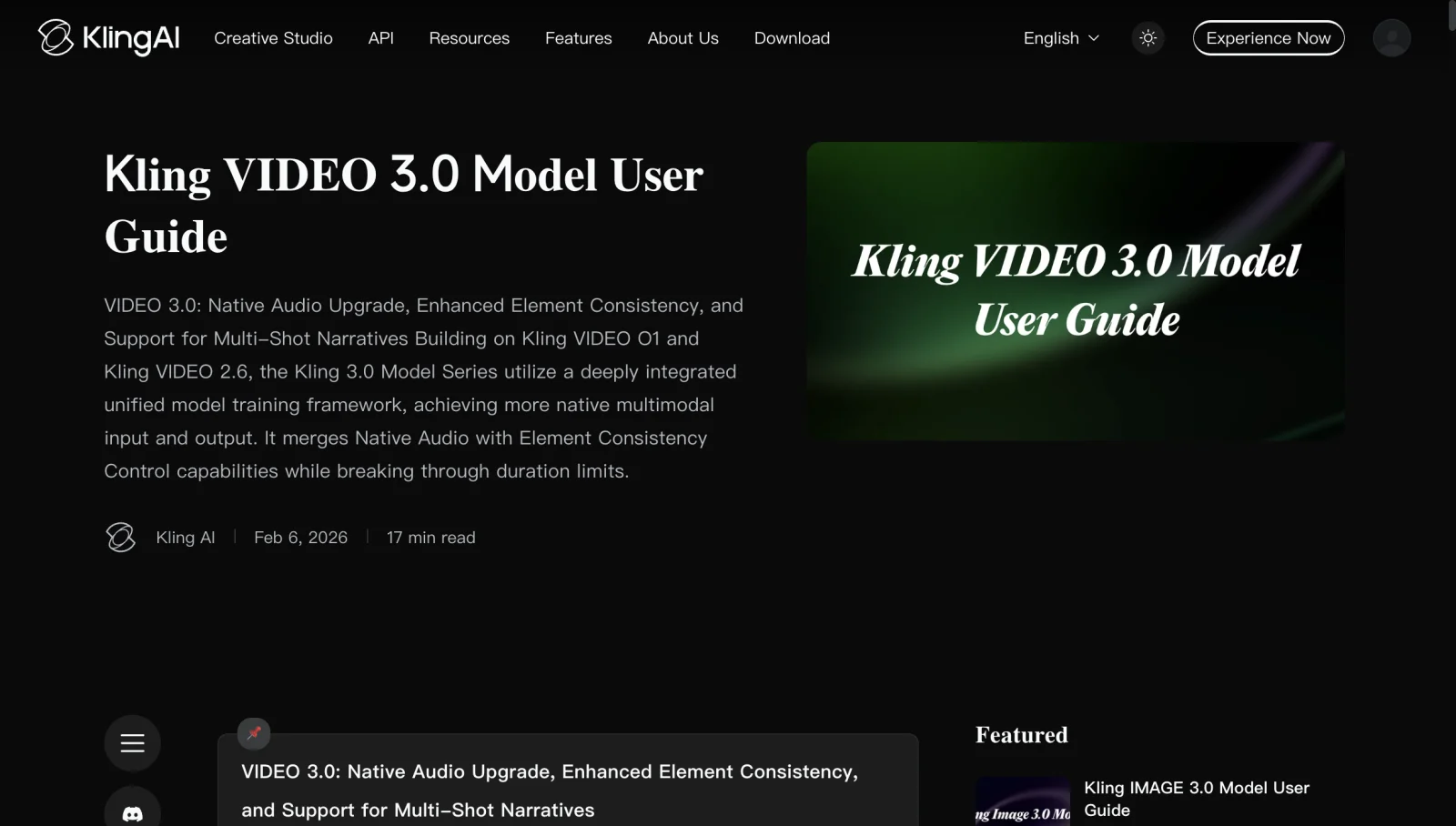
Kling AI's current VIDEO 3.0 guide documents native audio, element consistency, multi-shot narratives, and a 3-to-15-second duration range.
Those features align with short-drama dialogue. A shot-reverse-shot exchange can be described as a sequence, and a bound character element can carry appearance and voice cues. One generation with several cuts gives you fewer independent repair points, so compare it with separate single shots during your pilot.
Kling's current API price page lists VIDEO 3.0 at $0.084 per second for 720p without native audio and $0.126 per second for 720p with native audio and no voice control. The API table also lists 1080p and 4K rates. Its prepaid API packages begin much higher than a consumer subscription, so studios should not mix API list prices with web-plan costs in the same budget sheet.
4. Runway Gen-4.5: best for teams already editing in Runway
Best for: teams that want text-to-video and image-to-video inside a larger creative workspace with assets, upscaling, audio tools, and professional export options on higher plans.
Not best for: creators who need a built-in episodic drama planner, 15-to-30-second native shots, or a documented multi-character dialogue workflow in one control panel.
Runway's current Gen-4.5 guide lists text-to-video and image-to-video, 2-to-10-second duration, 720p output, 24 or 25 frames per second, and 12 credits per second. The web guide lists portrait and several other aspect ratios for image-to-video. Runway's API documentation also lists portrait output for Gen-4.5 text-to-video. For recurring characters, Runway recommends creating character plates and treating each storyboard frame as a potential 5-to-10-second generation.
The main advantage is everything around the shot. Assets stay in one workspace, Pro includes custom voices for lip sync and text to speech, and Max adds professional formats and HDR options. Gen-4.5 itself should still be evaluated as a shot model, not as an automatic episode builder.
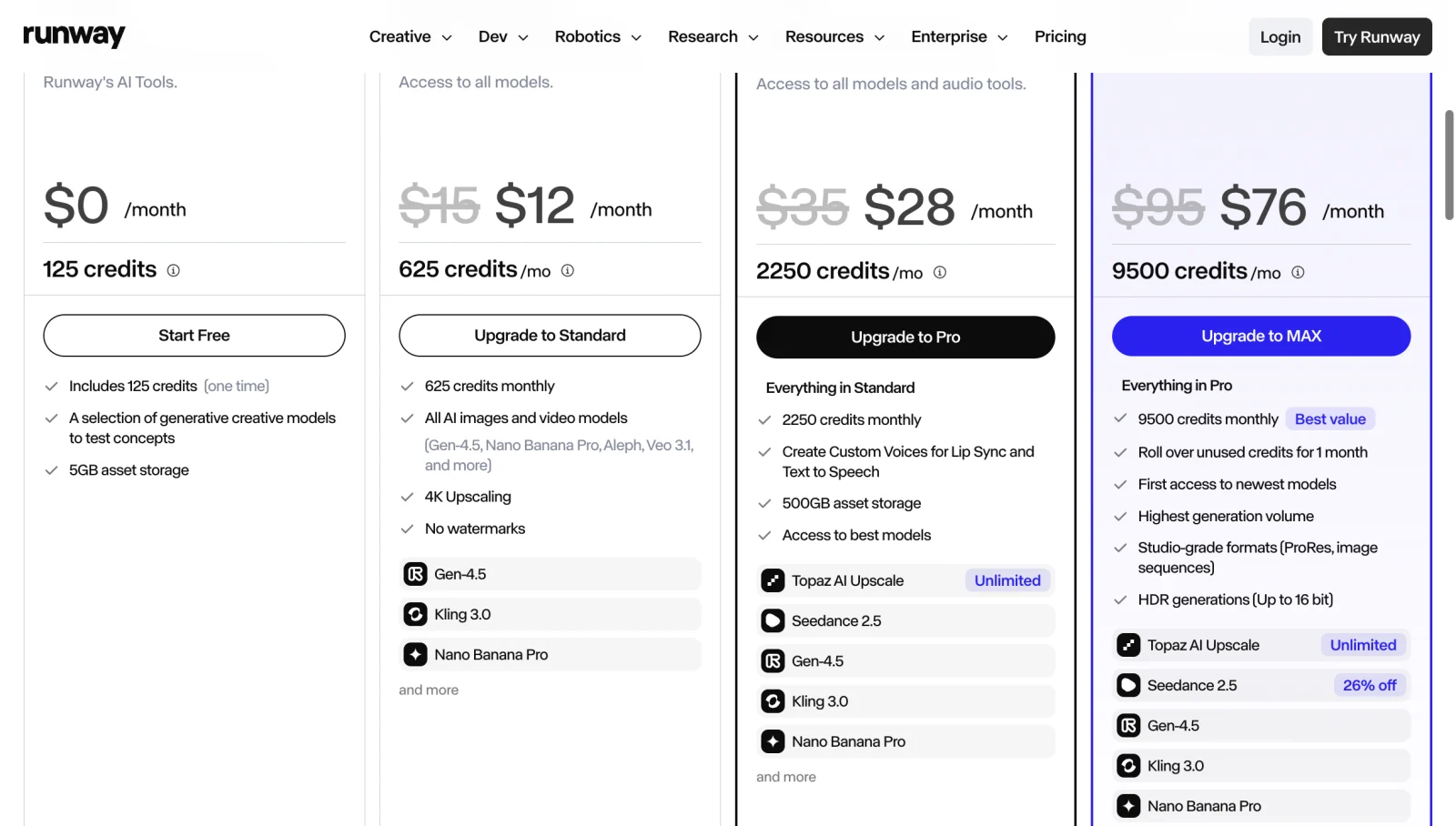
Runway's current annual-billing view lists Free with 125 one-time credits, Standard at $12 per month, Pro at $28, and Max at $76, with model and workflow differences by plan.
The free plan includes 125 one-time credits. Standard is $15 month to month or $12 per month when billed annually, with 625 monthly credits. At 12 credits per second, the plan page equates that allowance to about 52 seconds of Gen-4.5 before retries. That is enough for a controlled pilot, but not a reliable estimate of finished episode minutes.
5. Veo 3.1: best for native audio and frame-directed shots
Best for: teams using Gemini API or Flow that need native audio, 9:16, first-and-last-frame control, up to three reference images, or extension of a Veo-generated clip.
Not best for: teams that want a free API tier, long native clips, or a complete short-drama production workspace.
Google's current Veo 3.1 API documentation lists 4, 6, and 8-second video, with 1080p and 4K tied to 8-second generation. It supports text, a starting image, an ending frame, up to three reference images, and extension of eligible Veo clips. Aspect ratios include 16:9 and 9:16. Audio is generated with the video.
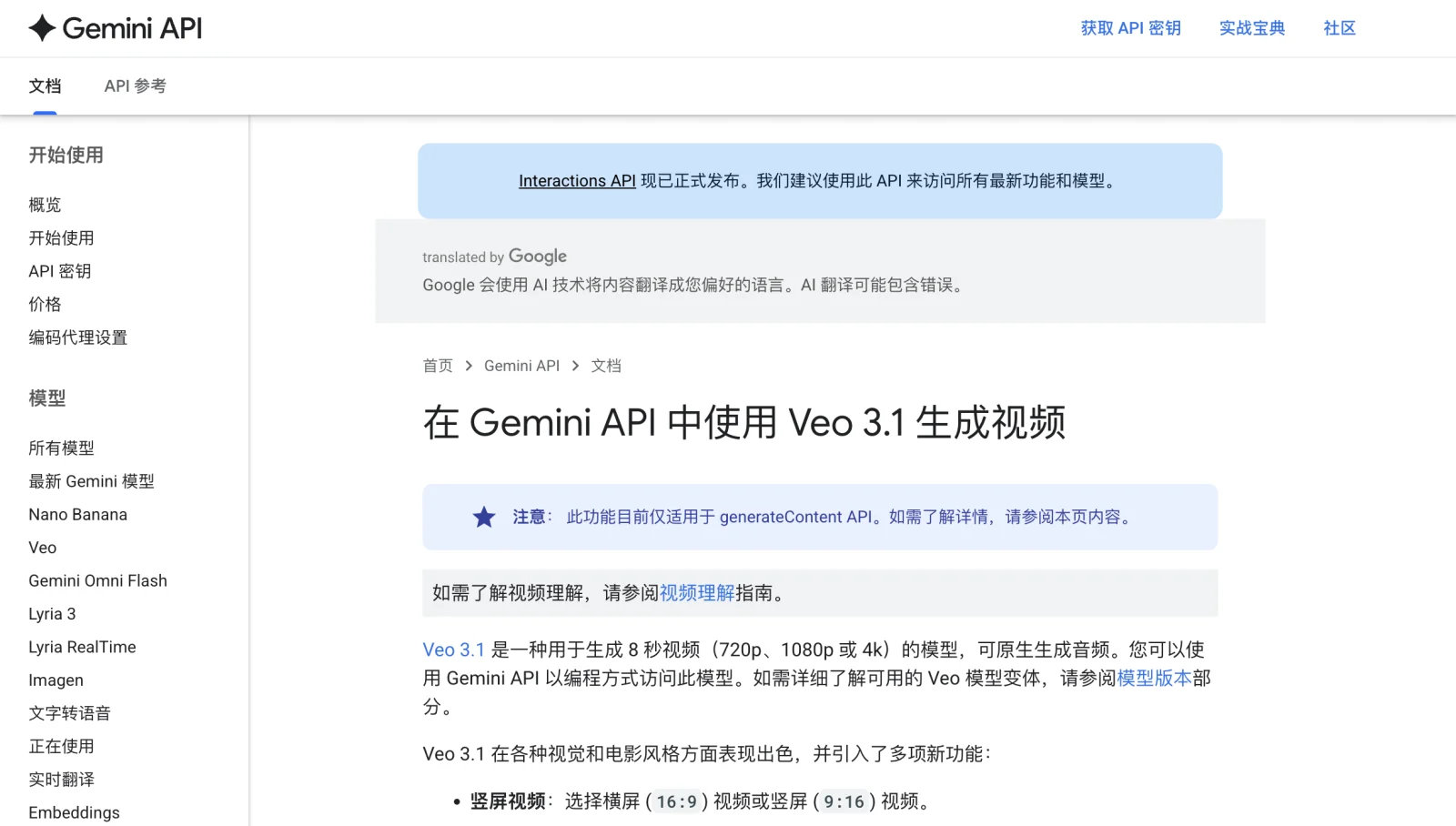
Google's current Veo 3.1 documentation lists native audio, portrait and landscape video, first-and-last-frame control, reference images, and 720p, 1080p, or 4K output.
First-and-last-frame control helps continuity by connecting two approved compositions. Reference images help with character and product appearance, but Google limits that mode to specific duration and resolution combinations. Check the current parameter table before locking a series template.
The Gemini API pricing page lists no free tier for Veo 3.1. Standard video with audio costs $0.40 per second at 720p or 1080p and $0.60 per second at 4K. Veo 3.1 Fast is cheaper.
Which tool fits each short-drama job?
| Production job | Practical first choice | Why |
|---|---|---|
| Make a premise-to-episode pilot with minimal setup | StoryShort | It combines script, cast, storyboard, voice, music, and vertical export |
| Produce a reference-heavy live-action drama | Seedance 2.5 | Long clips and large multimodal reference support give the editor more control |
| Generate a compact multi-speaker exchange | Kling 3.0 | Native audio, speaker assignment, subject binding, and custom multi-shot are documented together |
| Keep generation and post tools in one workspace | Runway Gen-4.5 | Asset management, lip-sync tools, upscaling, and professional exports sit around the shot model |
| Direct a transition between approved frames | Veo 3.1 | First-and-last-frame generation and Veo extension fit planned transitions |
| Make a high-frequency serial with strict continuity | Mixed workflow | Use a workspace for structure and a shot model for hero beats, repairs, and difficult dialogue |
For live-action vertical drama, start with Seedance 2.5 or Kling 3.0. StoryShort removes setup for high-volume animated channels. Runway fits existing users, while Veo 3.1 fits API pipelines and frame-directed scenes.
A reproducible five-shot pilot
Do not compare tools with unrelated showcase clips. Use the same small production test.
| Shot | Purpose | Fixed input | Pass condition |
|---|---|---|---|
| 1. Establishing shot | Show location and 9:16 composition | Location reference, wardrobe, time of day | Character scale, location, and subtitle-safe area hold |
| 2. Dialogue close-up | Test voice and lip movement | Identity reference, exact line, emotion | Correct speaker, readable expression, acceptable mouth timing |
| 3. Reverse shot | Test continuity | Same cast and wardrobe, opposite angle | Face, clothing, eyeline, and prop state match shot 2 |
| 4. Action beat | Test motion and camera | One action, one camera move | No identity swap, prop loss, or extra action |
| 5. Cliffhanger | Test a precise ending | Approved end composition | Final frame communicates the reveal and cuts cleanly |
Keep duration, resolution, aspect ratio, and sound settings equal where possible. Use one approved character sheet and one location sheet. Record missing controls instead of inventing equivalents.
Score each attempt as approved, repairable, or rejected. Record cost, generation time, and the reason for failure. Then calculate:
approved-shot cost = total generation cost / approved shots
episode estimate = approved-shot cost x planned shot count + editing and audio time
Keep characters, dialogue, and cuts consistent
Use a short character bible. Include one front portrait, one three-quarter view, clothing colors, two physical details, voice direction, and a list of props that must not change. Avoid conflicting ages, hairstyles, or costumes in the reference set. The Seedance lip-sync guide explains how to shorten lines, name the speaker, and separate visual approval from dialogue repair. For scored identity results, the character consistency comparison ran the same five prompts through Seedance 2.5 and Kling 3.0.
For every shot, write four blocks:
- Continuity: character, wardrobe, location, time, and prop state.
- Performance: action, facial response, and exact dialogue.
- Camera: framing, movement, lens feel, and cut point.
- Audio: speaker, tone, ambience, effects, and whether music belongs in generation or post.
Give each shot one main action. A ten-second prompt with six actions creates too many failure points. Split it. Short-drama pace comes from editing decisive beats, not forcing a whole scene into one clip.
Cost rules that prevent a bad tool choice
Track generation cost, rejected attempts, voice or lip-sync passes, subtitles, upscaling, and editor time. A dedicated workspace can cost more per generated scene but save hours of assembly. A flexible shot model can be cheaper for a difficult hero beat because you replace only one clip. Test the bottleneck that actually slows your team. The AI video generator pricing comparison converts each plan into the cost of one 720p, 5-second clip.
Frequently asked questions
What is the best AI video generator for short dramas in 2026?
StoryShort is the best complete workspace in this comparison, while Seedance 2.5 is the best overall shot model. Kling 3.0 is a strong choice for native multi-shot dialogue. The right answer changes with the production layer you need.
Which AI video tool is best for consistent characters?
Seedance 2.5 and Kling 3.0 expose the most relevant reference controls in this group. Consistency still depends on a clean character bible, stable wardrobe and prop descriptions, and separate approval of neighboring frames.
Which tool is best for vertical 9:16 drama?
All five can participate in a 9:16 workflow. StoryShort treats portrait as the episode default. Seedance 2.5, Kling 3.0, Runway, and Veo 3.1 expose vertical generation on their supported surfaces.
Can one prompt generate a full short-drama episode?
A dedicated workspace can assemble an episode from a premise, but you should still review the script, cast, storyboard, dialogue, and every scene. Shot models are better used one beat at a time and then edited together.
Which model supports the longest single clip?
Among the shot models compared here, Seedance 2.5 has the longest documented native range at up to 30 seconds. StoryShort assembles longer episodes from scenes, which is a different measure.
How should I compare AI video costs?
Run the same five-shot pilot and divide total generation cost by approved shots. Add voice, lip-sync, subtitle, upscaling, and editing time. Do not compare monthly plan prices without measuring retries.
Can I use AI short-drama videos commercially?
Each provider has its own plan and terms. Paid plans may allow downloads, remove watermarks, or support commercial use, but you still need rights to source images, voices, music, brands, scripts, and likenesses. Review the current terms before publication.
Sources and method
This comparison uses current public product pages, help centers, API documentation, and pricing pages from StoryShort, SeedVideo AI, Kling AI, Runway, and Google. It does not claim a same-input quality test. Product limits and prices can change, so recheck the linked pages before a paid production run.
Pick the production layer, then run the pilot
Choose StoryShort for fast premise-to-episode assembly, Seedance 2.5 for a reference-heavy shot pipeline, and Kling 3.0 for native multi-shot dialogue. Keep Runway when its wider workspace fits your team, and use Veo 3.1 when frame direction, extension, and native audio justify its API cost.
Build one five-shot pilot before committing a season. You can open Seedance 2.5, reuse the same cast and location references, and compare approved-shot cost against the other candidates.