Seedance 2.5 Multi-Shot Storytelling: A Scene-by-Scene Prompt Workflow
A Seedance 2.5 multi-shot video works best when you plan it as a sequence of small decisions, not one oversized cinematic prompt. Start with a 30-second story, split it into five to eight shots, and give every shot one narrative job. Then lock the details that must survive the cuts: the character's face and clothes, the location, the hero prop, the screen direction, and the color palette. Seedance 2.5 supports prompts plus image, video, and audio references, with public model information describing clips up to 30 seconds and larger multimodal reference packages. That does not remove the need for a shot list. The model still needs a clear order of events, and you still need to judge each cut. This guide builds a six-shot delivery story, turns it into prompts, and shows where text-to-video, image-to-video, and reference-led generation fit.
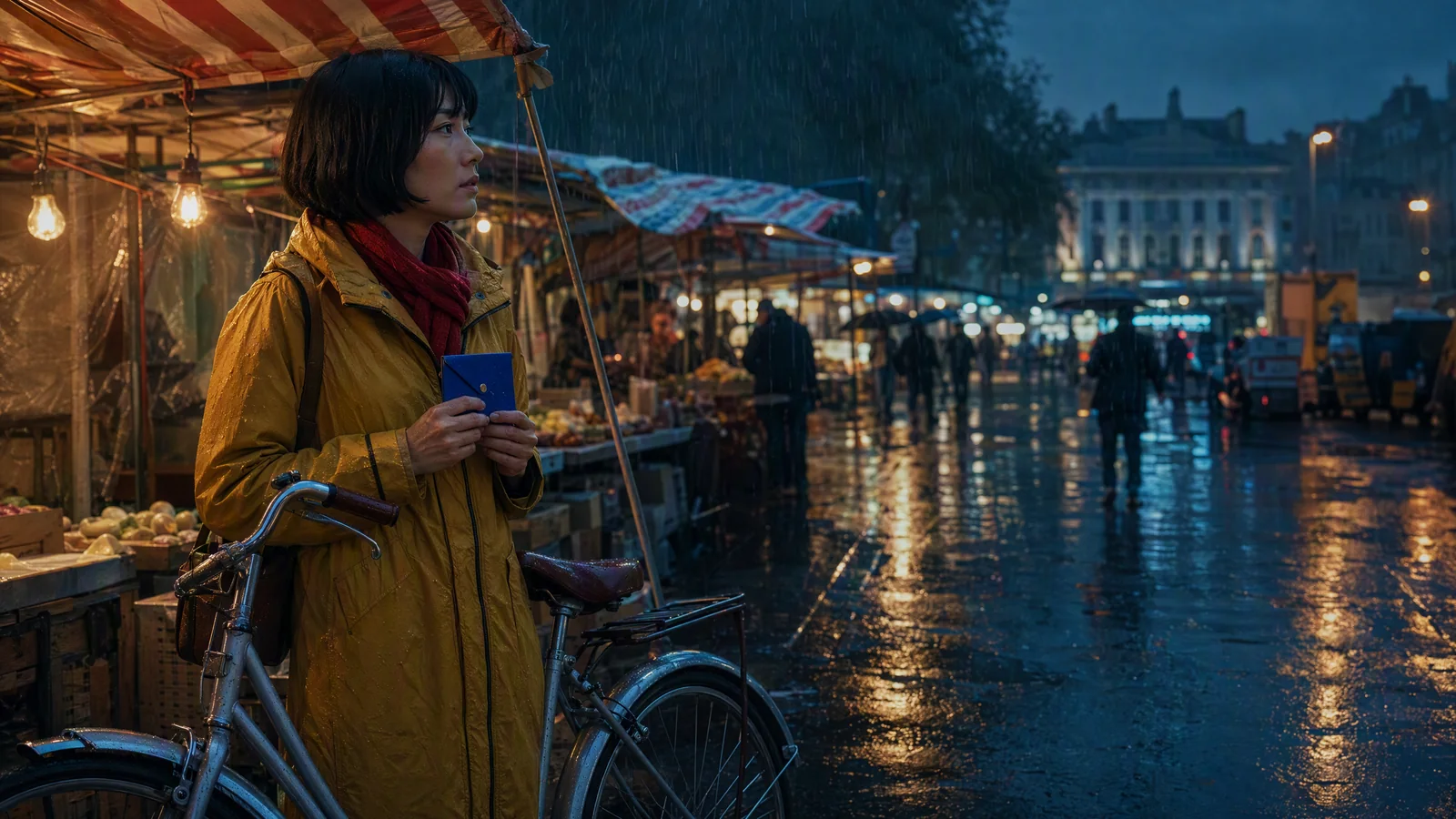
Image prompt: A fictional adult bicycle courier with a black bob, mustard raincoat, red scarf, silver bicycle, and cobalt-blue envelope pauses under an awning in a rain-soaked night market at blue hour, wide 35mm establishing shot, warm stalls against cool teal rain, realistic cinematic lighting, 16:9.
TL;DR
- Write the story as six shots with one job per shot.
- Build a continuity bible before writing any production prompt.
- Repeat only the details that need to remain stable.
- Choose text, image, or reference inputs according to the risk in each shot.
- Regenerate the broken shot, not the whole sequence.
- Cut on motion, eyeline, sound, or a shared object so separate generations feel connected.
Quick Answer
For a reliable Seedance 2.5 multi-shot workflow, write a short synopsis, divide it into five to eight beats, and assign each beat a duration, framing, action, sound cue, and transition. Keep a separate continuity bible for identity, wardrobe, props, location, palette, and forbidden changes. Use the bible as a stable block in every shot prompt, while the action block changes. Generate a first pass, compare it with the shot list, and revise only the shots that drift. The result is easier to control and edit than a prompt that asks for an entire story in one paragraph.
The 30-second story we will build
Our example is deliberately simple: Mara, a bicycle courier, finds a blue envelope at a night market and carries it to a rooftop before dawn. A stranger receives it. The story has one character, one portable prop, two connected locations, and a clear direction of travel. That is enough to test continuity without asking the model to solve a crowd scene, costume change, vehicle chase, and dialogue scene at once.
| Shot | Time | Story job | Framing and action | Transition anchor |
|---|---|---|---|---|
| 1 | 0-5s | Establish the world and objective | Wide shot. Mara stops beside her bicycle and notices the blue envelope. | She lifts the envelope into frame. |
| 2 | 5-10s | Start movement | Medium side-tracking shot through the market. | The bicycle moves left to right. |
| 3 | 10-14s | Reveal the clue | Close-up of the scratched envelope seal in Mara's wet hand. | Blue fills most of the frame. |
| 4 | 14-19s | Redirect the story | Over-shoulder shot toward the rooftop stairwell. | Mara looks upward; a bell rings. |
| 5 | 19-25s | Build pressure | Low-angle follow shot as she runs up the stairs. | Her red scarf crosses the lens. |
| 6 | 25-30s | Resolve and hold | Dawn rooftop two-shot. Mara gives the envelope to a waiting figure. | End on the envelope between both hands. |
If your surface exposes a single longer generation, this table can become the ordered beat section of one prompt. If the available duration is shorter, treat the rows as separate clips and assemble them in an editor.
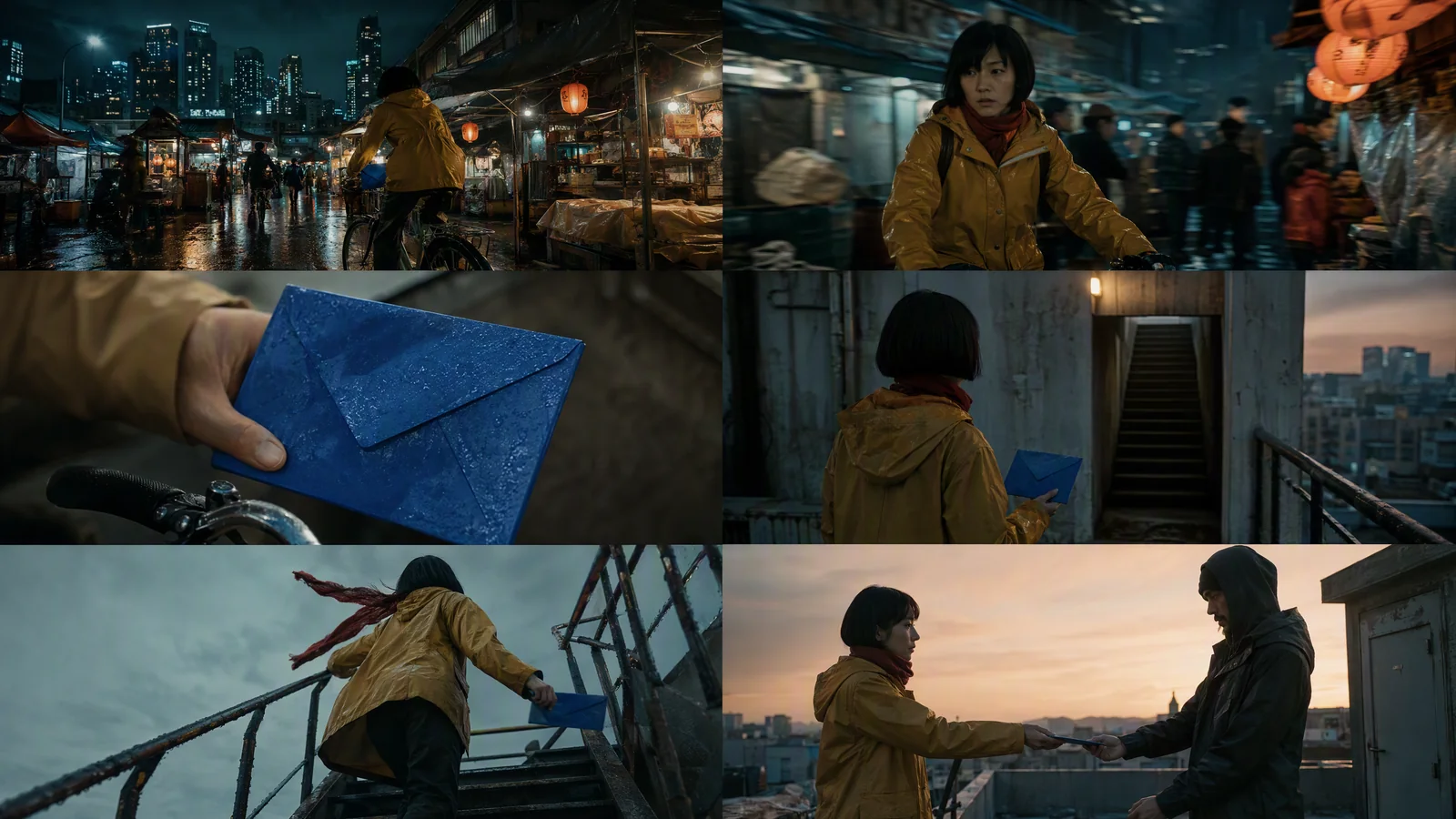
Image prompt: A professional six-frame cinematic storyboard contact sheet in a 2 by 3 grid, the same fictional courier in a mustard raincoat and red scarf moving with a silver bicycle and cobalt-blue envelope from a rainy night market to a rooftop at dawn, consistent face, wardrobe, props, teal-and-amber palette, chronological wide, medium, close-up, over-shoulder, low-angle, and two-shot frames, no text.
Build the continuity bible before the prompts
A continuity bible is a compact list of facts that cannot drift. It is not another description of the whole story. Keep it concrete enough that you can compare an output against it.
Character anchors
Use details that are visible from more than one angle:
- Mara is an adult East Asian woman with a chin-length straight black bob.
- She wears a mustard-yellow raincoat, narrow red scarf, dark trousers, and worn black boots.
- Her movement is quick but controlled. She does not smile during the delivery.
- Her bicycle is a silver city bike with a black front rack.
"Cinematic woman" is not an anchor. Hair length, coat color, and a distinctive prop are anchors. Do not keep adding adjectives in later shots. Reuse the same wording.
Location and prop anchors
The night market has striped awnings, warm tungsten stalls, teal ambient rain, and wet pavement. The rooftop stairwell uses the same worn concrete and faded green paint seen at the market's service entrance. The envelope is small, cobalt blue, enamel-like, and scratched along one edge.
The envelope appears in the first, third, and final shot, so viewers can follow the story even when the background changes.
Camera and color rules
Mara travels left to right until she reaches the stairs. The final handoff reverses the composition only after she stops. Night-market shots use teal rain and amber practical light. The rooftop introduces pale dawn without removing the mustard coat, red scarf, or blue envelope.
Write a short forbidden-change list too:
- no coat color change;
- no bicycle style change;
- no envelope becoming paper, red, or oversized;
- no dry street before the rooftop;
- no screen-direction reversal during the travel shots.
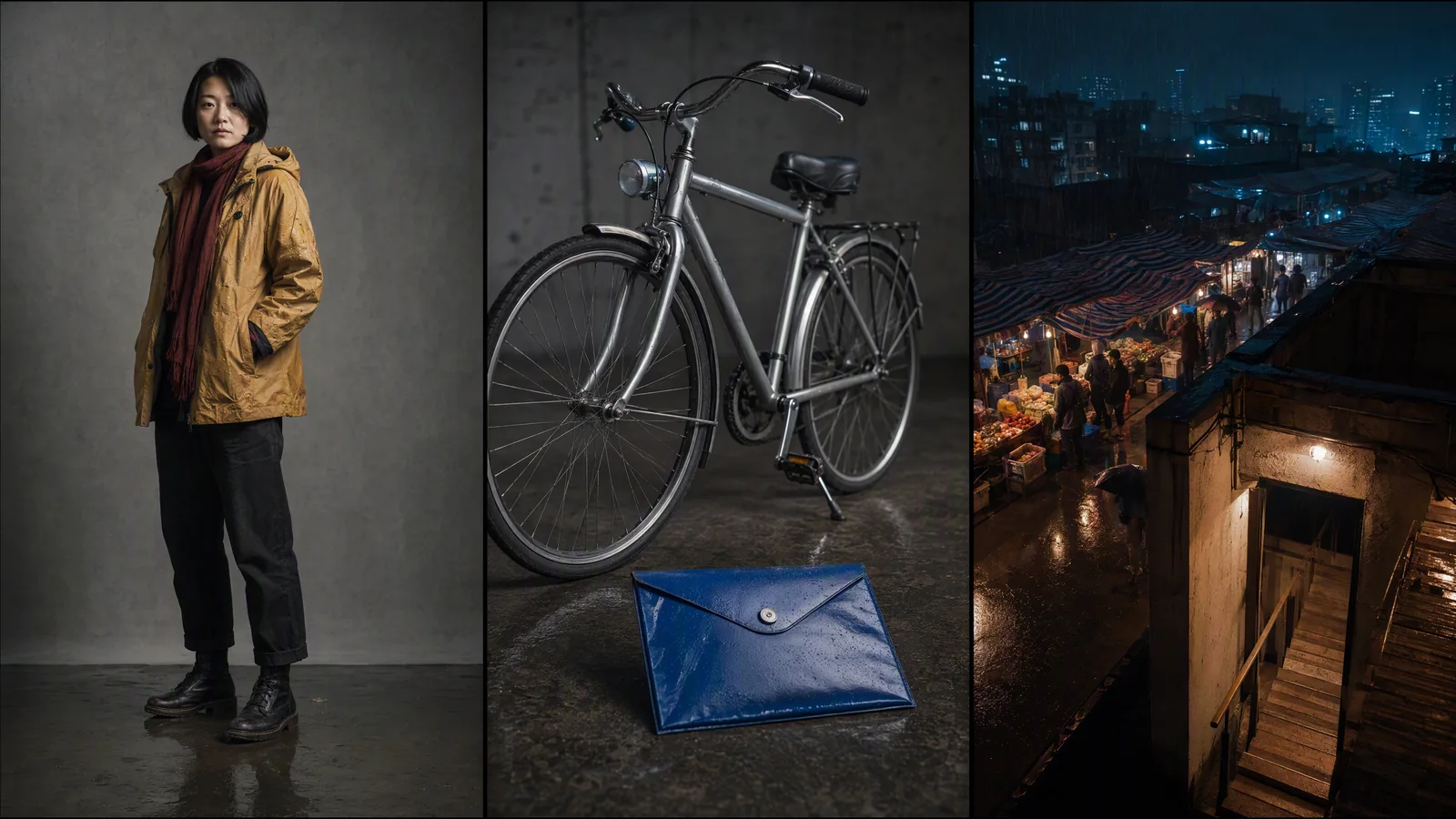
Image prompt: A cinematic continuity reference triptych with no labels: the same fictional adult courier in a mustard raincoat and red scarf; her silver city bicycle and cobalt-blue envelope; and a rain-soaked night market with striped awnings, warm lanterns, teal rain, and a rooftop stairwell entrance, realistic production photography, consistent materials and color.
For identity-heavy work, pair this written bible with the character consistency workflow. Here, the focus stays on what remains fixed, what changes, and where the cut happens.
Write each shot as five fields
Every production prompt should answer five questions in the same order.
| Field | What to write | Shot 2 example |
|---|---|---|
| Purpose | Why the shot exists | Mara commits to the delivery and gains speed. |
| Framing | Shot size, angle, camera path | Medium side-tracking shot at bicycle-handle height. |
| Action | One readable action | She pushes through the crowd, mounts, and pedals. |
| Sound | Rhythm, dialogue, or sound cue | Tire hiss, rain on canvas, three quick market-bell notes. |
| Transition | How the next shot connects | End as the blue envelope moves toward camera. |
If you cannot state the purpose of a shot in one sentence, it may be doing too much.
Separate the stable block from the changing block
Keep two blocks in your working document.
Stable block:
Mara, adult East Asian bicycle courier, chin-length straight black bob, mustard-yellow raincoat, narrow red scarf, dark trousers, worn black boots. Silver city bicycle with black front rack. Small scratched cobalt-blue enamel envelope. Rainy night market, teal ambient rain, warm tungsten stalls, wet pavement. Maintain face, wardrobe, bicycle, envelope, palette, and left-to-right travel direction.
Try this prompt in SeedVideo AI
Changing block for Shot 2:
Medium side-tracking shot at handlebar height. Mara pushes through two market stalls, mounts the bicycle, and pedals left to right. Keep her face visible for the first second, then let the camera lag half a step behind. Tire hiss and rain on canvas set the rhythm. End with the blue envelope moving close to lens for a match cut.
Try this prompt in SeedVideo AI
Reuse the stable block. Let the changing block describe only the new job.
The Seedance 2.5 prompt guide covers broader prompt construction. For this workflow, resist the urge to expand the stable block every time a shot fails. Diagnose the failure first.
Choose the input mode shot by shot
Seedance 2.5 public model information describes text, image, video, and audio reference inputs, along with a larger reference package and more targeted editing direction. Those inputs solve different problems.
| Mode | Use it when | Main risk | Practical control |
|---|---|---|---|
| Text to video | The composition can change freely and the story beat matters most. | Face, wardrobe, or prop drift. | Repeat the stable block and simplify the action. |
| Image to video | The first frame, character, product, or location must be specific. | Motion may fight the source image. | Use a clean source frame with room for the planned movement. |
| Reference-led video | Identity, environment, movement, or rhythm needs several inputs. | References compete or have unclear jobs. | Assign each image, video, or audio reference one role. |
Use an AI text-to-video generator for the establishing shot when the location can be invented from the brief. Use an AI image-to-video generator for the envelope close-up or final handoff when the first-frame composition matters. For a larger reference package, the reference-to-video guide explains how to assign identity, environment, motion, and audio roles without treating every asset as a general style reference.
Give every reference one job
A character image should control identity and wardrobe. A location frame should control architecture and palette. A short video clip can guide bicycle motion or a stair-climb camera path. An audio clip can establish pacing, music direction, or a bell cue. State those roles in the prompt.
Two images that disagree about the coat, age, or lighting create an ambiguous instruction. Remove the weaker input or narrow its role.
A current Seedance 2.5 generation surface
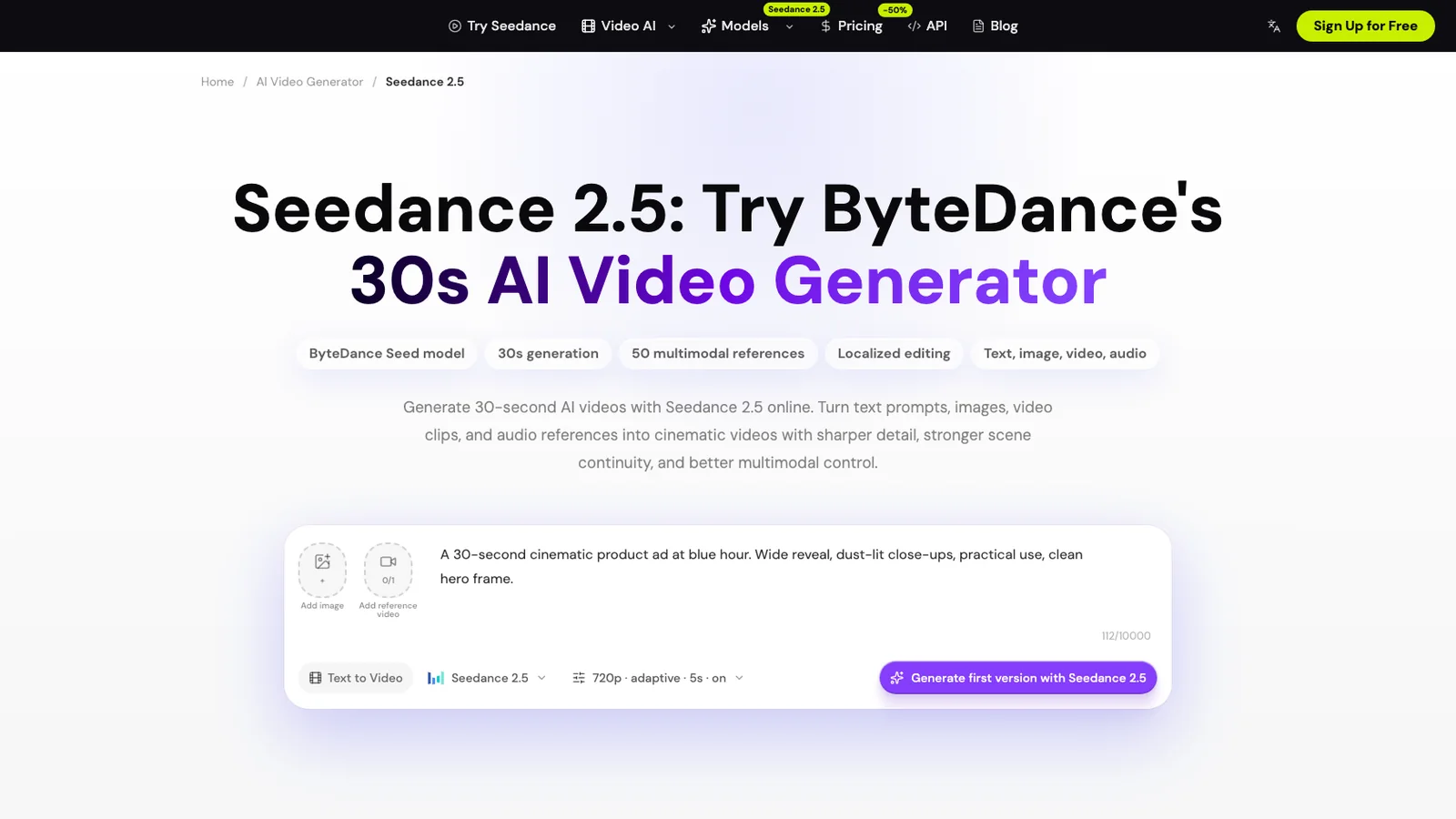
Current Seedance 2.5 model page, captured August 23, 2026. The visible generation surface includes image and video reference controls, a prompt field, model selection, output settings, and a first-version action.
The current Seedance 2.5 model page presents a reference-led input area and a 720p, adaptive, five-second starting configuration. The same page documents videos up to 30 seconds, support for text, image, video, and audio direction, and localized editing. Treat the visible defaults as a starting state, not a promise that every account, route, or mode exposes the same control set. Check the selected model and duration before generating.
Six copy-ready shot prompts
Add the stable block above each shot prompt. If you use reference assets, name their roles after the action.
Shot 1: market arrival
Wide 35mm establishing shot under a striped awning at blue hour. Mara brakes beside her silver bicycle as rain runs across the pavement. She notices the cobalt-blue envelope on the black front rack and lifts it into the warm stall light. Slow push-in. Hold her face, mustard coat, red scarf, bicycle, and left-to-right screen direction. Sound direction: rain, low market murmur, one bicycle-bell note. End with the envelope raised in the right third of frame.
Try this prompt in SeedVideo AI
Shot 2: movement begins
Medium side-tracking shot at handlebar height. Mara pushes between two stalls, mounts the bicycle, and pedals left to right. Keep her face readable for the first second. Warm lanterns streak softly behind her while teal rain remains visible. Sound direction: tire hiss and three quick bell notes. End as the blue envelope moves close to lens.
Try this prompt in SeedVideo AI
Shot 3: clue close-up
Macro close-up of Mara's wet right hand gripping the small cobalt-blue enamel envelope. Preserve the scratch along its upper edge. The bicycle wheel turns out of focus behind it. A warm reflection crosses the seal, revealing a shallow rooftop symbol. No new writing appears. Sound direction: market noise drops, one metal tap. End with blue filling most of the frame.
Try this prompt in SeedVideo AI
Shot 4: the route changes
Over-shoulder shot from behind Mara at the service alley. She lowers the envelope and looks up toward a faded green rooftop stairwell door. Keep the mustard coat and narrow red scarf unchanged. The bicycle remains parked on the left. Camera tilts from the envelope to the door. Sound direction: distant bell, rain under a metal canopy. End on her upward eyeline.
Try this prompt in SeedVideo AI
Shot 5: stair climb
Low-angle handheld follow shot as Mara runs up the worn concrete stairs. She carries the blue envelope in her right hand. Her red scarf crosses close to lens once, creating a natural wipe. Keep movement upward and left to right. The light shifts gradually from teal night to pale dawn. Sound direction: boots, breath, softened rain. End on the scarf wipe.
Try this prompt in SeedVideo AI
Shot 6: rooftop handoff
Quiet dawn two-shot on the rooftop. Mara stops and places the cobalt-blue envelope into the waiting figure's open hands. Keep Mara's face, black bob, mustard coat, and red scarf identical to the earlier shots. Silver bicycle is absent because it remains downstairs. Soft city haze and pale peach horizon. Static camera after the handoff. Sound direction: wind, one final bell note. Hold two seconds on both hands around the envelope.
Try this prompt in SeedVideo AI
The camera movement prompt examples can help with phrasing. Pick one motivated move per shot.
Review the assembled sequence
A clip can look good and still break the story. Review the first pass in order and record each problem against the shot list.
| Check | Pass condition | Typical repair |
|---|---|---|
| Identity | Face, hair, and apparent age remain stable. | Strengthen the character reference role; reduce angle change. |
| Wardrobe and prop | Coat, scarf, bicycle, and envelope keep their defining details. | Repeat the exact anchor wording; remove conflicting style cues. |
| Screen direction | Travel remains left to right until the planned stop. | Flip the shot in editing or regenerate with explicit screen direction. |
| Lighting | Night-market shots share teal rain and amber practical light. | Lock white balance and remove unrelated mood adjectives. |
| Action | One main action is readable without explanation. | Split the shot or delete secondary actions. |
| Transition | The outgoing frame gives the next cut something to match. | Add an envelope close-up, eyeline, scarf wipe, or sound bridge. |
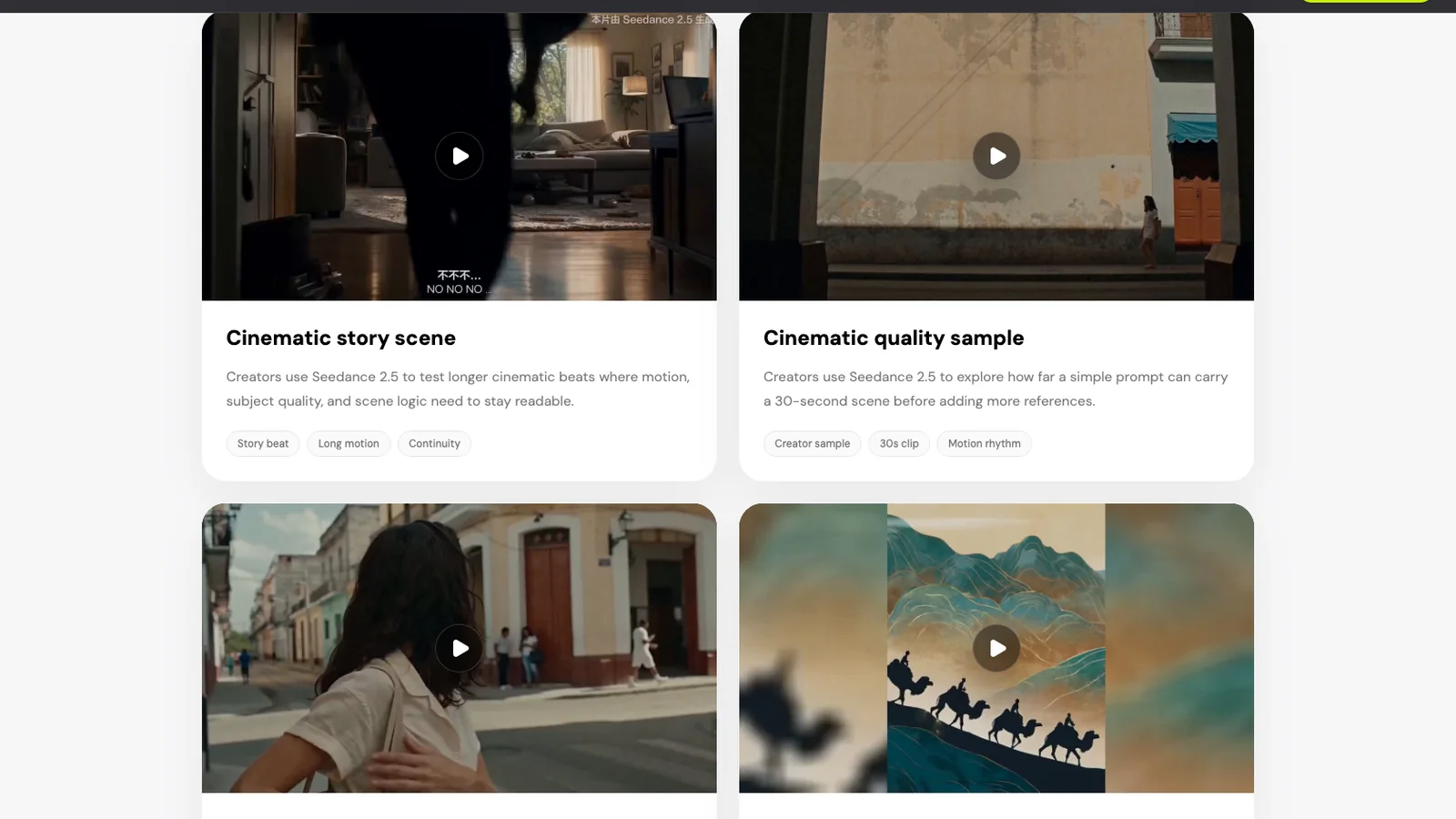
Current Seedance 2.5 model-page example gallery showing a cinematic story scene and a longer continuity-oriented sample.
Use the shot list and continuity bible as your pass/fail criteria.
Regenerate without losing the sequence
When one shot drifts, freeze everything that already works.
- Name the exact failure: coat changed, envelope disappeared, direction reversed, action became unreadable.
- Keep the stable block and successful reference roles unchanged.
- Simplify the changing block to one action and one camera move.
- If localized editing is available for the selected workflow, identify the exact region to change and list what must remain fixed.
- Compare the replacement against the preceding and following frames before accepting it.
Do not rewrite all six prompts because Shot 4 has the wrong door color. That creates five new opportunities for drift. Local revision is the main advantage of a shot-based workflow.
Edit around small differences
Not every mismatch needs a new generation. A tighter crop can hide a bicycle detail. A two-frame sound lead can make a hard location change feel planned. Cutting on the envelope, scarf wipe, eyeline, or bell cue can preserve the narrative even when background geometry changes slightly.
Reserve regeneration for differences that alter identity, story logic, or a required brand detail. Use editing for timing, reframing, and small continuity gaps.
Copyable shot-list template
STORY IN ONE SENTENCE:

CONTINUITY BIBLE
Character:
Wardrobe:
Hero prop:
Location:
Palette and lighting:
Screen direction:
Forbidden changes:

SHOT [NUMBER] / [DURATION]
Purpose:
Framing and camera path:
Primary action:
Sound or dialogue cue:
Transition out:
Stable anchors to repeat:
Reference roles:
Pass condition:
Try this prompt in SeedVideo AI
Duplicate the shot block five to eight times. Read only the purpose lines in order. They should tell the entire story without camera terminology. Then read only the transitions. They should explain why each cut belongs next to the following one.
FAQ
Can Seedance 2.5 create a multi-shot video in one prompt?
The current model page says ordered shot descriptions can guide a multi-shot sequence. Control still improves when you define the shot order, transitions, and details that must remain fixed. If the available duration or interface does not fit the whole sequence, generate the shots separately and edit them together.
How many shots fit in 30 seconds?
Five to eight shots is a practical planning range for a short narrative. Six five-second beats are easy to reason about. Dialogue, complex action, or a long final hold may need fewer shots.
How do I keep the same character across shots?
Reuse the same identity wording, wardrobe, and distinctive props. Add a clean character reference when the input mode supports it. Avoid references that disagree about age, hairstyle, clothing, or lighting.
Should I write every shot in one long prompt?
Use one ordered prompt when your selected mode supports the full duration and the action is simple. Keep separate shot prompts when you need tighter control, several revisions, or an editorial handoff.
What is the best transition for separate AI video generations?
Match an object, movement, eyeline, sound, or color. In this example, the envelope close-up, upward glance, scarf wipe, and bell cue connect clips generated independently.
Can audio references improve scene continuity?
The current Seedance 2.5 model information includes audio references for rhythm, music direction, sound cues, and dialogue pacing. Give the audio one defined role and keep the visual instructions separate.
When should I use localized editing?
Use it when one region or detail is wrong but the rest of the shot works. Name the region to change and explicitly lock identity, background, camera, and timing details that must stay fixed.
Build the first pass
Open the Seedance 2.5 model workspace with your synopsis, continuity bible, and six shot blocks ready. Generate the simplest establishing shot first. Once Mara, the market, and the blue envelope look right, reuse those anchors for the remaining sequence and judge every shot against the same pass conditions.