MiniMax H3 Reference Video: Examples, Tips & How Seedance Compares
A MiniMax H3 reference video is most useful when movement is easier to show than to describe. A short clip can communicate body mechanics, object timing, camera speed, framing changes, or editing rhythm. The source shows how motion unfolds. The prompt should state the new subject, scene, movement priority, and fixed details. Start with a clean, rights-cleared clip that contains one readable action, then separate subject, action, camera, and environment in the prompt. On SeedVideo AI, the current H3 workflow produces 5 to 15 second 2K clips and can combine text with image, video, and audio references. This guide covers source preparation, prompting, troubleshooting, examples, and a neutral comparison with Seedance 2.5.
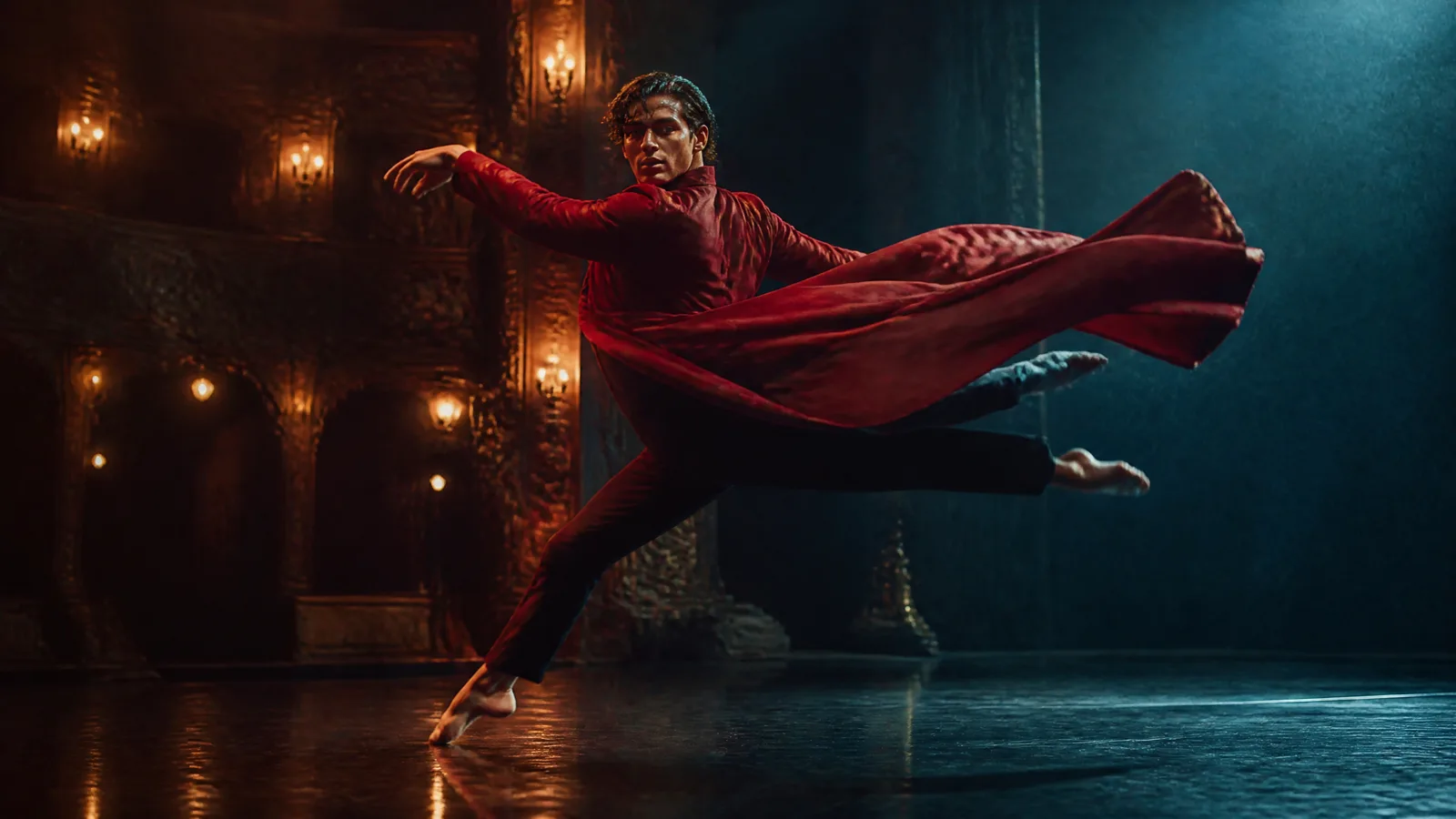
Video prompt: Cinematic live-action single shot. A fictional adult dancer in a deep crimson coat executes one controlled turning leap across a rain-darkened theater stage. Follow from a low lateral angle at steady speed. Keep the dancer's face, coat, direction, and stage layout stable. Warm tungsten side light, cool blue backlight, natural cloth movement, restrained 35mm grain, no cuts or titles.
TL;DR
- Use a reference video for motion, camera behavior, pacing, or timing that would take too many words to describe.
- Pick a short source with one clear action, an unobstructed subject, and a camera move you can name.
- Tell the prompt what to borrow from the video. Do not make the source responsible for identity, setting, motion, and style at the same time.
- If the result drifts, simplify the reference, reduce competing instructions, and revise one control at a time.
- MiniMax H3 fits compact 2K audiovisual shots. Seedance 2.5 fits longer scenes, larger reference packs, and more targeted editing work.
Quick Answer
For a reliable MiniMax H3 reference-video brief, use this pattern:
Create [new subject] in [new setting]. Use Video 1 only for [body action or camera path]. Preserve [identity anchors]. The action begins with [state], changes through [beat], and ends at [state]. Camera: [one move, speed, framing]. Lighting: [source and direction]. Sound: [dialogue, effects, ambience, or music].
The word only limits the source's job. Check current input limits, duration, resolution, and the quote on the MiniMax H3 model page.
What a Reference Video Can Control
A reference clip is a temporal instruction. It can show change across time in a way that a still image cannot. The strongest uses are visible and measurable: a dancer turns clockwise, a bottle rotates through half a turn, a handheld camera rises from waist to eye level, or a reveal lands after three seconds.
| Control | What the source communicates | What the prompt still needs |
|---|---|---|
| Body motion | Pose order, weight shift, speed, direction | New subject, clothing, setting, and the exact movement to retain |
| Object motion | Rotation, fall, bounce, opening, or transformation timing | Object shape, material, color, and final state |
| Camera path | Track, orbit, push, pull, tilt, crane, or handheld behavior | Lens feel, framing target, speed, and start or end composition |
| Pacing | Duration of beats, pauses, acceleration, and reveal timing | Which beats are essential and which can be dropped |
| Edit rhythm | Cut order and approximate beat structure | New scene content and the reason for each cut |
Reference influence is not a frame-by-frame contract. H3 generates a new clip and may reinterpret poses, timing, depth, or camera distance. Treat the source as direction, then review the result against a small checklist.
Motion borrowing is separate from identity
A motion clip can show a jump without defining who performs it. If the new subject must remain recognizable, add a clean identity image and name its role. A useful division is: Image 1 controls face and wardrobe; Video 1 controls the jump and lateral camera; the prompt controls the location, lighting, and ending pose.
When one video contains a different performer, costume, and background, avoid vague requests such as “make this exact but with my character.” State the transferable elements instead: three running steps, a right-foot takeoff, a compact tuck, a two-foot landing, and a camera that tracks left to right.
How to Choose a Strong Motion Reference
The best source is not necessarily polished. It is easy to read. A phone clip against a plain wall can be more useful than a music video with rapid cuts, smoke, moving lights, and several performers.
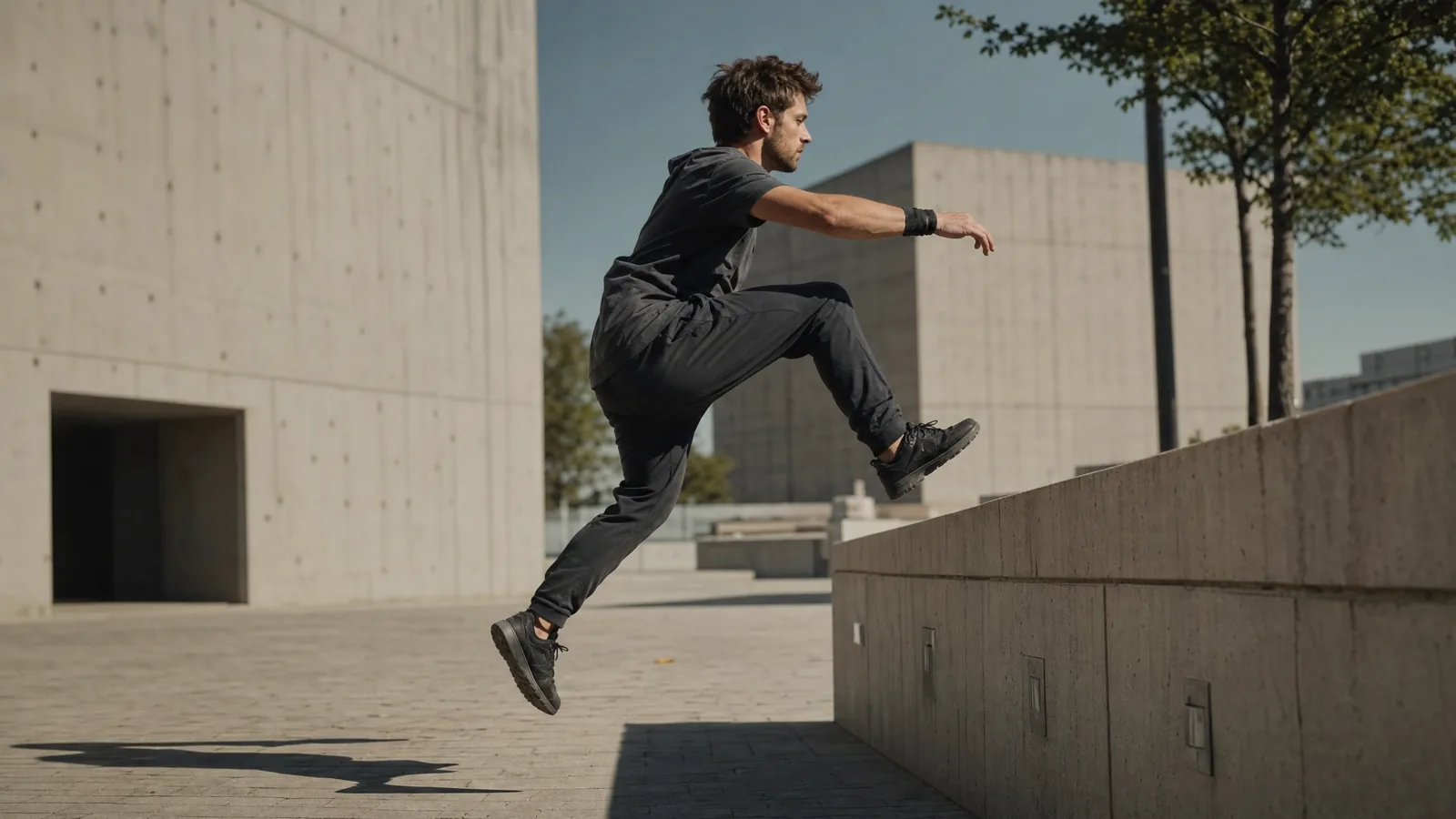
Video prompt: Realistic sports-film single shot. A fictional adult parkour athlete in charcoal clothing takes two steps and clears one low concrete barrier from left to right. Track laterally at waist height and keep the full body visible. Hard morning light, long shadows, restrained motion blur, simple brutalist plaza, one continuous take.
Look for a readable silhouette
Hands, feet, props, and the main line of action should remain visible. If limbs overlap for most of the source, the motion is harder to parse. Side or three-quarter views often work well for running, dancing, lifting, and product movement because the path is easier to see.
Keep the clip short and focused
Trim dead time before the action and after the final pose. One complete movement is a better starting point than a compilation. The current SeedVideo AI H3 reference limits allow up to three videos, each 2 to 15 seconds, with 15 seconds total. More files are useful only when each one adds a distinct instruction.
Prefer stable exposure and visible contact points
Flickering light can be mistaken for a style instruction. Heavy motion blur can hide limb position. For physical actions, make contact points visible: the foot that pushes off, the hand that opens the lid, or the wheels that touch the ground. These details help you describe the essential beat in the prompt.
Use material you are allowed to use
Use your own, commissioned, or properly licensed footage. Check rights before using a recognizable performance, brand asset, or private person.
Separate Subject, Action, Camera, and Scene
Most failed briefs contain a hidden conflict. The identity image says studio portrait, the motion video shows a masked athlete, the prompt asks for a crowded market, and the camera instruction requests both a locked shot and a fast orbit. A role map exposes those collisions before generation.
| Layer | Decide this before uploading | Example instruction |
|---|---|---|
| Subject | Face, clothing, product geometry, fixed props | “Image 1 defines the woman's face, short curls, and mustard suit.” |
| Action | One movement and its required beats | “Video 1 defines the walking pace and arm swing.” |
| Camera | One primary move, speed, and target | “Dolly backward smoothly, keeping a knee-up frame.” |
| Scene | Location, depth, light, and elements that may move | “Pale-stone gallery, soft skylight, empty walkway.” |
| Sound | Physical effects, ambience, dialogue, or music | “Quiet footsteps and room tone, no dialogue.” |
Write one sentence for each layer. If two references claim the same layer, remove one or name a priority. The same discipline appears in the MiniMax H3 prompting guide, which is useful when the written direction needs more detail.
A compact reference-video prompt
Create a cinematic fashion shot with the woman from Image 1 in a pale-stone gallery. Use Video 1 only for her steady walking pace and natural arm swing. Do not copy the source location or clothing. The camera dollies backward at matching speed in a knee-up frame. Keep her face, short curls, mustard suit, and forward screen direction stable. Soft skylight, quiet footsteps, no cuts.
Try this prompt in SeedVideo AI
Use the Current MiniMax H3 Workspace
The current SeedVideo AI Reference Video entry shows a required video input, prompt box, aspect ratio, 2K output, duration, model selector, and credit quote. The default view shown below is 16:9 at 5 seconds with MiniMax H3 selected. The quote can change when duration or billable reference inputs change, so review it after uploads finish.
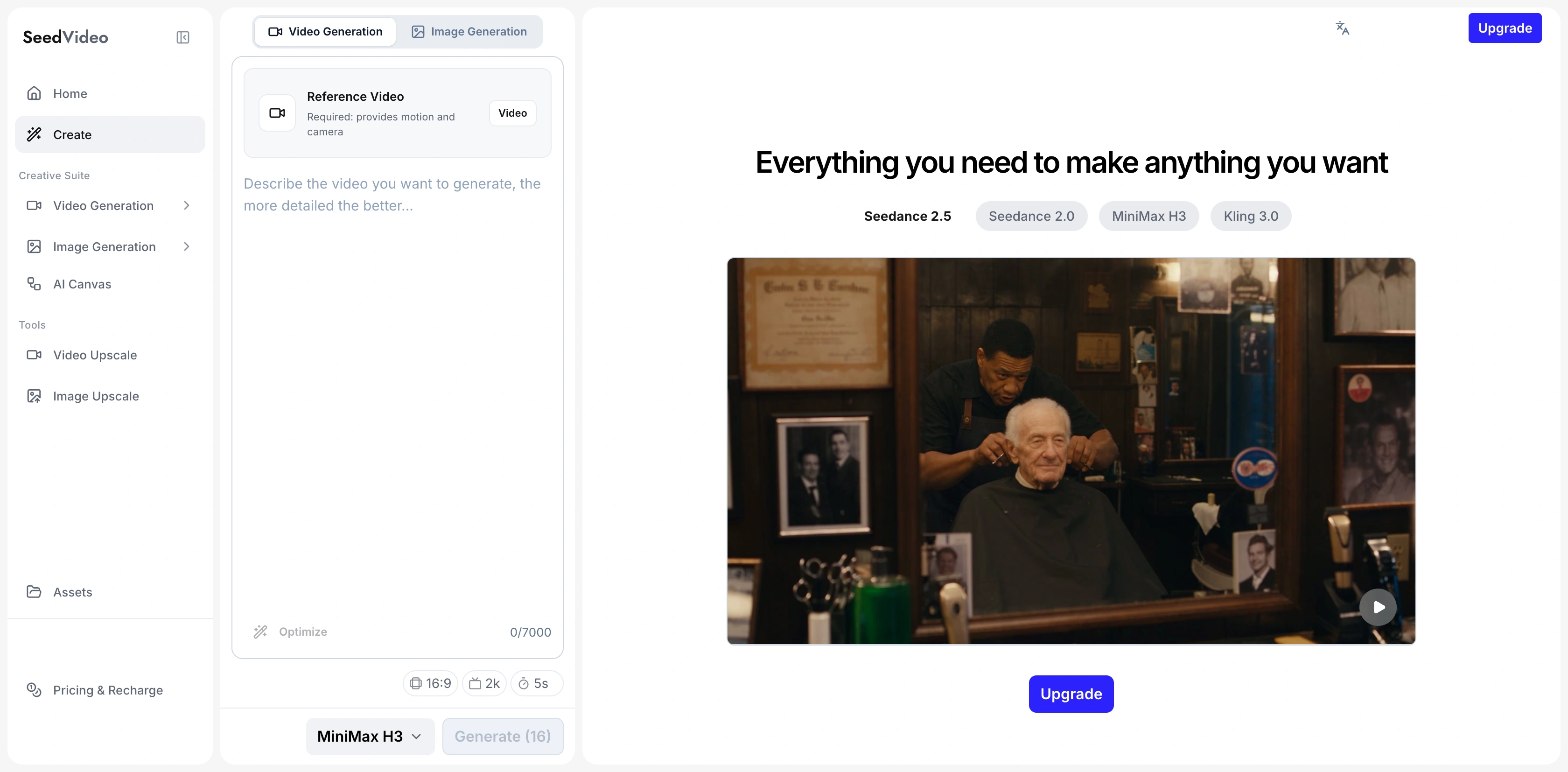
Current SeedVideo AI MiniMax H3 Reference Video workspace, captured on September 13, 2026.
Open the AI video-to-video generator, choose MiniMax H3, and add the shortest useful motion clip. If identity depends on a still frame, prepare that asset separately in the AI image-to-video generator. For shots that need no reference motion, start from the AI text-to-video generator.
A Five-Step Reference Video Workflow
1. Write the target shot before choosing footage
Describe the intended result in one sentence: subject, action, location, and camera. This keeps you from choosing an impressive clip that does not solve the actual brief.
2. Name the one thing the video should control
Choose body motion, object motion, camera path, pacing, or cut rhythm. If you need two controls, confirm that they agree in the source. A rotating product and a matching camera orbit can work together; a locked-off performance clip cannot demonstrate an orbit.
3. Trim and inspect the source
Keep the useful action, remove unrelated beats, and check the first and last frames. Note the direction of travel, contact points, pauses, occlusions, and camera changes. These observations become prompt language.
4. Build the prompt in layers
Write the new subject and environment first. Assign the reference role. Add the action sequence, one camera instruction, lighting, sound, and preservation rules. Keep the first generation narrow enough to diagnose.
5. Review with a fixed scorecard
Check identity, motion order, camera path, spatial logic, background stability, and sound. Record one mismatch. Change the source or one prompt layer, then run the next version with the other settings held constant.
Troubleshoot Drift and Reference Conflicts
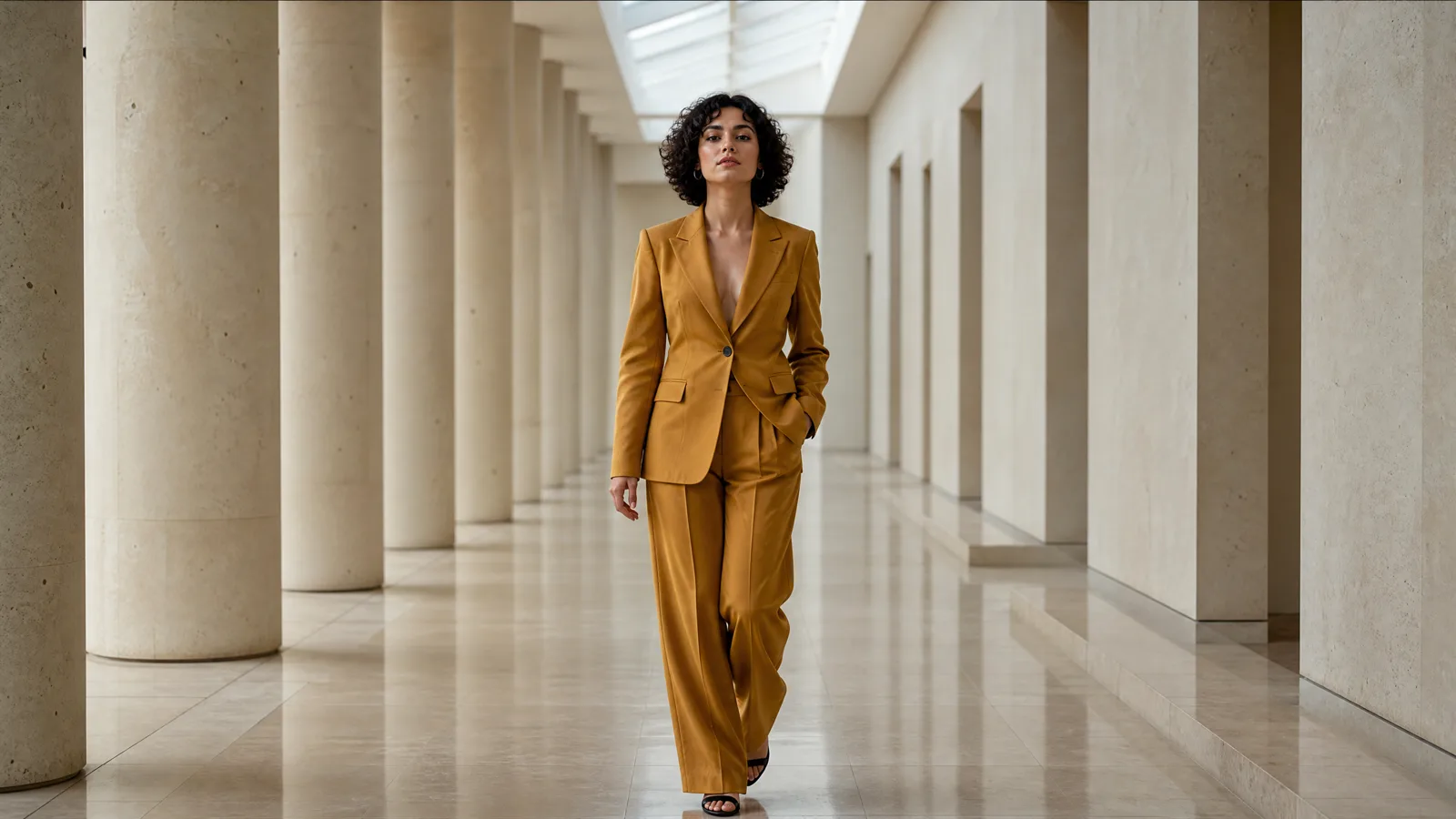
Video prompt: Premium fashion-film single shot. A fictional adult woman with short dark curls and a mustard tailored suit walks through a pale-stone gallery. Dolly backward smoothly and keep her centered. Preserve face, suit, walking direction, repeating columns, and soft skylight. Natural footsteps, realistic floor reflections, no cuts.
| Symptom | Likely conflict | Focused revision |
|---|---|---|
| Face or clothing changes | Motion source is also being treated as identity | Add a clean identity image and state that Video 1 controls motion only |
| Action becomes generic | Source contains cuts, occlusion, or several actions | Trim to one complete action and describe its key beats |
| Camera ignores the source | Prompt requests a competing move | Keep one camera instruction and state whether source or text has priority |
| Background resembles the source | The prompt never rejects source location | Define the new scene and say Video 1 supplies motion, not location |
| Subject slides or loses contact | Feet, hands, or object contact are unclear | Use a wider source and name takeoff, contact, and landing points |
| Motion ends too early | Too many beats are packed into the duration | Remove a secondary action or use a longer supported duration |
| Style changes mid-shot | Several references carry different looks | Choose one style source and describe lighting physically |
When the background keeps copying the source
Define the replacement environment with geometry, light, and depth. “Modern gallery” is weak. “Empty pale-stone corridor with repeating columns, a skylight above, and no furniture” gives the model a concrete alternative. Keep the source role narrow: walking pace and arm swing only.
When the motion is accurate but the subject drifts
Move identity anchors earlier in the prompt. Repeat only the features that must survive: face, hair, garment color, product silhouette, or prop. If you have a strong still, use it for identity and let the clip handle timing. The character consistency workflow has a longer checklist for identity-led shots.
When camera and action fight each other
Reduce camera amplitude or simplify the action. A fast orbit around a jumping subject creates changing occlusion and depth at the hardest moment. A lateral track or locked wide shot may preserve the choreography better. Once the action works, increase camera complexity in a separate revision.
MiniMax H3 Reference Video Examples
Dance motion in a new location
Create a cinematic single shot of the fictional dancer from Image 1 on an empty rain-darkened theater stage. Use Video 1 only for the clockwise turn, leap timing, and landing pose. Track left to right from a low medium-wide angle. Preserve face, crimson coat, stage layout, and movement direction. Warm side lights, cool blue backlight, natural fabric motion, one continuous take.
Try this prompt in SeedVideo AI
Parkour action with a replacement subject
Create a realistic sports-film shot of the fictional athlete from Image 1 in a quiet brutalist plaza. Use Video 1 only for two approach steps, right-foot takeoff, barrier clearance, and two-foot landing. Track laterally at waist height. Keep the full body visible and preserve the athlete's charcoal clothing. Hard morning light, long shadows, no cuts.
Try this prompt in SeedVideo AI
Camera move without copying the original action
Create a five-second interior architecture shot in an empty circular library. Use Video 1 only for its slow clockwise orbit and acceleration curve. Replace the original performer with a stationary red chair at frame center. Preserve the chair shape and library geometry. Soft window light, quiet room ambience, no people and no cuts.
Try this prompt in SeedVideo AI
MiniMax H3 vs Seedance 2.5 for Reference Work
Both models benefit from clear reference roles, but their practical envelopes differ on the current SeedVideo AI model pages.
| Decision | MiniMax H3 | Seedance 2.5 |
|---|---|---|
| Current maximum duration | 15 seconds | Up to 30 seconds |
| Current output focus | Native 2K short clips | Longer production-oriented clips with selectable output settings |
| Reference capacity | Up to 12 mixed files: 9 images, 3 videos, 3 audio files | Up to 50 references: 30 images, 10 videos, 10 audio files |
| Strong fit | Compact audiovisual shots with precise motion, camera, frame, and sound direction | Longer ads, story beats, larger reference packages, and localized editing |
| Less suitable | One long continuous sequence or a large production reference library | A simple short motion transfer that does not need the larger context window |
Choose MiniMax H3 when the deliverable is a focused 5 to 15 second 2K shot and the motion or camera language can be isolated cleanly. It is especially practical when reference video, sound direction, and a compact timeline belong in the same brief.
Choose Seedance 2.5 when the scene needs more time, more source material, or localized changes. The Seedance 2.5 reference-to-video guide explains how to assign roles across a larger pack. Review the full output from either model against the brief.
FAQ
What is a MiniMax H3 reference video?
It is a source clip used to guide temporal qualities such as body movement, object motion, camera path, pacing, or cut rhythm. The prompt defines the new subject, scene, priorities, and details that should remain stable.
How long should my reference clip be?
Use the shortest clip that contains one complete useful action. On the current SeedVideo AI H3 workflow, each video reference can be 2 to 15 seconds, with up to 15 seconds of reference video in total.
Can a reference video preserve a person's identity?
It can influence appearance, but a clean identity image plus explicit face, hair, wardrobe, and direction anchors gives the brief a clearer target. Assign the video to motion and the image to identity.
Why does H3 copy the source background?
The source role may be too broad or the replacement scene may be vague. Describe the new environment with layout, light, and depth, then state that the video controls motion or camera rather than location.
How many reference files can MiniMax H3 use?
The current model page lists up to 12 mixed files within limits of 9 images, 3 videos, and 3 audio files. Video and audio references each have a 15-second total limit, and an image or video is required in reference mode.
Should I use MiniMax H3 or Seedance 2.5?
Use MiniMax H3 for compact 2K reference-led shots lasting up to 15 seconds. Use Seedance 2.5 when a scene needs up to 30 seconds, a much larger reference pack, or localized editing. Match the model to the deliverable rather than choosing by a general quality label.
Create a Reference-Led Shot
Write the target shot in one sentence, pick a clip with one readable movement, and assign that clip one job. Then open MiniMax H3 on SeedVideo AI, review the live controls and credit quote, and generate the smallest version that can answer your main creative question.