MiniMax H3 Prompting Guide: Best Prompts & Examples for 2026
MiniMax H3 prompts work best when they read like a short production brief. Name the subject, describe one visible action, tell the camera how to move, specify the light, and write the sound you expect to hear. If the shot changes over time, put those changes in order. If you add reference files, assign each file a clear job instead of asking the model to copy everything at once. This guide gives you a practical prompt structure, copy-ready examples for several video types, and fixes for the failures that waste the most iterations. On SeedVideo AI, the current MiniMax H3 workflow supports prompt-only generation, start and end frames, and mixed media references. Settings and final credit quotes can change by mode, so review the live controls before submitting. The examples below are original production briefs, not test claims, and you can shorten or expand them to match your own shot.
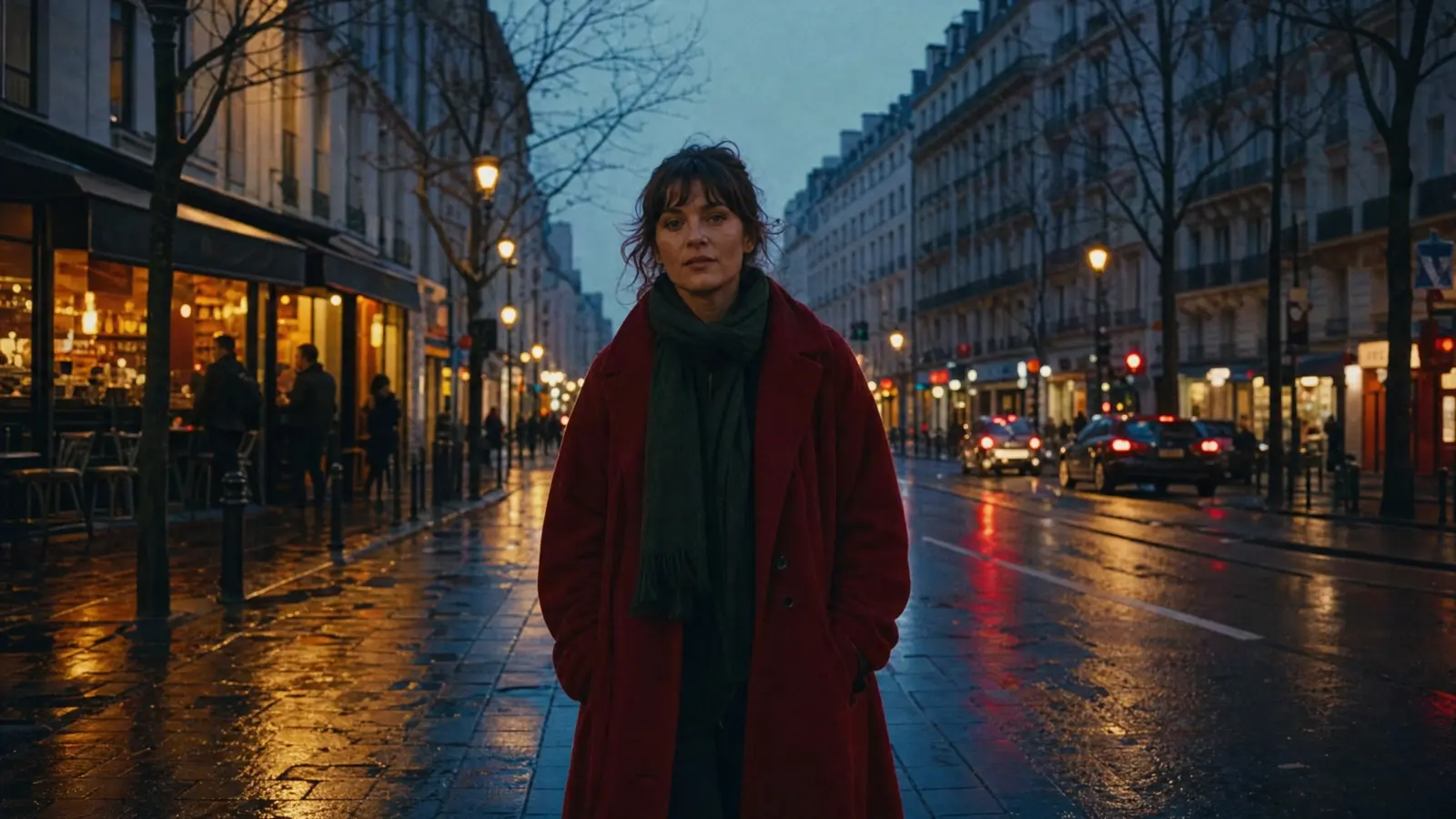
Video prompt: Live-action cinematic single shot. An adult woman in a deep red coat walks toward camera on a rain-wet city street at blue hour. The camera tracks backward at her pace, keeping her centered. Warm shop reflections move across the pavement. Natural footsteps, light traffic, and distant city ambience; no music or captions.
TL;DR
- Build each prompt from subject, action, camera, light, sound, and constraints.
- Write actions in time order. Use timestamps only when a cut or timed beat matters.
- Give every reference image, video, or audio file one named role.
- Change one variable per revision so you can tell what fixed the shot.
- Use MiniMax H3 for short 2K clips that need multimodal guidance and sound. Consider Seedance 2.5 when the brief needs longer duration, a larger reference pack, or local video editing.
Quick Answer
A reliable MiniMax H3 prompt follows this structure:
[Format and shot] + [subject and anchors] + [action in time order] + [camera move] + [lighting and look] + [dialogue, effects, ambience, music] + [preservation rules]
Start with one shot and one main action. Add exact timing only for cuts, dialogue cues, or a required reveal. For current inputs, duration, resolution, and reference limits, check the MiniMax H3 model page before you generate.
The MiniMax H3 prompt structure
Each phrase controls a different part of the result, which makes revisions easier.
| Prompt block | What to write | Weak wording | More useful wording |
|---|---|---|---|
| Format | Live action, animation, product film, vertical social clip | cinematic video | 9:16 live-action street-food clip |
| Subject | Identity, clothing, material, color, fixed details | a woman | an adult woman in a red wool coat carrying a silver suitcase |
| Action | One observable verb and its sequence | looks energetic | walks toward camera, pauses, then turns toward the shop window |
| Camera | Move, speed, amplitude, target | dynamic camera | slow backward tracking shot at walking pace, subject centered |
| Light and look | Source, direction, texture, color behavior | dramatic lighting | warm shop light from camera left, cool blue skylight, wet reflections |
| Sound | Dialogue, effects, ambience, music | cinematic audio | footsteps, suitcase wheels, light traffic, no music |
| Constraints | What must remain stable | keep it consistent | preserve face, red coat, suitcase shape, and street layout |
You do not need every block. A reference-driven product shot may spend more words on the bottle shape and fewer on the environment.
1. Lock the subject before adding motion
Start with details that would make a continuity error obvious. For a person, that may be a coat, hairstyle, and prop. For a product, use the silhouette, material, color, cap, and label area. Keep those anchors identical across revisions.
Weak: A stylish watch in a premium ad.
Better: An unbranded brushed-steel mechanical wristwatch with a deep blue dial, polished bezel, visible crown, and black leather strap rests on a dark basalt pedestal.
2. Write visible actions, not abstract mood
Words such as "powerful" and "luxurious" do not say what should move. Translate mood into an action, camera choice, or physical light.
Weak: The scene becomes epic and emotional.
Better: The astronaut stops beneath the cracked window. Earth rises into view while the emergency light changes from red to white.
3. Give the camera one main job
Use a recognizable move: push in, pull back, pan, tilt, truck, track, arc, crane, handheld follow, or locked shot. Add speed and target when they matter.
The camera arcs clockwise by about 30 degrees at slow speed, keeping the bottle centered while the highlight crosses the glass.
4. Put changes in time order
Use plain sequence words for a single shot. Use timestamps when the cut point matters.
0:00-0:03: Static medium shot as the chef lifts the lid. 0:03-0:05: Cut to a macro view of steam and the finished dish.
5. Separate physical sound from music
Write physical sound first, then state whether you want music. Put spoken lines in quotation marks and name the language.
Natural rain, footsteps, and distant traffic. A low two-note synth enters after the reveal. The woman says in English, "We made it," with the wording unchanged.
Copy-ready MiniMax H3 prompt examples
Keep the structure, then replace the subject and scene with your own assets.
Cinematic single take
Live-action cinematic single shot. An adult woman in a red wool coat walks beside a silver suitcase on a rain-wet city street at blue hour. The camera tracks backward at her pace with small amplitude, keeping her full body centered. Warm shop reflections move across the pavement while cool skylight stays on her face. Natural footsteps, suitcase wheels, and distant traffic. Preserve her face, coat, suitcase, and screen direction. No dialogue or captions.
Try this prompt in SeedVideo AI
Product reveal
Premium macro product film. An unbranded coral glass perfume bottle stands on dark basalt while a silk ribbon lifts in a light breeze. The camera pushes in slowly toward the front surface, then arcs clockwise by 20 degrees. A narrow warm spotlight travels across the glass; the background remains charcoal with soft falloff. Quiet studio room tone, soft fabric movement, and three sparse piano notes. Preserve the bottle proportions, cap, coral color, and clean front surface.
Try this prompt in SeedVideo AI
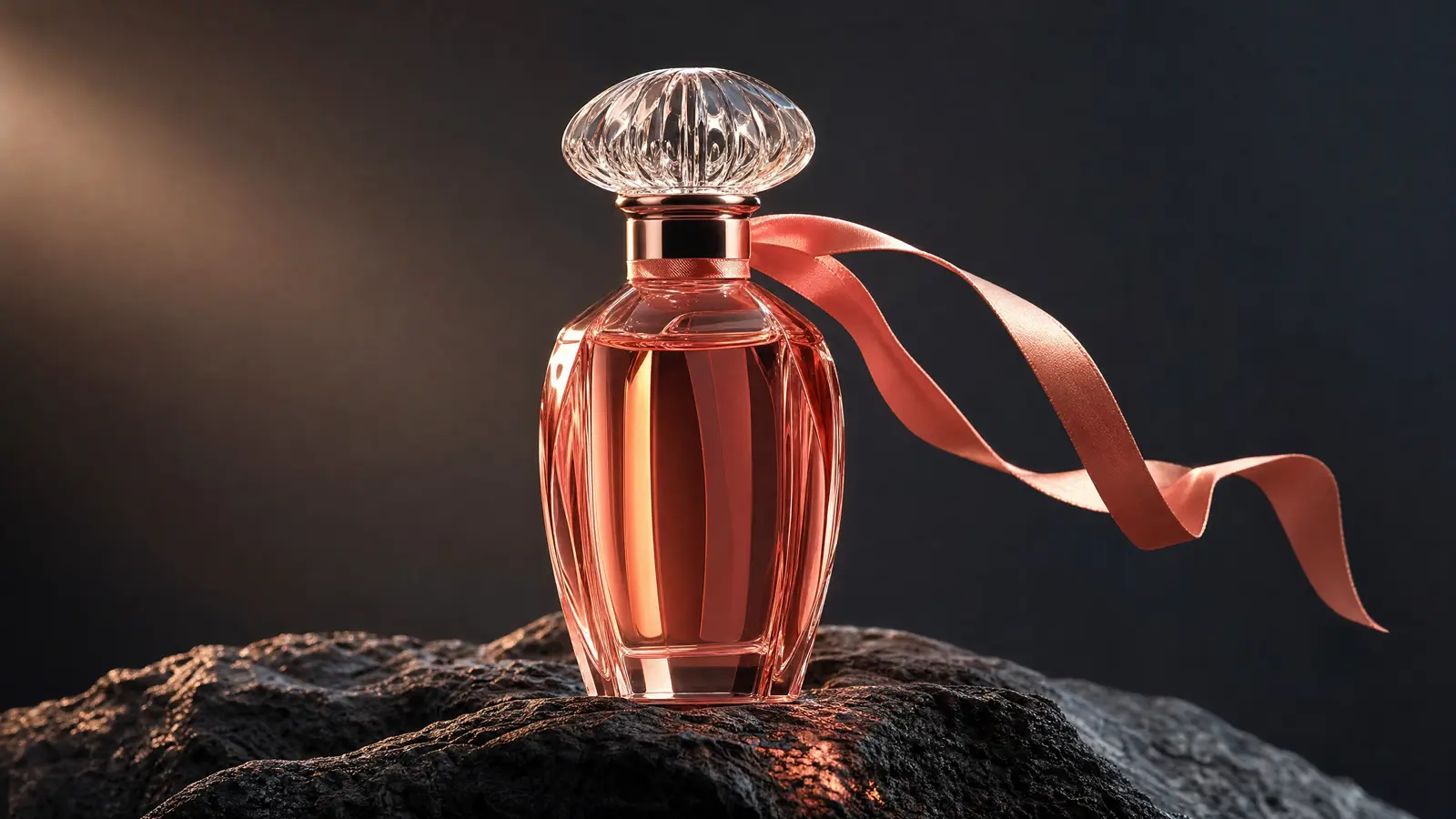
Image prompt: Premium macro product photograph of an unbranded coral glass perfume bottle on dark basalt, a silk ribbon lifting in a light breeze, narrow warm spotlight across the glass, charcoal studio background, controlled reflections, crisp label-free surface, cinematic commercial lighting, wide 16:9 composition.
Vertical street-food clip
9:16 live-action street-food clip. A cook lifts one dumpling from a smoking pan and holds it toward camera. Handheld micro-movement only. Make one quick push in during the lift, then hold the framing. Warm stall light falls from above while the night market stays cool and soft behind the cook. Sharp sizzle, light crowd ambience, and one metal pan sound. No music, dialogue, or captions.
Try this prompt in SeedVideo AI
Dialogue scene
Live-action medium two-shot in a quiet kitchen at dawn. An adult woman in a navy sweater places a sealed envelope on the table. An adult man in a gray shirt looks at the envelope but does not touch it. Locked camera at eye level. Soft window light from camera left. The woman says in English, "Read it after I leave," with the wording unchanged. The man remains silent. Refrigerator hum and one distant bird call. Preserve faces, clothing, positions, and eyelines.
Try this prompt in SeedVideo AI
Fantasy or science-fiction shot
Cinematic science-fiction single shot. An adult astronaut crosses a dark greenhouse inside a damaged orbital station while floating water droplets catch emergency red light. The camera trucks left with small amplitude, revealing Earth through cracked glass. Low ventilation hum, soft suit movement, and one distant metal impact. Preserve the suit design, window geometry, plant layout, and left-to-right movement. No dialogue or music.
Try this prompt in SeedVideo AI
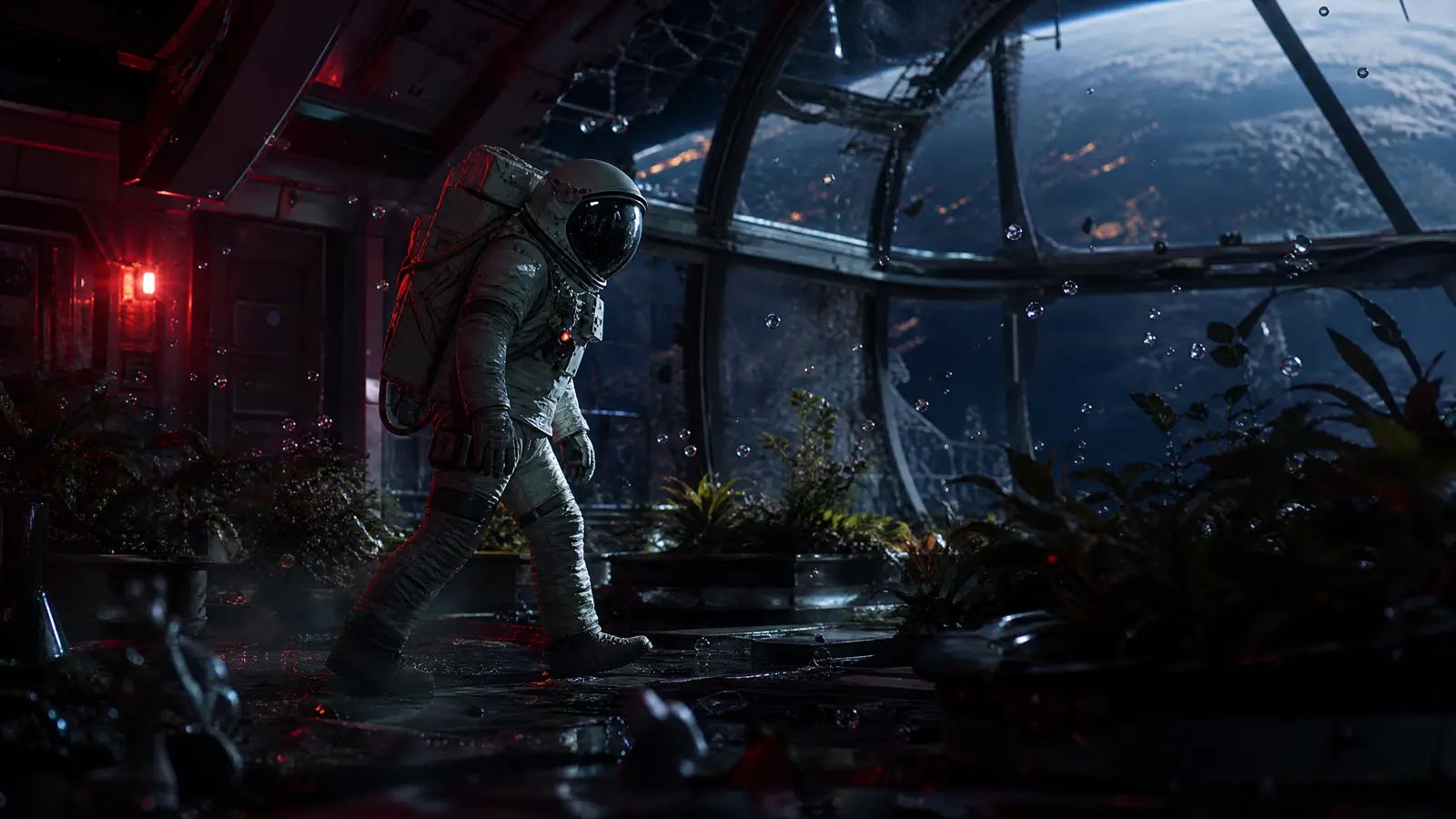
Video prompt: Cinematic science-fiction single shot. An adult astronaut crosses a dark greenhouse inside a damaged orbital station. Floating droplets catch emergency red light as the camera trucks left and reveals Earth through cracked glass. Low ventilation hum, soft suit movement, and one distant metal impact. Preserve the suit, greenhouse layout, and screen direction.
First and last frame transition
Begin exactly from the first frame: the closed paper flower sits centered on a black table under cool top light. Over five seconds, each folded layer opens in a smooth outward sequence while the camera remains locked. The light warms gradually without changing direction. End exactly on the final frame with the fully opened flower in the same position and scale. Soft paper movement only. Preserve the table, framing, color, and background.
Try this prompt in SeedVideo AI
Multimodal reference brief
Create a short fashion-film shot using Image 1 for the model's identity and red coat, Video 1 for walking pace and backward camera tracking, and Audio 1 for the rain and traffic rhythm. Place the subject on a wet city street at blue hour. Keep her centered as she walks toward camera. Preserve the face, coat, and screen direction from Image 1. Follow the motion cadence from Video 1 without copying its location. Use Audio 1 as ambience and add no music or dialogue.
Try this prompt in SeedVideo AI
In a mixed media prompt, each reference should control one category. The MiniMax H3 creation page lists current input modes and file limits.
How to use the current SeedVideo AI controls
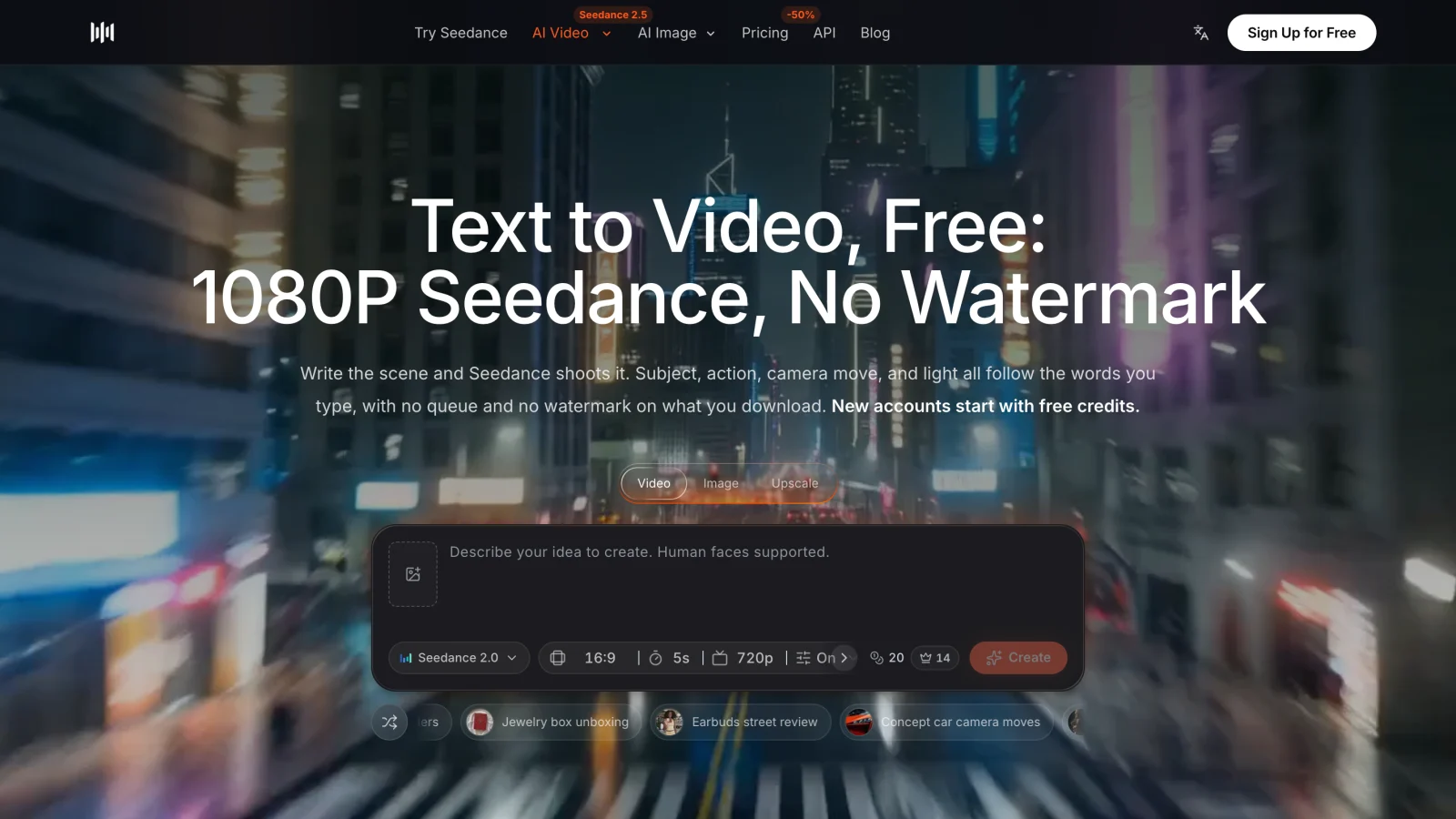
The live workspace shows the model, aspect ratio, duration, output setting, and quote beside the prompt. Review them after changing duration or references.
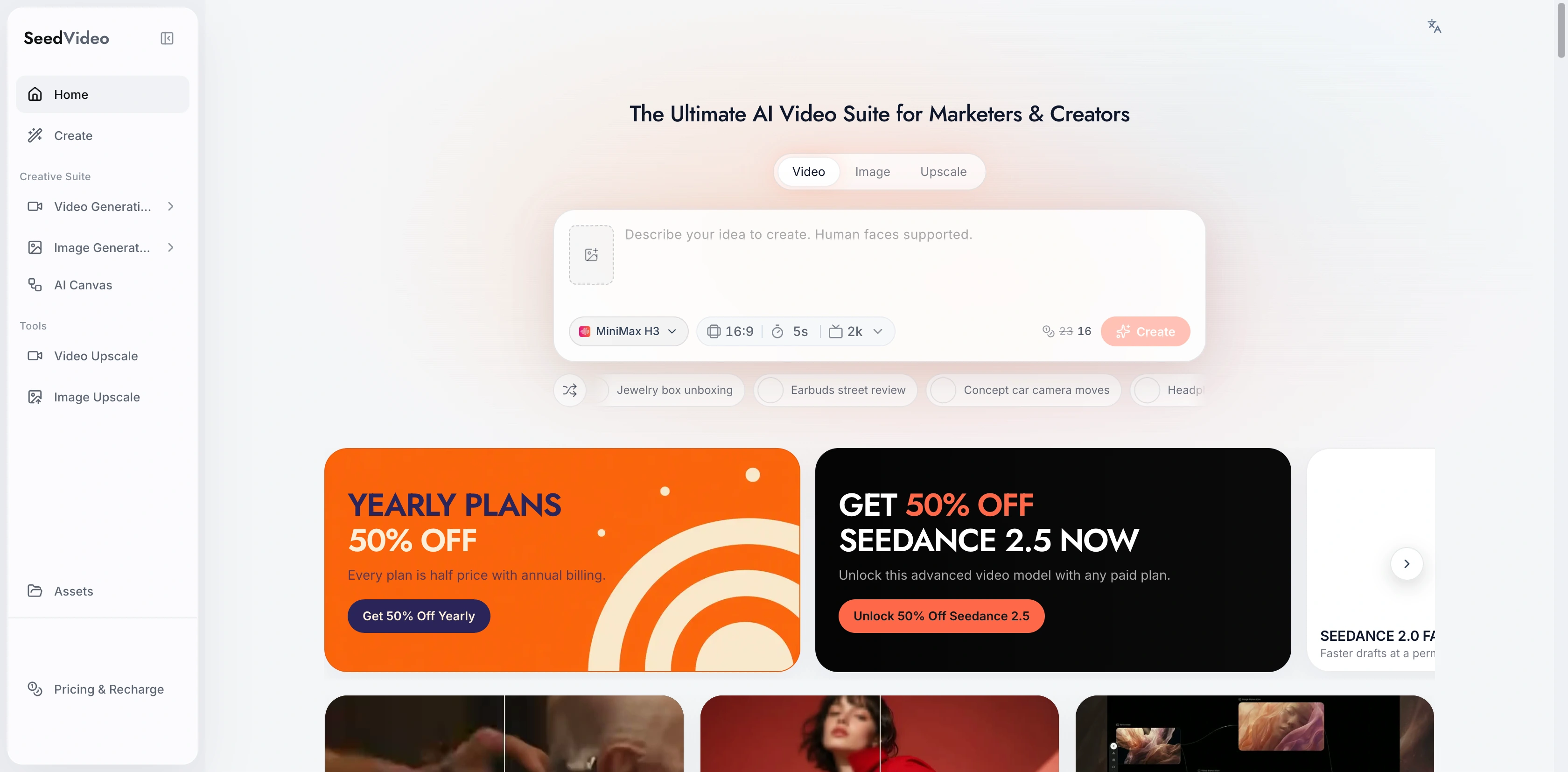
SeedVideo AI generator with MiniMax H3 selected and the current aspect ratio, duration, and output controls visible.
For a prompt-only shot, open the AI text-to-video generator. If subject fidelity depends on a still, use the AI image-to-video generator and spend more of the prompt on motion than appearance.
Fix common prompt failures
| Symptom | Likely prompt problem | Rewrite action |
|---|---|---|
| Subject changes | anchors are vague or scattered | move identity and material anchors into the first two sentences |
| Camera feels chaotic | several moves compete | keep one move and name its speed and target |
| Action happens all at once | sequence is missing | write "begins," "then," and "ends on," or add one cut time |
| Light looks generic | mood word has no physical source | name the source, direction, color, and shadow behavior |
| Dialogue changes | wording and speaker are unclear | quote the exact line, name the speaker and language |
| Reference influence is muddy | every file is asked to control everything | assign one role to each numbered file |
Revise one block at a time. The Seedance 2.5 prompt guide uses the same diagnose, change, and review discipline across longer and reference-heavy workflows.
MiniMax H3 vs Seedance 2.5 prompting
The basic structure transfers between the two models. The difference is where you spend detail.
| Brief need | MiniMax H3 prompt emphasis | Seedance 2.5 prompt emphasis |
|---|---|---|
| Short audiovisual shot | one compact timeline, sound, exact reference roles | concise subject, action, camera, and audio direction |
| Ordered mixed references | name each image, video, or audio role | organize larger reference packs and preservation rules |
| Start and end frames | describe the transition path between two fixed states | describe transition plus any longer scene continuity |
| Longer production scene | split the idea into separate short H3 shots | consider the model's longer duration and editing workflow |
MiniMax H3 is best for short, reference-driven 2K clips where image, video, or audio guidance and native sound belong in the same brief. It is not the best fit when you need a long continuous scene, a large production reference pack, or extensive local edits inside an existing video.
Seedance 2.5 is best for longer scenes, broader multimodal context, and production work that benefits from local video editing. It is not always the most economical choice for a simple five-second prompt test. Review the current Seedance 2.5 model workflow and the live quote before choosing.
Neither model removes the need to inspect the complete result. A clean prompt narrows the request but cannot guarantee perfect text, identity, physics, dialogue, or continuity.
A five-step workflow for better H3 prompts
- Write the delivery format: ratio, shot type, duration target, and whether sound matters.
- Lock the subject anchors and choose one main visible action.
- Add one camera move, one lighting plan, and a short sound direction.
- Attach only references with clear roles, then review the live controls and quote.
- Inspect the full clip. Change one prompt block, keep settings fixed, and compare again.
Save successful prompts with their model, mode, ratio, duration, references, and revision note.
FAQ
How long should a MiniMax H3 prompt be?
Use enough detail to control visible and audible choices. A focused single shot may fit in 60 to 120 words. Add length when the clip has timed cuts, dialogue, or several references with different roles.
Should I use timestamps in every H3 prompt?
No. Use timestamps for a required cut, reveal, or dialogue cue. Plain sequence words are easier to edit for a single continuous shot.
Can I add images, video, and audio references?
The current SeedVideo AI MiniMax H3 workflow supports mixed media references. Check the model page for the current file counts, durations, formats, and mode requirements before uploading.
How do I keep a character consistent?
Use a clear source image and repeat the same identity anchors: face, hair, clothing, prop, position, and screen direction. Ask other references to control motion or sound rather than redefining appearance.
Does a detailed prompt guarantee the result?
No. Generative video remains variable. A structured prompt makes diagnosis easier because you can identify which instruction or setting to change next.
When should I use Seedance 2.5 instead?
Choose Seedance 2.5 when your brief needs longer scenes, more extensive multimodal context, or local editing. Keep MiniMax H3 in the shortlist for compact 2K audiovisual shots with ordered reference roles.
Create your first H3 prompt
Copy the formula, choose one example, and replace only the subject and setting. Keep the first attempt simple. Once the motion works, add dialogue, music, or a second shot in separate revisions. Open MiniMax H3 on SeedVideo AI, confirm the current controls and quote, then generate when the brief and settings match. The same brief also carries over unchanged to Yovid, which runs MiniMax H3 alongside Seedance 2.5.