Best AI Music Video Generators in 2026: Beat Sync, Lyrics, and Visual Control
Quick answer: Neural Frames is the strongest all-in-one choice for musicians who want full-song generation, stem-based audio response, lyrics, and timeline control in one workspace. Freebeat is the faster pick for turning a Suno track or uploaded song into an automated full-length video. Kaiber is best for remixing your own images and clips to the beat. Rotor is the practical stock-footage and lyric-video option. Seedance 2.5 is the best fit when you want to direct individual high-control shots and edit the final music video yourself.
Full-song platforms analyze audio and assemble an edit. Clip models generate scenes. A lyric tool can time text well without giving you strong character continuity. Choose the category first, then compare cost.
Last verified: September 6, 2026. Prices, credit rules, export limits, and licenses can change. No paid full-song generations were run for this comparison, so the recommendations cover workflow fit rather than average output quality.
TL;DR
- Best overall music-video workspace: Neural Frames
- Best automated Suno-to-video workflow: Freebeat
- Best for beat-synced edits from your own assets: Kaiber
- Best for stock-footage and lyric videos: Rotor Videos
- Best for directed cinematic shots: Seedance 2.5
AI music video generator comparison
| Tool | Best for | Current starting point | Free condition | Highest published output | Longest published duration | Commercial-use note |
|---|---|---|---|---|---|---|
| Neural Frames | Full songs, audio-reactive visuals, lyrics, deep editing | $39/month, or $26/month billed yearly | Free workspace for clips and editor previews | Up to 4K | Up to 10 minutes on its visualizer page | Creator owns finished videos; user must own uploaded music and references |
| Freebeat | Automated music videos from Suno links or uploaded audio | Basic shown at $4.99/week | 500 lifetime credits; short watermarked previews | 720p on Basic, 1080p on higher current plans; some pages describe 4K upscaling | Up to 6 minutes on Pro and above | Paid tiers advertise commercial use; user remains responsible for music and source rights |
| Kaiber | Beat Sync with images, clips, lyrics, and multiple versions | Creator $29/month for Beat Sync | $5 five-day trial that converts to Creator unless canceled | Not stated on the reviewed public pricing page | Not stated on the reviewed public pricing page | Current paid plans list commercial use |
| Rotor Videos | Stock-footage edits, lyric videos, Spotify Canvas | 5 credits for $44.99 | Unlimited watermarked previews; pay for final HD render | 1080p render stated in help center | Music videos up to 10 minutes | Purchased videos may be monetized; stock clips stay tied to the purchased music video |
| Seedance 2.5 | Prompted shots, multimodal references, manual music-video editing | Lite $19.90/month, or $9.90/month billed yearly in the current promotion | Signup credits exist, but the pricing matrix does not list Seedance 2.5 in Free | Model page lists 480p/720p; current paid plans list up to 1080p access | Up to 30 seconds per generated clip | Pro, Premium, yearly plans, and credit packs list commercial use; input rights still apply |
The table compares official pages visible on the verification date. “Up to 10 minutes” describes an assembled music-video or visualizer workflow. “Up to 30 seconds” describes one generated Seedance clip. Those are different production units.
What matters in a music video workflow
Full-song generation or shot-by-shot direction
A full-song generator studies an audio file or music link, then creates a sequence across the track. It is fast for visualizers, lyric videos, and social campaigns, but its storyboard and transitions may need revision.
A shot model works more like a camera department. You describe a scene, supply references, generate a short clip, and assemble it in an editor. This takes longer, but gives you more control over the performer, lighting, lens, motion, and ending frame.
Beat sync is more than cutting on every kick
Basic beat sync finds transients and places edits near them. Better systems distinguish sections and musical layers. A verse may need longer shots, while a drop can support faster cuts and stronger motion. Neural Frames says it separates a track into eight stems and lets visual parameters react to drums, bass, vocals, melody, and other parts. Kaiber Beat Sync accepts assets plus a track, then offers scene cutting, image variations, automatic lyrics, and automatic clipping.
Automatic timing still needs judgment. If every snare triggers a cut, the video becomes tiring. Mark the song sections first, then use smaller beat reactions inside shots for texture.
Lyrics need timing, typography, and safe areas
Lyric extraction is only the beginning. Names, slang, doubled vocals, and ad-libs need checking. Line breaks must match phrasing and survive player controls and vertical crops.
Kaiber and Neural Frames publish lyric features. Rotor has a dedicated lyric-video product, while Freebeat advertises automatic timing and karaoke-style highlighting. Every option still needs a word-by-word review.
Continuity decides whether a narrative video holds together
For abstract visualizers, variation can be a strength. For a performer-led story, changing faces, clothes, instruments, locations, or color treatment between shots breaks the video quickly. Look for reference images, reusable characters, editable shot plans, style controls, and the option to replace one weak scene instead of rerendering the whole track.
If continuity is the priority, prepare character views, one wardrobe, key props, a color palette, and location frames. The cinematic prompt guide for Seedance 2.5 shows how to specify lens, motion, light, and scene state clearly.
1. Neural Frames: best overall for full-song control
Best for: Musicians who want an audio-aware platform, full-song structure, lyric tools, character options, and detailed editing.
Not best for: Someone who only needs a quick stock-footage video with a one-time payment.
Neural Frames is the most complete music-specific production workspace in this group. Its current site describes three creation modes: Autopilot for a song-to-video draft, a frame-by-frame editor, and a timeline-based text-to-video editor. The platform also advertises eight-stem analysis, audio-reactive controls, automatic lyric extraction, character consistency, multiple video models, and output up to 4K.
That breadth matters because a music video rarely fails in only one place. You may like the storyboard but dislike two shots. The lyrics may be accurate but visually flat. A strong chorus may need more motion than the verse. Neural Frames gives you several layers to revise instead of treating the first generated edit as final.
Its public pricing page currently shows Neural Knight at $39 monthly or $26 per month when billed yearly. That tier includes 2,400 monthly credits, seven AI models, Autopilot, short-form tools, and 1080p upscaling, but not 4K upscaling. Neural Ninja is $99 monthly or $66 per month billed yearly and adds 4K upscaling with 7,200 credits. The free starting workspace lets you upload a track, generate clips, and preview the frame editor; longer renders, stem-based audio response, 4K, and watermark-free exports sit on paid plans.
The company states that creators retain commercial rights to completed videos. You still need rights to the music, samples, character references, logos, and any uploaded footage. That distinction matters for Suno users: your right to publish the song depends on the plan and terms under which the track was created, not on the video tool that receives it.
2. Freebeat: best for automated Suno music videos
Best for: Creators who want to paste a music link or upload a track and get an automated storyboard, beat treatment, and full-length video.
Not best for: Directors who want to approve every shot before the system builds the sequence.
Freebeat offers the most direct “song in, music video out” path here. Its current music-video page accepts links from services including Suno, Udio, YouTube, and TikTok, plus direct audio uploads. Published modes include Singing MV, Storytelling, Abstract, Realtime, and Onbeat. The platform also promotes BPM and song-structure analysis, lyric timing, character controls, editable shot plans, multiple aspect ratios, and a multi-model rendering pipeline.
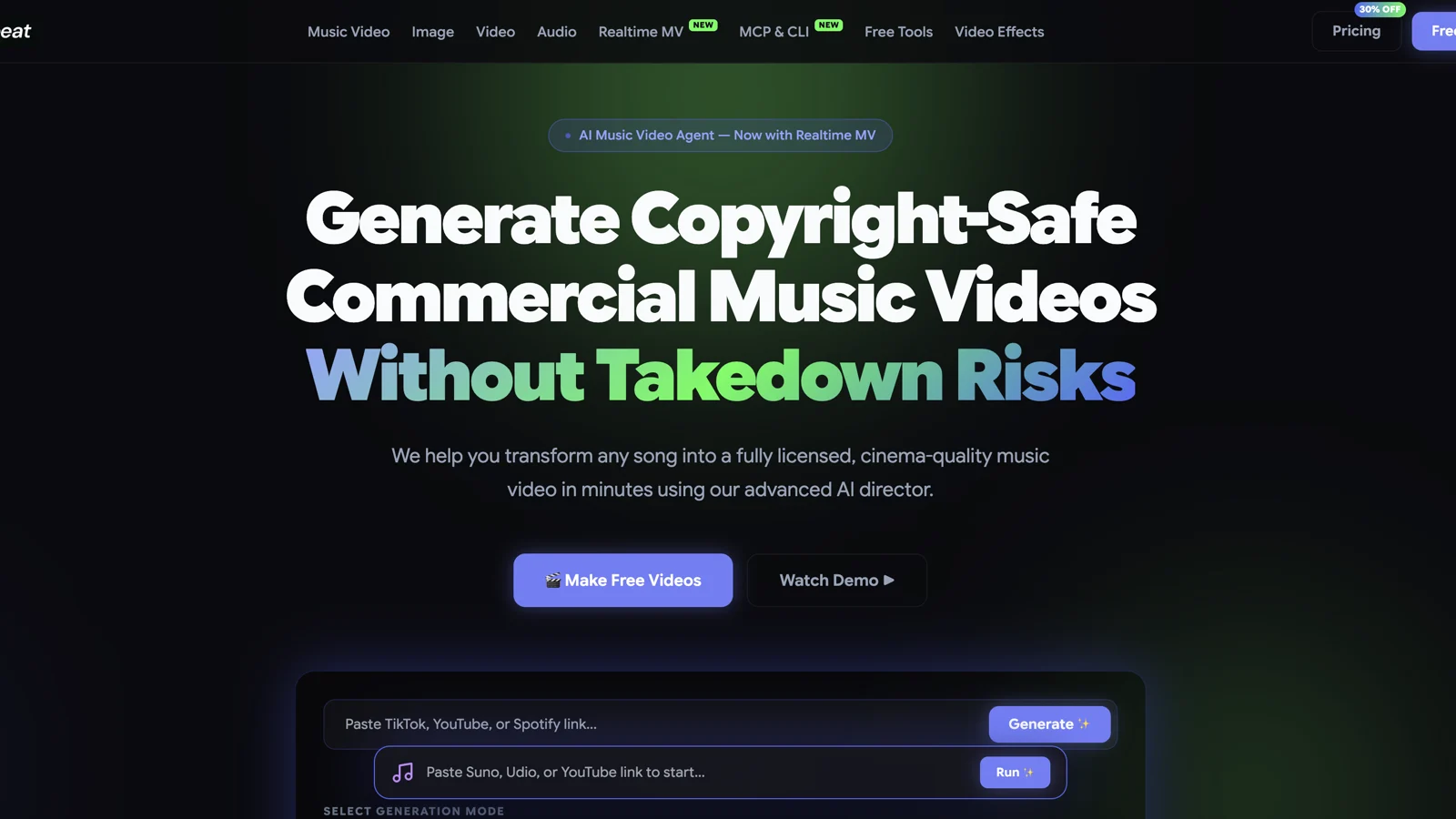
This is the easiest recommendation for a Suno creator who wants a finished first cut without building a timeline manually. The cost of that convenience is editorial unpredictability. Automatic story decisions may not match the lyric meaning, artist image, or pacing you had in mind. Use its editable plan before spending the full render budget. Lock the character and visual treatment early, then inspect chorus transitions and the final 20 seconds in particular.
The current pricing page shows Basic at $4.99 per week during a displayed promotion, with 1,990 weekly credits and video output up to 720p. Pro is shown at $26.99 per month with 10,000 credits and 720p on that pricing view, while several official music-video pages describe 1080p and up to six-minute videos on Pro and higher tiers. Because Freebeat publishes several plan and use-case pages with details that do not always line up perfectly, confirm duration and resolution inside the checkout view for the exact music-video mode you plan to use.
Free accounts currently receive 500 lifetime credits. Official pages describe short watermarked previews, while paid tiers advertise watermark removal and commercial use. Keep proof of your music rights and review the current license at purchase, especially when the track contains samples, a cloned voice, or a recognizable likeness.
3. Kaiber: best for beat-synced edits from your own assets
Best for: Artists who already have cover art, photos, performance clips, or long-form footage and want several beat-synced versions.
Not best for: Buyers looking for a permanent free tier or a simple one-click full-song renderer.
Kaiber’s current product split is useful: Canvas handles model-based creation, Beat Sync turns your assets and a track into finished edits, and Editor handles timeline changes. Beat Sync works with one or more images, clips, or a longer video. The public page lists Scene Cut, Image Variations, Auto Lyrics, Auto-Clipping, and Moodboard to Motion, with batch output of up to ten beat-synced videos on the Pro tier.
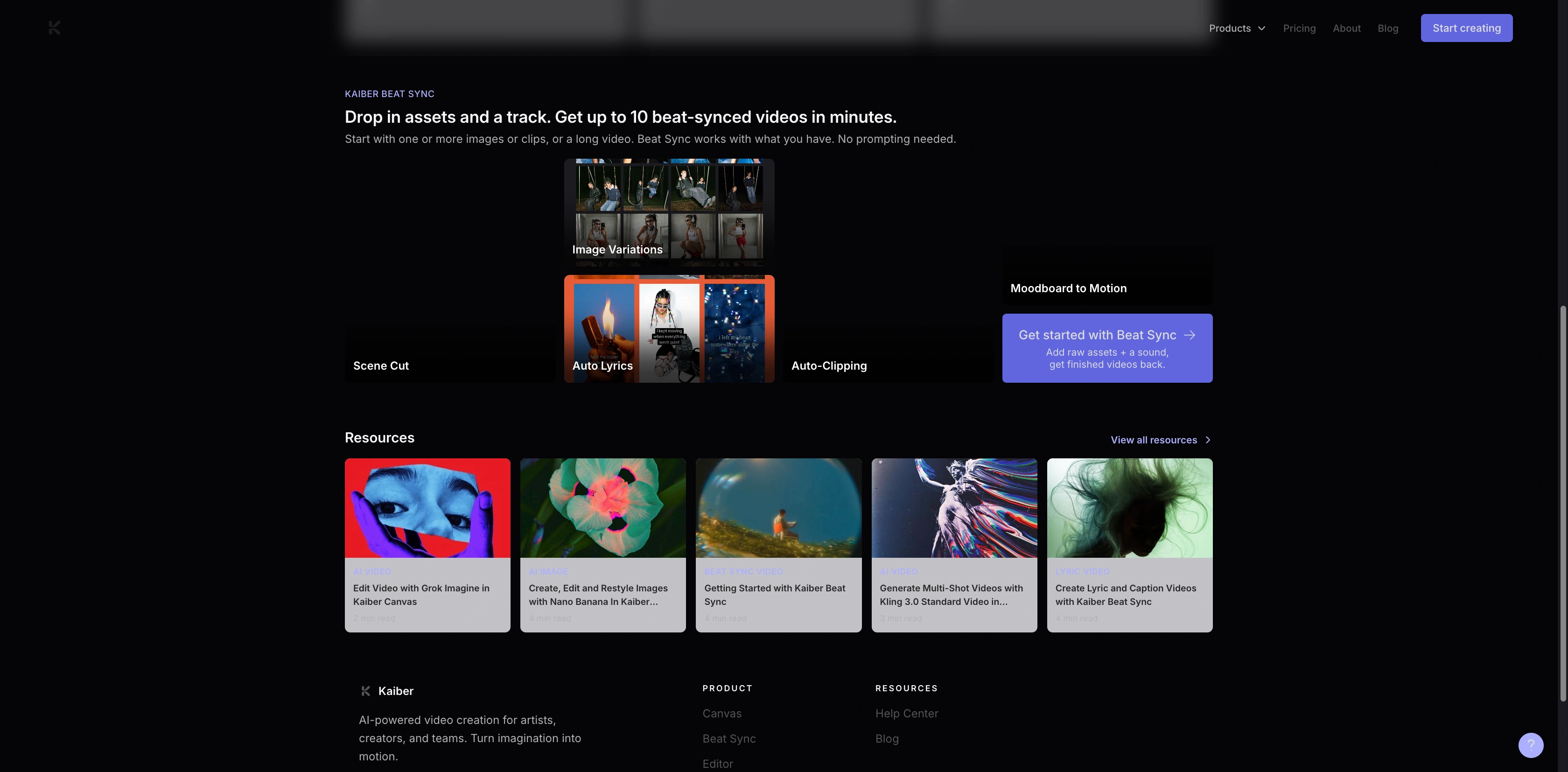
This makes Kaiber especially useful after a shoot, animation session, or image-generation pass. Instead of asking the platform to invent an entire visual identity, you give it the visual material and let it create rhythmic versions. That can preserve the artist’s look better than a fully automatic generator.
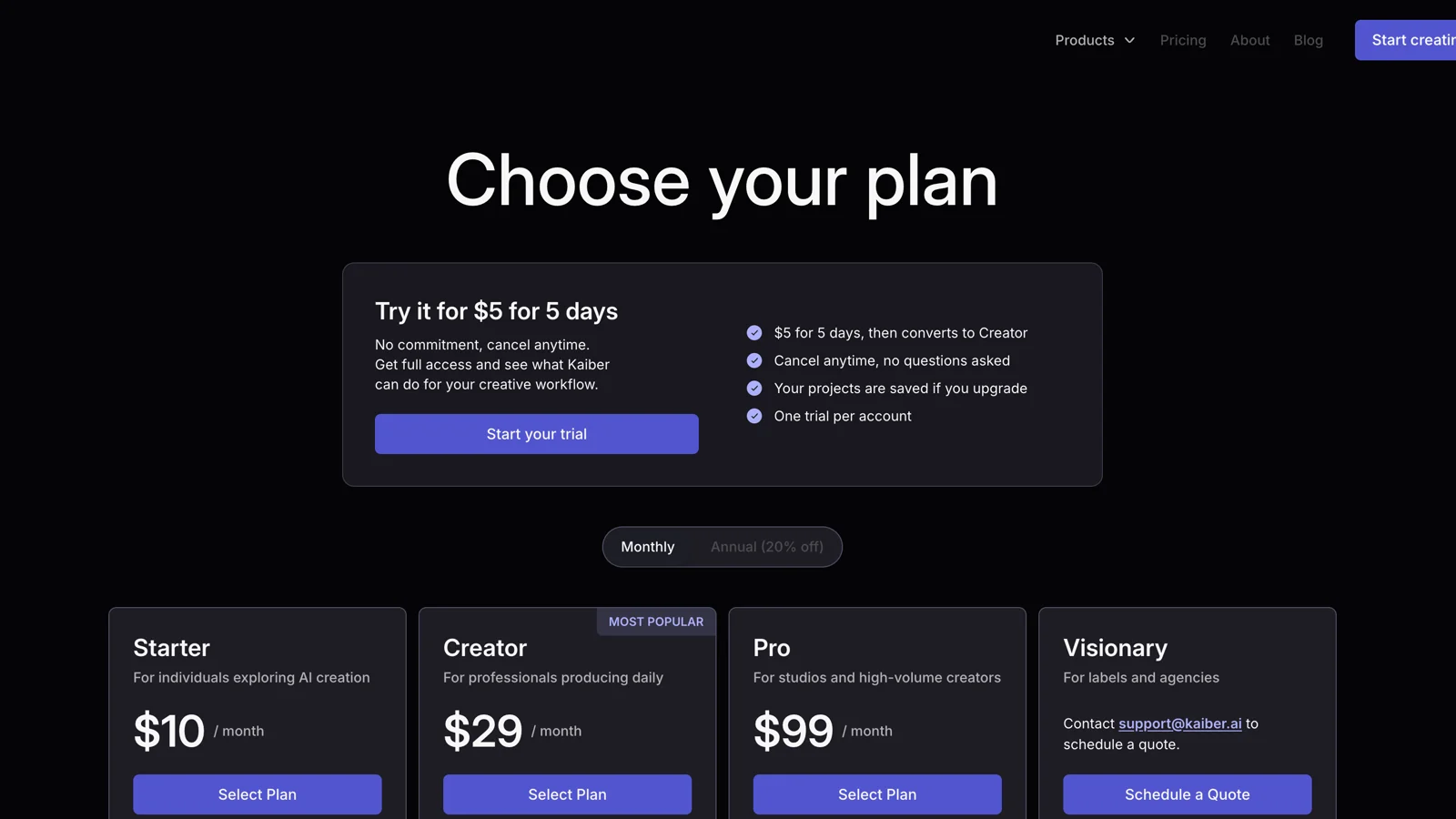
The pricing page currently shows a $5 five-day trial with full access, followed by conversion to the Creator plan unless canceled. Starter costs $10 per month but does not include Beat Sync. Creator costs $29 per month and includes batch creation of two Beat Sync videos, music auto-sync, lyric detection and text overlays, image-to-video without a prompt, and automatic clipping. Pro costs $99 per month and raises Beat Sync batches to ten. All three paid plans list commercial use, but the public pricing page does not state a single maximum output resolution or duration for Beat Sync.
4. Rotor Videos: best for stock footage and lyric videos
Best for: Independent musicians who want a straightforward music video, lyric video, Spotify Canvas, or artwork animation built from licensed stock and their own assets.
Not best for: A director seeking original generated characters, cinematic continuity, or detailed prompt control.
Rotor is less generative than the other tools, and that can be an advantage. It analyzes your music and chosen clips, then automatically cuts the video. The service offers more than nine million stock clips, over 150 editing styles, uploaded media, text, filters, lyric videos, artwork motion, social formats, and Spotify Canvas.
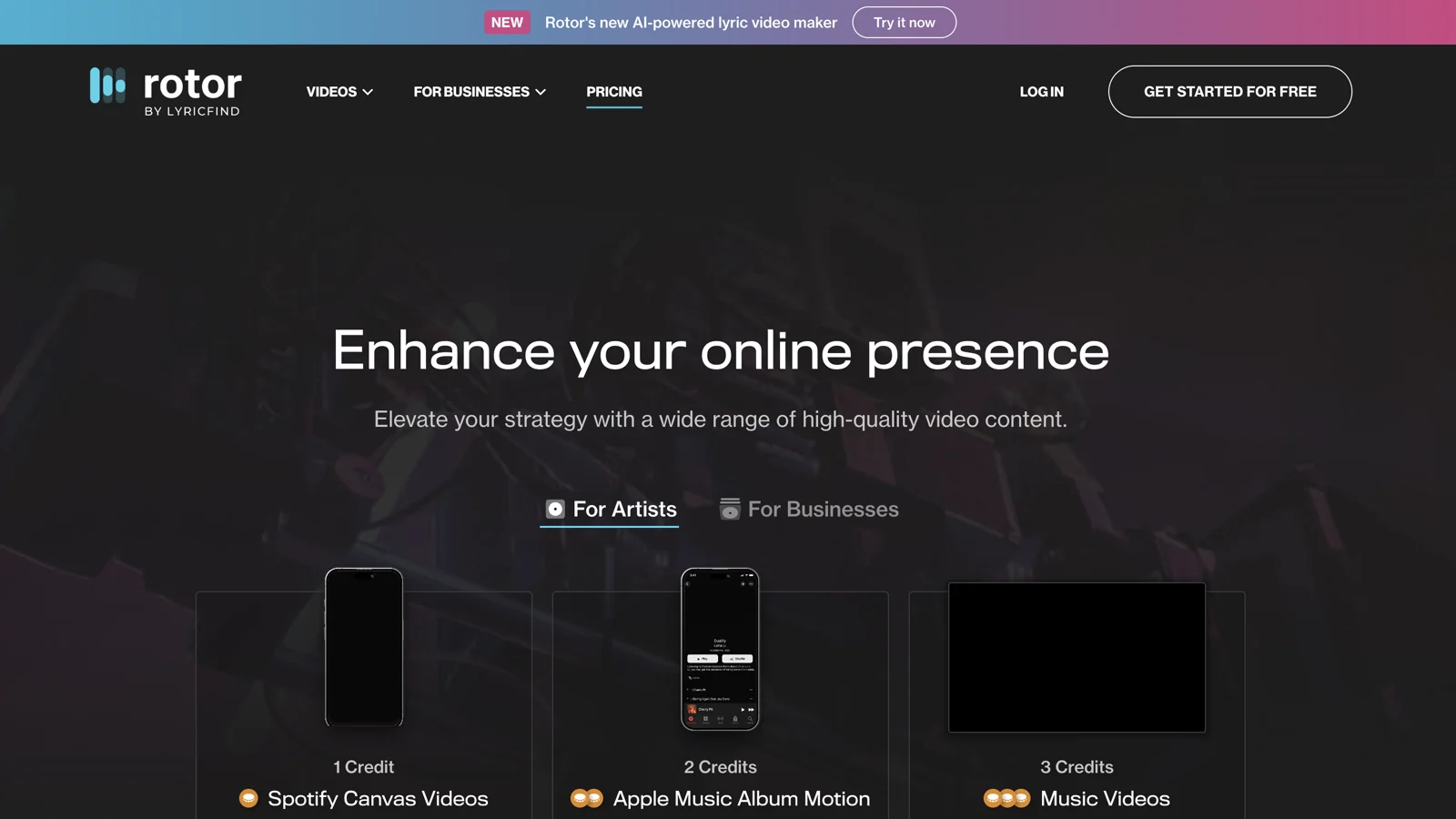
The free trial model is easy to understand: you can build and revise watermarked previews without paying, then purchase the final HD render. A short video or Spotify Canvas costs one credit, artwork video costs two, a music video costs three, and an AI lyric video costs four. Current bundles show five credits for $44.99, ten for $79.99, and fifty for $299.99. A standard three-credit music video therefore starts around $27 with the smallest bundle, before premium stock or style surcharges. Music videos can run up to ten minutes according to the help center, and 1080p renders are included in the preview workflow description.
Rotor grants broad publishing and monetization rights for purchased videos, provided you own the music and uploaded assets. Stock footage is licensed as part of the purchased music video. You cannot extract those stock clips for unrelated reuse, and shared stock can still trigger automated content claims. Keep the purchase record and the track-rights paperwork.
5. Seedance 2.5: best for directed hero shots
Best for: Directors who want short cinematic scenes with prompt, image, video, and audio references, then plan to edit the full track elsewhere.
Not best for: Anyone expecting automatic full-song analysis, lyric layout, or a finished music-video timeline.
Seedance 2.5 is a clip engine, not a full-song platform. Its official model page describes up to 30-second generation, as many as 30 image references, 10 video references, and 10 audio references, plus localized editing. That reference budget is useful for a music video because different assets can control the performer, wardrobe, instrument, location, motion, palette, and rhythm.
The best use is selective. Build the full timeline with placeholders, then generate the five or six shots that carry the identity of the release: opening image, first chorus reveal, performance close-up, bridge transition, final chorus payoff, and ending frame. Use real performance footage, simpler loops, or licensed material between them. This keeps the budget focused and reduces continuity drift.
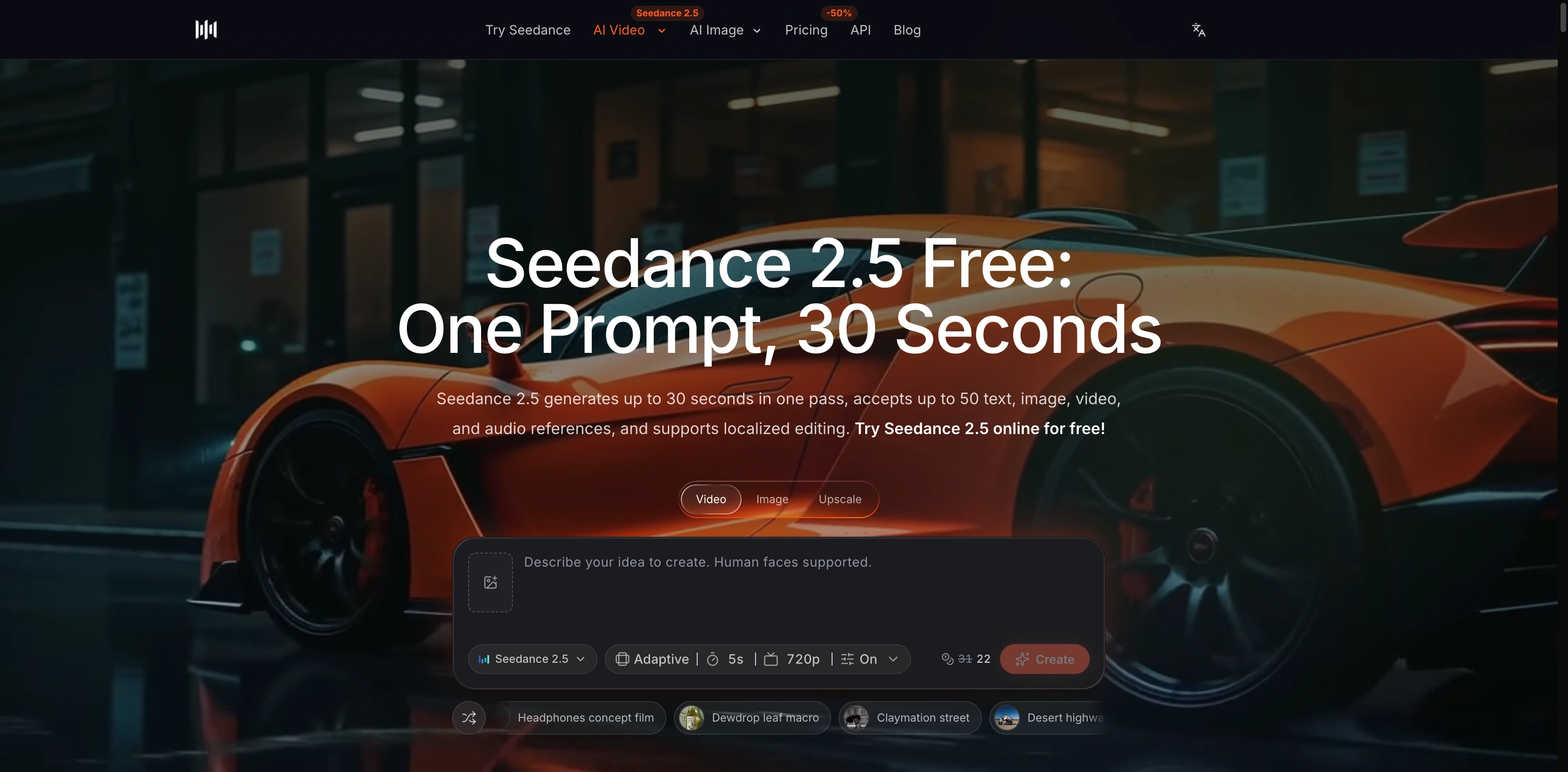
The model page states 480p and 720p output, while the current pricing page lists Seedance 2.5 access up to 720p on Lite and 1080p on Pro and Premium. The live interface captured for this article showed a five-second, 720p selection with audio enabled; available choices can vary by account and mode. The platform offers signup credits, but its plan matrix does not list Seedance 2.5 under Free. Lite is $19.90 monthly or $9.90 per month on the displayed annual promotion. Pro is $49.90 monthly or $24.90 per month billed yearly. Commercial use is listed for Pro, Premium, yearly subscriptions, and one-time credit packs; Lite monthly is excluded.
For the production method, use the Seedance 2.5 model workspace for the main scenes. Start with the AI text-to-video generator for concept shots or the AI image-to-video generator when character and art references must lead. Then follow the music-video workflow for Seedance to plan sections and transitions. The repeatable AI video production workflow helps several scenes share references and review criteria.
Which tool fits each music-video type?
| Project | Best starting point | Why |
|---|---|---|
| Full narrative video for a three-minute single | Neural Frames or Freebeat | Both are built around the whole track rather than isolated clips |
| Suno song turned into a fast first cut | Freebeat | Direct music-link and automated mode workflow |
| Lyric video with minimal manual editing | Rotor or Kaiber | Dedicated lyric timing and asset-led editing |
| Abstract electronic visualizer | Neural Frames | Stem-based audio response and parameter control |
| Remix of existing performance footage | Kaiber | Beat Sync starts from your images, clips, or long video |
| Stock-footage video on a one-off budget | Rotor | Watermarked preview before purchasing the final render |
| High-control cinematic release with an editor | Seedance 2.5 plus an NLE | Generate selected hero shots and assemble the track manually |
| Spotify Canvas and short social loops | Rotor or Neural Frames | Both publish dedicated short-format workflows |
A practical workflow from song to final export
- Clear the rights before uploading. Confirm ownership or licenses for the song, samples, vocals, cover art, performer images, logos, and reference clips.
- Map the song. Mark the intro, verses, choruses, bridge, instrumental changes, and outro. Add timecodes for the five moments that need the strongest visuals.
- Choose one visual rule. Define the performer, environment, palette, lens language, and motion style in a one-page treatment. More ideas do not automatically make a more coherent video.
- Pick the workflow category. Use Neural Frames or Freebeat for a full-song draft, Kaiber or Rotor for an asset-led edit, or Seedance 2.5 for directed clips.
- Create a low-cost first pass. Use previews, low resolution, or short sections to approve the structure. Do not spend the full render budget while the chorus, lyric timing, or visual identity is still unsettled.
- Replace weak moments selectively. Regenerate or recut the shots that matter. Keep acceptable sections locked.
- Review lyrics and continuity. Check every word, face, hand, instrument, garment, logo, location, and state change. Watch once without sound to judge visual logic, then listen without looking to confirm the music edit still works.
- Export by platform. Make the horizontal master first for YouTube, then reframe intentionally for 9:16 and short loops. Recheck text placement after every crop.
- Run a release check. Confirm audio level, codec, frame rate, title cards, credits, disclosure requirements, and the commercial terms of the plan used for the final render.
How to compare the real cost
Monthly price is a weak comparison because the tools bill different production units. Some use credits across models, Rotor charges by finished format, and Seedance prices each clip by model and settings.
Track cost per approved minute instead. Add credits, extra assets, failed renders, editing, and caption review, then divide by publishable duration. A cheap render becomes expensive if half the shots need replacement.
Set a hard test budget. Approve a 20 to 30 second chorus before rendering a whole song. If the performer, style, and lyric timing fail there, change the workflow.
Rights and release checklist
- Own or license the song, samples, stems, artwork, footage, voices, and likenesses you upload.
- Check whether free output is watermarked or restricted to personal use.
- Read the current commercial terms for the exact paid plan and product mode.
- Keep evidence for stock licenses and purchased renders.
- Review lyrics, translations, captions, logos, and claims before publishing.
- Follow platform and local disclosure rules for realistic synthetic people or events.
- Save project files and final masters outside the creation platform.
Final recommendation
Choose Neural Frames for the broadest full-song production workspace. Choose Freebeat when speed and a direct Suno-to-video path matter most. Choose Kaiber when you already have strong visual assets and want beat-synced versions. Choose Rotor when stock footage, lyrics, and predictable per-video purchasing fit the release. Choose Seedance 2.5 when you have editing skills and want to direct the most important shots yourself.
FAQ
What is the best AI music video generator in 2026?
Neural Frames is the strongest overall choice for a full-song, audio-reactive workflow with lyrics and detailed editing. Freebeat is a better fit for fast automated song-to-video generation, while Seedance 2.5 gives directors more control over individual clips.
What is the best AI music video generator for Suno songs?
Freebeat offers the most direct Suno-link workflow in this comparison. Neural Frames also accepts uploaded tracks and is a better fit when you want deeper audio-reactive and timeline control. In either case, confirm that your Suno plan gives you the rights required for the intended release.
Which AI music video tool has the best beat sync controls?
Neural Frames publishes the deepest audio-reactive system here, with eight-stem separation and mappings for visual parameters. Kaiber is easier when you want the platform to cut your existing images and video assets into several beat-synced versions.
Can AI music video generators create lyric videos?
Yes. Neural Frames, Freebeat, Kaiber, and Rotor all publish lyric-related features. Automatic transcription and timing still require manual review for names, slang, ad-libs, line breaks, and safe placement.
Can I use an AI music video commercially?
Paid plans from these tools publish some form of commercial-use permission, but it is conditional. You must hold the rights to the song, samples, images, footage, voices, likenesses, and logos, and follow the restrictions attached to stock media and the selected plan.
Is Seedance 2.5 a full AI music video generator?
Seedance 2.5 generates individual clips of up to 30 seconds. It can use audio and visual references for rhythm and continuity, but it does not replace full-song analysis, lyric layout, timeline editing, or final export assembly.