
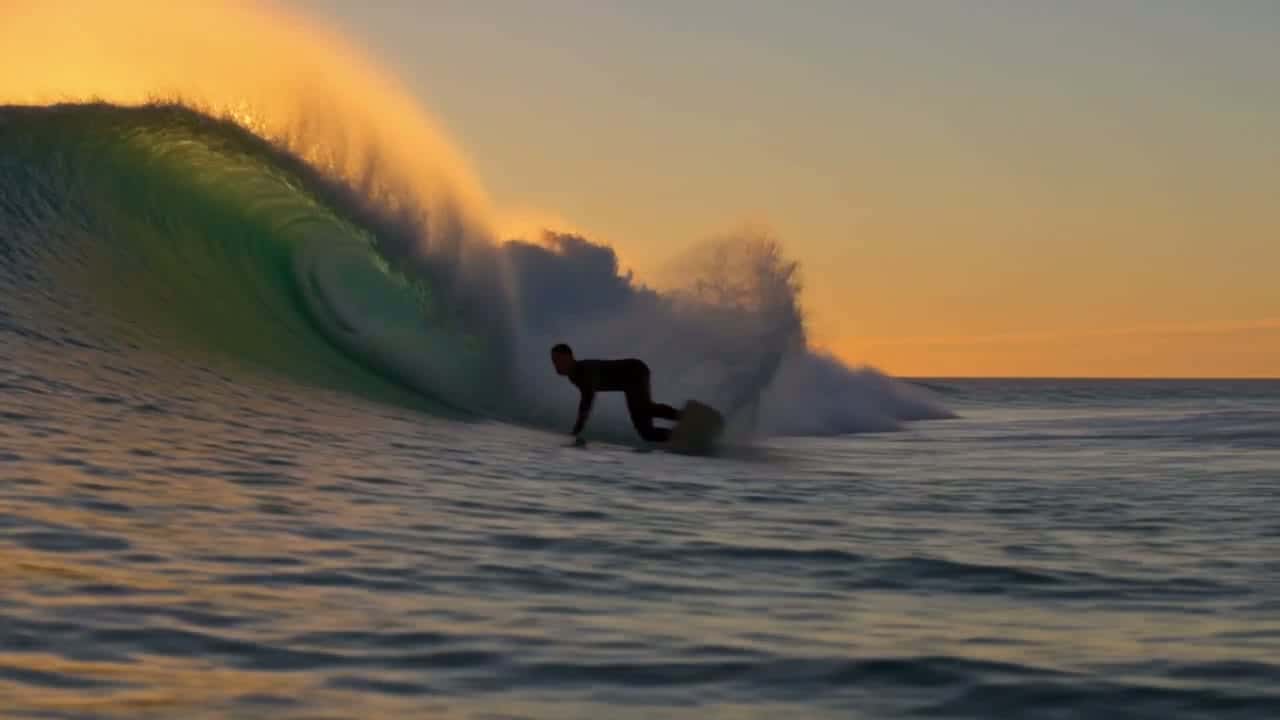
Kling 4.0 Flash: Fast, Low-Cost AI Video Drafts
Kling 4.0 Flash is the quick, cheaper tier of Kling 4.0. It turns a prompt or a single image into a 3–20 second 720p clip with sound, so you can test an idea and make variants before you pay for a final render. Try Kling 4.0 Flash online now!
Seedance 2.5
Up to 30s clips with image, video and audio references.
Kling 4.0
Kuaishou's newest model: 3–30s clips at up to 1080p.
Wan 3.0
Up to 30s clips with native audio and lip-synced dialogue.

GPT Image 2.5
Generate and edit images with OpenAI's newest model.
Nano Banana 2.1
Google's image model: sharper detail and cleaner text.
Seedance 2.0
Multi-shot cinematic video with native audio and lip sync.
Kling 4.0 Flash Video Examples
Kling 4.0 Flash Features at a Glance
- Kling 4.0 Flash Text to Video in About Two Minutes: Type a prompt and a 5-second 720p clip with sound comes back in a minute and a half to three minutes.
- Kling 4.0 Flash Variants for Every Format: Each clip costs little, so you can run one idea in 16:9, 9:16 and 1:1, or try several takes, and keep the best.
- Kling 4.0 Flash Image to Video From One Start Frame: Upload a photo or a frame and Flash animates it, keeping the subject, light and framing of your image.
- Kling 4.0 Flash Native Audio and Speech: Every clip comes back with a stereo track: ambience, effects and, when you quote a line, speech.
- Kling 4.0 Flash Clips up to 20 Seconds: Pick any length from 3 to 20 seconds; 5 seconds is the default.
- Kling 4.0 Flash Settings for Length, Ratio and Inputs: Length, resolution, aspect ratio, inputs and prompt limits as the generator offers them today.
Kling 4.0 Flash Text to Video in About Two Minutes
Flash is built for turnaround. In our tests on November 4, 2026, a 5-second clip came back in 89 seconds when it ran on its own, and five clips started together were all done within 192 seconds. A 3-second Kling 4.0 clip took 170 seconds in our earlier test.
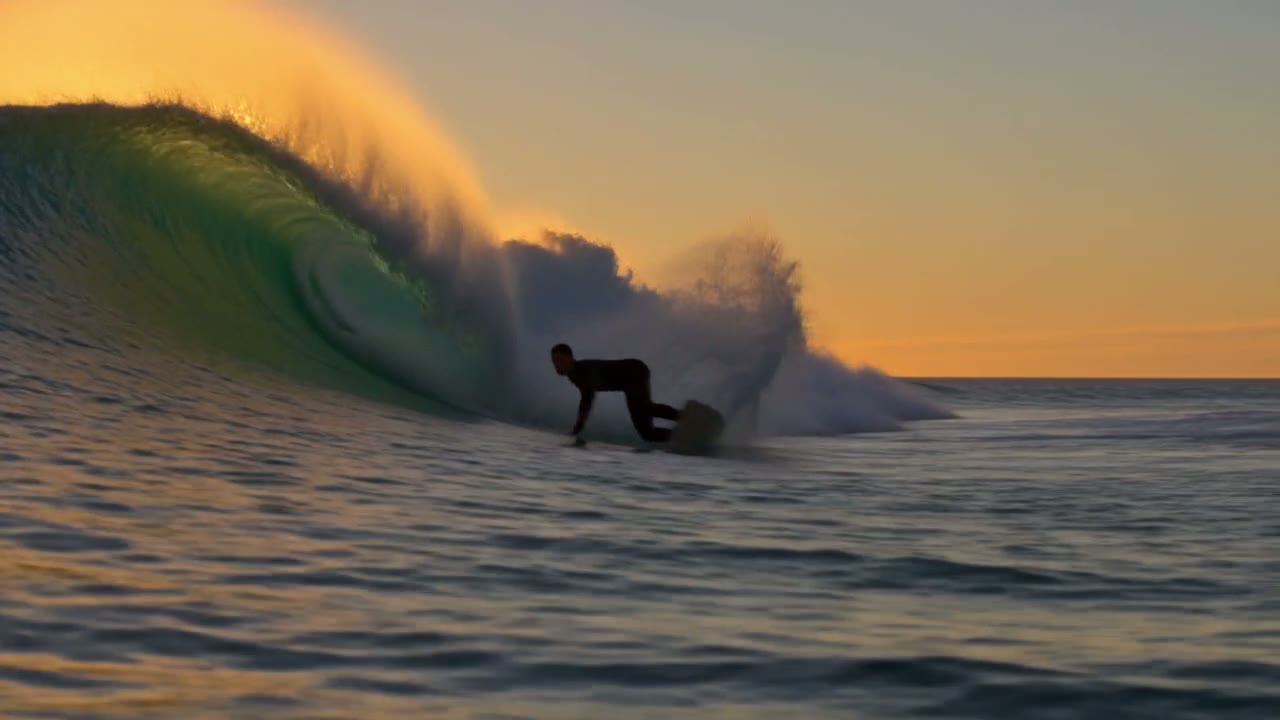
Everything in this surfer shot comes from the prompt below: the low tracking camera, the backlit spray and the slow motion.
 Kling 4.0 Flash
Prompt: A surfer carves through a glowing turquoise wave at golden hour. Spray catches the low sun as the board cuts a white arc across the water. The camera skims just above the surface and tracks alongside him in slow motion. Warm cinematic color, shallow depth of field. (Kling 4.0 Flash · 16:9 · 5s · 720p)
Kling 4.0 Flash Variants for Every Format
A short-video campaign usually needs the same idea in several shapes: a wide cut for YouTube, a vertical one for Reels and TikTok, a square one for the feed. With Flash those extra versions cost about 40% fewer credits than with Kling 4.0.
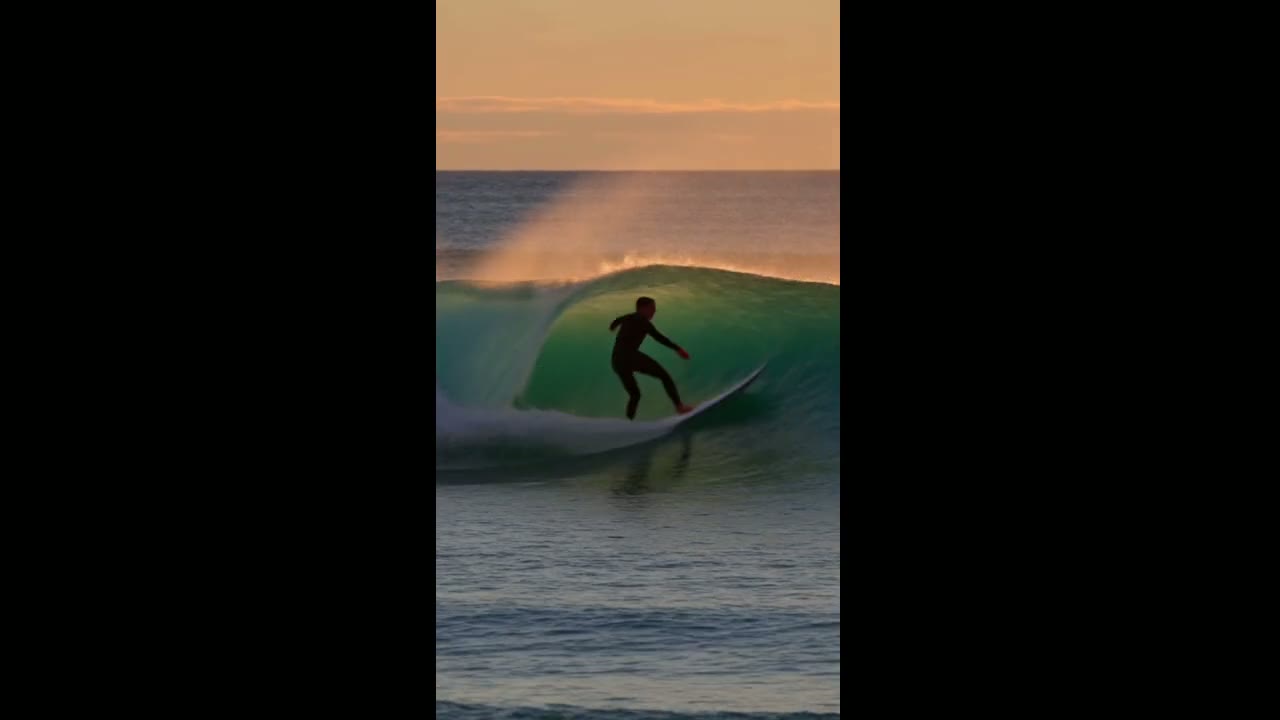
This vertical clip used the exact prompt of the surfer shot above; only the aspect ratio changed to 9:16. Flash reframed the scene instead of cropping it.
 Kling 4.0 Flash
Prompt: A surfer carves through a glowing turquoise wave at golden hour. Spray catches the low sun as the board cuts a white arc across the water. The camera skims just above the surface and tracks alongside him in slow motion. Warm cinematic color, shallow depth of field. (Kling 4.0 Flash · 9:16 · 5s · 720p)
Kling 4.0 Flash Image to Video From One Start Frame
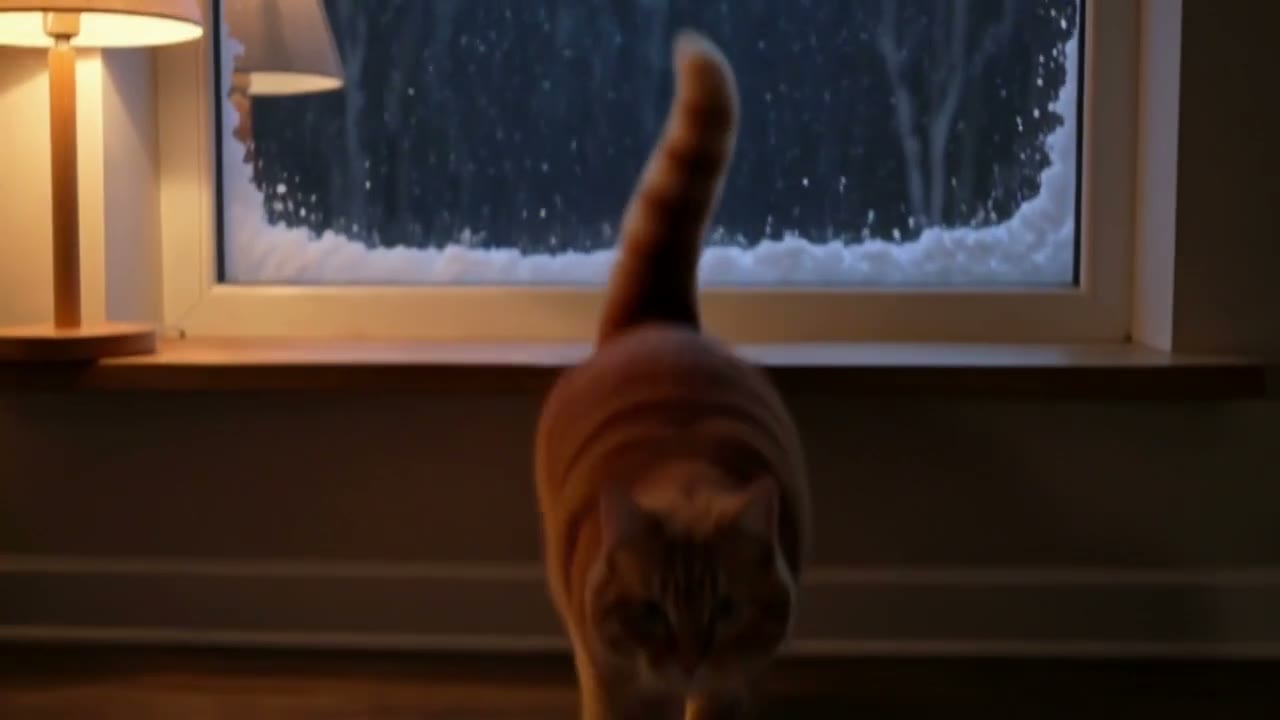
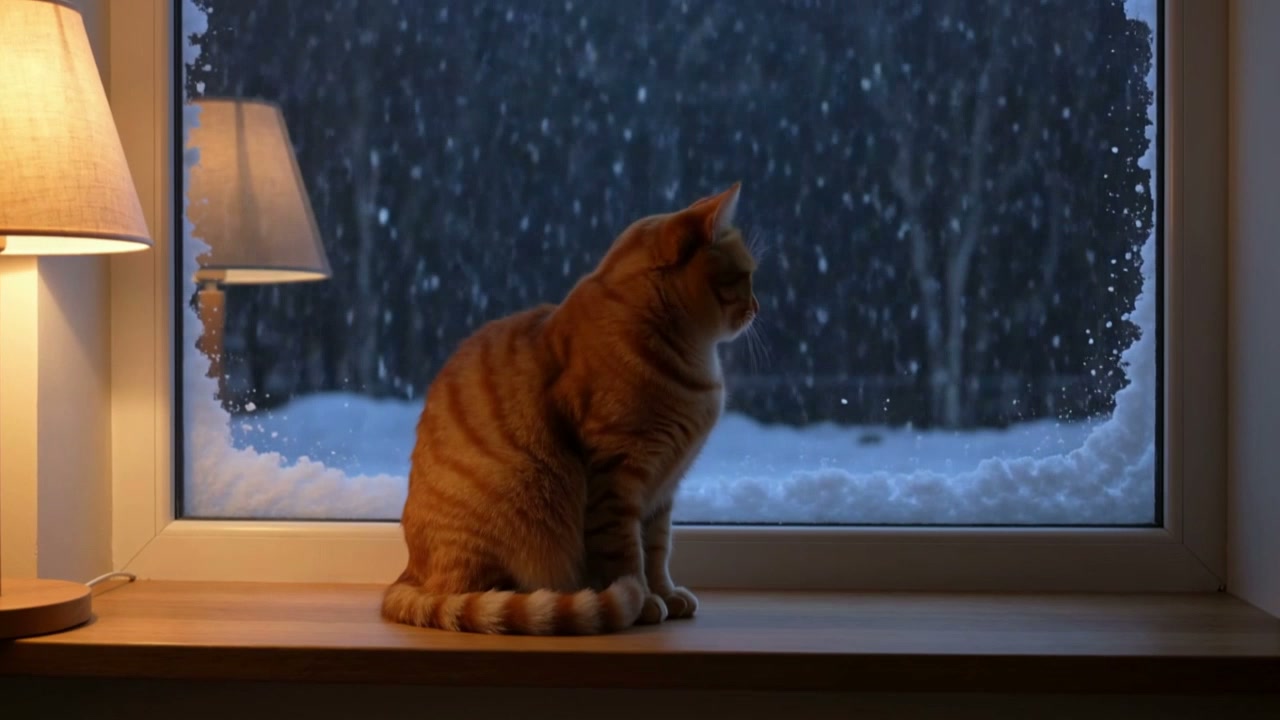
Add a start frame and describe what happens next. The clip takes the shape of your image, so there is no aspect ratio to pick, and the subject, colors and lighting carry over from the still.
The start frame here is a still from one of our own Flash clips. Flash takes a start frame only; for a shot pinned at both ends, use Kling 4.0, which also accepts a last frame.
 Kling 4.0 Flash
Prompt: The orange cat hops down from the windowsill onto the floor, stretches, and trots toward the camera with its tail up, then sits and looks straight into the lens. Snow keeps falling outside the window. Warm lamp light, gentle handheld camera, soft purring and the thump of paws. (Kling 4.0 Flash · 5s · 720p)
Kling 4.0 Flash Native Audio and Speech
Flash generates sound together with the picture, so a draft already has the room tone, footsteps or waves it needs. There is no switch to turn sound off; mute the clip afterwards if you plan to add music.
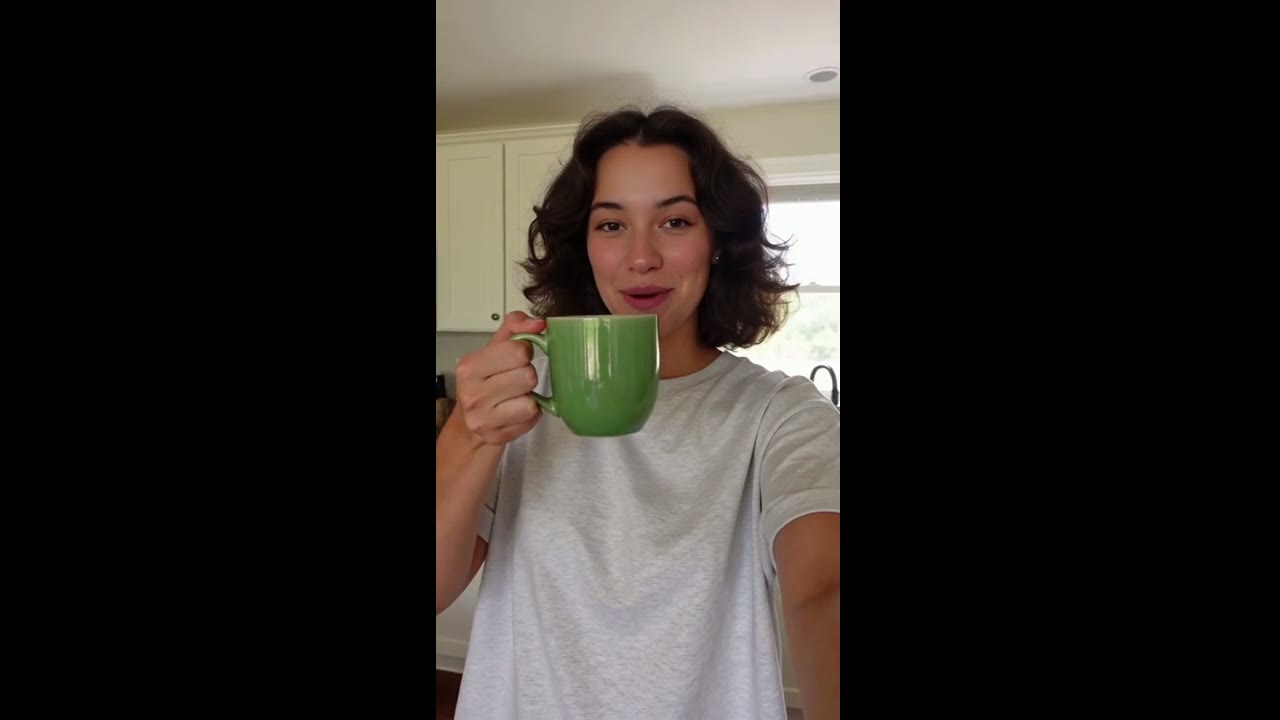
In this selfie-style clip the prompt gave the woman one line to say in quotation marks, the format that works best for short spoken lines.
 Kling 4.0 Flash
Prompt: Handheld selfie video in a sunny kitchen. A young woman with curly hair holds a small green ceramic mug up to the phone camera, smiles and says: "Okay, this is the mug I drink from every single morning." She takes a sip and laughs. Natural daylight, casual social-media look, room tone and her voice only. (Kling 4.0 Flash · 9:16 · 5s · 720p)
Kling 4.0 Flash Clips up to 20 Seconds
Short loops for ads and social posts are where Flash fits best, but one generation can run to 20 seconds when a moment needs room, such as a slow reveal or a small story with two or three beats.
This 10-second clip follows a cat from watching the snow to touching the glass. Longer clips cost more credits, since Flash is charged per second.
 Kling 4.0 Flash
Prompt: A small orange cat sits on a windowsill watching snow fall outside at night. It reaches one paw up to the cold glass, pulls it back, then turns its head toward the camera and blinks slowly. Cozy warm lamp light inside, soft blue snow light outside, gentle handheld camera, quiet room sound and a faint purr. (Kling 4.0 Flash · 16:9 · 10s · 720p)
Kling 4.0 Flash Settings for Length, Ratio and Inputs
These are the settings the generator gives you for Kling 4.0 Flash, so what you plan is what you can render.
| Length | 3 to 20 seconds5 seconds by default. |
|---|---|
| Resolution | 720pThe only option for Flash. |
| Aspect ratio | 16:9, 9:16, 1:1 or 21:9With a start frame, the clip takes the shape of your image. |
| Inputs | Text, or text plus a start frameNo last frame, reference images or video editing for Flash here. |
| Prompt | Up to 2,500 characters |
| Sound | Always onStereo ambience, effects and speech in every clip. |
| Credits | Charged per secondThe generator shows the total before you start, and the price table below lists common lengths. |
Kling 4.0 Flash Use Cases
Flash is the model for drafts, tests and volume: cheap enough to run often, quick enough to iterate on.
- Ad and social drafts: Test a hook, a product angle or a mood before you commit a bigger budget to the final cut.
- Format variants: Run one prompt in 16:9, 9:16 and 1:1 for YouTube, Reels, TikTok and the feed.
- Storyboards and animatics: Turn each panel or frame into a moving shot to check pacing and camera moves.
- B-roll and loops: Food close-ups, landscapes and product details for edits that need a lot of short footage.
- Bringing stills to life: Animate a photo, a render or a frame from another clip from a single start image.
Kling 4.0 Flash vs Kling 4.0, Seedance 2.0 Fast, Seedance 2.0 Mini and Kling 3.0
Every cell except the last row comes from the models’ live settings on SeedVideo AI, so the table matches what the generator lets you pick today.
Kling 4.0 Flash runs inside SeedVideo AI’s free AI video generator, next to Kling, Veo and Wan, on one credit balance.
| Feature |  Kling 4.0 Flash | Kling 4.0 |  Seedance 2.0 Fast | Seedance 2.0 Mini | Kling 3.0 |
|---|---|---|---|---|---|
| Longest clip | 20 s | 30 s | 15 s | 15 s | 15 s |
| Top resolution | 720p | 1080p | 1080p | 720p | 4K |
| Aspect ratios | 16:9, 9:16, 1:1, 21:9 | 16:9, 9:16, 1:1, 21:9 | 16:9, 9:16, 1:1, 4:3, 3:4, 21:9 | 16:9, 9:16, 1:1, 4:3, 3:4, 21:9 | 16:9, 9:16, 1:1 |
| Reference images | No | No | 9 | 9 | No |
| Reference videos | No | No | 3 | 3 | No |
| Edit and extend a clip | No | No | No | No | No |
| Credits for 5 s at 720p | 14 credits | 24 credits | 19 credits | 13 credits | 13 credits |
| Best for | Fast, low-cost 720p drafts and variants with sound | Final Kling renders up to 30 s and 1080p, with a last frame | Quick Seedance clips with reference images | The cheapest tests, included on the free plan | Kling clips up to 15 s at up to 4K |
Credits are credit-pack rates for a 5-second 720p clip; subscriptions cost less per second.
Kling 4.0 Flash Pros and Cons
What it does well on SeedVideo AI today, and what to work around.
Strengths
- Speed: A 5-second clip came back in 89 seconds in our test, roughly half the wait of Kling 4.0.
- Price: About 40% fewer credits per second than Kling 4.0 at 720p.
- Sound: Every clip has a stereo track with ambience, effects and speech.
- Formats: 16:9, 9:16, 1:1 and 21:9 from the same prompt.
Limits
- Resolution: 720p only; use Kling 4.0 for 1080p.
- Frame control: A start frame only, no last frame.
- Length: Up to 20 seconds, against 30 for Kling 4.0.
- Modes on this site: Kling’s Omni Reference and video edit modes for Flash are not available here yet.
What Kling 4.0 Flash Costs and How You Can Start
Starting points for Kling 4.0 Flash
Pick a starting point below and the generator opens with Kling 4.0 Flash selected.
Kling 4.0 Flash price per clip
Credit-pack prices, pulled from the generator’s current settings. Subscriptions cost less per second.
| Resolution | 5 s | 10 s | 20 s |
|---|---|---|---|
| 720p | 14 credits | 28 credits | 56 credits |
How to Use Kling 4.0 Flash in 4 Steps
- Step 1
Pick Kling 4.0 Flash
Use the composer at the top of this page, or open the generator and choose Kling 4.0 Flash in the model menu.
- Step 2
Describe the shot
Write the subject, the action, the camera move and the sound you want, in up to 2,500 characters. Put spoken lines in quotation marks.
- Step 3
Add a start frame if you have one
Upload an image to start the clip from it. Without one, Flash builds the scene from your words.
- Step 4
Set length and ratio, then generate
Pick 3 to 20 seconds and an aspect ratio, check the credit total and start. The clip usually lands in two to three minutes.
Kling 4.0 Flash Prompt Examples
Prompts we ran on Kling 4.0 Flash for this page, each beside the clip it produced, untouched. Load one into the generator, then change the subject, the setting or the format.
Ramen close-up
Text to video · 1:1 · 5 sTry this promptClose-up of a steaming bowl of ramen on a worn wooden counter. Chopsticks lift a tangle of glossy noodles toward the camera, broth drips back into the bowl, and steam curls through warm backlight. Shallow depth of field, slow push-in, appetizing food-commercial look.
Riders in the dawn mist
Text to video · 21:9 · 5 sTry this promptWide cinematic shot of three riders on horseback crossing a misty valley at dawn. Sun rays break through the fog behind them, the horses kick up dew from the grass, and the camera slowly pushes forward at ground level. Epic film look, muted greens and gold.
Cat watching the snow
Text to video · 16:9 · 10 sTry this promptA small orange cat sits on a windowsill watching snow fall outside at night. It reaches one paw up to the cold glass, pulls it back, then turns its head toward the camera and blinks slowly. Cozy warm lamp light inside, soft blue snow light outside, gentle handheld camera, quiet room sound and a faint purr.
Selfie with a line of dialogue
Text to video · 9:16 · 5 sTry this promptHandheld selfie video in a sunny kitchen. A young woman with curly hair holds a small green ceramic mug up to the phone camera, smiles and says: "Okay, this is the mug I drink from every single morning." She takes a sip and laughs. Natural daylight, casual social-media look, room tone and her voice only.
More Video Models on SeedVideo AI
Kling AI Guides and Comparisons
Guides and comparisons from the SeedVideo AI blog.
Kling 4.0 Flash FAQ
What is Kling 4.0 Flash?
How is Kling 4.0 Flash different from Kling 4.0?
How much does Kling 4.0 Flash cost?
Is Kling 4.0 Flash free?
How long does a Kling 4.0 Flash video take?
Does Kling 4.0 Flash generate sound?
Can I use a last frame or reference images with Kling 4.0 Flash?
Is SeedVideo AI affiliated with Kling AI or Kuaishou?
Make Your First Kling 4.0 Flash Video
Write a prompt or add a start frame, pick a length and a format, and get a draft with sound in a few minutes.
Open the generator