Kling 4.0 Flash Guide: Speed, Price, Limits and Prompts
Kling 4.0 Flash is the fast, lower-cost tier of Kuaishou's Kling 4.0 video model. It makes 3 to 20 second clips at 720p with a stereo sound track, from a text prompt or from one start image. On SeedVideo AI it costs about 40% fewer credits per second than Kling 4.0, and in our tests a 5-second text-to-video clip came back in 89 seconds.
That makes Flash the model for drafts, variants and volume: test a hook, run the same idea in 16:9 and 9:16, or animate a storyboard frame, then send only the shot you keep to a bigger model. This guide covers what Flash does, what it costs, where it stops, and the prompts we used, with every clip generated by us on Kling 4.0 Flash.
Last verified: 2026-11-04, with eight Kling 4.0 Flash renders (six text to video, two image to video) through the same upstream API the Kling 4.0 Flash page uses.
TL;DR
- What it is: the quick, cheaper tier of Kling 4.0. Kling opened Flash to a limited group on September 28, 2026; it is now live on SeedVideo AI.
- Output: 3–20 seconds, 720p only, 16:9, 9:16, 1:1 or 21:9, sound on every clip.
- Inputs: a prompt (up to 2,500 characters here), optionally plus one start frame. No last frame, no reference images.
- Price: charged per second at about 40% fewer credits than Kling 4.0 at 720p. A 5-second clip starts at 14 credits; the generator shows the exact total for your plan before you start.
- Speed: 89 seconds for a lone 5-second text-to-video clip; five jobs started together all finished within 192 seconds.
- Use it for: drafts, format variants, storyboards, B-roll and loops. Use Kling 4.0 for 1080p, 30-second takes or a pinned last frame.
Kling 4.0 Flash explained
Kling 4.0 is Kuaishou's current flagship video model. Flash is its speed-and-cost tier: the same family and the same way of reading prompts, with a smaller set of output options. Where Kling 4.0 goes up to 1080p and 30 seconds and accepts a first and last frame, Flash stays at 720p, stops at 20 seconds and takes a start frame only.
For most short-form work those limits do not matter. Social clips, ad drafts and storyboard shots are usually 5 to 10 seconds, and many end up at 720p or lower once a platform compresses them. What matters there is how many tries you can afford and how fast they come back, which is what Flash is for.
Kling 4.0 Flash vs Kling 4.0
| Kling 4.0 Flash | Kling 4.0 | |
|---|---|---|
| Resolution | 720p | 720p or 1080p |
| Length | 3–20 s | 3–30 s |
| Aspect ratios | 16:9, 9:16, 1:1, 21:9 | 16:9, 9:16, 1:1, 21:9 |
| Start frame | Yes | Yes |
| Last frame | No | Yes |
| Sound | Stereo track on every clip | Stereo track on every clip |
| Credits per second at 720p | 2.8 (base rate) | 4.7 (base rate) |
| 5 s text to video in our tests | 89 s alone, up to 192 s in a batch of five | 170 s for a 3 s clip |
| Best for | Drafts, variants, volume | Final renders |
Base rates are what the credit calculation starts from. Some plans pay a little more per clip on newer models, so the total in the generator is the number to go by.
What Kling 4.0 Flash clips look like
All clips below are untouched Kling 4.0 Flash output at 720p. Clips that are not 16:9 sit on black bars so they show whole in the frame. They play muted here; every one of them has a sound track.
Text to video
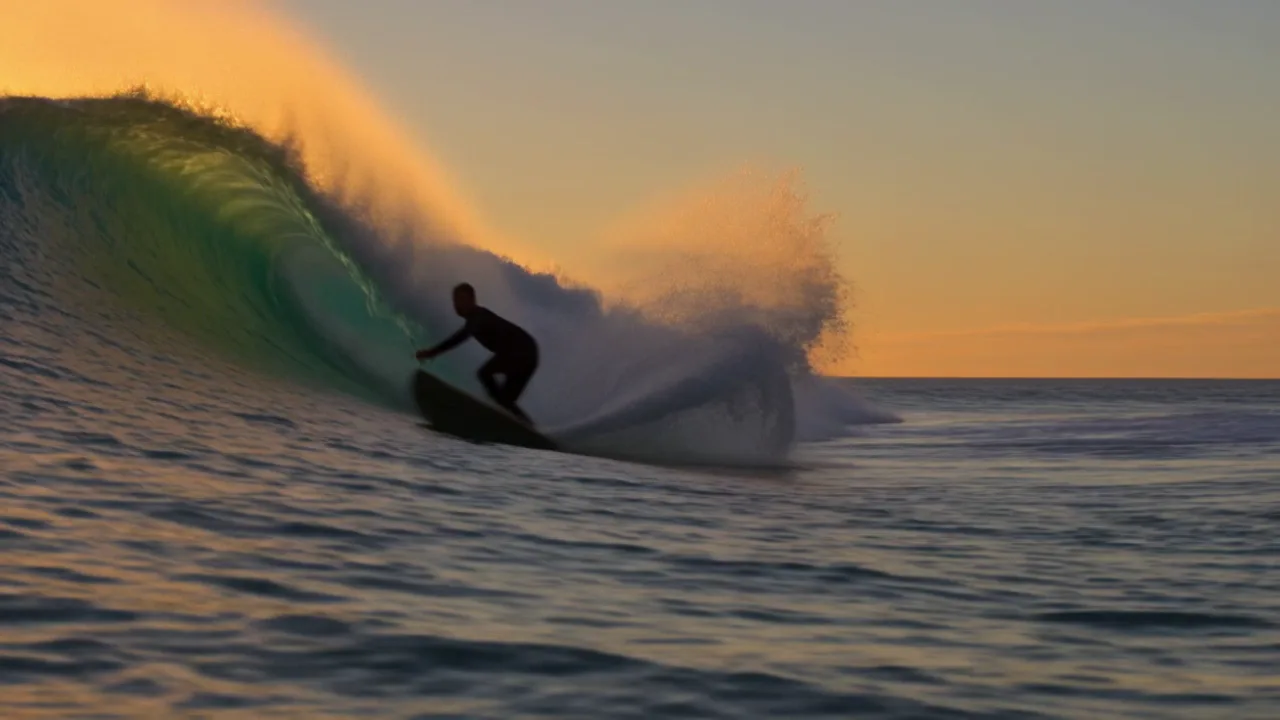
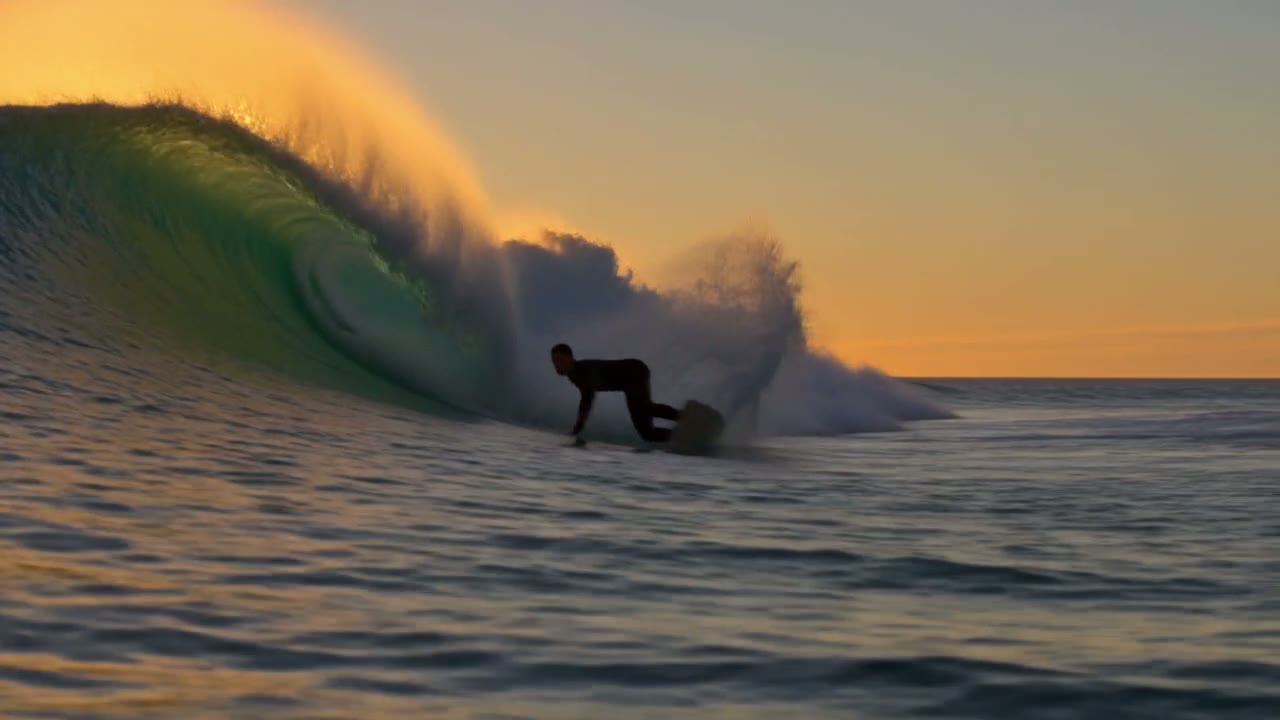
We wrote the camera move, the light and the pace into the prompt. Flash followed the low tracking camera and slow motion, and kept the spray backlit by the sun.
A surfer carves through a glowing turquoise wave at golden hour. Spray catches the low sun as the board cuts a white arc across the water. The camera skims just above the surface and tracks alongside him in slow motion. Warm cinematic color, shallow depth of field.
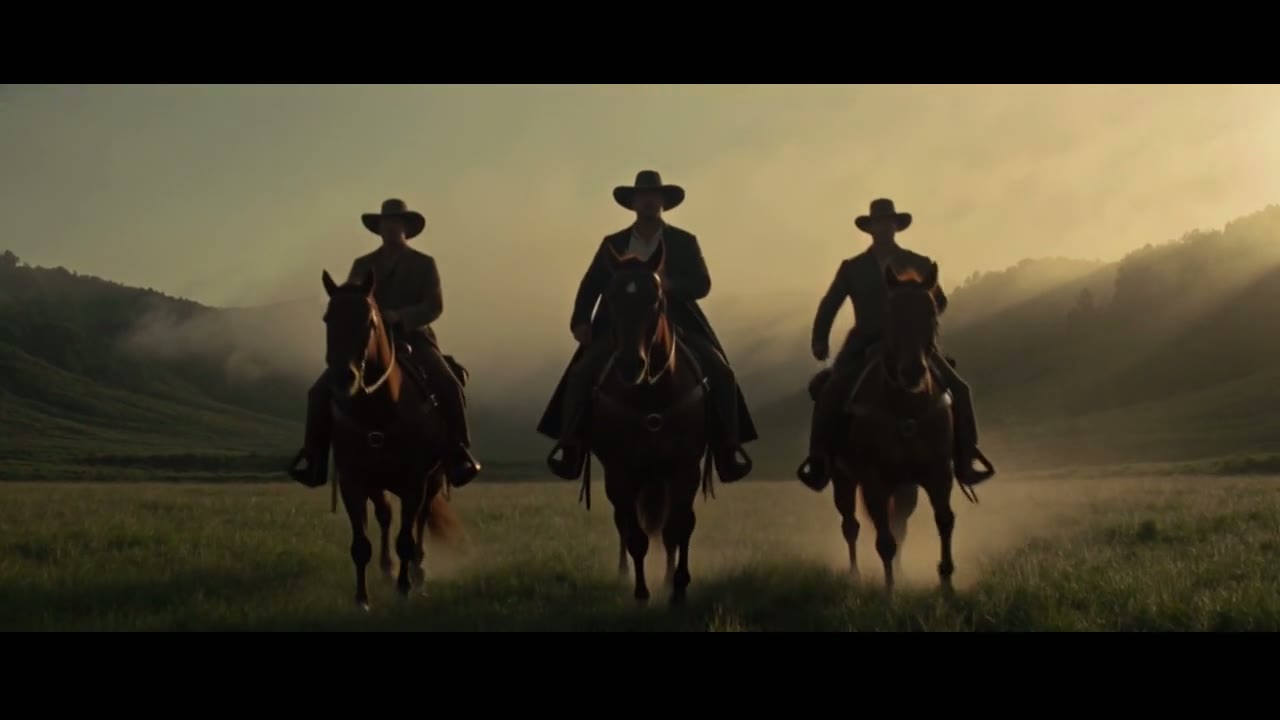
A wider 21:9 shot with fog and a ground-level push-in:
Wide cinematic shot of three riders on horseback crossing a misty valley at dawn. Sun rays break through the fog behind them, the horses kick up dew from the grass, and the camera slowly pushes forward at ground level. Epic film look, muted greens and gold.
Food and product close-ups
Flash handles macro food shots well: the noodles, the drip of broth and the steam all move the way the prompt asked. This one was made in 1:1.
Close-up of a steaming bowl of ramen on a worn wooden counter. Chopsticks lift a tangle of glossy noodles toward the camera, broth drips back into the bowl, and steam curls through warm backlight. Shallow depth of field, slow push-in, appetizing food-commercial look.

Speech and sound
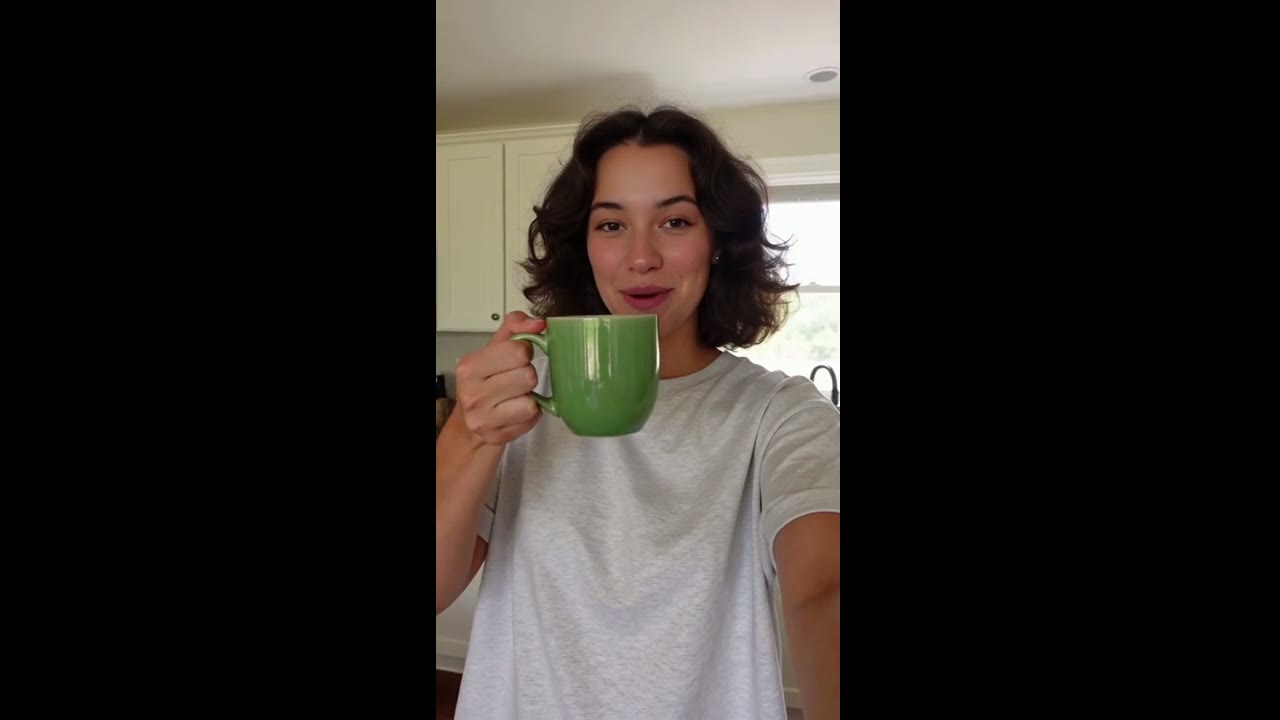
Flash generates sound together with the picture. To get a spoken line, put it in quotation marks in the prompt. In this vertical clip the woman says the quoted line, and the room tone matches a kitchen.
Handheld selfie video in a sunny kitchen. A young woman with curly hair holds a small green ceramic mug up to the phone camera, smiles and says: "Okay, this is the mug I drink from every single morning." She takes a sip and laughs. Natural daylight, casual social-media look, room tone and her voice only.
A longer, 10-second clip
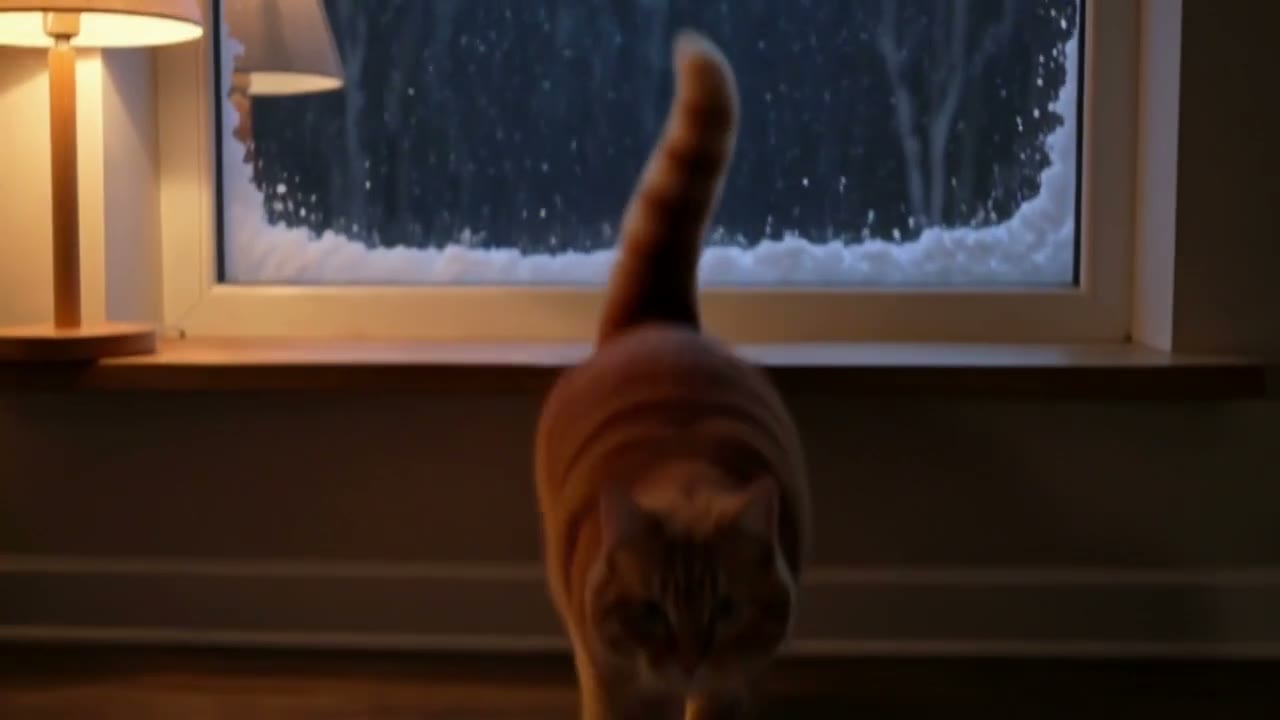
Length is a setting from 3 to 20 seconds. Longer clips leave room for two or three beats; this one runs 10 seconds and follows a cat from watching the snow to touching the glass.
A small orange cat sits on a windowsill watching snow fall outside at night. It reaches one paw up to the cold glass, pulls it back, then turns its head toward the camera and blinks slowly. Cozy warm lamp light inside, soft blue snow light outside, gentle handheld camera, quiet room sound and a faint purr.

Image to video from a start frame
Upload one image and describe what happens next. The clip keeps the shape of the image, so there is no aspect ratio to choose. For this test we used a still from the start of the 10-second cat clip as the start frame.
The orange cat hops down from the windowsill onto the floor, stretches, and trots toward the camera with its tail up, then sits and looks straight into the lens. Snow keeps falling outside the window. Warm lamp light, gentle handheld camera, soft purring and the thump of paws.
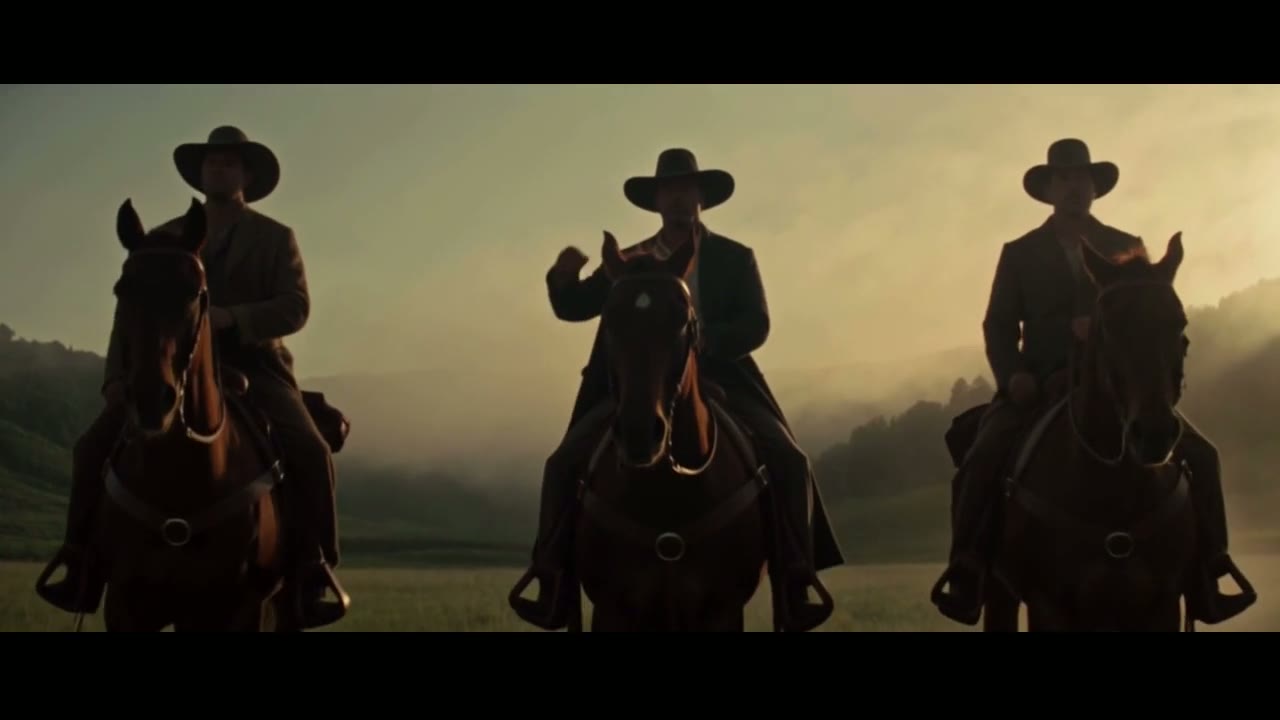
The second image-to-video test started from the last frame of the riders clip. Flash kept the three riders, the horses and the fog, though the hat was lifted by the rider on the left, not the one in the middle the prompt named. When the exact subject matters, describe it by what it looks like ("the rider on the black horse") rather than by position.
The three riders rein in their horses and stop. The rider in the middle slowly lifts his hat toward the camera while the horses toss their heads and snort. Fog rolls across the grass behind them and the camera pushes in slowly. Hooves, wind and horse breath.
Speed: how long Kling 4.0 Flash takes
| Test (November 4, 2026) | Time to finished clip |
|---|---|
| One 5 s 720p text-to-video clip, run alone | 89 s |
| Four 5 s text-to-video clips started at once | 113–192 s each |
| One 10 s text-to-video clip, in the same batch | 127 s |
| A 5 s image-to-video clip, started with a second one | 842 s (about 14 minutes) |
Text to video was consistently quick. The image-to-video job we timed sat in the upstream queue far longer, so plan more time for image to video until the queue settles. Every job finished; none failed.
Price: what Kling 4.0 Flash costs
Flash is charged per second of video at a single 720p rate, the same for text to video and image to video.
| Length | Kling 4.0 Flash (base) | Kling 4.0 at 720p (base) |
|---|---|---|
| 5 s | 14 credits | 24 credits |
| 10 s | 28 credits | 47 credits |
| 20 s | 56 credits | 94 credits |
These are base rates. Your plan can add a little on newer models, and the generator always shows the exact total before you press generate. See pricing for plans and credit packs. Flash is not part of the free plan; Seedance 2.0 Mini is the model for free tests.
Limits to plan around
- 720p only. If the final cut needs 1080p, re-render the chosen prompt on Kling 4.0.
- No last frame. Flash takes a start frame only. For a shot that must land on a specific image, use Kling 4.0 with first and last frames.
- No reference images or video editing here. For several reference images in one shot, use Seedance 2.5.
- Sound is always on. Mute the clip in your editor if you plan to lay music over it.
- 20 seconds at most. For longer scenes, plan two clips and cut between them.
How to use Kling 4.0 Flash on SeedVideo AI
- Open the Kling 4.0 Flash page and use the composer at the top, or open the AI video generator and pick Kling 4.0 Flash in the model menu.
- Write the prompt: subject, action, camera move, light and sound. Put spoken lines in quotation marks.
- Add a start frame if you want the clip to begin from a specific image.
- Choose 3 to 20 seconds and an aspect ratio, check the credit total, and generate.
- Keep the best take. If it needs 1080p or a longer run, send the same prompt to Kling 4.0.
Prompt tips for Kling 4.0 Flash
- Lead with the camera. "The camera skims just above the surface and tracks alongside him" did more for the surfer shot than any adjective.
- Name the light and the time of day. Golden hour, warm lamp light, blue snow light: Flash keeps them consistent across the clip.
- One action per 5 seconds. A 5-second clip has room for one clear action; a 10-second clip for two or three beats.
- Write the sound you want. "Soft purring and the thump of paws" or "hooves, wind and horse breath" steer the audio track.
- Describe subjects by appearance, not position, especially in image to video.
For more structure, see our text-to-video prompt guide.
When to choose another model
- Kling 4.0 for 1080p, up to 30 seconds, or a pinned last frame.
- Seedance 2.0 Fast for quick Seedance clips with reference images.
- Seedance 2.0 Mini for the cheapest tests, included on the free plan.
- Seedance 2.5 for long, multi-reference shots up to 30 seconds.
For a wider comparison, see the best Kling AI alternatives and Seedance 2.5 vs Kling 3.0.
FAQ
What is Kling 4.0 Flash?
The fast, lower-cost tier of Kuaishou's Kling 4.0 video model. It makes 3–20 second 720p clips with sound from text or a start image.
How is Kling 4.0 Flash different from Kling 4.0?
Flash is quicker and about 40% cheaper per second on SeedVideo AI, but limited to 720p, 20 seconds and a start frame only. Kling 4.0 adds 1080p, 30-second clips and a last frame.
How much does Kling 4.0 Flash cost?
From 14 credits for a 5-second clip at the base rate, charged per second. The generator shows the exact total for your plan before you start.
How fast is Kling 4.0 Flash?
In our November 4, 2026 tests, 5-second text-to-video clips took 89 to 192 seconds. The image-to-video clip we timed took about 14 minutes in a busy queue.
Does Kling 4.0 Flash make sound?
Yes. Every clip has a stereo track with ambience, effects and speech when the prompt quotes a line. It cannot be switched off.
Is Kling 4.0 Flash free?
No. It runs on paid plans and credit packs. The free plan includes Seedance 2.0 Mini.
Is SeedVideo AI affiliated with Kling AI?
No. SeedVideo AI is an independent platform that runs Kling models through an upstream API and is not operated by or affiliated with Kuaishou or Kling AI.