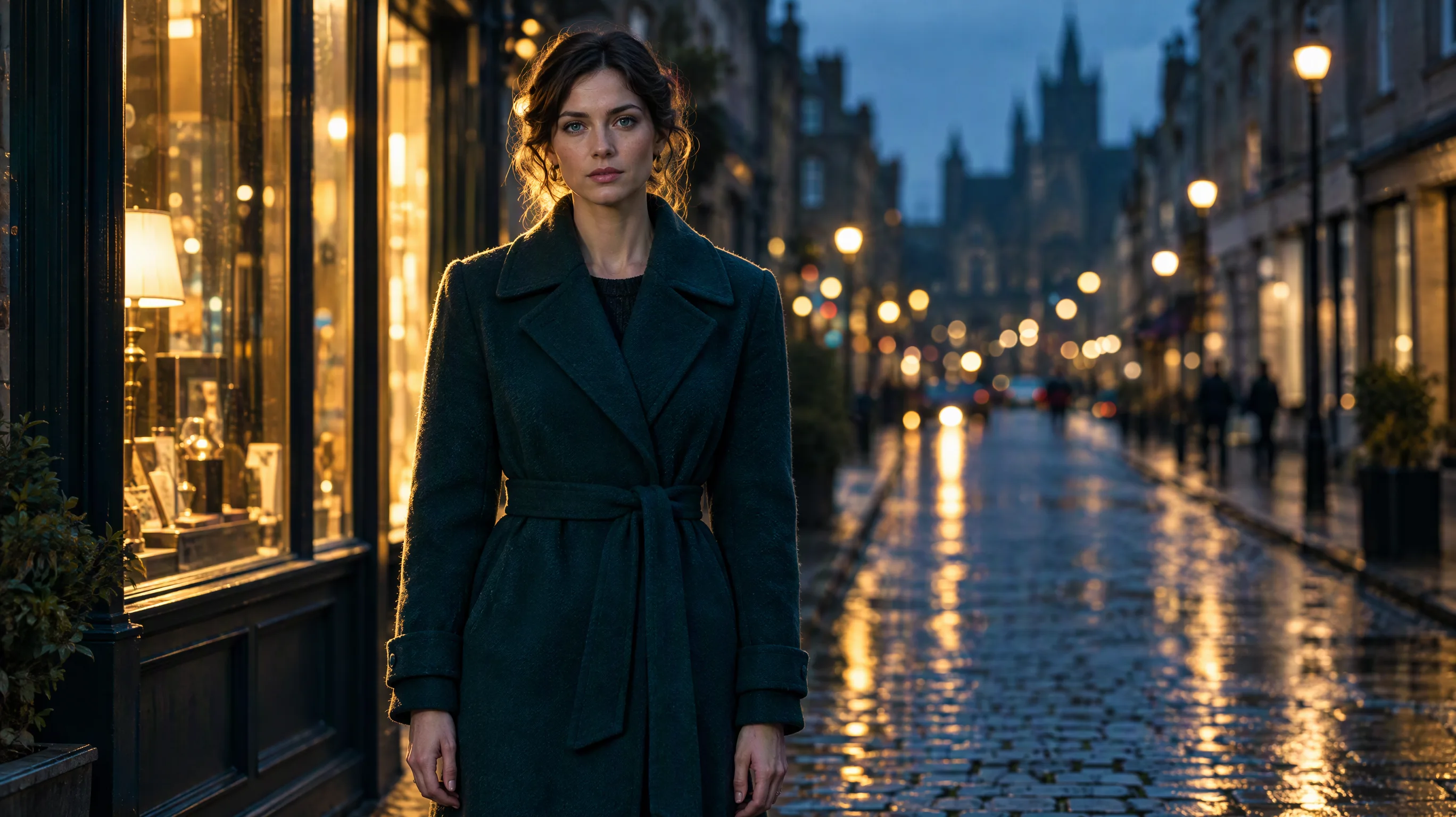
To resize a photo for social media without cropping, extend the canvas instead of cutting it: an AI image extender keeps the whole photo and generates the missing sky, street or wall around it until the picture fits the new shape. That replaces the blurred bars or coloured borders most people add to turn a square post into a 9:16 story. Size is only half of the job, though. Each platform also crops or covers parts of the frame: Meta's story ad guidance keeps text out of the top 14% and bottom 35%, and a YouTube banner only shows a strip of 1235 × 338 px on every device. We checked the official specs of eight platforms on November 3, 2026, then turned one square photo into 3:4, 9:16 and 16:9 versions with the AI image extender on SeedVideo AI. Below are the sizes, how many runs each shape takes, where the safe zones fall, and what the AI invented along the way.
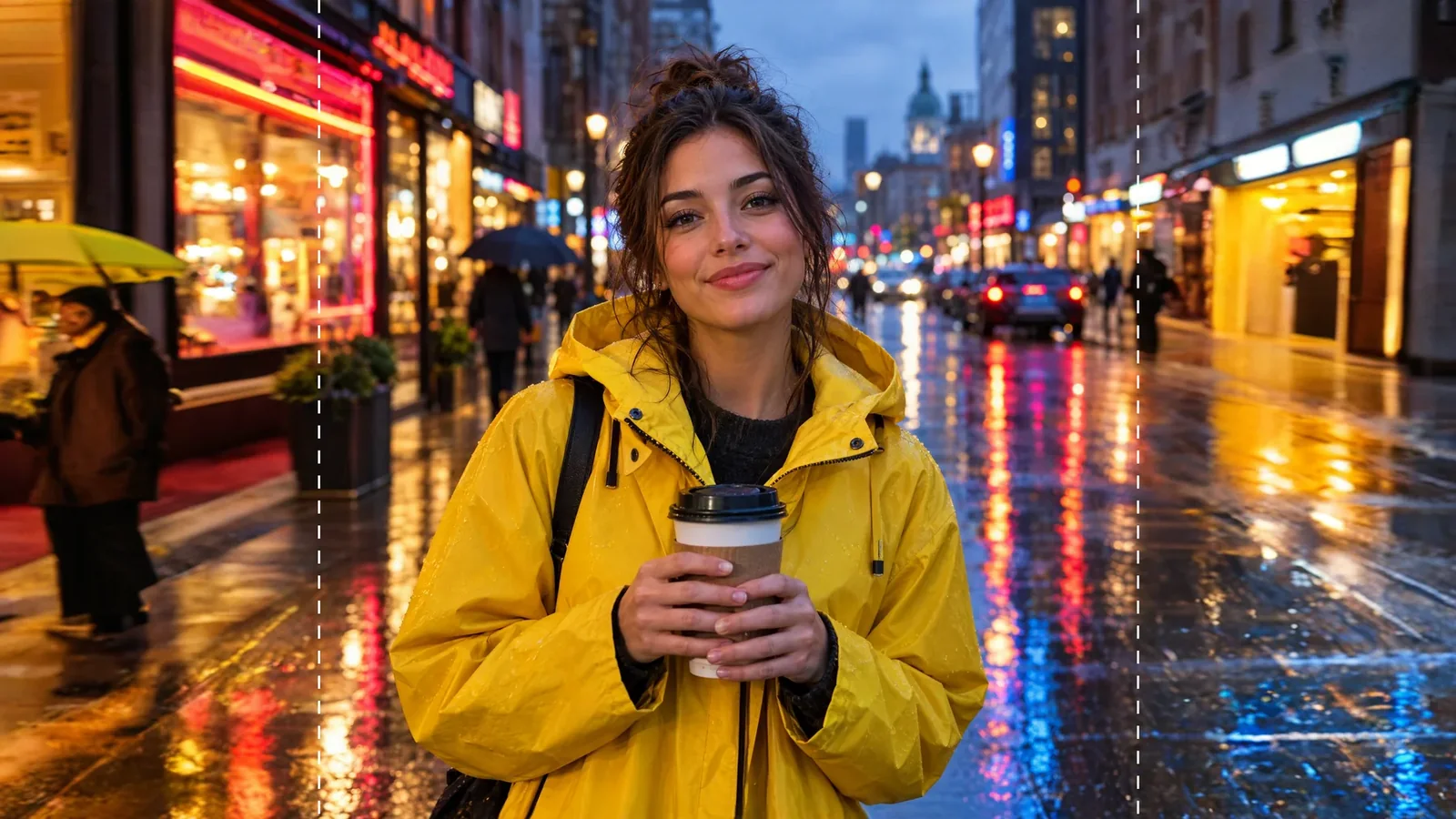
One run turned the square photo into 16:9; everything outside the dashed lines is generated.
Quick Answer
- Upload the original photo to the AI image extender.
- Pick the shape: 9:16 for Stories, Reels and Shorts, 3:4 for Instagram feed posts, 16:9 for YouTube thumbnails and banners, 1:1 for square feeds.
- Check the output size note, press Extend image, and check the new areas for invented people or text.
- Start each version from the original photo, not from another extended version.
TL;DR
- Instagram's organic feed now accepts photos from 1.91:1 to 3:4 at 1080 px wide without cropping; Meta ads still top out at 4:5.
- From a square, one extender run reaches 3:4, 9:16 or 16:9, because each side can grow by up to 40% of the short edge and these shapes need 39% or less.
- Going from 16:9 to 9:16 takes two runs and leaves about two-thirds of the frame invented, so crop or reshoot instead.
- Meta's story and Reels ad guidance keeps text and logos out of the top 14%, the bottom 35% and 6% on each side.
- A YouTube banner's safe area is a thin central strip; in our test it cut straight across the subject's face.
Official image sizes by platform (2026)
Last verified: November 3, 2026, on each platform's help or ads documentation (sources at the end). Ads specs are marked as such; organic posting rules can differ.
| Platform and placement | Shape | Recommended size | Notes |
|---|---|---|---|
| Instagram feed (organic) | 1.91:1 to 3:4 | 1080 px wide (1080 × 1080, 1080 × 1350, 1080 × 1440) | Wider than 1080 is scaled down; other ratios are cropped |
| Instagram and Facebook Stories, Reels (ads) | 9:16 | 1440 × 2560 | Keep text and logos out of the top 14%, bottom 35%, 6% each side |
| Instagram and Facebook feed (ads) | 4:5 | 1440 × 1800 | 3:4 is not accepted for ads |
| Facebook Page cover | 16:9 desktop, 2.4:1 mobile | 851 × 315 loads fastest; minimum 400 × 150 | The profile picture covers part of the left side |
| YouTube video thumbnail | 16:9 (Shorts 9:16) | 3840 × 2160 (Shorts 2160 × 3840); minimum 640 px wide | 2 MB from mobile, 50 MB from desktop |
| YouTube channel banner | 16:9 | 2560 × 1440; minimum 2048 × 1152 | Safe area 1235 × 338 at the minimum size; 6 MB max |
| Pinterest pin | 2:3 | 1000 × 1500 | Taller pins may be cut off in feeds |
| X post | 2:1 to 3:4 shown in full | Not specified | JPEG, PNG or GIF up to 5 MB |
| LinkedIn post | 3:1 to 4:5 | 1080 px wide | Outside that range, centred and cropped; 5 MB |
| TikTok carousel (ads) | 9:16, 1:1 or 1.91:1 | 720 × 1280, 640 × 640, 1200 × 628 | No official size for organic photo posts |
One photo, four shapes: what we tested
We started from a 1440 × 1440 square photo of a woman in a yellow raincoat on a rainy street and extended it three times, each time from the original.
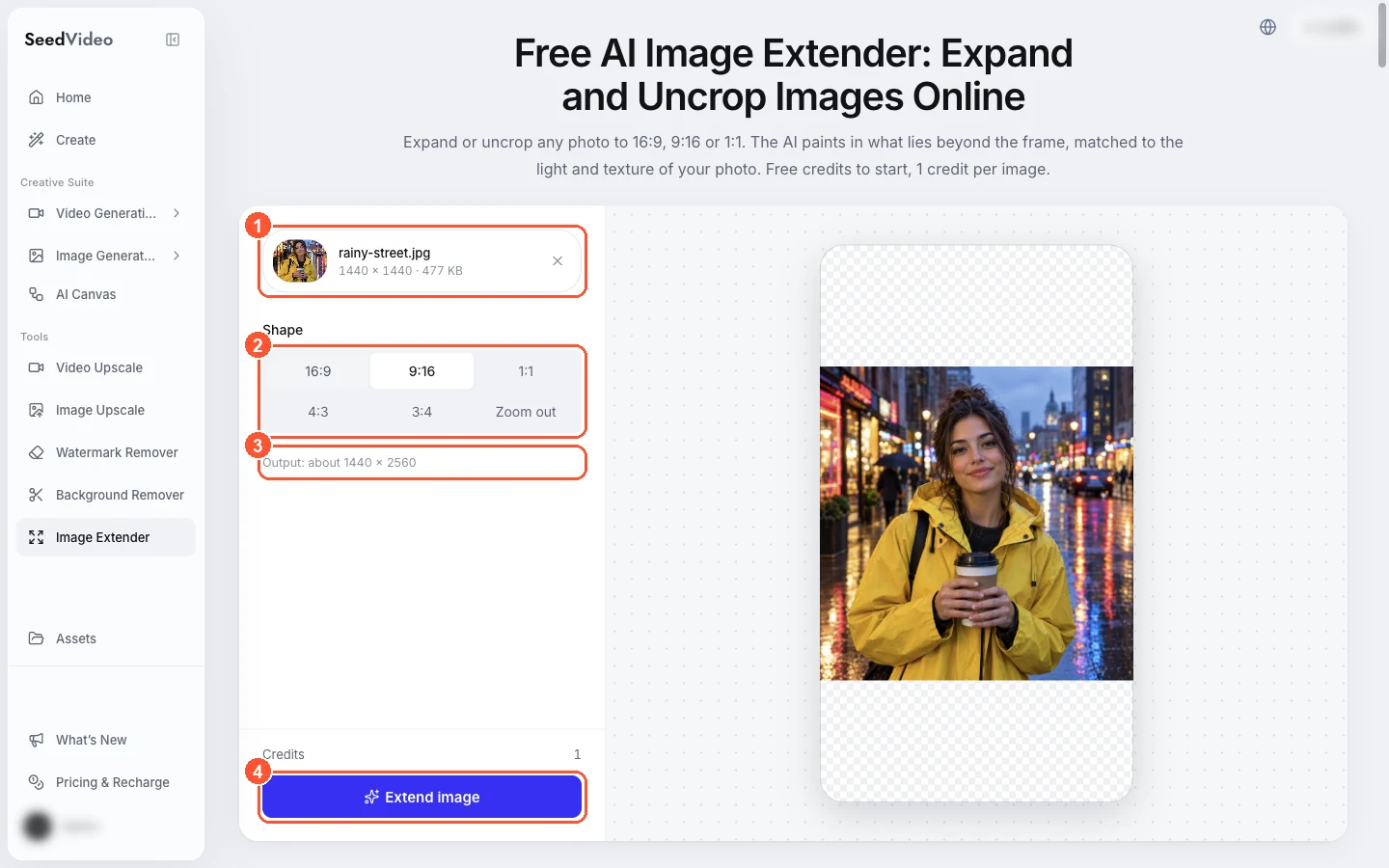
The image extender workspace: 1 the uploaded photo, 2 the shape options, 3 the output size note, 4 the Extend image button.
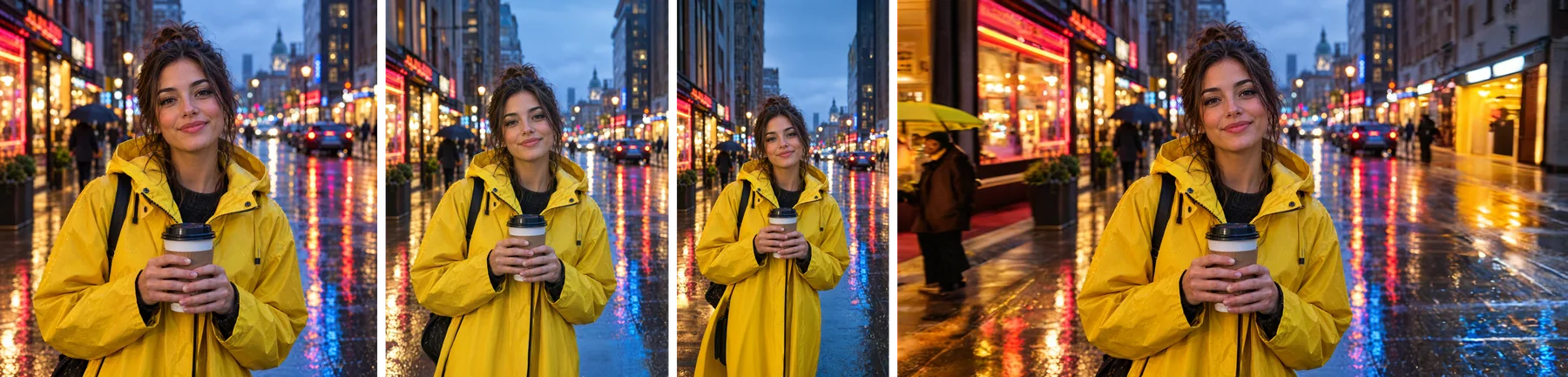
From left: the square original, 3:4 for the Instagram feed, 9:16 for Stories and 16:9 for YouTube.
| Target | Added | Runs | Time | Output |
|---|---|---|---|---|
| 3:4 (Instagram feed) | 240 px top and bottom | 1 | 12.9 s | 1440 × 1920 |
| 9:16 (Stories, Reels, Shorts) | 560 px top and bottom | 1 | 13.1 s | 1440 × 2560 |
| 16:9 (YouTube, X, LinkedIn) | 560 px left and right | 1 | 13.7 s | 2560 × 1440 |
Each run costs 1 credit, and your first image is free without signing up. Two shapes the extender does not offer directly are easy to get from these: trim the 3:4 version by 60 px top and bottom for a 4:5 ad, or the 9:16 version by 200 px top and bottom for a 2:3 Pinterest pin.
How many runs each shape takes
One run grows each side by up to 40% of the photo's shorter edge. That is why the starting shape matters more than the target.
| Starting photo | 3:4 | 9:16 | 16:9 | 1:1 |
|---|---|---|---|---|
| 1:1 square | 1 run | 1 run | 1 run | Same shape |
| 4:5 portrait (1080 × 1350) | 1 run | 1 run | 2 runs | 1 run |
| 16:9 landscape (1920 × 1080) | 2 runs | 2 runs, about two-thirds invented | Same shape | 1 run |
The more of the frame the AI has to invent, the more likely it is to add something you did not shoot. A square or 4:5 original is the most flexible starting point for social work; a wide landscape is the least.
Keep the subject inside the safe zones
Size is only half the job. On Stories and Reels, the app's own interface covers the top and bottom of the frame. Meta's ads guidance for 9:16 placements keeps text and logos out of about the top 14%, the bottom 35% and 6% on each side. We found no separate official safe zone for organic Stories, so the ads figure is the safest guide.
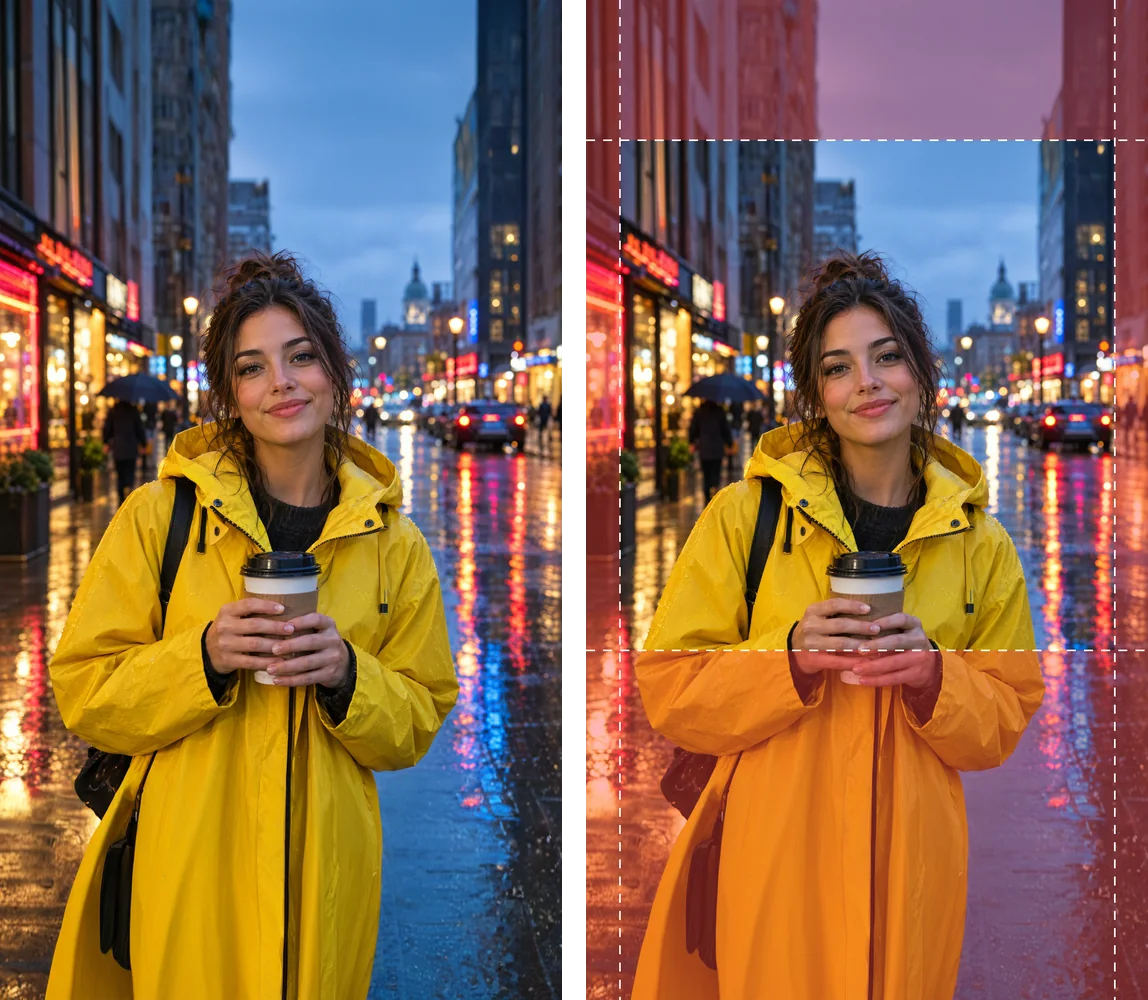
Meta's 9:16 ad safe zone on our story version: the face and coffee cup sit inside it, the lower third is covered by captions and buttons.
Extending a square photo upward and downward suits this well: the original subject ends up in the middle of the frame, which is where the safe zone is. Add your text in the upper-middle of the image, never in the bottom third.
YouTube banners are stricter. The image is 2560 × 1440, but the part that shows on every device is a thin central strip, 1235 × 338 px at the 2048 × 1152 minimum size. In our 16:9 version that strip ran straight across the woman's face, with the top of her head outside it.
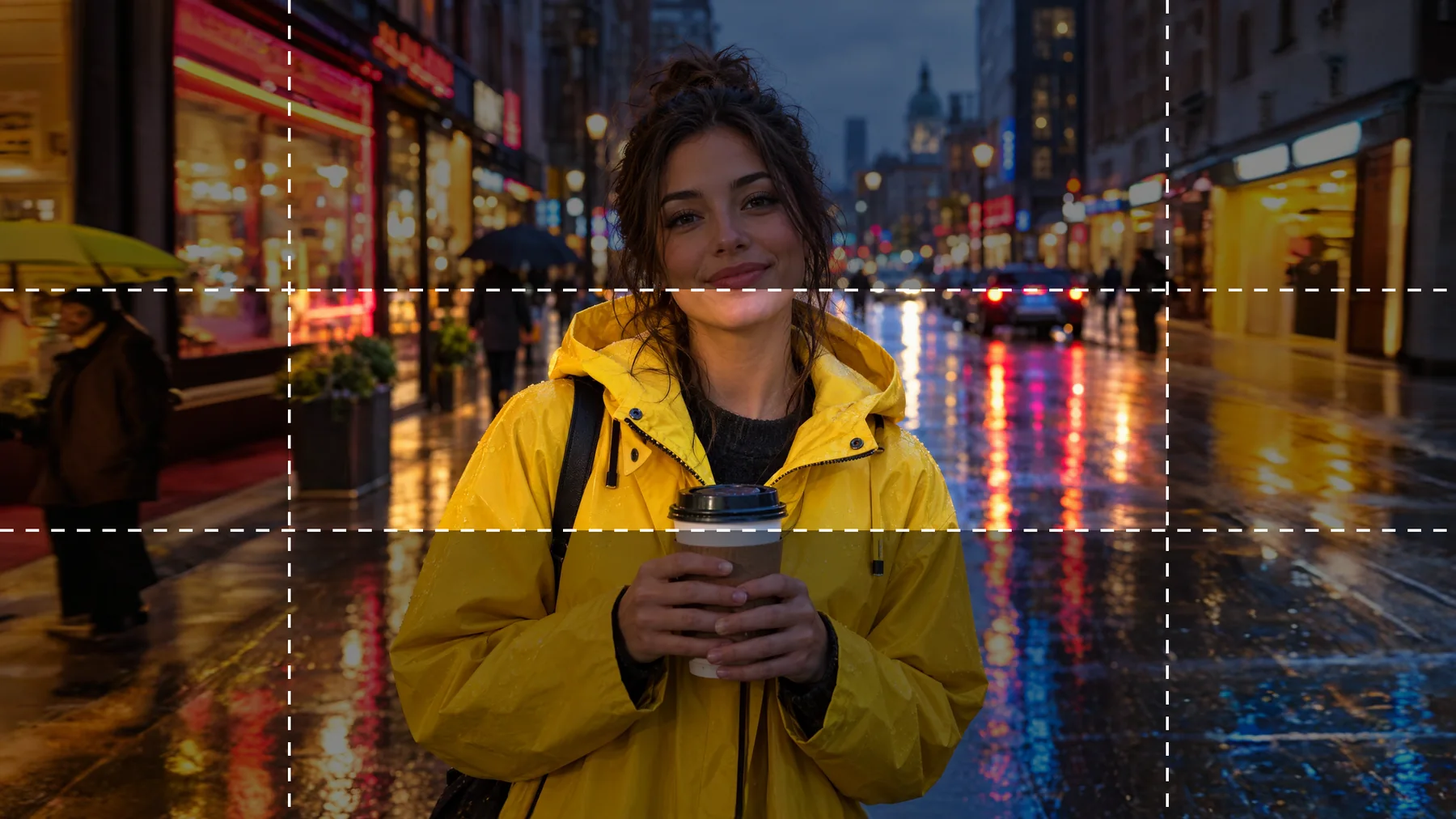
YouTube banner safe area on our 16:9 version: only the bright strip shows on every device.
For banners, choose a photo where the subject reads in a wide, short strip, such as a skyline, a product row or a person shot from further away, and put text and logos only inside that strip.
Check what the AI invented
Look at our 16:9 hero image again. Outside the dashed lines, the extender added a passer-by with an umbrella on the left and more lit shop fronts on the right. The scene is consistent with the original, which is the point, but it is not what was there. For personal posts that rarely matters. For brand work, check the new areas for:
- People: invented passers-by can look like real, unconsented individuals; re-run or crop them out.
- Text and logos: signs and shop fronts sometimes gain readable lettering; make sure nothing resembles a real brand.
- Product details: if the product touches the old edge, the AI has to guess the rest; keep products away from the border when you shoot.
Why not just add blurred bars?
Blurred bars and colour fills are quick, but they shrink the subject: a square photo inside a 9:16 frame uses only 56% of the height. An extended frame fills the whole screen with picture, and the subject stays the same size. The trade-off is generated content in the margins, so the check above is not optional.
Animate the vertical version
A 9:16 still also makes a good first frame for a short vertical clip. Open the AI image-to-video generator, upload the story version and describe the motion; our image-to-video guide covers how to write it. For the rainy street, try:
A young woman in a bright yellow raincoat holding a takeaway coffee on a rainy city street at dusk, gentle rain falling, neon reflections shimmering on the wet pavement, she smiles and the camera slowly pushes in, cinematic vertical shot.
More image fixes are collected in our quality fixes guides.
FAQ
How do I resize a photo for Instagram without cropping?
For the feed, extend it to 3:4 (1080 × 1440) or keep it between 1.91:1 and 3:4; Instagram shows those without cropping. For Stories and Reels, extend to 9:16 (1080 × 1920 or 1440 × 2560).
What size is an Instagram story in 2026?
9:16. Meta's ads specs recommend 1440 × 2560 px with text kept out of the top 14% and bottom 35%; 1080 × 1920 is the same shape at a smaller size.
What size should a YouTube banner be?
2560 × 1440 px, at least 2048 × 1152, under 6 MB. Keep text and logos inside the central safe area, 1235 × 338 px at the minimum size.
What is the best size for a YouTube thumbnail?
YouTube now recommends 3840 × 2160 px at 16:9, at least 640 px wide; 2160 × 3840 for Shorts.
Can AI extend a photo to 9:16?
Yes. From a square or 4:5 photo, one extender run reaches 9:16. From a 16:9 landscape it takes two runs and most of the frame is invented, so cropping is usually better.
Will the extended areas look real?
Mostly, when the edges continue easily, such as sky, street, wall or water. Check for invented people, readable text and logos before you post.
Resize your photo now
Upload a photo to the AI image extender, pick 9:16, 3:4, 16:9 or 1:1, and get every version without cropping. Your first image is free, no sign-up needed.
Sources (checked November 3, 2026): Instagram photo sizes, Instagram feed ad specs, Instagram story ad specs, Facebook feed ad specs, Facebook cover photo, YouTube thumbnails, YouTube banner, Pinterest product specs, X images, LinkedIn photos, TikTok carousel ads.