Best AI UGC Video Generators for Ecommerce Ads in 2026
Quick answer: Creatify is the broadest all-in-one pick for ecommerce teams that need product imports, avatars, scripts, and ad variants in one workspace. UGCFirst has the easiest low-cost entry because it offers pay-as-you-go credits and a free starting point. For brands that already have an editor and want more control over product close-ups or B-roll, Seedance 2.5 is the strongest complementary shot engine here, but it is not a complete UGC ad platform by itself.
There is no honest universal winner. The right choice depends on whether you need a finished ad from a product URL, a believable presenter, localized versions, or high-control product footage. This guide separates full UGC workbenches from single-shot video models so you do not buy the wrong category of tool.
Last verified: September 4, 2026. Prices and limits can change. Promotional annual prices are not treated as permanent list prices.
Comparison table
| Tool | Best for | Starting price or free condition | Max output shown on current plan page | Commercial-use note |
|---|---|---|---|---|
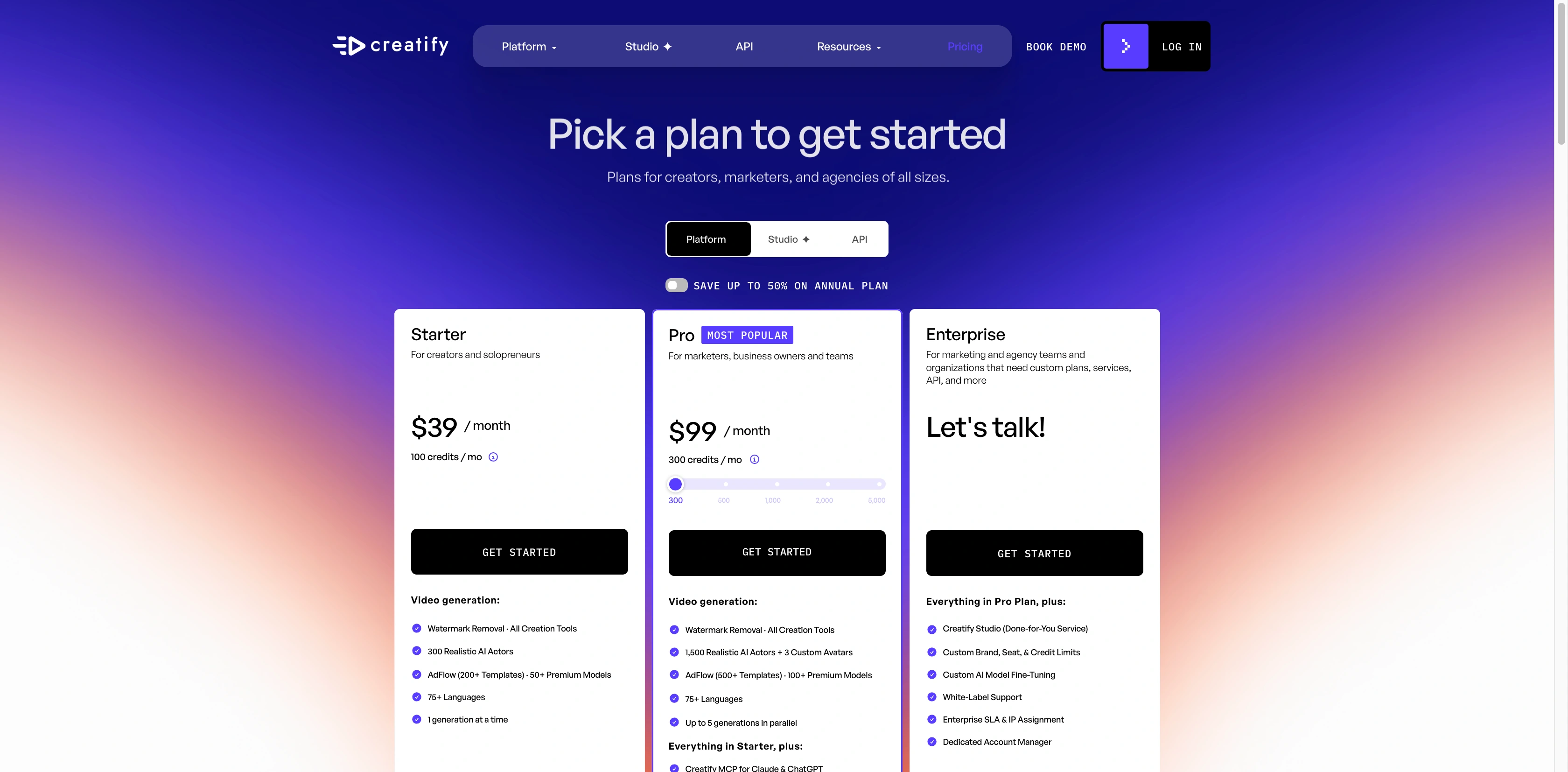
| Creatify | Broad ecommerce ad production | Free, 10 monthly credits; Starter $39/month | Up to 2 minutes on Starter, 10 minutes on Pro | Paid plans remove the watermark; verify asset and avatar rights for each campaign |
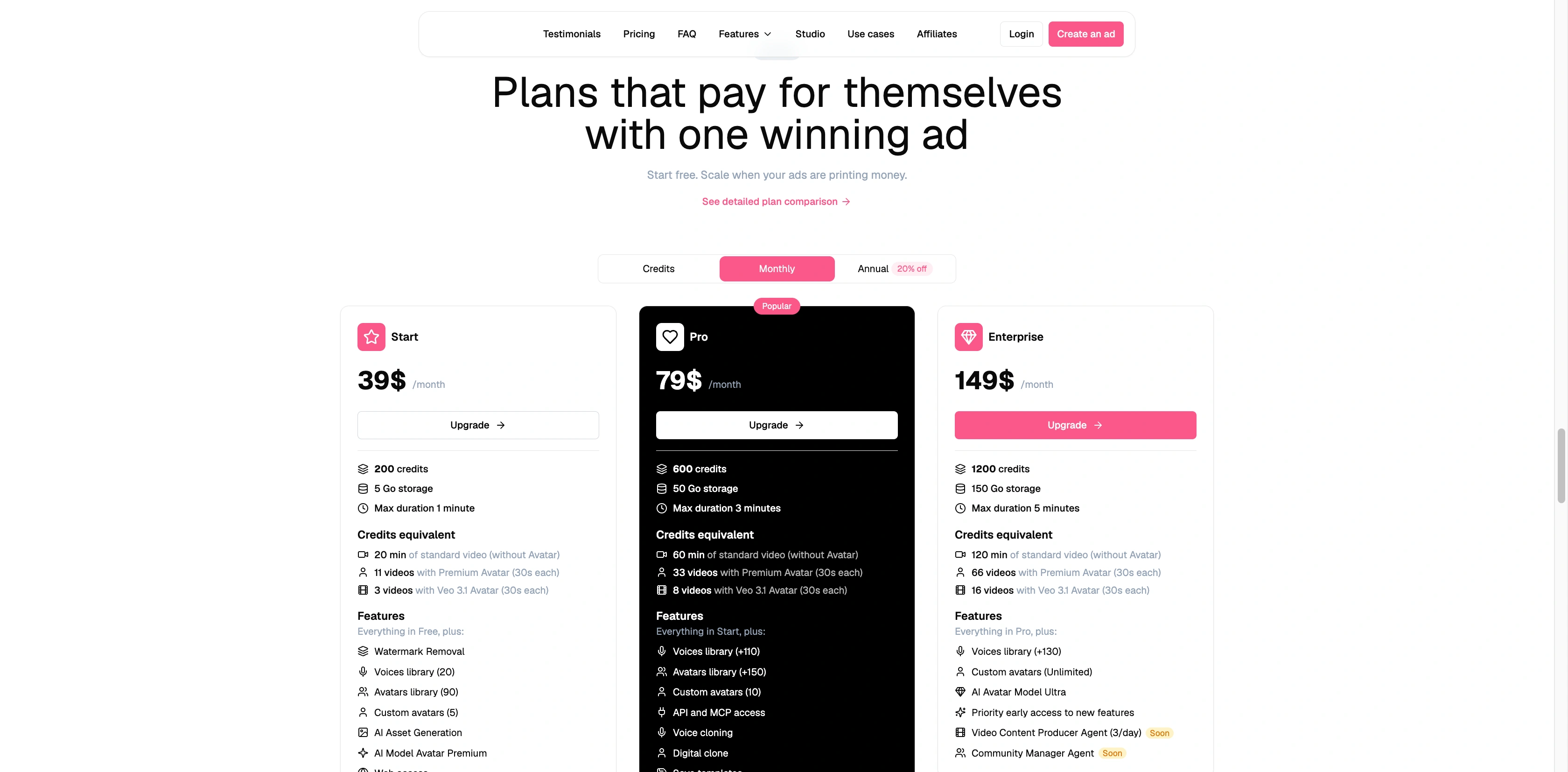
| Hoox | Turning one product into a finished ad flow | Free preview; Start $39/month | 1 minute on Start, 3 minutes on Pro, 5 minutes on Enterprise | Check the current plan and supplied-media rights before export |
| UGCFirst | Low-cost testing and pay-as-you-go use | Starts at $0; credit packs from $9.99 | 720p on Hook, 1080p on Riff, 4K export on Encore | Confirm plan terms and rights for the actor and uploaded assets |
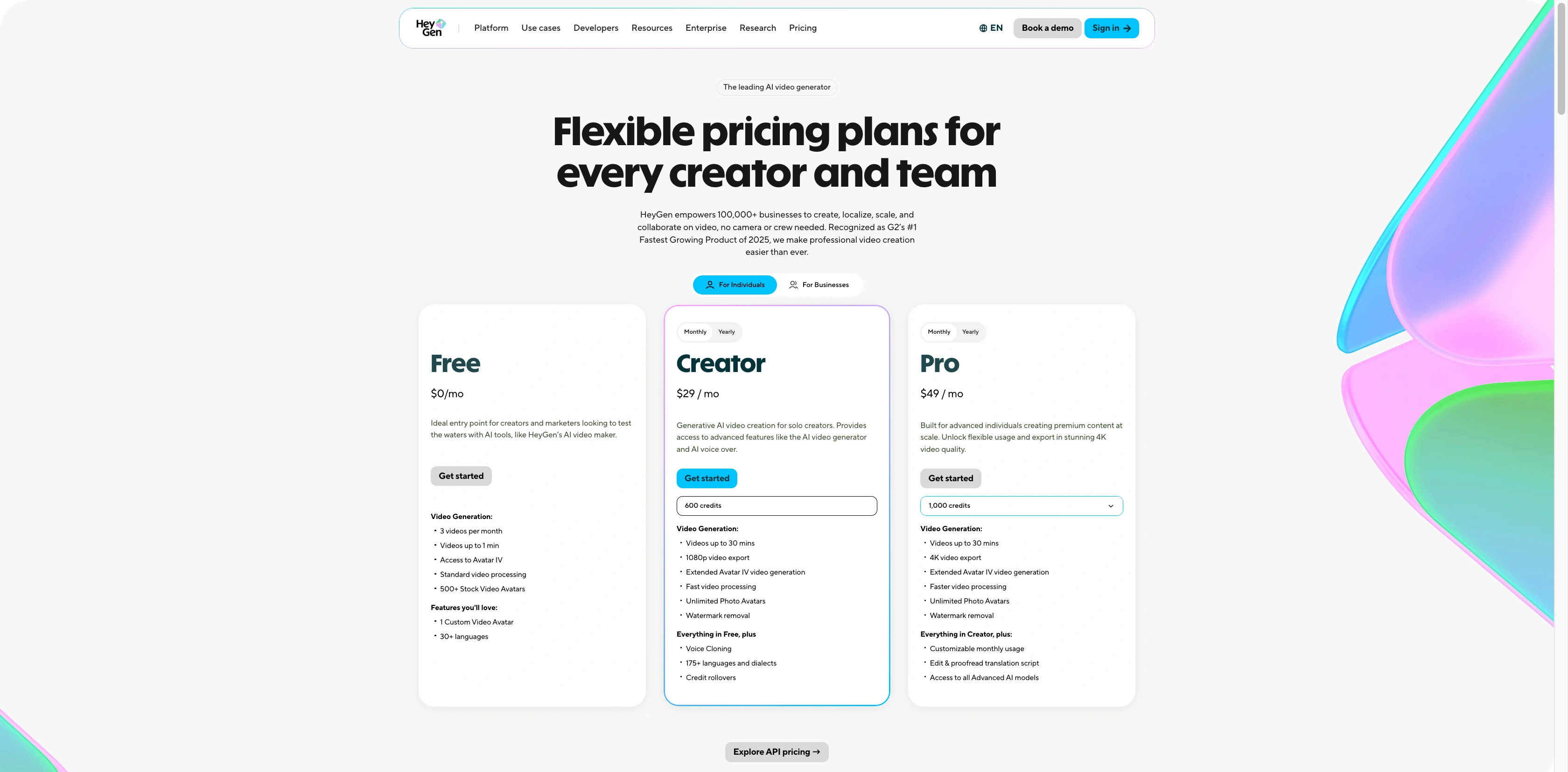
| HeyGen | Presenter-led ads and localization | Free, 3 videos/month; Creator $29/month | 1080p on Creator, 4K on Pro; up to 30 minutes on paid plans | Check plan, stock-avatar, voice, and input-asset rights |
| Arcads | Large actor libraries and creative variation | Public price not reliably visible; account or quote required | Check the current workspace | License is non-exclusive and actor-specific restrictions can apply |
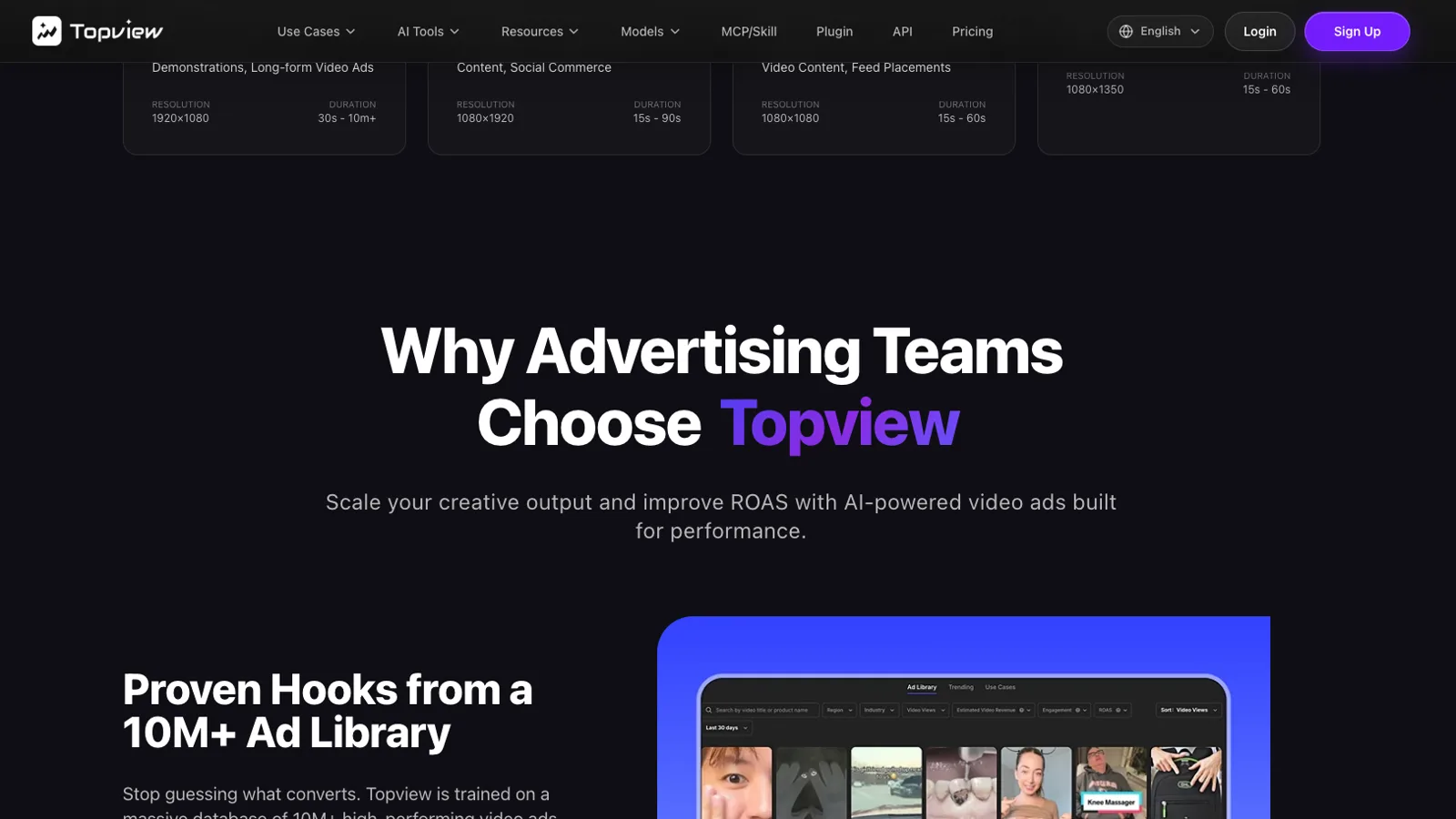
| Topview | Reference-ad and product-link workflows | Free tier shown with watermark; paid pricing varies by billing view | Check the current plan page | Free output is shown as non-commercial; paid plans show commercial licensing |
| Seedance 2.5 | Controlled product shots and B-roll | Free plan includes 5 credits; yearly Lite shown at $9.90/month | Current generator view shows 720p and 5 seconds; model page says up to 30 seconds | Paid plans list commercial use; you still need rights to inputs and claims |
The table compares what the official pages displayed on the verification date. It does not pretend that a 30-minute avatar video and a five-second product shot are interchangeable deliverables.
How I evaluated these AI UGC tools
A useful ecommerce UGC system has to move through more than generation. I looked for seven practical capabilities: product import, script support, an avatar or actor layer, controllable product shots, captions, batch variation, and pricing that a marketer can understand before committing. I also separated public evidence from assumptions. If an official page did not expose a stable price or a clear commercial-use statement, the table says so.
This is a workflow comparison, not a same-input quality test. No paid generations were run for this article, so I am not ranking facial realism, lip sync, or conversion performance as measured outcomes. Those require the same brief, inputs, budget, and human review across every platform. Treat any vendor performance claim as marketing until your own campaign data confirms it.
The other distinction matters just as much: a full UGC workbench can assemble scripts, presenters, B-roll, captions, music, and variants. A shot engine produces individual clips that you edit elsewhere. The second category can deliver better control for a hero product shot, but it adds editing time and does not replace campaign assembly.
1. Creatify: best overall for broad ecommerce ad operations
Best for: Teams that want product URLs, scripts, avatars, templates, captions, and multiple ad variations in one system.
Not best for: A creator who only needs one carefully art-directed product shot.
Creatify covers the largest part of the typical performance-ad pipeline in this shortlist. Its official pages present URL-to-video, product video, AI avatars, script generation, templates, multiple models, and batch-oriented ad creation. That breadth makes it the safest overall recommendation for a team choosing one workspace rather than assembling several specialist tools.
The tradeoff is control. An all-in-one system is optimized for throughput and repeatability, not necessarily for the exact motion of a bottle, fabric, device, or hand in a single shot. A sensible workflow is to use Creatify for structure and variation, then replace weak product moments with a dedicated image-to-video generator.
The current pricing view showed a free tier with 10 monthly credits and a watermark. Starter was $39 per month with 100 credits, up to two-minute videos, 300 actors, more than 200 templates, more than 50 models, and watermark removal. Pro was displayed at $99 per month with 300 credits in the captured slider position, up to 10-minute videos, a larger actor and template library, and more than 100 models. Credit costs vary by feature, so do not turn those totals into a fixed cost per finished ad without checking the exact workflow.
2. Hoox: best for product-to-finished-ad simplicity
Best for: A small ecommerce team that wants to move from a URL, product idea, or media upload to a structured ad.
Not best for: Buyers who need the cheapest public entry plan or a large localization operation.
Hoox presents a clean end-to-end story: start with a product, let the system help form a script, choose an avatar, then assemble B-roll, subtitles, transitions, and music. That makes it easy to understand where the product sits in the workflow. It is especially appealing when the team does not want to coordinate a script tool, avatar generator, editor, and subtitle service separately.
The official pricing page showed a free preview without a card, then Start at $39 per month with 200 credits and videos up to one minute. Pro was $79 per month with 600 credits and videos up to three minutes. Enterprise was $149 per month with 1,200 credits and videos up to five minutes. Those limits are generous for ads, where a tight 15 to 45 seconds is normally more useful than a long runtime.
Do not choose Hoox only because a landing page promises a fast result. Run one real product through the process and inspect pack accuracy, logo rendering, hands, spoken claims, subtitle timing, and the final call to action. Those are the points most likely to turn a polished template into an unusable ad.
3. UGCFirst: best low-cost and pay-as-you-go entry
Best for: Solo marketers and small stores that want to test the format without starting with a large subscription.
Not best for: Teams that require a long track record, deeply documented enterprise controls, or a mature collaboration layer.
UGCFirst stands out because the cost model is easier to enter. Its official pricing page showed a $0 starting point and credit packs from $9.99, plus monthly plans named Hook, Riff, and Encore. The platform also promotes product-link input, product research, manual and autopilot creation, campaigns, and scheduling. That is more than a clip generator and positions it as a lightweight ad workflow.
Hook was shown at $14.99 per month with 200 credits and 720p output. Riff was $39.99 with 550 credits and 1080p. Encore was $89.99 with 1,300 credits and 4K export. The page listed 100 credits for a full UGC video, 40 for an avatar video, and 10 for an image. If every credit were spent on full UGC videos, the displayed monthly plans imply about $7.50, $7.27, and $6.92 per full video respectively. That is only a planning estimate. Rerenders, images, avatar clips, and other features change the real campaign cost.
The page also listed more than 29 languages. Language count alone does not prove native-sounding delivery. Review pronunciation, pacing, translated claims, caption line breaks, and local compliance with someone fluent in the market.
4. HeyGen: best for presenter-led ads and localization
Best for: Presenter-heavy ads, multilingual versions, and teams that already know how to edit product footage around an avatar.
Not best for: A campaign where physical product interaction is the central creative challenge.
HeyGen is the most established presenter workflow in this comparison. Its product-video pages describe turning a product link, photos, and a script into scenes with narration and captions. Its pricing page also makes the free entry point unusually clear: three videos per month, up to one minute each, more than 500 stock avatars, and more than 30 languages.
Creator was shown at $29 per month with 600 credits, 1080p output, videos up to 30 minutes, and more than 175 languages. Pro was $49 per month with 1,000 credits and 4K output. For an ecommerce ad, the headline advantage is not the maximum duration. It is the ability to build many presenter-led regional versions without scheduling shoots in every market.
The weak point is product truth. A convincing avatar does not guarantee a convincing demonstration. If the presenter must hold, open, pour, wear, or operate a specific item, inspect every interaction. Often the better result is a hybrid: presenter lines from HeyGen, real footage for proof, and generated B-roll only where it does not create a false product claim.
5. Arcads: best for actor range and creative variations
Best for: Teams that need many actor options, script variations, and a canvas for organizing a high volume of creatives.
Not best for: Buyers who need transparent public pricing before creating an account.
Arcads emphasizes a library of more than 1,000 AI actors, custom avatars, a workflow canvas, more than 30 languages, scripting, and lip sync. That combination fits teams whose main bottleneck is finding enough presenter styles and angles for creative testing. It is less compelling when the bottleneck is accurate product motion or a specialized cinematic shot.
Public pricing was not reliably verifiable during this review, so a dollar figure would create false precision. Check the current account or request a quote, then ask how credits are charged for rerenders, custom avatars, languages, exports, and collaboration seats.
Its published license language allows reproduction, distribution, and marketing uses subject to restrictions, while describing the license as non-exclusive and noting that actor-specific limits can apply. That is a reminder to review the exact actor and campaign rights instead of treating “commercial use” as a blanket permission for every face, voice, market, and claim.
6. Topview: best for reference-ad workflows
Best for: Marketers who want to begin with product images, a product URL, or reference ads and quickly explore new structures.
Not best for: Teams that need one stable public price card across every billing view.
Topview's advertising workflow highlights product images, URLs, reference ads, scripts, storyboards, UGC avatars, format selection, and resizing. The reference-ad angle is useful because many ecommerce teams are not starting from a blank page. They already know which hook, pacing, or shot order they want to explore, but they need fresh assets rather than a direct copy.
The free tier was displayed with a watermark and non-commercial limitation. A paid Pro price of $29 per month appeared in an annual-billing view, along with commercial licensing, but billing displays can change. Recheck the exact monthly or annual total before purchase.
Use references for structure, not imitation. Replace another brand's product, logo, creator likeness, spoken claims, and distinctive creative expression. A strong workflow extracts the pattern, such as “problem in two seconds, close-up proof, then offer,” and rebuilds it with your own evidence.
7. Seedance 2.5: best complementary engine for controlled product shots
Best for: Product close-ups, B-roll, visual demonstrations, and teams that already have a script, presenter, and editor.
Not best for: Anyone expecting a complete URL-to-published-UGC-ad workflow.
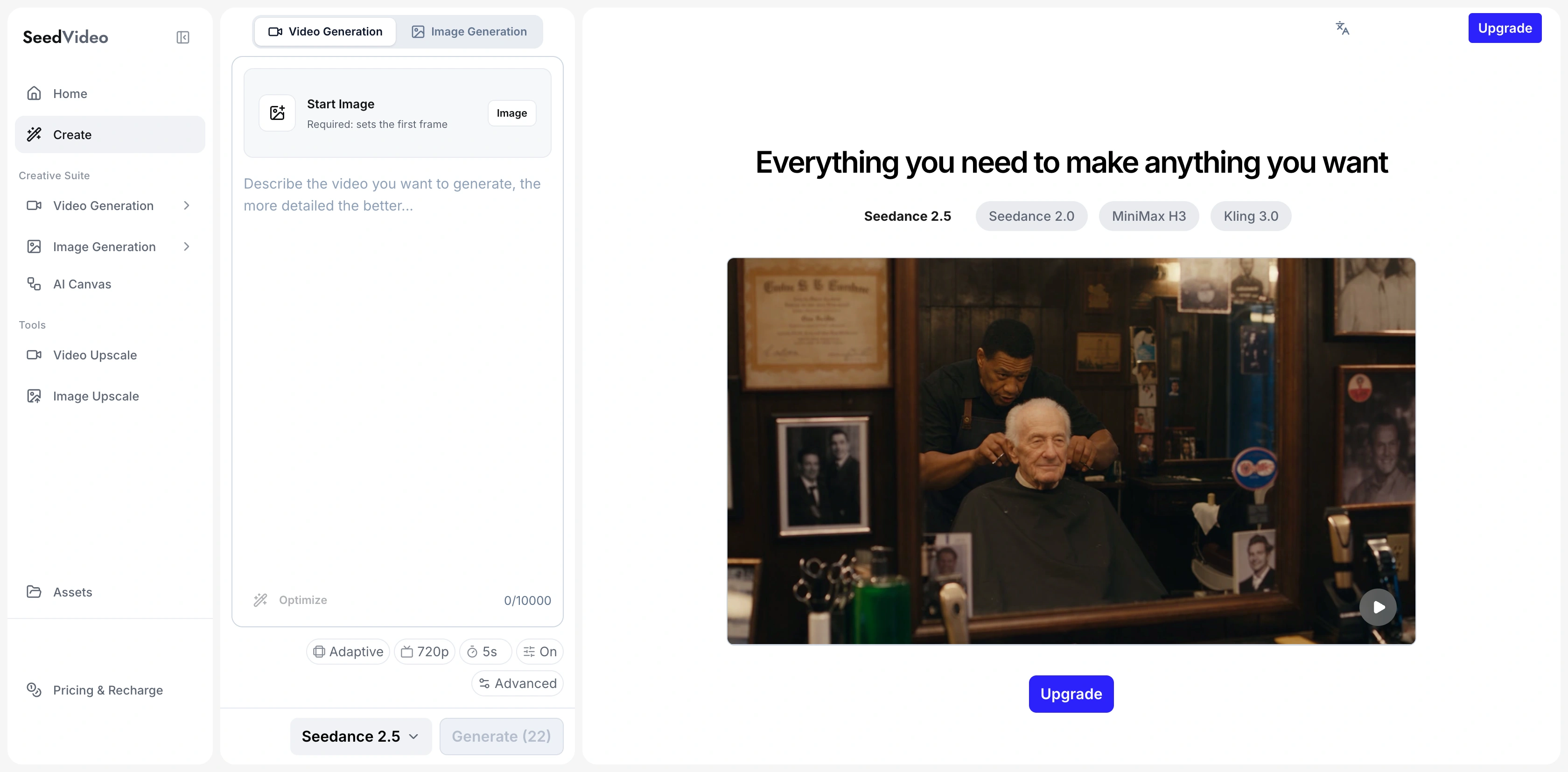
Seedance 2.5 belongs in this list for a different reason. It is a shot engine, not an all-in-one UGC system. The official model page says it can generate up to 30 seconds and accept up to 30 images, 10 videos, and 10 audio references. The current live generator view captured for this article showed image input, adaptive aspect ratio, 720p, five seconds, an advanced control, and audio enabled. The model page and the active generation view describe different layers, so check the selected mode before budgeting a shot.
This makes Seedance useful when a platform's stock B-roll is the weak link. Give it a clean product reference, specify camera movement and physical action, and generate a short clip for the editor. If you already have a usable take, the Seedance video to video mode can swap the product, clean up a distracting background element, or extend the shot instead of regenerating it from scratch. The Seedance 2.5 video editing guide explains source-clip limits and which prompts trigger an edit or an extension. The workflow is closer to a production insert than a finished ad. You still need a hook, claims, captions, pacing, music, and a final CTA.
The free plan currently lists 5 credits. The annual pricing view showed Lite at $9.90 per month for 130 credits, Pro at $24.90 for 400, and Premium at $69.90 for 1,200. Those were promotional annual figures at verification time, so confirm the checkout total and credit cost of the chosen model. Paid plans list commercial use, but that does not grant rights to trademarks, music, people, or uploaded media.
You can pair the model with a text-to-video generator for conceptual B-roll, or follow this practical AI UGC ad workflow when you need a shot list, safe areas, captions, and claim review. The broader AI product video guide explains when a product photo is enough and when real footage is safer.
What does one usable UGC ad actually cost?
Subscription price is only the first line. A usable ad may require a script draft, two to five presenter renders, replacement product shots, captions, music, editing, compliance review, and several aspect ratios. A $7 credit estimate can become a $40 creative if hands fail, the product changes shape, or a translated line needs repeated lip-sync passes.
Budget by approved deliverable, not generated clip. Track four numbers: platform spend, human editing time, rerender rate, and the percentage of outputs that pass brand and claim review. Then divide the total by approved ads. That number is comparable across tools. Raw credits are not. For per-clip generation prices on Runway, Kling, Hailuo, Luma, and SeedVideo AI, the AI video generator pricing comparison is a useful starting line.
For a first test, keep the brief narrow: one product, one audience, one promise you can prove, three hooks, one presenter style, and one 15 to 30 second structure. Export vertical first, because 9:16 reveals framing and caption problems quickly. Only expand into more languages or formats after one version survives review. If the same presenter or character must recur across variants, check the character consistency comparison before choosing a shot model.
A practical ecommerce workflow
- Write the evidence before the script. List only benefits, prices, ingredients, measurements, testimonials, and comparisons you can support.
- Choose the platform by bottleneck. Use an all-in-one tool for speed, an avatar tool for localization, or a shot engine for visual control.
- Build three hooks, not three complete ads. Keep the body stable so you can learn what changed performance.
- Separate presenter and product shots. A believable face should not excuse a distorted package or impossible demonstration.
- Add captions manually or review every line. Fix names, units, prices, and line breaks. Keep text inside platform-safe areas.
- Run a rights and claims review. Confirm actor, voice, music, logo, input-media, and commercial-use permissions.
- Measure approved output. Count only assets that are accurate enough to publish, not every generated preview.
Authenticity, rights, and disclosure checklist
- Do not imply that an AI actor personally used the product unless that statement is true and permitted.
- Do not fabricate testimonials, ratings, medical outcomes, earnings, before-and-after results, or competitor comparisons.
- Keep source files or links for every factual claim shown or spoken.
- Verify the rights to uploaded product photos, creator footage, music, voices, logos, and reference ads.
- Review actor-specific and territory-specific limits. “Commercial use” can still include conditions.
- Use disclosure when required by the ad platform, local law, or the nature of the synthetic content.
- Have a human check pronunciation, units, currency, captions, and cultural fit for every localized version.
Which tool should you choose?
Choose Creatify when you want the broadest ready-made ecommerce workflow. Choose Hoox when you prefer a guided product-to-ad path. Choose UGCFirst when budget flexibility and pay-as-you-go testing matter most. Choose HeyGen when the presenter and localization layer is the core job. Choose Arcads when you need a wide actor library and many creative variations. Choose Topview when reference ads and fast restructuring are central. Choose Seedance 2.5 when you already have the campaign structure and need stronger individual shots.
The best stack is often two tools, not seven: one full workflow plus one specialist for the weakest part of the output. Start with the smallest paid commitment that lets you test a real product, then keep the tool that produces the most approved ads per dollar and hour.
FAQ
What is the best AI UGC video generator for ecommerce ads?
Creatify is the broadest all-in-one choice in this comparison. Hoox is strong for a guided product-to-ad workflow, while UGCFirst offers the lowest-cost entry. The best choice still depends on whether your bottleneck is scripting, presenters, localization, or product footage.
Is there a free AI UGC video generator?
UGCFirst, Creatify, HeyGen, and Seedance showed free entry conditions on September 4, 2026. Free output may have credit limits, watermarks, lower resolution, or non-commercial restrictions. Verify export rights before publishing an ad.
Can AI UGC videos be used commercially?
Some paid plans advertise commercial use, but permission is not universal. You must also hold rights to the actor or avatar, voice, music, product images, logos, and reference materials, and comply with advertising and disclosure rules.
Is Seedance 2.5 a complete UGC ad generator?
No. Seedance 2.5 is best treated as a controllable video-shot engine. It can create product clips and B-roll, but a finished UGC ad still needs scripting, captions, editing, claims review, and a call to action.
How should I compare AI UGC pricing?
Compare cost per approved, publishable ad. Include credits, rerenders, editing time, localization, and rejected outputs. Subscription price or cost per raw clip can hide the real campaign cost.