Seedance 2.5 has fewer settings than most people expect, and each one does a specific job. You pick an aspect ratio (16:9, 9:16, 1:1, 4:3, 3:4, 21:9 or Adaptive), a duration from 4 to 30 seconds in whole seconds, a resolution (480p, 720p or 1080p, plus a 480p Draft that can be upgraded to 1080p), and Sound on or off. The defaults are Adaptive, 5 seconds, 720p and Sound on. Everything else comes from your inputs: one image becomes the first frame, two images become first and last frames, three or more images or any video turn the job into a reference generation, and an uploaded clip can be edited or extended. Duration and resolution set the credit cost. Aspect ratio and Sound do not change the price. The tables below list every parameter with its values, default and best use, then give six tested presets and the rules for when two settings collide.
Last verified: November 10, 2026
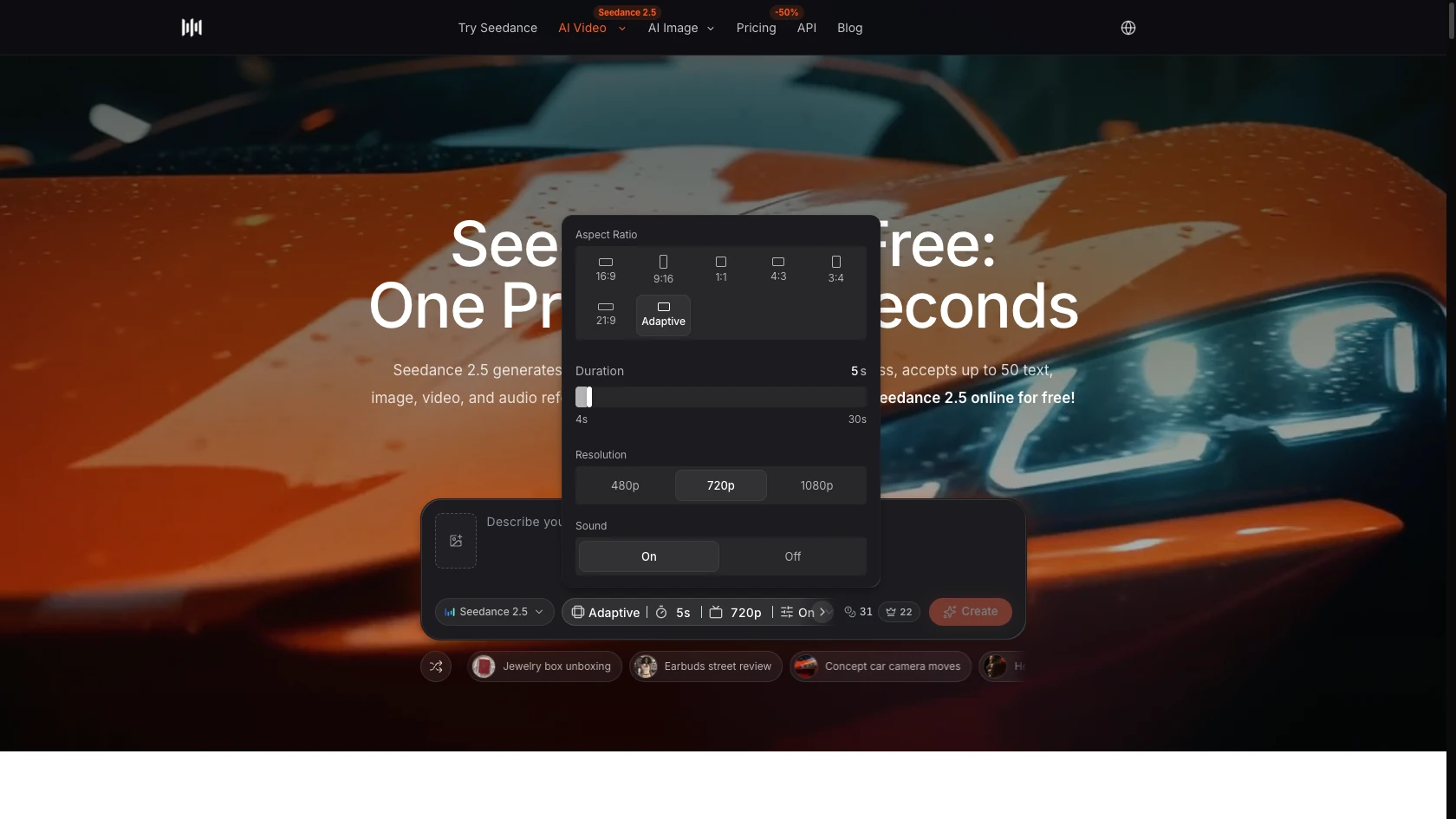
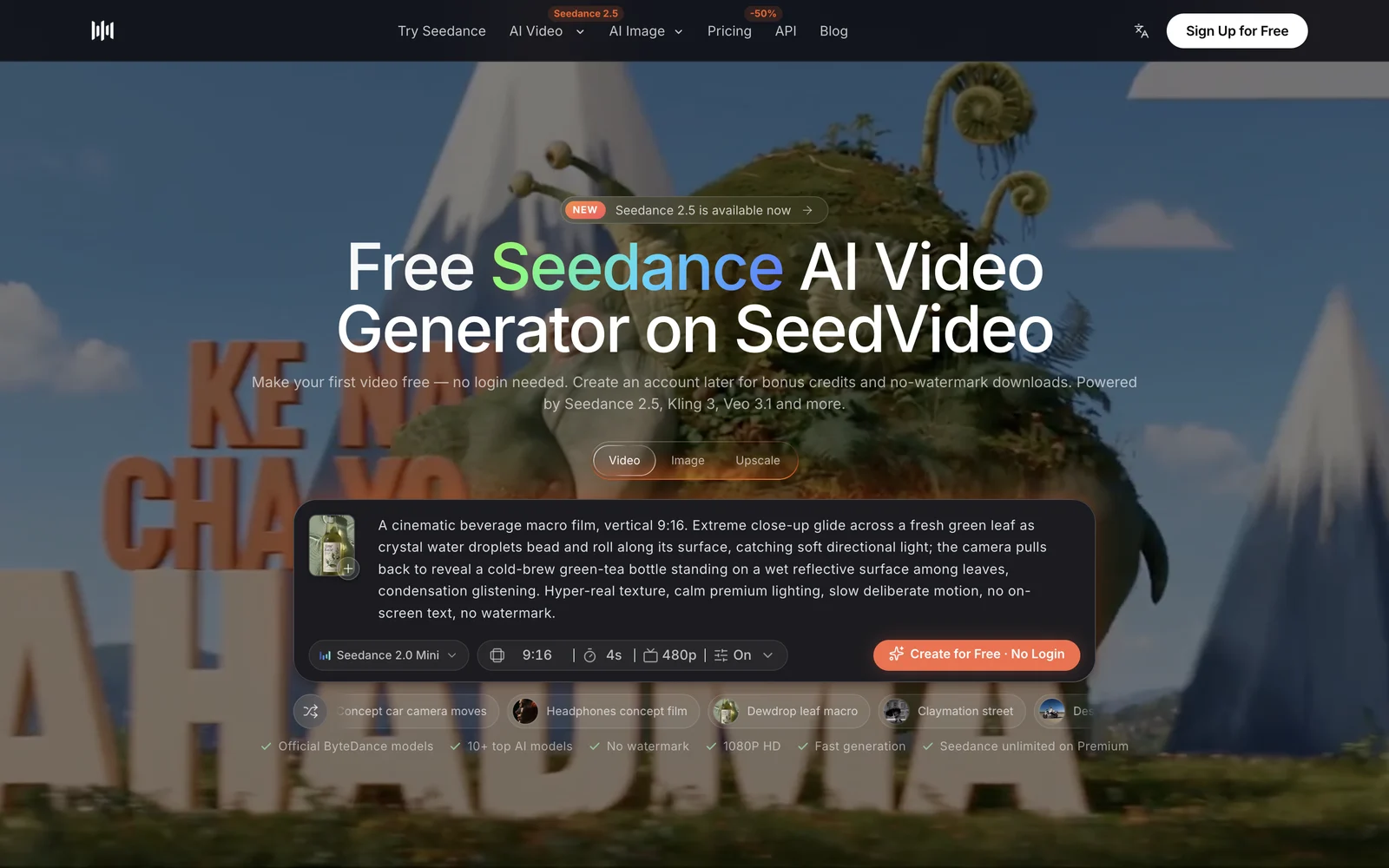
Seedance 2.5 settings panel, English interface, November 10, 2026: Adaptive ratio, 5 seconds, 720p and Sound on are the defaults.
Quick Answer
What is the best default setting for Seedance 2.5? 720p, 5 to 10 seconds, Adaptive ratio and Sound on. That combination costs 31 credits for 5 seconds before plan discounts and shows you whether the prompt works before you pay for length or 1080p.
Does turning Sound off make a Seedance 2.5 video cheaper? No. In a side-by-side check on November 10, 2026, a 10-second 720p clip showed 61 credits with Sound on and 61 credits with Sound off.
Why can't I pick 16:9 after adding an image? Adaptive is the only ratio once a start frame or source clip is attached, for image-to-video, edit and extend alike. The output follows the shape of your source image or clip, so crop the source first if you need a fixed ratio.
Is Draft cheaper than going straight to 1080p? Yes, when you reject most takes. A draft costs the 480p rate, and only the keeper gets the 1080p upgrade, which costs the same as a direct 1080p render.
Seedance 2.5 settings table: every parameter at a glance
| Setting | What it controls | Values | Default | Use it when |
|---|---|---|---|---|
| Prompt | Subject, action, camera, sound cues | Up to 10,000 characters | Empty | Always; put camera and timing in plain sentences |
| Aspect ratio | Frame shape | 16:9, 9:16, 1:1, 4:3, 3:4, 21:9, Adaptive | Adaptive | Lock 9:16 for Reels and Shorts, 16:9 for YouTube, 21:9 for film-style shots |
| Duration | Clip length | 4 to 30 seconds, whole seconds | 5 s | Short for tests, 15 to 30 s for full ads or story beats |
| Resolution | Output size and price per second | 480p, 720p, 1080p | 720p | 480p to test, 720p for most delivery, 1080p for final cuts |
| Draft | 480p preview you can upgrade to 1080p with the same content | On or off, inside the resolution menu | Off | You expect to reject several takes before keeping one |
| Sound | Native audio generated with the picture | On, Off | On | Turn off only when you will replace the audio anyway |
| Start and end frame | First frame, or first and last frames | 1 image, or 2 images | None | Animating a product photo, character art or a planned transition |
| Reference assets | Identity, product, style, motion and rhythm guides | Up to 30 images and 10 videos | None | You need the same product or character across shots |
| Video input (edit or extend) | Changes or continues an existing clip | 1 source video plus a prompt | None | Swapping a detail or adding seconds to a clip you already like |
| Relaxed content mode | How strictly prompts are screened | Standard, Relaxed | Standard | Harmless prompts keep getting refused; Relaxed costs 10% more credits |
| Number of videos | Parallel takes from one prompt | ×1, ×2, ×4, ×8 | ×1 | Comparing takes; capped by your plan's concurrent generations |
Seedance 2.5 parameters explained one by one
How long can a Seedance 2.5 clip be?
Any whole number from 4 to 30 seconds. That is double the 15-second ceiling of Seedance 2.0, which is the main reason to choose 2.5. A 30-second clip has room for a hook, a demonstration and a held final frame in one generation, so you are not stitching three short clips together. The 30-second video planning guide covers how to split that time into beats.
Which aspect ratio should I use?
Pick the ratio of the place the video will be posted. Use 9:16 for TikTok, Reels and Shorts, 16:9 for YouTube and websites, 1:1 or 4:3 for feeds and marketplaces, 3:4 for portrait product shots, and 21:9 for a letterboxed film look. Adaptive lets the model choose a shape for text-only prompts and follows the source shape when you add an image or video.
What do 480p, 720p and 1080p change?
Resolution changes output size and the credit rate per second, and nothing about the prompt. The rate roughly doubles from 480p to 720p and triples again from 720p to 1080p, so 1080p is the setting to save for a take you already like. Draft sits at the bottom of the same menu: it renders at 480p and then offers an "Upgrade to 1080p" button with a countdown, about 24 hours.
How do images and videos change the generation mode?
The mode follows your uploads. One image is used as the start frame, two images as first and last frames (the composer calls this First + Last Frames), and three or more images, or any video, switch the job to reference generation, where each asset guides one aspect such as product shape or camera motion. To treat one or two images as references instead of frames, choose "Use as reference image" on the upload. Name each asset in the prompt by its order, for example @image1 for the product and @video1 for the camera move. The reference-to-video workflow guide shows how to give every asset one clear job.
Image files work best inside the documented limits: JPEG, PNG or WebP, 300 to 6,000 pixels per side, an aspect ratio between 0.4 and 2.5, and up to 30 MB. Reference videos should be MP4 or MOV, 2 to 30 seconds each and 30 seconds in total, at 24 to 60 frames per second.
What do edit and extend do?
Upload a clip and describe the change ("replace the red mug with a glass of water") or the continuation ("continue the shot as she opens the door"). The wording of the prompt decides whether the job is an edit or an extension. Both run in Adaptive. In edit mode the duration control disappears because the model sets the output length, and the credit charge covers the input seconds plus the output seconds. The Seedance 2.5 video editing guide has prompt patterns for both.
What is Relaxed content mode?
It is the only option under Advanced. Standard is the default. Relaxed screens prompts less strictly to cut false refusals, while banned content is still blocked, and it adds 10% to the credit cost. Try rewording a refused prompt before you switch.
6 Seedance 2.5 settings presets by task
| Task | Ratio | Duration | Resolution | Sound | Inputs |
|---|---|---|---|---|---|
| 1. Prompt test | Adaptive | 5 s | Draft (480p) | On | Text only |
| 2. Vertical social ad | 9:16 | 10 s | 720p | On | Text, or 1 product image |
| 3. Cinematic scene | 21:9 | 15 s | 1080p | On | Text only |
| 4. Product photo to motion | Adaptive | 10 s | 1080p | On | 1 start-frame image |
| 5. 30-second story or explainer | 16:9 | 30 s | 720p | On | Text plus up to 30 reference images |
| 6. Fix or lengthen a clip | Adaptive | Set by the model when editing | 720p | On | 1 source video |
Preset 1 is for checking whether a prompt reads correctly at the lowest cost. Keep it to 5 seconds and use Draft, then upgrade only the take worth keeping.
A paper boat drifts down a rain-soaked neon street at night, slow low tracking shot following the boat, reflections rippling in puddles, soft rain ambience
Preset 2 fits a phone screen. Ten seconds gives a three-second hook, a product moment and a held end frame, and 720p is enough for most social feeds.
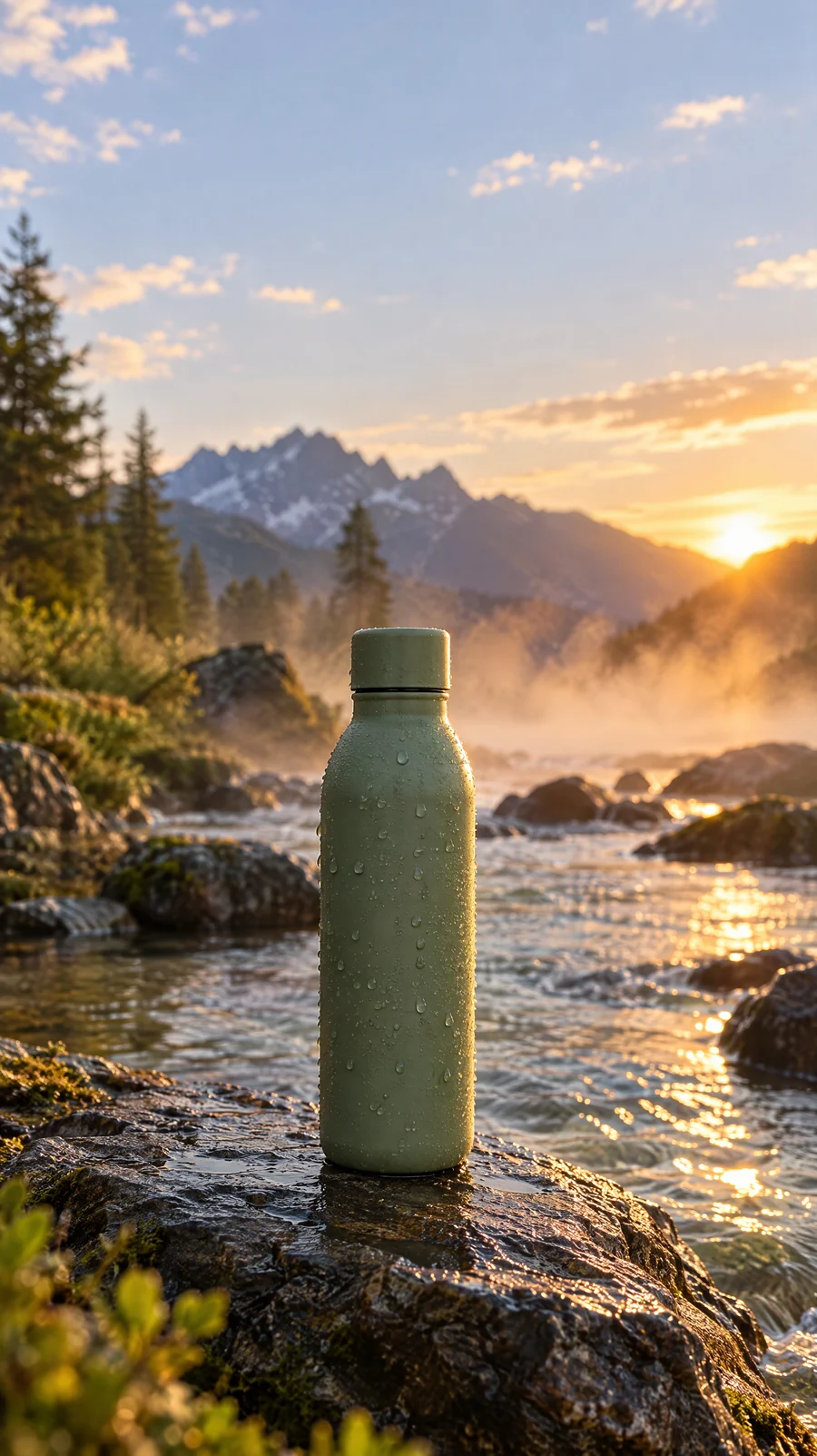
Image prompt: Vertical 9:16 product ad frame, a matte sage-green ceramic water bottle with no label standing on a wet black stone ledge beside a clear mountain stream at golden hour, water droplets on the bottle, warm backlight rim, mist over the water, product in the lower third with sky above, shallow depth of field, photorealistic commercial photography.
Vertical 9:16 product video, a matte sage-green water bottle on a wet stone ledge beside a mountain stream at golden hour, slow push-in from waist height, droplets catching the light, mist drifting behind, gentle stream sound and a soft cap click at the end
Preset 3 spends credits where they show. 21:9 and 1080p make a wide establishing shot read like film, and 15 seconds is long enough for one slow camera move.
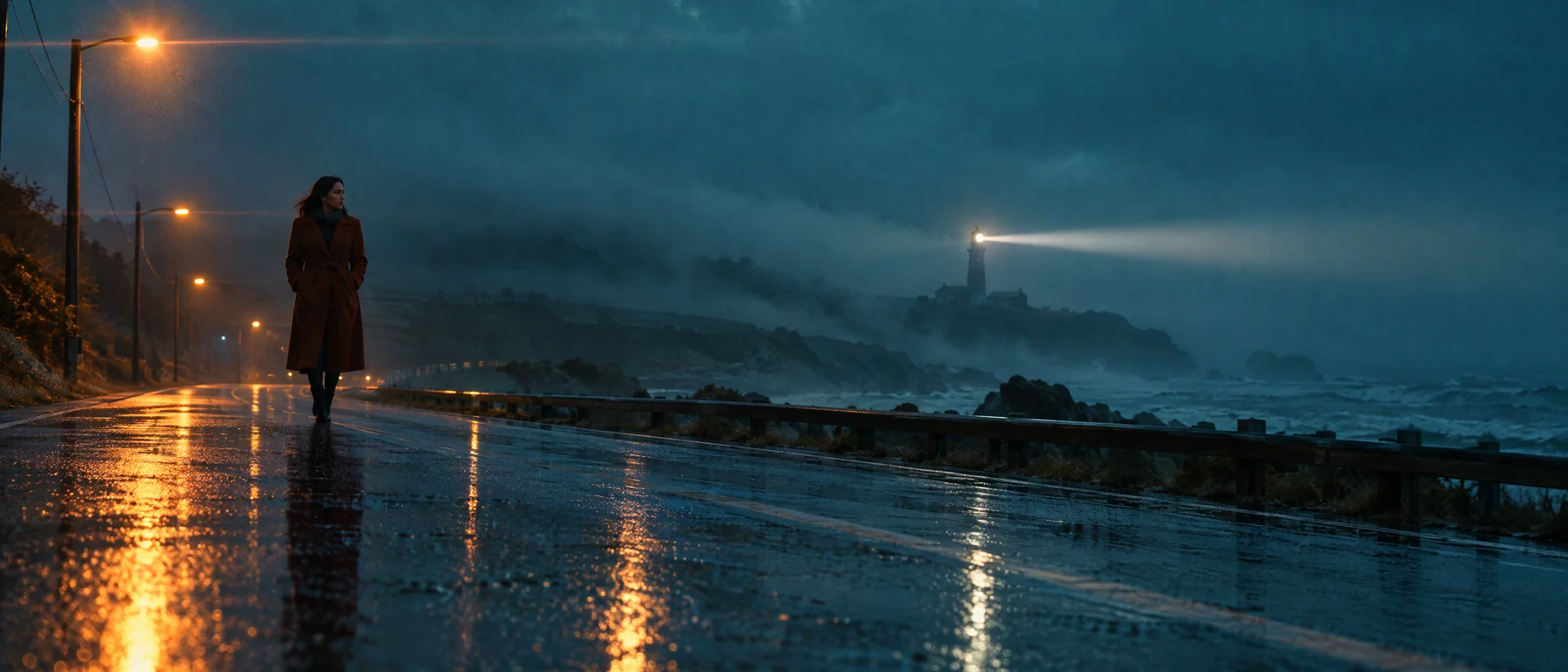
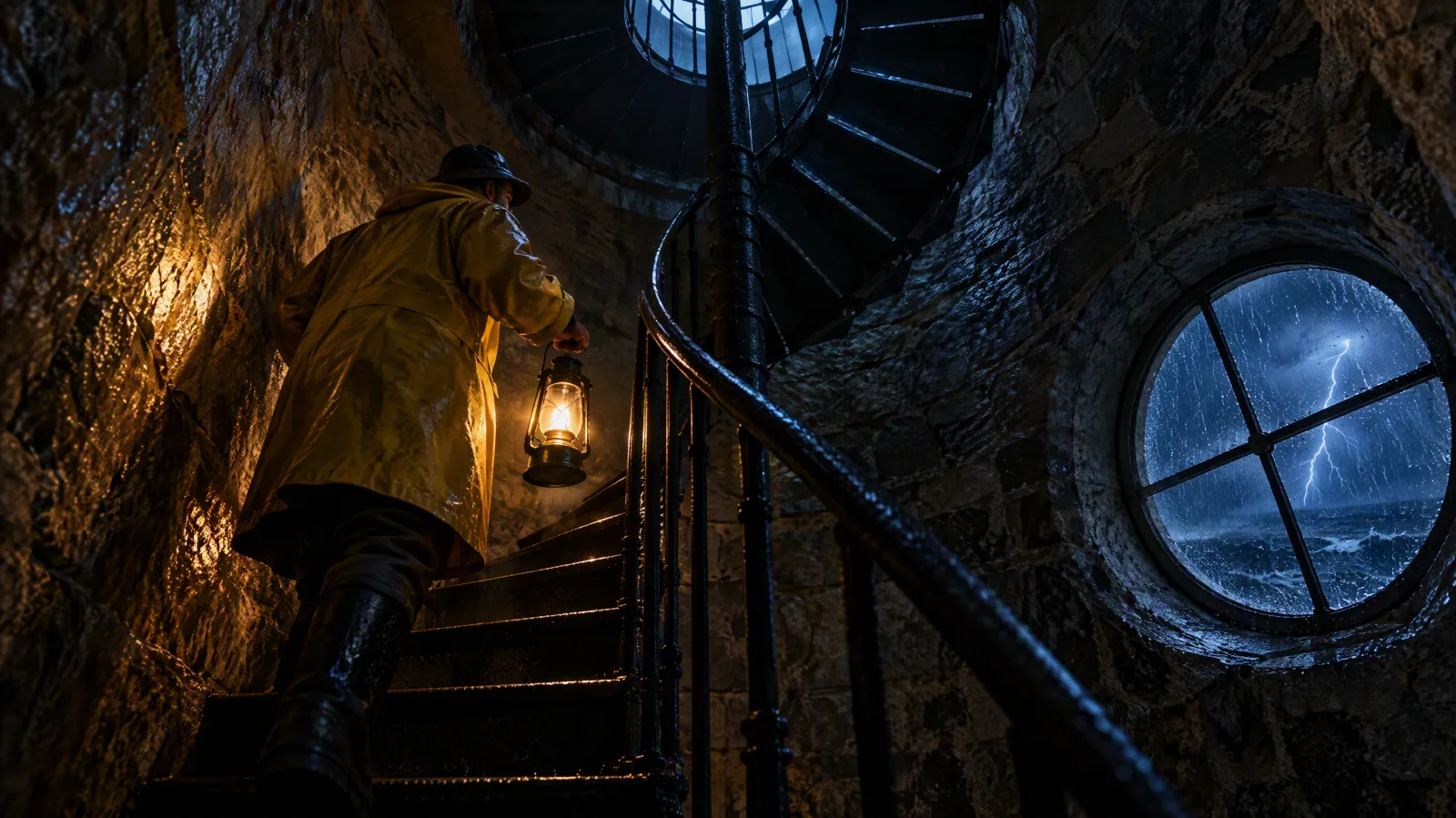
Image prompt: Ultra-wide 21:9 cinematic film still, a woman in a long rust-colored wool coat walking alone along an empty rain-soaked coastal road at blue hour, a lighthouse beam sweeping through low fog behind her, wet asphalt reflecting teal sky and amber streetlights, anamorphic look, low wide camera, subject in the left third, film grain.
Ultra-wide cinematic shot, a woman in a rust-colored coat walks along an empty wet coastal road at blue hour, slow sideways tracking shot at knee height, lighthouse beam sweeping through fog, waves and wind in the audio, film grain, teal and amber grade
Preset 4 starts from a product photo, so the ratio is locked to Adaptive and the clip keeps the photo's shape. Use 1080p because product texture is the point of the shot.
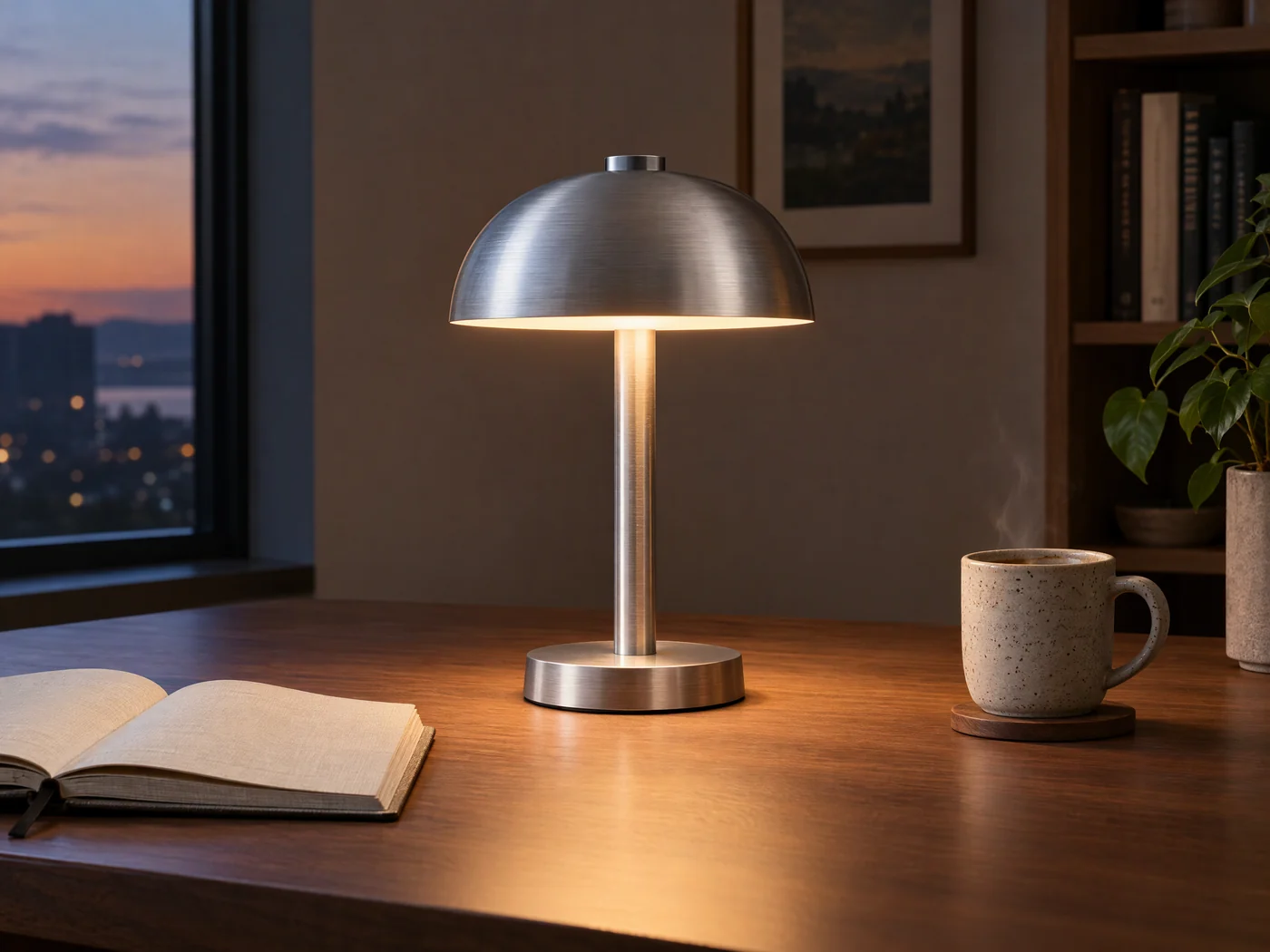
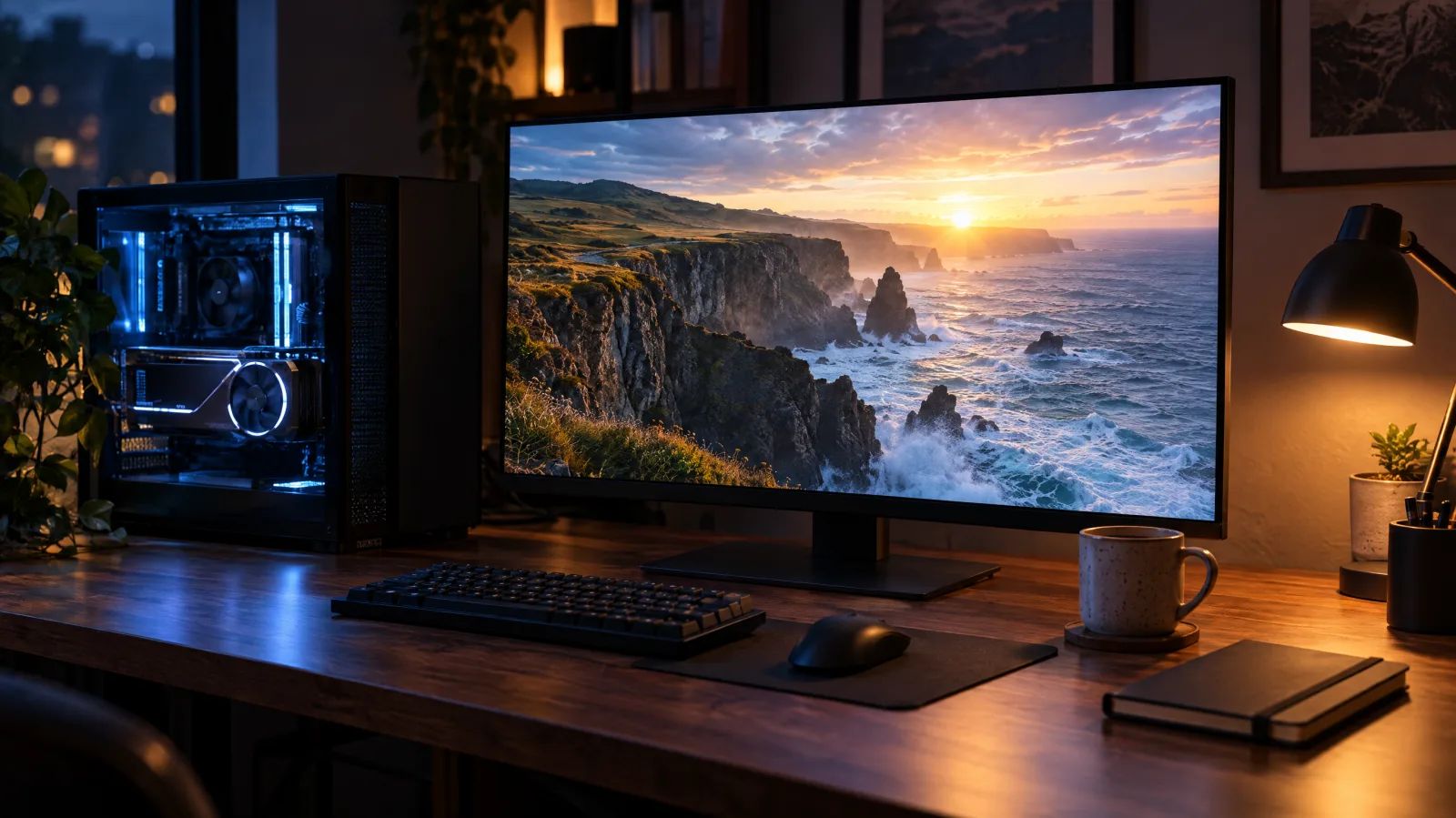
Image prompt: Product photo for the first frame of a video, a minimalist brushed aluminum desk lamp with a warm glowing bulb on a walnut desk beside an open linen notebook and a speckled ceramic mug with faint steam, evening window light from the left, lamp centered with space on both sides, crisp metal texture, photorealistic catalog style.
Slow push-in on the brushed aluminum desk lamp from the first frame, the bulb brightens slightly, steam keeps rising from the mug, city lights flicker on outside the window, quiet room tone and a soft switch click
Preset 5 uses the full 30 seconds at 720p, which keeps a long explainer affordable while you test pacing. Preset 6 is for a clip that is almost right: edit one detail or extend the ending instead of generating a new take.
Seedance 2.5 setting conflicts: which one wins
When two settings disagree, these rules decide the result:
- An image or video input beats your ratio choice. Image-to-video, edit and extend accept Adaptive only, so 16:9 and the other fixed ratios disappear from the menu.
- Edit mode beats the duration slider. The model chooses the output length, and the slider is hidden.
- Draft beats resolution and batch size. A draft always renders at 480p and runs as one video at a time, even if ×4 was selected.
- Your plan beats the resolution menu. Lite tops out at 720p. 1080p, and the 1080p upgrade of a draft, need Pro, Premium or a credit pack.
- Frames beat references for one or two images. Two uploads become first and last frames unless you mark them "Use as reference image". Three or more images, or any video, always run as references.
- During a Premium unlimited window, free clips stop at 720p and 10 seconds. Longer clips, 1080p, reference-video, edit and extend jobs still use credits.
- Sound and aspect ratio never change the price. Duration, resolution, Relaxed mode and the number of videos do.
What each Seedance 2.5 setting costs in credits
These are the estimates the Seedance 2.5 generator on SeedVideo AI showed on November 10, 2026, for text-only jobs. The pack column is the base price, and the Pro column is the "Pro members would pay" figure shown beside it. The per-second rates match the public figures of about 3 credits at 480p, 6 at 720p and 18 at 1080p.
| Duration | 480p (pack / Pro) | 720p (pack / Pro) | 1080p (pack / Pro) |
|---|---|---|---|
| 4 s | 12 / 8 | 24 / 17 | 72 / 50 |
| 5 s | 15 / 11 | 31 / 22 | 90 / 63 |
| 10 s | 31 / 22 | 61 / 43 | 180 / 126 |
| 15 s | 46 / 32 | 92 / 64 | 270 / 189 |
| 30 s | 92 / 64 | 183 / 128 | 540 / 378 |
Lite pays 10% less than the pack price and Premium pays 40% less. Relaxed content mode adds 10%, and ×4 costs four times one clip because each video is a separate job. A reference video adds its own length to the billed seconds. A draft followed by an upgrade costs the 480p price plus the 1080p price, so for a single take you already trust, going straight to 1080p is cheaper. The Seedance credits guide shows how many clips each plan covers.
Where to find the Seedance 2.5 settings on SeedVideo AI
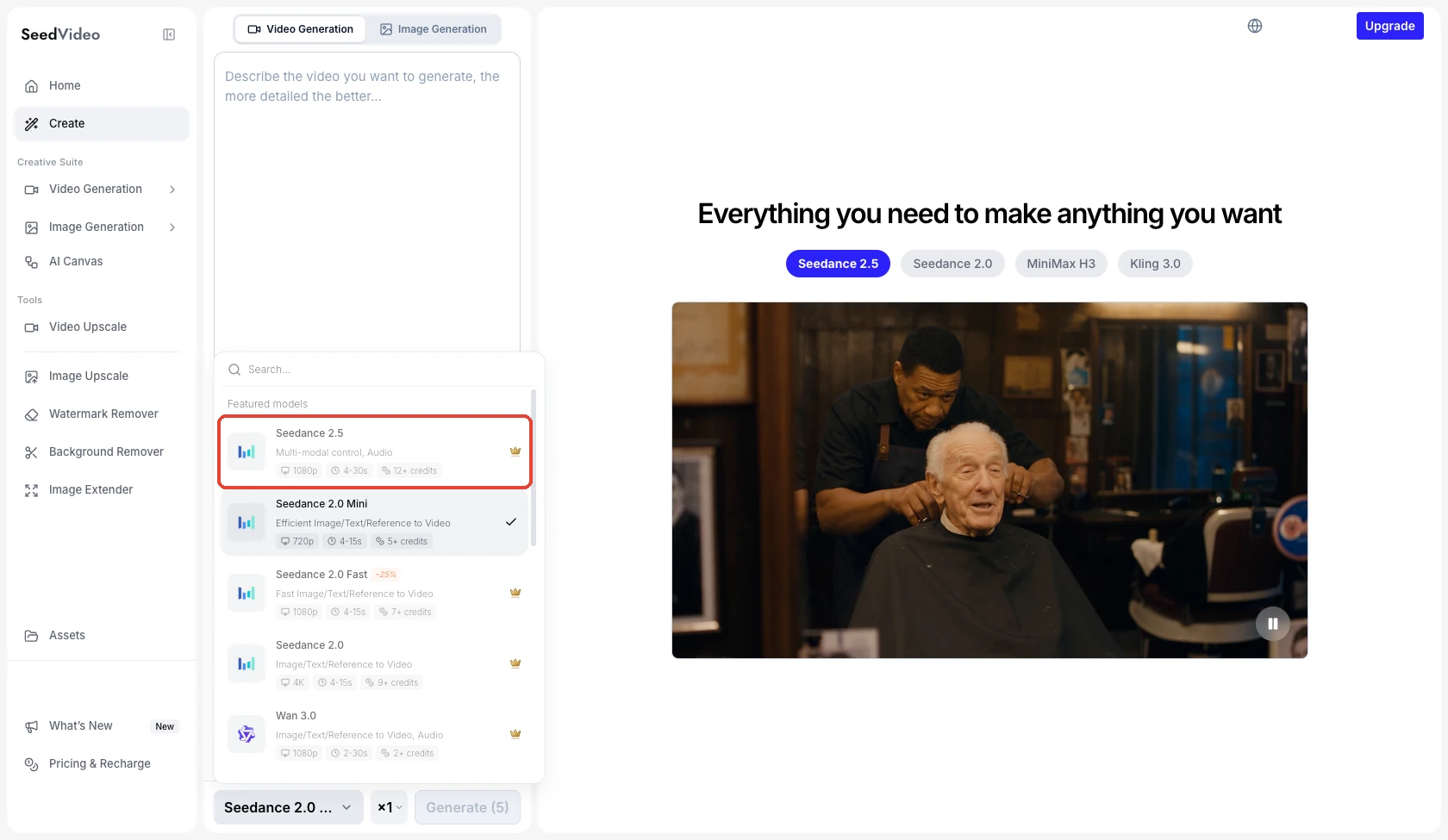
SeedVideo AI video workspace, November 10, 2026: the model picker lists Seedance 2.5 with 1080p, 4-30s and 12+ credits. Free accounts see it marked Members only.
Open the AI text-to-video generator, choose Seedance 2.5 in the model picker at the bottom of the prompt box, and the parameter row above it shows the ratio, resolution, duration and Sound buttons, with Advanced beside them. The number of videos sits next to the model name, and the Generate button shows the credit price for the current settings. To start from a photo, use the AI image-to-video generator and upload the start frame first. The Seedance 2.5 model page has the same settings panel shown at the top of this article, with the price estimate beside the Create button, so you can compare combinations before you generate.
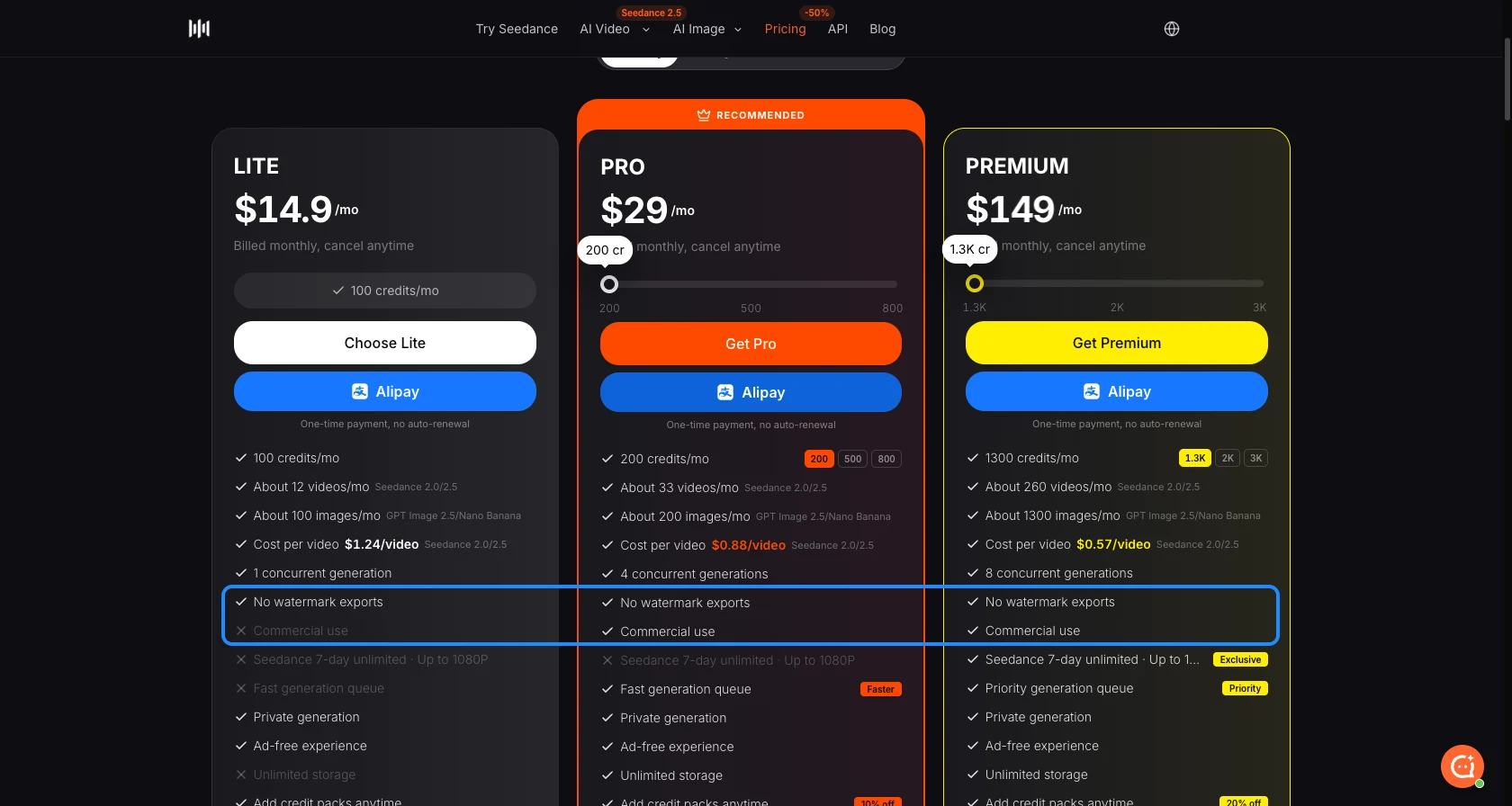
On a free account Seedance 2.5 is marked Members only. Lite unlocks it up to 720p, and Pro, Premium and credit packs add 1080p and Draft upgrades. The plan comparison on the pricing page lists the discount and the top resolution for each plan.
Seedance 2.5 settings in the web app vs the API
The SeedVideo AI API documents the same model with a few differences that are easy to miss:
| Setting | Web app | API (seedance-2.5) |
|---|---|---|
| Resolution | 480p, 720p, 1080p, Draft | 480p or 720p |
| Duration | 4 to 30 s | 4 to 30 s |
| Sound | On or Off button | generate_audio true or false |
| Audio references | Not offered in the composer | Up to 10 MP3 or WAV files, 2 to 30 s each, 30 s total |
| Output format | MP4 | output_format mp4 or mov |
| Content screening | Standard or Relaxed (+10%) | content_filter true by default; false applies a 1.1x rate |
| Web search | Not shown as a setting | web_search for text-only requests, off by default |
| One or two images as references | "Use as reference image" on the upload | reference_mode: true |
Printable Seedance 2.5 settings cheat card
| Goal | Set this |
|---|---|
| Cheapest test | Draft, 5 s, Adaptive |
| Social vertical | 9:16, 10 s, 720p |
| YouTube or website | 16:9, 10 to 15 s, 720p |
| Film look | 21:9, 15 s, 1080p |
| Animate a photo | Upload 1 image, Adaptive, 10 s, 1080p |
| Planned transition | Upload 2 images (first and last frame) |
| Same product in every shot | 3+ reference images, name them @image1, @image2 in the prompt |
| Longest single clip | 30 s, 720p first, 1080p for the final |
| Fix one detail | Upload the clip, describe the edit |
| Keep credits down | Leave Sound on (it adds nothing), drop resolution before you cut length |
Before you press Generate, read the credit number on the button, confirm the ratio matches the platform, and check that each uploaded asset has one job in the prompt. For wording that fits these settings, the Seedance 2.5 prompt guide has 24 copyable prompts, and the Seedance models hub collects the other 2.5 guides.
FAQ
What are the default Seedance 2.5 settings?
Adaptive aspect ratio, 5 seconds, 720p and Sound on, with Standard content screening and one video per run.
What is the maximum length and resolution of Seedance 2.5?
30 seconds per clip and 1080p in the web app. The API documents 480p and 720p for the same model.
Does Seedance 2.5 support 4K?
No. Seedance 2.5 stops at 1080p. On SeedVideo AI, 4K is offered for Seedance 2.0 and some Kling models on the Premium plan.
Can I use a fixed aspect ratio with image-to-video?
No. Image-to-video, edit and extend jobs run in Adaptive and follow the source's shape. Crop the image to 9:16 or 16:9 before uploading if the platform needs a fixed ratio.
How long does a Seedance 2.5 draft stay upgradable?
About 24 hours. A countdown on the draft shows the time left, and if the 1080p render fails, no credits are charged.
Do aspect ratio or Sound affect the credit cost?
No. Only duration, resolution, Relaxed content mode, reference video length and the number of videos change the price.
Start your next Seedance 2.5 clip with a draft
Write the prompt, set Draft and 5 seconds, and run it in the Seedance 2.5 text-to-video generator. When a take looks right, upgrade that one to 1080p or rerun it at the length and ratio from the presets above.