6 creative GPT Image 2.5 prompts inspired by X examples
Sprite sheets and stop-motion-style scenes attracted attention during the first day of GPT Image 2.5. The useful part of those posts is the construction of the image: how many poses it contains, what stays in place, and which details make the same character recognizable.
We checked the X posts below on September 9, 2026. The six copyable templates in this article are original adaptations and editorial examples. They ask for still images or sheets of frames. Making those frames move requires a separate assembly step.
Which X posts had attention, and which shared a prompt?
| Source | Visible engagement at collection | What you can read |
|---|---|---|
| @charlierguo: stop-motion example | 5,124 likes; 283 reposts; 445,788 views | Result and commentary; no complete generation prompt |
| @8co28: sprite-sheet workflow | 3,678 likes; 556 reposts; 315,047 views | A follow-up instruction; initial generation prompt not shown |
| @higgsfield: sprite-sheet example | 252 likes; 27 reposts; 14,435 views | Full prompt in the author's reply |
| @higgsfield: clay-flower reference | 126 likes; 8 reposts; 10,206 views | Full prompt for one reference image |
We recorded all four engagement snapshots on September 9, 2026, between 15:11 and 15:14 China Standard Time (UTC+8). These counts are snapshots, not a platform-wide popularity ranking. The model attribution comes from the authors. Higgsfield's examples are vendor posts.
The popular @8co28 post also records a useful failure: its first background-transparency step did not work, and the author moved the follow-up task into another conversation. A successful-looking animation does not mean every stage was automatic.
1. A robot sprite sheet with readable motion
Higgsfield's published sprite prompt uses a 4-by-4 arrangement and repeats constraints across the frames. A short excerpt is:
“consistent sprite scale and identical ground line”
Start with eight poses of a different subject. You can inspect each pose before attempting a longer sequence.
Create a single sprite sheet showing a small orange delivery robot walking. Arrange eight equally sized cells in two rows of four, read left to right. Use a clear pixel-art style and a plain white background. Keep the robot's rectangular body, one round camera eye, and short legs the same size in every cell. Show the whole robot in each cell. Progress through one walking cycle with small changes between poses. Keep the feet on the same baseline and the camera at the same angle. Leave space between poses. Add no captions or cell numbers.
Count the cells and inspect the last pose beside the first. If the character jumps in scale or position, fix the sheet before assembling a loop. Requested cell sizes and grids are instructions; measure the actual output before slicing it for a game or animation.
2. A clay scene designed as a reference frame
The Higgsfield flower post specifies a single reference photo, exact object counts, and a fixed composition. Apply those constraints to a toy boat scene that you can revisit in later edits.
Make one square photograph of a handmade clay sailboat on a blue clay pond. The boat has a yellow hull, one white triangular sail, and a short red mast. Place it slightly left of center with empty water to its right. Use a low, fixed camera angle and a simple pale gray backdrop. Show faint fingerprints in the clay and three small ripples near the hull. Light the scene softly from the upper left. Include the entire boat. Add no people, animals, words, or frame grid.
Save the accepted frame. A later edit can move the boat a small distance to the right while preserving the horizon and light. Review the mast, sail shape, and waterline each time; those are easy places for continuity to slip.
3. A storyboard that tells one small event
An early storyboard post by @Osmbproduction shared a result, but its full prompt was not visible when we checked. The following is our own four-panel brief.
Create a four-panel illustrated storyboard in a two-by-two layout. A child in a red raincoat discovers a paper boat beside a puddle. Panel 1: wide view of the child noticing the boat on the pavement. Panel 2: closer view of the child kneeling to pick it up. Panel 3: side view of the child setting it onto the puddle. Panel 4: wide view as the child watches the boat float away. Keep the same raincoat, yellow boots, paper boat, and street in all panels. Use soft colored-pencil texture. Separate panels with clean white gutters. Add no dialogue, labels, or decorative text.
Read the panels without the prompt. If the action is unclear, simplify it before asking for more camera angles. This kind of sheet is useful for planning shots, even when the final production will use another medium.
4. A retro portrait that still looks like the reference
OpenAI's release links to an official shared 1980s portrait prompt. The idea is to keep the person recognizable while changing the styling. This original version takes a quieter department-store-portrait direction.
Use my uploaded portrait as the reference for my face and expression. Create a late-1980s department-store studio portrait from the chest up. Give me a burgundy knit sweater and use a softly mottled blue backdrop. Use gentle frontal studio light, subtle film grain, and slightly faded color. Keep my facial proportions, skin tone, and distinctive features recognizable. Make the styling feel like a printed family photograph. Include no date stamp, brand name, decorative border, or lettering.
Use a photo you own or have permission to edit. Compare facial proportions before judging the retro effect; clothing and film grain should not hide an unwanted identity change.
5. A set of fictional travel stamps
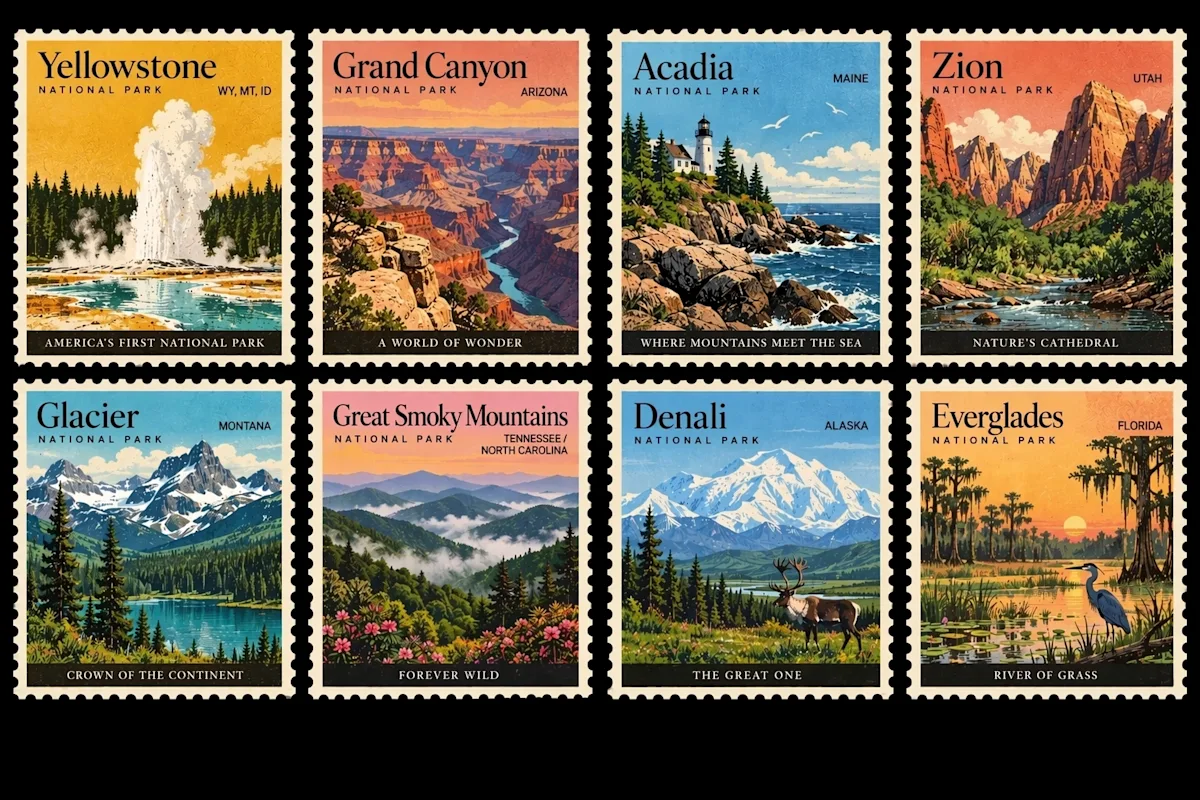
Official artwork from OpenAI's Images 2.5 announcement, showing repeated borders, compact landscapes, and short labels.
The repetition makes a stamp sheet a useful layout exercise. Use invented places when you want freedom to invent the scenery too.
Design a sheet of four illustrated travel stamps in a two-by-two grid. Use matching perforated borders, warm paper, and a limited ink palette. Stamp 1: a lighthouse on a violet cliff, labeled "NORTH LIGHT". Stamp 2: a greenhouse beside a lake, labeled "GLASS GARDEN". Stamp 3: a train crossing a snowy bridge, labeled "WINTER LINE". Stamp 4: a tiny observatory at dusk, labeled "STAR HILL". Keep all labels large enough to read and all stamp borders the same size. Add no dates, prices, country names, or other lettering.
Check that each place name stays with its own illustration. If one stamp becomes crowded, simplify that panel instead of shrinking every label.
6. A retrofuturist scene with a clear sense of scale
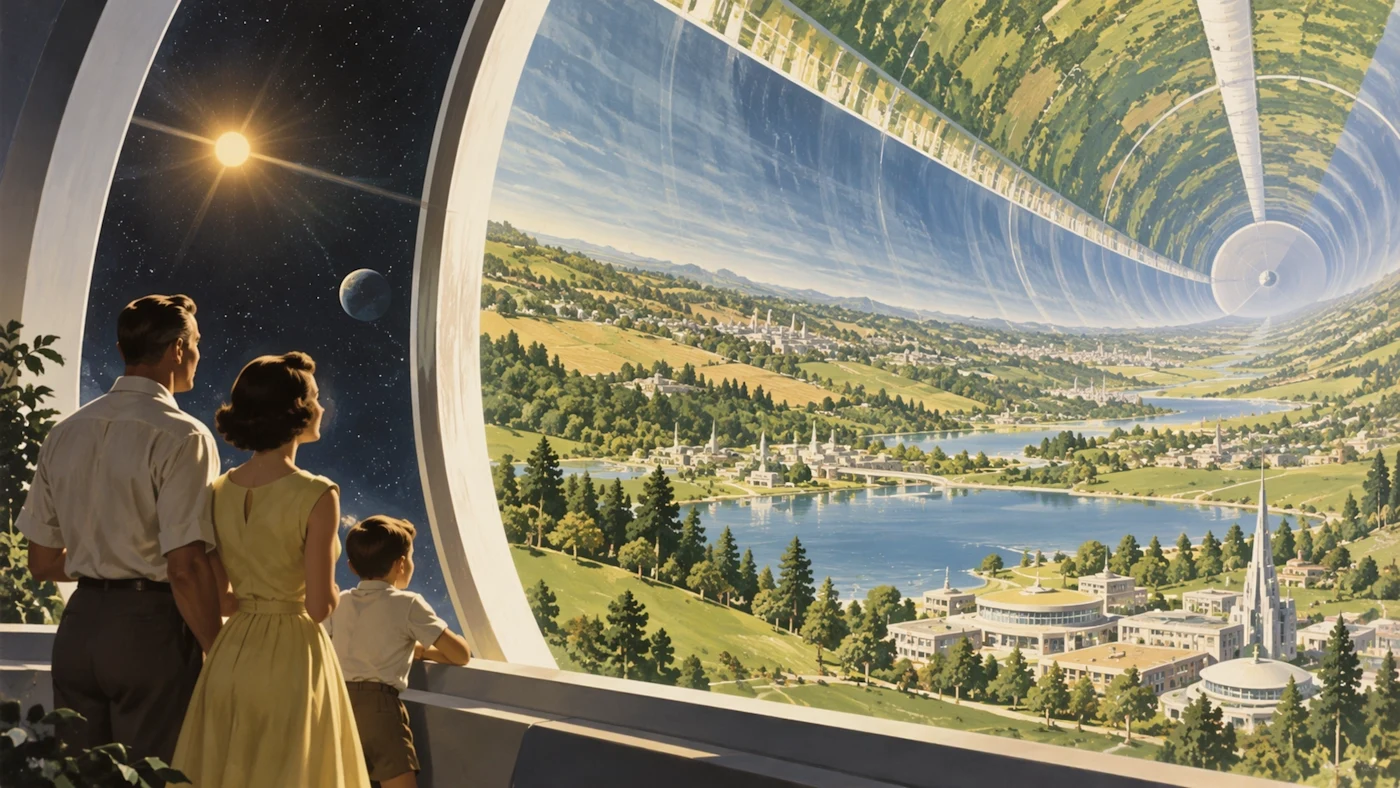
Official ChatGPT Images 2.5 artwork from OpenAI. The small foreground figures help explain the scale of the habitat.
This original prompt moves the scene underwater while keeping a clear foreground and distant subject.
Paint a 1950s magazine illustration of an underwater research city. In the foreground, two visitors stand inside a glass observation tunnel. Beyond the glass, small illuminated buildings sit on the seabed. A huge gentle whale passes above them, partly fading into blue water. Use cream highlights, muted turquoise, and warm light inside the tunnel. Make the visitors small enough to show the scale of the whale and city. Keep the image readable as one scene. Add no text or collage panels.
“Retrofuturist” supplies a direction, but the tunnel, visitors, buildings, and whale give the model a composition. If the frame feels busy, remove a subject before intensifying the style words.
How to make a prompt your own
OpenAI's image help page puts it plainly:
“Be specific about the details that matter.”
Choose the details you will actually review. For a sprite sheet, that means pose count and character scale. For a portrait, it means facial features. For a stamp sheet, it means layout and spelling. Specificity is useful when it gives you a way to decide whether the output works.
Does GPT Image 2.5 generate a finished video from these prompts?
These briefs ask an image model for stills. A sprite sheet or storyboard can feed an animation workflow, but frame assembly, timing, and video generation are separate operations. The linked X examples may include those additional steps.
Are all six prompts copied from popular posts?
The table identifies the X evidence and which authors shared prompts. Our numbered prompts are original adaptations or clearly attributed official-example-inspired exercises. Only the short blockquote is copied from the sprite prompt. Use the source links to read the authors' complete instructions.
What if I need ads and product images instead?
Use our eight practical GPT Image 2.5 prompts for product photos, poster text, and focused edits. The Image 2.0 vs 2.5 comparison explains where Flare and Sunburst fit.