How to Create AI Short Drama Videos with Seedance 2.5 (2026 Guide)
You can create an AI short drama with Seedance 2.5 by treating it as a sequence of controlled shots, not a request for a finished episode. Start with a 30 to 60 second pilot built around one conflict and one cliffhanger. Lock the cast in a character bible, turn the script into a five to eight shot table, then generate each shot with the same identity, wardrobe, location, and color references. Finish the episode in an editor, where you can tighten dialogue, add subtitles, mix sound, and keep faces inside the 9:16 safe area.
Seedance 2.5 is useful in this workflow because its current SeedVideo AI entry supports text, image, video, and audio guidance, vertical framing, clips from 4 to 30 seconds, 480p or 720p output, and sound control. It does not replace script development, continuity review, voice recording, subtitles, editing, or publishing. A short drama still needs a shot-level production plan. If you are still choosing a model, the best AI video generators for short dramas guide compares StoryShort, Seedance 2.5, Kling 3.0, Runway Gen-4.5, and Veo 3.1.
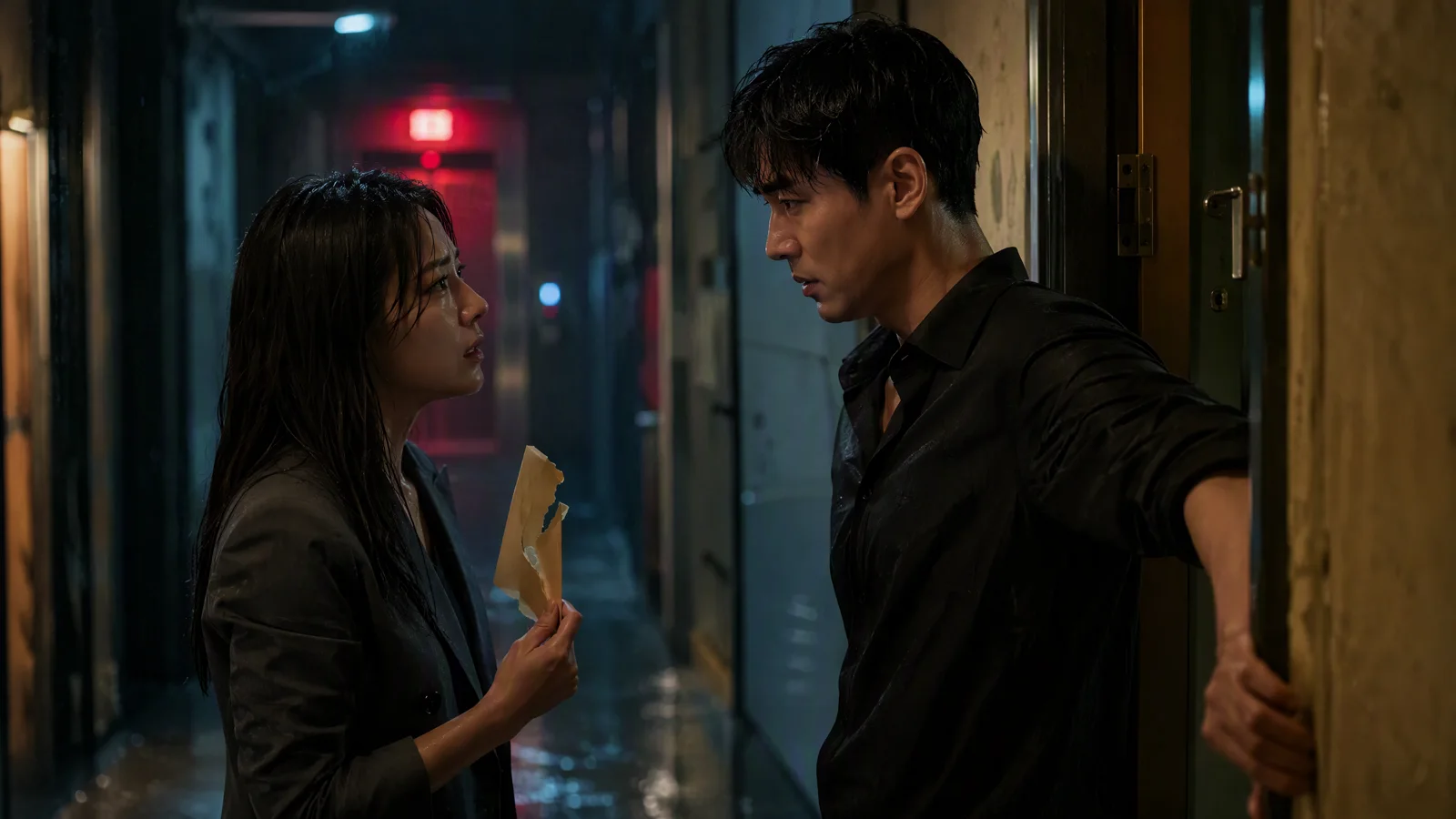
Image prompt: Two fictional adult East Asian leads confront each other in a rain-soaked apartment corridor at night; the woman holds a torn envelope while the man blocks a half-open door; tight medium shot, red elevator light, realistic skin and wet fabric, shallow depth of field, restrained teal and amber grade, premium vertical streaming-drama mood.
TL;DR
- Plan one 30 to 60 second pilot with five to eight shots.
- Keep one character bible and one location sheet beside every prompt.
- Use text to video for establishing shots and inserts; use image to video when identity or composition matters more.
- Generate and approve shots separately. Carry the same names, clothing, props, palette, and reference roles into each version.
- Add final dialogue, subtitles, sound design, pacing, and delivery settings in an editor.
Quick Answer
The reliable method is: premise, character bible, shot table, reference pack, shot generation, continuity review, audio, subtitles, and final edit. Open the Seedance 2.5 model page to confirm the current model limits, then choose the AI image-to-video generator when a fixed character frame should lead the shot. Use the AI text-to-video generator for shots that do not need a locked source frame.
What Seedance 2.5 does in a short drama workflow
Seedance 2.5 generates the visual shot. Your production system supplies the story logic around it.
| Production job | Best place to handle it | Deliverable |
|---|---|---|
| Premise, conflict, cliffhanger | Script document | One paragraph and a beat sheet |
| Character identity | Character bible and image references | Approved face, hair, wardrobe, props |
| Shot motion | Seedance 2.5 | One approved video clip per shot |
| Dialogue and performance timing | Prompt, audio reference, voice workflow | Clean dialogue track or timed guide |
| Subtitles and safe area | Video editor | Readable 9:16 captions |
| Pacing and continuity | Video editor and review pass | 30 to 60 second pilot |
The current SeedVideo AI interface exposes Seedance 2.5 in the model selector. For that model, the visible controls include image and video source inputs, a text prompt, 9:16 framing, 480p or 720p resolution, a duration slider from 4 to 30 seconds, and sound control. The product's current model page also lists larger reference packages for reference-led work: up to 30 images, 10 videos, and 10 audio files. Treat those as a reference budget, not an invitation to upload everything you have.
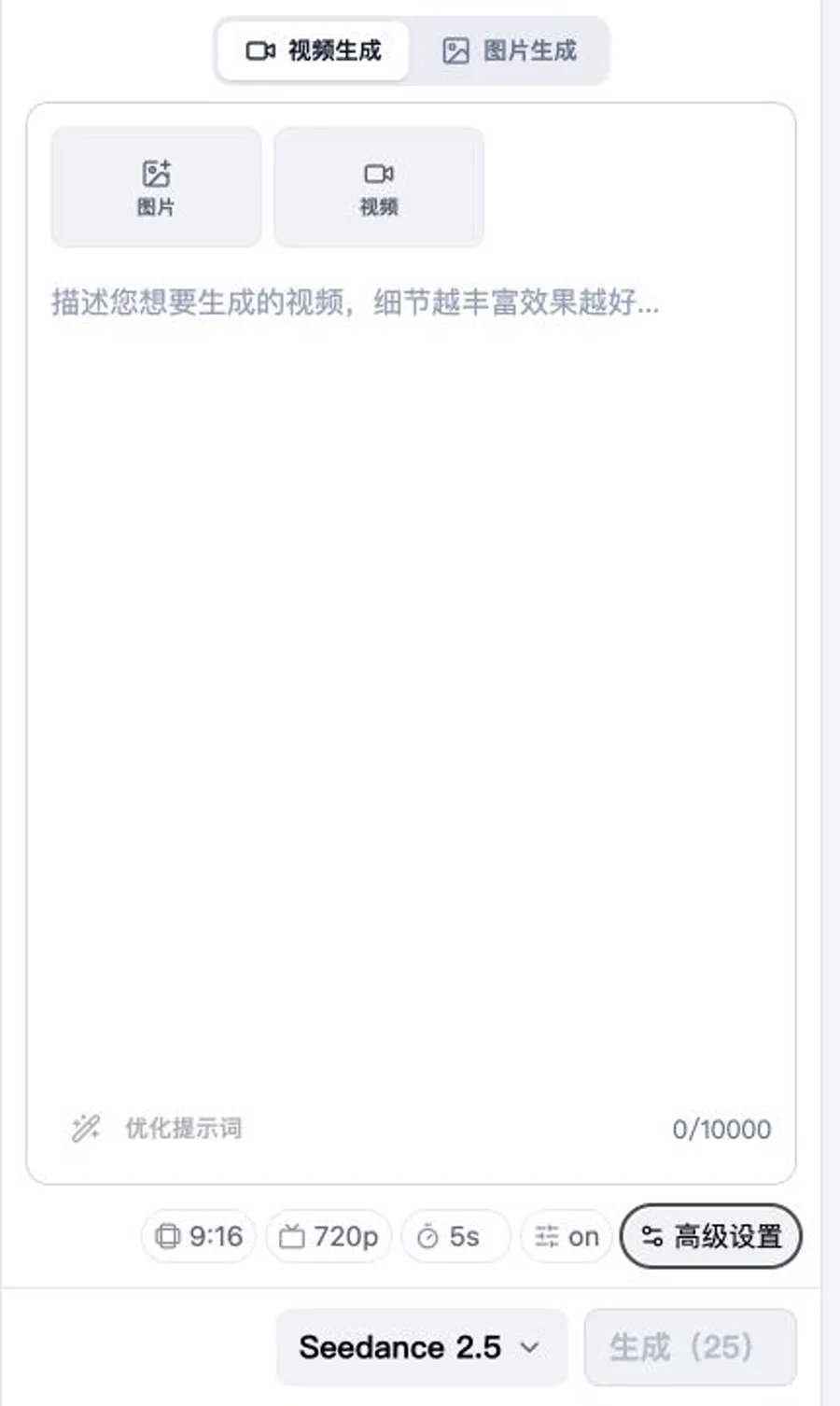
SeedVideo AI generator on August 17, 2026, showing Seedance 2.5, 9:16, 720p, 5 seconds, and sound control.
Define a pilot that can actually be finished
A first episode should prove the format, not carry an entire novel arc. Give it one protagonist, one opposing force, one location, and one change in power. The viewer needs to understand who wants what within the first few seconds.
A practical pilot brief looks like this:
| Field | Working choice |
|---|---|
| Runtime | 30 to 60 seconds |
| Delivery | 9:16 vertical video |
| Shot count | Five to eight shots |
| Story unit | One conflict with one reveal |
| Main cast | One or two visible characters |
| Locations | One main location, one optional insert location |
| Ending | A question, discovery, interruption, or reversal |
Do not write a full episode and hope the model discovers the coverage. Write the beat order first. For example: the lead arrives, finds evidence, hears someone behind the door, confronts the suspect, then discovers the evidence points to a different person. Each beat has one job, which makes it easier to decide whether you need a wide shot, close-up, reaction, or insert.
Build a character bible before the first shot
Character consistency gets harder when the description changes from prompt to prompt. A name is not enough. Record visible traits that another artist could check without knowing the story. To see which models hold a recurring face best before you commit, check the character consistency comparison.
For each lead, define:
- Apparent adult age range and face shape
- Hair length, part, texture, and one fixed accessory
- Clothing layers, colors, fabric, shoes, and jewelry
- One prop that belongs to the character
- Posture, resting expression, and movement style
- Traits that must remain fixed across the pilot
Keep the fixed block short enough to paste into every shot prompt. Add only the action, camera, and emotion that change in that shot. The detailed character consistency workflow explains how to separate identity anchors from shot-specific direction.
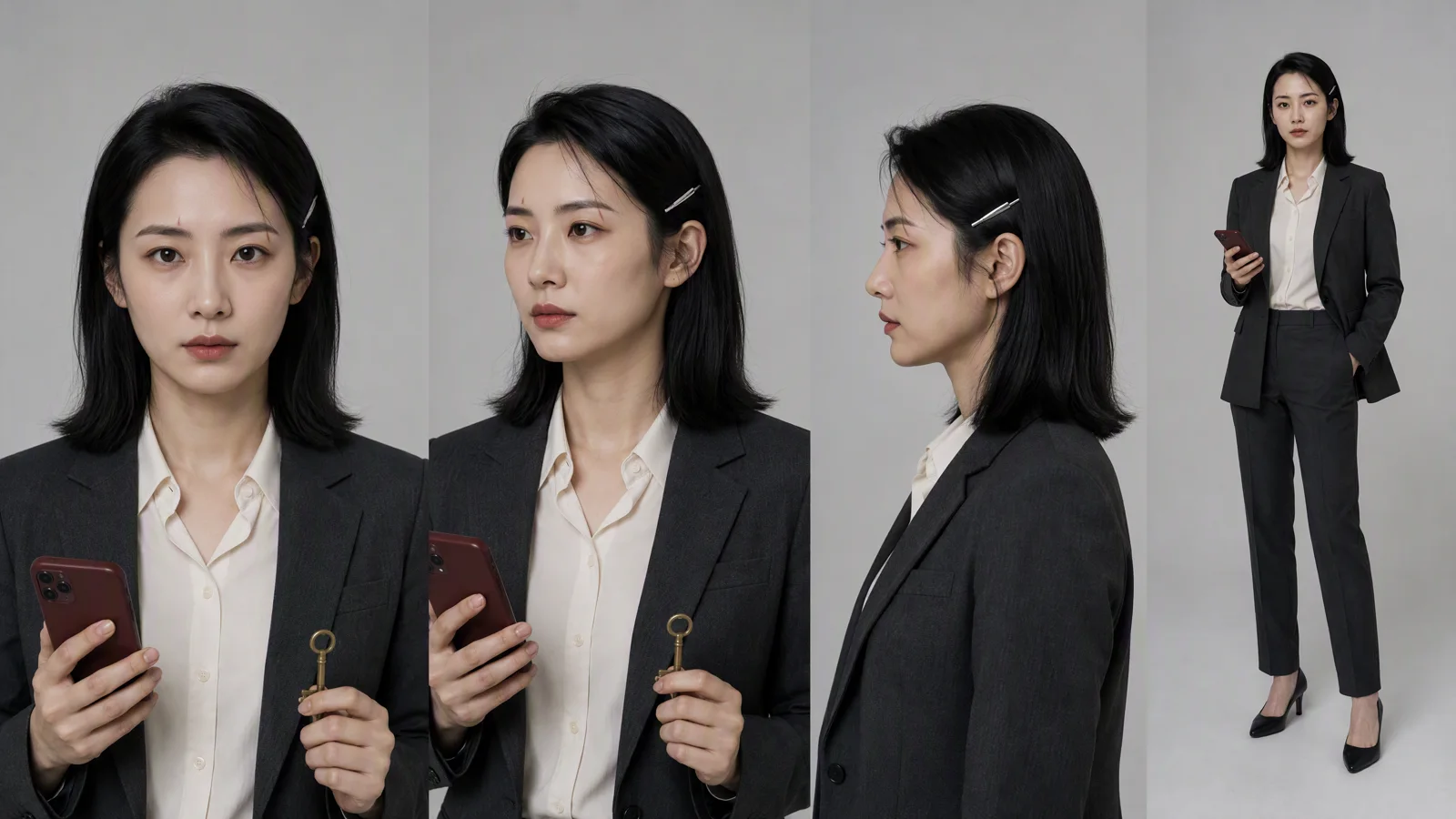
Image prompt: Professional four-view character reference sheet for one fictional adult East Asian female lead; shoulder-length straight black hair with one silver hairpin, thin scar above the left eyebrow, charcoal blazer over an ivory shirt, burgundy phone, small brass key; front portrait, three-quarter portrait, side profile, full-body outfit view; neutral studio background, realistic skin and fabric, consistent face and proportions.
A copy-ready character block
Use a compact block like this inside every prompt:
Mina, fictional adult woman, early 30s, oval face, straight shoulder-length black hair, silver hairpin above the right temple, thin scar above the left eyebrow. Charcoal blazer, ivory shirt, black trousers, burgundy phone case. Controlled posture, observant expression. Keep face, hair length, hairpin, scar, outfit, phone, and body proportions unchanged.
If a result changes the hair, jacket, or face, revise that shot without rewriting all the stable details. Changing several identity cues at once makes it harder to learn which instruction caused the drift.
Turn the script into a shot table
The shot table is the bridge between writing and generation. Each row should describe one visible event with a clear start and end. Dialogue can sit in the row, but the visual action still needs to work when muted.
| Shot | Story purpose | Frame and action | Dialogue or sound | Target length |
|---|---|---|---|---|
| 1 | Establish the threat | Wide 9:16 corridor; Mina enters from rain | Elevator hum, distant thunder | 4 to 6s |
| 2 | Reveal evidence | Macro insert of torn envelope | Paper tear, breath | 3 to 5s |
| 3 | Introduce opposition | Medium close-up; Jun watches from doorway | "You should not be here." | 5 to 7s |
| 4 | Force confrontation | Tight two-shot under red light | Short exchange, rising room tone | 6 to 9s |
| 5 | End on discovery | Close-up of key under envelope flap | Music cut, metal click | 4 to 6s |
This five-shot structure is only a starting point. Add a reaction shot when the emotional turn is unclear. Remove coverage when two shots repeat the same information. A 30-second pilot benefits from decisive cuts more than a crowded prompt that asks one clip to perform every beat.
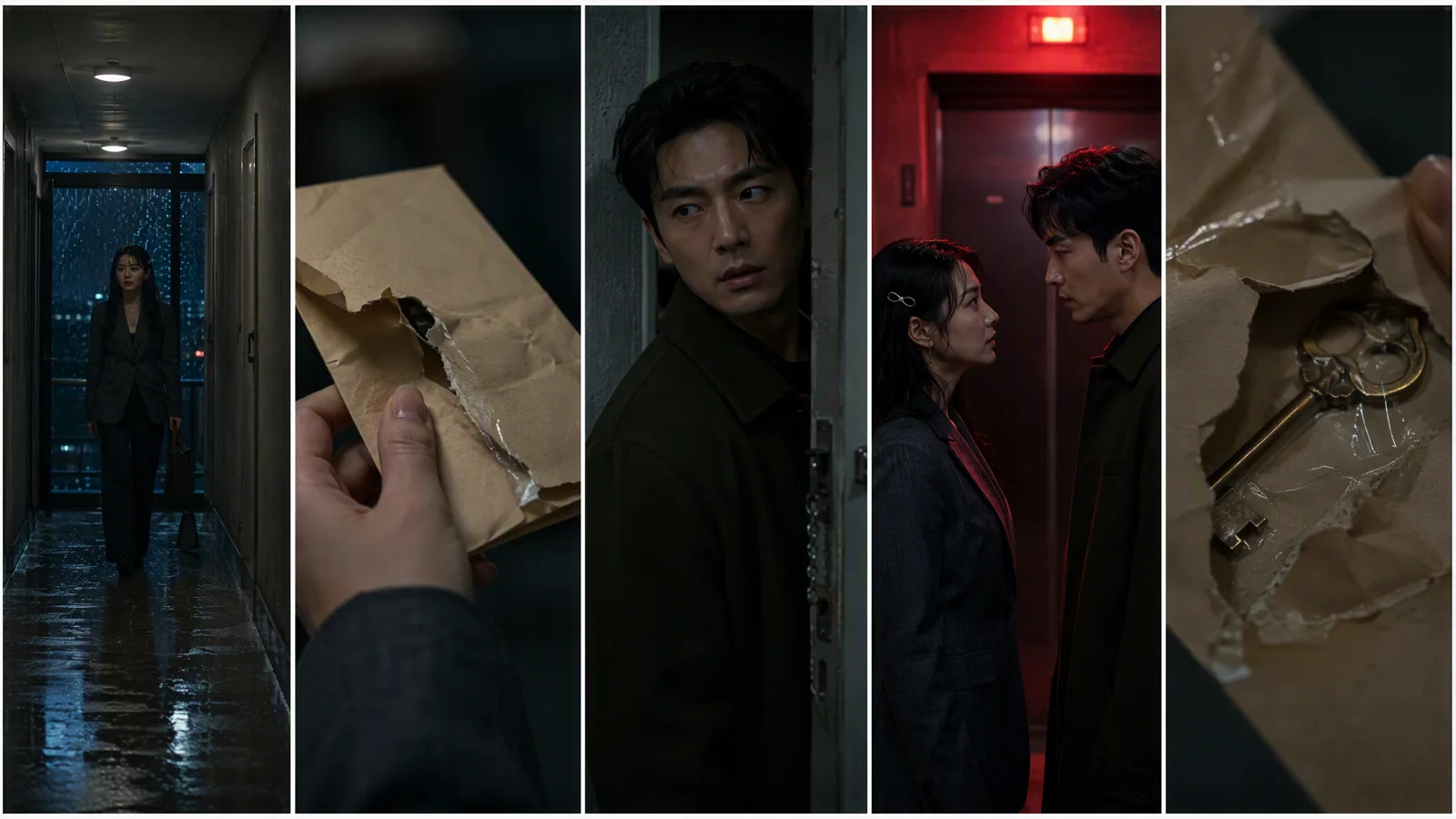
Image prompt: Five equal vertical frames for one suspense micro-drama; the same fictional woman in a charcoal blazer enters a wet apartment corridor, finds a torn envelope, notices the same man watching from a doorway, confronts him under a red elevator light, then discovers a brass key under the envelope flap; consistent cast, wardrobe, corridor, night lighting, and color grade; varied wide, insert, reaction, two-shot, and macro framing.
Choose text, image, or reference-led generation per shot
Do not force one input mode onto every row.
Use text to video for flexible coverage
Text to video works well for an establishing corridor, rain on a window, an empty room, or an object insert when exact character identity is not the main risk. Write the subject, action, camera path, lighting, duration, and final frame. The camera movement prompt guide is useful when a shot feels vague because the lens behavior was never specified.
Use image to video for identity and composition
Start from an approved portrait or character frame when a face, outfit, prop, or blocking arrangement must remain recognizable. The source image should already have the target 9:16 composition when possible. Ask for one motion change at a time, such as a slow look toward the door or one step forward. If you need a stable first frame, use the AI image-to-video generator and keep the original reference in the shot record.
Use reference-led planning for recurring motion or rhythm
Reference images can carry identity, clothing, location, or color. A short video reference can carry camera motion or acting pace. Audio can carry rhythm, dialogue timing, or a sound cue. Assign each reference a named job in the prompt. The Seedance 2.5 reference-to-video guide covers how to avoid conflicting reference roles.
Write prompts shot by shot
A useful prompt describes what the viewer sees, not the plot summary. Keep stable identity text unchanged. Then add six shot fields:
- Shot purpose
- Visible action
- Frame size and camera movement
- Location and continuity anchors
- Lighting, color, and sound direction
- End frame
Here is a prompt for the confrontation shot:
Vertical 9:16 suspense drama, 7 seconds. Mina [paste fixed character block] stands one meter from Jun, fictional adult man in a dark olive coat, beside apartment 807. Tight two-shot at eye level. Mina raises the torn envelope between them; Jun shifts his weight back and glances at the brass key. Slow 10 cm push-in, no orbit. Wet concrete corridor, red elevator light behind Mina, warm apartment light behind Jun, restrained teal and amber grade. Natural blinking and breathing, tense low voices, distant thunder. End with both faces visible and the envelope centered between them. Keep identities, wardrobe, door number, corridor geometry, lighting direction, and prop positions consistent.
The prompt is specific because the shot has a job. It does not ask for a whole episode, a complete backstory, and five camera moves at once.
Keep continuity across independently generated shots
Continuity is a review process. It is rarely solved by one adjective such as "consistent." Create a simple ledger and check it after every approved clip.
| Continuity area | What to compare |
|---|---|
| Character | Face shape, hairline, scar, hairpin, body proportions |
| Wardrobe | Jacket cut, shirt color, buttons, jewelry, wetness |
| Props | Envelope tear, key shape, phone color, hand placement |
| Location | Door number, wall texture, elevator position, rain direction |
| Light | Red light side, warm doorway side, shadow direction |
| Story state | Who knows what, where each character stands, current emotion |
Review the first and last frame of neighboring clips side by side. A strong middle frame cannot repair a cut where the key changes hands or the actor crosses to the wrong side of the corridor. When a shot fails, fix the smallest failing variable. Keep an approved version list so a later "better" face does not quietly break the rest of the sequence.
Handle dialogue, lip sync, sound, and subtitles
The current Seedance 2.5 workflow includes sound control and supports audio guidance. That is useful for rhythm and dialogue planning, but the final mix still belongs in the edit.
Write short lines. One sentence per shot is easier to time than a speech with multiple emotional turns. Put the spoken line, delivery, pause, and reaction in separate clauses. If exact lip sync matters, render the visual performance first, then use a dedicated pass or workflow described in the Seedance AI lip sync guide.
For vertical delivery:
- Keep essential faces and props away from the top and bottom interface zones.
- Reserve the lower middle for one or two subtitle lines.
- Use large, high-contrast text and break by meaning, not by equal character count.
- Add room tone under cuts so five separate clips feel like one location.
- Let a sound cue bridge two shots when the visual cut feels abrupt.
How to read real model examples
The Seedance 2.5 model page includes cinematic story examples and describes longer, reference-led clips. Use those examples to study shot clarity, lighting, and pacing. They show what a selected sample can look like. Your pilot still needs its own continuity test with your cast, references, duration, and settings.
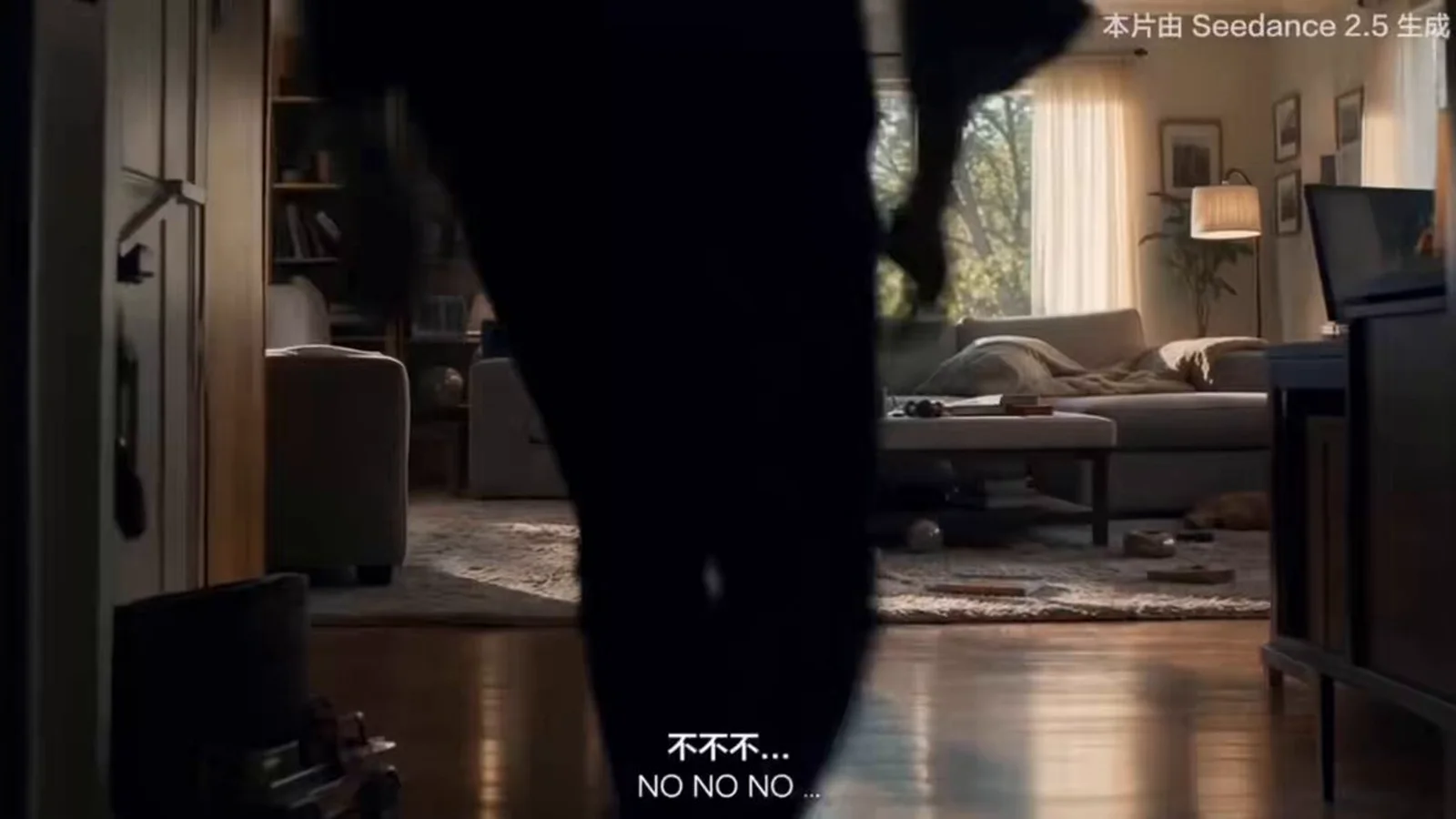
Seedance 2.5 model-page cinematic story example, captured from the current public product page on August 17, 2026.
Troubleshoot the first pilot
| Symptom | Likely cause | Next revision |
|---|---|---|
| Face changes between shots | Identity block or source image changed | Reuse the approved portrait and fixed character block |
| Outfit changes | Wardrobe description is incomplete | Name layers, colors, fabric, and fixed accessories |
| Character crosses the frame | Screen direction was not locked | State left/right position and camera axis |
| Dialogue feels rushed | Too many words for the shot | Shorten the line or split the beat |
| Lip motion looks unstable | Performance and dialogue were solved together | Approve the visual, then run a lip-sync pass |
| Story is hard to follow | Several beats are packed into one clip | Give each shot one visible story change |
| Edit feels disconnected | Light, room tone, or end frames differ | Match anchors and bridge the cut with sound |
| Cost grows quickly | Too many long first attempts | Preview shorter shots and revise one variable at a time |
Plan cost without inventing a per-episode number
The cost of an AI short drama depends on the shot count, duration, resolution, sound settings, reference mode, retries, and the active account plan. The current pricing page says credits vary by model, duration, resolution, and selected settings. That makes a fixed claim such as "one episode costs $X" unreliable.
Track the cost in production units instead:
pilot cost = approved shots + rejected generations + audio or lip-sync passes + editing time
Record credits beside each attempt. After one pilot, you will know which shot types consume retries. Often the expensive problem is not runtime. It is an unclear character reference or a shot that tries to combine two beats.
Final production checklist
- The pilot has one conflict and one cliffhanger.
- The character bible, location anchors, and prop state are approved.
- Every shot has one visible story purpose.
- Input mode is chosen per shot.
- 9:16 composition and subtitle safe area are checked.
- First and last frames match neighboring shots.
- Dialogue, lip motion, room tone, music, and subtitles are reviewed separately.
- References use licensed, original, or consented material.
- Current model settings and pricing are checked before the final run.
- The exported episode is watched once with sound and once muted.
FAQ
Can Seedance 2.5 make a complete short drama episode from one prompt?
It can generate longer clips and multi-shot ideas, but a publishable episode still needs a script, controlled references, shot review, dialogue, subtitles, sound, and editing. Shot-by-shot production gives you clearer failure points and more control.
How long should the first AI vertical drama be?
Aim for 30 to 60 seconds with five to eight shots. That is enough time for a hook, conflict, reveal, and cliffhanger without forcing a large cast or several locations into the first test.
Should I use text to video or image to video for characters?
Use image to video when a specific face, wardrobe, or composition must lead the shot. Use text to video for flexible establishing shots, cutaways, and objects. A mixed workflow usually fits a short drama better than one mode for every shot.
Does Seedance 2.5 support 9:16 video?
Yes. The current SeedVideo AI interface includes a 9:16 aspect ratio option for Seedance 2.5, along with other horizontal, square, and adaptive choices.
What duration and resolution are currently available?
The current SeedVideo AI controls show a 4 to 30 second duration range and 480p or 720p choices for Seedance 2.5. Check the live generator before production because product settings can change.
How do I keep the same character across several clips?
Reuse the same approved portrait, fixed character block, wardrobe description, props, and color anchors. Compare neighboring frames and revise only the variable that drifted.
Can I generate dialogue and sound with the video?
The current workflow includes sound control and audio guidance. For precise spoken delivery, edit the line length carefully and consider a separate lip-sync or audio pass after the visual performance is approved.
How many reference assets should I upload?
Use only references with a named job. One identity image, one wardrobe view, one location frame, and one motion or audio reference may be more useful than a large, contradictory pack.
How much does one short drama cost?
There is no reliable flat price. Total credits depend on shot count, length, resolution, settings, reference mode, retries, and plan discounts. Measure one pilot, then budget the series from your own retry rate.
Create the first five-shot pilot
Open Seedance 2.5 on SeedVideo AI, lock one character and one location, then generate the five shots in your table. Keep the approved references and prompt blocks beside the edit. That small production record is what makes episode two faster than episode one.