

Seedance 2.5 Flash: Faster, Lower-Cost Seedance 2.5 Video
Seedance 2.5 Flash is the quick, cheaper tier of Seedance 2.5. It keeps the same inputs (text, first and last frames, reference images and clips, video edit and extend) and the same 4–30 second range, at 480p or 720p, so you can draft and iterate before you spend on a 1080p or 4K render. Try Seedance 2.5 Flash online now!
Seedance 2.5
Up to 30s clips with image, video and audio references.
Kling 4.0
Kuaishou's newest model: 3–30s clips at up to 1080p.
Kling 4.0 Flash
Kling 4.0's fast tier: 720p clips with sound for fewer credits.
Wan 3.0
Up to 30s clips with native audio and lip-synced dialogue.
GPT Image 2.6
Generate and edit images with OpenAI's newest model.

GPT Image 2.5
Generate and edit images from 1 credit.
Nano Banana 2.1
Google's image model: sharper detail and cleaner text.

Seedream 5.5
Edit one image round after round; transparent PNG output.
Seedance 2.0
Multi-shot cinematic video with native audio and lip sync.
Seedance 2.5 Flash Video Examples
Seedance 2.5 Flash Features at a Glance
- Seedance 2.5 Flash Text to Video in About Two Minutes: Type a prompt and a 5-second 720p clip with sound comes back in roughly two minutes.
- Seedance 2.5 Flash Image to Video with First and Last Frames: Start a clip from one image, or pin both ends with a first and a last frame and let Flash fill in the motion.
- Seedance 2.5 Flash Reference to Video with up to 10 Images: Give Flash up to 10 reference images and 5 reference clips, then call them by number in the prompt.
- Seedance 2.5 Flash Video Edit and Extend: Upload a clip and change it with a sentence, or let Flash continue it past its last frame.
- Seedance 2.5 Flash Native Audio and Dialogue: Sound is generated with the picture: ambience, effects, music and, when you quote a line, speech.
- Seedance 2.5 Flash Clips from 4 to 30 Seconds: Pick any length from 4 to 30 seconds, the same range as Seedance 2.5; 5 seconds is the default.
- Seedance 2.5 Flash Settings for Length, Resolution and Inputs: Length, resolution, aspect ratio, inputs and prompt limits as the generator offers them today.
Seedance 2.5 Flash Text to Video in About Two Minutes
Flash is built for turnaround. On November 20, 2026, the first Flash jobs on SeedVideo AI finished 5-second 720p clips in 103, 134 and 140 seconds, and a 30-second clip in 184 seconds. Over the same week the median 5-second 720p clip on Seedance 2.5 took 200 seconds.
This 10-second cold brew spot is unedited Flash output from Segmind’s tests. The prompt asked for three shots of 4, 3 and 3 seconds, and the pour, the mint and the cafe wide arrive in that order.
Seedance 2.5 Flash Image to Video with First and Last Frames
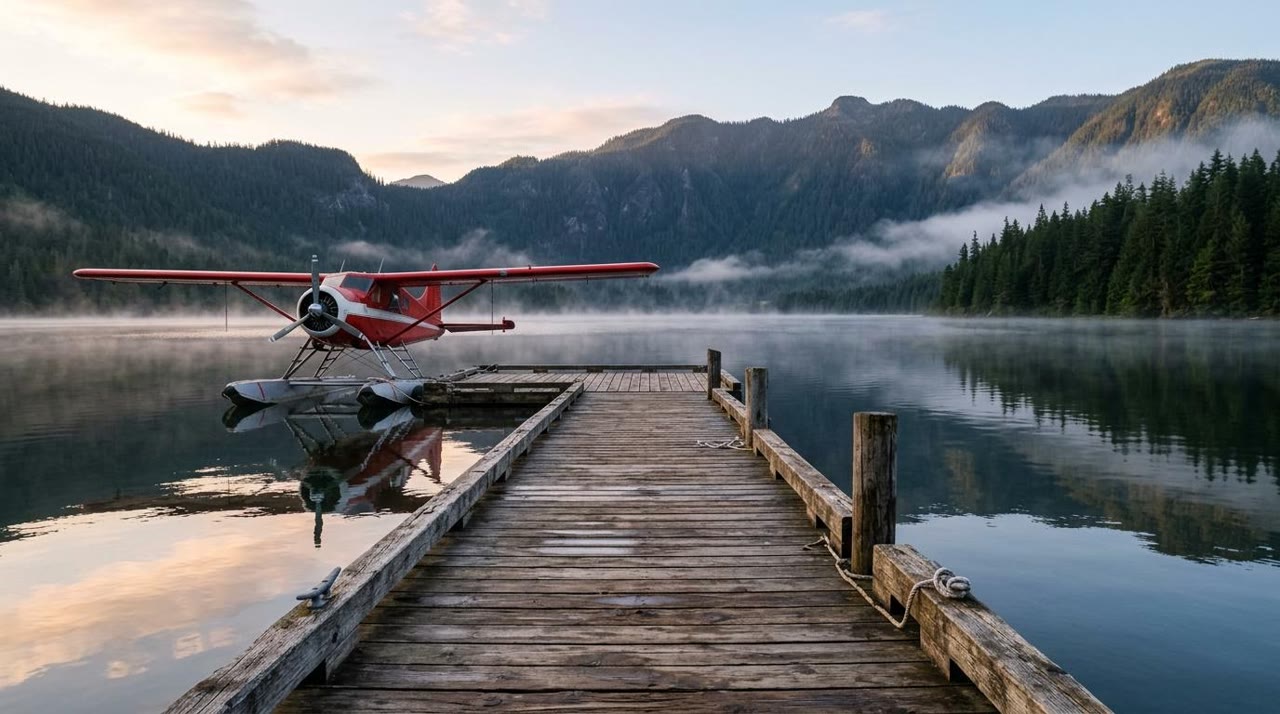
Upload a first frame and describe what happens next, or add a last frame as well when the shot has to land on an exact composition. The clip takes the shape of your image, so there is no aspect ratio to pick.
In this Segmind test the still in the corner went in as the first frame. Flash taxied the seaplane, lifted it off the lake and kept the dock and the mountains as they were in the image, over 8 seconds at 720p.
Seedance 2.5 Flash Reference to Video with up to 10 Images
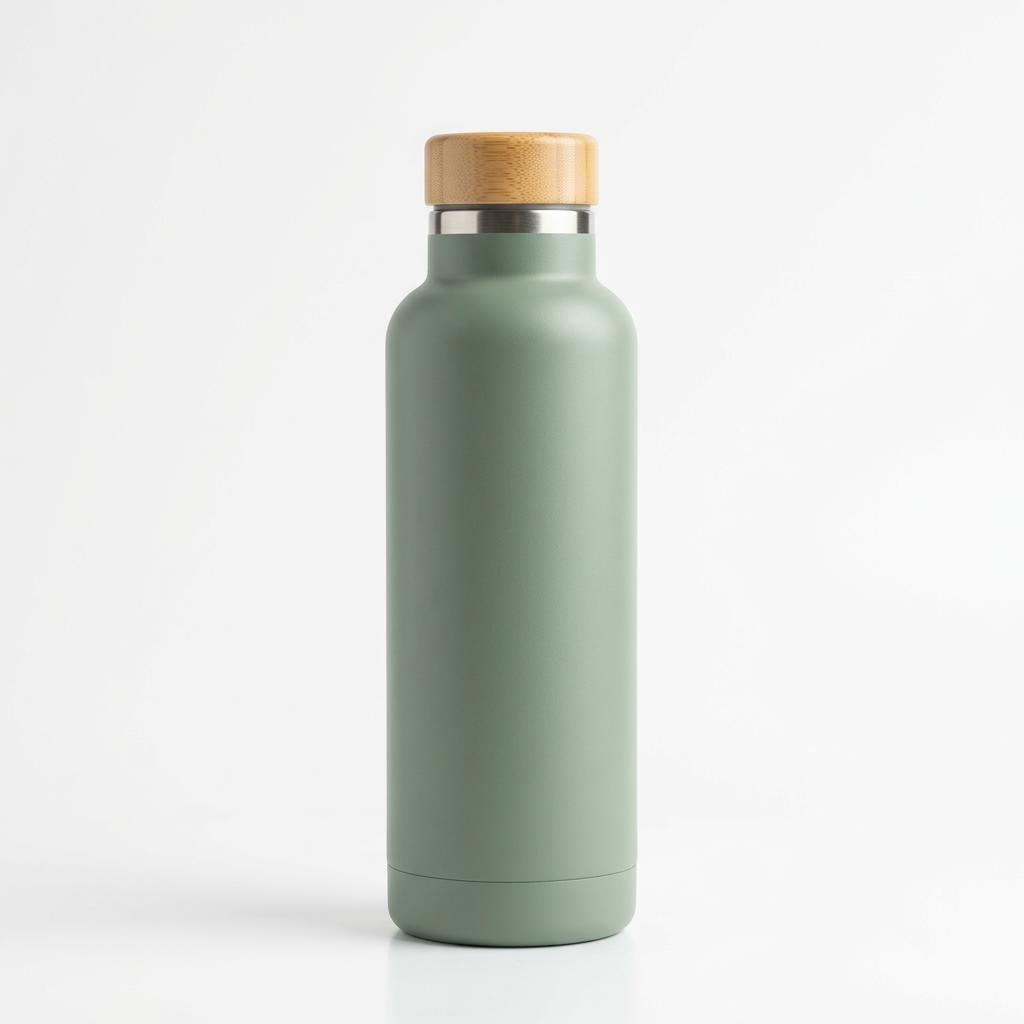
References carry a character, a product, an outfit or a place into a new shot without starting the clip on any of the images. Write "image 1", "image 2" in the prompt to say what each one is for. Reference clips of 2 to 30 seconds can guide motion or camera work.
In this Segmind test the product shot in the corner was the only reference. The bottle’s shape and matte finish carry into an 8-second hiking scene the image never showed. Seedance 2.5 takes more references (30 images and 10 clips) when a job needs them.
Seedance 2.5 Flash Video Edit and Extend
In edit mode you describe the change, such as a new time of day, a different object or another style, and Flash returns a clip about as long as the one you uploaded with the rest of the shot kept in place. Extend continues a clip by the length you pick.
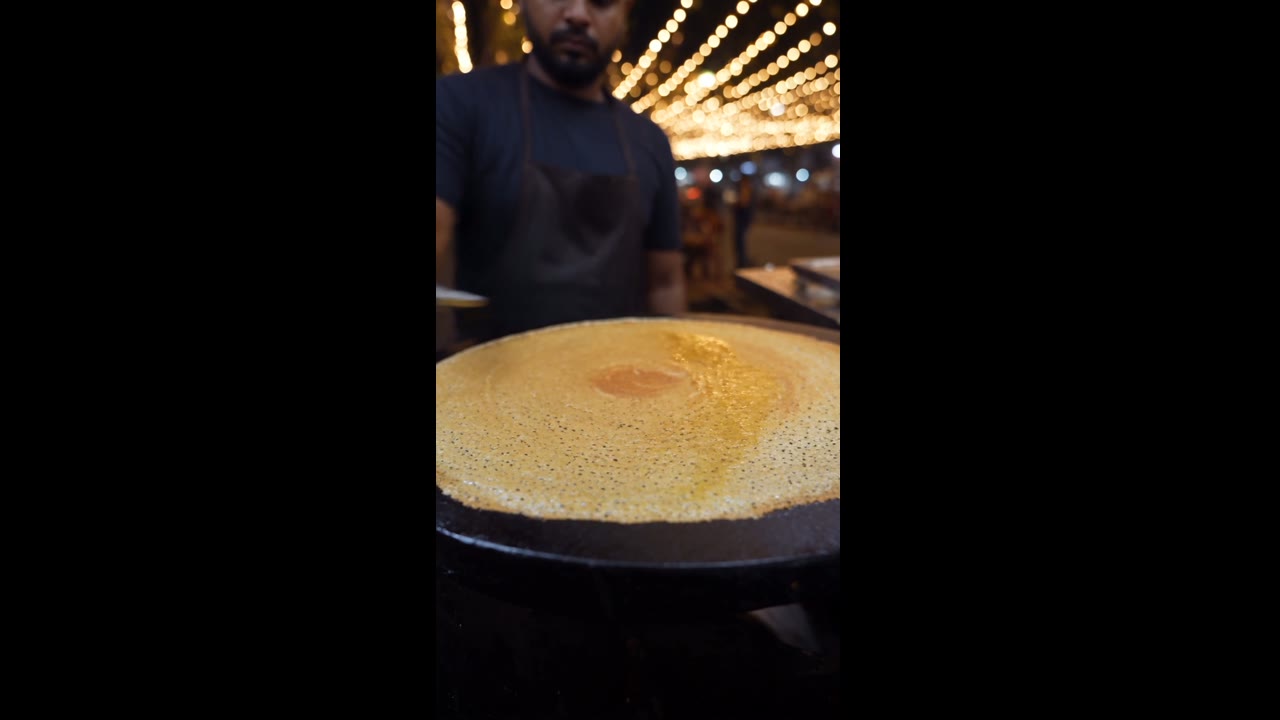
The source in the corner is the street-food clip from the carousel above. In Segmind’s test one prompt turned the string lights blue and laid a banana leaf under the dosa, while the vendor, his movements and the timing stayed put. The result ran 7.7 seconds from an 8-second source.
Seedance 2.5 Flash Native Audio and Dialogue
A Flash draft already has the room tone, footsteps or waves the scene needs, at no extra credits. Sound is on by default and you can switch it off for a silent clip.
In this Segmind test the prompt gave the mechanic one line in quotation marks, the format that works best for short spoken lines. She says it after spinning the wheel, in sync, over freewheel ticks and street noise.
Seedance 2.5 Flash Clips from 4 to 30 Seconds
Kling 4.0 Flash stops at 20 seconds and Seedance 2.0 Fast at 15. Flash keeps the full 30-second range of Seedance 2.5, so one generation can hold a small story with several beats instead of a single moment.
This 20-second clip from Segmind’s tests holds three shots in one generation, with a line of dialogue from each character and the same girl and kite throughout. Longer clips use more credits, since Flash is charged per second.
Seedance 2.5 Flash Settings for Length, Resolution and Inputs
These are the settings the generator gives you for Seedance 2.5 Flash, so what you plan is what you can render.
| Length | 4 to 30 seconds5 seconds by default. |
|---|---|
| Resolution | 480p or 720pFor 1080p or 4K, switch to Seedance 2.5. |
| Aspect ratio | 16:9, 9:16, 1:1, 4:3, 3:4, 21:9 or AutoWith a first frame, the clip takes the shape of your image. |
| Frames | A first frame, or a first and a last frame |
| References | Up to 10 images and 5 clipsClips of 2 to 30 seconds, up to 200 MB each. |
| Video edit and extend | YesAn edit returns a clip about as long as the one you upload. |
| Prompt | Up to 10,000 characters |
| Sound | On by defaultAmbience, effects, music and speech; can be switched off. |
| Credits | Charged per secondThe generator shows the total before you start, and the price table below lists common lengths. |
Seedance 2.5 Flash Use Cases
Flash is the Seedance 2.5 tier for drafts, tests and volume: cheap enough to run often, quick enough to iterate on.
- Drafts before a final render: Settle the prompt, the frames and the references on Flash, then run the keeper on Seedance 2.5 at 1080p or 4K.
- Ad and social variants: Run one idea in 16:9, 9:16 and 1:1, or try several hooks, and keep the best take.
- Storyboards and animatics: Turn each pair of frames into a moving shot to check pacing and camera moves.
- Consistent characters and products: Carry a face, an outfit or a pack shot through a series of clips with reference images.
- Quick fixes to existing footage: Change the light, an object or the style of a clip, or extend it by a few seconds.
Seedance 2.5 Flash vs Seedance 2.5, Seedance 2.0 Fast, Seedance 2.0 Mini and Kling 4.0 Flash
Every cell except the last row comes from the models’ live settings on SeedVideo AI, so the table matches what the generator lets you pick today.
Want a second take on the same idea? The AI video generator keeps Seedance 2.5 Flash next to Seedance, Kling, Veo and Wan, so you can rerun a prompt on another model with the credits you already have.
| Feature |  Seedance 2.5 Flash | Seedance 2.5 | Seedance 2.0 Fast | Seedance 2.0 Mini |  Kling 4.0 Flash |
|---|---|---|---|---|---|
| Longest clip | 30 s | 30 s | 15 s | 15 s | 20 s |
| Top resolution | 720p | 4K | 1080p | 720p | 720p |
| Aspect ratios | 16:9, 9:16, 1:1, 4:3, 3:4, 21:9 | 16:9, 9:16, 1:1, 4:3, 3:4, 21:9 | 16:9, 9:16, 1:1, 4:3, 3:4, 21:9 | 16:9, 9:16, 1:1, 4:3, 3:4, 21:9 | 16:9, 9:16, 1:1, 21:9 |
| Reference images | 10 | 30 | 9 | 9 | No |
| Reference videos | 5 | 10 | 3 | 3 | No |
| Edit and extend a clip | Yes | Yes | No | No | No |
| Credits for 5 s at 720p | 23 credits | 31 credits | 19 credits | 13 credits | 14 credits |
| Best for | Fast, lower-cost Seedance 2.5 drafts up to 30 s with every input mode | Final renders at 1080p or 4K and jobs with many references | Quick Seedance 2.0 clips up to 15 s | The cheapest Seedance tests | Quick Kling drafts from text or one start frame |
Credits are credit-pack rates for a 5-second 720p clip; subscriptions cost less per second.
Seedance 2.5 Flash Pros and Cons
What it does well on SeedVideo AI today, and what to work around.
Strengths
- Price: About 25% fewer credits per second than Seedance 2.5 at the same resolution.
- Speed: The first 5-second 720p clips here took 103 to 140 seconds, against a 200-second median on Seedance 2.5.
- Full input set: Text, first and last frames, reference images and clips, video edit and extend, as on Seedance 2.5.
- Length: Up to 30 seconds in one generation, with sound.
Limits
- Resolution: 480p and 720p only; use Seedance 2.5 for 1080p or 4K.
- References: 10 images and 5 clips, against 30 and 10 on Seedance 2.5.
- No draft mode: Seedance 2.5 can render a cheap preview and upgrade it; Flash renders every clip in full.
- Young model: Flash arrived here on November 19, 2026, so our timing figures come from a small number of jobs.
What Seedance 2.5 Flash Costs and How You Can Start
Starting points for Seedance 2.5 Flash
Pick a starting point below and the generator opens with Seedance 2.5 Flash selected.
Seedance 2.5 Flash price per clip
Credit-pack prices, pulled from the generator’s current settings. Subscriptions cost less per second.
| Resolution | 5 s | 10 s | 30 s |
|---|---|---|---|
| 480p | 12 credits | 23 credits | 69 credits |
| 720p | 23 credits | 46 credits | 138 credits |
How to Use Seedance 2.5 Flash in 4 Steps
- Step 1
Pick Seedance 2.5 Flash
Use the composer at the top of this page, or open the generator and choose Seedance 2.5 Flash in the model menu.
- Step 2
Describe the shot
Write the subject, the action, the camera move and the sound you want. Put spoken lines in quotation marks.
- Step 3
Add frames, references or a clip
Upload a first and last frame, up to 10 reference images, or a clip to edit or extend. Without any, Flash builds the scene from your words.
- Step 4
Set length and resolution, then generate
Pick 4 to 30 seconds and 480p or 720p, check the credit total and start. A 5-second clip usually lands in about two minutes.
Seedance 2.5 Flash Prompt Examples
One prompt from OpenArt’s Seedance 2.5 Flash guide, run three times with only the opening line changed. Each clip is the 20-second 720p take that prompt produced. Load one into the generator, then change the subject, the setting or the format.
Product ad, close-up opening
Text to video · 16:9 · 20 sSCENE: A bright kitchen counter in soft morning light. A window behind the counter shows green trees outside. SUBJECT: a matte green insulated water bottle. Show only one bottle. OPENING: 0-5s: Close-up of the bottle on the counter. A drop of water slides down its side. MIDDLE: 5-15s: A hand picks up the bottle, twists open the lid and fills the bottle with water. ENDING: 15-20s: A young man takes a long drink from the uncapped bottle, sets the bottle down, twists, closes the bottle lid, and smiles. The bottle ends centered in the frame. CAMERA: Slow push in during the opening, then a steady medium shot. SOUND: The pour of water and the click of the lid. Light birdsong from the window. No music, no voices. LIMITS: No text on screen, no other logos, no extra bottles.
Source: OpenArt · Seedance 2.5 Flash prompt guide
Try this promptProduct ad, runner opening
Text to video · 16:9 · 20 sSCENE: A bright kitchen counter in soft morning light. A window behind the counter shows green trees outside. SUBJECT: a matte green insulated water bottle. Show only one bottle. OPENING: 0-5s: The young man jogs into the kitchen, out of breath, and reaches for the bottle. MIDDLE: 5-15s: A hand picks up the bottle, twists open the lid and fills the bottle with water. ENDING: 15-20s: A young man takes a long drink from the uncapped bottle, sets the bottle down, twists, closes the bottle lid, and smiles. The bottle ends centered in the frame. CAMERA: Slow push in during the opening, then a steady medium shot. SOUND: The pour of water and the click of the lid. Light birdsong from the window. No music, no voices. LIMITS: No text on screen, no other logos, no extra bottles.
Source: OpenArt · Seedance 2.5 Flash prompt guide
Try this promptProduct ad, warm-water opening
Text to video · 16:9 · 20 sSCENE: A bright kitchen counter in soft morning light. A window behind the counter shows green trees outside. SUBJECT: a matte green insulated water bottle. Show only one bottle. OPENING: 0-5s: The young man sips from a glass of water left in the sun and winces at how warm it is. MIDDLE: 5-15s: A hand picks up the bottle, twists open the lid and fills the bottle with water. ENDING: 15-20s: A young man takes a long drink from the uncapped bottle, sets the bottle down, twists, closes the bottle lid, and smiles. The bottle ends centered in the frame. CAMERA: Slow push in during the opening, then a steady medium shot. SOUND: The pour of water and the click of the lid. Light birdsong from the window. No music, no voices. LIMITS: No text on screen, no other logos, no extra bottles.
Source: OpenArt · Seedance 2.5 Flash prompt guide
Try this prompt
More Video Models on SeedVideo AI
Seedance 2.5 Guides and Comparisons
Guides and comparisons from the SeedVideo AI blog.
Seedance 2.5 Flash FAQ
What is Seedance 2.5 Flash?
How is Seedance 2.5 Flash different from Seedance 2.5?
How many credits does Seedance 2.5 Flash use?
How long does a Seedance 2.5 Flash video take?
Does Seedance 2.5 Flash generate sound?
Can Seedance 2.5 Flash make 1080p or 4K video?
Can I use reference images or edit a video with Seedance 2.5 Flash?
Is SeedVideo AI affiliated with ByteDance?
Make Your First Seedance 2.5 Flash Video
Write a prompt, add frames or references if you have them, pick a length, and get a draft with sound in about two minutes.
Open the generator