
MAGI-2 AI Video Generator: Free Online, 30s 1080p with Sound
MAGI-2 is Sand.ai’s flagship video model, released on November 24, 2026. It renders up to 30 seconds of 1080p video at 25 fps with sound made in the same pass, from dialogue and lip-sync to footsteps, room tone and music. Describe the scene, pick a length and an aspect ratio, and get one continuous clip. Try MAGI-2 online now!
Seedance 2.5
Up to 30s clips with image, video and audio references.
Seedance 2.5 Flash
Seedance 2.5's fast tier: 720p clips with sound for fewer credits.
Kling 4.0
Kuaishou's newest model: 3–30s clips at up to 1080p.
Kling 4.0 Flash
Kling 4.0's fast tier: 720p clips with sound for fewer credits.
Wan 3.0
Up to 30s clips with native audio and lip-synced dialogue.

GPT Image 2.6
Generate and edit images with OpenAI's newest model.
GPT Image 2.5
Generate and edit images from 1 credit.
Nano Banana 2.1
Google's image model: sharper detail and cleaner text.

Seedream 5.5
Edit one image round after round; transparent PNG output.
Seedance 2.0
Multi-shot cinematic video with native audio and lip sync.
MAGI-2 Video Examples
MAGI-2 Features at a Glance
- MAGI-2 Long Takes up to 30 Seconds: One generation can run 30 seconds without a cut, and the scene can change style or place along the way.
- MAGI-2 Omni-Reference for Characters and Places: Sand’s API takes up to 20 references in one request: 10 images, 5 videos and 5 audio clips.
- MAGI-2 Multi-Shot Scenes with Timed Cuts: Write the shots and when they change; MAGI-2 keeps the characters and the set the same across the cuts.
- MAGI-2 Native Audio, Dialogue and Lip-Sync: Speech, lip movement, effects, ambience and music come out of the same model as the picture.
- MAGI-2 1080p at 25 fps in Six Aspect Ratios: Every clip renders at 1080p, 25 frames per second, in 16:9, 9:16, 1:1, 4:3, 3:4 or 21:9.
- MAGI-2 Settings for Length, Aspect Ratio and Sound: Length, resolution, aspect ratio, sound and prompt limits as the generator offers them.
MAGI-2 Long Takes up to 30 Seconds
Most video models stop at 10 or 15 seconds, so a longer scene means stitching clips and hoping the seams hold. MAGI-2 keeps a single shot going for up to 30 seconds, which leaves room for a walk, a reveal and a change of mood in one take.
Sand.ai conditioned this clip on five classic paintings, among them The Starry Night, Water Lilies and A Sunday Afternoon on the Island of La Grande Jatte. The camera walks along a river and the world turns from Van Gogh’s brushwork into Seurat’s dots, Monet’s water and a gold-leaf garden, in one continuous 30-second take.
MAGI-2 Omni-Reference for Characters and Places
References are how a face, an outfit or a location stays the same from shot to shot. In Sand.ai’s native API a single MAGI-2 request can combine up to 10 images, 5 video clips and 5 audio clips. The generator here starts MAGI-2 from a text prompt.
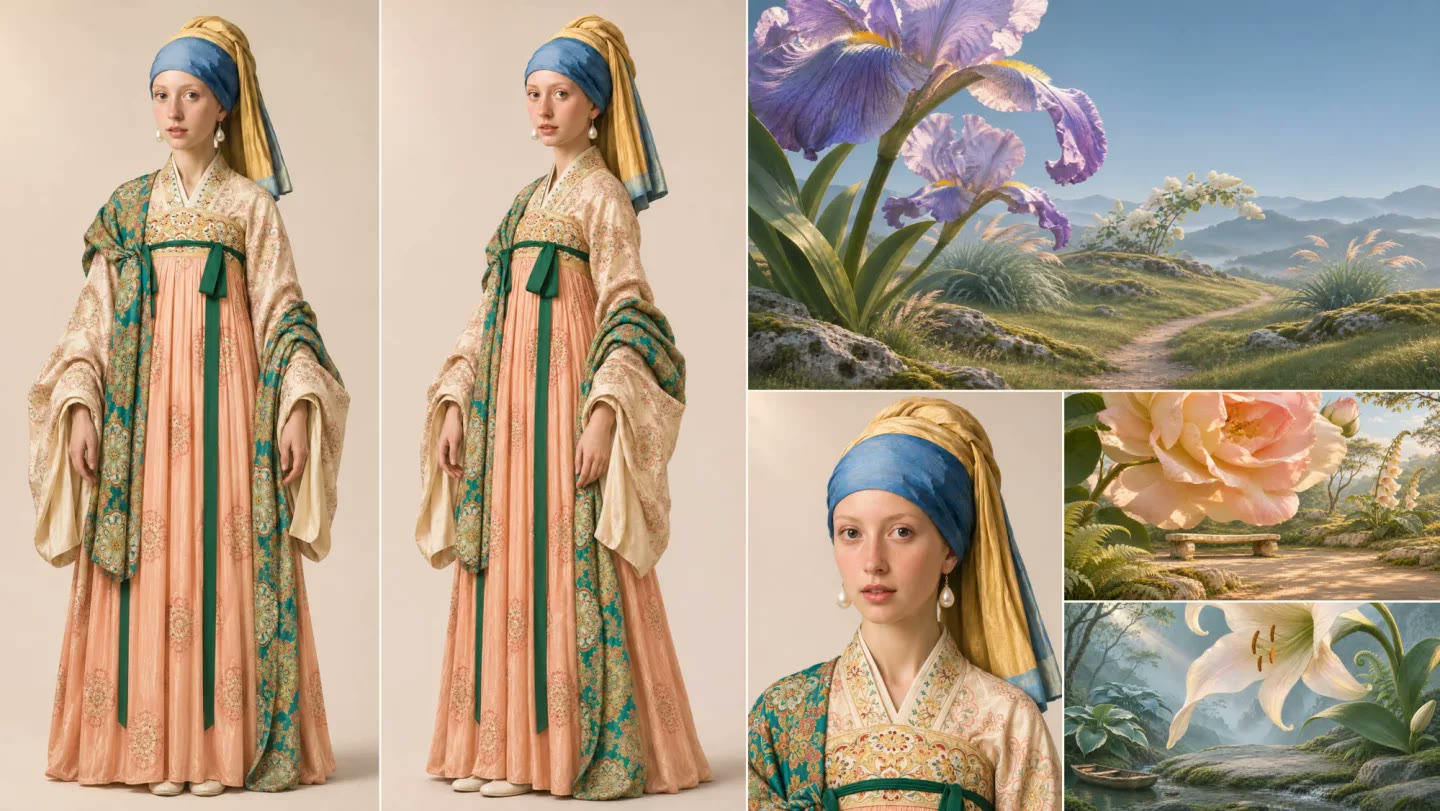
In this Sand.ai example the board in the corner fixed one character and her robes, plus an iris hillside, a pink rose garden and a lily valley. The clip cuts between close-ups, low-angle views and wide shots, and passes from one garden to the next behind leaves and petals, with the character unchanged.
MAGI-2 Multi-Shot Scenes with Timed Cuts
MAGI-2 follows script-level timing: when a shot starts, how long it lasts, and whether a cut falls on an action or a timestamp. In Sand.ai’s timeline test, all 16 cut points it asked for landed where they were specified.
This 28-second scene is from Sand.ai’s launch post. A clockwork robot winds a music box on an attic desk while a boy sleeps, a cat wanders in, and the shots move from close-ups to the full room without losing the lamp, the window or the robot’s dents.
MAGI-2 Native Audio, Dialogue and Lip-Sync
MAGI-2 generates video and audio in one backbone, so a line of dialogue arrives with the mouth movement that goes with it, and footsteps or water land on the frame where they happen. Sound is on by default and can be switched off for a silent clip.
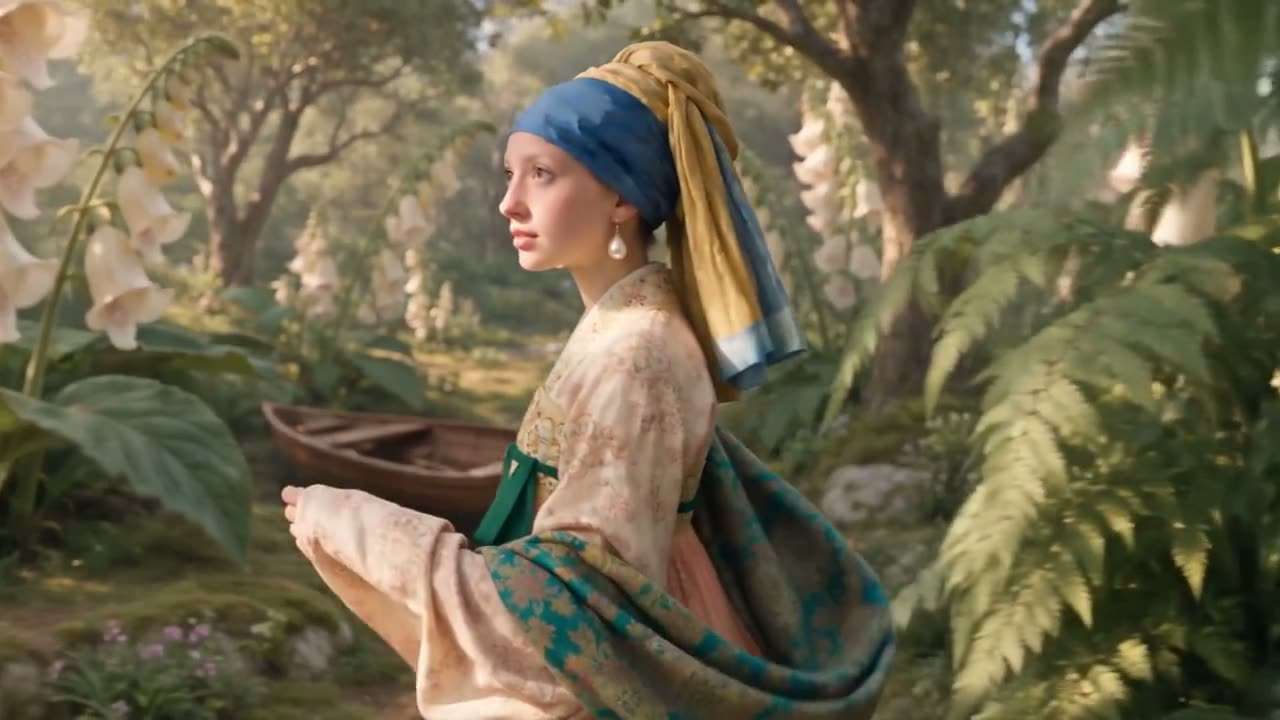
Sand.ai published this scene from MAGI-2’s 480B pre-trained checkpoint, with prompt rewriting turned off. It was given only the two characters, the boat and three story beats, with no framing, camera angles or cut points. The model chose the wide shot, the over-the-shoulder angles and the close-up on its own.
MAGI-2 1080p at 25 fps in Six Aspect Ratios
There is no lower draft tier: every MAGI-2 clip comes out at 1080p and 25 frames per second, in the aspect ratio you pick, so a test is already a usable cut.
This 30-second sunrise is from Sand.ai’s launch post: mist on the lake, light moving across the peaks and the paddle cutting the water. The page plays a smaller copy; the generator returns the full 1080p file.
MAGI-2 Settings for Length, Aspect Ratio and Sound
These are the settings the generator gives you for MAGI-2, so what you plan is what you can render.
| Length | 5 to 30 seconds10 seconds by default. |
|---|---|
| Resolution | 1080p25 frames per second. |
| Aspect ratio | 16:9, 9:16, 1:1, 4:3, 3:4 or 21:9 |
| Input | A text prompt |
| Prompt | Up to 10,000 characters |
| Sound | On by defaultDialogue, effects, ambience and music; can be switched off. |
| Credits | Charged per secondThe generator shows the total before you start. |
MAGI-2 Use Cases
MAGI-2 suits work that needs a long, finished-looking shot with sound in one generation.
- Short films and story scenes: Write a scene with several beats and let one 30-second take carry it, dialogue included.
- Music videos and art pieces: Move one shot through several looks or places, as in the five-painting walk above.
- Ads and product films: Render the final 1080p cut in 16:9 for the site and 9:16 for social.
- Animated shorts: Stage a small character piece with cuts, sound effects and music in one generation.
- Pitches and previs: Show a director’s idea as a moving, scored scene instead of a storyboard.
MAGI-2 vs Seedance 2.5, Kling 4.0, Veo 3.1 and Wan 3.0
Every cell except the last row comes from the models’ live settings on SeedVideo AI, so the table matches what the generator lets you pick today.
Want a second take on the same idea? The AI video generator keeps MAGI-2 next to Seedance, Kling, Veo and Wan, so you can rerun a prompt on another model with the credits you already have.
| Feature |  MAGI-2 |  Seedance 2.5 |  Kling 4.0 |  Veo 3.1 Pro |  Wan 3.0 |
|---|---|---|---|---|---|
| Longest clip | 30 s | 30 s | 30 s | 8 s | 30 s |
| Top resolution | 1080p | 4K | 1080p | 1080p | 1080p |
| Aspect ratios | 16:9, 9:16, 1:1, 4:3, 3:4, 21:9 | 16:9, 9:16, 1:1, 4:3, 3:4, 21:9 | 16:9, 9:16, 1:1, 21:9 | 16:9, 9:16 | 16:9, 9:16, 1:1, 4:3, 3:4 |
| Reference images | No | 30 | No | No | 10 |
| Reference videos | No | 10 | No | No | 5 |
| Edit and extend a clip | No | Yes | No | No | No |
| Credits for 5 s at 720p | 12 credits | 31 credits | 24 credits | 40 credits | 12 credits |
| Best for | Long 1080p takes with sound, up to 30 s, from text | Reference-heavy jobs, video edit and extend, and 4K finals | Kling’s motion and stereo sound up to 30 s | Short 8 s shots with Google’s physics and audio | Image and clip references with sound, up to 30 s |
Credits are credit-pack rates for a 5-second clip at 720p, or at 1080p for MAGI-2, which renders 1080p only; subscriptions cost less per second.
MAGI-2 Pros and Cons
Where MAGI-2 is strong, and what to plan around.
Strengths
- Length: Up to 30 seconds in one take, with sound.
- Resolution: 1080p at 25 fps on every clip.
- Sound: Dialogue with lip-sync, effects, ambience and music from the same model as the picture.
- Directing: Follows timed cuts in the prompt, and plans its own shots when you give only story beats.
Limits
- Resolution: 1080p only, so there is no cheaper 480p or 720p tier for quick tests.
- Inputs here: The generator starts MAGI-2 from text; for frames, references or editing, use Seedance 2.5.
- Known weak spots: Sand.ai lists artifacts in very fast motion, overly smooth 2D animation in medium and wide shots, and thinner sound in busy scenes.
- New model: Released on November 24, 2026; Sand.ai has not yet published the open weights or the technical report.
What MAGI-2 Costs and How You Can Start
Starting points for MAGI-2
Pick a starting point below and the generator opens with MAGI-2 selected.
- Text to video
- Sound generated with the picture
MAGI-2 price per clip
Credit-pack prices, pulled from the generator’s current settings. Subscriptions cost less per second.
| Resolution | 5 s | 10 s | 30 s |
|---|---|---|---|
| 1080p | 12 credits | 24 credits | 72 credits |
How to Use MAGI-2 in 4 Steps
- Step 1
Pick MAGI-2
Use the composer at the top of this page, or open the generator and choose MAGI-2 in the model menu.
- Step 2
Write the scene
Describe the subject, the action, the camera and the sound. For several shots, say what each shows and when it cuts; put spoken lines in quotation marks.
- Step 3
Choose length and aspect ratio
Pick 5 to 30 seconds and one of six aspect ratios. Leave sound on for dialogue and effects, or switch it off.
- Step 4
Check the credits and generate
The generator shows the credit total for the length you picked. Start the job and the 1080p clip lands in your library.
More Video Models on SeedVideo AI
AI Video Guides
Guides and comparisons from the SeedVideo AI blog.
MAGI-2 FAQ
What is MAGI-2?
How is MAGI-2 different from MAGI-2 Preview?
How long can a MAGI-2 video be?
How many credits does MAGI-2 use?
Does MAGI-2 generate sound?
Is MAGI-2 open source?
Can I use reference images or edit a video with MAGI-2?
Is SeedVideo AI affiliated with Sand.ai?
Make Your First MAGI-2 Video
Write a scene, pick a length up to 30 seconds and an aspect ratio, and get a 1080p clip with sound.
Open the generator